
Чтобы отменить подписку на ChatGPT Plus, воспользуйтесь платформой для оплаты, на которой вы изначально оформили подписку. Чтобы совершить покупку через сайт, войдите в систему ChatGPT и откройте Профиль → Настройки → Оплата → Отменить тарифный план → Отменить. Если оплата осуществляется через Apple или Google, отмените подписку через App Store или Google Play.
Текущее состояние — 17 июля 2026 года: Согласно Инструкции по отмене заказа OpenAI, отмена вступает в силу на следующий день после даты следующего списания. До этого момента вы можете пользоваться услугой «Plus», и вам следует отменить подписку не позднее чем за 24 часа до продления, чтобы избежать следующего списания.
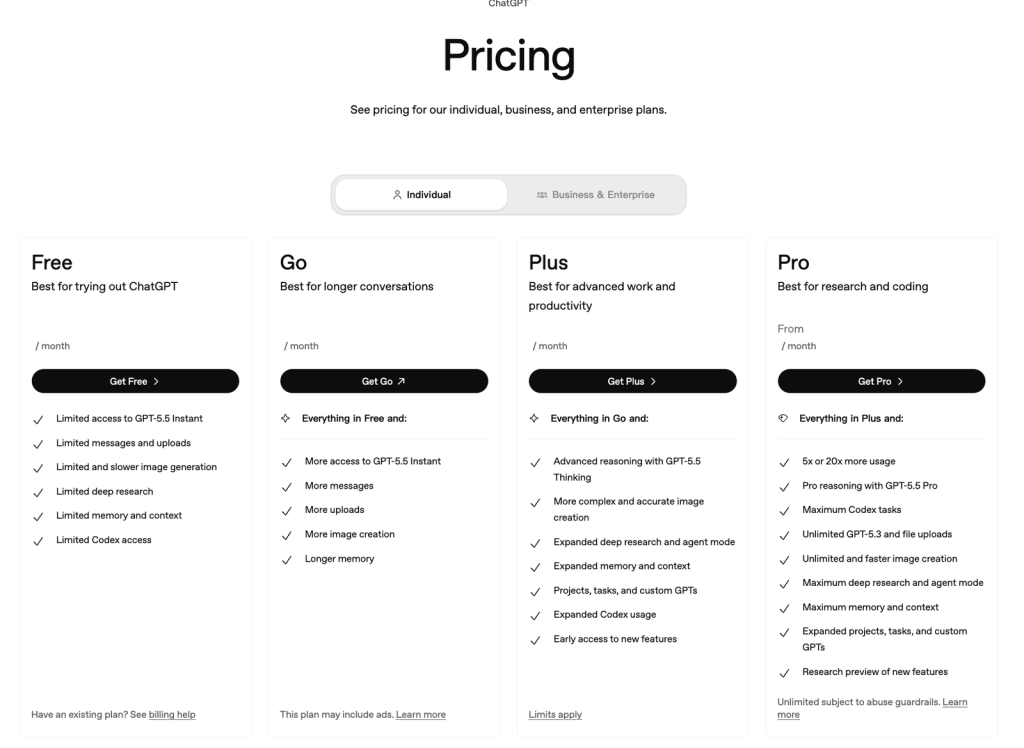
Прежде чем отменить подписку, уточните, не подойдет ли вам другой официальный тарифный план. Это Сравнение тарифных планов ChatGPT на 2026 год объясняет различия между версиями Go, Plus и Pro, а руководство по Текущие тарифы и лимиты по тарифу ChatGPT Plus покрывает фактические ежемесячные расходы.
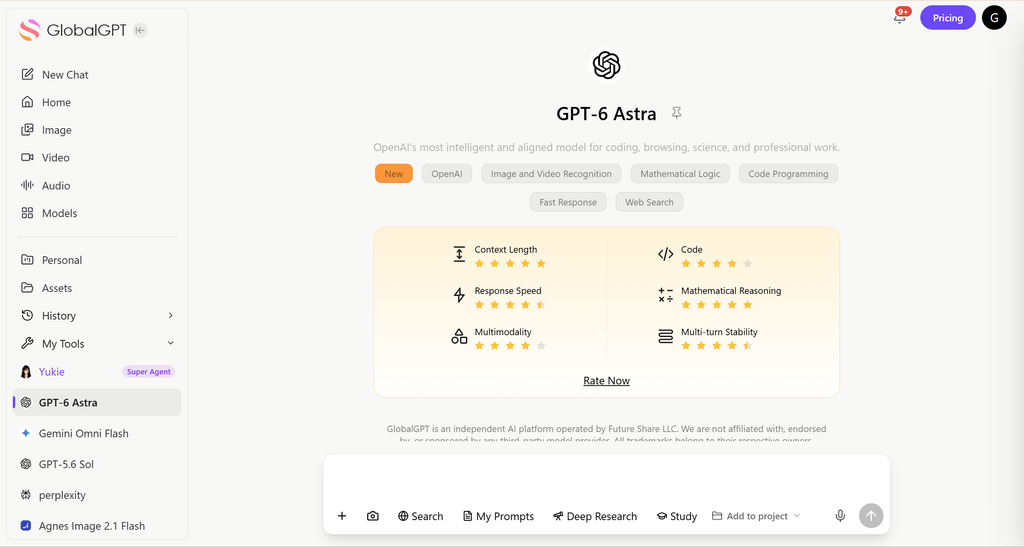
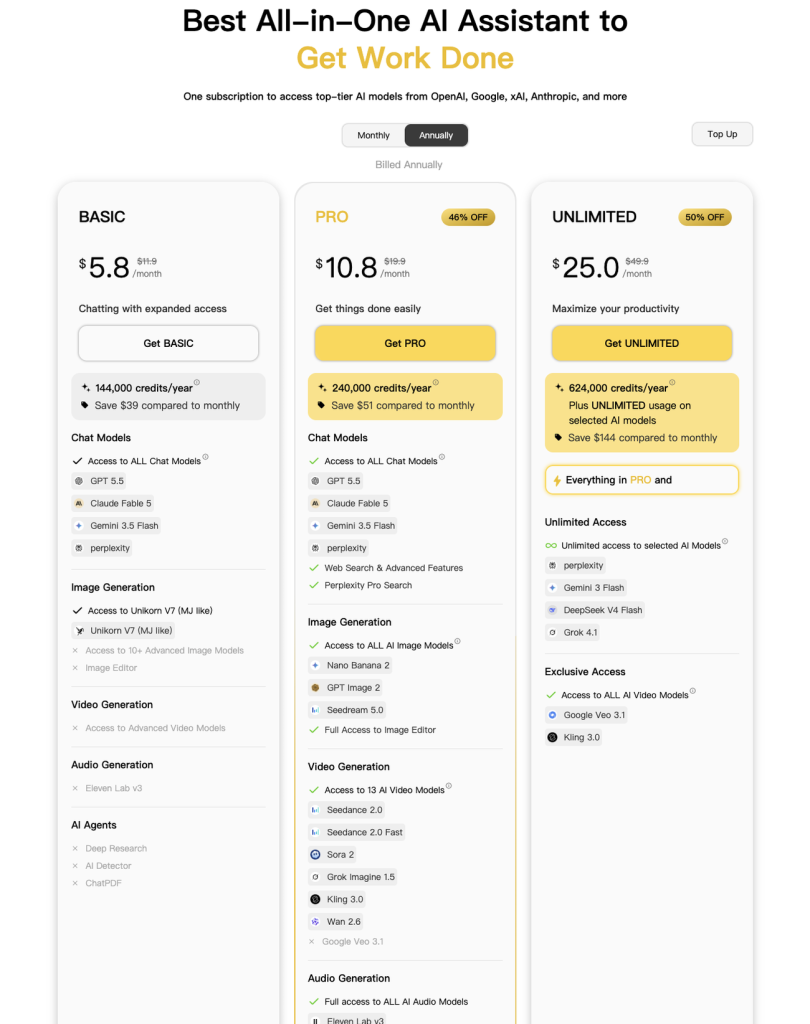
Если вы отменяете подписку из-за того, что оплачиваете несколько отдельных инструментов искусственного интеллекта, Мультимодельное рабочее пространство GlobalGPT — это ещё один вариант сравнения. По состоянию на 17 июля 2026 года на его веб-сайте представлен доступ к более чем 100 инструментам искусственного интеллекта через одну учетную запись. Раскрытие информации: Компания GlobalGPT публикует данное руководство и управляет платформой GlobalGPT; это независимый сторонний сервис, не связанный с OpenAI.
| Где вы подписались | Где можно отменить | Быстрый путь |
|---|---|---|
| Веб-сайт ChatGPT | Настройки выставления счетов ChatGPT | Профиль → Настройки → Оплата → Отменить тарифный план |
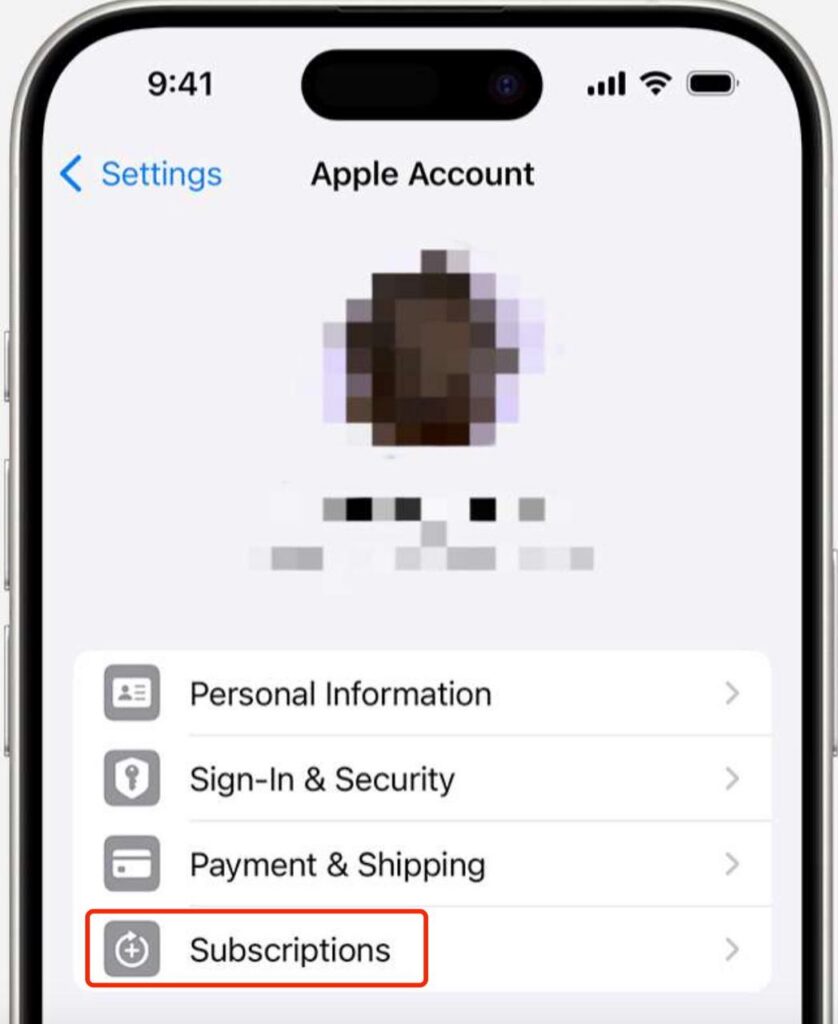
| iPhone или iPad | Подписки Apple | «Настройки» → «Учетная запись Apple» → «Подписки» → ChatGPT |
| Android | Google Play | Play Store → Меню/Профиль → Подписки → ChatGPT |
Как отменить подписку на ChatGPT Plus через сайт
- Перейдите на сайт chatgpt.com и войдите в систему с помощью учетной записи, на которую оформлена подписка.
- Нажмите на значок своего профиля.
- Выберите Настройки.
- Выберите Выставление счетов.
- Под Отменить план, выберите Отмена и завершите подтверждение.
Данная инструкция применима только к подпискам, приобретённым на сайте chatgpt.com. Если на странице «Оплата» ваш тарифный план не отображается, проверьте, не использовали ли вы другой способ входа в систему или не приобретали ли подписку через Apple или Google.
Как отменить подписку на ChatGPT Plus на iPhone или iPad
Если вы оформили подписку через Apple, то Apple отвечает как за выставление счетов, так и за отмену подписки. Воспользуйтесь инструкциями, приведенными в Актуальное руководство OpenAI по отмене подписки в iOS:
- Откройте iPhone или iPad Настройки приложение.
- Нажмите на своё имя, чтобы открыть свою учетную запись Apple.
- Нажмите Подписки.
- Выберите ChatGPT.
- Нажмите Отменить подписку, затем нажмите «Подтвердить».
Удаление учетной записи ChatGPT в веб-версии не приводит к отмене подписки, управляемой компанией Apple. Компания Apple может списать плату за продление подписки за 24 часа до окончания текущего периода, поэтому отмените подписку до истечения этого срока.
Как отменить подписку на ChatGPT Plus на Android
Подписку, приобретённую через Google Play, необходимо отменить, войдя в ту же учетную запись Google, которая использовалась при покупке. OpenAI’s Руководство по отмене подписки на Android даёт следующий путь:
- Откройте магазин Google Play.
- Убедитесь, что вы используете правильную учетную запись Google.
- Открыть Меню/Профиль → Подписки.
- Выберите ChatGPT подписка.
- Нажмите Отменить подписку и следуйте инструкциям.
Вы также можете отменить подписку на странице подписок в Google Play с компьютера. Удаление приложения для Android не приводит к отмене списания средств, а подписку, первоначально приобретённую на сайте chatgpt.com, необходимо отменить именно на сайте chatgpt.com.
Когда вступает в силу отмена ChatGPT Plus?
Отмена подписки приостанавливает следующее продление; она не лишает вас платного доступа сразу же после нажатия кнопки «Отменить». В OpenAI указано, что отмена вступает в силу на следующий день после даты следующего списания средств, поэтому доступ к тарифу «Plus» сохраняется до конца текущего платного периода.
- Отмените подписку не позднее чем за 24 часа до продления. Если ждать до даты выставления счета, может оказаться слишком поздно, чтобы предотвратить следующий списание средств.
- Сохраните подтверждение. Сохраните экран с информацией об отмене или письмо по электронной почте и убедитесь, что в тарифе указана дата окончания действия.
- Убедитесь, что вы выбрали правильный магазин. Подписки Apple и Google будут действовать до тех пор, пока их не отменят в магазине, через который осуществляется списание средств.
Можно ли получить возмещение за ChatGPT Plus?
Отмена подписки и возврат средств — это отдельные запросы. В документе OpenAI указано, что плата за подписку, как правило, не подлежит возврату, однако в нем инструкции по возврату средств описать несколько способов получения права на участие.
| Канал продаж | Как подать заявку на возврат средств | Текущий прогноз на OpenAI |
|---|---|---|
| chatgpt.com | Войдите в аккаунт OpenAI, с которого был списан платеж, и подайте заявку на возврат средств через чат в Справочном центре. | Возврат средств по соответствующим заявкам обрабатывается в течение 5–7 рабочих дней. Возврат средств за случайные покупки, как правило, возможен, если о них сообщено в течение 14 дней с момента списания средств. |
| Магазин приложений Apple | Обратитесь за возмещением непосредственно в компанию Apple. | Apple принимает решение о соответствии требованиям и порядке обработки. |
| Google Play | Войдите в аккаунт OpenAI, с которого был списан платеж, и подайте заявку на возврат средств через чат в Справочном центре. | Возврат средств, подпадающий под условия возврата, обрабатывается в течение 10 рабочих дней. Случайные покупки, как правило, подлежат возврату, если о них сообщено в течение 14 дней. |
| ЕС, Великобритания или Турция | Следуйте процедуре возврата, предусмотренной для канала, через который была совершена первоначальная покупка. | Согласно положению OpenAI, жильцы имеют право на пропорциональный возврат средств в случае отмены в течение 14 дней с момента покупки. |
Что делать, если кнопка «Отмена» отсутствует
- Проверьте счет. Войдите, используя тот же адрес электронной почты или тот же способ аутентификации, что и при покупке подписки Plus. При использовании функции “Войти с помощью Apple” может применяться адрес электронной почты «Private Relay».
- Проверьте платформу для выставления счетов. Веб-подписка отображается в разделе «ChatGPT Billing»; покупки через Apple и Google отображаются в соответствующих настройках подписок.
- Восстановить покупку, совершенную с мобильного устройства. Если с вас списали деньги, но в приложении ChatGPT отображается статус «Бесплатно», приложение ChatGPT предоставляет Настройки → Восстановить покупки вариант.
- Обратитесь в службу поддержки OpenAI. Если доступ к учетной записи отсутствует, система OpenAI запрашивает адрес электронной почты, привязанный к учетной записи, последние четыре цифры платежной карты и дату последнего платежа.
Воспользуйтесь официальным Инструкции по обращению в службу поддержки OpenAI вместо того, чтобы раскрывать платежные данные на общедоступном форуме.
Прежде чем отменить подписку: экспортируйте данные ChatGPT
Отмена подписки на Plus не означает удаление вашей учетной записи OpenAI. Если вы хотите создать резервную копию до окончания срока действия платной подписки, воспользуйтесь Профиль → Настройки → Управление данными → Экспорт данных → Экспорт → Подтвердить экспорт.
Согласно Руководство по экспорту данных из OpenAI, ZIP-файл содержит историю чата и другие соответствующие данные учетной записи. Доставка экспорта может занять до семи дней, а ссылка для скачивания теряет силу через 24 часа после доставки. Если вы не можете войти в систему, запросите данные через портал конфиденциальности OpenAI.
Что изменится после окончания программы «ChatGPT Plus»?
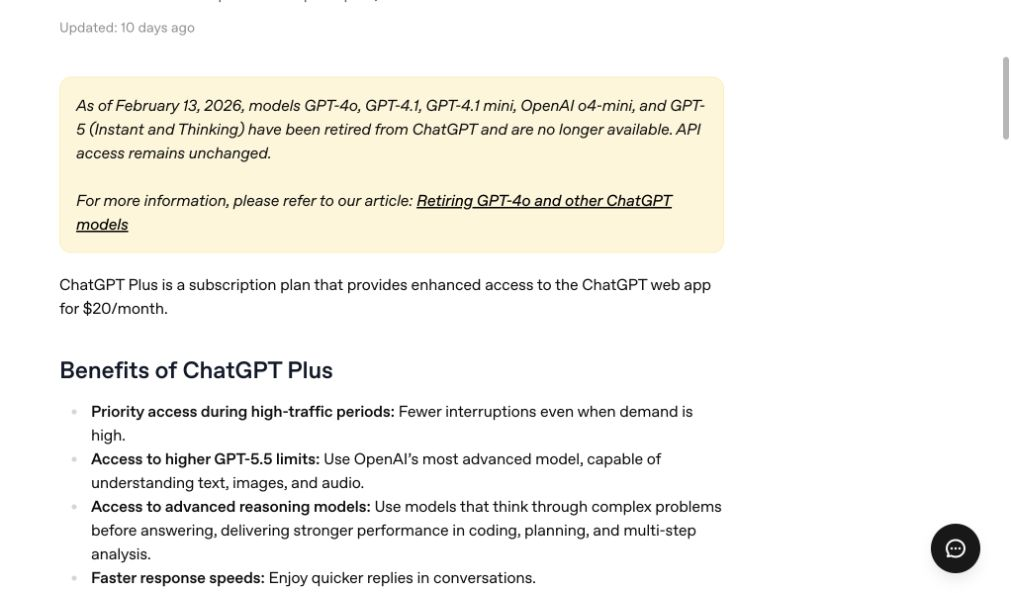
По истечении оплаченного периода для вашей учетной записи вновь будут действовать ограничения на доступ и использование, предусмотренные тарифным планом, отличным от «Plus». Согласно Обзор текущей версии OpenAI «ChatGPT Plus», Версия «Plus» предоставляет более широкий доступ к моделям и инструментам, чем версия «Free», включая более высокие лимиты и расширенный доступ к функциям обработки речи, генерации изображений, анализа файлов, Deep Research и настраиваемым функциям GPT. OpenAI со временем изменяет доступность моделей и лимиты, поэтому точное отличие определяется параметрами, отображаемыми в вашей учетной записи на момент вступления в силу перехода на более низкую версию.
Стоит ли отменить подписку, перейти на более дешевый тариф или сменить провайдера?
| Выбор | Лучшая посадка | Основной компромисс |
|---|---|---|
| Сохранить ChatGPT Plus | Вы регулярно используете расширенные возможности и инструменты ChatGPT. | Вы продлеваете ежемесячную подписку. |
| Отменить подписку и перейти на тарифный план, отличный от «Plus» | Вы пользуетесь услугой нерегулярно или хотите отключить автоматическое списание средств. | После истечения платного периода будут введены более низкие лимиты и ограничен доступ к инструментам. |
| Сравнение версий «Plus» и «Pro» | Вам требуются более значительные ресурсы для проведения исследований или программирования. | Более высокий тарифный план стоит дороже; сначала сравните свои реальные потребности в использовании. |
| Используйте мультимодельную платформу | Вам нужно, чтобы в одном рабочем пространстве было несколько поставщиков ИИ. | Это отдельный сторонний сервис со своими тарифными планами и ограничениями. |
Если проблема заключается не в самой версии ChatGPT, а в затратах на обслуживание отдельных подписок на ИИ, ознакомьтесь с практическими различиями в ChatGPT Plus против Pro и является ли Вариант годового выставления счетов ChatGPT Plus существует.
По состоянию на 17 июля 2026 года Платформа GlobalGPT предоставляет доступ к более чем 100 инструментам искусственного интеллекта в рамках одной учетной записи, охватывающих чаты, работу с изображениями, видео, исследования и творческие рабочие процессы. Это может оказаться полезным, если ваша цель — заменить несколько отдельных подписок, а не просто перейти на более дешевый тарифный план ChatGPT.

Как восстановить работу ChatGPT Plus
Вы сможете повторно подписаться позже с той же учетной записи. Войдите в систему ChatGPT, нажмите на значок своего профиля, выберите План обновления, выберите Получить Plus, а также подтвердите условия оплаты. Если вашей предыдущей подпиской управляла компания Apple или Google, убедитесь, что вы понимаете, какая из платформ будет контролировать новое соглашение об оплате.
Как убедиться, что функция продления действительно отключена
- Обратите внимание на окончательный статус подписки, а не только на первую кнопку отмены.
- Сохраните дату истечения срока действия и подтверждение отмены.
- Укажите того же владельца счета, который выставил вам счет: OpenAI, Apple или Google.
- Если вы также подписались через другой канал, ознакомьтесь с условиями этого отдельного соглашения, прежде чем делать вывод о том, что все списания прекратились.
Подтверждение отмены бронирования и одобрение возврата средств — это разные вещи.
Часто задаваемые вопросы об отмене подписки на ChatGPT Plus
Могу ли я отменить подписку на ChatGPT Plus в любое время?
Да. Вы можете отменить подписку в любой момент, но сделайте это не позднее чем за 24 часа до следующей даты списания средств, чтобы избежать автоматического продления. Платный доступ будет действовать до конца текущего расчетного периода.
ChatGPT Plus сразу перестанет работать?
В пункте № OpenAI указано, что отмена вступает в силу на следующий день после даты следующего выставления счета, поэтому услуга «Plus» останется активной в течение периода, за который вы уже оплатили.
При удалении приложения ChatGPT отменяется подписка на Plus?
Нет. Удаление приложения не приводит к прекращению списания средств. Отмените подписку через chatgpt.com, в разделе «Подписки» в Apple или в Google Play в зависимости от того, где была оформлена подписка.
Могу ли я получить возмещение после отмены подписки на ChatGPT Plus?
Возврат средств не происходит автоматически. Покупатели, совершившие покупку через веб-сайт или в Google Play, могут подать заявку на возврат через службу поддержки OpenAI, а покупатели, совершившие покупку через Apple, должны обратиться в Apple. Право на возврат зависит от характера платежа и региона.
Почему у меня не отображается опция «Отменить подписку»?
Возможно, вы вошли в систему под неправильной учетной записью OpenAI или используете не ту платформу для оплаты. Проверьте подписки в Apple или Google, если тарифный план не отображается в системе ChatGPT Billing.
Могу ли я отменить подписку на ChatGPT Plus, не имея доступа к своей электронной почте?
Да. Обратитесь в службу поддержки OpenAI, указав адрес электронной почты, связанный с учетной записью, последние четыре цифры номера карты и дату последнего платежа, чтобы специалисты могли найти и отменить подписку.
При отмене подписки на Plus будет ли удалена моя учетная запись ChatGPT?
Нет. Отмена подписки и удаление учетной записи — это разные действия. Ваш платный доступ заканчивается по истечении расчетного периода; если вы хотите создать личную резервную копию, сначала экспортируйте свои данные.
Могу ли я позже снова подписаться на ChatGPT Plus?
Да. Войдите в ту же учетную запись, откройте раздел «Обновление тарифного плана», выберите «Перейти на Plus» и оформите оплату. Сначала ознакомьтесь с платформой оплаты, чтобы избежать дублирования подписок.
Итог
Отмените подписку на ChatGPT Plus в том месте, где вы её первоначально приобрели, завершите процедуру не позднее чем за 24 часа до продления и сохраните подтверждение. Ваш платный доступ будет действовать до конца текущего периода. Если вам требуется возврат средств, воспользуйтесь отдельной процедурой для покупок, совершенных через веб-сайт, Apple или Google Play.





