Согласованность видео, созданного с помощью ИИ, означает, что персонаж, его узнаваемые черты, важные реквизиты и визуальная логика одного кадра сохраняют свою целостность в следующем. Надежный подход заключается не в том, чтобы создавать один огромный проп. Соберите небольшой пакет для обеспечения непрерывности, снимите короткие кадры, каждый из которых соответствует отдельному заданию, и проверьте переход между ними, прежде чем приступать к съемке следующего клипа.
Именно поэтому я бы использовал Видео GlobalGPT для этого рабочего процесса. Начните со создания описания персонажа в модуле «Изображение», перенесите это же описание в модуль «Видео», а затем выберите вариант, подходящий для конкретного кадра. В одном рабочем пространстве доступны форматы Seedance, Veo, Kling и другие видеоформаты, поэтому пакет континуитета находится рядом с клипами, а не создаётся заново в отдельных инструментах. Одобренные кадры по-прежнему монтирует ваш обычный монтажер.
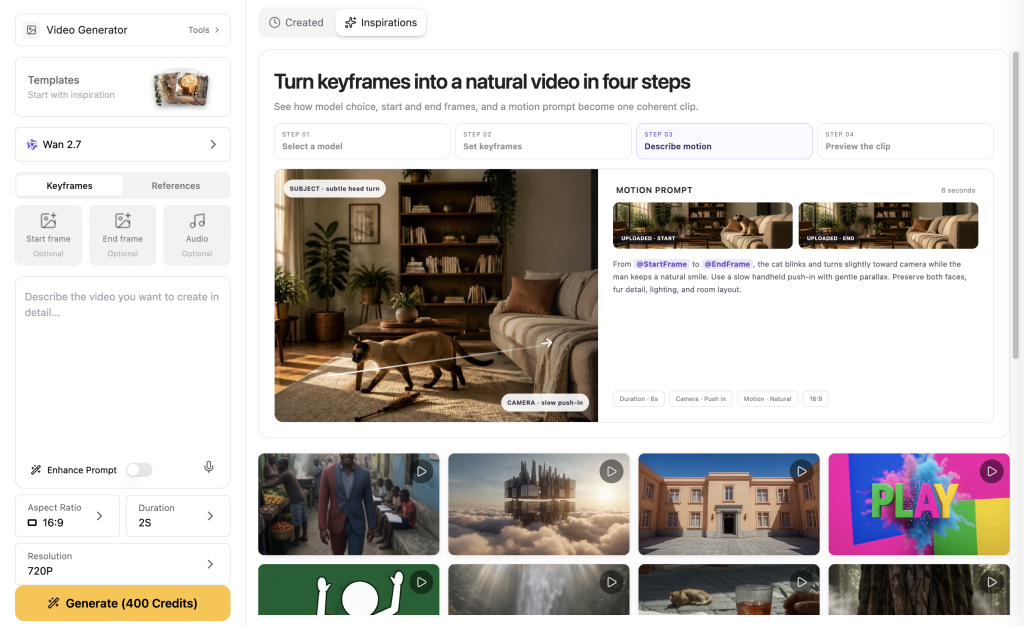
Что на самом деле означает «согласованность видео с ИИ»
Сцена может выглядеть привлекательно, но при этом нарушать принцип непрерывности. Лицевая панель может изменить форму, сумка — превратиться в книгу, а персонаж — уйти не в том направлении. Рассматривайте принцип непрерывности как четыре взаимосвязанных элемента: идентичность, отсылка, правило кадра и переход.
Четыре элемента управления непрерывностью
Создайте пакет непрерывности перед первым клипом
Создайте пакет персонажа один раз, а затем точно копируйте его неизменяемую часть. Меняйте место действия, действия персонажа и ракурс камеры, но не его основную сущность.
- Исправлено: лицо или силуэт, цветовая гамма, фирменная одежда и один реквизит.
- Гибкость: местоположение, погода, действие и расстояние до камеры.
- Обязательно указать: два или три элемента, которые должны быть видны в этом конкретном кадре.
Набор для проверки целостности цепи многоразового использования
Персонаж: [фиксированные идентифицирующие признаки в том же порядке].
Должно быть показано: [два или три заметных признака].
Сцена: [новое место действия и освещение].
Действие: [одно чёткое действие с использованием любого ключевого реквизита].
Камера: [одно указание по кадрированию и движению камеры].
Используйте рабочий процесс в GlobalGPT
- Используйте Изображение чтобы создать понятную характеристику личности.
- Сохраните утвержденное изображение и скопируйте исправленный набор символов, не изменяя его содержания.
- Перейти к Видео, выберите доступный маршрут и, при наличии, воспользуйтесь ориентиром.
- Сначала снимите опорный кадр, а затем проверьте ключевые моменты, которые обязательно нужно показать, прежде чем менять место съемки или ракурс камеры.
- Для следующего клипа определите параметры смены: позу, направление, положение реквизита и тип освещения.
Что касается этапа обработки изображения, см. здесь Рабочий процесс с использованием эталонных изображений для обеспечения единообразия персонажей в разных сценах. На этапе передачи задания простой призыв превращается в производственный рабочий процесс: перед тем как дать команду на съемку следующего клипа, необходимо зафиксировать направление выхода, последнюю позу, положение реквизита и тип освещения.
Что показали четыре первых отрывка
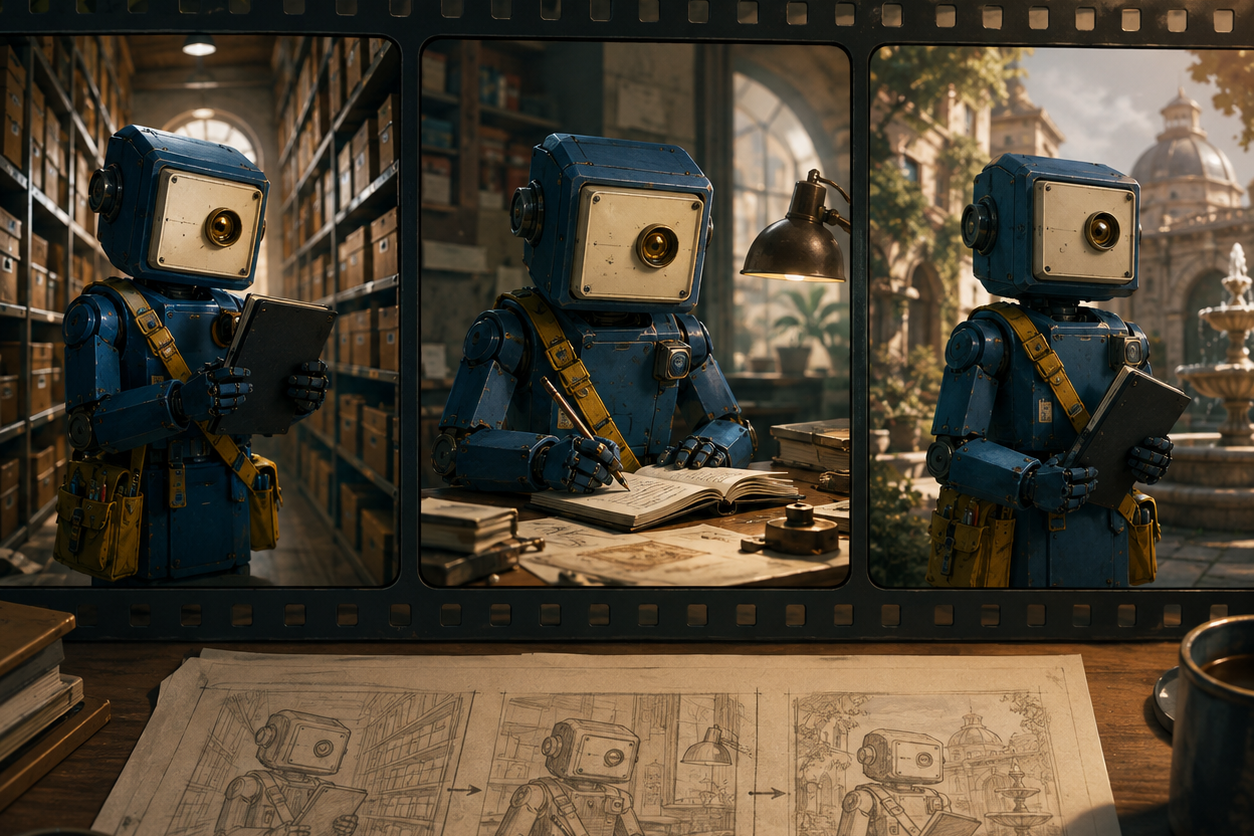
Это первые достоверные результаты, полученные из одного фиксированного набора данных вымышленных роботов, а не из рейтинга моделей. Для каждого маршрута через Anywhere запрашивался пятисекундный клип в формате 16:9, 480p. Был сохранен первый пригодный для воспроизведения результат.
C01: Кадр с якорем
MARA-9 идёт по проходу библиотеки. Средний план: полная фигура в профиль.- Маршрут: Seedance 2.0 через Anywhere
- Вывод: первый корректный MP4-файл длительностью 5 секунд; запрашиваемые параметры: 16:9 и 480p
- Что сохранилось: корпус кобальтового цвета, кремовая панель, янтарная линза, желтая оправа.
- Ограничение: записи в графитовом блокноте были неразборчивы.
C02: Действие с реквизитом в новой обстановке
МАРА-9 открывает графитовый блокнот на столе реставратора.- Маршрут: Seedance 2.0 через Anywhere
- Вывод: первый корректный MP4-файл длительностью 5 секунд; запрашиваемые параметры: 16:9 и 480p
- Что сохранилось: центральный робот, линза и желтая повязка.
- Ограничение: Ноутбук превратился в большую раскрытую книгу.
C03: Широкий ракурс с боковым отклонением
MARA-9 пересекает открытый каменный двор на рассвете.- Маршрут: Seedance 2.0 через Anywhere
- Вывод: первый корректный MP4-файл длительностью 5 секунд; запрашиваемые параметры: 16:9 и 480p
- Что сохранилось: корпус из кобальта, желтая лента, на ней был закреплен прямоугольный предмет.
- Ограничение: Квадратная кремовая панель на лице превратилась в удлиненную голову, напоминающую бинокль.
C04: Альтернативный проверенный маршрут
MARA-9 повторно снимает эталонный кадр библиотеки с использованием того же самого фиксированного комплекта.- Маршрут: Seedance 2.0 — быстрая передача данных из любой точки
- Вывод: первый корректный MP4-файл длительностью 5 секунд; запрашиваемые параметры: 16:9 и 480p
- Что сохранилось: корпус кобальтового цвета, квадратная панель, янтарная линза, желтая оправа.
- Ограничение: ноутбук снова был плохо виден.
Устраните наиболее распространённые проблемы с согласованностью видео, связанные с ИИ
- Реквизит меняет форму: Назовите материал и форму, включите их в действие и попросите обеспечить свободный кадр.
- Изменения лица под новым углом: Сначала используйте средний анкерный кадр, а затем дословно сохраните ориентиры и мимику.
- Гардероб исчезает: сделайте это заметным силуэтным ориентиром, а не крошечной деталью, скрытой из-за плотного кадра.
- Этот срез выглядит не так, как надо: Перед генерацией следующего клипа необходимо согласовать направление выхода, конечную позу, тип освещения и положение реквизита.
Если речь идет о продолжительности, а не о личности, см. здесь руководство по увеличению продолжительности видеороликов Sora 2.
ЧАСТО ЗАДАВАЕМЫЕ ВОПРОСЫ
Что такое согласованность видео с использованием ИИ?
Это способность обеспечить узнаваемость персонажа, реквизита, логики обстановки и направления движения в разных кадрах за счет использования повторяемого набора элементов и покадрового просмотра.
Как сохранить один и тот же персонаж в видео с ИИ?
По возможности используйте одно и то же эталонное изображение, копируйте готовый пакет идентификационных элементов, не переделывая его, и обеспечьте видимость ключевых ориентиров в каждом кадре.
Помогают ли эталонные изображения повысить стабильность качества видео, создаваемого с помощью ИИ?
Они могут служить ориентиром для лица, палитры цветов и гардероба, но не гарантируют, что каждый элемент будет попадать в кадр. Используйте также правило «обязательного показа».
Почему персонаж видеоролика, созданный с помощью ИИ, меняет одежду или теряет реквизит?
Модель может уделить приоритет действию или пейзажу, и камера может вырезать объект из кадра. Поместите объект в центр действия и попросите скомпоновать кадр так, чтобы он был виден.
Как обеспечить единообразие фона в видео, созданном с помощью ИИ?
Обеспечьте единообразие описания места действия, типа освещения и направления движения в соседних клипах. Изменяйте по одной основной переменной сцены за раз.
Можно ли исправить один несогласованный видеоролик с ИИ, не начиная всё сначала?
Да. Определите отсутствующий кадр в списке съёмок, сохраните утверждённый монтажный пакет и переснимите только этот клип с более динамичным действием и более четким ведением камеры.