Perplexity Login is simple when it works: visit perplexity.ai, choose one of the sign-in methods currently shown on the official login screen, and complete the flow. Most login problems can be fixed in about two minutes by checking your inbox, requesting a fresh email login code or link, disabling VPN interference, or using the same device where you started the login.
If you use Perplexity’s passwordless email login, access depends on receiving a one-time passcode or Magic Link. Small issues such as spam filtering, Apple Hide My Email forwarding, corporate email rules, browser extensions, or opening the link on the wrong device can turn a fast login into a frustrating loop. If you use multiple AI tools every day, that friction adds up quickly.
That is where GlobalGPT helps: an all-in-one platform that gives you Perplexity-style search and multiple frontier AI tools without juggling OTP emails or switching accounts.
Updated by Olivia Carter. This guide reflects the current Perplexity web and mobile login pattern: official sign-in through perplexity.ai, email-based login when offered, third-party sign-in when available on the login screen, and practical fixes for inbox delivery, Apple Hide My Email, browser redirects, and device-specific errors.
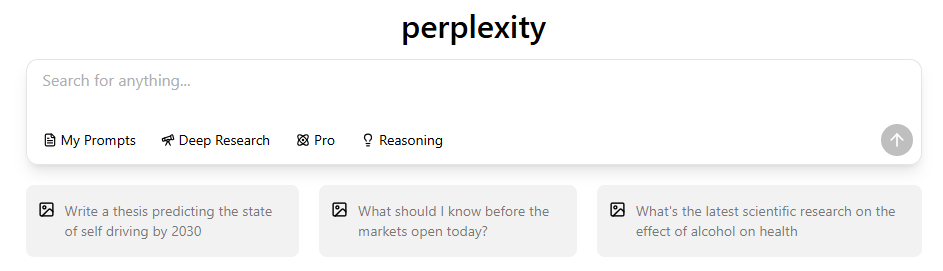
What Is Perplexity and Why Does It Use a Passwordless Login System?
Perplexity is an AI answer engine that lets users search, ask follow-up questions, and review cited sources. Its login experience is built around simplicity and account security. Instead of asking most users to create and remember a password, Perplexity commonly uses email-based sign-in and may also show third-party sign-in options such as Google or Apple depending on the platform, region, and account setup.
The difference between Perplexity and traditional search engines is in the answer-and-sources workflow, not a different sign-in account.
How to Log In to Perplexity on the Web
The official Perplexity website is https://www.perplexity.ai/. Always check the domain before entering your email or using a login link.
Follow these steps to sign in safely from a desktop or mobile browser.
Step 1 – Visit the Official Perplexity Website
Go directly to perplexity.ai or search for “Perplexity” and choose the official result. Avoid unofficial mirrors, sponsored lookalikes, or login pages on unrelated domains.

Start sign-in on perplexity.ai. If you choose Google or Apple there, the flow may open that provider’s own authentication page before returning to Perplexity. Check that the provider domain is genuine; close unrelated lookalike pages.
Step 2 – Choose Your Login Method
After clicking the login or sign-in button, use only the methods shown on the official Perplexity screen. Depending on your device and account, these may include:
- Continue with Google
- Continue with Apple
- Continue with Email using a login code, OTP, or Magic Link

Google, Apple, and email sign-in can reach the same account when the email address and letter casing match exactly. With Hide My Email, compare the Apple relay address rather than assuming your usual inbox address is the account email.
Step 3 – Confirm the Login Code or Open the Magic Link
If you choose email login, Perplexity may send a one-time code or Magic Link to your inbox. Open the newest message, use the latest code or link, and complete the flow in the same browser or device where you started the login.
Step 4 – Complete the Login Flow
After signing in, the Perplexity beginner’s guide walks through searches, follow-up questions, and cited answers.
Google Login
- Usually the fastest option
- Reliable across most browsers
- Avoids most email code delivery issues
- Best if your Perplexity account already uses the same Gmail address
Apple Login
- Useful for iPhone, iPad, and Mac users
- Works with Apple ID and Hide My Email
- Can cause confusion if Apple creates a private relay address
- May delay login email forwarding if Hide My Email or relay settings are misconfigured

How to Log In to Perplexity on Mobile
- Open the Perplexity app on iOS or Android.
- On the home screen, tap the Sign In button.

- Choose Google, Apple, or Email.
- If you choose Email, open the newest login code or Magic Link on the same phone.

Opening the login link on a different device is one of the most common mobile login mistakes. If you requested the link from the app, open it on that same phone whenever possible.
Why Perplexity Login Emails Sometimes Do Not Arrive
Perplexity relies on automated email delivery for email-based login. Anything that blocks, delays, scans, or rewrites those messages can interrupt the login flow.
For company or school email, ask IT to check server-side quarantine as well as your inbox. Perplexity’s missing sign-in email instructions identify team@mail.perplexity.ai as the sender to allow.
- Spam, Junk, Promotions, or Updates filtering
- VPN or proxy interference
- Apple Hide My Email or Private Relay forwarding delays
- Corporate or university email security blocks
- A misspelled email address
- Email providers with aggressive link scanning
How to Fix Perplexity Login Problems
- Check every inbox folder. Look in Spam, Junk, Promotions, Updates, and any quarantine folder managed by your email provider.
- Allow team@mail.perplexity.ai. Add it to your safe sender list; ask company or school IT to check server filtering.
- Disable VPN or proxy temporarily. VPNs and privacy extensions can break OTP redirects or trigger extra verification checks.
- Request a fresh login email. Wait 20-60 seconds, then use only the newest code or Magic Link.
- Use Google or Apple for the same account email. Do not switch to a different Gmail address just to receive a code; that can open a separate account.
- Use Google or Apple login when possible. If the same email address is connected, social login can bypass email OTP delays.
Why Magic Links and OTP Codes Stop Working
Email-code and Magic Link failures usually happen because the code or link is no longer the active login attempt. Requesting several emails in a row, opening an older link, or switching devices can invalidate the flow.
- The link expired before you opened it.
- You opened the Magic Link on another device or browser.
- An antivirus or email scanner pre-opened the link.
- A browser extension blocked the redirect.
- The Perplexity app or browser session is outdated.
The cleanest fix is to close extra login tabs, request one fresh login email, and complete the process immediately in the same browser or app.
Can You Change Perplexity Login Methods or Email Addresses?
Perplexity’s account ownership policy ties the account to its registered email. Support can transfer subscriptions purchased directly from Perplexity, but it cannot change account emails or restore data from an inaccessible account.
- Your registered account email cannot be changed. A different email requires a new account, without the old sessions and projects.
- If two login methods open different accounts, contact Perplexity through the in-app Help Center or official support flow.
- If Perplexity Pro access is attached to the wrong account, use the official support flow and include the subscription email.
Apple Hide My Email and Private Relay Login Issues
Apple users may run into extra login issues because Apple can hide the real email address behind a private relay address. That is useful for privacy, but it can make account matching and OTP forwarding less predictable.
Common Apple-related issues include:
- Login email forwarding delays
- Messages blocked by Hide My Email forwarding
- Using a private relay address instead of the original account email
- Disabled forwarding in Apple ID settings
Perplexity’s Apple Relay troubleshooting steps say to find Perplexity under Settings → your name → iCloud → Hide My Email and ensure forwarding is enabled.
Common Mobile Login Problems
- The OTP or Magic Link opens in the wrong browser.
- The login link opens on desktop instead of inside the mobile app.
- The Perplexity app is outdated.
- A VPN, ad blocker, or privacy extension blocks redirects.
- Apple Hide My Email or Private Relay forwards messages slowly.
If the link opens on your computer, the Perplexity Windows app guide can help you choose the right desktop route; complete a phone login attempt on that same phone.
Who to Contact If Perplexity Login Still Fails
If none of the troubleshooting steps work, contact Perplexity through the in-app Help Center or the official support option available from your Perplexity account. Support can help with login emails not arriving, Apple relay forwarding issues, duplicate accounts, subscription access, browser errors, and device-specific login problems.
To speed up the support process, include:
- Device and operating system
- Browser or app version
- Email provider
- VPN on/off status
- Screenshots of the issue
- Which login method you tried (Google, Apple, or Email)
Account recovery assistance is limited to paid or promotional accounts. For a subscription bought on perplexity.ai, provide the payment details to Perplexity; App Store or Google Play billing disputes go to Apple or Google. These are different account and billing support routes.
Perplexity Login FAQ
Can I log in to Perplexity without access to my email?
Usually no. If you use email login, you need access to the inbox that receives the login code or Magic Link. If you originally used Google or Apple login, use the same provider and the same email address.
Can I switch Perplexity login methods?
Yes. Perplexity links sign-in methods through your email address. Use the exact same email and letter casing for email, Google, or Apple sign-in; a different address or Apple relay alias can open a separate account.
Why am I not receiving the Perplexity login email?
The most common reasons are spam filtering, VPN interference, corporate email blocking, Apple Hide My Email delays, email typos, or using an old login email. Check all inbox folders and request one fresh login email after 20-60 seconds.
Can Perplexity accounts be merged?
If two sign-in methods open separate accounts, do not buy or move a subscription again before checking the official Help Center. Contact Perplexity through the in-app support flow and provide the email addresses involved.
What is the fastest way to fix a Perplexity login loop?
Close duplicate login tabs, disable VPN or privacy extensions, request one fresh login email, and open it immediately in the same browser or app where you started the login.
GlobalGPT: A Smoother Way to Work Across All AI Tools
If you regularly switch between Perplexity and other AI platforms, repeated OTP emails and login prompts can slow your workflow. GlobalGPT removes that friction by giving you access to multiple frontier AI tools in a single workspace: no repeated logins, no switching accounts, and no waiting for verification codes.
Keep official account recovery with Perplexity. Use Perplexity-style search in GlobalGPT for a separate multi-model workspace; it does not recover or merge a perplexity.ai account.