What Is the OpenAI Image Variations API?
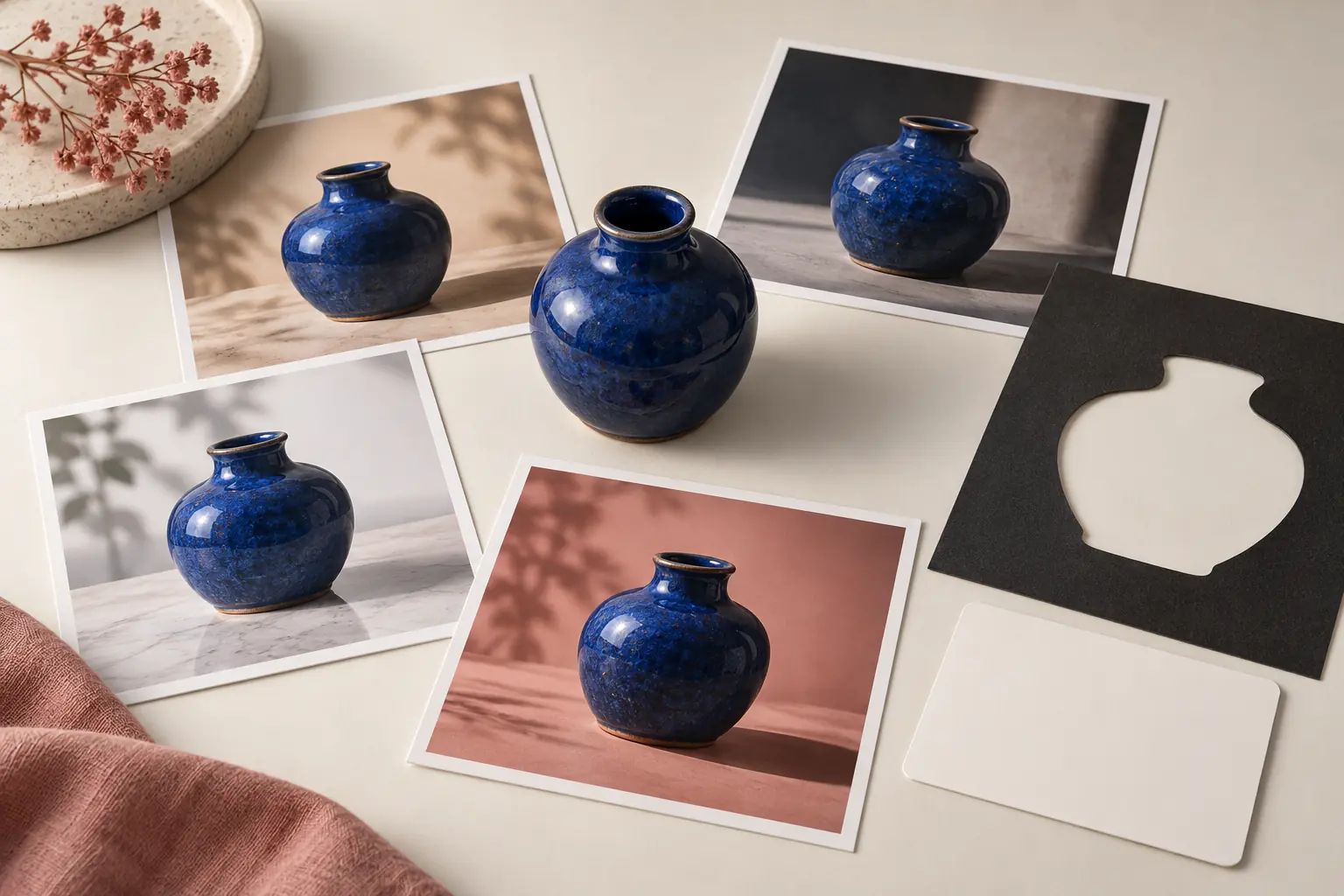
An image variation starts with an image rather than a text prompt. The service analyzes the source and returns one or more newly generated images that resemble it at a high level. Color, lighting, object details, texture, and composition can move between outputs. The result is a creative relative of the source, not a pixel-preserving duplicate.
Developers often discover the endpoint through older DALL-E examples. That history creates confusion because “variation” sounds like a general image-to-image feature. In practice, three different jobs are commonly grouped under that label:
| Vacature | Best API concept | Control level |
|---|---|---|
| Create a new image from words | Beeldgeneratie | Prompt controls the scene |
| Change part or all of an existing image with instructions | Image edit | Prompt, source image, and sometimes a mask |
| Ask for alternate interpretations of one image | Image variation | Source-driven, limited instruction control |
The endpoint is therefore best understood as a specialized route, not the default OpenAI image API. Current OpenAI image models may provide stronger generation and editing capabilities through other endpoints or the Responses API. Model support is not interchangeable: a model listed for generation is not automatically valid for variations, and an older examples page is not proof of current availability.
Before coding, read the current model-and-endpoint compatibility table in OpenAI’s documentation. This article deliberately avoids claiming that a newly announced model supports a legacy route unless the official API reference says so.
Gebruik OpenAI’s officiële handleiding voor het genereren van afbeeldingen for current workflow guidance, the Images API reference for accepted fields and endpoint support, and the Pagina met API-tarieven for current billing. Recheck all three when the implementation changes.
The Most Important Limitation: Variations Are Not Prompted Edits
The most common implementation mistake is expecting this request:
Keep the shoe, change only the wall to pale green, preserve the logo, and add soft window light.
That is an editing instruction. A variations request does not normally accept that kind of prompt. The service can return an image with a different shoe shape, altered logo, shifted camera angle, or changed color because semantic similarity is not identity preservation.
Use variations when exploration is the goal. Use edits when constraints are the goal.
This rule also prevents a misleading product promise. A page that advertises “brand-consistent campaign variations” should not rely on a source-only stochastic endpoint without testing logo fidelity, product geometry, text rendering, and color accuracy. AI-generated text and small marks can drift even when the overall image looks convincing.
If you need a broader set of image tools without maintaining separate provider accounts, GlobalGPT offers a practical workspace for comparing image generation and editing models. Its Vergelijking van AI-beeldgeneratoren is useful for choosing a model by task, while the Handleiding voor beeldbewerking in GlobalGPT focuses on instruction-led changes rather than source-only variations.
A Decision Framework Before You Call the API
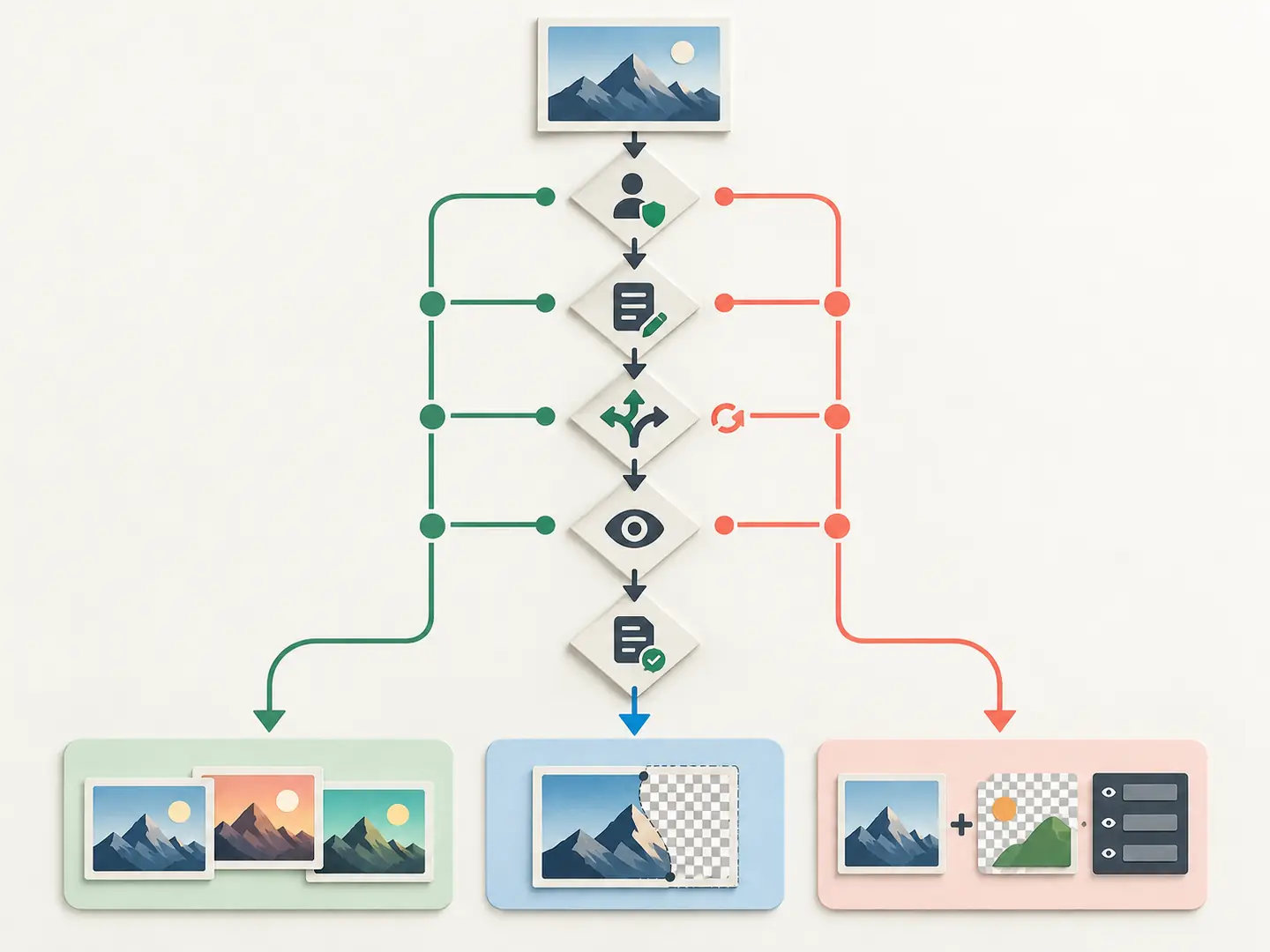
Ask five questions before choosing an endpoint.
Five decisions before an image request
1. Must a specific object remain identical?
If the answer is yes, a pure variation is risky. Product shape, packaging text, facial identity, and logos are precisely the details generative systems tend to reinterpret. Prefer an edit, a masked composite, or a conventional graphics pipeline.
2. Do you need to describe the change in words?
If you must specify a background, lighting setup, lens, season, color palette, or aspect-ratio treatment, use a prompt-capable generation or editing route. A variation endpoint cannot reliably infer your intent from the source alone.
3. Is discovery more valuable than repeatability?
Variations work well during ideation: mood exploration, rough art direction, stylistic branches, and thumbnail candidates. They are weaker when a legal reviewer expects only one approved element to change.
4. Can you reject most outputs?
The honest workflow includes selection. Generate a small batch, score every result against a checklist, and keep only outputs that pass. Do not make downstream automation assume the first image is acceptable.
5. Do you own the source and output use case?
API access does not grant rights to third-party logos, copyrighted characters, private photos, or protected likenesses. Confirm your input rights and review OpenAI’s current terms and usage policies. For a wider practical discussion, see whether AI images can be used commercially en de aparte handleiding voor commercieel gebruik van afbeeldingen van ChatGPT.
Input Preparation: Small Details Decide Whether the Request Works
Older Variations examples commonly require a PNG input, a square canvas, and a file under the documented size limit. Those requirements can change, so treat the live API reference as authoritative. Do not assume that a JPEG accepted by an edit endpoint is accepted by the variation endpoint.
Prepare the image deliberately:
- Crop to a square without cutting off the subject.
- Convert to PNG while preserving an alpha channel only when it is meaningful.
- Use an RGB-compatible color mode.
- Compress the file below the current documented limit.
- Remove metadata that should not leave your system.
- Store the original checksum and dimensions in your job record.
Upscaling a tiny source does not restore missing detail. It only creates more pixels. If the source is blurry, consider restoration first; the guides on beelden verbeteren met ChatGPT en unblurring photos explain why reconstruction must not be mistaken for recovery of authentic evidence.
Node.js Example: A Defensive Variations Request
The exact SDK surface can change between versions. Confirm the method and accepted model in the current OpenAI JavaScript SDK documentation. The pattern below is intentionally defensive: the model comes from configuration, the response is validated, and no unsupported prompt is sent.
Why use base64 in this example? It avoids relying on a temporary download URL. URL-based responses can be convenient, but your worker must download them before expiration and validate the returned content type. Base64 increases response size, so it is not automatically the best choice at scale.
Never put an API key in browser JavaScript or a public repository. Call OpenAI from a trusted server, secret-managed function, or worker. Validate file type by inspecting the bytes, not only the filename, and apply request limits before accepting public uploads.
Python Example
Again, use the current SDK docs as the source of truth for method names and models.
In production, wrap the request with retry logic only for retryable failures. A bad input format or unsupported model will not improve after five retries. Record the request ID, SDK version, selected model, file checksum, status, latency, and error category without logging secrets or private image bytes.
When the Image Edit API Is the Better Answer
Suppose a marketing team has an approved product photograph. It needs four placements: a blue studio background, a holiday table, a clean marketplace thumbnail, and a vertical story. A source-only variation may redesign the product. An edit prompt can express the invariants.
Use a prompt like this in an edit-capable image model:
The word “exactly” is not a guarantee. It is a constraint that must be verified. Compare the output with the source at full resolution. For advanced text-prompt editing examples, see hoe je afbeeldingen kunt bewerken met tekstaanwijzingen, whether ChatGPT can edit images, en whether ChatGPT can modify images.
A Low-Cost Test That Produces Useful Evidence
Do not test with a glamorous prompt and report that the output “looked good.” Build a small evaluation.
Choose one source image containing:
- one central object with recognizable geometry;
- two dominant colors;
- a simple background;
- no private person, protected character, or unreadable legal text;
- one small but observable detail, such as a button or stripe.
Run two jobs:
- Generate two source-only variations.
- Generate two prompt-led edits using the same source and a precise change request.
Then score all four outputs from 0 to 2 on subject identity, geometry, color fidelity, composition, artifact level, and instruction compliance. The variation outputs have no instruction-compliance obligation beyond the source relationship, while edits do. This makes the comparison fair and exposes the endpoint difference.
| Criterium | 0 | 1 | 2 |
|---|---|---|---|
| Subject identity | Different subject | Similar | Clearly retained |
| Meetkunde | Major drift | Minor drift | Stable |
| Kleur | Wrong | Partly retained | Accurate |
| Artefacten | Afleidend | Small defects | Clean |
| Requested change | Ontbreekt | Gedeeltelijk | Voltooien |
Save the complete job record, including failures. A real test may show that a creative variation is visually stronger while the edit is operationally safer. That is a useful conclusion. It is more credible than claiming one endpoint is universally better.
Error Handling You Need in Production
Production errors need explicit handling
Invalid image or unsupported format
Reject oversized files early, decode them in a controlled library, normalize orientation, and re-encode them. Do not trust extension or client MIME alone.
Unsupported model or parameter
Return a configuration error to your operators rather than silently changing the model. A fallback can change quality, safety behavior, price, and legal review status.
Rate limit or temporary server failure
Use bounded exponential backoff with jitter. Keep an idempotency record so a retry does not create duplicate paid jobs after a timeout.
Safety rejection
Do not automatically weaken or obfuscate the request to evade a refusal. Show a neutral message, preserve the error category, and let the user choose a compliant source.
Partial batch result
Treat each output independently. Validate decodability, actual format, dimensions, and minimum byte size before marking a job successful.
Cost Planning Without Publishing Stale Prices
Image API cost depends on the supported model, image size, quality, number of outputs, and sometimes input processing. A hard-coded price copied from an old blog post is a maintenance bug.
Use this planning formula:
Store pricing in a dated configuration record linked to OpenAI’s official pricing page. Add budget alerts, daily caps, maximum outputs per request, and per-user quotas. A timeout is not proof that the provider did not accept the job; reconcile provider request IDs before retrying. That single rule prevents many accidental duplicate charges.
For teams comparing models, the De beste gids voor AI-beeldgeneratoren provides broader workflow context, and ChatGPT-alternatieven voor afbeeldingen helps separate API suitability from visual taste.
When GlobalGPT Is the Simpler Workflow
The direct OpenAI API makes sense when you need server-side automation, strict access control, your own storage lifecycle, and deep integration with an application. It also requires credential management, input validation, error handling, cost controls, and ongoing endpoint maintenance.
GlobalGPT is the simpler route when the goal is to compare creative outputs and finish an image task without building a dedicated integration. You can move between generation and edit-oriented models in one workspace, preserve the prompt as part of the creative record, and choose the tool that matches the job instead of forcing every request through a legacy variation endpoint.
Probeer GlobalGPT eens when you want an interactive multi-model image workflow. Use the direct OpenAI API when the image step must live inside your own software and you are prepared to own the engineering around it.
Practical Recommendation
Use the OpenAI Image Variations API only when you have confirmed current endpoint support and genuinely want unconstrained alternatives derived from a square source image. Do not use it as shorthand for all image-to-image work.
For precise creative changes, start with the image edit workflow. For a new composition, start with text-to-image generation. For brand assets, add human review and conventional compositing where exact pixels matter. The winning architecture is not the one with the newest model name; it is the one whose control surface matches the requirement.
Veelgestelde vragen
Does the OpenAI Image Variations API accept a text prompt?
The classic variations workflow is source-image driven and should not be treated as a prompt-led editing endpoint. If you need to describe exact changes, use a currently supported image editing or generation route documented by OpenAI.
Is an image variation the same as an image edit?
No. A variation creates a new interpretation of the source, while an edit uses instructions and sometimes a mask to control what changes. Edits are usually more suitable when particular elements must remain stable.
Which OpenAI model supports image variations?
Model compatibility changes. Confirm the accepted model directly in OpenAI’s current Images API reference before deployment. Do not assume that every image-generation model supports every Images endpoint.
Why does my variations request reject a JPEG?
The endpoint may require a specific format, dimensions, shape, or file-size limit. Normalize the source to the live documentation’s requirements, commonly a square PNG in older examples, and validate the decoded file before uploading.
Can the API preserve a logo or face exactly?
You should not promise exact preservation from a generative variation. Test identity, geometry, spelling, and brand colors at full resolution. Use editing, masking, compositing, or a non-generative graphics workflow when fidelity is mandatory.
How many variations should I request?
Start with a small batch, often one or two outputs, and measure acceptance rate before scaling. More outputs increase cost and review work; they do not guarantee that any image will satisfy a strict brand requirement.