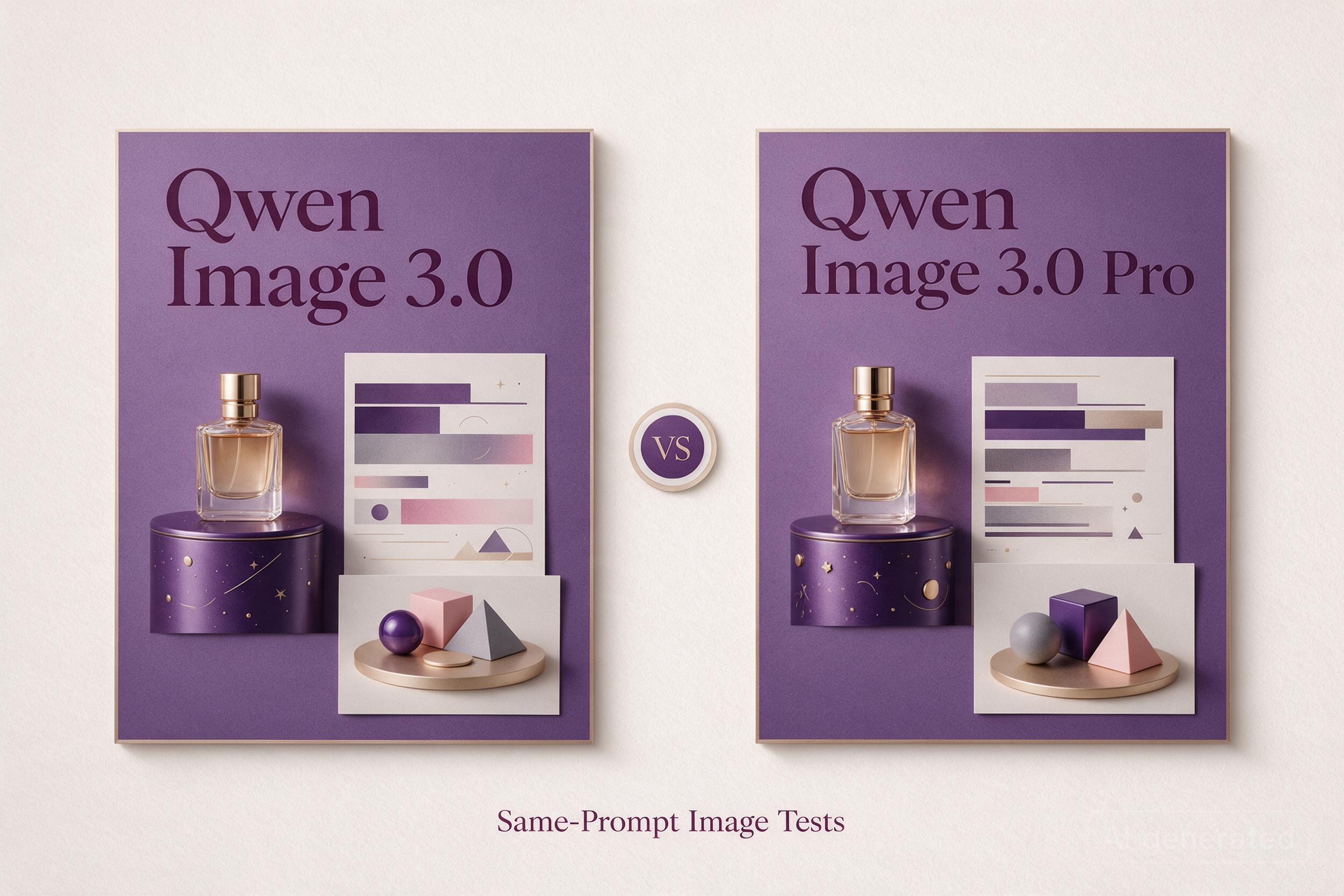
Qwen Image 3.0 and Qwen Image 3.0 Pro support the same core jobs: generating images from text and editing reference images. So what does the Pro premium buy—and can either version run locally?
We generated 10 original images using 5 matched prompts, covering an animal scene, an infographic, a bilingual poster, product photography, and a spatial diagram. Compare the results alongside official features, API prices, and the evidence for downloadable weights.
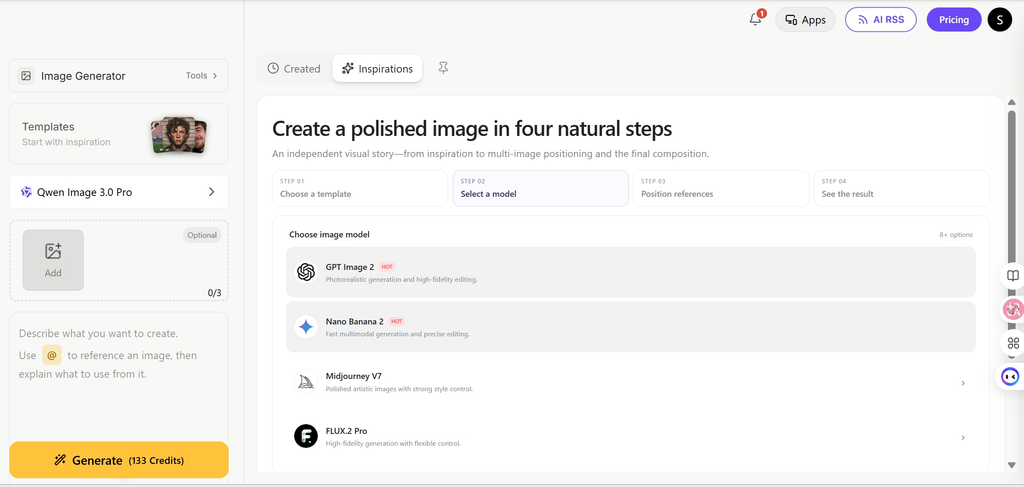
If your next step is to explore a wider range of image tools, グローバルGPT offers a multi-model platform. We tested this pair through Broly/Anywhere and checked Alibaba Cloud’s official specifications; availability of these exact versions on GlobalGPT has not been confirmed.
Quick Answer: Qwen Image 3.0 or Pro?
- Prompt following: standard better followed “in a teacup”; the bilingual poster, product photo, and six-object diagram showed no clear content winner.
- Infographic text: both reproduced all 17 requested text units, but both drew the wrong equipment for two of the three coffee methods.
- Lower API cost: standard costs $0.03 per 1K or 2K output in Singapore; Pro costs $0.04 or $0.075. These samples did not establish a content-accuracy gain worth the premium.
- Shared features: generation, editing, and 1–3 reference images. Exact 3.0/Pro weights and an applicable license were not verified in the official sources we checked.
5 prompts, one output per model per prompt, via Broly/Anywhere. Official specs and prices: APIリファレンス · 価格設定.
Qwen Image 3.0 vs Pro: Features at a Glance
Here, “Pro” means Qwen Image 3.0 Pro, 、API IDは qwen-image-3.0-pro. It does not mean the older 2.0 Pro or 2.1 Pro. The 公式モデル概要 describes standard 3.0 as balancing quality and speed; it does not publish a quantified quality or speed advantage for 3.0 Pro.
The pixel limit is an area range, not a claim that every image must be square or that every side is capped at 2,048 pixels. Set an explicit size when composition matters; otherwise, the API can choose a size from the prompt.
Prompt Control Matters More Than the Name Alone
- Expansion:
prompt_extendcan expand the brief. Direct mode applies to generation and editing; agent mode applies to text-to-image. - 思考:
enable_thinkingrequires prompt expansion. The documentation says it can increase generation time; that is a documented tradeoff, not a measured latency result here. - Repeatability: record the seed, size, prompt-expansion mode, and thinking setting when comparing outputs.
- Negative prompts: the 3.0 API supports them, but specific positive instructions still make the intended result easier to judge.
For a poster, specify the exact headline, label text, object count, and reading order. The same habits used to AIによる画像生成の精度を向上させる help separate a weak brief from a model limitation.
Is Qwen Image 3.0 or Pro Open Source?
Do not assume that either exact 3.0 version has downloadable weights. We verified official hosted APIs, but not an official 3.0 or 3.0 Pro checkpoint with a corresponding license in the Qwen Hugging Face organization, the official repositories, or the release materials checked.
“Open source,” “open weights,” and “available through an API” answer different questions. An API gives remote access. Open weights require a downloadable checkpoint. A license determines what you may do with that checkpoint, including commercial deployment.
What About Hugging Face, ComfyUI, Ollama, and Local GPUs?
A community node or model-name listing does not establish that the exact 3.0 weights are available. Before following a local guide, check its checkpoint URL, version, license, supported architecture, and hardware requirements. Without an identified checkpoint, a confident VRAM or download-size recommendation would be guesswork.
One concrete alternative is Qwen-Image-2.1, but it is a different release. Its Qwen Research License restricts use to non-commercial purposes unless separate commercial permission is obtained. Do not apply the original Qwen-Image project’s Apache license to 2.1 or assume it covers 3.0.
If offline processing is the main requirement, compare offline AI image generators by their actual checkpoints and licenses. For client work, also distinguish weight licensing from service terms and AI画像の商用利用, including rights in your inputs and outputs.
Image Quality: What the Official Examples Show
Qwen’s 3.0 release article emphasizes complex layouts, fine detail, and knowledge-rich images. It presents examples at the 3.0 family level, without identifying a standard/Pro pair. They help explain the intended strengths, but cannot establish the value of upgrading.
Benchmark Context Before Comparing Quality
The official release materials, API overview, and Qwen-Image-Bench results checked for this article did not provide a matched score for qwen-image-3.0 そして qwen-image-3.0-pro. Scores for older versions should not be carried over to these models. A numerical quality ranking would therefore overstate the evidence.
Dense Text, Infographics, and Layout
The release article claims support for approximately 4.5K-token input, text as small as 10 pixels, rendering across 12 languages, and more than 100 artistic styles. These are provider claims, not a guarantee that every character or fact will be correct.
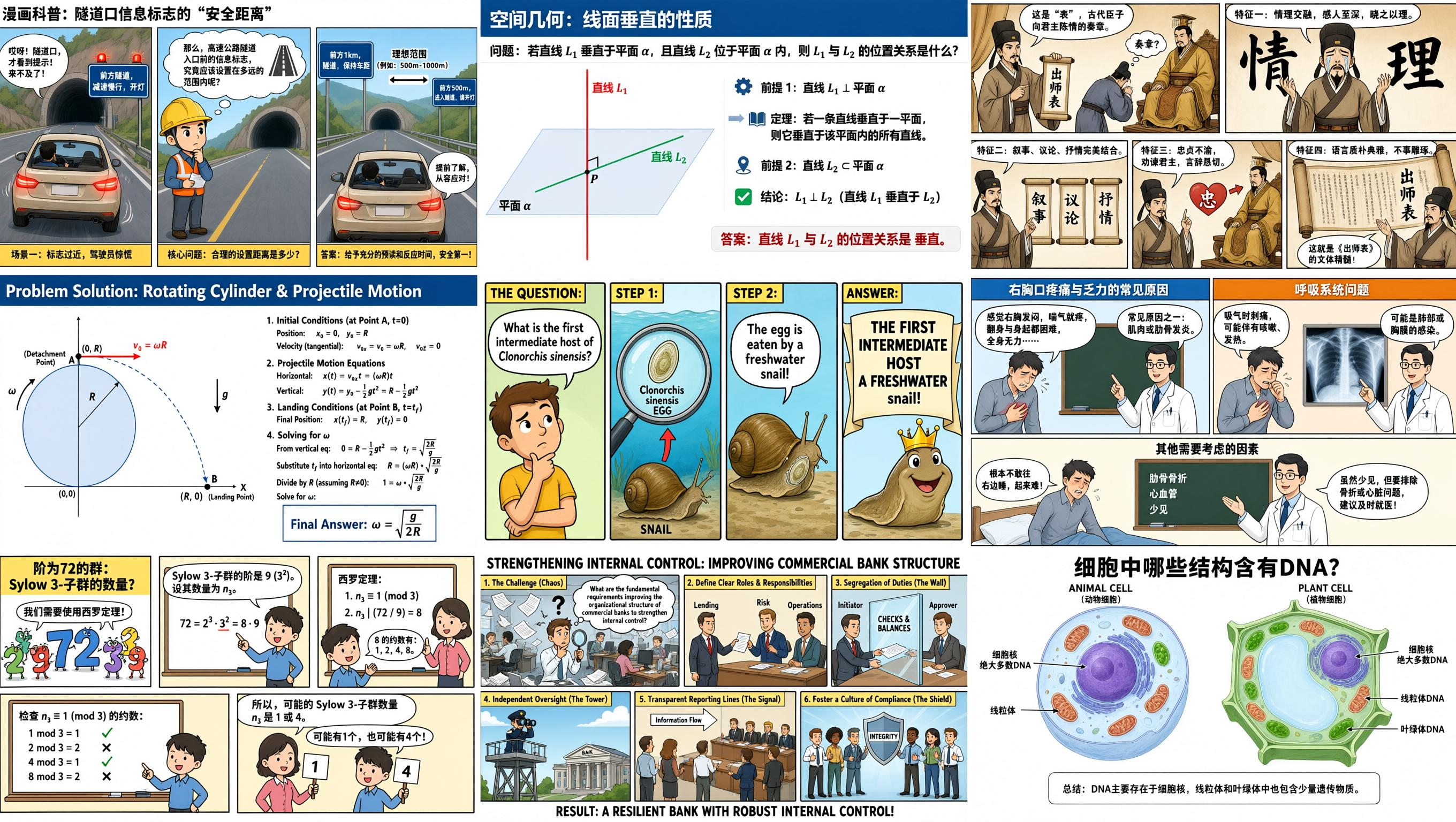
- What the layout example illustrates: a long brief can target multiple information panels in one composition.
- What matters in production: reading order, complete labels, correct numbers, and enough contrast at the final display size.
- What remains unproven: whether Pro preserves more of those constraints than standard 3.0 on the same prompt.
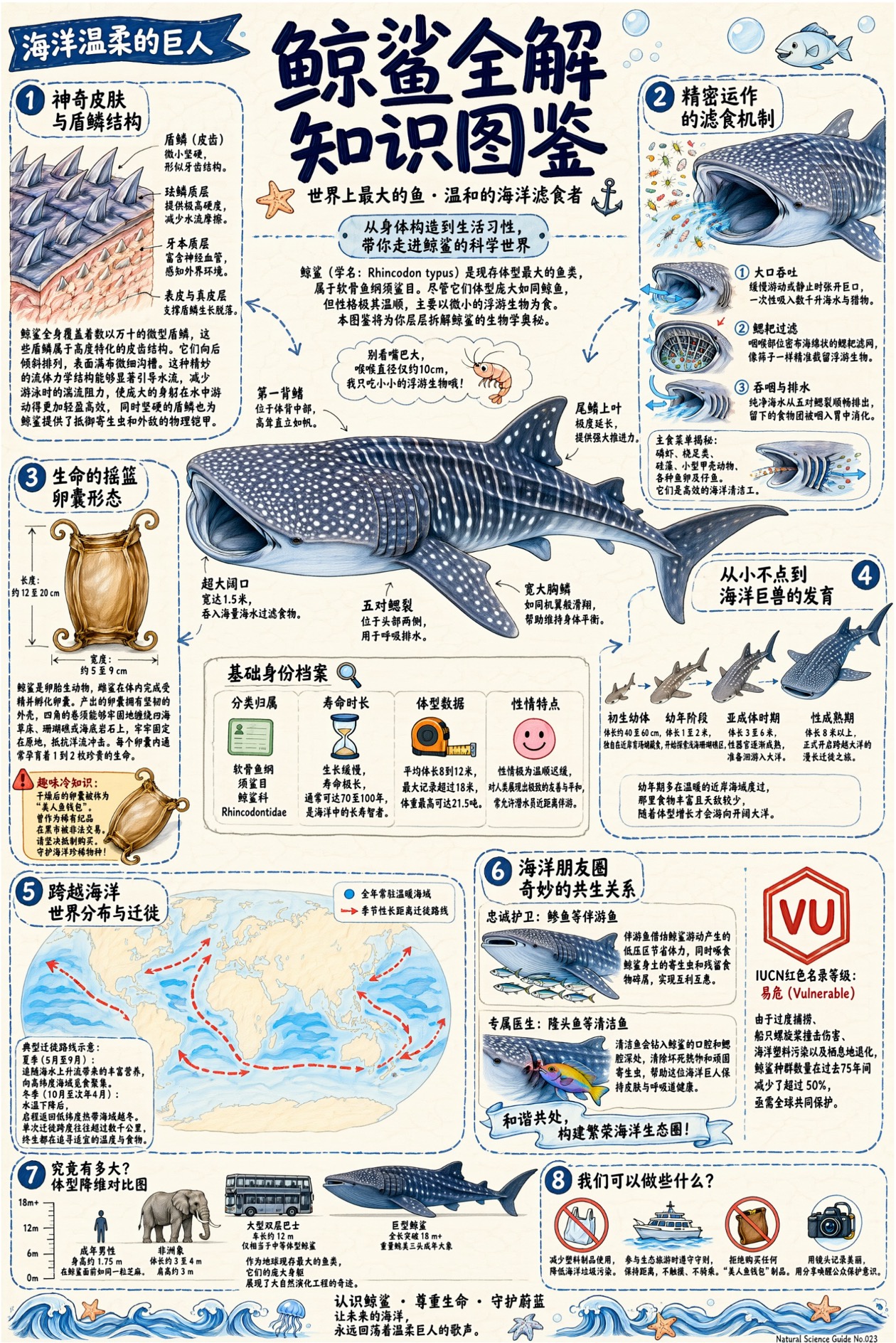
The whale-shark example combines a Latin species name, anatomy labels, a world map, and a conservation-status badge. Each needs a separate fact check. Readable lettering is only half the job: check the content against your sources, then check legibility at the final mobile display size.
Photorealism and Fine Texture
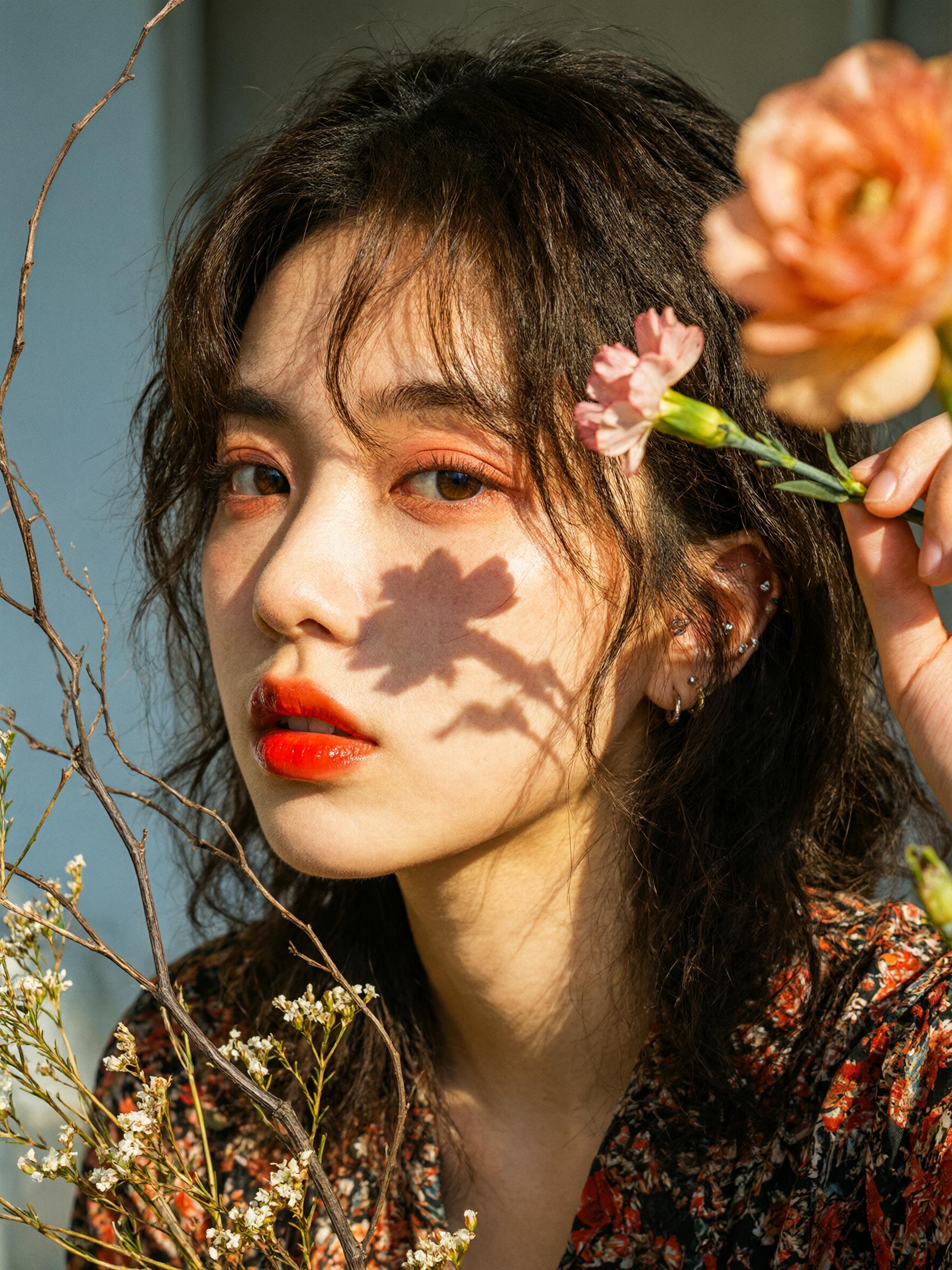
The portrait shows separated loose hair, directional flower shadows, and visible facial texture. Qwen uses it to illustrate its realism claims. For an actual portrait or product brief, inspect the face, hands, material edges, reflections, and background separately; this single composition cannot establish identity consistency across edits.
Editing and Reference Preservation
Both versions accept 1–3 reference images. For editing work, the useful question is how much of the source survives: the product’s shape, a person’s identity, a logo’s proportions, or text outside the edited area. Shared input limits do not prove equal preservation quality, and the family demos do not resolve that comparison.
For text-heavy design, the practical selection criterion is correction effort per finished image. For photorealism, it is the number of usable compositions with believable details. Neither can be inferred from “Pro” in the name.
Same-Prompt Test: Qwen Image 3.0 vs Pro
We submitted the following 5 prompts through the Broly/Anywhere task API. The task responses reported the corresponding WaveSpeed alibaba/qwen-image-3.0/text-to-image そして alibaba/qwen-image-3.0-pro/text-to-image routes. That is the service’s reported mapping, rather than an independent audit of its upstream deployment.
- Matched settings: identical prompt, 16:9, 1K, no reference images, and one output per model for each case. All 10 files returned as 1365 × 768 PNGs.
- Controls: no explicit seed, thinking, prompt-expansion, or quality setting was supplied. Those provider defaults were not independently verified.
- レビュー: original files, without retouching or crops, inspected at their returned resolution. Text checks ignore spacing and line breaks; device accuracy is checked separately.
- スコープ 5 prompts and 10 images establish sample observations, not an overall quality ranking, success rate, editing result, or multilingual benchmark.
Test 1: A Red Panda in a Teacup
正確なプロンプト
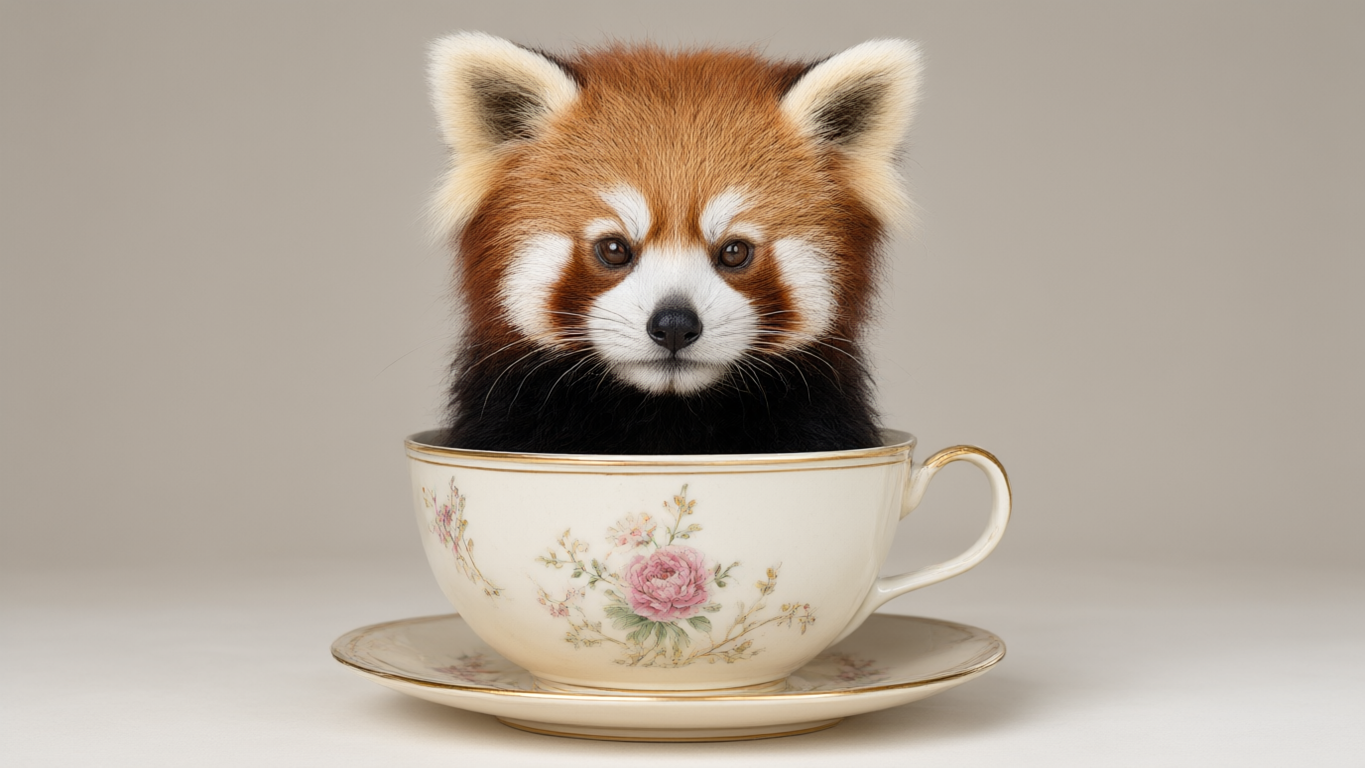
a cute red panda in a teacup, studio lighting
Qwen Image 3.0
Qwen Image 3.0 Pro
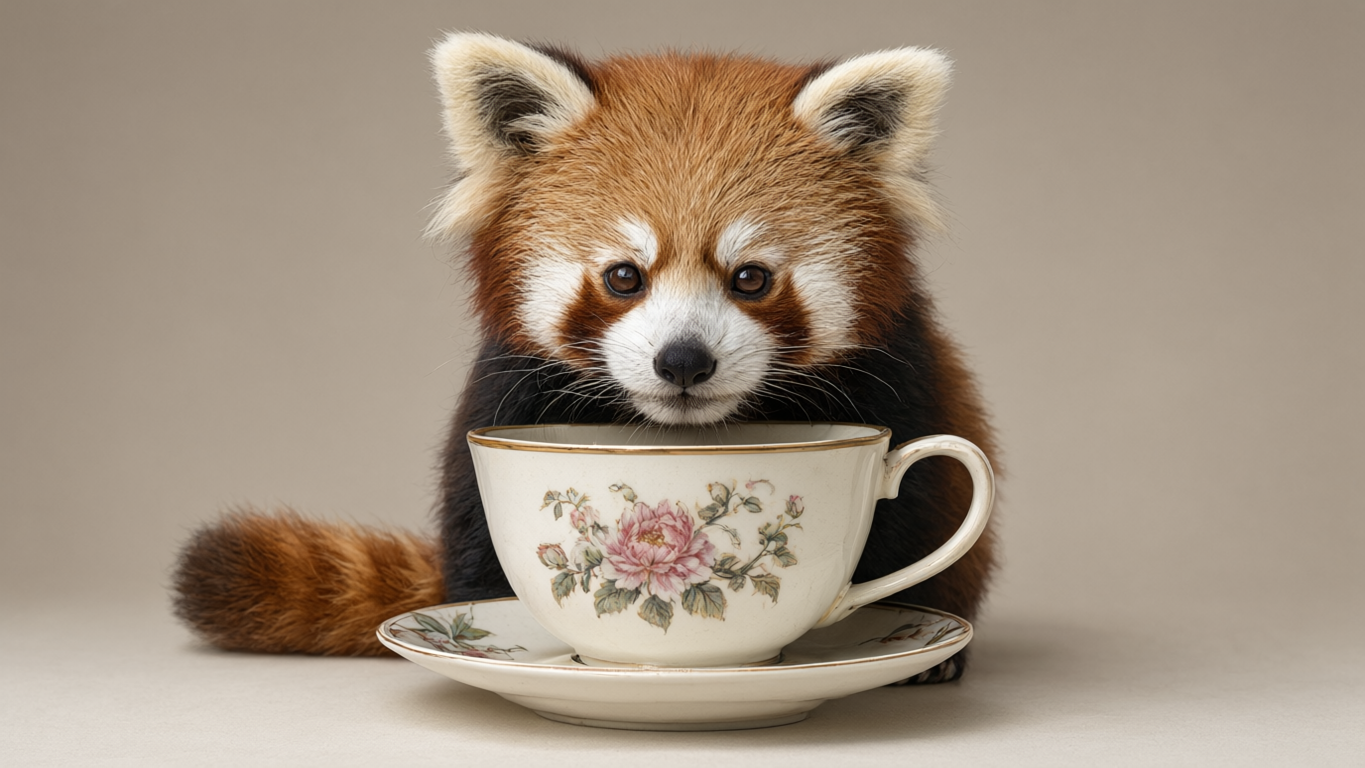
- 標準: the panda’s body sits behind the cup rim, giving the requested “in a teacup” composition. Fur, whiskers, and the porcelain’s floral pattern are clearly visible.
- プロだ: the panda’s body, tail, and feet sit outside the cup, with its head leaning over the rim. The detailed fur does not correct that spatial mismatch.
- Sample verdict: standard follows the central instruction more closely. Both produce detailed studio-style imagery; this pair does not establish a general realism winner.
Test 2: A Text-Heavy Coffee Infographic
正確なプロンプト
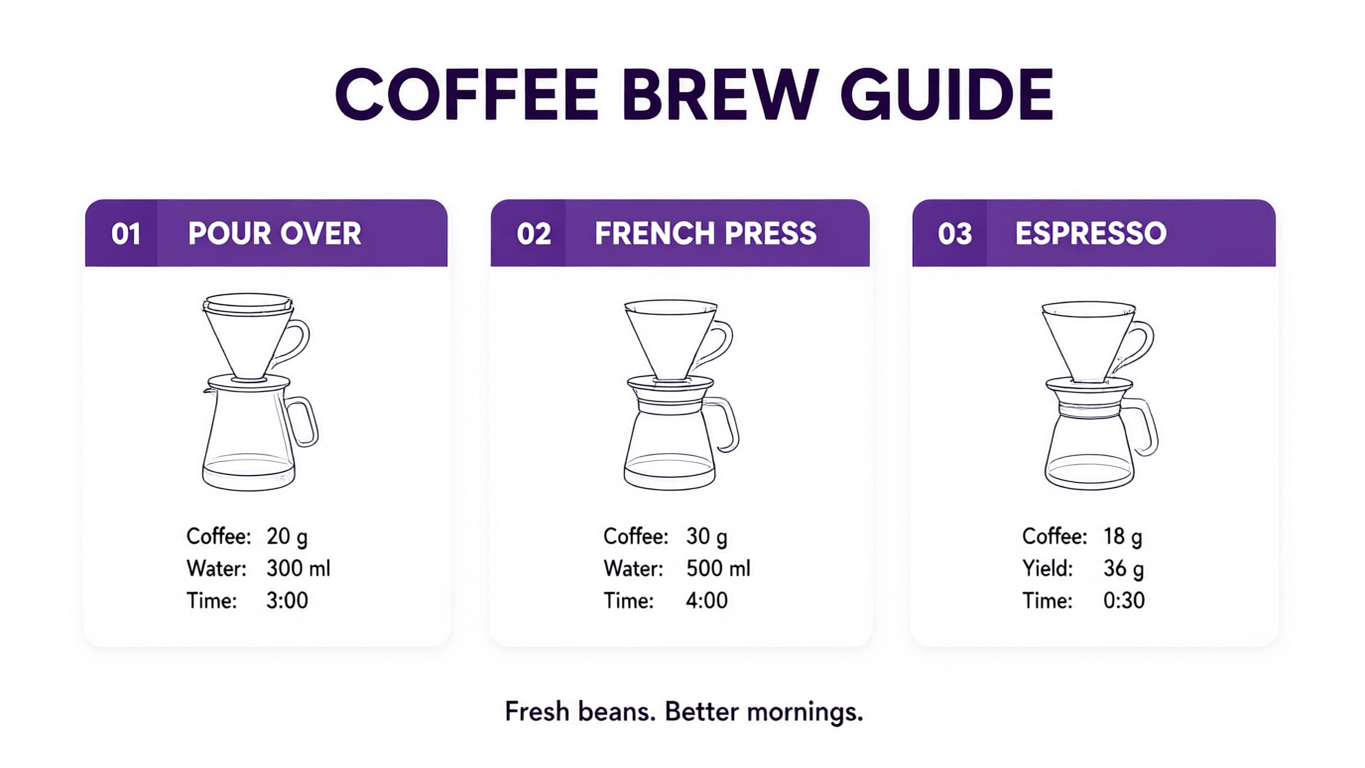
Design a white 16:9 infographic with purple headers. Title: COFFEE BREW GUIDE. Three equal cards, left to right: [01, POUR OVER, Coffee: 20 g, Water: 300 ml, Time: 3:00]; [02, FRENCH PRESS, Coffee: 30 g, Water: 500 ml, Time: 4:00]; [03, ESPRESSO, Coffee: 18 g, Yield: 36 g, Time: 0:30]. One brewing-device line icon per card. Footer: Fresh beans. Better mornings. Render all text exactly. No extra text or watermark.
Qwen Image 3.0
Qwen Image 3.0 Pro
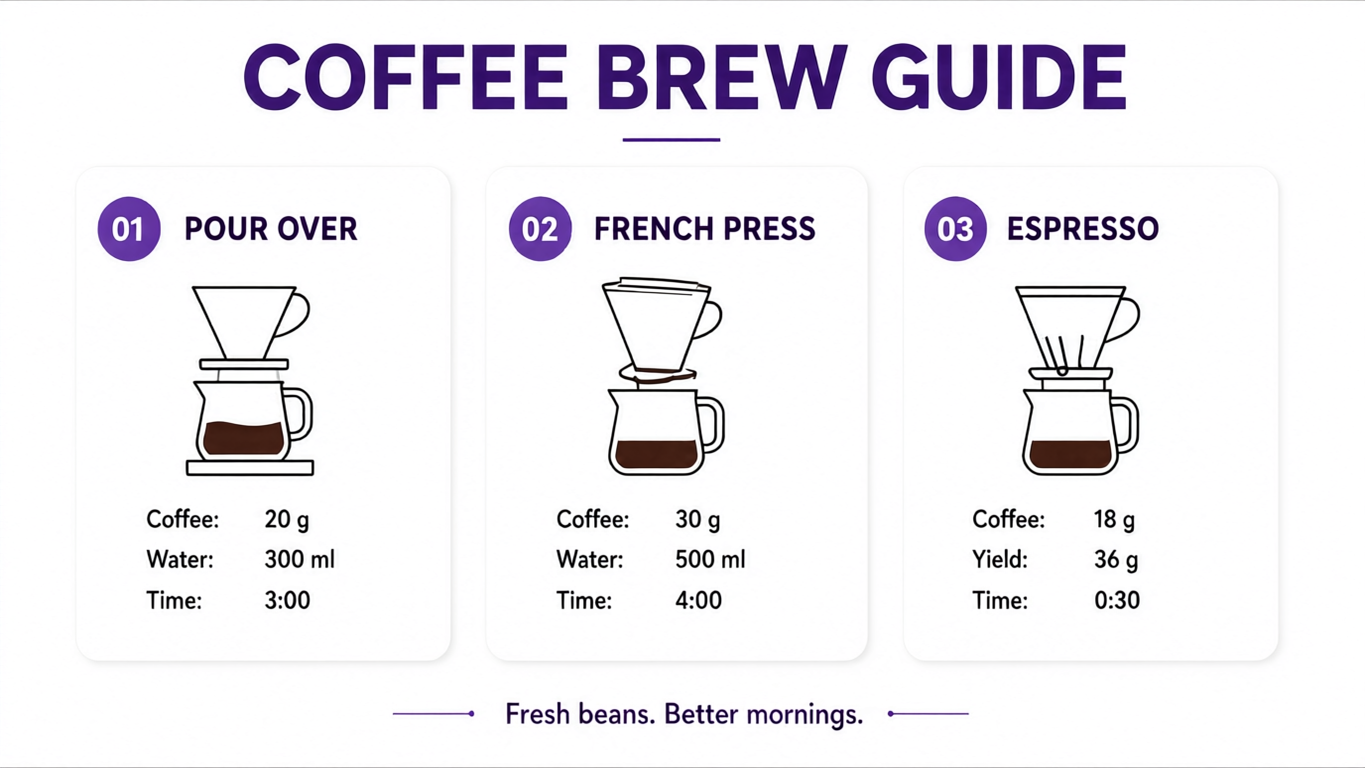
We checked 17 text units: the title, five units per card (number, method name, and three recipe lines), and the footer. Both outputs preserve the wording, punctuation, numbers, and card assignments, with spacing differences ignored. This is a manual check of these two files, not a general text-accuracy percentage.
17 / 17 · both
The requested labels and numbers survived.
1 / 3 · both
The French press and espresso cards still show pour-over-style equipment.
Manual review of one infographic per named API route. Counts apply only to these images; they are not benchmark scores.
- Text and layout: both retained all requested information and the three-card order. Pro uses larger type, but did not recover text missing from standard because none was missing.
- Content accuracy: both reused pour-over-style equipment under all three methods. Neither produced a recognizable French press or espresso setup.
- Sample verdict: a tie on the specified text checks, with the same substantive illustration errors. Pro’s styling change did not remove the main correction task.
Test 3: Bilingual event poster
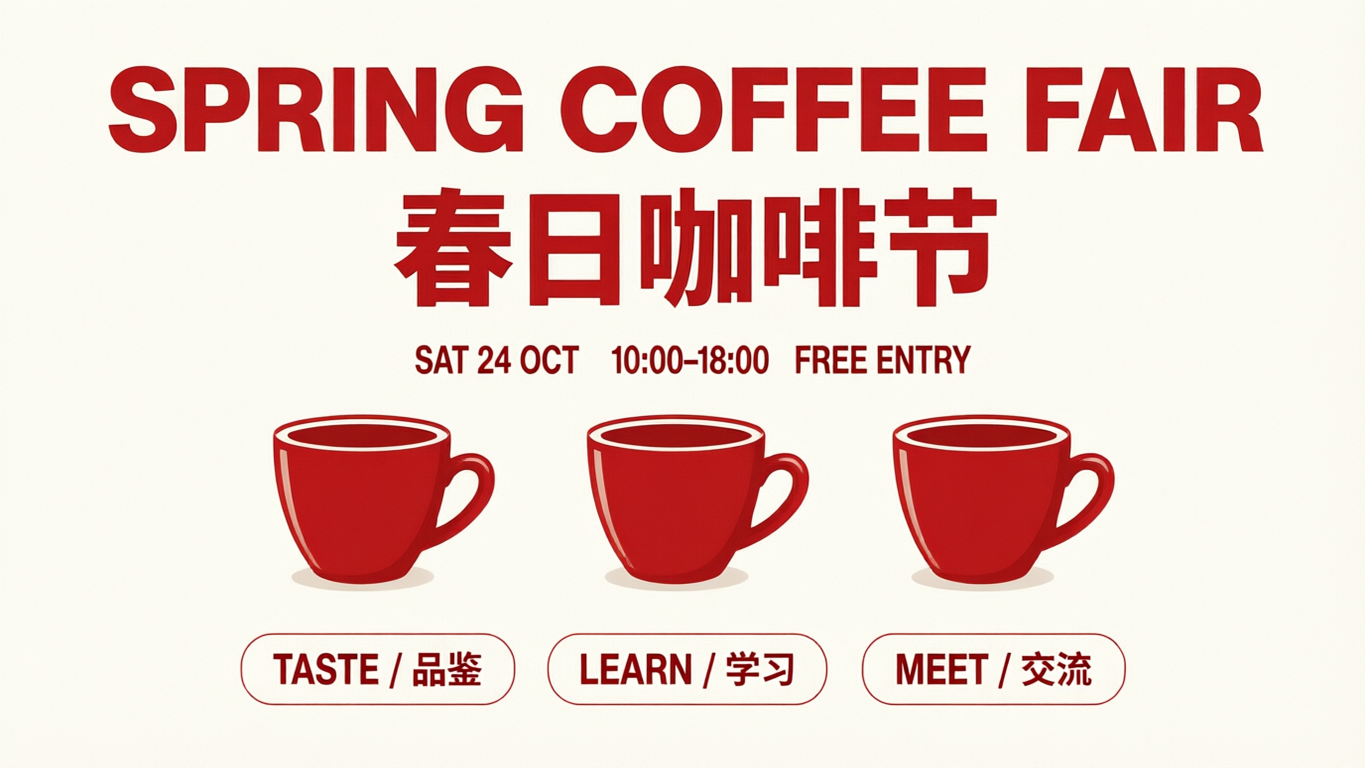
This brief adds Simplified Chinese to an English event poster, plus an exact cup count and an ordered footer. We checked eight requested text units visually: five main strings and three bilingual badges.
正確なプロンプト
Design a clean 16:9 bilingual coffee-festival poster on ivory paper with red headings. Render exactly: 'SPRING COFFEE FAIR', '春日咖啡节', 'SAT 24 OCT', '10:00–18:00', 'FREE ENTRY'. Show exactly three red coffee cups in one row. Add three equal footer badges, left to right: 'TASTE / 品鉴', 'LEARN / 学习', 'MEET / 交流'. No other words, objects, logos, or watermark. Keep every character clear.
Qwen Image 3.0
Qwen Image 3.0 Pro
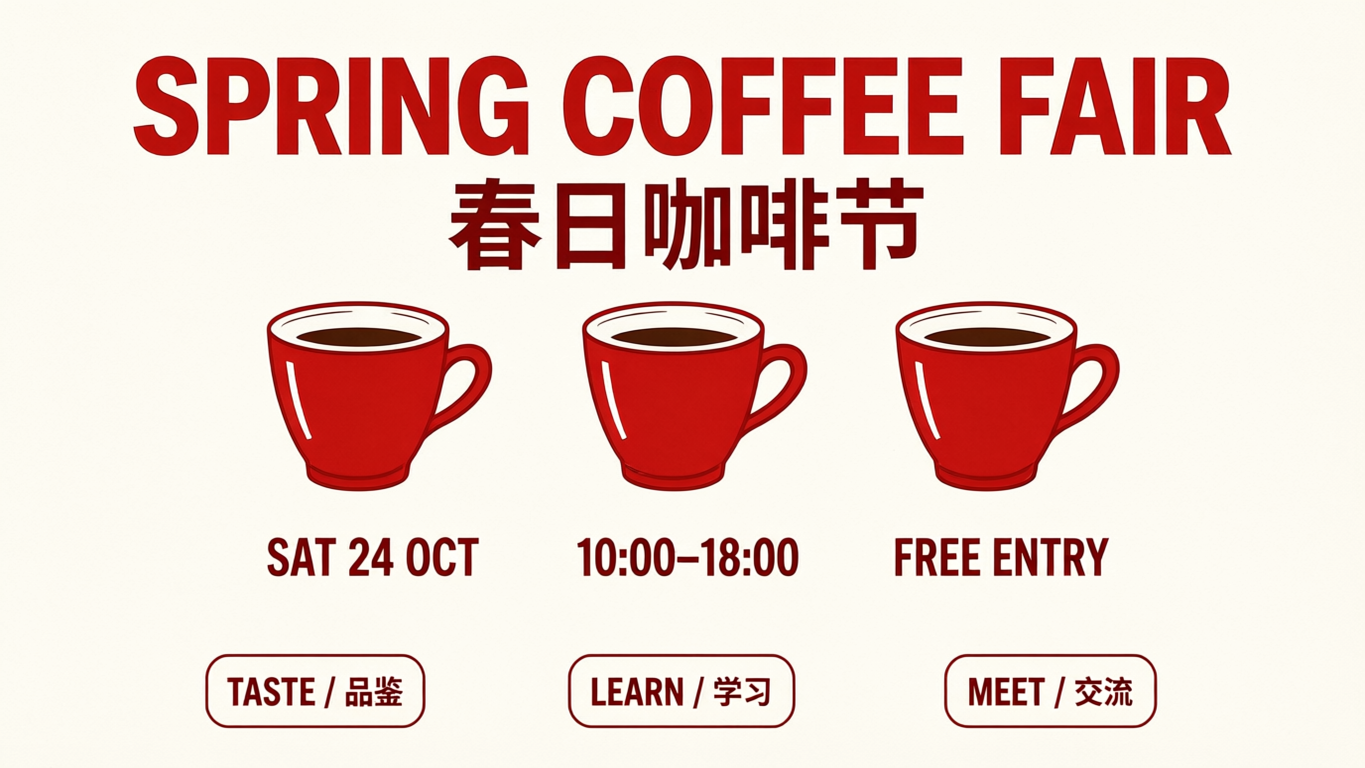
- 標準: All eight requested text units are legible, including the Chinese headline and badge labels. Three red cups appear in one row, with the footer badges in the requested order. The date, time, and admission details share a compact line above the cups.
- プロだ: The same eight text units are legible, with three cups and the correct badge order. Date, time, and admission sit in larger type below the cups, giving those details more space.
- Sample verdict: No clear content-accuracy winner in this pair. Pro changes the information hierarchy; standard also preserves the requested bilingual content. This is a visual reading check, not a character-level OCR benchmark or a verdict on Chinese rendering in general.
Test 4: Glass perfume product photograph
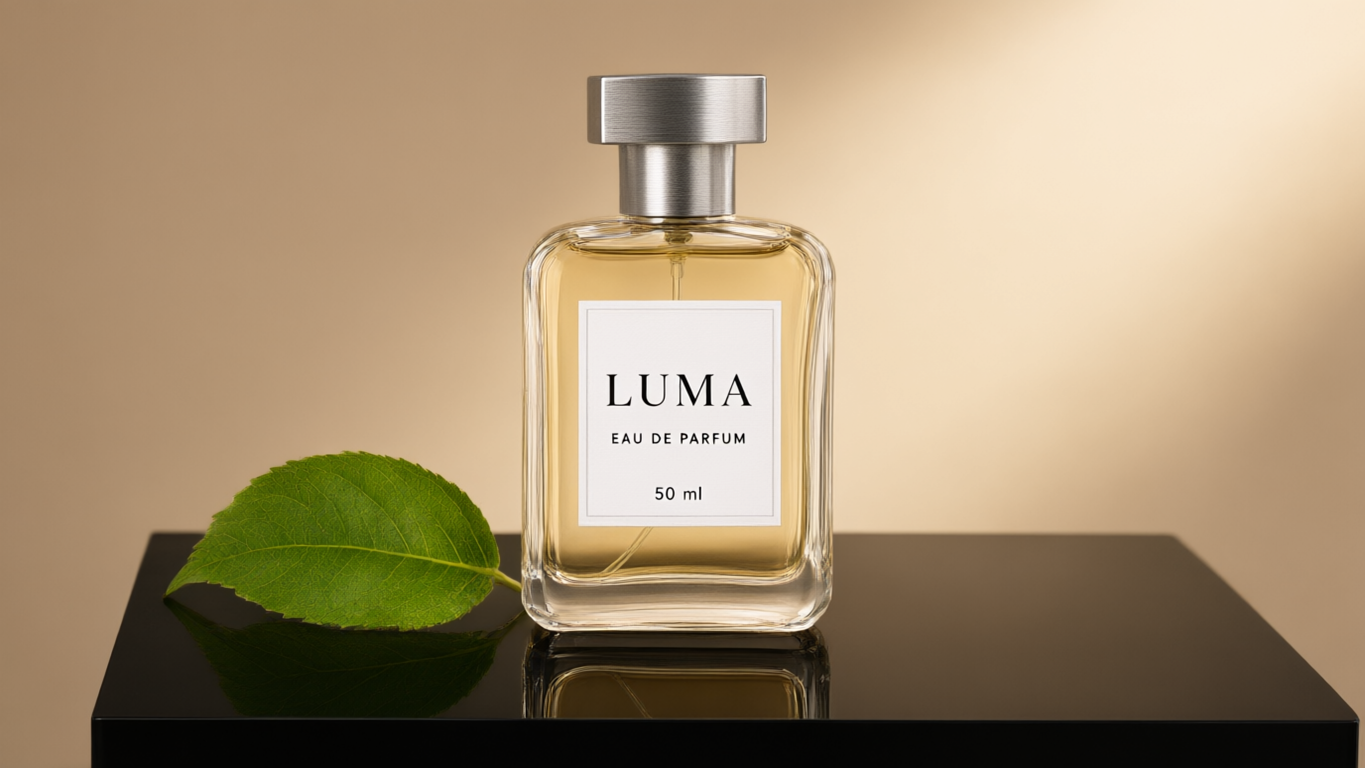
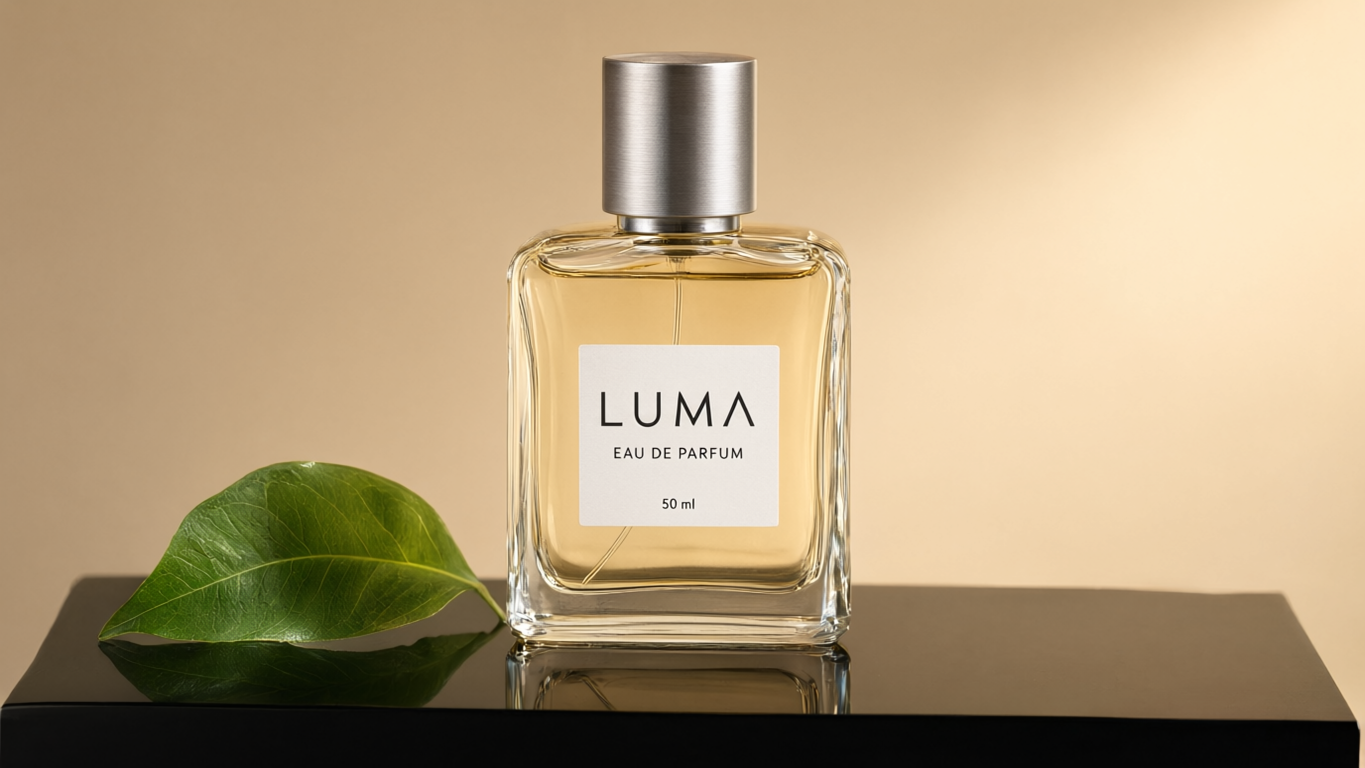
The product brief checks three exact label lines, a single glass bottle, one leaf on its left, and a visible reflection on a black plinth. Material appearance is an editorial judgment, separate from those count and text checks.
正確なプロンプト
Premium 16:9 studio product photograph. Exactly one clear glass perfume bottle, rectangular with rounded shoulders, pale amber liquid, a brushed silver cap, and a white label reading exactly 'LUMA' above 'EAU DE PARFUM' above '50 ml'. Put it on a black glossy plinth with a physically plausible reflection, one fresh green leaf on its left, warm light from the upper right, a soft beige background. No extra bottles, text, logos, or watermark.
Qwen Image 3.0
Qwen Image 3.0 Pro
- 標準: The single bottle carries all three label lines correctly, with a green leaf on its left. The glass edges, amber liquid, brushed-metal cap, and visible partial reflection create a plausible studio-product look. The label uses a serif brand name and a thin border.
- プロだ: The same three label lines, single bottle, left-side leaf, and partial reflection are present. It uses a taller cylindrical cap, a borderless label, and a sans-serif brand name. The glass and leaf remain visibly detailed.
- Sample verdict: Both satisfy the main count, text, and placement checks. The cap and label styling differ, but neither has a clear instruction-following advantage. The reflection is visually plausible; we did not validate physical optics.
Test 5: Six-object spatial grid
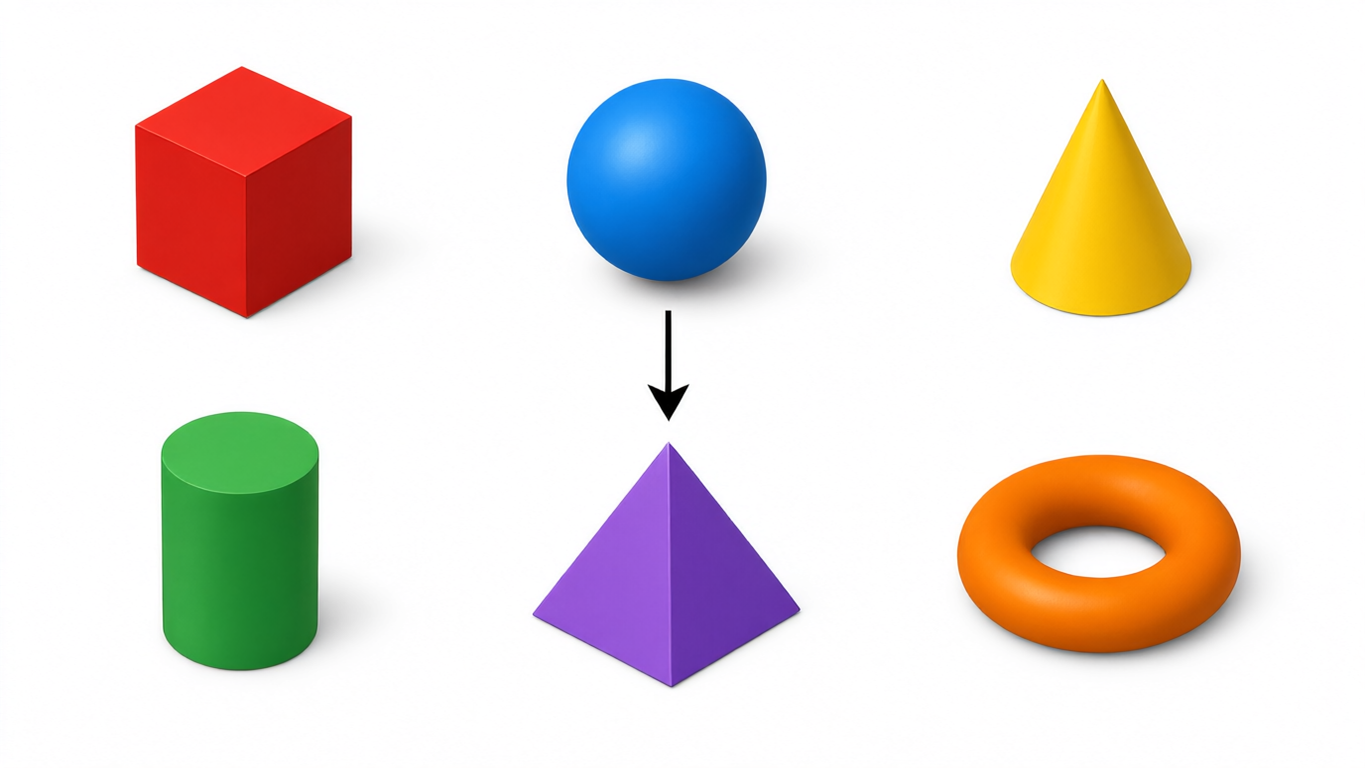
This six-object diagram tests counting, object identity, color, grid position, and arrow direction without any text to render.
正確なプロンプト
A clean 16:9 orthographic 3D diagram on white. Draw exactly six separate objects on a two-row, three-column grid. Top row left to right: one red cube, one blue sphere, one yellow cone. Bottom row left to right: one green cylinder, one purple pyramid, one orange torus. Add a single black arrow pointing down from the blue sphere to the purple pyramid. Soft shadows, no extra shapes, no letters, no numbers, no watermark.
Qwen Image 3.0
Qwen Image 3.0 Pro
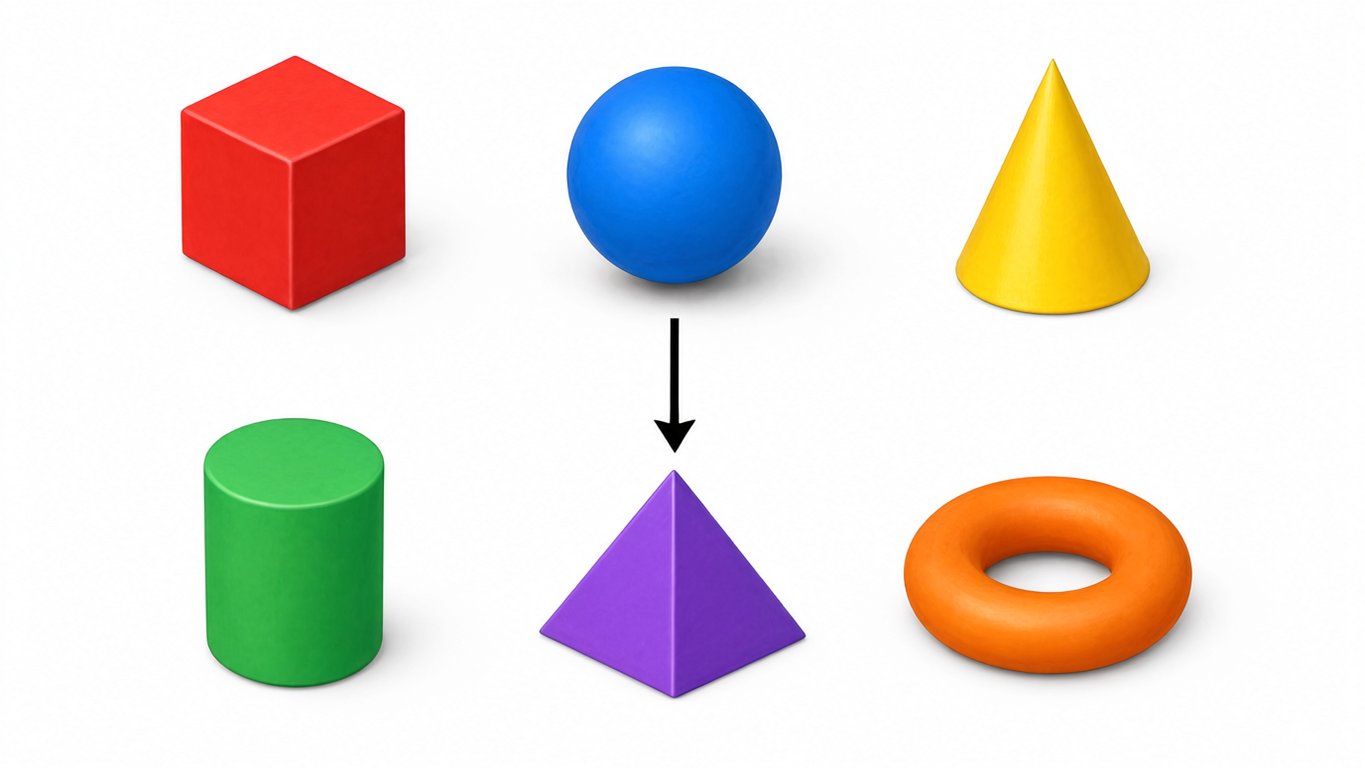
- 標準: All six requested objects occupy the correct two-row, three-column positions with the specified colors. One black arrow points down from the blue sphere toward the purple pyramid. There are no extra shapes or labels.
- プロだ: The six shapes, colors, positions, and single downward arrow also match. Softer surface texture and edge highlights change the appearance without changing the diagram’s content.
- Sample verdict: Both pass the specified counting and spatial checks in this pair. Neither has a content-accuracy advantage. A six-object layout does not establish performance on more crowded scenes or repeated trials.
The 10 images above form the complete comparison set. We did not measure account debits or model speed, and the task responses did not return token usage.
Official API Pricing: How Much More Does Pro Cost?
The following are Alibaba Cloud’s normal Singapore / International API list prices. They are per-image API rates, not a subscription price, a GlobalGPT credit conversion, or a measured bill.
Derived from normal Singapore output-only API rates. Same output count within each tier; not a quality score. No reference inputs, tax, trial credits, or third-party fees included. 公式価格。.
- 1K and 2K are area tiers: the API meters outputs at up to 2,250,000 pixels as 1K; larger outputs fall into 2K. They are not only two fixed square dimensions.
- Editing adds input cost: each reference image costs $0.003 on this route. One 2K output with three references is $0.039 for standard or $0.084 for Pro.
- Usage is image-based: the API reports image counts, dimensions, and billing tiers—not input/output token usage. The 4.5K-token prompt guidance is not a token-price schedule.
- Region matters: other deployment regions have different rates. Confirm your region and applicable fees before budgeting.
The 100-output totals assume text-only input and exactly 100 generated outputs; they do not assume every image is usable. Additional generations increase cost. At the documented maximum of six outputs per request, count images rather than requests.
For the 10 successful 1K test images shown here, applying those official list rates gives $0.15 for 5 standard outputs and $0.20 for 5 Pro outputs. That $0.35 total is an official-rate illustration, not the Broly account charge. The task responses did not return input/output token usage.
The Real Tradeoff: Quality, Rework, and Value
Standard 3.0 is the lower-cost starting point on the verified Singapore API route. Pro becomes a better purchase only when its results save enough regeneration or editing effort for your particular task. A higher list price alone cannot establish that benefit.
Across our five briefs, Pro did not show a content-accuracy advantage. Both retained the bilingual poster text, product-label lines, and six-object arrangement; both also made the same two infographic device errors. Standard followed the teacup instruction more closely. Pro’s larger secondary text on the poster and different product styling may suit your taste, but these samples do not show less correction work for the higher price.
When Can a More Expensive Generation Be Better Value?
3 × $0.03 = $0.09
1 × $0.075 = $0.075
If these attempt counts occurred, Pro would cost less per accepted image. The counts are hypothetical. Text-to-image, Singapore output-only prices; labor and other fees excluded.
At 2K, Pro costs 2.5 times as much per output. To win on generation cost alone, it would need to reduce the average number of attempts by more than 60%. At 1K, the corresponding reduction is more than 25%. These are price break-even calculations, not observed model performance.
Human correction time can change the calculation. Fixing a headline, rebuilding an infographic, or repairing product detail may cost more than the image request. Record both regeneration spend and minutes of cleanup before deciding that either model is better value.
Choose standard for a cost-controlled first pass. Consider Pro when your own matched briefs demonstrate an advantage worth the premium. If neither fits the assignment, compare other AI image generators by the task you need to finish rather than by model naming.
よくあるご質問
What is the difference between Qwen Image 3.0 and Pro?
Both support generation and editing with similar published limits; Pro has higher API prices. Our five matched API briefs produced ten original images. Standard followed the teacup pose more closely, while the other four pairs did not show a clear content-accuracy winner. These single-output samples do not establish an overall quality ranking.
Is Qwen Image 3.0 open source?
We verified official hosted API access, but not an official 3.0 weight download with an applicable license in the Qwen sources checked. Earlier Qwen-Image releases are separate checkpoints.
Can I download Qwen Image 3.0 Pro from Hugging Face?
No official download for that exact version was verified in the Qwen Hugging Face listing we checked. A community listing or an older checkpoint does not establish an official 3.0 Pro release.
Can I run Qwen Image 3.0 locally in ComfyUI or Ollama?
Do not assume local support without an exact checkpoint, compatible implementation, and applicable license. Those requirements were not verified for 3.0 or 3.0 Pro, so this article does not give a VRAM or local-install recommendation.
How much do Qwen Image 3.0 and Pro cost?
Normal Singapore API output prices are $0.03 for standard at either 1K or 2K; Pro costs $0.04 at 1K and $0.075 at 2K. Editing adds $0.003 per reference image. Other regions and fees can differ.
Is Pro better for text and infographics?
Our infographic and bilingual-poster pairs did not show a Pro content-accuracy advantage. Both preserved the 17 infographic text units and eight poster text units. Both still drew the wrong French press and espresso devices. Pro changed typography and layout. These two briefs are not a general text-rendering benchmark.
Do these models support image editing?
Yes. The official 3.0 API supports editing with one to three reference images for both versions. Use the 3.0 limits; the older 2.1 series’ ten-reference allowance does not apply.
Can I use Qwen Image 3.0 on GlobalGPT?
Availability of these exact versions on GlobalGPT was not confirmed for this comparison. Official Model Studio APIs were verified. Check the current GlobalGPT model selector before choosing a plan for this specific model.