
You do not create a separate Nano Banana Pro account. Nano Banana Pro is a Google image-generation model, so the usual route is to sign in with a Google account and open it through a supported Google product.
The distinction matters because many websites use “Nano Banana” in their names without being Google products. If a page asks you to create a separate Nano Banana username, verify who operates that service before entering payment details. Google’s own access routes use your existing Google account.
Quick answer
Sign in with a Google account to use Nano Banana Pro through Gemini or another supported Google product. If you use GlobalGPT’s dedicated generator, sign in with a GlobalGPT account instead. There is no official standalone Nano Banana Pro username, profile, or OTP signup flow.
For a more direct image-generation workflow, GlobalGPT’s Nano Banana Pro generator places the model inside the same workspace as other image, text, video, and audio tools. This is a GlobalGPT account route, not a separate Google Nano Banana registration.

Do You Need a Separate Nano Banana Pro Account?
No. Google describes Nano Banana Pro as an image-generation and editing model powered by Gemini 3 Pro, not as a standalone service with its own account system. For consumer access, the account you need is normally a Google account. For GlobalGPT access, you use a GlobalGPT account.
This means there is no official Nano Banana Pro username to reserve, no separate profile to complete, and no Nano Banana-specific OTP process. A Google product may still ask you to sign in, accept its terms, confirm your age, or meet regional and plan requirements.
- A personal Google account for Gemini and Google AI Mode.
- An eligible Workspace account for supported Workspace features.
- A Google Cloud project and billing setup only if you choose the developer route.
- A GlobalGPT account if you want to use the model in GlobalGPT’s image workspace.
How to Get Nano Banana Pro Through the Gemini App
For most people, Gemini is the simplest official starting point. Google’s December 2025 access guide described the following route:
- Open Gemini: Visit the Gemini web app on desktop or open the Gemini mobile app.
- Sign in: Use your Google account. You are signing in to Gemini, not creating a separate Nano Banana account.
- Choose image creation: Select Create images.
- Select the advanced image option: In Google’s launch interface, this was labeled the Thinking model. Interface labels can change, so use the model or option that Google identifies as Nano Banana Pro.
- Enter your prompt: Describe the image you want to create or upload an image when the interface offers editing.
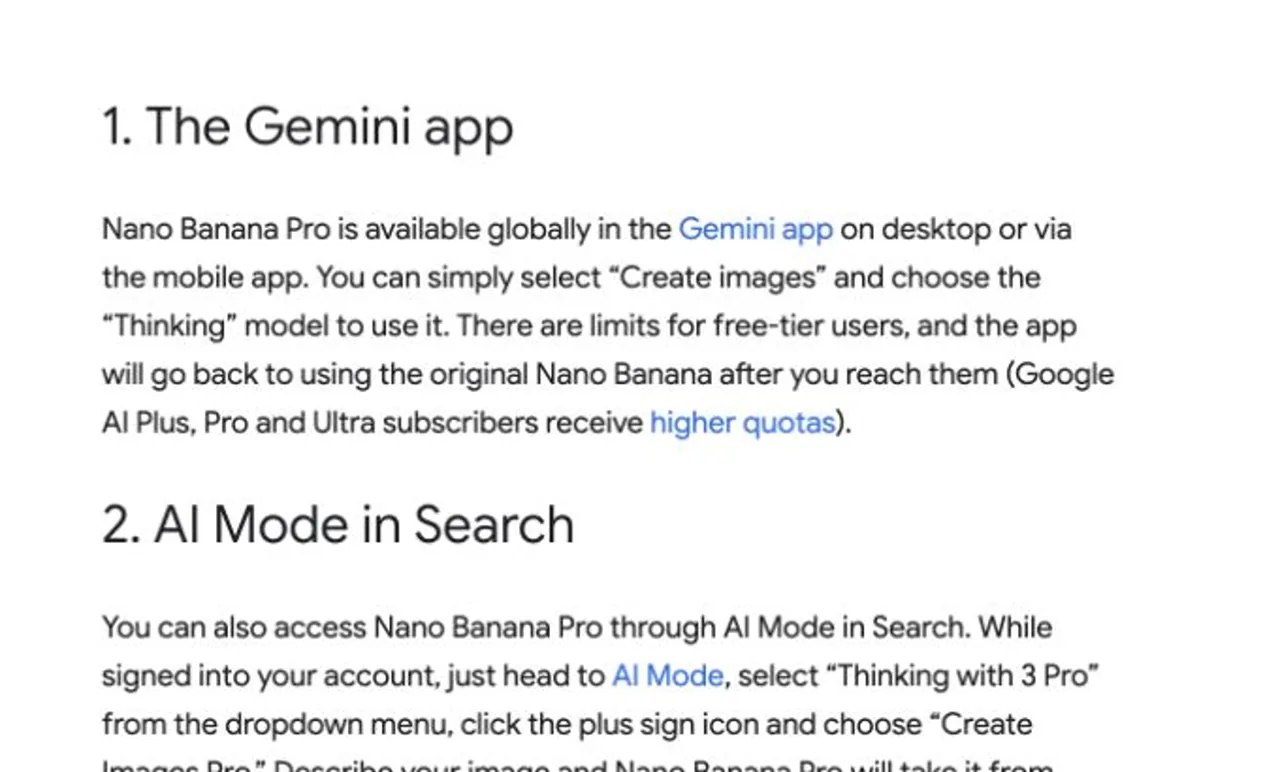
Google’s newer plan documentation separates standard image generation from some Nano Banana Pro features. If the option is missing or a generation falls back to another model, check the plan and usage message shown in your own Gemini account rather than assuming the model is unavailable everywhere.
Other Official Google Access Routes
Google lists Nano Banana Pro across several products. The right route depends on whether you are making a single image, building a presentation, working inside a company account, or integrating the model into software.
Nano Banana Pro access-route decision matrix
Choose the route by account type and the job you need to finish.
Gemini app EASIEST START
Account: Google
Best for: Everyday image generation
Condition: Access and limits depend on the active account and plan.
AI Mode in Search
Account: Google
Best for: Images during research
Condition: Available only in supported countries and languages.
NotebookLM
Account: Google
Best for: Source-grounded decks and infographics
Condition: Used inside supported NotebookLM features.
Workspace tools
Account: Eligible Workspace
Best for: Slides and Vids workflows
Condition: Organization plan and access rules apply.
Flow PAID PLAN
Account: Google + paid Flow plan
Best for: Filmmaking and scene design
Condition: Google lists Nano Banana Pro for paid Flow plans.
AI Studio / Vertex AI DEVELOPER
Account: Developer or Cloud setup
Best for: API and production integrations
Condition: Separate billing, quota, and lifecycle rules apply.
Source: Google, “Here’s where you can use Nano Banana Pro”. Checked July 28, 2026.
The matrix shows why Gemini is the default for most first-time users: it needs only a Google account and keeps the workflow inside a consumer app. Workspace, Flow, and developer routes add eligibility, plan, billing, or administration requirements.
Using Nano Banana Pro in Google AI Studio
Google AI Studio is the developer-oriented route. It is useful when you need API access, repeatable settings, or an application integration. Signing in to AI Studio is not the same as subscribing to a consumer Gemini plan. API billing and quotas are separate, so read Google’s live pricing and model documentation before enabling billing.
If you only want to make an image in a browser, Gemini or GlobalGPT is usually easier. For implementation details, see the separate Nano Banana Pro API guide.
How to Create a Nano Banana Pro Account (Step-by-Step Registration Tutorial)
Step 1: Open the Gemini Homepage
After entering Gemini, you’ll see:
- A welcome message
- A large search bar
- A row of tool shortcuts below it (for example: “Creating images”, “Creating videos”, “Help me study”, etc.)
Nano Banana Pro appears in this same row.

Step 2: Tap “Nano Banana Pro”
Simply click or tap the Nano Banana Pro icon to open it.
No extra login or separate registration is required.

Step 3: Grant Permission (Only if prompted)
If this is your first time using Nano Banana Pro, Gemini may show a prompt asking you to:
- Accept the tool terms
- Allow necessary permissions
Tap “Allow” or “Continue” to proceed.
Step 4: Start Using Nano Banana Pro
You can now use Nano Banana Pro directly inside Gemini:
- Run tasks
- Generate content
- Access all available features
Everything works seamlessly without leaving the Gemini environment.
How to Use Nano Banana Pro on GlobalGPT
GlobalGPT provides a dedicated Nano Banana Pro option in its image generator. It is useful when you want image creation inside a broader AI workspace instead of moving between separate tools.
- Open the Nano Banana Pro image generator.
- Sign in to your GlobalGPT account or create one when prompted.
- Confirm that Nano Banana Pro is the selected image model.
- Enter your prompt and choose the available image settings for your task.
- Generate the image and review the result before downloading or continuing the workflow.
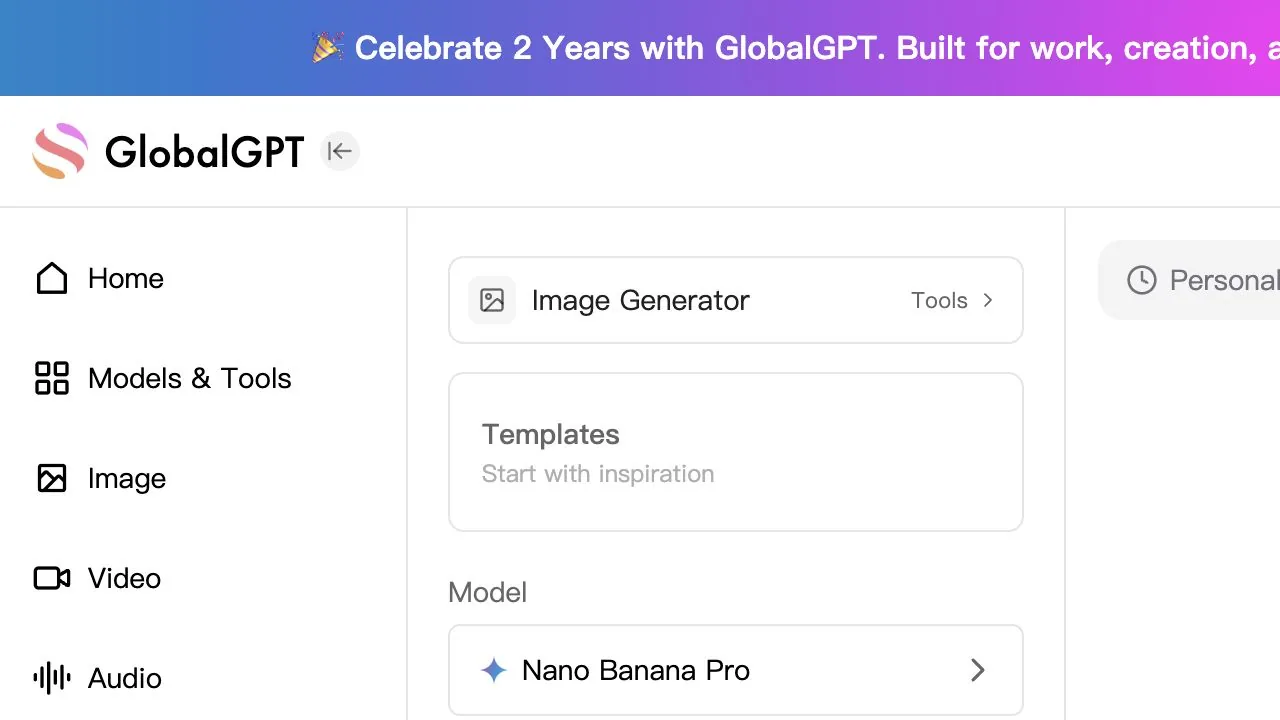
This route uses GlobalGPT’s own account and plan system. It does not create a Google account or grant access to every feature inside Google’s Gemini, Workspace, Flow, or developer products.
Is Nano Banana Pro Free?
There is no single yes-or-no answer across every access route. Google’s launch guide said that free-tier Gemini users had limited access and would fall back to the original Nano Banana after reaching a limit, while Google AI subscribers received higher quotas. Google’s plan tables have since evolved, so the live notice in your account is the best source for your exact allowance.
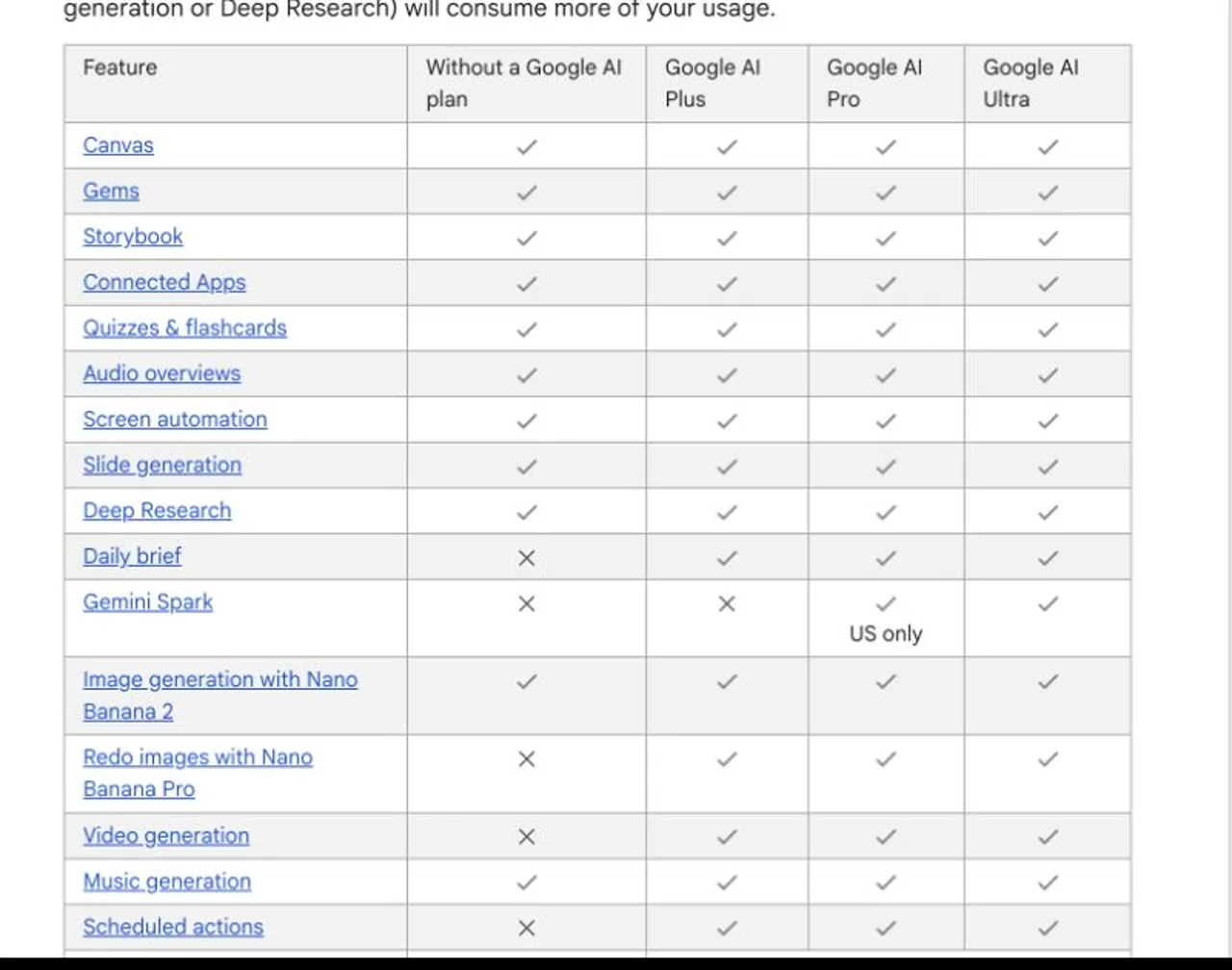
Google AI Studio and API usage follow developer pricing and quota rules rather than consumer subscription rules. GlobalGPT uses its own visible plan and credit system. Compare the route you actually intend to use instead of treating “Nano Banana Pro pricing” as one universal subscription.
For a dedicated breakdown, read how Nano Banana Pro subscriptions and access differ. If your priority is trying it before paying, the separate guide to Nano Banana Pro free access explains the current options.
Why Can’t You See Nano Banana Pro?
You are looking for a separate signup page
Return to a supported Google product or the GlobalGPT image generator. A third-party site using “Nano Banana” in its domain is not automatically Google’s official signup page.
The model option is missing in Gemini
Check that you are signed in with the intended Google account, then open the image-creation interface. Account type, age, region, plan, quota, and staged interface changes can all affect what you see.
Gemini switches to another image model
You may have reached a plan limit, or Google may have changed how the option is labeled. Read the message displayed in Gemini and compare it with Google’s live plan documentation.
Your work or school account does not show the feature
Workspace access may depend on the organization’s plan and administrator controls. Try a personal account only if that is appropriate for the material you are using; never move confidential company files into a personal account without permission.
You need the mobile workflow
The core account logic is the same on desktop and mobile, but the menus may appear in different places. The mobile Nano Banana Pro guide covers that interface separately.
Frequently Asked Questions
How do I create a Nano Banana Pro account?
You do not create a standalone Nano Banana Pro account. Sign in with a Google account to use a supported Google product, or use a GlobalGPT account for GlobalGPT’s dedicated Nano Banana Pro image generator.
What is the official Nano Banana Pro website?
Google does not present Nano Banana Pro as one standalone consumer website. Official access is distributed across products such as Gemini, AI Mode in Search, NotebookLM, Workspace, Flow, AI Studio, and Vertex AI.
Can I sign up with a phone number?
There is no separate Nano Banana phone-number registration. Google or GlobalGPT may offer their own account verification methods, but those belong to the platform account rather than to Nano Banana Pro itself.
Can I use Nano Banana Pro without a Google account?
Google’s consumer and developer routes require an appropriate Google account. A third-party platform such as GlobalGPT uses its own account system, but access there does not create or replace a Google account.
Is Nano Banana Pro available on iPhone and Android?
Google lists Nano Banana Pro in the Gemini app on desktop and mobile. Actual model availability can still depend on the account, plan, region, quota, and the current version of the app.
The Practical Signup Route
If you want the official consumer experience, sign in to Gemini with your Google account, choose image creation, and select the Nano Banana Pro option offered to your account. If you prefer a broader AI workspace, open GlobalGPT’s dedicated image generator and use your GlobalGPT account. In neither case do you need to search for a separate “Nano Banana Pro account” form.
Sources checked July 28, 2026: Google’s official Nano Banana Pro access guide, Google’s Gemini plan documentation, and GlobalGPT’s public Nano Banana Pro product interface.