Quick answer: If you need a pinned Claude Opus 4.6 integration, create an Anthropic Console organization and API key, store the key in an environment variable, and send Messages API requests with the exact model ID claude-opus-4-6. This guide gives you working request shapes for cURL and Python, the current 4.6 pricing and lifecycle boundaries, and a browser workspace route. The code examples follow the public Messages API reference; adapt and test them in your own environment.
Claude Opus 4.6 is listed as Active in Anthropic’s lifecycle documentation, with tentative retirement no sooner than February 5, 2027. It is a pinned model ID, so it will not silently change to a later model. A new project should still review Anthropic’s current model overview before choosing a long-lived dependency.
If you prefer to explore in one browser workspace before committing every experiment to usage-based API calls, GlobalGPT brings multiple model families and workflow functions into one place for research, drafting, coding, and cross-model review. It is a practical way to compare approaches, keep work moving, and choose the right path for each task.
What Claude Opus 4.6 is today
Claude Opus 4.6 was released on February 5, 2026. The API model ID is claude-opus-4-6. Anthropic’s lifecycle documentation lists that ID as Active and gives a tentative retirement date no sooner than February 5, 2027. “Active” answers the API availability question; it does not mean 4.6 is Anthropic’s recommended starting point for every new project.
The 1M-token context window and 128K standard output limit come from the 4.6 release and model documentation. The 300K output figure belongs to a separate Batch beta path and should not be copied into an ordinary synchronous Messages request.
| Fact | Value for a pinned 4.6 integration |
|---|---|
| API model ID | claude-opus-4-6 |
| Release date | February 5, 2026 |
| Lifecycle status | Active; tentative retirement no sooner than February 5, 2027 |
| Context window | 1M tokens; release wording called this beta |
| Standard synchronous output | 128K tokens |
| Fast mode | Not supported for Opus 4.6 according to the pricing page |

What you need before you start
There are three separate things to keep straight: the Claude consumer app, Claude Code, and the Claude API. The steps below are for the API. A Pro, Max, Team, or Enterprise subscription does not automatically become first-party API credits; API usage is managed through a Console organization and its own billing path.
- A Console organization: use the official Claude Console to manage API keys, billing, workspaces, and the playground.
- A payment or usage arrangement: confirm the organization can make API requests before debugging application code.
- A secret store: an environment variable or secret manager. Never paste the full key into a repository, screenshot, issue, or article.
- A local runtime: cURL for the first HTTP check, or Python 3 with the official
anthropicpackage.
Safety rule: the examples below use the placeholder your_key_here. Keep a real key in an environment variable or secret manager, never in source control, screenshots, issues, or article copy.
Create an Anthropic Console key safely
- Open the Claude Console and create or select the developer organization that should own the usage.
- Open the organization’s billing or usage area and confirm the account is ready for API traffic. Consumer Claude plan billing is a separate product boundary.
- Open API Keys, choose Create Key, and copy the secret once. Give it a descriptive name that identifies the local project without putting the secret itself in the name.
- Store it outside source control. On macOS or Linux, set it for the current shell with the command below; in CI, use the CI provider’s encrypted secret store.
export ANTHROPIC_API_KEY="your_key_here"Before moving on, check that the variable exists without printing its value. The exact command is environment-specific; the important check is that your application can read ANTHROPIC_API_KEY while the key remains hidden from logs.
For the account and billing boundary, see the Claude plans and API access guide. For a broader API setup checklist, see the Claude API guide.
Step 1: Send the first cURL request
The Messages API uses POST /v1/messages. The request below is intentionally small: it gives you a starting point for checking the key, model ID, headers, endpoint, and JSON body before you add tools, long context, or production retries. It follows the public Messages API reference; validate it in your own environment before building on it.
curl https://api.anthropic.com/v1/messages \
  --header "x-api-key: $ANTHROPIC_API_KEY" \
  --header "anthropic-version: 2023-06-01" \
  --header "content-type: application/json" \
  --data '{
    "model": "claude-opus-4-6",
    "max_tokens": 1024,
    "messages": [
      {"role": "user", "content": "Hello, Claude"}
    ]
  }'
The model field is the part most likely to be copied incorrectly. Keep claude-opus-4-6 exactly as shown, including hyphens. The anthropic-version header identifies the Messages API version; it is not the model version.

claude-opus-4-6. Use the current request above as the copyable example.What the response should contain
A successful Messages response is a JSON object with a response ID, a model field, a stop reason, usage information, and content blocks. The exact number of blocks depends on the prompt and enabled features, so parse the response as structured data rather than assuming a single text string in every case.

content array, and log only the fields your application needs. Screenshots age faster than a model ID in a test fixture.Step 2: Use the Python SDK
Install the official Python package in the environment that will run your integration. Pin the package in your project after you have chosen a versioning policy; do not place the API key in the script.
python -m pip install anthropic
anthropic Python package command.Then create a small script. This is the same request as the cURL example, expressed through the SDK. Keep the model ID and secret handling exactly as shown, then validate the response in your own environment.
import os
import anthropic

client = anthropic.Anthropic(
    api_key=os.environ["ANTHROPIC_API_KEY"]
)

message = client.messages.create(
    model="claude-opus-4-6",
    max_tokens=1024,
    messages=[
        {"role": "user", "content": "Hello, Claude"}
    ],
)

print(message.content[0].text)
claude-opus-4-6. The code above is the source of truth for copying.Once the first message works, add application-level concerns one at a time: timeout handling, retry rules for transient errors, request IDs in logs, input-size checks, and a budget guard. For a broader coding workflow, see the Claude coding workflow guide.
Pricing, context, and output limits
Anthropic’s pricing documentation lists Opus 4.6 at $5 per million input tokens and $25 per million output tokens at standard rates. Prompt caching and Message Batches have separate rates. Treat the table as a dated reference and recheck the official pricing page before you set a production budget.
| Usage path | Input rate | Output rate / boundary |
|---|---|---|
| Standard Messages | $5 / MTok | $25 / MTok |
| 5-minute prompt-cache write | $6.25 / MTok | Normal output rate |
| 1-hour prompt-cache write | $10 / MTok | Normal output rate |
| Cache read / refresh | $0.50 / MTok | Applied to cached input |
| Message Batches | $2.50 / MTok | $12.50 / MTok |
| Fast mode | Not supported for Opus 4.6 | |
The release documentation describes a 1M-token context window and 128K standard output. The pricing page also distinguishes the context and cache rules by model generation. If you need a larger Batch output, treat it as a separate beta workflow with its own header and test plan; do not silently change the synchronous request above.
For a model-specific cost breakdown, see the Claude Opus 4.6 API pricing guide.
Migration note for new projects
Keep the 4.6 tutorial stable; evaluate newer models separately
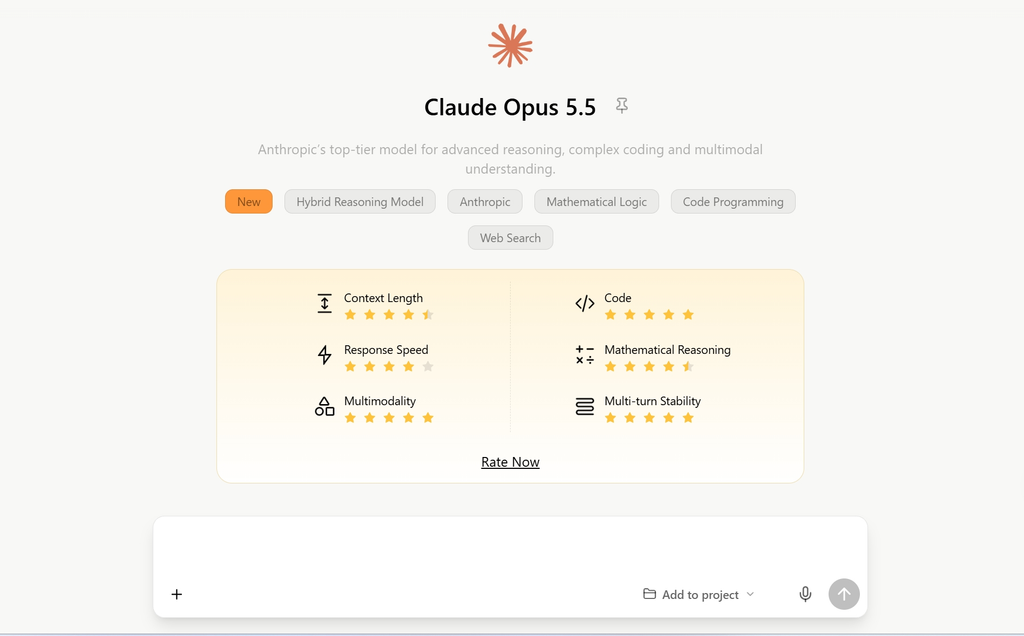
Anthropic’s model overview points many new workloads toward newer Opus generations, including Opus 5 and Opus 5.5. That is a migration decision, not a reason to replace the pinned claude-opus-4-6 examples in this guide.
- Make the model ID a configuration value in your application.
- Freeze a small regression set of real prompts and expected quality checks.
- Run the set against the candidate newer model with the same safety and latency limits.
- Compare output quality, token cost, tool behavior, and retry rate before changing production.
- Keep a rollback value for
claude-opus-4-6until the new path has passed your own acceptance checks.
Do not describe a model as retired just because a newer one is promoted. Check Anthropic’s model deprecations page for the exact lifecycle label before planning a removal.
Claude Code and the API are different access paths
A search for “change Claude Code to Opus 4.6” is related to this topic but does not have the same steps. Claude Code is a coding product with its own plan, model-selection, and environment rules. The Messages API is a developer interface that consumes Console credits and returns API responses to your application. A Claude subscription is not a shortcut around API key setup, and an API key is not a Claude Code plan.
- Use Claude Code when you want an interactive terminal coding workflow and your organization has the appropriate Claude Code access.
- Use the API when your own product, service, test harness, or automation needs to call
claude-opus-4-6programmatically. - For the model-picker steps themselves, use the dedicated Claude Opus 4.6 in Claude Code configuration guide.
GlobalGPT for browser-based multi-model workflows
If your goal is to use Claude in a browser for writing, research, summaries, or coding help, creating a first-party API key may be unnecessary. Open the Claude Opus 4.6 workspace in GlobalGPT and use the current model picker to start.
The practical workflow is simple: open the route, sign in if the page asks, choose the model shown in the current picker, and start a chat. For developers, a multi-model workspace can reduce exploratory API spend by making it easier to compare model families and workflow functions during research, drafting, coding, and review. When a task needs repeatable payloads, logs, or automation, move it into the Anthropic API or the GlobalGPT CLI and Claude Code workflow.
- Choose this route when you want browser access, multiple model families, and one place for research, drafting, coding, or cross-model review.
- Choose Anthropic’s API when you need a key-owned integration, repeatable request payloads, application logs, or automation.
- Check the live page for the current model picker and plan terms before deciding how to allocate usage across the workspace and API.
API versus a no-code web workspace
The choice is about control, workflow, and cost planning. Use the API when your product owns the request contract; use the GlobalGPT workspace when you want to explore multiple models and functions in a browser before committing the next integration step.
| Decision point | Anthropic API | GlobalGPT web workspace |
|---|---|---|
| Model target | Pinned claude-opus-4-6 | Open the Opus 4.6 workspace and confirm the selected model before starting |
| Setup | Console organization, billing, key, runtime | Browser sign-in and workspace access |
| Control | Your payloads, logs, retries, and application integration | Interactive prompts and workspace controls |
| Cost boundary | Usage-based API pricing; 4.6 standard rates are shown above | Plan and credits depend on current GlobalGPT terms |
| Best fit | Products, automations, regression tests, and services | No-code exploration, drafting, research, and model switching |
A practical developer workflow can use both paths: explore and compare in the GlobalGPT workspace, then move repeatable terminal tasks to the GlobalGPT CLI and Claude Code guide or an Anthropic API integration.
Frequently asked questions
What is the Claude Opus 4.6 API model ID?
Use claude-opus-4-6. Keep the model ID in a configuration value so you can test a migration without rewriting every request.
Is Claude Opus 4.6 still available through the API?
Anthropic’s lifecycle documentation lists claude-opus-4-6 as Active, with tentative retirement no sooner than February 5, 2027. Recheck the lifecycle page before a long production commitment.
Is there a free Claude Opus 4.6 API key?
Do not assume that a free API key or unlimited free API access exists. Console billing, eligibility, and usage tiers are account-specific, and a consumer Claude plan is a separate product boundary.
Does Claude Pro or Max include first-party API credits?
No automatic conversion should be assumed. Consumer plan usage and Console pay-as-you-go API credits are separate billing paths; use the Console for API access.
What is the standard Claude Opus 4.6 API price?
Anthropic’s pricing page lists $5 per million input tokens and $25 per million output tokens at standard rates. Prompt-cache and Batch prices are separate, and the pricing page should be checked again before budgeting.
Can I use Claude Opus 4.6 without writing code?
Yes. A multi-model browser workspace such as GlobalGPT can let you use Claude Opus 4.6 for writing, research, summaries, or coding without creating a first-party API key. Verify the current model picker and plan terms before you start.
Is Claude Code the same as the Claude API?
No. Claude Code is an interactive coding product with its own access and plan rules. The API is a Console-managed developer interface for application requests.
Can I call Claude, GPT, and Gemini through one API endpoint here?
Use the Anthropic API when your application needs one documented first-party request contract. Use GlobalGPT for browser-based multi-model workflows that compare Claude, GPT, and Gemini, then move repeatable terminal work to the CLI or your own API integration.
Official sources and final takeaway
The factual claims in this guide point to the public sources below. Recheck these pages before a future update because model lifecycle, pricing, and access details can change:
- Model ID, context, and lifecycle: Claude models overview and model deprecations.
- Release context: Introducing Claude Opus 4.6.
- Request shape: Messages API reference.
- Current API pricing: Claude API pricing.
- Account access: How can I access the Claude API?.
- Consumer/API boundary: Claude plans and pricing.
Final takeaway: for a pinned 4.6 integration, use the Console, keep the key out of source control, and send Messages API requests with claude-opus-4-6. Use the cURL and Python examples as a starting point and validate them in your own environment. For browser-based research, drafting, coding, and cross-model review, use the GlobalGPT workspace and move repeatable terminal work to the CLI or API path.