Grok 4 API is xAI’s reasoning-focused developer route for complex analysis, coding, and current-information workflows. As of September 24, 2026, the exact model, context limit, and token price depend on the xAI endpoint and account tier, so check the official xAI model documentation and official API pricing before deploying.
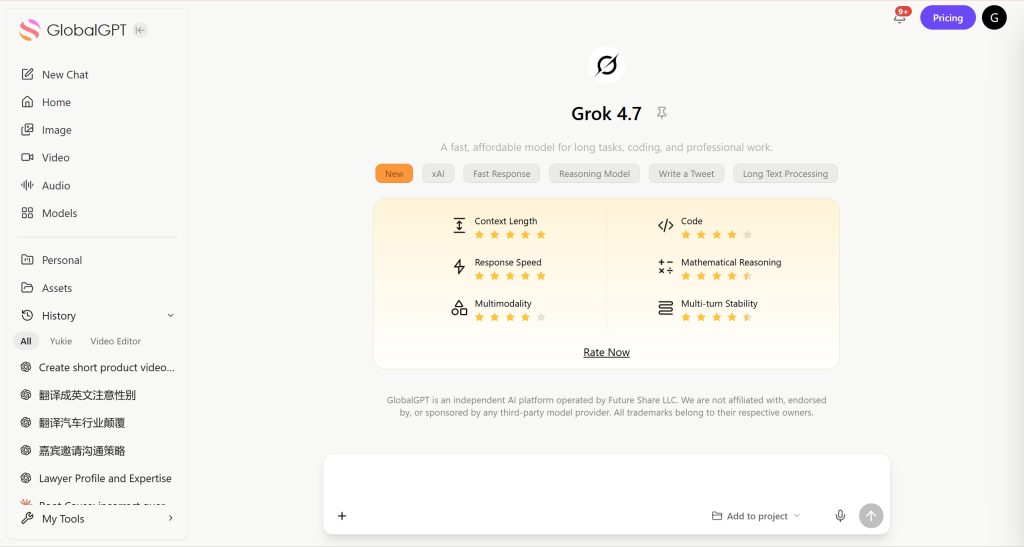
If card, region, or account setup is the blocker, GlobalGPT offers a web-based way to test Grok alongside GPT, Claude, Gemini, and video models. Treat that as a separate platform route, not as the official xAI API. Compare the ChatGPT vs Grok guide before choosing.
What Is the Grok 4 API?
The API lets developers call xAI models from applications. Grok is useful when a workflow needs reasoning, structured output, code generation, image understanding, or current information. Grok 4, faster variants, and beta endpoints can have different limits and prices.

Grok 4 API Pricing and Token Limits
The source article listed $3 per million input tokens and $15 per million output tokens for its Grok 4 snapshot. Treat those figures as a dated reference, not a universal current price: xAI can change model IDs, beta access, cached-input pricing, and regional billing. Confirm the live pricing page immediately before launch.
| Cost factor | Why it matters |
|---|---|
| Model ID | Grok 4 and faster or beta variants may have different rates and context limits. |
| Input vs output | Long generated answers can cost more than the prompt. |
| Prompt caching | Repeated long instructions may qualify for different cached-input treatment. |
| Context size | Large files increase both cost and latency. |
Grok 4 vs GPT and Gemini APIs

Choose Grok when current information or reasoning is central. Choose Gemini when multimodal and very large-context work dominates. Choose GPT when the surrounding ecosystem and integrations matter most. Read the Gemini vs Claude comparison, AI assistant ranking, Grok vs ChatGPT comparison, and how to use Grok 4 guide.
How to Get a Grok API Key
- Create an account in the official xAI developer console.
- Choose an eligible model and review billing terms.
- Add a supported payment method and set a budget alert.
- Store the key server-side, never in browser JavaScript or a public repository.
- Test rate limits, errors, moderation behavior, and retry cost.
Grok 4 API Python Integration

from openai import OpenAI
client = OpenAI(api_key=os.environ["XAI_API_KEY"], base_url="https://api.x.ai/v1")
response = client.chat.completions.create(model="grok-4", messages=[{"role":"user","content":"Return JSON."}])
print(response.choices[0].message.content)
Keep the model ID and base URL in configuration so you can change endpoints without rewriting application code. Use current xAI examples for production authentication, retries, and structured output.
Frequently Asked Questions
Is Grok 4 API free?
No permanent free tier should be assumed. Official API usage follows the current xAI model and token schedule; platform plans are a separate route.
Does Grok 4 API generate video?
Grok API is primarily a text and image-understanding route. For video creation, use a dedicated model such as Veo, Kling, or Seedance.
What is the maximum Grok context window?
The limit depends on the exact Grok endpoint and account tier. Verify the current model documentation before sizing a production request.
Conclusion
Grok 4 is a strong option for reasoning and current-information workflows, but API value depends on model, token mix, context size, and account eligibility. Verify official pricing for production, and use a multi-model platform when your goal is low-friction comparison. For implementation context, see the Grok image and video guide and NinjaChat alternatives review.
For an end-user comparison, read Grok vs ChatGPT to see where each assistant fits everyday work.
If you are using the consumer product instead of the API, the Grok 4 access guide covers the current workflow.
For image and video experiments, use the practical guide to generating images and videos in Grok.
When choosing a broader assistant stack, compare Perplexity and Claude alongside Grok’s API strengths.