Wan 3.0 entró en fase beta pública el 7 de agosto de 2026. Alibaba lo presenta ahora a través de Wan.video, QwenCloud y Alibaba Cloud Model Studio, pero el hecho de que se trate de una versión beta pública no implica un acceso sin restricciones, un lanzamiento de disponibilidad general ni la posibilidad de descargar los pesos de los modelos.
Esa distinción es importante. Wan 3.0 supone un paso significativo hacia la creación de vídeos más largos, con audio nativo y basados en referencias; sin embargo, la elección adecuada depende de si puedes acceder a la versión beta, de si su precio por segundo se adapta a tu flujo de trabajo y de si necesitas acceso a la nube o control local.
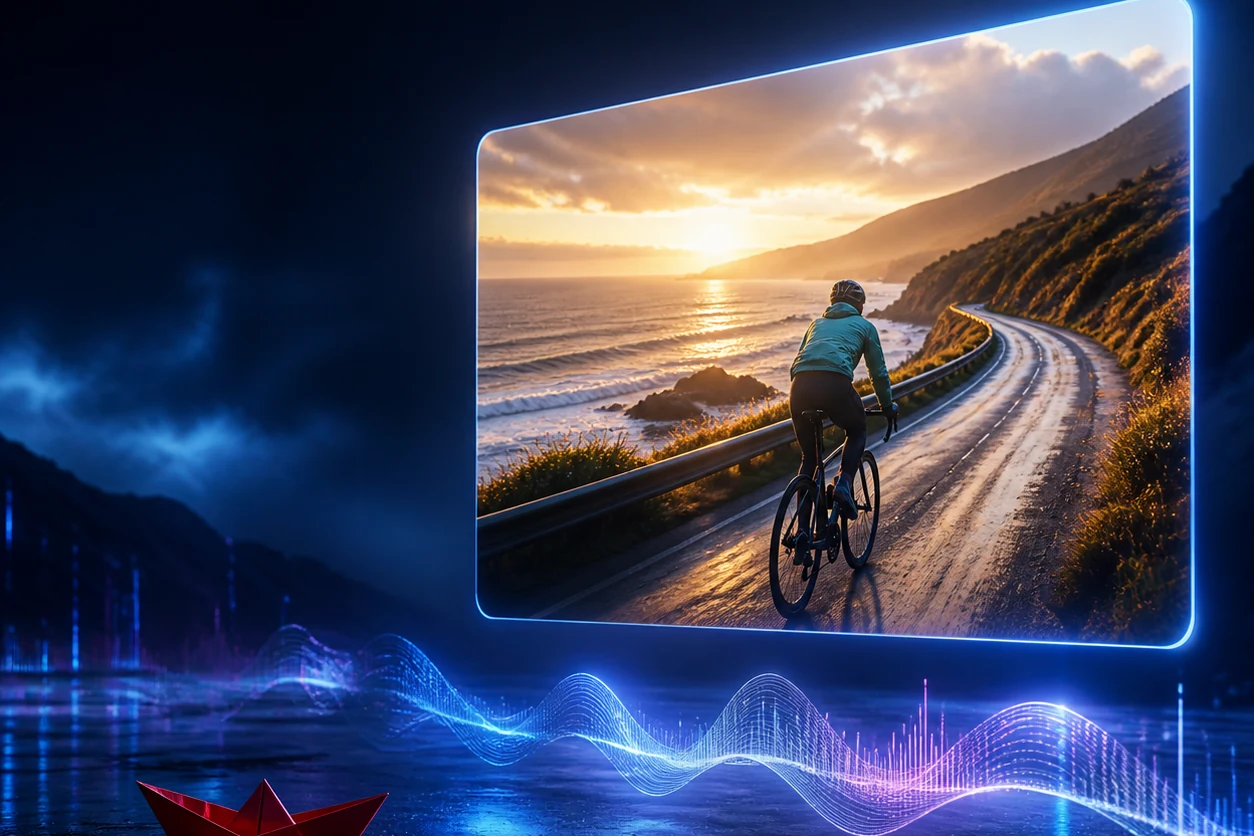
En nuestra primera prueba de salida, Wan 3.0 siguió con precisión una indicación controlada de cinco segundos sobre un barquito de papel y generó un clip de 720p nítido y apto para su reproducción. El movimiento del barquito de izquierda a derecha fue moderado, y una sola prueba no basta para determinar su estabilidad.
GlobalGPT Es un espacio de trabajo de suscripción basado en IA y con múltiples modelos, destinado a quienes desean crear contenido utilizando varios modelos en un mismo lugar. Ofrece una forma práctica de comparar las herramientas de vídeo actuales sin tener que reestructurar el flujo de trabajo para cada modelo.
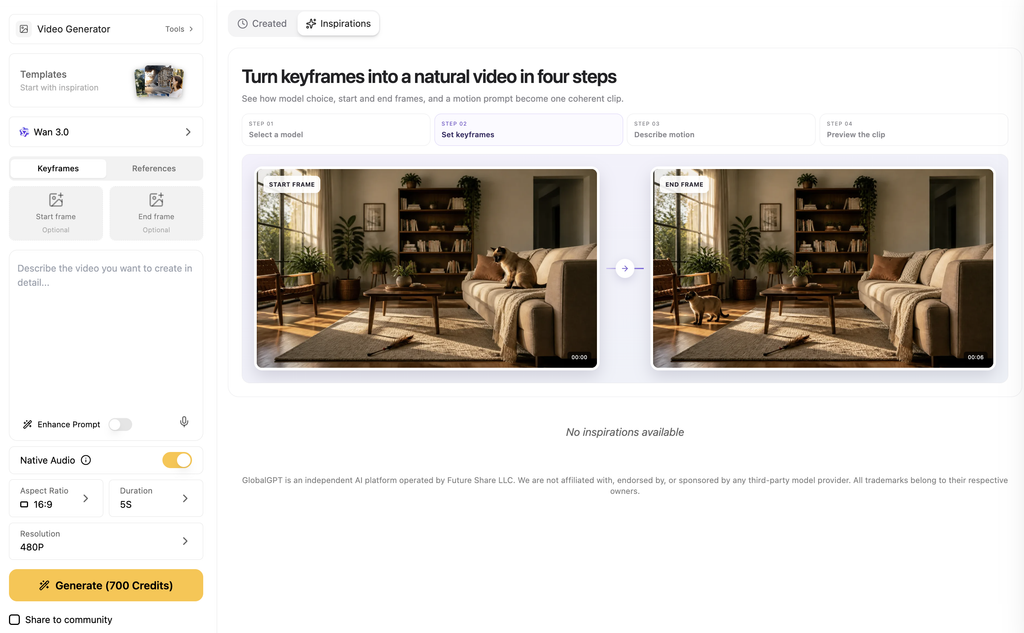
Sus opciones actuales de Wan incluyen Wan 2.7 y Wan 2.6. Para Wan 3.0, utiliza una de las rutas beta oficiales que se explican en esta página.
Respuesta rápida
Wan 3.0 entró en fase beta pública el 7 de agosto de 2026. Incorpora una generación de hasta 30 segundos, audio nativo, flujos de trabajo de referencia mixta y acceso alojado a través de las rutas oficiales de Wan y Alibaba.
wan3.0-vídeoNavegación rápida
¿Ya se ha lanzado Wan 3.0?
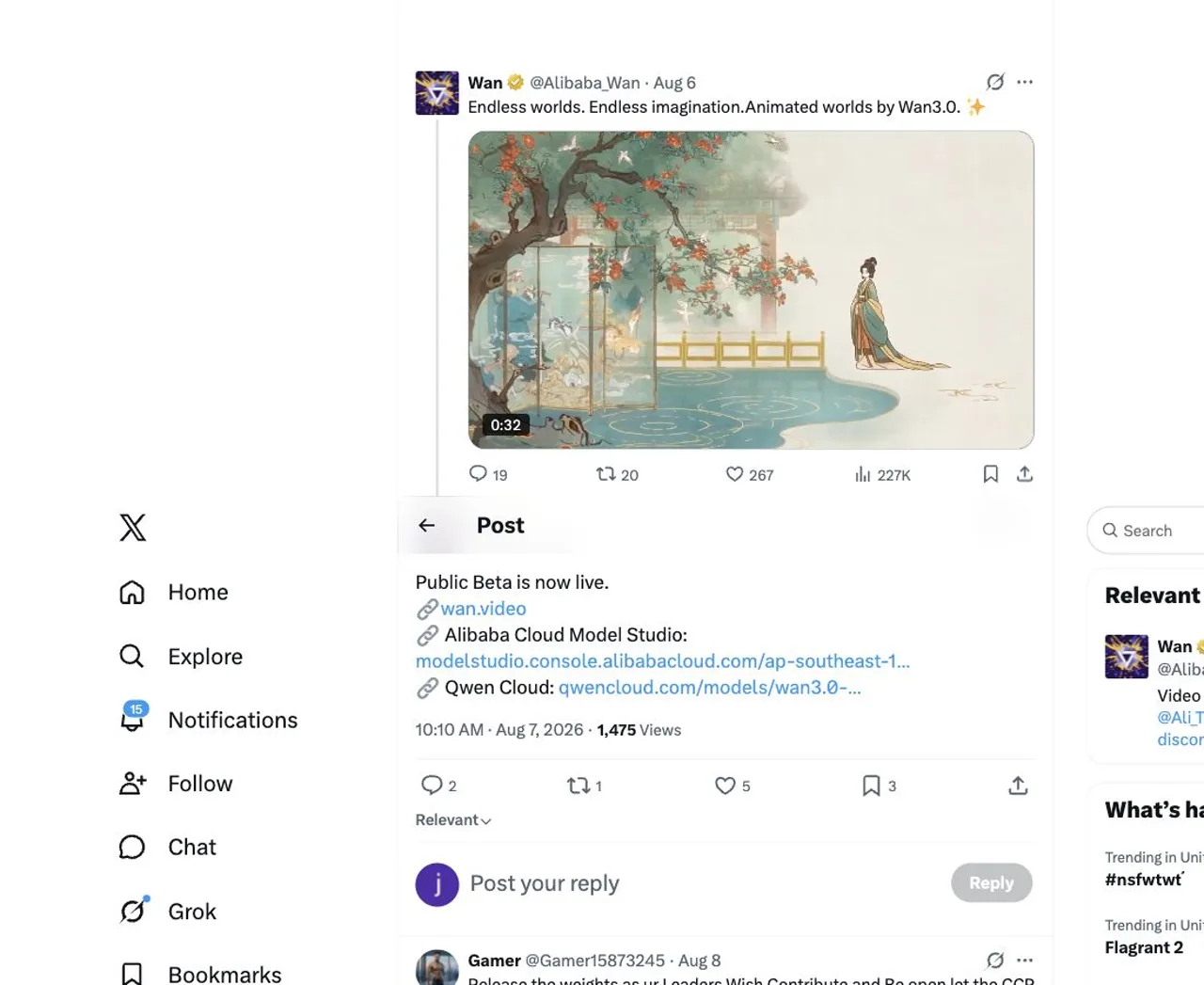
Sí, como un versión beta pública. El La cuenta oficial de Wan anunció la beta el 7 de agosto de 2026 y redirigió a los usuarios a Wan.video, Alibaba Cloud Model Studio y QwenCloud.
Es mejor interpretar esta fecha como el anuncio de la versión beta pública, y no como un lanzamiento global general. El Página del modelo QwenCloud denomina al modelo «beta» y presenta una acción «Unir beta», de modo que el acceso a la cuenta sigue formando parte del proceso.
Para los usuarios, el término “publicado” tiene ahora cuatro significados distintos:
- Se ha anunciado: La beta pública ya es oficial.
- Enumerados: El modelo aparece en las páginas oficiales del producto y de la nube.
- Llamable: Una cuenta autorizada puede enviar un trabajo que cumpla los requisitos.
- Abierto: Los pesos del modelo se pueden descargar y ejecutar localmente.
Wan 3.0 cumple las dos primeras condiciones. La tercera depende de la ruta y de la cuenta, mientras que la cuarta no se aplica a la versión actual.
¿Cuáles son las principales características de Wan 3.0?
Wan 3.0 se posiciona como un modelo de vídeo «todo en uno», en lugar de como una herramienta de conversión de texto a vídeo con funciones muy específicas. Sus páginas oficiales agrupan las capacidades de consulta, edición, reproducción y control en un único modelo.
Todas las funciones de un vistazo
Generación nativa más larga
Crea clips de hasta 30 segundos; los controles de duración varían según la ruta y el modo.
Hasta 30 segundosAudio y vídeo juntos
Acción visual directa, diálogos, ambiente y otros elementos sonoros dentro de un único flujo de trabajo audiovisual.
Audio nativoEntrada de referencias mixtas
Utiliza texto, imágenes, vídeo, audio, archivos, páginas web o imágenes complejas cuando la ruta seleccionada los muestre.
OmnimodalGenerar y transformar
Reúne las tareas de generación, edición, replicación y control de movimiento bajo una misma identidad de modelo.
Un modelo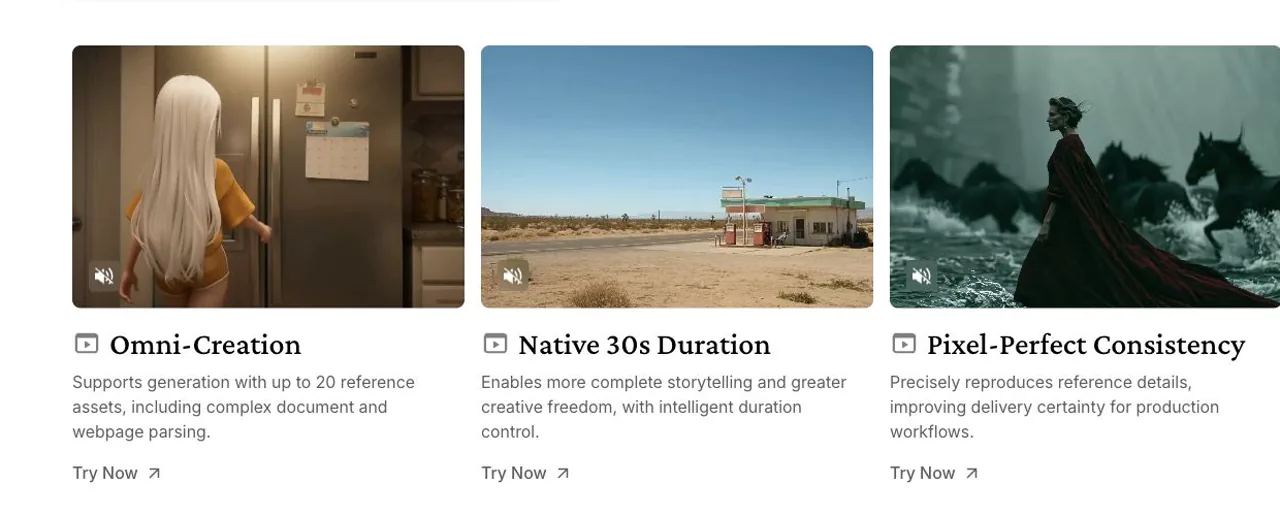
Hasta 30 segundos
La principal mejora es la duración. Según QwenCloud, Wan 3.0 puede generar vídeos de hasta 30 segundos, mientras que Wan.video describe una duración nativa de 30 segundos con control inteligente de la duración.
Nuestra solicitud de 30 segundos fue aceptada y se puso en proceso, pero la ruta probada agotó el tiempo de espera antes de devolver un vídeo. Esa prueba pone de manifiesto un límite de fiabilidad operativa, no que Wan 3.0 no admita solicitudes de 30 segundos.
Sincronización nativa de audio y material audiovisual
Wan integra la imagen y el sonido en un único flujo de trabajo audiovisual. En nuestra prueba de cinco segundos en la cafetería, la ruta generó un vídeo reproducible con una pista estéreo AAC real, un barista, la colocación de una taza y una escena continua.
Además, el resultado incluyó subtítulos en chino mal formados en la toma final, lo que incumplía la instrucción de no incluir subtítulos. Verificamos la pista de audio, pero no transcribimos de forma independiente la línea de diálogo ni comprobamos los chasquidos, los silbidos y la sincronización a nivel de fotograma.
T1 · primera salida válida
Cumple parcialmente con la tarea
- Aprobado: un barista, una taza blanca, una forma de colocar la taza y una escena continua.
- Observado parcialmente: Existe una pista de audio, pero el texto pronunciado, el tintineo de la cerámica, el silbido de la vaporera y la sincronización exacta no han sido verificados de forma independiente.
- Error: Al final aparece una línea de subtítulos en chino ilegibles y sin sentido.
Límite editorial: Este resultado demuestra que se ha reproducido una pista estéreo real, no que la reproducción del habla sea perfecta ni que la sincronización del sonido sea exacta al fotograma.
Ver la pregunta exacta de T1
Coherencia de los personajes y los objetos
Para la prueba de coherencia, una mujer con un chubasquero amarillo y unas gafas redondas rojas caminaba por un mercado bajo la lluvia. Su rostro, los colores de su ropa, sus proporciones y el paraguas rojo que se veía se mantuvieron inusualmente estables a lo largo de todo el plano secuencia.
La acción, que constaba de varios pasos, quedó inconclusa. Se giró hacia el puesto y tocó el paraguas cerrado, pero no lo cogió ni siguió caminando con él en la mano.
T2 · primera salida válida
Cumple parcialmente con la tarea
- Aprobado: Una mujer, con rasgos y proporciones equilibrados, impermeable amarillo, gafas rojas, caminando de izquierda a derecha, giro, escena continua, sin texto ni repeticiones.
- Parcial: El paraguas rojo sigue siendo reconocible, pero ella lo toca sin completar el movimiento de cogerlo y llevarlo.
Conclusión práctica: La persistencia de la identidad era sólida; el punto débil era la ejecución precisa de una interacción con un objeto que constaba de varios pasos.
Ver la pregunta exacta de T2
Control de la cámara y de la acción
En la prueba de control de la cámara, se pidió a un ciclista con chaqueta verde azulada que circulase de izquierda a derecha, mientras la cámara se alejaba lentamente hacia atrás desde una posición baja y lateral. El primer resultado mantuvo al ciclista, la dirección, el horizonte nivelado y la escena continua de la carretera costera sin añadir coches, texto ni ningún otro ciclista.
Este fue el resultado más nítido de la toma. El retroceso fue fluido y claro, aunque el ciclista se mantuvo en una zona horizontal similar, ya que la cámara lo seguía en paralelo.
T3 · primera salida válida
Cumple con lo que se le pide
- Aprobado: Un ciclista con chaqueta verde azulado, que circula hacia la derecha, cámara baja, horizonte nivelado, retroceso suave y una sola toma continua.
- Aprobado: Sin órbita de cámara, cortes visibles, ciclistas de más, coches, texto ni logotipos.
Límites de la evidencia: Se trata de un primer resultado muy bueno, pero no es prueba de que ese mismo control de la cámara se repita de forma fiable.
Ver la pregunta exacta de T3
Referencias multimodales
La descripción oficial del modelo incluye el audio, las imágenes, el texto y el vídeo entre los tipos de entrada compatibles. También indica que el modelo puede analizar archivos, páginas web e imágenes complejas, lo que amplía el flujo de trabajo más allá de la redacción de una indicación desde cero.
Para un equipo de marketing, eso podría significar partir de un resumen de lanzamiento, una imagen del producto, un vídeo ya existente o una página de referencia. Para los creadores, podría reducir el número de herramientas necesarias para plasmar un concepto en una secuencia coherente.
Flujos de trabajo de edición, replicación y gestión
Wan 3.0 aúna varias tareas creativas en un único modelo de identidad:
- Genera una nueva escena a partir de texto o de referencias mixtas.
- Modificar o ampliar la línea visual del material existente.
- Repetir un sujeto, un objeto o un estilo a lo largo de una secuencia.
- Impulsa el movimiento o el rendimiento a partir de contenidos de referencia.
- Combina la dirección visual y la dirección de sonido en un mismo proyecto.
Se trata de capacidades oficiales, no de una garantía de que todas las rutas ofrezcan todos los controles. Elige la ruta según el modo de entrada que realmente necesites y, a continuación, comprueba la configuración que se muestra para esa cuenta antes de preparar un lote grande.
WAN 3.0 frente a WAN 2.x: ¿qué ha cambiado?
La distinción más útil es la que se refiere al flujo de trabajo y la disponibilidad, no una puntuación de calidad especulativa. Wan 3.0 es el nuevo modelo en beta pública centrado en una generación más prolongada, audio nativo y flujos de trabajo de referencia omnimodales.
Los modelos Wan 2.x son las opciones más consolidadas que ya se encuentran en los productos actuales. Elige entre ellos basándote, en primer lugar, en el flujo de trabajo que necesitas y en el acceso del que dispones actualmente.
Elige en función del flujo de trabajo, no del número de versión
WAN 3.0 es la versión beta; WAN 2.7 y 2.6 son las versiones actuales en uso.
| Decisión | Wan 3.0 | Wan 2,7 / 2,6 |
|---|---|---|
| Situación actual | Beta pública a través de los canales oficiales de Wan y Alibaba | Opciones de producción actuales en plataformas como GlobalGPT |
| Énfasis oficial | Hasta 30 segundos, audio original, referencias mezcladas, edición y conducción | Flujos de trabajo prácticos para convertir texto e imágenes en vídeo, con una mayor disponibilidad actual |
| La mejor razón para elegir | Debes evaluar el nuevo flujo de trabajo para contenidos largos y nativos de audio. Elige una nueva función | Tienes que empezar a crear ahora mismo en un espacio de trabajo multimodelo con el que estés familiarizado. Elige para acceder |
| Compensación en materia de acceso | Aprobación de la versión beta y controles específicos de cada ruta | Menor fricción beta en las plataformas compatibles actualmente |
Si estás comparando generaciones en lugar de notas de lanzamiento, utiliza el mismo objetivo de prueba y de producción. Nuestro Comparación entre Sora 2 y Wan 2.5 ofrece información útil sobre cómo la elección del modelo modifica un flujo de trabajo, pero sus resultados no deben extrapolarse a Wan 3.0.
¿Dónde se puede utilizar Wan 3.0?
Empieza por una de las tres rutas que menciona Wan. Cada una está pensada para un tipo diferente de usuario.
Elige la ruta que mejor se adapte al trabajo
Las tres son rutas oficiales, pero responden a diferentes necesidades de acceso.
Wan.video
Una interfaz visual para creadores que quieran hacer un vídeo sin tener que desarrollar una integración.
Ideal para: la creación prácticaQwenCloud
La fuente pública más clara sobre el identificador del modelo, las especificaciones, el paso beta, los límites de velocidad y los precios.
Ideal para: la planificación del presupuesto y de la APIEstudio de modelos
Una estrategia de «modelo-mercado» de Alibaba Cloud para la integración de aplicaciones y flujos de contenido.
Ideal para: flujos de trabajo en la nube ya existentesWan.video
Wan.video Es la página oficial del producto dirigida a los consumidores. Su llamada a la acción «Wan 3.0» conduce al panel de creación, donde los usuarios inician sesión antes de comenzar un trabajo.
Elige esta ruta si quieres un flujo de trabajo de creación visual y no necesitas desarrollar una integración con una API.
QwenCloud
QwenCloud es la página pública más clara en cuanto a especificaciones, precios y el ID exacto del modelo. En ella se enumeran wan3.0-vídeo, presenta los pasos para solicitar el acceso a la versión beta y muestra los límites de frecuencia y ejemplos de API.
Elige QwenCloud si quieres una ruta documentada hacia la nube y puedes trabajar con acceso beta. Además, es la mejor opción para calcular un presupuesto antes de enviar clips más largos o con mayor resolución.
Alibaba Cloud Model Studio
Alibaba Cloud Model Studio Es la opción orientada a los desarrolladores. La vía del mercado de modelos público apunta a la región de Singapur y utiliza la misma identidad oficial del modelo.
Elige Model Studio cuando la generación de Wan deba integrarse en una aplicación más amplia, un flujo de trabajo de contenido automatizado o un entorno existente de Alibaba Cloud.
Un flujo de trabajo multimodelo práctico en GlobalGPT
Si el objetivo inmediato es obtener un vídeo terminado en lugar de participar en una beta concreta, GlobalGPT reúne los modelos actuales de Wan y otros generadores de vídeo en un único espacio de trabajo. La lista verificada incluye Wan 2.7, Wan 2.6, Veo 3.1, Sora 2, Kling 3.0 y Seedance 2.5.
Centra la comparación: utiliza una sola indicación real, la misma relación de aspecto y el primer resultado válido de cada modelo. Compara el movimiento, la coherencia en la identidad, los requisitos de audio, el tiempo de entrega y el esfuerzo de edición, en lugar de basarte únicamente en la reputación.
Cómo utilizar Wan 3.0
Los controles exactos varían según el producto, pero la secuencia de configuración, que resulta fiable, es sencilla.
1. Elige la ruta oficial adecuada
Utiliza Wan.video para un flujo de trabajo de creación visual, o elige QwenCloud/Model Studio cuando necesites documentación en la nube e integración de API. Evita depender únicamente de un nombre de dominio con coincidencia exacta; confirma que la ruta esté vinculada por Wan o Alibaba.
2. Confirma la identidad del modelo y el acceso beta
Para consultar la ruta en la nube documentada, busca wan3.0-vídeo. Sigue los pasos que te indica la plataforma para «Unirte a la beta» o «Iniciar sesión» y, a continuación, comprueba que el modelo esté disponible para tu cuenta.
3. Elige un modo de entrada
Empieza por el conjunto de datos de entrada más pequeño que permita expresar la tarea:
- Texto: una nueva escena sin ninguna referencia visual.
- Imagen: conservar un producto, un tema, una composición o el primer fotograma.
- Vídeo: guiar el movimiento, la edición, la reproducción o la continuación.
- Archivo o página web: Convertir un resumen o una página de referencia en un concepto de vídeo.
- Audio: orientar la interpretación o la estructura audiovisual cuando el recorrido lo permita.
4. Establece la duración y la resolución de forma deliberada
Utiliza 480P para el desarrollo inicial, ya que tiene la tasa por segundo más baja de las indicadas. Pasa a 720P o 1080P una vez que la escena, las referencias y la sincronización estén estables; de lo contrario, un pequeño error en el prompt se convertirá en un costoso error a alta resolución.
5. Redacta una indicación lista para su uso en producción
Una indicación útil para Wan 3.0 debe definir el tema, la acción, el escenario, el comportamiento de la cámara, la duración, los eventos de audio y las exclusiones. Asegúrate de que la secuencia sea físicamente posible, sobre todo cuando se solicite un clip largo y continuo.
- Indica un tema principal antes de añadir una acción secundaria.
- Describe el movimiento de la cámara con un lenguaje sencillo y cronológico.
- Asigna sonido a los eventos visibles en lugar de solicitar un “audio cinematográfico” genérico.”
- Indica qué elementos deben mantenerse constantes: el rostro, la ropa, el producto, la habitación o la iluminación.
- Elimina el texto no deseado, los logotipos, las personas de más o los cortes bruscos.
Para tener un mayor control sobre el lenguaje de las tomas, consulta esta guía sobre Indicaciones para el movimiento de la cámara de vídeo con IA.
6. Revisar antes de aumentar el coste
Revisa el clip completo, no solo el fotograma inicial. Busca desviaciones en la identidad, cambios en los objetos, movimientos imposibles, falta de sonido, errores de sincronización, texto no deseado y fotogramas finales de baja calidad antes de aumentar la duración o la resolución.
Para obtener una decisión del modelo más amplia, utiliza esa misma indicación para El espacio de trabajo de vídeo de GlobalGPT. Comparar los modelos actuales en función de tu tarea concreta resulta más útil que buscar un único modelo óptimo para cada trabajo.
Nuestra prueba práctica de Wan 3.0: los primeros resultados
El 13 de agosto de 2026 realizamos una prueba con una tarea controlada de conversión de texto a vídeo a través de la API HTTP directa de Anywhere. El objetivo era concreto: comprobar si wan3.0-vídeo podría generar una toma válida de cinco segundos a partir de una indicación fija sin seleccionar una repetición que quedara mejor.
El primer vídeo completado era válido, se podía reproducir y se conservó como resultado. Enviamos la tarea una sola vez, no realizamos ningún reintento por motivos de calidad ni ejecutamos un lote de estabilidad.
Metodología práctica
Una solicitud congelada, una primera salida válida
wan3.0-vídeoVer el mensaje congelado exacto
La tarea pasó del estado «en cola» al de «correcta» en unos 213 segundos. No se ha comprobado la estabilidad, por lo que esta configuración solo permite evaluar el primer resultado.
Resultado de la primera salida
Se han superado las siete comprobaciones objetivas
| Tema y orientación | Pasar — Solo se veía un barquito de papel rojo, que se desplazaba desde la izquierda del centro hacia el centro. El desplazamiento de izquierda a derecha era real, aunque sutil. |
|---|---|
| Toma y cámara | Pasar — Una toma continua, sin cortes visibles y con una posición de cámara baja y estable. |
| Lluvia y reflejos | Pasar — Las líneas de lluvia, las ondulaciones y los reflejos azules y rosa-violeta se mantuvieron coherentes a lo largo de todo el vídeo. |
| Exclusiones | Pasar — No aparecieron personas, texto, logotipos ni barcos adicionales. |
| Entrega técnica | Pasar — El vídeo se ha reproducido correctamente y cumplía con los requisitos solicitados: cinco segundos, 720p y formato 16:9. |
¿Cuánto cuesta Wan 3.0?
Los precios de QwenCloud para Wan 3.0 varían en función del tiempo de generación y la resolución. El 11 de agosto de 2026, la página del modelo indicaba 480P a $0,05 por segundo, 720P a $0,10 por segundo y 1080P a $0,20 por segundo.
Precio de Wan 3.0 según la resolución
Tarifas de QwenCloud consultadas el 11 de agosto de 2026
USD por segundo generado
| Resolución | Tasa | Tasa relativa | 5 segundos | 10 segundos | 30 segundos |
|---|---|---|---|---|---|
| 480p | $0,05/s | $0.25 | $0.50 | $1.50 | |
| 720p | $0,10/s | $0.50 | $1.00 | $3.00 | |
| 1080P | $0,20/s | $1.00 | $2.00 | $6.00 |

Los precios varían de forma lineal: la resolución 720P cuesta el doble que la 480P, mientras que la 1080P cuesta cuatro veces más que la 480P. Por lo tanto, un clip de 30 segundos en 1080P cuesta $6,00 según la tarifa de QwenCloud, frente a los $1,50 que cuesta en 480P.
Estas cifras se aplican a QwenCloud, pero no se aplican automáticamente a Wan.video, Model Studio, GlobalGPT ni a ningún otro proveedor. Comprueba la unidad de facturación actual de la ruta seleccionada, el límite de la cuenta y la política de errores antes de confirmar un lote.
¿Es Wan 3.0 de código abierto? API y opciones de descarga
Wan 3.0 es no se presenta como una autorización de uso de imágenes de código abierto. QwenCloud indica “Código abierto: No”, y la organización oficial de Wan en GitHub no incluía ningún repositorio de pesos de Wan 3.0 cuando se comprobó el 10 de agosto de 2026.
Eso no impide que los usuarios accedan al modelo a través de servicios alojados. Lo que sí significa es que la vía actual se basa en la nube, en lugar de ser un flujo de trabajo local descargable.
ID del modelo de la API de Wan 3.0
El identificador oficial del modelo QwenCloud es wan3.0-vídeo. Su ejemplo público incluye parámetros relacionados con el vídeo, como la resolución, la relación de aspecto y la duración, pero el formato exacto de la solicitud, la autorización, el punto final regional y los controles disponibles deben obtenerse de la cuenta oficial en la nube seleccionada.
Descargar un vídeo no es lo mismo que descargar el modelo
“La expresión ”descargar Wan 3.0» puede referirse a dos acciones diferentes:
- Descarga el vídeo generado: Exportar el archivo MP4 final desde el producto alojado.
- Descargar los pesos del modelo: instalar y ejecutar el modelo subyacente de forma local.
El primero es un flujo de trabajo de salida normal. El segundo no forma parte de la versión actual de Wan 3.0.
¿Quién debería utilizar Wan 3.0?
Wan 3.0 resulta especialmente atractivo para aquellos equipos que valoran tanto su nuevo flujo de trabajo como para aceptar el acceso a la versión beta y los precios de la nube.
Es un firme candidato para:
- Creadores que exploran vídeos más largos realizados con IA en una sola toma.
- Equipos que desean que las imágenes y el audio nativo se generen al mismo tiempo.
- Profesionales del marketing que trabajan a partir de imágenes de productos, fichas técnicas, archivos o páginas web.
- Estudios que necesitan una identidad basada en referencias o una coherencia de estilo.
- Desarrolladores que ya están preparados para un flujo de trabajo basado en la nube y las API.
Elige primero una alternativa actual cuando:
- Necesitas pesos abiertos o un procesamiento totalmente local.
- No puedes quedarte esperando a que se apruebe la versión beta.
- Tu producción necesita controles estables y consolidados más que un nuevo conjunto de funciones.
- Quieres comparar varios modelos sin tener que gestionar flujos de trabajo independientes.
Nuestra recomendación es sencilla: únete a la beta oficial si la creación de contenidos de 30 segundos, con audio nativo o con referencias mixtas resuelve un problema real de producción. Ahí es donde Wan 3.0 ofrece la razón más clara para aceptar el acceso a la beta y los precios del servicio en la nube.
De lo contrario, empieza por Wan 2.7, Wan 2.6, u otro modelo actual de la serie GlobalGPT. Utiliza el Guía de los mejores generadores de vídeo con IA para reducir las opciones antes de decidirse por un flujo de trabajo de producción.
Preguntas frecuentes
¿Cuándo salió al mercado Wan 3.0?
Wan anunció que la beta pública de Wan 3.0 estaba disponible desde el 7 de agosto de 2026. Se trata de la fecha de anuncio de la beta pública, no de la fecha de lanzamiento para el público general ni de la fecha de lanzamiento de la versión «open-weight».
¿Wan 3.0 está disponible para todo el mundo?
No. En las páginas oficiales se indica el modelo, pero en QwenCloud aparece el paso «Unirse a la beta» y el acceso puede depender de la ruta seleccionada, la cuenta, la autorización y la región.
¿Dónde puedo utilizar Wan 3.0?
Wan señala a Wan.video, Alibaba Cloud Model Studio y QwenCloud como vías oficiales. Wan.video está dirigido a los creadores, mientras que QwenCloud y Model Studio se adaptan mejor a los flujos de trabajo documentados en la nube y mediante API.
¿Cuál es la duración máxima de los vídeos de Wan 3.0?
Según la página oficial de QwenCloud, Wan 3.0 puede generar vídeos de hasta 30 segundos. Los controles de duración disponibles pueden variar según la ruta y el modo.
¿Wan 3.0 genera sonido?
Sí. Wan ofrece audio nativo y una experiencia audiovisual integrada como funciones principales de Wan 3.0.
¿Cuánto cuesta Wan 3.0?
El 11 de agosto de 2026, QwenCloud fijó el precio de 480P en $0,05 por segundo, el de 720P en $0,10 por segundo y el de 1080P en $0,20 por segundo. Otros proveedores pueden aplicar precios o créditos diferentes.
¿Wan 3.0 es de código abierto?
No. En la página oficial del modelo QwenCloud se indica que el código abierto es «No», por lo que la versión actual es una beta alojada y no un paquete de modelo de código abierto.
¿Puedo descargar los pesos del modelo Wan 3.0?
No a través de la versión oficial actual. Los usuarios pueden descargar vídeos generados por un servicio alojado, pero eso no es lo mismo que descargar los pesos del modelo para su uso local.
¿Cuál es el ID del modelo de la API de Wan 3.0?
QwenCloud registra el ID oficial del modelo como wan3.0-vídeo. Utiliza el punto de conexión regional y el formato de solicitud que te proporciona la cuenta oficial en la nube.
¿Qué puedo utilizar ahora para trabajar con vídeo?
Actualmente, GlobalGPT ofrece Wan 2.7 y Wan 2.6, junto con Veo 3.1, Sora 2, Kling 3.0 y Seedance 2.5. Utiliza una misma indicación en un pequeño conjunto de modelos y elige el resultado que mejor se ajuste a tu objetivo de producción.
Elige el flujo de trabajo que resuelva tu tarea concreta
Merece la pena estar al tanto de Wan 3.0 porque combina vídeos más largos, audio nativo y una mayor variedad de fuentes de referencia en una única versión beta oficial. Lo mejor es no intentar abarcar todas las funciones a la vez; elige una tarea, una estrategia y un presupuesto.
Introduce una indicación real en GlobalGPT y pruébalo con los modelos de Wan y vídeo disponibles actualmente. Compara el primer resultado, el esfuerzo de edición y el ajuste final de la producción; después, invierte en el flujo de trabajo que realmente se gane su lugar.