ChatGPT Go is OpenAI’s lower-cost paid ChatGPT plan, with a US reference price of $8 per month. To subscribe, open your profile menu in ChatGPT, choose Upgrade Plan, then Try Go. To stop renewing, cancel through the service that billed you. Moving from Plus or Pro to Go takes effect at the end of your current billing cycle; a refund is a separate request handled according to your purchase channel and eligibility.
Go is billed monthly, with no annual prepayment option in OpenAI’s Go guidance. Local prices and currencies can differ from the US reference price, and API usage is billed separately. This guide covers the account, renewal date and receipt you need for each subscription task.
If you are comparing paid AI plans, GlobalGPT brings multiple AI models and practical document tools into one affordable subscription. It is worth considering when you want everyday chat and document work covered by one plan, with monthly and yearly options to match your budget.

ChatGPT Go price and billing basics
OpenAI’s Go announcement lists $8 per month in the United States and says pricing is localized in some markets. That makes $8 a US reference price, not a promise that every country will show an $8 checkout total.
- Go renews automatically every month until you cancel.
- OpenAI’s Go guidance does not offer annual billing or payment for several months in advance.
- ChatGPT subscription fees do not include OpenAI API usage.
- The local amount, currency and renewal terms shown before you pay are the ones to review.
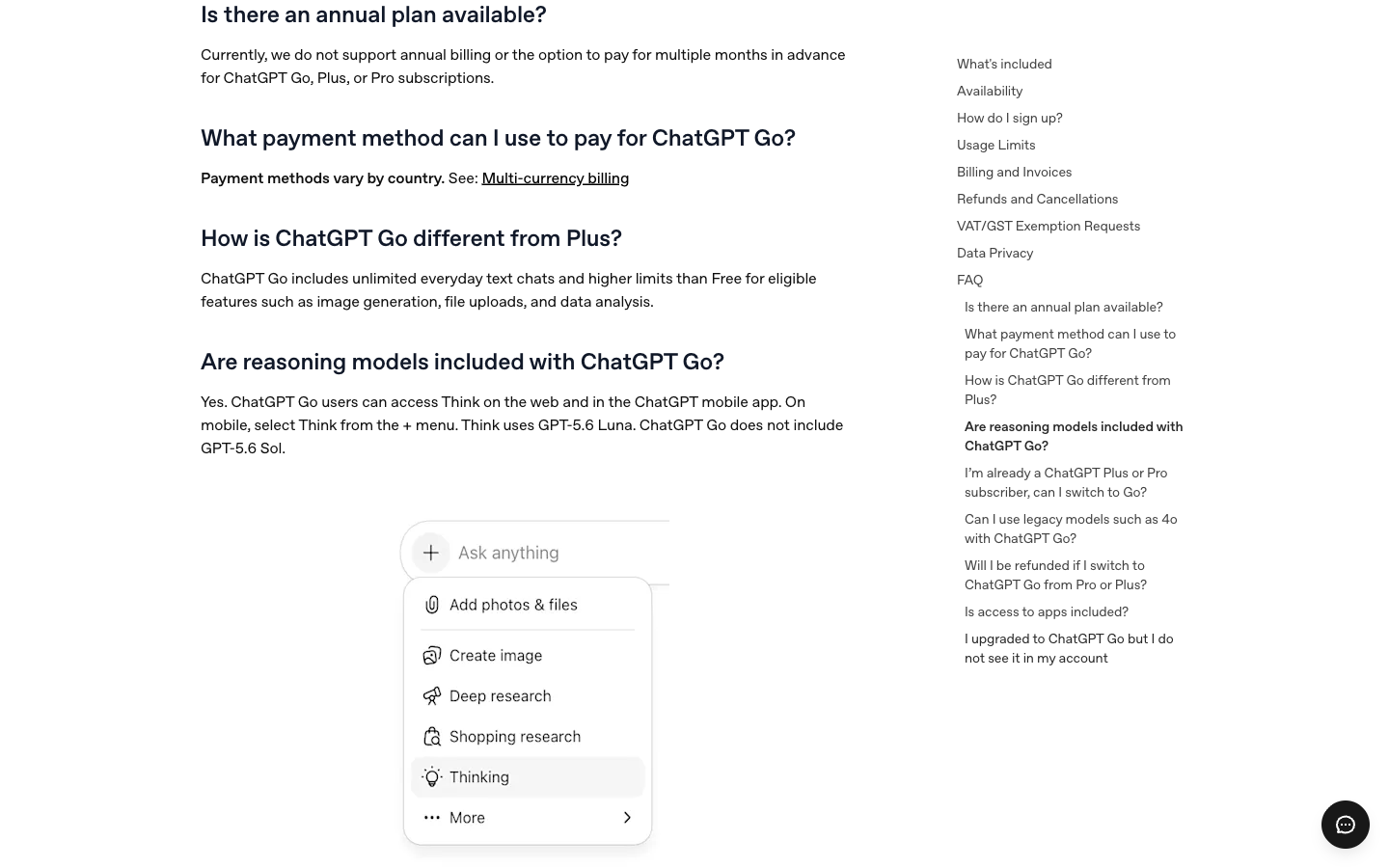
When you compare Go with a yearly subscription, write down what you would pay now as well as the advertised monthly figure. That makes the commitment clear before you decide which plan belongs in your budget.
Billing scope at a glance
| Subscription | Published price reference | What the commitment means |
|---|---|---|
| ChatGPT Go | $8/month in the US | Monthly subscription; local checkout prices can differ. |
| ChatGPT Plus | $20/month US reference | Monthly plan for users who need its higher-tier features. |
| GlobalGPT Basic, monthly | $8.10/month | Public monthly offer on October 10, 2026; 12,000 credits per month. |
| GlobalGPT Basic, yearly | $5.80/month, billed annually | Public yearly offer on October 10, 2026; 12,000 credits allocated each month. |
Sources: OpenAI Go announcement, OpenAI Plus help and GlobalGPT pricing. OpenAI references were captured October 1; GlobalGPT offers were checked October 10. Prices describe different products and billing commitments; review the final checkout total.
An annual equivalent is a way to display a yearly subscription’s monthly cost. It does not mean you can pay $5.80 for a single month. GlobalGPT’s credits are shared across the work you do, and usage varies by model and tool; choose the plan after checking the tools your document workflow needs.
Where ChatGPT Go is available and how local pricing works
OpenAI says Go is available in countries where ChatGPT is supported. For web subscriptions, the multi-currency billing page lists supported currencies and payment methods. App Store and Google Play subscriptions are managed by those stores and normally appear in the store’s local currency.
Localized pricing is not simply a live currency conversion of $8. Taxes, store billing, country support, and local pricing can affect the amount shown. Check the price displayed in your own account before confirming a purchase.
If an active web subscription is already billed in one currency, OpenAI’s multi-currency guidance says changing to another supported currency requires canceling, waiting until the current billing period ends, and subscribing again. Plan that change around the renewal date so you know when the old subscription stops.
How to subscribe to ChatGPT Go
The web signup path in OpenAI’s Go help page is short:
- Log in to ChatGPT with the account you want to bill.
- Open your profile menu and select Upgrade Plan.
- Choose Try Go.
- Review the local price, currency, renewal terms, and payment method before confirming.
If Go does not appear, check the supported-country information and whether you are signed into the intended account. On a phone, also check which Apple or Google account will own the purchase. A missing button is a reason to check the account and availability before paying through another channel.
For iPhone, iPad, or Android purchases, remember which store account completed the transaction. That account controls future cancellation and refund steps. If you already pay for ChatGPT, inspect that subscription first to avoid starting a second one under another account or store.
How to manage ChatGPT Go billing and invoices
For a subscription purchased on chatgpt.com, log in, open your profile, select Settings, and open Account. OpenAI uses this area for subscription management and invoices. Follow the subscription or billing control shown in your account if its label differs.
- Confirm which ChatGPT account owns the subscription.
- Check the next renewal date before changing or canceling the plan.
- Download any invoice you need before closing an account.
- Use Apple or Google purchase history for subscriptions billed by those stores.
If a receipt exists but the plan is missing, compare the sign-in email and purchase channel with the receipt. Use the account that was charged when contacting support. Keep the date, amount and receipt or order number ready; never include your full payment-card details.
How to cancel ChatGPT Go
Cancel through the same service that billed the subscription. A web purchase is canceled inside ChatGPT, while an App Store or Google Play purchase stays under that store’s subscription controls.
Cancel through the service that billed you
| Biller | Where to cancel | What to keep |
|---|---|---|
| OpenAI / chatgpt.com | Settings → Billing → Cancel plan → Cancel. | Confirmation plus the date paid access ends. |
| Apple App Store | iPhone/iPad Settings → your name → Subscriptions → ChatGPT → Cancel Subscription. | The ChatGPT subscription status and expiry date. |
| Google Play | Google Play → Subscriptions → ChatGPT → Cancel subscription; use the purchasing Google account. | The cancellation confirmation and paid-period end date. |
Use the channel instructions linked from OpenAI’s cancellation guidance. Uninstalling the app is not a cancellation step.
Cancel a web subscription step by step
- Log in to ChatGPT with the account that owns the subscription.
- Open your profile menu and select Settings.
- Select Billing.
- Under Cancel plan, select Cancel and complete the confirmation.
- Return to the subscription details and check the cancellation status and paid-access end date.
OpenAI’s Go overview points to Account for general management; its dedicated cancellation instructions, checked October 10, 2026, use Billing. Use that cancellation path and verify the resulting subscription status.
When the cancellation takes effect
Cancellation normally stops renewal after the current paid period; you keep access until that period ends. OpenAI advises canceling at least 24 hours before the next billing date. Do not leave a renewal you want to stop until the last few minutes.
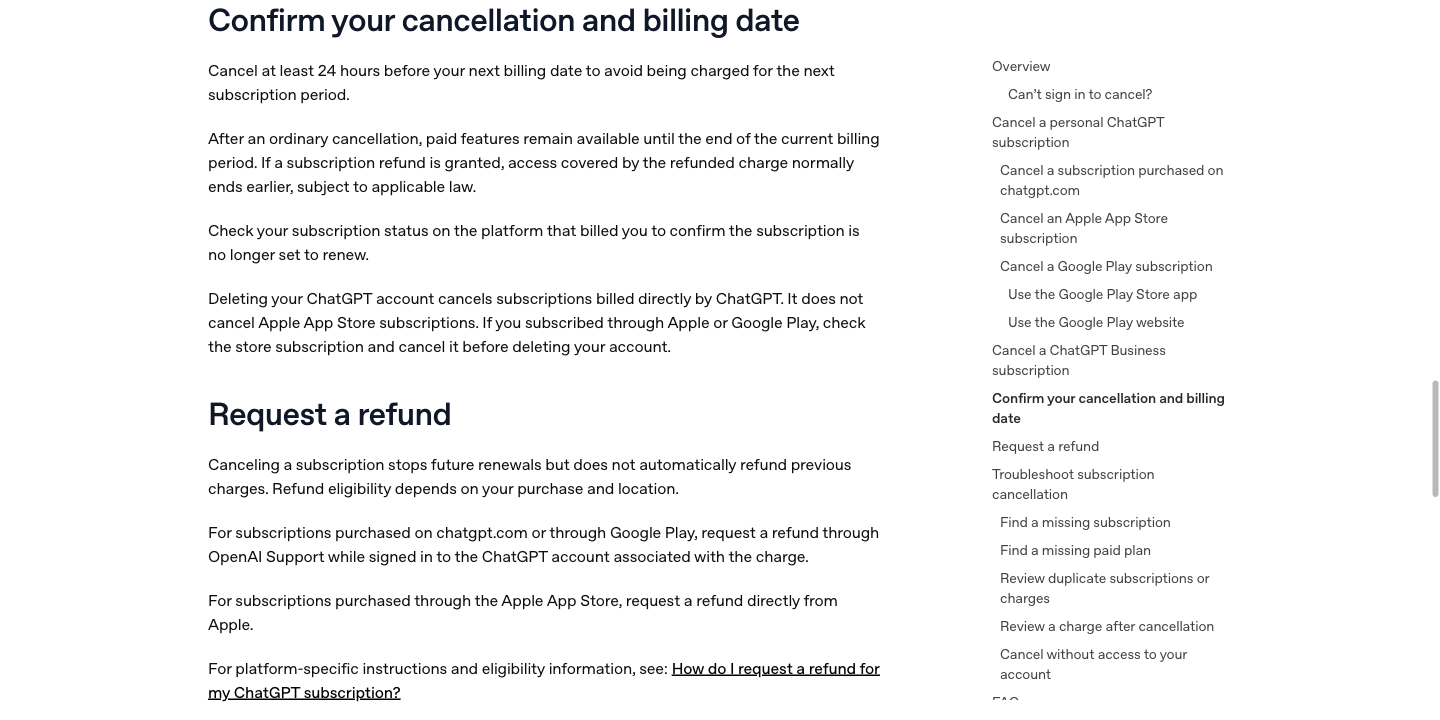
Save the cancellation confirmation and note the final day of paid access. If you also want money returned for a charge, follow the refund route for the service that billed you.
What happens after you cancel
Canceling a plan and deleting an account are different actions. Use subscription controls when your goal is to stop paying. Deleting your ChatGPT account does not cancel an Apple App Store subscription. If Apple or Google billed you, check and cancel the store subscription before deleting the account. Uninstalling the app does not cancel a subscription either.
How to switch from Plus or Pro to Go
OpenAI allows Plus and Pro subscribers to move down to Go. Its Go guidance says the switch is scheduled for the end of the current billing cycle rather than applied as an immediate mid-cycle replacement.
- Your current Plus or Pro benefits remain active until the billing period ends.
- The account then changes to Go.
- Future renewals use the Go rate shown for your market.
- The switch itself does not refund the unused portion of the Plus or Pro billing period.
Open your profile, choose Settings → Account, and use the plan-management controls. Read the effective date before confirming. If a store handles the purchase, follow the change options shown for that subscription instead of starting a separate web plan.
Before downgrading, list the two or three features you use each week and check whether Go provides enough access. The ChatGPT Plus limits guide can help you identify which limits matter. If your reason for changing is an incorrect charge, use the refund process as well; a downgrade is not the refund request.
How ChatGPT Go refunds work
Canceling stops a future renewal; it does not automatically create a refund. Refund requests follow the payment channel and local eligibility rules.
- Web purchase: log in to the charged account, open the OpenAI Help Center refund route, and request a refund through chat. Use the eligibility rules below; a request does not guarantee a refund.
- Apple subscription: request a refund directly from Apple. Use the Apple account that owns the purchase.
- Google Play subscription: log in to the charged ChatGPT account and request a refund through OpenAI Help Center chat, following its Google Play instructions. Keep the subscription’s order details ready.
Refund eligibility: the seven-day review and exceptions
OpenAI’s refund policy, checked October 10, 2026, says payments are generally non-refundable. For an unused individual subscription purchase, a discretionary refund may be available if you contact OpenAI within seven days of the charge. The request must concern the current billing period and meet its requirements: limits on repeat refunds, no substantial use, no active payment dispute and no confirmed abuse. Give the reason for your request and acknowledge that refunded subscription access will end.
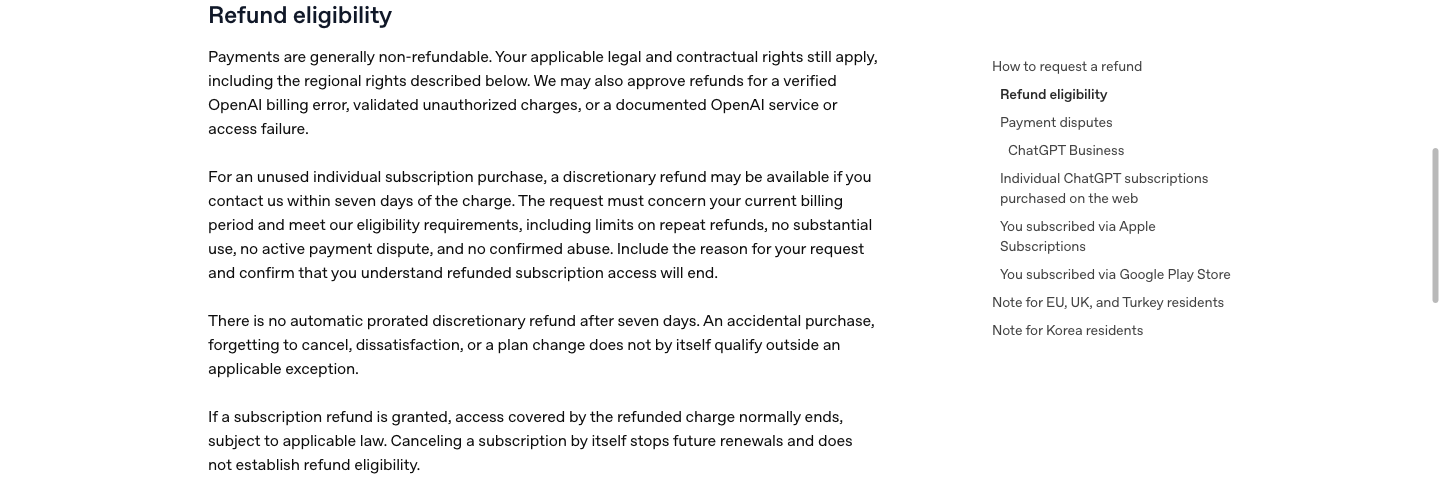
Before submitting the request, collect the receipt, charge date and the reason your purchase meets the listed conditions. Keep the explanation specific to the current billing period so support can assess the request against the right payment.
An accidental purchase, forgetting to cancel, dissatisfaction or a plan change does not by itself qualify outside an applicable exception. There is no automatic prorated discretionary refund after seven days. Legal and contractual rights still apply, and OpenAI may approve a refund for a verified billing error, validated unauthorized charge or documented service or access failure.
If a payment dispute is active, or the money has already been returned through that dispute, OpenAI does not issue a separate refund. An approved subscription refund normally ends the access covered by that charge, subject to applicable law.
OpenAI’s published guidance gives processing estimates of 5–7 business days for an eligible web refund and 10 business days for an eligible Google Play refund. These are processing estimates after eligibility is established, not a promise that every request will be approved or that a bank will show the funds on that exact day.
Regional refund rules
OpenAI’s refund guidance describes additional rules for the EU, UK and Turkey: canceling within 14 days of purchase can qualify for a prorated refund. Its South Korea guidance describes a full refund within seven days if the service was unused, with prorated treatment for other eligible cases and immediate subscription termination when a refund is requested. Check the section for your location before relying on the general cancellation timeline above.
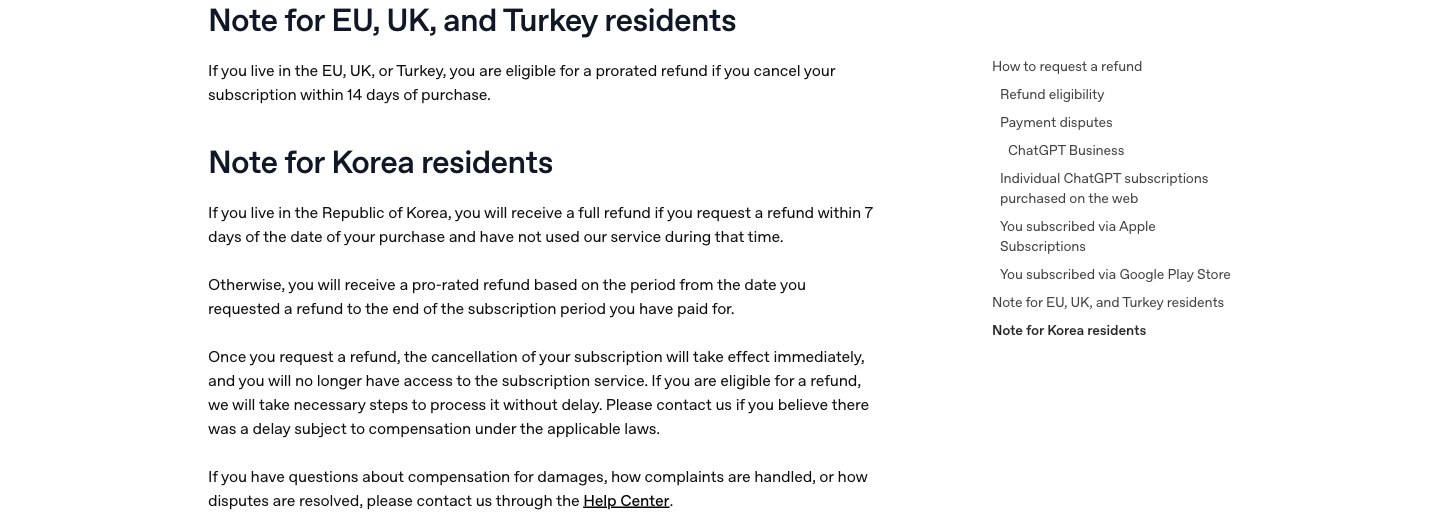
Read the rule for your location alongside the payment-channel instructions, then keep support’s decision with your receipt. The relevant regional rule can change how your request is assessed.
Use the same email or account that was charged. If the Help Center cannot find the subscription, sign out and sign back in with the correct account before submitting the request again. Explain whether the issue was an accidental purchase, an unexpected renewal or a charge you do not recognize, and keep the reply for your records.
What ChatGPT Go includes—and where the limits begin
Go includes the Free plan’s core features and raises limits for eligible tools. OpenAI lists expanded image generation, file uploads and data analysis, along with longer memory and context. Projects, tasks, custom GPTs and Library are subject to the current plan’s feature availability and storage limits.
- Everyday text chats are described as unlimited, subject to abuse-prevention safeguards.
- Image generation, file uploads and data analysis have higher limits than Free, but separate tool limits still apply.
- Go’s default model and Think use GPT-5.6 Luna. Go does not include GPT-5.6 Sol.
- Legacy models such as 4o are not included.
- Voice is included; the current Go help page states that its usage limits are the same as Free.
- Some apps, plugins and other advanced features require Plus or another eligible plan.
These Go details come from OpenAI’s Go help and its current ChatGPT model guide, checked October 10, 2026. Check the tools you rely on before downgrading, because model and plan access can change.
For a capability-by-capability decision, see the ChatGPT Go benefits and limits guide and OpenAI’s current plan details. A general “more access” description is less useful than knowing whether the feature you need will last through your typical task.
Go vs Plus: only the differences that affect this decision
Go makes sense when the additional access over Free covers your normal work at a lower monthly cost. Plus becomes relevant when a specific higher-tier feature or allowance is worth paying more for. Compare the model and tool you actually use, the size and frequency of your file tasks, and the plan’s advertising terms; avoid paying for a long feature list you rarely need.
For a weekly report, think about the source document you need to understand. With ChatPDF on GlobalGPT, you can ask focused questions about that PDF while keeping its text available for review. A multi-model subscription with useful document tools can make more sense than adding a separate subscription for each recurring task.
Does ChatGPT Go have ads?
Go should not be treated as a guaranteed ad-free plan. OpenAI’s Go help page says it may test ads in Go and directs readers to its advertising information. Paying for Go does not by itself establish that no ads will appear.
If advertising affects your choice, read the current advertising information linked from Go’s help page and check the plan comparison before subscribing or downgrading. A general statement about future testing does not tell you which specific accounts currently see ads.
Which subscription route makes sense?
Choose based on the workflow you are actually paying for, not on a headline price alone.
- Choose ChatGPT Go if you want an official ChatGPT upgrade at a low monthly price and its extra document, image and analysis access covers your needs.
- Choose ChatGPT Plus if you can name a higher-tier feature or allowance that you use often enough to justify the cost.
- Consider GlobalGPT if you regularly read PDFs for work or study and want that task alongside multiple AI models in one affordable subscription.
A practical GlobalGPT workflow: PDF to briefing notes
Take a supplier report, research paper or course reading that you need to turn into a short briefing. Open ChatPDF in GlobalGPT and upload the PDF; the public upload screen accepts a single PDF up to 15 MB. Ask a focused question such as “What are the three findings relevant to this briefing, and what limitations should I mention?” Keep the source open while you review the answer.
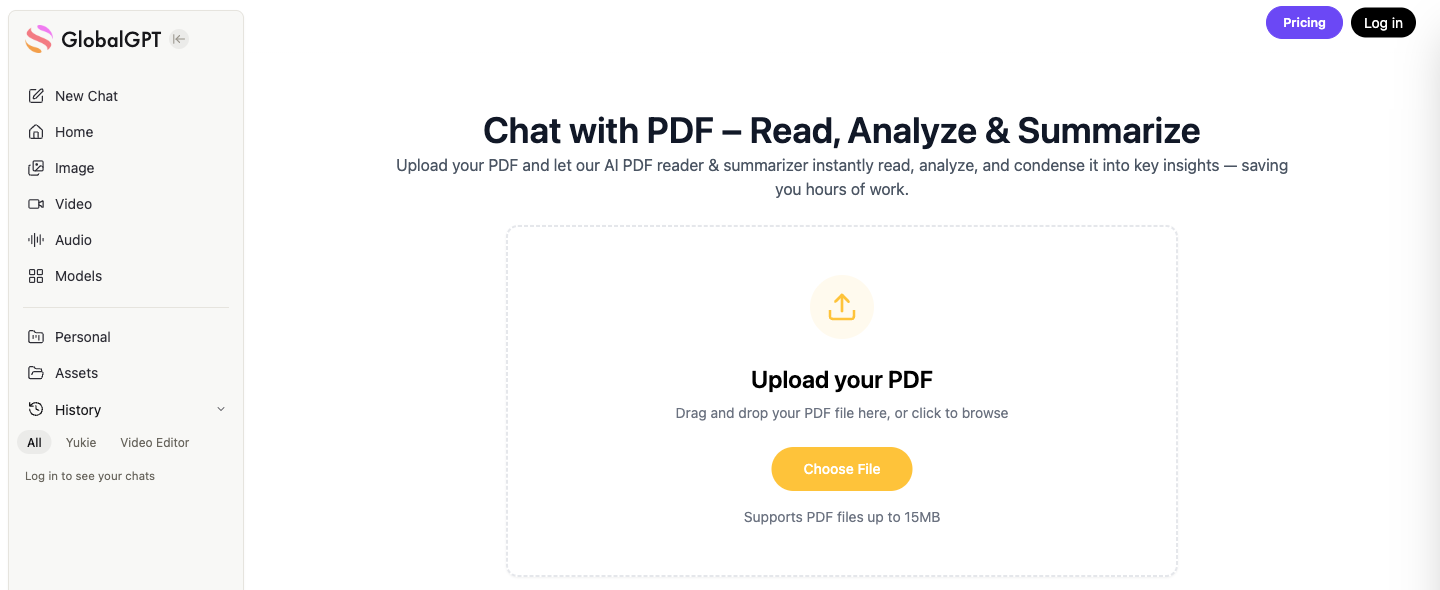
Check the PDF’s file size before starting, then ask one question tied to the briefing you need to write. Keep the source open while checking the answer so that the notes retain the document’s qualifications and numbers.
- Ask a specific question: identify the decision or topic you need the PDF to explain.
- Extract useful notes: request the findings, supporting passages and limitations relevant to that question.
- Check the source: compare names, numbers and quotations with the PDF, then save the notes you want to use in your briefing.
This gives you a set of useful briefing notes with the original document close at hand. You can judge the subscription by a task you repeat, while keeping document reading and other AI work under one plan. GlobalGPT Basic’s public offer is $8.10 per month, or $5.80 per month billed annually, as checked on October 10, 2026. Review the current plan’s tools and credit use before choosing; the cheaper yearly monthly equivalent comes with a yearly payment commitment.
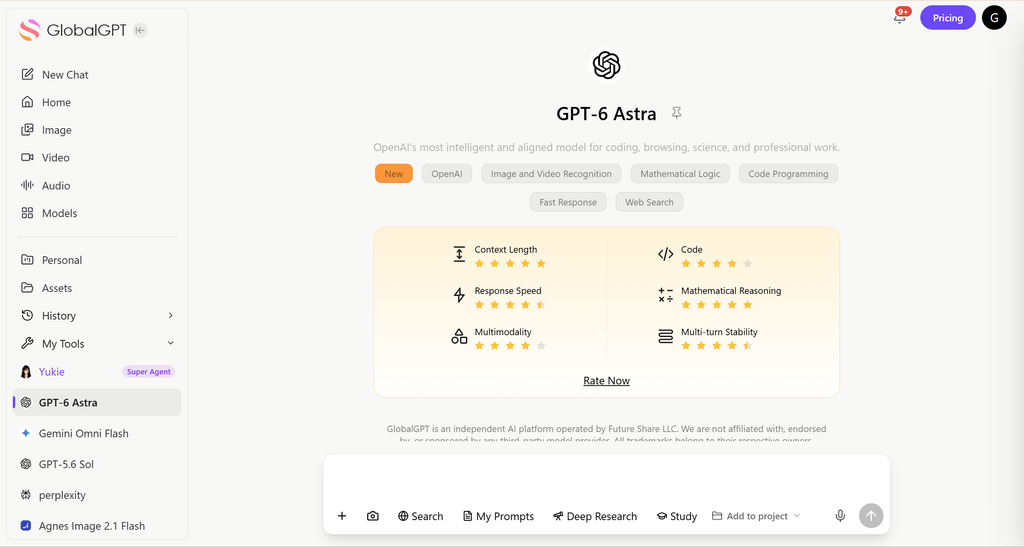
If you are stopping or refunding an existing ChatGPT subscription, finish that billing task through OpenAI, Apple or Google first. Then decide which subscription you want for your next month of work.
ChatGPT Go subscription FAQ
How much is ChatGPT Go?
OpenAI’s US reference price for ChatGPT Go is $8 per month. Some markets use localized prices and currencies, so review the amount shown in your own checkout before subscribing.
How do I subscribe to ChatGPT Go?
Log in to ChatGPT, open your profile menu, choose Upgrade Plan, and select Try Go. Review the local price, renewal terms and payment method before confirming.
How do I cancel ChatGPT Go?
Cancel through the service that billed you. Web subscribers use the subscription or billing controls in ChatGPT settings; Apple and Google Play subscribers use the purchasing store’s subscription controls. Save the confirmation and check when paid access ends.
Can I switch from ChatGPT Plus or Pro to Go?
Yes. OpenAI’s Go guidance says your current Plus or Pro plan remains active until the end of its billing cycle. The account then switches to Go and future charges use the Go rate. The switch itself does not refund the unused portion of the current plan.
Does ChatGPT Go have an annual plan?
OpenAI’s Go guidance describes monthly automatic billing and does not offer annual billing or payment for several months in advance for Go. Check the current purchase screen before paying.
Is API usage included with ChatGPT Go?
No. ChatGPT subscriptions and OpenAI API billing are separate. API usage is billed through the API platform.
Does ChatGPT Go have ads?
OpenAI’s Go help page says it may test ads in Go. Go should not be treated as a guaranteed ad-free plan; check its current advertising information and plan terms before subscribing.
Can I get a refund for ChatGPT Go?
Payments are generally non-refundable, but an unused individual subscription purchase may qualify for discretionary review if you contact OpenAI within seven days of the charge and meet its eligibility rules. Regional legal rights and approved exceptions still apply. Web and Google Play subscribers use OpenAI Help Center chat; Apple subscribers request a refund from Apple.