

Short answer: OpenAI’s September 28, 2026 public pricing lineup did not list a dedicated consumer ChatGPT Family plan. A household should use separate accounts, choose a managed workspace only when it genuinely needs organization controls, or give each person a separate account on a multi-model platform. Sharing one paid login does not create separate users.
The account structure matters before the price. Separate accounts keep conversations, files, memory, limits and payment ownership with the person who uses them. They also make it easier to give a student, a parent and a creator different tools instead of forcing everyone into one identical subscription.
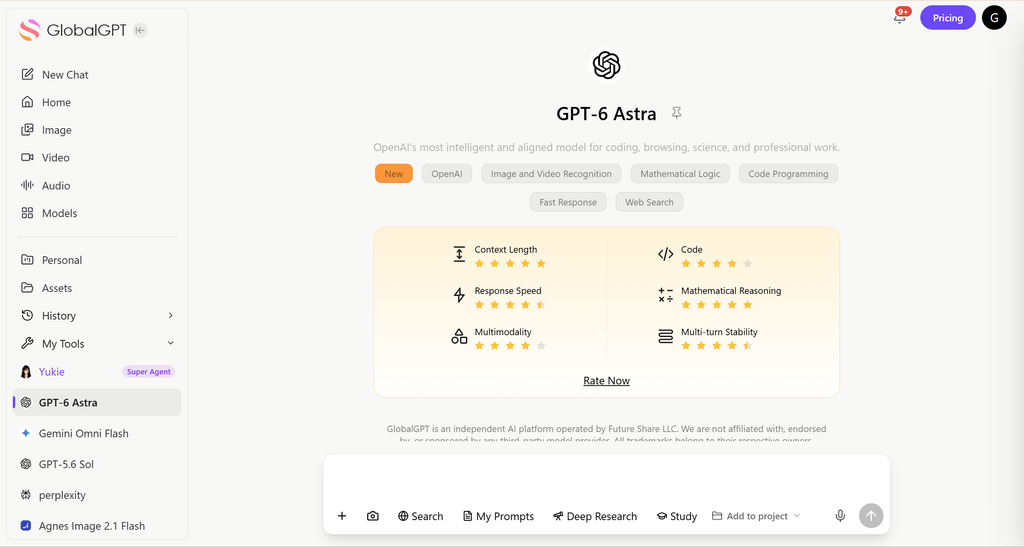
When a household needs research, writing, coding, image or video work across different providers, GlobalGPT is one practical separate-account option. Each person can use a multi-model workspace for their own work, while the household compares one platform’s plan cost with the cost of repeating several subscriptions. It is a personal workspace choice, not an official ChatGPT family plan or a shared-login workaround.
Does ChatGPT have a family plan?
OpenAI’s public plan lineup checked on September 28, 2026 listed Free, Go, Plus and Pro for individual use, plus Business and Enterprise for organizations. It did not show a dedicated consumer Family plan that bundles several household profiles under one subscription.
Keep these three billing layers separate when you compare alternatives:
- Individual subscriptions: one person owns and uses one account. A free account can be enough for occasional questions; paid tiers are chosen by the person who needs their extra features.
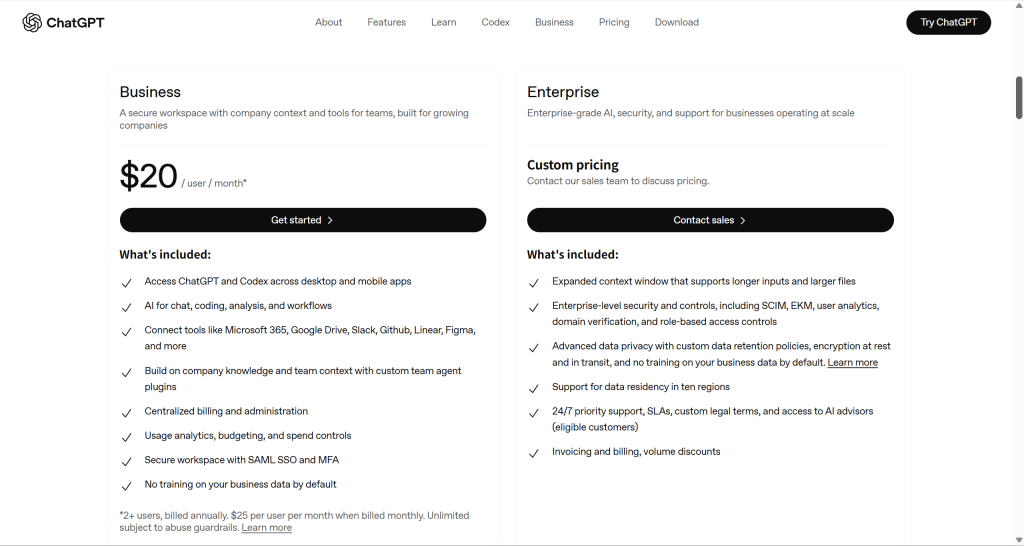
- Business or Enterprise workspaces: seats, centralized billing and administration are designed for an organization or formal group. The two-seat minimum shown in the September 28, 2026 lineup does not turn Business into a family product.
- API access: developer usage is billed separately and uses a technical interface. It is not a household subscription and does not create consumer profiles.
For a broader plan overview, see our guide to ChatGPT Go subscription. Regional availability, taxes, checkout currency and plan limits can change, so the account’s own checkout is the final place to confirm a purchase.
Why one shared ChatGPT Plus login causes problems
Putting two people behind one password may look cheaper, but it still leaves one identity underneath. The practical problems are easy to predict:
- Mixed history and memory: schoolwork, private questions and work documents sit in one conversation space.
- Shared files: an uploaded file is available to the same account, so ownership and privacy become household arguments.
- One usage pool: everyone draws from the same plan limits. Heavy use by one person can affect the next person’s work.
- Account recovery confusion: one email and payment owner controls access for everyone.
- Policy risk: OpenAI’s account-sharing policy, checked October 10, 2026, says an account is intended for the individual who created it. The same person may use multiple devices; someone else should create their own account. Separate browser profiles can organize devices, but they do not authorize several people to use one login.
If the goal is to reduce repeated subscriptions, solve that at the account and workflow level. Do not try to hide shared access with extra browser profiles. The safer comparison is separate identities first, then price and tool coverage.
The safest household options
1. Separate free accounts for light users
This is the simplest official starting point. Each person has an independent login and history, while the household pays only for members who later need more capacity or paid tools. It also gives you a clean way to learn each person’s actual usage before adding subscriptions.
2. Separate paid individual accounts
Choose this when someone specifically wants the native ChatGPT app and its plan-specific features. Start with Free for occasional use, compare Go where available when a lower-cost upgrade meets that person’s needs, and choose Plus when its tools and limits justify the higher price. The cost is per person: each user owns their account, chooses their region’s available tier and keeps their own conversations apart.
3. ChatGPT Business for a real organization or family business
Business is appropriate when a family business, nonprofit or formal project needs organization-level billing, member administration and a managed workspace. It is not a parental-control plan. Review the current seat types and regional checkout before paying; the two-seat minimum in the September 28, 2026 lineup and organization controls can cost more than a normal household needs.

4. Separate accounts on a multi-model platform
This route fits a household whose members need different kinds of work: research and PDF reading for one person, writing or coding for another, and image, video or audio tools for someone else. Each person still uses their own account. The value comes from covering more of the workflow in one dashboard, rather than paying a separate subscription for every model or specialist tool.
Household setup comparison
Household comparison · source dates below
Price examples use the stated billing scope. They do not claim identical features or quotas.
| Setup | Account structure | Price basis | Best fit | Watch-out |
|---|---|---|---|---|
| Separate Free | One account per person | $0 tier where available | Occasional questions and learning | Paid features and limits vary |
| Separate ChatGPT Go | One personal account per person | US$8/month in the United States, from OpenAI’s October 1, 2026 announcement | Budget paid access when Free tool limits are too restrictive | Local pricing may differ; check each account’s regional checkout |
| Separate ChatGPT Plus | One individual account per seat | $20/month USD reference in official help dated October 1, 2026; regional checkout may differ | Native ChatGPT experience per person | The cost multiplies by household member |
| ChatGPT Business | Separate seats in an organization workspace | Seat-based; two-seat minimum in the September 28, 2026 lineup; check current tier and region | Family business or formal group administration | Not a consumer family or parental-control plan |
| GlobalGPT Basic | Separate personal account | $5.80/month shown when billed annually; $8.10/month billed monthly; 12,000 credits/month | Lower-cost multi-model access for lighter workloads | Annual payment is one charge; credits are allocated monthly |
| GlobalGPT Pro | Separate personal account | $9.70/month shown when billed annually; $13.50/month billed monthly; 20,000 credits/month | Members who combine chat, research and richer creative work | Credits cover different tools from one shared balance per account |
Sources: OpenAI plan lineup, September 28, 2026; Go announcement and Plus help, October 1, 2026. GlobalGPT figures are the anonymous public offer read from the order page and its deployed pricing configuration on October 10, 2026. Account-specific promotions, taxes, checkout totals and plan inclusions can differ. The comparison is about household budgeting and account structure, not feature parity.
Where GlobalGPT fits
GlobalGPT makes the most sense when a household wants different people to work in different ways without opening a new specialist subscription for every task. One account can focus on research and writing, another on coding, and another on images, video or audio. The accounts remain separate, while the platform gives each person a wider model and tool menu than a single-provider plan.
Two adults in the same household can each use a separate GlobalGPT account: one to prepare a work brief, the other to study a report. Each person can follow these steps in their own account:
- Read with ChatPDF. Upload a PDF you have permission to use and ask for its main points or an explanation of a difficult passage.
- Select and check the notes. Compare names, numbers and conclusions with the original PDF. Keep only the points you have checked.
- Draft with Yukie. Manually copy those notes into a Yukie conversation in the same personal account. Specify the audience, length and purpose, then review the resulting brief or study draft.
This brings reading and drafting into one subscription and can reduce the need for separate document tools. For this workflow, GlobalGPT Pro is the relevant plan: the October 10, 2026 public offer is $13.50 per month with monthly billing, or $9.70 per month equivalent when billed annually, with 20,000 credits allocated each month. Each adult chooses and pays for their own plan; the notes move by manual copying.
The lower entry price is useful, but do not compare it as if every provider sold the same product. GlobalGPT’s public pricing page lists credits for the platform’s own tools, with media categories drawing from the same account balance. Annual plans are paid as an annual charge while credits are issued in monthly allocations. Check the current plan card and the task’s expected credit use before choosing.
Privacy, age and children
Separate accounts solve one household problem—mixed history—but they do not decide whether a child is eligible to use a particular service. Before creating an account, check the provider’s current age, country and guardian-consent terms. OpenAI’s terms use age and local consent conditions, and a minor may need a parent or guardian’s permission.
- Use a separate email and recovery method for each person.
- Do not upload another family member’s private documents without permission.
- Explain which account owns a shared school or work project before files are uploaded.
- Review the service’s privacy controls, retention choices and age rules with the parent or guardian.
- For a family business, document who administers the organization workspace and who can access shared assets.
Which setup should you choose?
- Choose separate Free accounts when use is occasional and the household wants to learn before paying.
- Choose separate paid ChatGPT accounts when each person specifically needs the native app and its plan features.
- Choose Business only when a real organization needs centralized billing, seats and administration.
- Choose separate GlobalGPT accounts when members need a broader mix of research, writing, coding and creative tools and want to compare the cost of one multi-model platform with several specialist subscriptions.
FAQ
Does OpenAI offer a ChatGPT family plan?
OpenAI’s public lineup checked on September 28, 2026 did not list a dedicated consumer Family plan. Use separate accounts and choose a tier for each person’s needs.
Can two people share one ChatGPT Plus account?
A shared login still has one owner, one history, one file space and one set of limits. OpenAI’s account-sharing policy is a reason to give each person their own account rather than treating a shared password as a family plan.
What is the cheapest official setup for a family?
Start with separate free accounts, then upgrade only the people who need paid features. Check each account’s current regional checkout before paying; a household’s cheapest safe setup may mix free and paid users.
Is ChatGPT Business a family plan?
No. Business is an organization-oriented workspace with seats, billing and administration. A family business may find those controls useful, but they do not make Business a consumer family or parental-control product.
Can children use ChatGPT or another AI platform?
Eligibility depends on the provider’s current age, country and guardian-consent rules. A parent or guardian should review those terms, privacy controls and the child’s intended use before creating an account.
Does GlobalGPT offer a family dashboard?
Use a separate GlobalGPT account for each eligible family member. Each person gets an individual multi-model workspace and history; the platform is not a shared parental-control dashboard.
Is API access a cheaper family plan?
No. API access is developer usage billed separately through a technical interface. It does not provide a household subscription, shared consumer profiles or a substitute for separate user accounts.





