

GPT-6.1 Terra is the better value for visual reasoning, precise computer-use planning, and natural writing; GPT-6.1 Sol is the stronger default for complex coding and deeper professional work. Terra costs $1 per million input tokens and $5 for output at Standard rates. Sol costs $2 and $10. Both expose a 1.05M-token context window, 128K output, image input, and broad tools.
The models overlap enough that a universal winner would be misleading. Terra adds a ninguno reasoning option and a newer June 1, 2026 knowledge cutoff, while Sol is positioned closer to flagship capability. The practical choice depends on cost per accepted result: can Terra pass the same tests, or does Sol reduce enough failures and revisions to earn its two-times-higher uncached input and output bill?
GPT-6.1 Terra vs Sol Quick Answer
GPT-6.1 Terra vs Sol: Quick Comparison
Terra’s pricing makes it an attractive first model for workflows that run often: screenshot triage, user-interface analysis, structured document work, copy revision, and supervised computer-use planning. Sol is the safer starting point when the task has hidden dependencies, weak automated checks, or complex code and tool interactions. Neither role should be treated as a benchmark result; it is a combination of official positioning and economic design.
The price step becomes clearer when you compare Sol with GPT-6 Astra. Sol is twice Terra’s uncached input/output price, not five times as Astra is relative to Sol. That makes Sol easier to justify for mixed workloads, while Terra still offers a meaningful advantage at scale.
Shared Specs and Important Differences
Both models accept text and image input and produce text. Neither model page lists native audio or video. Both support Responses, structured outputs, function calling, web search, file search, image generation, code interpreter, hosted shell, apply patch, skills, computer use, MCP, and tool search. Tool calling belongs on the Responses API; Chat Completions is supported without tools.
These specifications come from the official GPT-6.1 Terra model page and GPT-6.1 Sol model page. OpenAI’s latest-model guide provides family positioning, while the Página de tarifas de la API defines service-tier and long-context rules. Keeping those source types separate prevents a marketing position from being mistaken for a measured benchmark.
Sol’s official page documents a 922,000-token maximum input inside the 1.05M total window. The checked Terra page did not provide a separate maximum-input number, so this article does not infer one from the family. Both list 128,000 maximum output. A large output allowance is useful for code or long reports, but smaller checkpointed artifacts remain easier to test and cheaper to review.
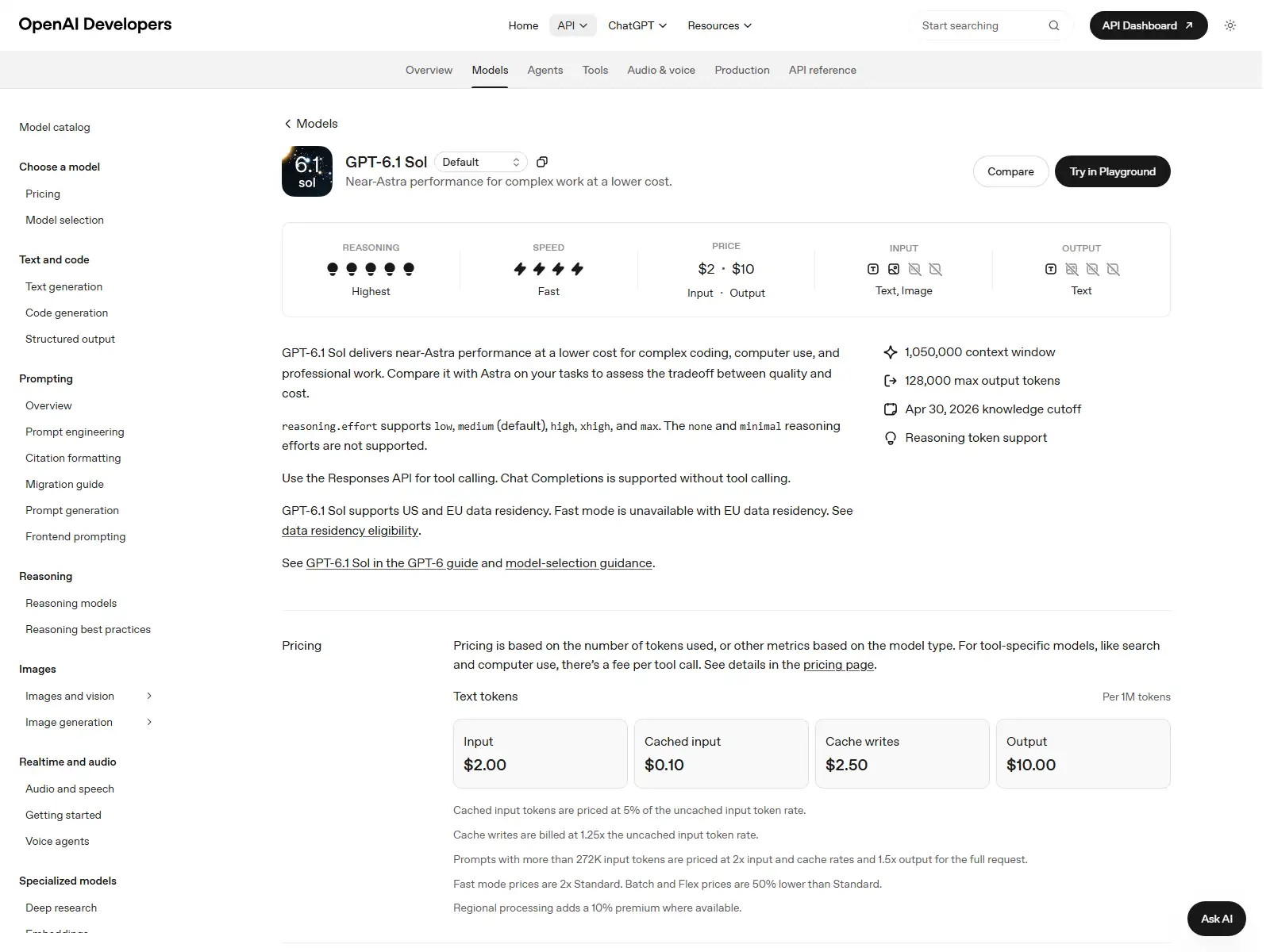
Reasoning controls differ at the bottom of the range. Terra supports ninguno, which can suit low-latency transformations that do not need deliberation. Sol starts at bajo. Both default to medium and extend through high, xhigh, and max. The efficient policy is the lowest effort that reliably clears your evaluation, not the highest setting the API accepts.
Hands-On Terra Visual Reasoning Test
We gave Terra a controlled route diagram with costs and a rule requiring a blue pass before entering a Cold Zone. The response returned valid JSON, identified Scanner A as the pass issuer, rejected a cheaper-looking Scanner B route that violated the rule, and calculated a minimum cost of 9. It selected START → Scanner A → Cold Zone → EXIT and also noted the Packing route at the same cost.
The useful takeaway is not that Terra is a universal vision winner. It is that the model followed a visual constraint, rejected an invalid low-cost path, and explained a valid optimum in a structured answer. Sol was not run on the identical image in this task, so the result supports Terra’s suitability for visual reasoning but not a head-to-head score.
Screenshot-Grounded Computer-Use Planning
A second test supplied a synthetic publishing interface and asked for a safe sequence that changed a scheduled post to draft while preserving its title and body. Terra grounded its plan in visible controls, included verification steps, and avoided claiming that it had executed the interface. That separation matters because planning from a screenshot is different from autonomous computer control.
Terra’s official positioning makes this type of work a natural fit: interpret a screen, identify controls, and propose precise actions. Sol also supports image input and computer-use tools, and its deeper reasoning may help when the interface state is ambiguous or the workflow crosses many applications. For production automation, compare both on the same screens and score action correctness, recovery, and unsafe-click rate.
If the main risk is repository correctness rather than interface state, use the same scoring discipline across other AI coding models. That prevents a computer-use result from being treated as evidence for unrelated code-agent work.
Natural Writing and Revision Test
The writing task asked Terra to revise an awkward professional passage while preserving facts and avoiding inflated marketing language. The result improved structure, reduced repetition, and kept the requested tone. One phrase about the Cold Zone was inaccurate relative to the supplied facts, so that sentence must be corrected before publication. The broader output was usable, but the factual slip prevents a perfect result.
This is a useful boundary for choosing between the models. Terra is inexpensive enough for high-volume drafts and revisions, especially when a fact checker or source-grounded workflow follows. Sol may be preferable for long, ambiguous professional deliverables where the cost of one subtle contradiction is higher than the token premium. In both cases, “natural writing” is not a substitute for factual verification.
For short, well-scoped revisions where both models comfortably pass, test a GPT-6 Luna baseline. A smaller model is useful only when it preserves the facts and constraints that matter to the workflow.
Terra vs Sol Pricing
For ordinary uncached input and output, Terra is half the price of Sol. A workload with 100K input and 10K output costs about $0.15 on Terra and $0.30 on Sol at Standard rates. If Sol raises the acceptance rate enough to prevent one extra revision, the apparent savings may disappear. If both pass, Terra’s lower bill compounds across volume.
Both models use the same more-than-272K structure: 2× input and cache rates and 1.5× output rates for the full request. Batch and Flex halve eligible Standard rates; Fast doubles them. Regional processing can add 10% where available. Before deployment, calculate Terra’s actual API cost.
Terra’s 12-hour cache-write price is not half of Sol’s in the checked data: both are $2.50 per million tokens. That makes the reuse pattern important. Terra still benefits from cheaper cached reads, but a long-retention prefix needs enough reuse to repay the write. Do not reduce the full comparison to one “2× cheaper” line when different meters behave differently.
When to Use Terra and When to Use Sol
Clear criteria, visual/UI work, natural writing, or high volume.
Check correctness, tool choices, citations, and latency.
Use Sol for ambiguous, code-heavy, or high-risk cases.
Track accepted results, retries, human review, and token cost.
Choose Terra for efficient visual and operational workflows
Terra is the sensible first test for screenshot analysis, interface planning, form and dashboard interpretation, visual constraint problems, professional copy, and repeated operational tasks. Its ninguno effort option and lower rates can support responsive or high-volume products. When the shortlist includes non-OpenAI options, compare other leading model families instead of extending Terra’s role across providers.
Choose Sol for difficult coding and deeper professional work
Sol is positioned for complex coding, computer use, and professional projects with near-Astra performance. Use it for repository-scale changes, architectural reasoning, difficult debugging, high-stakes reviews, and agent loops where a weak plan can trigger many expensive tool calls. Before making it the default, test when Sol earns its premium.
Use a router when difficulty varies
A practical system routes normal traffic to Terra and escalates failed tests, low-confidence cases, security-sensitive changes, and large multi-file work to Sol. Keep the escalation policy observable. If most Terra outputs are accepted, broaden its share. If Sol repeatedly prevents expensive failures, route that task class directly. This turns model selection into an operating rule rather than a permanent argument.
How to Use Terra and Sol
In the official API, use gpt-6.1-terra o gpt-6.1-sol in the Responses API and hold the prompt, tools, reasoning effort, and evaluator constant. Save request IDs, token usage, latency measurements, tool traces, and pass/fail outcomes. A fair comparison changes the model, not the entire test setup.
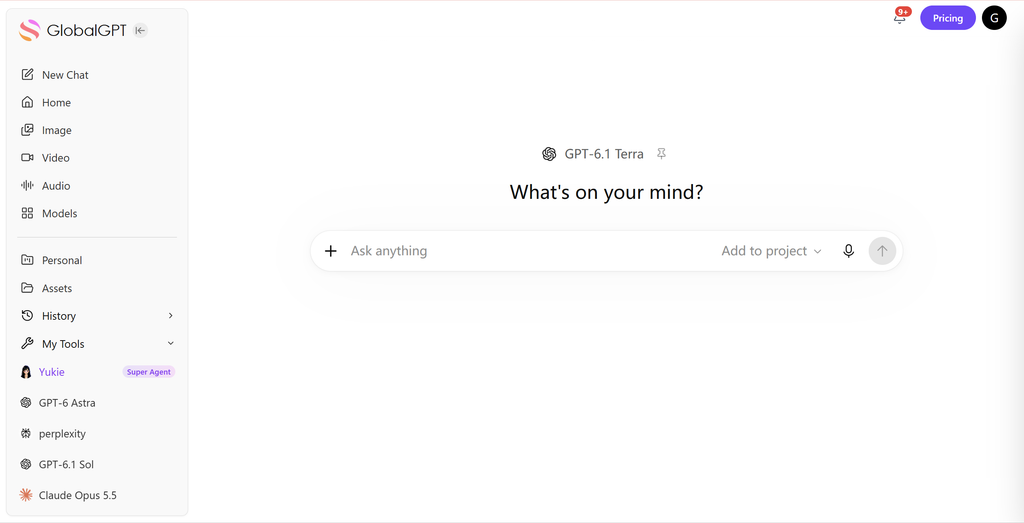
GlobalGPT provides a convenient multi-model workspace for exploratory comparison. Open a fresh conversation for each model, reuse the exact prompt and attachments, and judge the result against the same requirements. Use the official API when exact service tier, reasoning settings, usage metadata, and automated evaluation must be preserved. GlobalGPT platform charges and official API token rates are separate scopes.
Evidence Limits and Early Social Reaction
The Terra tests were completed through an authenticated GlobalGPT route configured for gpt-6.1-terra, but the response did not expose a separate upstream model attestation or reasoning-effort field. Timings are end-to-end route durations, not pure inference latency or time to first token. Sol was not run on the same tasks, so this article does not claim matched benchmark wins.
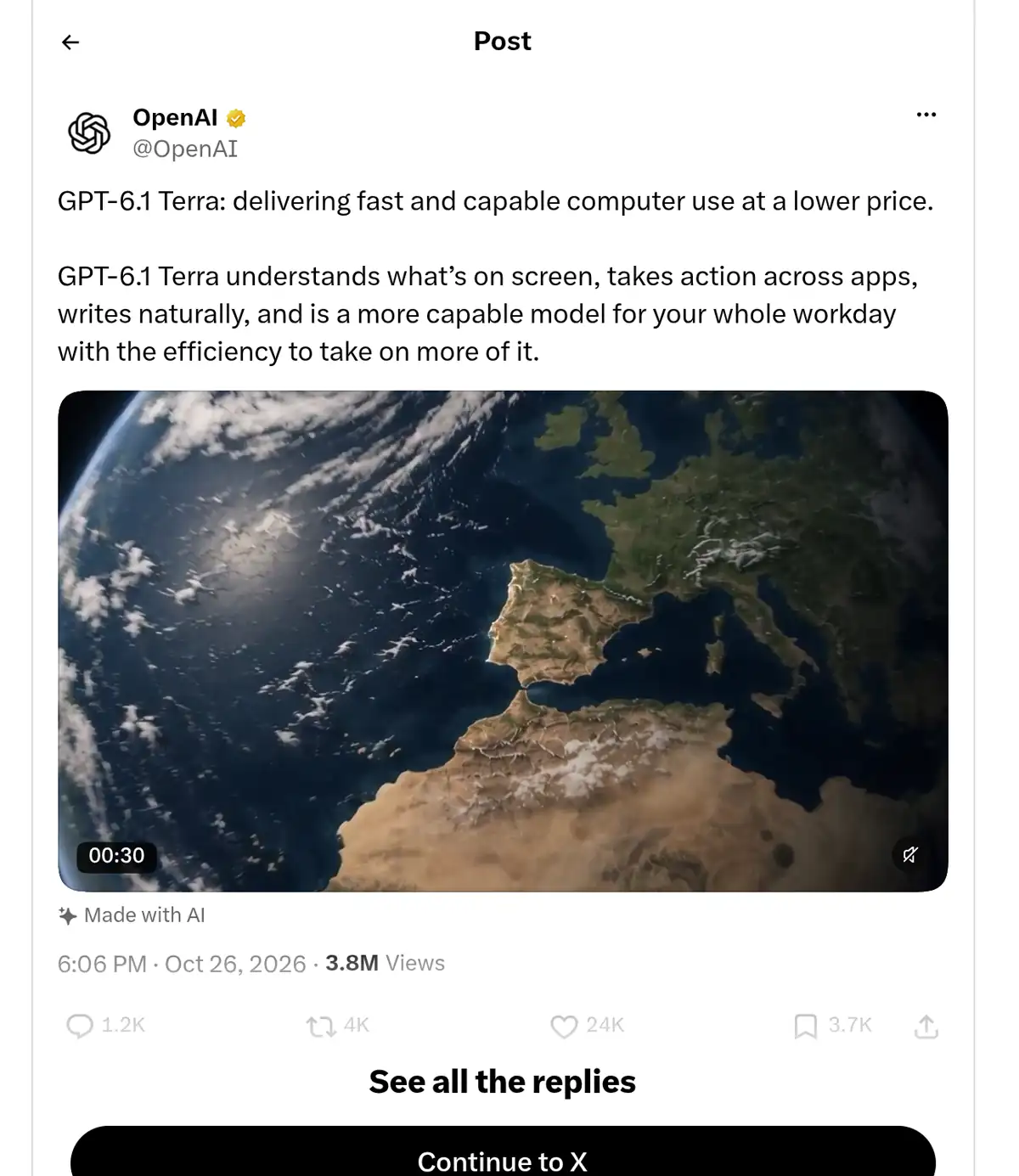
OpenAI’s first-party X launch post, captured below from the original post URL, describes Terra as lower-priced computer use that understands on-screen content, acts across apps, and writes naturally. This is official launch framing, not an independent review or proof of a benchmark result. Search indexing also surfaced an OpenAI Developers post, an evaluation note from Análisis artificial, and Terra threads on Reddit, but those originals were not captured and are not quoted as community consensus.
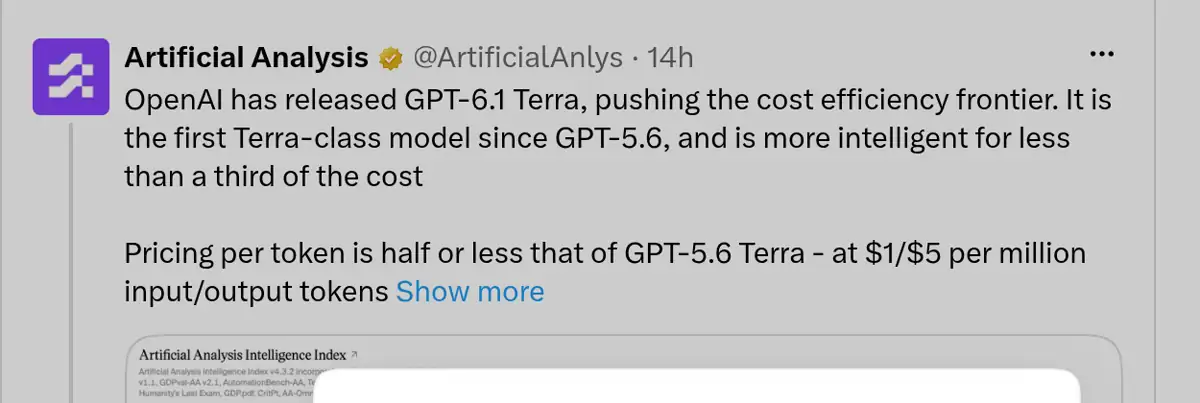
Análisis artificial offered an independent evaluator’s early framing, describing Terra as pushing the cost-efficiency frontier and highlighting the $1 input / $5 output rates. The post references its own intelligence index; that is one organization’s evaluation system, not proof of universal quality or a matched result from this article.
Direct command-line retrieval of OpenAI documentation returned HTTP 403, but a public rendering service successfully loaded the original Terra model URL and produced a source-identified capture. The article preserves that full-page master separately and uses a readable claim-focused crop in the API guide. Sol uses a previously verified OpenAI model-page capture. Independent hands-on social reactions remain a gap, so this article relies on the three preserved Terra tests rather than inventing reviewer consensus.
GPT-6.1 Terra vs Sol FAQ
Is GPT-6.1 Terra better than GPT-6.1 Sol?
Terra is the better default for lower-cost visual reasoning, computer-use planning, and natural writing. Sol is the better choice for harder coding and deeper professional reasoning when its extra capability justifies roughly twice the Standard token price.
How much cheaper is Terra than Sol?
At Standard rates, Terra is $1 input and $5 output per million tokens, while Sol is $2 input and $10 output. Terra is half the uncached input and output price; both list $2.50 for the longer cache-write meter in the checked sources.
Do Terra and Sol have the same context window?
Yes. Both list a 1,050,000-token context window and a 128,000-token maximum output. Sol also documents a 922,000-token maximum input; Terra did not document a separate maximum-input value in the checked source.
¿Qué modelo es mejor para programar?
Use Sol first for difficult repository reasoning, architecture, or code-agent work. Terra can be a better production default for scoped transformations, UI-oriented tasks, and high-volume workflows that already have strong tests.
Which model is faster?
OpenAI positions Terra as fast and efficient, but this article does not claim a universal latency winner. Our Terra timings were end-to-end GlobalGPT route times and were not matched against Sol, so they cannot establish a fair speed comparison.
Which model is better for images and screenshots?
Terra is explicitly positioned for visual reasoning and precise computer use, making it the natural first test for screenshots and interface planning. Both models accept image input, so quality should still be tested on your own visual tasks.
Can Terra and Sol call tools?
Yes through the Responses API. The model pages list broad tool support. Chat Completions is available without tool calling, so new tool-using systems should normally use Responses.
¿Qué ocurre cuando se superan los 272 000 tokens de entrada?
Both models use the full-request long-context pricing rule: 2x input and cache rates and 1.5x output rates once input exceeds 272K. Terra remains cheaper, but context construction still matters.
¿Puedo utilizar ambos modelos en GlobalGPT?
GlobalGPT has model routes for Terra and Sol. Use the current picker for interactive comparison; use official APIs and your own harness when exact usage, reasoning settings, and deployment controls must be recorded.
Final Verdict: Terra or Sol?
Choose GPT-6.1 Terra when a lower-cost, visually capable, operational model can pass your tests. Choose GPT-6.1 Sol when difficult coding, deeper reasoning, or a high error cost makes the extra capability worth twice the ordinary input and output rate. Both models share enough context, modality, and tool support that routing between them is practical.
For most teams, the strongest policy is Terra first and Sol on escalation. Keep the prompt and evaluator fixed, measure cost per accepted result, and treat end-to-end workflow quality as the goal. Terra’s three tests showed useful visual constraint handling, grounded interface planning, and strong revision quality, while also exposing a missed confirmation step and a factual wording error. Those mixed results are exactly why task-specific evaluation matters more than a model label.
If Sol still misses the required quality bar on a task that matters, use the same evaluator to test GPT-6 Astra on that gap. Escalate only when the stronger model changes the outcome.





