วิธีใช้ Veo 3.1, เข้าสู่ระบบ Google VideoFX หรือคอนโซล Vertex AI ป้อนข้อความรายละเอียดตามโครงสร้าง “หัวข้อ + การกระทำ + แสง + กล้อง” เลือกอัตราส่วนภาพที่ต้องการ (เช่น 16:9) แล้วคลิก “สร้าง” เมื่อคลิปพื้นฐานถูกสร้างขึ้นแล้ว ใช้ฟีเจอร์ “ขยาย” เพื่อ ขยายความยาววิดีโอ สูงสุด 60 วินาที หรือเพิ่มภาพอ้างอิงเพื่อรักษาความสม่ำเสมอของตัวละคร.
Google's Veo 3.1 ได้เปลี่ยนจากการทดลองวิจัยมาเป็นเครื่องมือพร้อมใช้งานสำหรับการสร้างสรรค์ผลงานของผู้สร้าง ไม่เหมือนกับเวอร์ชันก่อนหน้า Veo 3.1 ได้แนะนำการสร้างเสียงแบบเนทีฟ ความสม่ำเสมอของเวลาที่ดีขึ้น (หมายความว่าวัตถุจะไม่บิดเบี้ยวตามเวลา) และความสามารถในการสร้างคลิปที่ยาวเกินหนึ่งนาทีผ่านการขยาย คู่มือนี้จะครอบคลุมขั้นตอนการทำงานที่แน่นอนเพื่อพาคุณจากหน้าจอว่างเปล่าไปสู่ผลงานภาพยนตร์ที่ยอดเยี่ยม.
การเชี่ยวชาญ Veo 3.1 เพื่อสร้างวิดีโอพรีเมียมต้องการการป้อนคำสั่งระดับผู้เชี่ยวชาญและการตั้งค่าที่ซับซ้อน—ฝันร้ายสำหรับผู้เริ่มต้น แต่ มีทางออก: GlobalGPT. ขอบคุณการปรับแต่งอย่างละเอียดจากทีมผู้เชี่ยวชาญของเรา คุณสามารถ สร้างวิดีโอระดับมืออาชีพได้ทันที ด้วยรูปลักษณ์และความรู้สึกแบบภาพยนตร์ ที่ดีที่สุดคือ GlobalGPT เป็นเครื่องมือรวมทุกอย่างที่ทรงพลัง 100+ โมเดล AI อย่างเป็นทางการชั้นนำ ชอบ Veo 3.1, แชทจีพีที 5.4, นาโน กล้วย โปร, และ การเต้นของเมล็ด. ไม่ว่าจะเป็นข้อความ รูปภาพ หรือวิดีโอ เราพร้อมให้บริการคุณ—ที่ เศษส่วนของราคาอย่างเป็นทางการ!

Veo 3.1 คืออะไร และมีความแตกต่างจากรุ่นก่อนหน้าอย่างไร?
Google's Veo 3.1 เป็นโมเดลวิดีโอเชิงสร้างสรรค์ที่ทันสมัยและพร้อมสำหรับการผลิต สามารถสร้างช็อตภาพยนตร์ความละเอียด 1080p และ 4K ได้ เสียงต้นฉบับ, ซิงค์. แม้ว่าความสามารถในการรักษาความสม่ำเสมอทางกายภาพและการซิงค์เอฟเฟกต์เสียงได้อย่างสมบูรณ์แบบจะเป็นนวัตกรรมที่ล้ำสมัย แต่ผู้สร้างมืออาชีพมักเผชิญกับความหงุดหงิดอย่างมากในการจัดการกับการกำหนดค่า API ที่ซับซ้อน, การรอคิวการเรียกเก็บเงินขององค์กร, และข้อกำหนดที่เข้มงวด ข้อจำกัดของแพลตฟอร์ม.
อุปสรรคทางเทคนิคที่ซับซ้อนเหล่านี้ขัดขวางกระบวนการสร้างสรรค์เมื่อคุณต้องการสร้างเนื้อหาอย่างรวดเร็ว GlobalGPT ขจัดอุปสรรคเหล่านี้ออกไปอย่างสิ้นเชิง โดย อัปเกรดเป็นแผน $10.8 Pro, ผู้เชี่ยวชาญด้านความคิดสร้างสรรค์สามารถเข้าถึง Veo 3.1 ได้ทันทีโดยไม่มีข้อจำกัด พร้อมด้วยโมเดลวิดีโอชั้นนำอื่น ๆ เช่น Sora 2, Kling และ Wan.
GlobalGPT คือแพลตฟอร์มครบวงจรที่ดีที่สุดสำหรับการจัดการกระบวนการผลิตทั้งหมดของคุณ แทนที่จะต้องจัดการกับบัญชีที่กระจัดกระจาย คุณสามารถใช้ ChatGPT 5.4 สำหรับการเขียนบท, Nano Banana 2 และ Midjourney สำหรับสินทรัพย์ภาพ และ Veo 3.1 สำหรับการเรนเดอร์ขั้นสุดท้าย—ทั้งหมดนี้ในแดชบอร์ดเดียวที่ราบรื่น.
Veo 3.1 เป็นก้าวกระโดดครั้งใหญ่ในด้านความสอดคล้องทางเวลาและความเข้าใจแบบหลายรูปแบบเมื่อเทียบกับรุ่นก่อนหน้า มันไม่ได้เพียงแค่แปลความหมายของข้อความเท่านั้น; มัน จำลองฟิสิกส์ในโลกจริง, แรงโน้มถ่วง และแสงสว่าง.
นอกจากนี้ ต่างจากคู่แข่งที่ต้องใช้การออกแบบเสียงจากบุคคลที่สาม Veo 3.1 สามารถสร้างเสียงคุณภาพสูง 48kHz ได้โดยตรงควบคู่ไปกับเฟรมวิดีโอ. นี่ทำให้เป็นเครื่องมือที่ขาดไม่ได้สำหรับผู้สร้างภาพยนตร์ที่จริงจัง.
| คุณสมบัติ | ข้อกำหนด | ประโยชน์สำหรับผู้ใช้ |
| การแก้ไขปัญหา | อัปสเกลจาก 1080p เป็น 4K | คุณภาพการถ่ายทอดที่เหมาะสำหรับ YouTube และโทรทัศน์. |
| ระยะเวลาสูงสุด | ประมาณ 60 วินาที (ผ่าน Extend) | ช่วยให้สามารถเล่าเรื่องแบบต่อเนื่องได้. |
| เสียง | การซิงโครไนซ์แบบเนทีฟ | สร้างเพลงประกอบและเสียงบรรยากาศโดยอัตโนมัติ. |
| ความปลอดภัย | SynthID การทำเครื่องหมายน้ำ | การฝังลายน้ำดิจิทัลที่มองไม่เห็นช่วยให้เกิดความโปร่งใส. |
ฉันจะเข้าถึงและตั้งค่า Google Veo 3.1 ได้อย่างไร?
การเข้าถึง Veo 3.1 โดยตรงนั้นขึ้นอยู่กับพื้นฐานทางเทคนิคและทรัพยากรขององค์กรของคุณเป็นอย่างมาก สำหรับนักพัฒนาและการดำเนินงานที่มีปริมาณสูง Gemini API (ผ่าน Google AI Studio) นำเสนออินเทอร์เฟซที่สามารถปรับขนาดและเขียนโปรแกรมได้.
ผู้ใช้ระดับองค์กรมักใช้ Vertex AI บน Google Cloud เพื่อใช้ประโยชน์จากการรักษาความปลอดภัยของ IAM และการประมวลผลแบบกลุ่ม ในขณะที่ผู้สร้างภาพยนตร์เชิงบรรยายมักจะเลือกใช้ Google Flow สำหรับการจัดการฉากอย่างละเอียด.
อย่างไรก็ตาม เส้นทางที่ง่ายที่สุดสำหรับผู้สร้างเนื้อหาอิสระคือการใช้ GlobalGPT ซึ่งสามารถทำได้โดยไม่ต้องใช้คีย์ API หรือการตั้งค่าการเรียกเก็บเงินของ Google Cloud.
| เส้นทางเข้าถึง | กลุ่มเป้าหมาย | ข้อกำหนดในการตั้งค่า |
| Gemini API | นักพัฒนาและผู้สร้างจำนวนมาก | การเรียกเก็บเงินและรหัสของ Google Cloud |
| Vertex AI | องค์กรธุรกิจ | การอนุมัติบัญชีองค์กรอย่างเข้มงวด |
| โกลบอลจีพีที | ผู้เชี่ยวชาญด้านความคิดสร้างสรรค์ | การเข้าถึงทันที (แผน $10.8 Pro) |
การเข้าถึง Veo 3.1 ขึ้นอยู่กับว่าคุณเป็นผู้สร้างเนื้อหาแบบไม่เป็นทางการหรือนักพัฒนา.
- สำหรับผู้สร้างสรรค์ (Google VideoFX):
- ไปที่ Google VideoFX.

- ลงชื่อเข้าใช้ด้วยบัญชี Google Workspace ของคุณ.
- สำหรับนักพัฒนา (Vertex AI):
- ไปที่ Google Cloud Console.

- เปิดใช้งาน Vertex AI API.
- เข้าถึงโมเดลผ่าน Model Garden. ซึ่งช่วยให้สามารถผสานระบบ API เข้ากับแอปพลิเคชันที่กำหนดเองได้.
ฉันจะสร้างวิดีโอแรกของฉันโดยใช้ข้อความเป็นคำสั่งเพื่อสร้างวิดีโอได้อย่างไร?
The ข้อความเป็นวิดีโอ เวิร์กโฟลว์เป็นวิธีที่เร็วที่สุดในการเริ่มต้น ทำตามกระบวนการนี้อย่างเคร่งครัดเพื่อลดการใช้เครดิตที่สูญเปล่า:
- เลือก อัตราส่วนภาพ: ก่อนเขียน ให้เลือกผืนผ้าใบของคุณ ใช้ 16:9 สำหรับภาพยนตร์ทิวทัศน์ (YouTube) หรือ 9:16 สำหรับเนื้อหาโซเชียลแนวตั้ง (วิดีโอสั้น/รีล).
- อินพุต ข้อความที่กระตุ้น: กรุณาพิมพ์คำอธิบายของคุณลงในกล่องข้อความ.
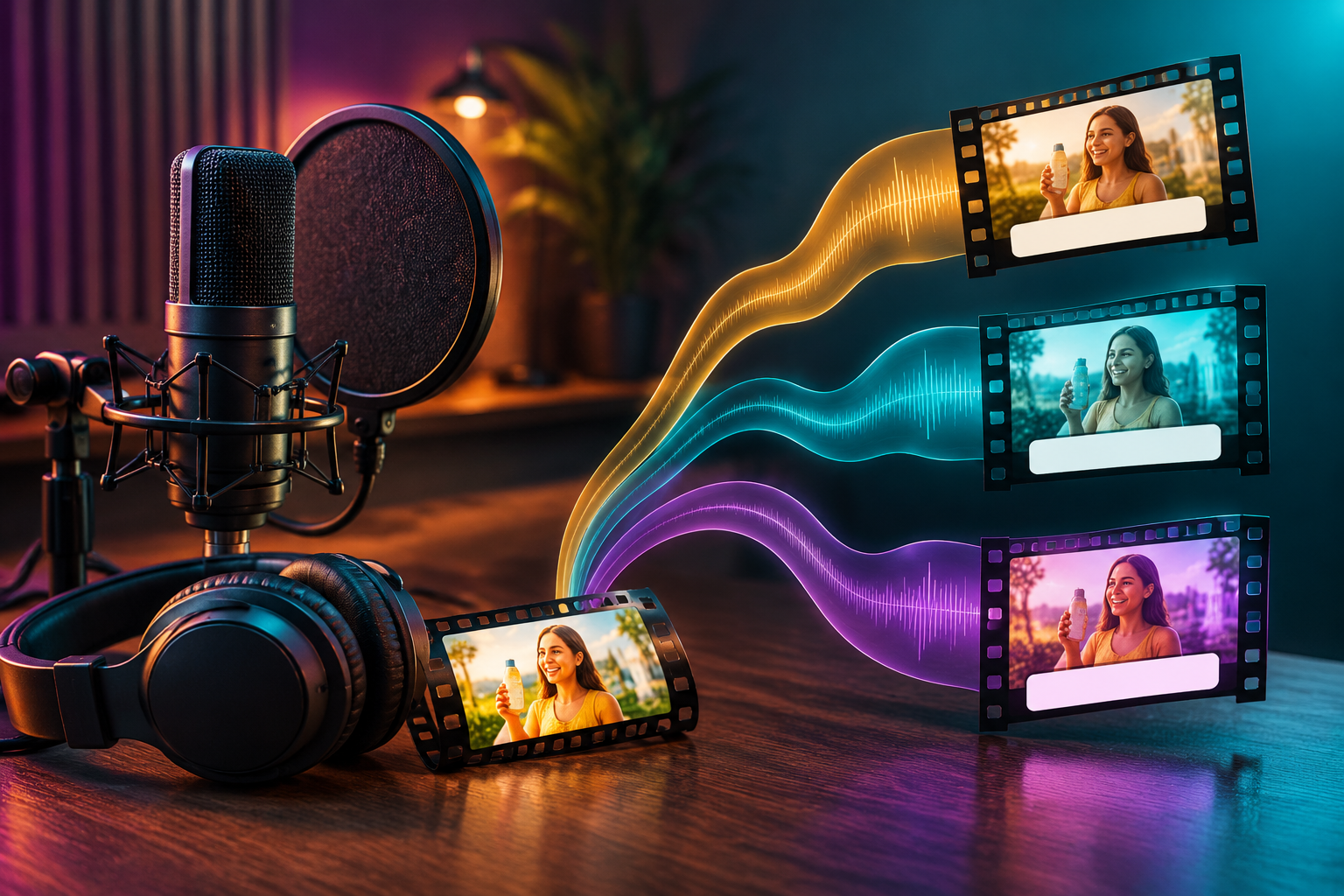
- สร้างรูปแบบที่หลากหลาย: คลิก “สร้าง” Veo มักจะสร้างรูปแบบที่แตกต่างกัน 2-4 แบบ (เมล็ดพันธุ์).
- ตรวจสอบและล็อก: ดูตัวอย่างคลิป หากคุณชอบการเคลื่อนไหวของคลิปหนึ่งแต่ไม่ชอบแสง ให้จดบันทึก หมายเลขเมล็ด (หากปรากฏในอินเทอร์เฟซของคุณ) เพื่อปรับปรุงการทำงานครั้งถัดไป.
คำแนะนำจากผู้เชี่ยวชาญ: อย่าตัดสินจากภาพตัวอย่างขนาดย่อเสมอ ควรดูภาพเรนเดอร์เต็มทุกครั้ง เนื่องจากฟิสิกส์มักจะปรับตัวเองให้ถูกต้องหลังจากเฟรมแรก ๆ.

กลยุทธ์การกระตุ้น Veo 3.1 ที่ดีที่สุดสำหรับผลลัพธ์แบบภาพยนตร์คืออะไร?
เพื่อเปิดใช้งานความสามารถขั้นสูงของ Veo 3.1 อย่างเต็มที่ คุณต้อง จัดโครงสร้างคำสั่งของคุณเหมือนผู้กำกับภาพยนตร์มืออาชีพ. คำสั่งที่ไม่ชัดเจนนำไปสู่การเห็นภาพหลอนและเสียเครดิตไปเปล่า ๆ.
การใช้สูตร “Cinematic 7”—หัวข้อ, การกระทำ, สภาพแวดล้อม, แสง, กล้อง, สไตล์, และเสียง—รับประกันผลลัพธ์ที่แม่นยำ. ตัวอย่างเช่น การขอ “ภาพมุมต่ำจากโดรน” พร้อม “หมอกแบบปริมาตร” จะทำให้เครื่องยนต์การレンเดอร์ของ AI ทำงานได้อย่างถูกต้อง.
คุณสามารถใช้โมเดลข้อความของ GlobalGPT เพื่อเขียนคำสั่งที่ซับซ้อนเหล่านี้โดยอัตโนมัติให้คุณ ก่อนที่จะวางลงในตัวสร้าง Veo 3.1 ได้อย่างราบรื่น.
| องค์ประกอบของคำสั่ง | ตัวอย่างคำแนะนำ | ผลกระทบต่อ Veo 3.1 |
| กล้อง | “มุมต่ำ, ดอลลี่เข้า” | สร้างการเคลื่อนไหวที่มีพลวัตและตั้งใจ. |
| แสงสว่าง | “หมอกปริมาตร, นีออน” | รับประกันการเรนเดอร์เงาที่สมจริงสูง. |
| การกระทำ | “วิ่งเร็วมาก” | เปิดใช้งานเอนจินฟิสิกส์ขั้นสูง. |
ฟีเจอร์ภาพเป็นวิดีโอรับประกันความสม่ำเสมอของตัวละครได้อย่างไร?
หนึ่งในปัญหาที่ใหญ่ที่สุดในวิดีโอ AI คือ ความสม่ำเสมอของตัวละคร—ที่ใบหน้าของตัวละครเปลี่ยนไประหว่างการถ่ายทำ. Veo 3.1’s ภาพเป็นวิดีโอ แก้ไขปัญหานี้.
- ขั้นตอนที่ 1: อัปโหลด “ภาพอ้างอิง” ที่มีความละเอียดสูง (เช่น ตัวละครหรือผลิตภัณฑ์เฉพาะ).

- ขั้นตอนที่ 2: เขียนข้อความกระตุ้นที่อธิบาย เพียงการเคลื่อนไหว. อย่าอธิบายลักษณะของตัวละครซ้ำ หรือ AI อาจขัดแย้งกับภาพ.
- คำแนะนำที่ดี: ”ตัวละครยิ้มและหันศีรษะไปทางซ้าย”
- คำแนะนำที่ไม่ดี: “ผู้หญิงผมบลอนด์ในชุดสีแดงเลี้ยวซ้าย” (AI อาจต่อต้านภาพของคุณ).

- ขั้นตอนที่ 3: สร้างขึ้น. ระบบ AI ใช้ข้อมูลพิกเซลจากภาพของคุณเป็น “ความจริงพื้นฐาน.”
ฉันจะแก้ไข ขยาย และอัปสเกลวิดีโอ Veo ได้อย่างไร?
ในขณะที่รุ่นมาตรฐานคือ ประมาณ 8 วินาที, Veo 3.1 มาพร้อมกับฟีเจอร์ “ขยาย” อันทรงพลังที่ออกแบบมาเพื่อการเล่าเรื่องในรูปแบบยาว.
เครื่องยนต์ใช้เฟรมสุดท้ายของคลิปที่คุณสร้างเป็นเมล็ดพันธุ์สำหรับส่วนต่อไป, ต่อเนื่องอย่างราบรื่นทั้งฟิสิกส์และแสงสว่าง.
โดยการปรับเปลี่ยนข้อความแจ้งเตือนในระหว่างช่วงขยาย คุณสามารถเปลี่ยนการกระทำได้อย่างเป็นธรรมชาติ โดยเชื่อมโยงลำดับต่างๆ เข้าด้วยกันเพื่อสร้างคลิปที่พร้อมสำหรับการเผยแพร่ซึ่งมีความยาวหนึ่งนาทีหรือมากกว่า.
6 วินาทีแทบจะไม่เพียงพอสำหรับเรื่องราว Veo 3.1 มาพร้อมกับเครื่องมือทรงพลัง ขยาย คุณสมบัติ.
- “ขยาย” กระบวนการทำงาน:
- เลือกคลิปที่ดีที่สุดที่คุณสร้างขึ้น.
- คลิกที่ แก้ไข/ขยาย ปุ่ม.
- Veo รับผิดชอบ เฟรมสุดท้าย ของวิดีโอปัจจุบันของคุณ และจะถือว่าเป็น เฟรมแรก ของส่วนใหม่.
- แก้ไขข้อความแจ้งเตือน: คุณสามารถเปลี่ยนการกระทำได้ที่นี่! ตัวอย่างเช่น หากคลิปแรกคือ “ผู้ชายเดินไปที่ประตู” คำสั่งขยายสามารถเป็น “ผู้ชายเปิดประตูและเดินเข้าไปข้างใน”
- ทำซ้ำขั้นตอนนี้เพื่อสร้างการถ่ายต่อเนื่องได้นานประมาณ 60 วินาที.
ฉันจะใช้ฟีเจอร์การสร้างเสียงของ Veo ได้อย่างไร?
จุดเด่นที่แตกต่างอย่างชัดเจนของ Veo 3.1 คือความสามารถในการสังเคราะห์เสียง 48kHz ที่ซิงโครไนซ์อย่างสมบูรณ์แบบในตัว.
โดยค่าเริ่มต้น โมเดลจะพยายามจับคู่เสียงรบกวนและเอฟเฟกต์รอบข้างให้สอดคล้องกับการกระทำที่มองเห็น เช่น การสร้างเสียงน้ำกระเซ็นหรือเสียงเครื่องยนต์เร่ง.
ในขณะที่มันจัดการกับเสียงได้อย่างยอดเยี่ยม สร้างสรรค์เสียงที่ยาว, การพูดตามเสียงที่ตรงกับภาพอย่างสมบูรณ์แบบ ยังคงเป็นพื้นที่ที่มีการพัฒนาอย่างต่อเนื่อง ดังนั้นจึงเหมาะที่สุดสำหรับการสร้างบรรยากาศที่สมจริง.
ตามประกาศอย่างเป็นทางการของ Google DeepMind, Veo 3.1 มอบ “การปรับปรุงที่น่าทึ่ง” ในด้านเสียง.
- โหมดพื้นเมือง: โดยค่าเริ่มต้น Veo จะพยายามจับคู่เสียงกับเนื้อหาวิดีโอ (เช่น เสียงไซเรนสำหรับรถตำรวจ).
- เสียงเฉพาะสำหรับคำสั่ง: คุณสามารถขอเสียงบอกตำแหน่งได้อย่างชัดเจนในคำสั่งของคุณ เพิ่มวลีเช่น “เสียงฝนตกหนัก” หรือ “เสียงพูดคุยในร้านกาแฟที่เงียบสงบ” ถึงจุดสิ้นสุดของข้อความที่คุณป้อน.
- ข้อจำกัด: ในขณะที่ Veo สร้างเสียงได้ แต่ยังไม่รองรับการซิงค์เสียงกับริมฝีปากที่สมบูรณ์แบบสำหรับบทพูดยาวๆ การใช้ที่ดีที่สุดคือ เสียงบรรยากาศ (เอฟเฟกต์เสียง) และ เพลงพื้นหลัง.
อัตราความสำเร็จของการซิงค์เสียง Veo 3.1
การวิเคราะห์ประสิทธิภาพตามประเภทเสียงและความซับซ้อนของฉาก
สิทธิทางการค้าและการทำเครื่องหมายน้ำ SynthID คืออะไร?
ก่อนเผยแพร่, เป็นสิ่งสำคัญอย่างยิ่งที่จะต้องเข้าใจ ภูมิทัศน์ทางกฎหมาย และแนวทางปฏิบัติด้านความปลอดภัยเกี่ยวกับเนื้อหาที่สร้างขึ้น.
- การใช้ในเชิงพาณิชย์: โดยทั่วไป ผู้สมัครสมาชิกแบบชำระเงินสำหรับเครื่องมือ AI สร้างสรรค์ของ Google (ผ่าน Vertex AI) จะเป็นเจ้าของสิทธิ์ในผลงานของตน แต่คุณต้องตรวจสอบข้อกำหนดการให้บริการที่เฉพาะเจาะจงสำหรับภูมิภาคและแผนการของคุณ.
- ซินธ์ไอดี: Google ได้ฝัง SynthID ลงในเนื้อหาทั้งหมดที่สร้างโดย Veo ซึ่งเป็นลายน้ำที่มองไม่เห็นซึ่งยังคงอยู่แม้ว่าจะมีการบีบอัด ครอบตัด หรือกรองวิดีโอ.
- ทำไมมันถึงสำคัญ: มันช่วยให้แพลตฟอร์มสามารถระบุเนื้อหา AI ได้ ทำให้คุณปฏิบัติตามกฎหมายเกี่ยวกับการติดป้ายกำกับบนแพลตฟอร์มเช่น YouTube และ TikTok.
คำถามที่พบบ่อย (FAQ)
ถาม: Google Veo 3.1 มีอยู่หรือไม่ ใช้ฟรี?
A: การเข้าถึงผ่าน Google VideoFX มักจะต้องรอคิวหรืออาจเป็นส่วนหนึ่งของการทดลองใน AI test kitchen ของ Google การเข้าถึงสำหรับองค์กรผ่าน Vertex AI ต้องเสียค่าใช้จ่าย โดยคิดตามจำนวนวินาทีที่ใช้ในการสร้างหรือชั่วโมงของโหนด.
ถาม: ใช้เวลานานแค่ไหนในการเรนเดอร์วิดีโอ?
A: เวลาในการประมวลผลอาจแตกต่างกันไปตามภาระงานของเซิร์ฟเวอร์ แต่ Veo 3.1 ได้รับการปรับแต่งให้ทำงานได้รวดเร็ว คลิปมาตรฐานที่มีความยาว 5-8 วินาที โดยทั่วไปจะใช้เวลาประมาณ 1-2 นาทีในการประมวลผล.
ถาม: Veo 3.1 สามารถสร้างข้อความภายในวิดีโอได้หรือไม่?
A: แม้ว่าโมเดลวิดีโอแบบสร้างภาพจะได้รับการปรับปรุงแล้ว แต่ยังคงมีปัญหาในการอ่านข้อความได้ชัดเจน แนะนำให้เพิ่มข้อความ (ชื่อเรื่อง, คำบรรยาย) ในซอฟต์แวร์หลังการผลิต เช่น Premiere Pro หรือ CapCut.
ถาม: ทำไมวิดีโอของฉันถึงดู "ลอยๆ"?
A: โดยปกติแล้วจะเกิดขึ้นเมื่อข้อความกระตุ้นขาด "ความเป็นรูปธรรม" ลองเพิ่มคำที่สื่อถึงน้ำหนัก แรงเสียดทาน หรือแรงโน้มถ่วง เช่น "เสียงฝีเท้าหนัก," "แรงเสียดทาน," หรือ "แรงกระแทกที่แน่นหนา"
ถาม: ฉันสามารถใช้ Veo 3.1 เพื่อการใช้งานเชิงพาณิชย์ได้หรือไม่?
คุณสามารถคลิกที่บล็อกนี้เพื่อรับคำตอบ: ฉันสามารถใช้ Veo 3.1 สำหรับการใช้งานเชิงพาณิชย์ได้หรือไม่? คู่มือฉบับสมบูรณ์ปี 2026