簡単な回答
Standard is the better default in this three-input Tripo H3.1 test. Detailed earned only a narrow preference on the mechanical beetle because one central gear cluster was clearer; the backpack was a tie, and the chair difference was slight and non-decisive. Both modes missed important held-out underside and rear structure, and every mesh remained extremely dense. Detailed is worth considering only when a known microfeature matters enough to inspect after generation. Do not assume it will improve materials, hidden surfaces, topology, or editability.
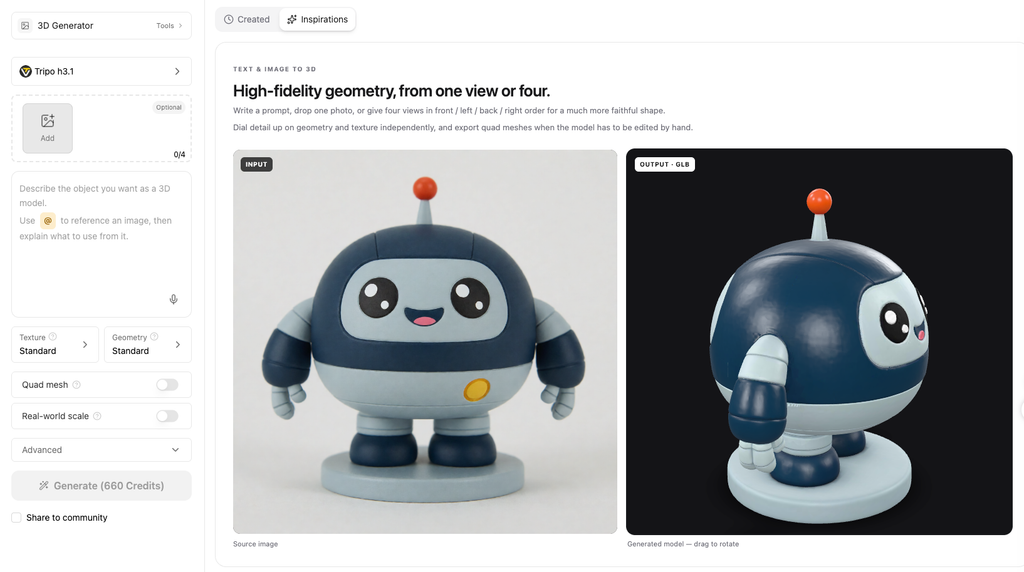
Tripo H3.1 is Tripo’s High Detail Model for 3D generation. Tripo announced it on March 6, 2026, and its developer documentation lists v3.1-20260211 as the stable snapshot tested here. The model name, geometry setting, and texture setting are related, but they are not interchangeable.
Three terms that should not be mixed together
| Term | Meaning in this review |
|---|---|
| Tripo H3.1 | The model. The stable API snapshot tested was v3.1-20260211. |
| Detailed / Ultra geometry | について geometry_quality=detailed setting compared with Standard geometry. |
| きめ細かな質感 | A separate texture control. Both tested modes used Standard texture and PBR. |
A controlled image-to-3D workflow starts before generation. Clear silhouettes, visible gaps, restrained occlusion, and a clean background make the source easier to interpret. If the source needs another pass, you can prepare a clearer reference image with GlobalGPT, then submit the result through Tripo’s Studio or API workflow.
What Is Tripo H3.1?
Official Name, Release Date, and Model ID
Tripo uses both H3.1 そして High Detail Model in its official material. The release announcement dates the model to March 6, 2026, while the developer model page 特定する v3.1-20260211 as the stable API snapshot.
The model accepts text, single-image, and multiview input. This review is limited to single-image reconstruction so every result can be traced to one frozen source image.
Official specification snapshot
| 項目 | Published specification | 読み方 |
|---|---|---|
| リリース | March 6, 2026 | Official announcement date. |
| Stable snapshot | v3.1-20260211 | The model ID used for the controlled test. |
| 入力 | Text, image, and multiview | This review covers single-image input. |
| API image files | PNG, JPEG, or WebP; up to 20 MB; 256 x 256 minimum recommended | Studio and API interfaces can differ. |
| Triangle ceiling | Standard: 1.5 million; Ultra: 2 million | A ceiling is not a promised output count. |
| Output support | Mesh and PBR | Each generated file still needs inspection. |
What “High Detail” Means in This Review
“High Detail” is Tripo’s product name. It is not evidence that every asset will contain more useful geometry. The comparison below separates published specifications from observed results.
Standard vs Detailed/Ultra Geometry
Geometry Quality Is Not Texture Quality
The API exposes geometry and texture quality as separate controls. Both sides of this test used Standard texture and PBR, so a texture difference is not credited to Detailed geometry.
Published Limits and Credit Differences
Tripo publishes a 1.5-million triangle ceiling for Standard and 2 million for Ultra. Those are upper limits, not promised output counts. Its September 9, 2026 schedule listed 30 credits for the Standard-texture setup and 50 when Detailed geometry is added.
- Generate parts cannot be combined with texture or PBR.
- Quad output uses FBX, but an FBX file is not automatically animation-ready topology.
- Published credit estimates and Anywhere USD charges are kept separate in this review.
How We Tested Tripo H3.1
Inputs, Controls, and First-Valid-Output Rule
The test used three image challenges: thin mechanical parts, layered materials with occlusion, and a controlled chair with held-out rear and underside views. Each pair used the exact same 1536 x 1536 PNG. A valid weak result could not be replaced with a more attractive rerun.
One geometry variable, three image challenges
| 制御 | Frozen value |
|---|---|
| 会場 | どこでも /v1/tasks 使用して tripo-h3.1 |
| 比較 | Standard vs Detailed/Ultra geometry |
| Shared settings | Same image, supported seed, Standard texture, PBR, texture alignment, orientation, and first-valid-output rule |
| Main variable | geometryQuality のみ |
| ラン | Six successful first-valid outputs, no quality rerolls and no operating retries after task creation |
| Seed boundary | The route supported one transmitted seed; the planned separate texture seed was unsupported and recorded as a non-equivalent control |
For source preparation, Tripo supports PNG, JPEG, and WebP up to 20 MB. A clean source improves inspectability but does not guarantee correct 3D geometry. See how to improve reference-image accuracy.
What We Measured
The evaluation tracked geometry completeness, texture fidelity, detail retention, hidden-surface inference, topology, file weight, elapsed time, PBR maps, and route cost. Objective checks were completed before the A/B labels were revealed.
Test 1: Fine Structures and Thin Parts
The Input and Pre-Registered Microfeatures
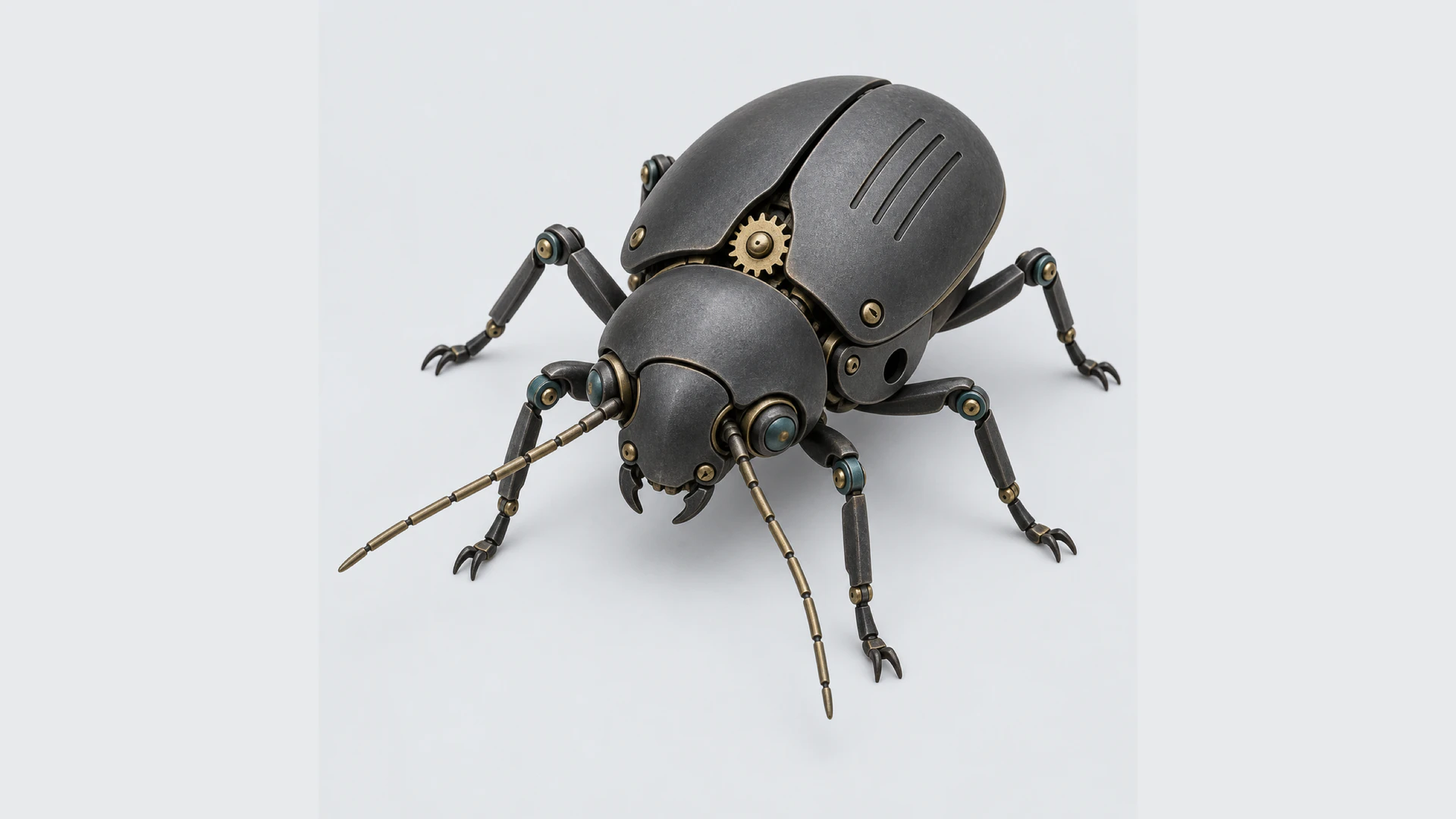
The mechanical beetle contains thin antennae and legs, open gaps, gear teeth, a side opening, a thin shell edge, and three engraved grooves. Six checkpoints were recorded before generation.
T1 result: a narrow Detailed preference
| 測定 | スタンダード | Detailed |
|---|---|---|
| Blind dimension scores | 4 geometry, 4 texture, 5 detail, 2 editability | 4 geometry, 4 texture, 5 detail, 2 editability |
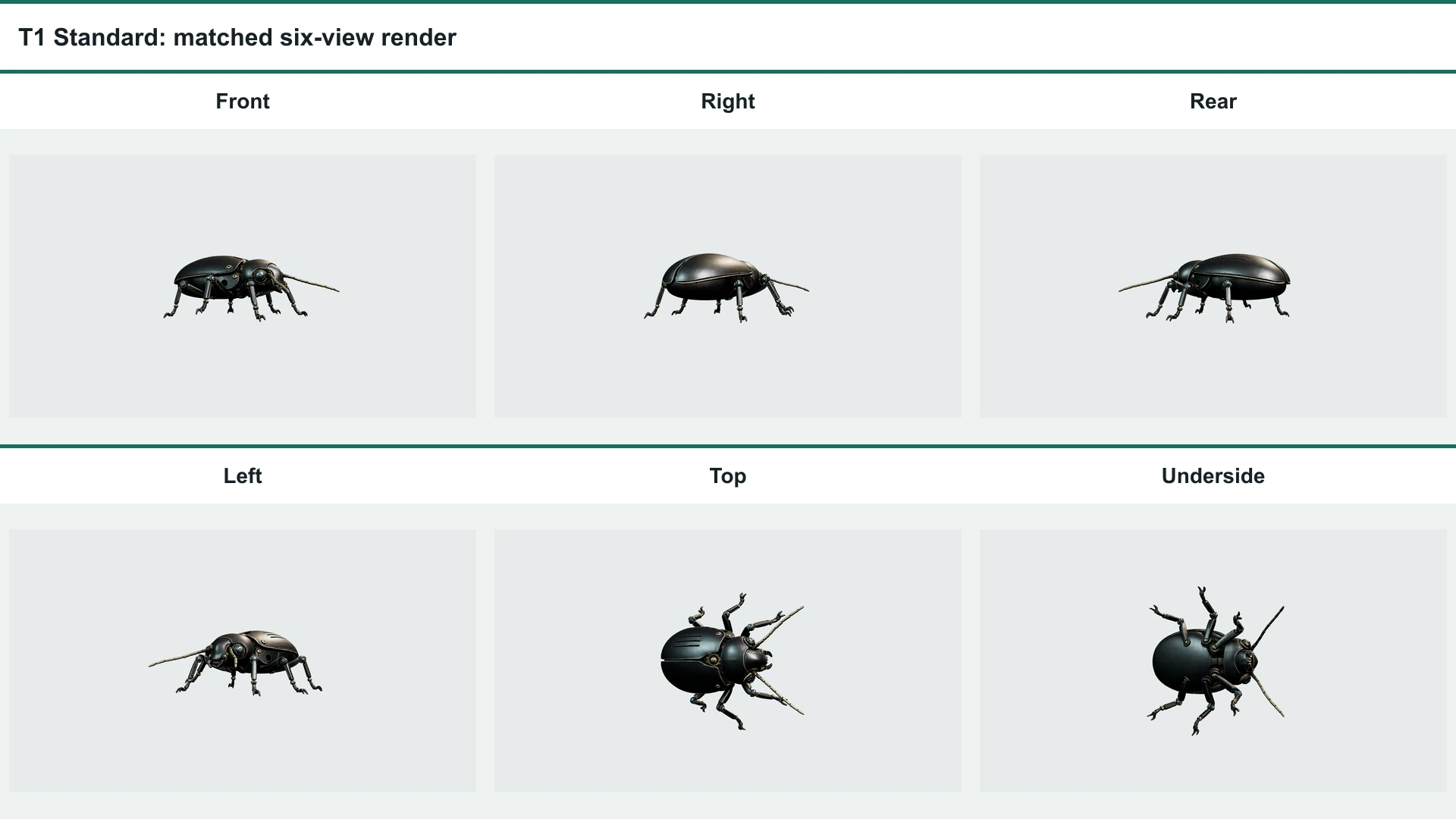
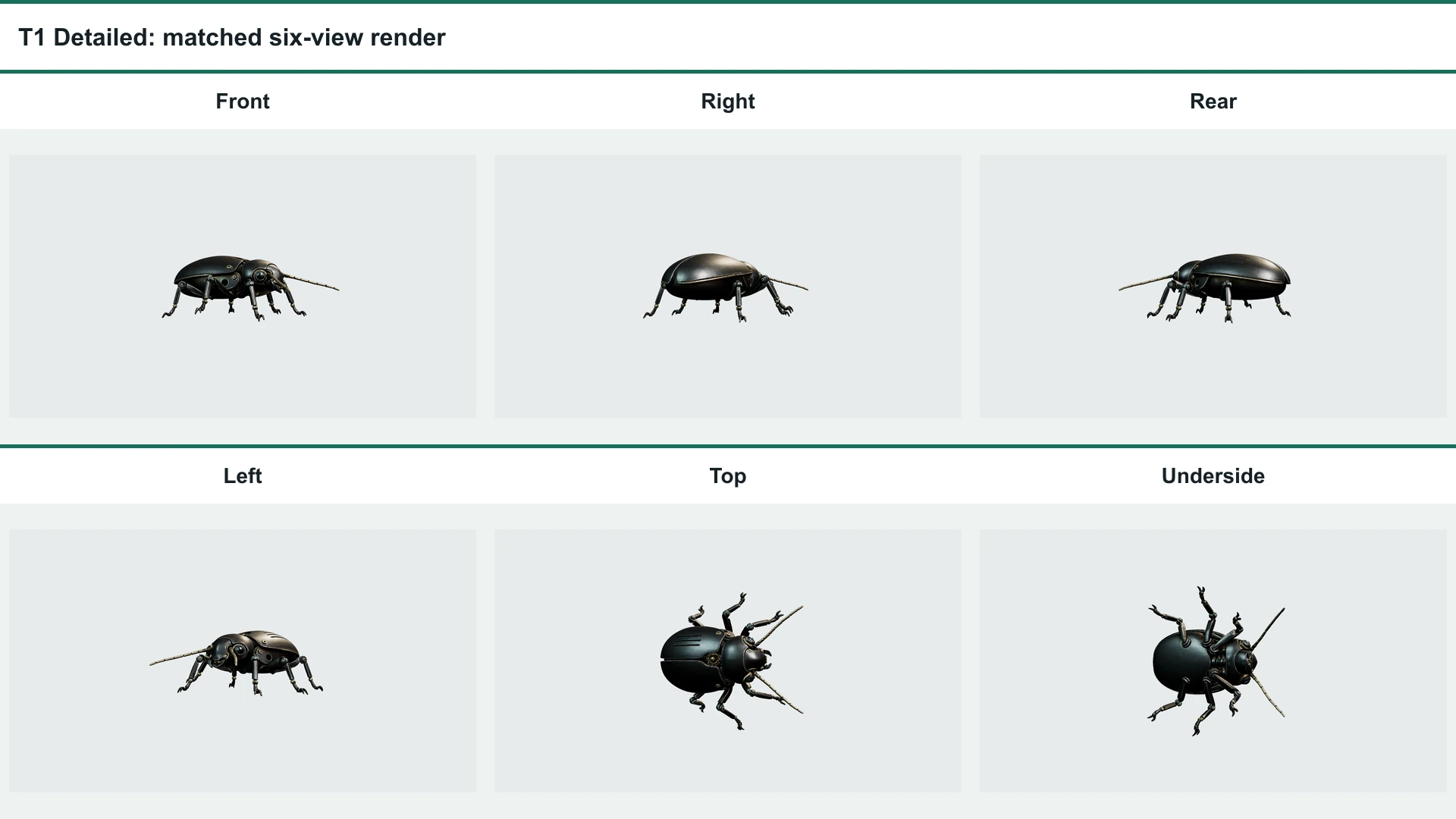
| Feature retention | 11/12 weighted points | 12/12 weighted points |
| 三角形 | 1,421,200 | 1,496,408 |
| Process elapsed | 849.9 s | 1,744.3 s |
| GLBのサイズ | 39.52 MiB | 41.51 MiB |
| Anywhere cost | USD 0.30 | USD 0.30 |
Verdict: Detailed gets a slight preference only because its central gear teeth read more clearly. The other five checkpoints were comparable, so the integer scores remain tied.
Tripo credits were not returned by the Anywhere responses and are not inferred from the USD cost.
The practical difference is easy to overstate. Detailed made the center gear cluster more legible, but the antennae, gaps, lower legs, side opening, shell edge, and dorsal grooves were otherwise comparable. Both outputs also showed uneven thickening around some distal claws and joints.
Test 2: Materials, Layers, and Occlusion
The Input and Material Checklist
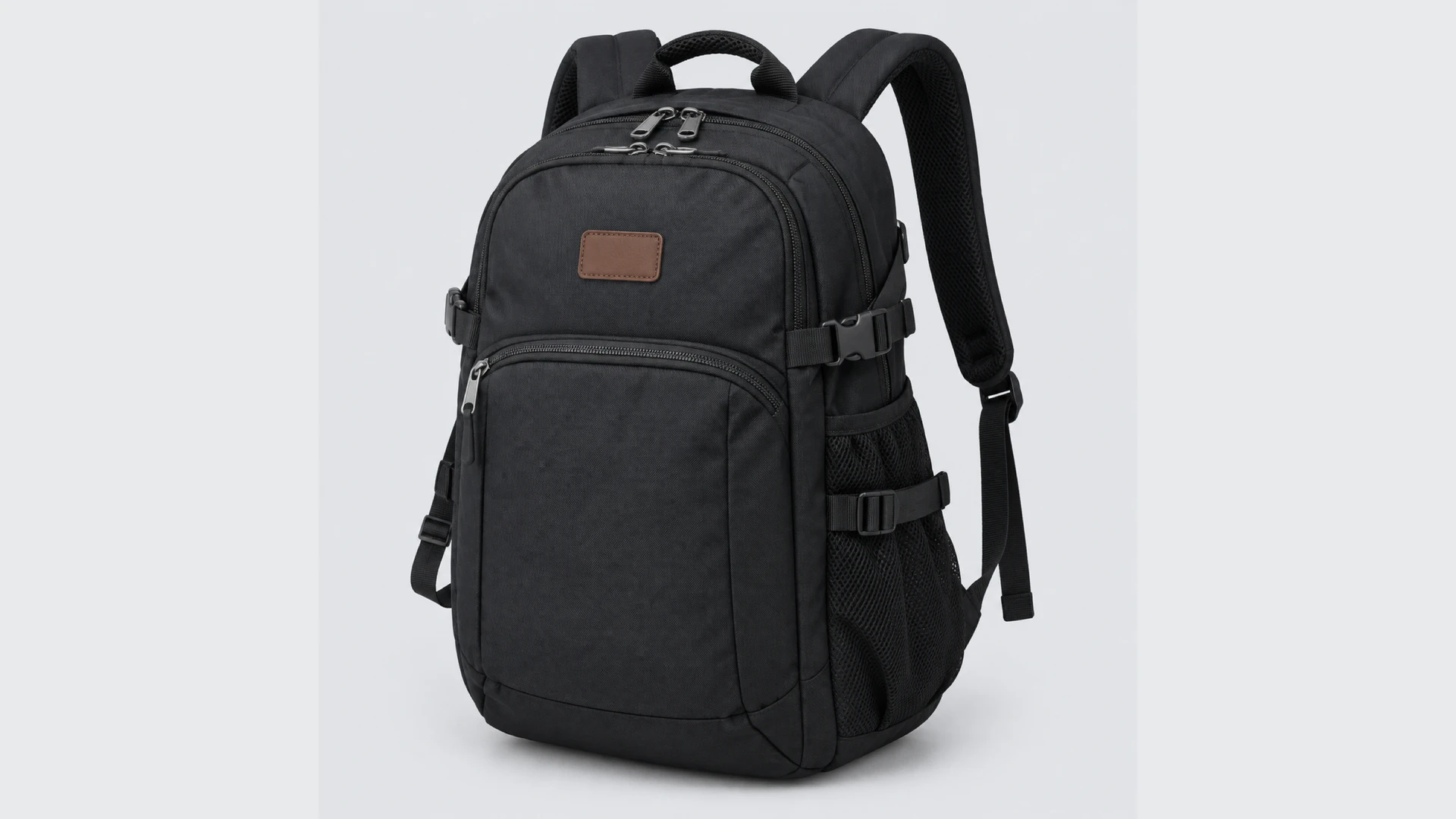
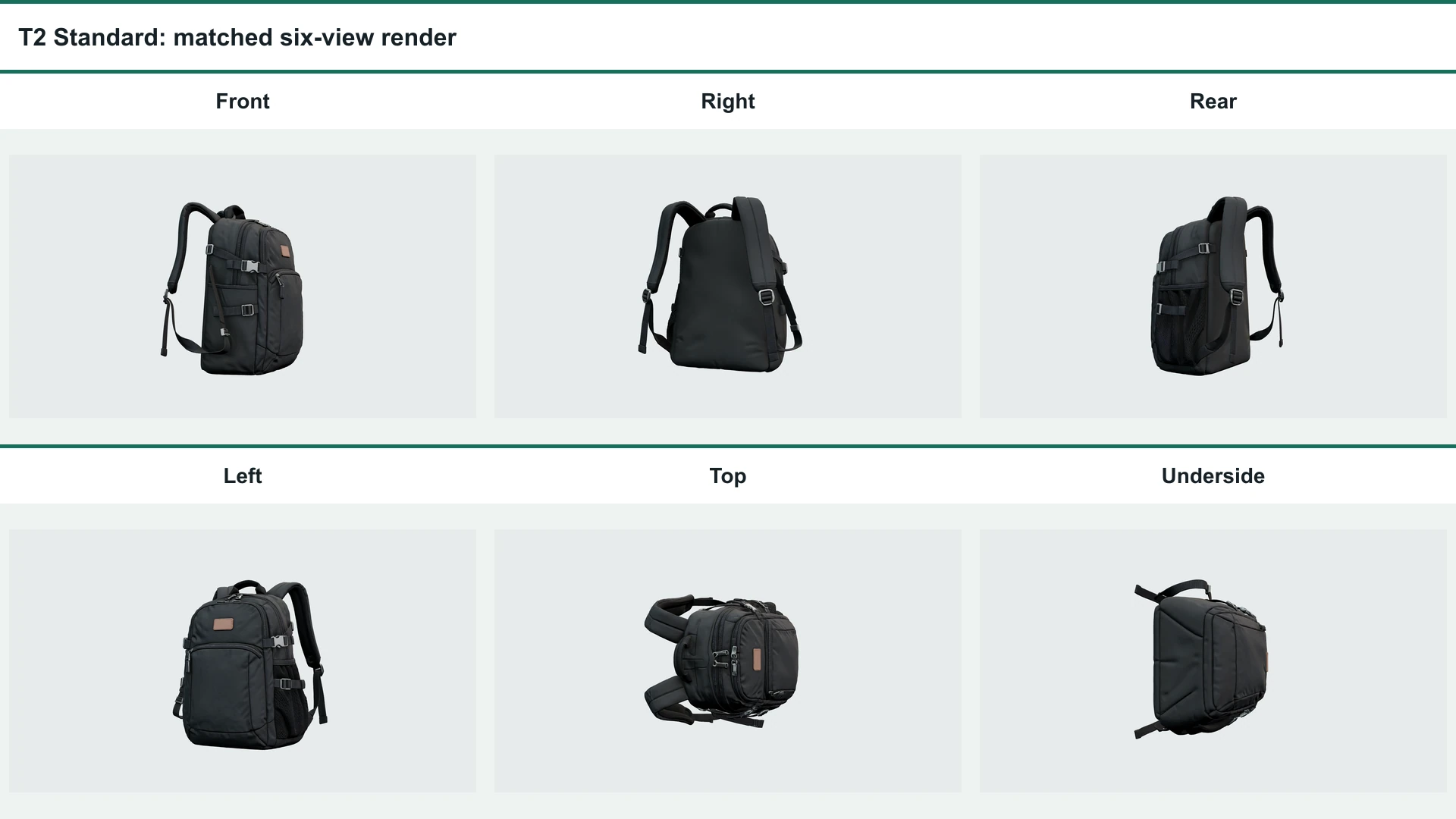
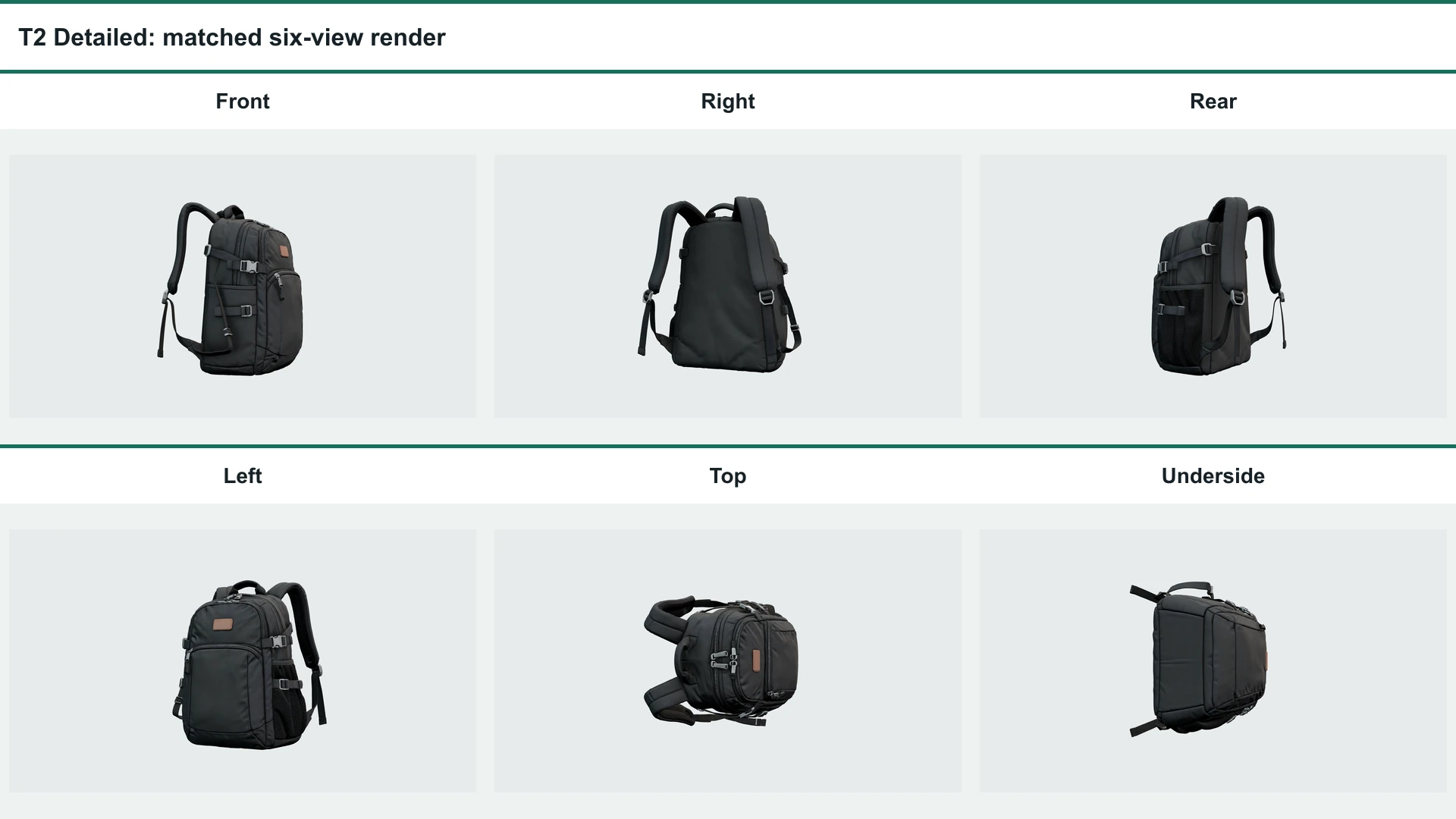
The backpack combines separated straps, an open carry handle, zipper tracks and pulls, buckles, mesh pockets, compression straps, seams, and distinct fabric, trim, and metal zones.
T2 result: tie / no meaningful difference
| 測定 | スタンダード | Detailed |
|---|---|---|
| Blind dimension scores | 4 geometry, 4 texture, 5 detail, 2 editability | 4 geometry, 4 texture, 5 detail, 2 editability |
| Feature retention | 12/12 weighted points | 12/12 weighted points |
| 三角形 | 1,426,926 | 1,496,090 |
| Process elapsed | 240.7 s | 241.2 s |
| GLBのサイズ | 39.52 MiB | 41.58 MiB |
| Anywhere cost | USD 0.30 | USD 0.30 |
Verdict: no practical winner. Detailed showed more rear-panel waviness, while Standard showed stronger underside pinching. Neither defect created a stable task-critical advantage.
Both modes preserved the task-critical layers and material separation. Detailed did not produce a repeatable advantage in occlusion boundaries or texture fidelity, which is why this pair remains a tie rather than a weak win.
Test 3: Silhouette and Hidden Surfaces
The Single View and Held-Out Ground Truth
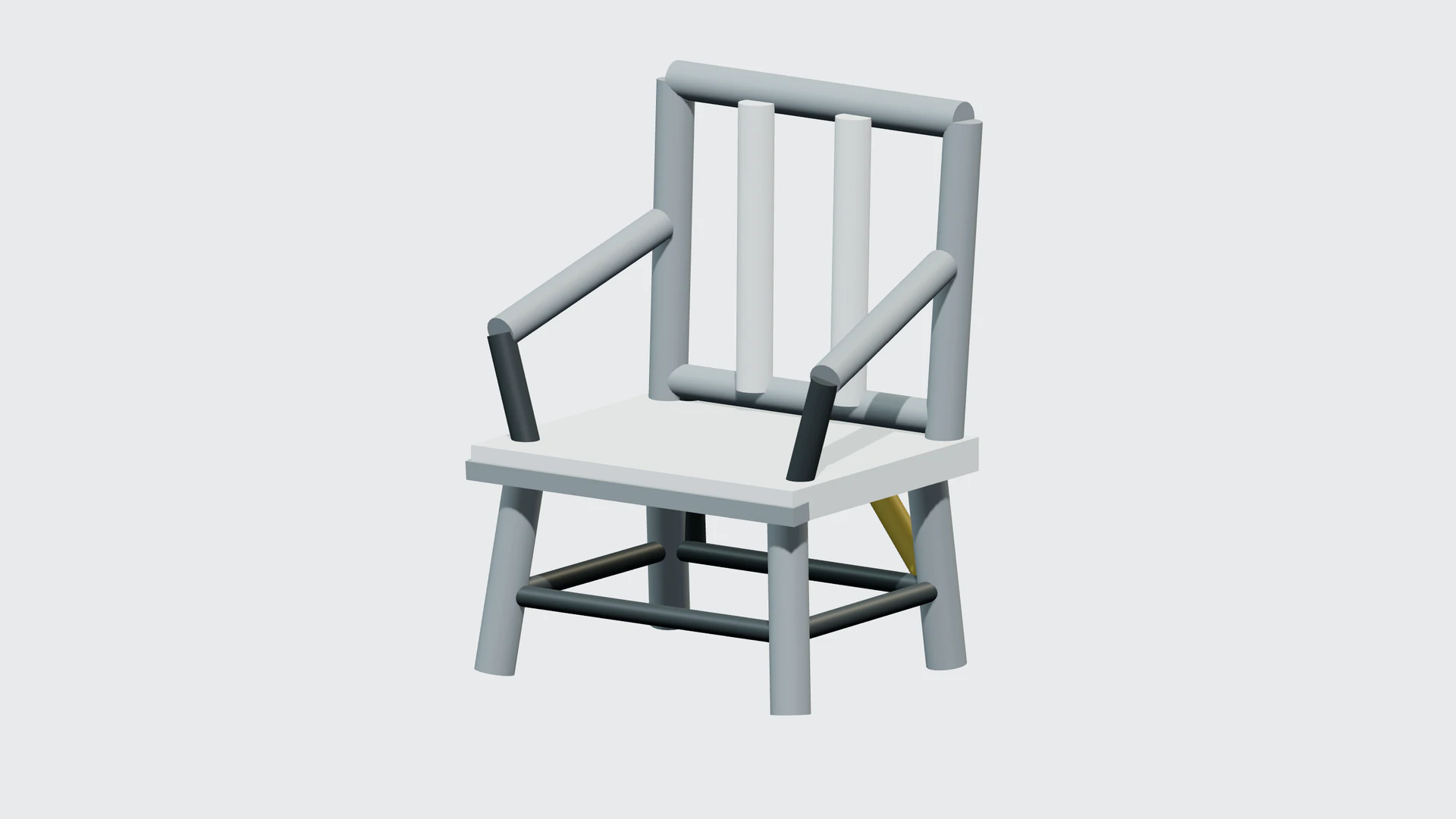
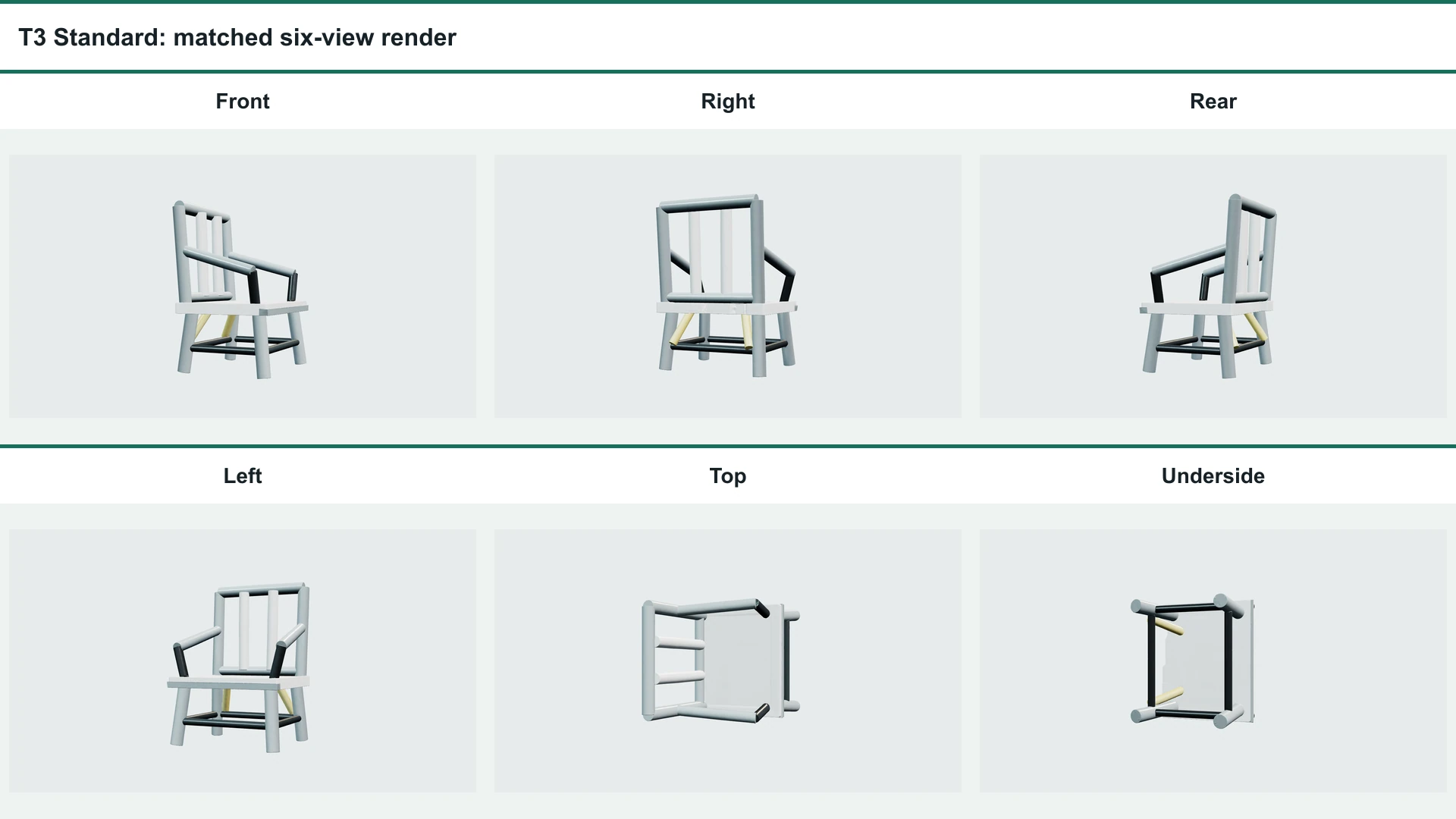
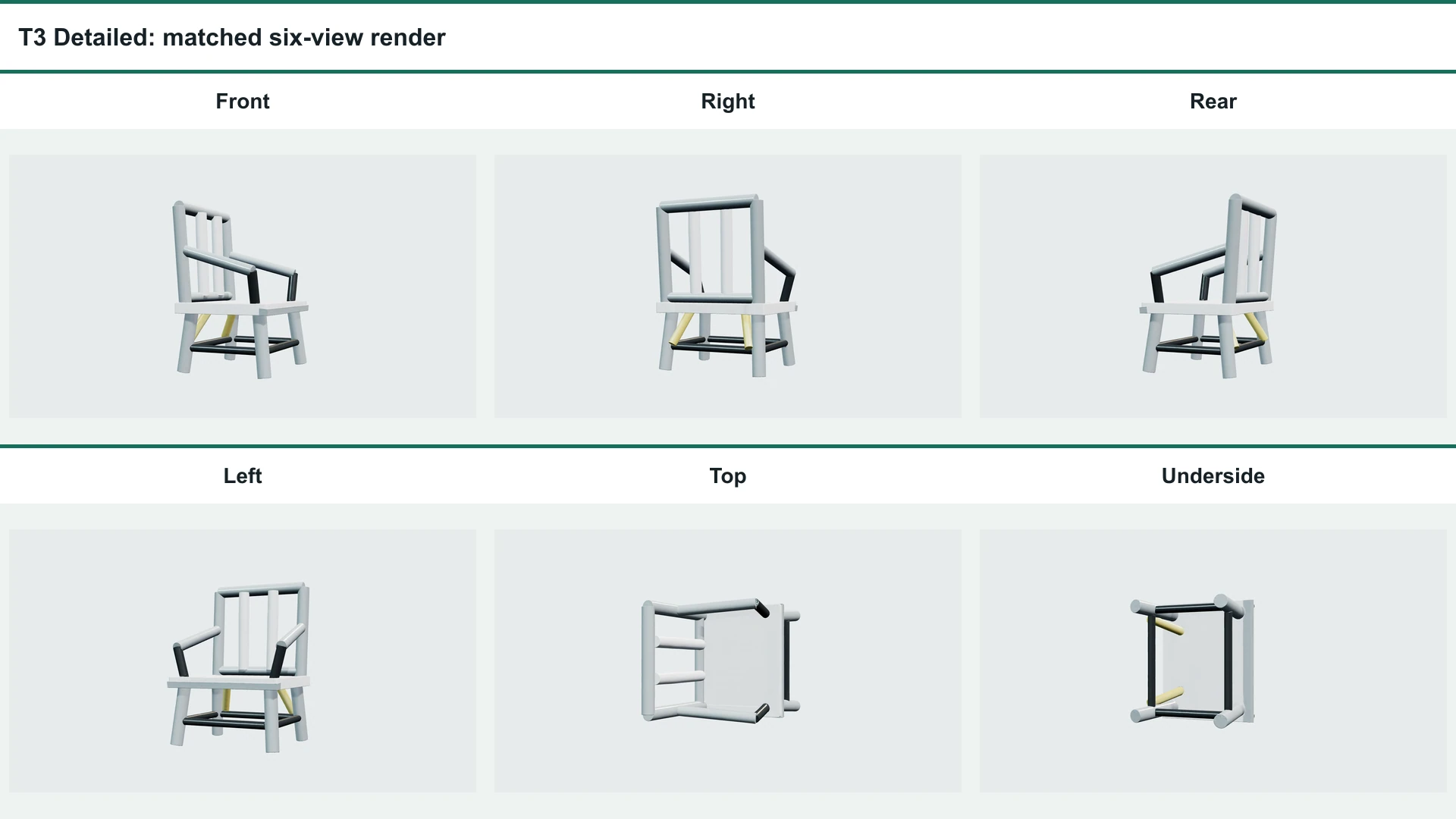
The controlled chair came from one deterministic 23-part scene. Only the front three-quarter render was sent to the model. Rear, left, and underside truth views stayed hidden until both outputs and their metadata were frozen.
T3 result: slight score gap, no practical win
| 測定 | スタンダード | Detailed |
|---|---|---|
| Frozen blind score | 10.4/20 | 10.7/20 |
| Hidden-surface truth score | 2/5 | 2/5 |
| 三角形 | 1,419,849 | 1,420,856 |
| Process elapsed | 341.2 s | 601.5 s |
| GLBのサイズ | 39.06 MiB | 39.07 MiB |
| Anywhere cost | USD 0.30 | USD 0.30 |
Verdict: Detailed was marginally cleaner in the supplied stills, but the 0.3-point edge was not decisive and did not translate into better hidden-surface reconstruction.
Confidence is low to moderate. The frozen score used matched front, rear, underside, and mesh-detail stills; the turntable was not reliably observed during blind scoring.
What H3.1 Preserved, Missed, or Invented
Both modes preserved the chair identity, three open backrest slots, open arm spaces, separated legs, seat slab, and lower frame. The hidden evidence is less convincing.
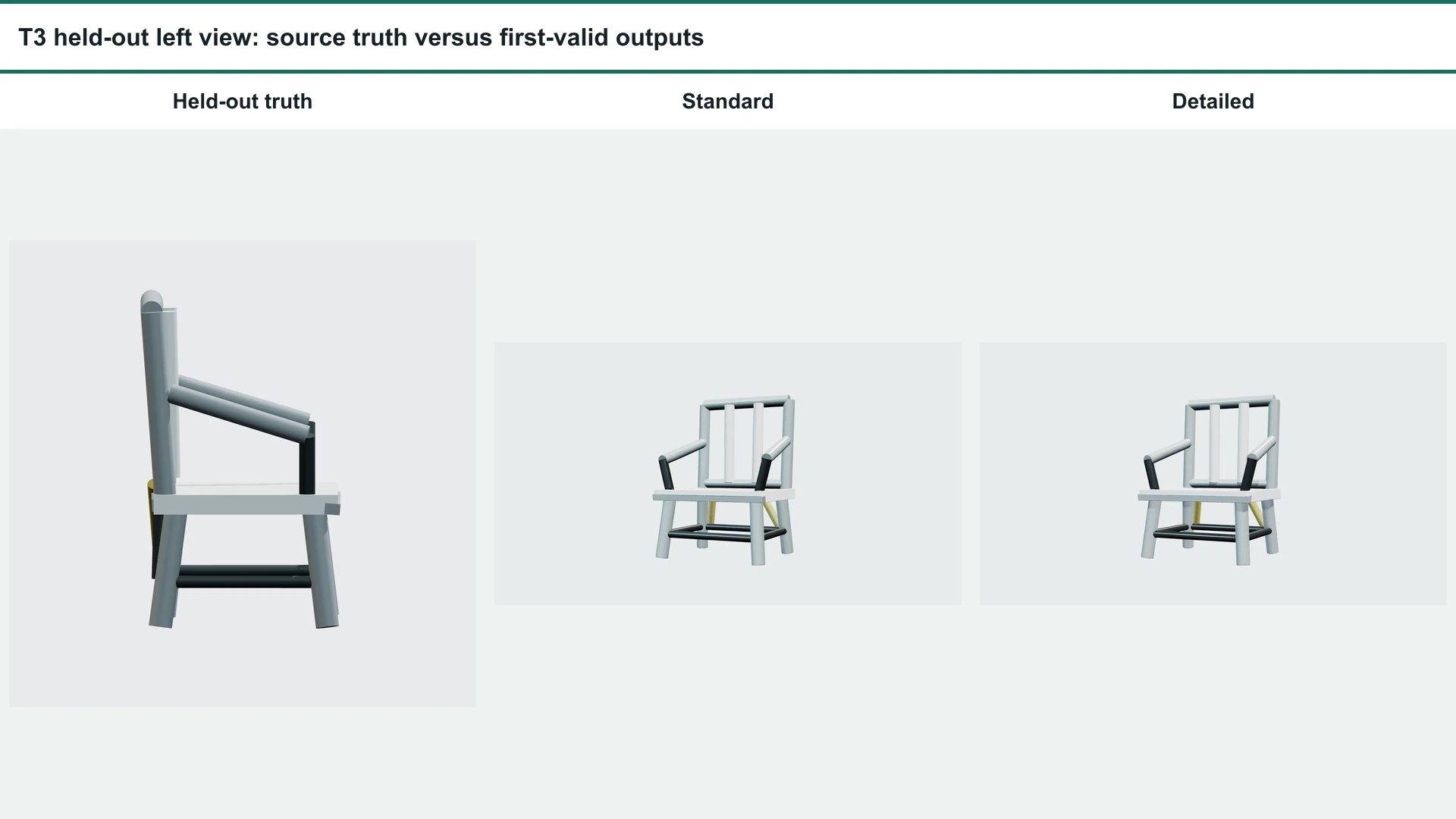
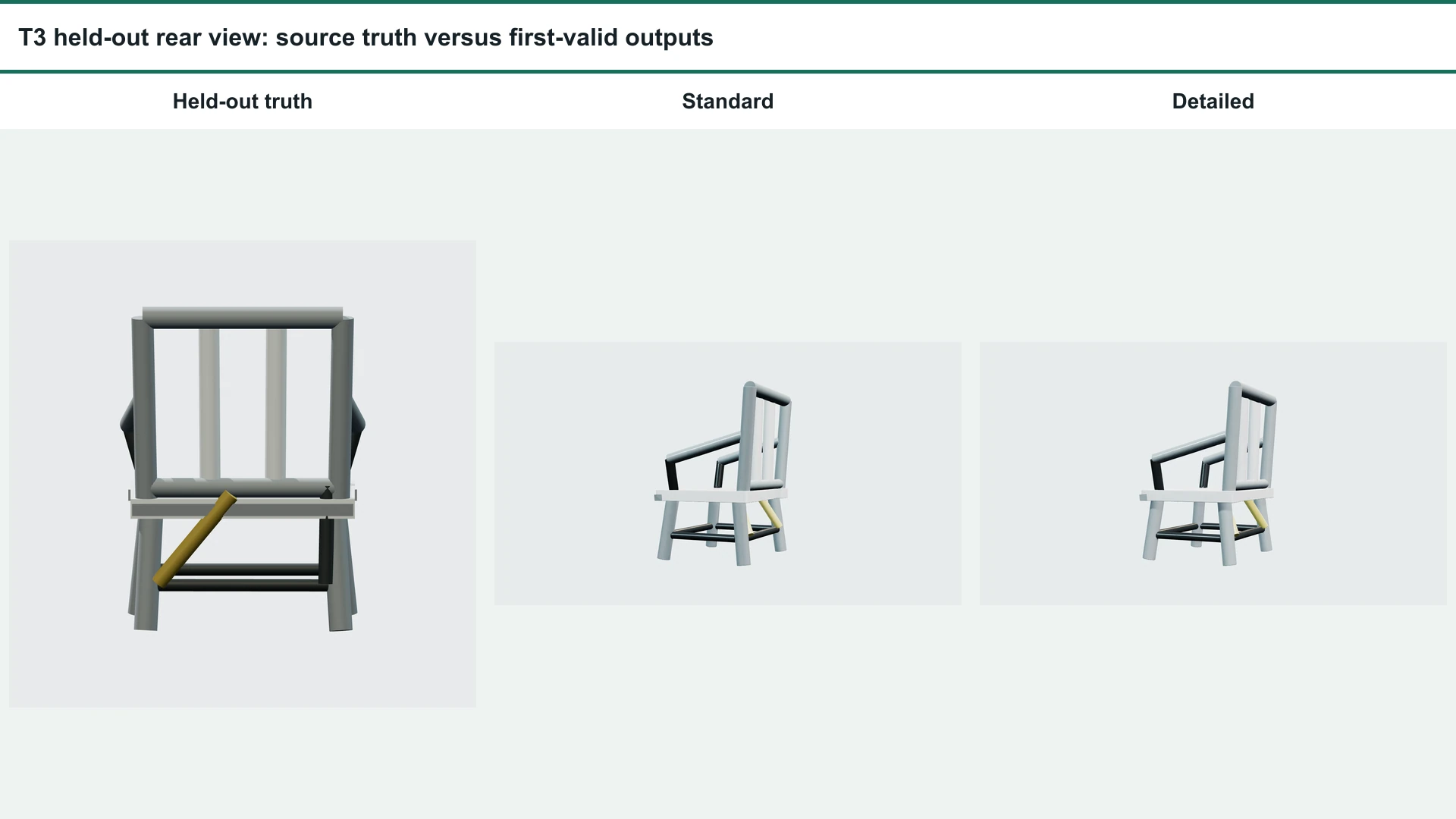
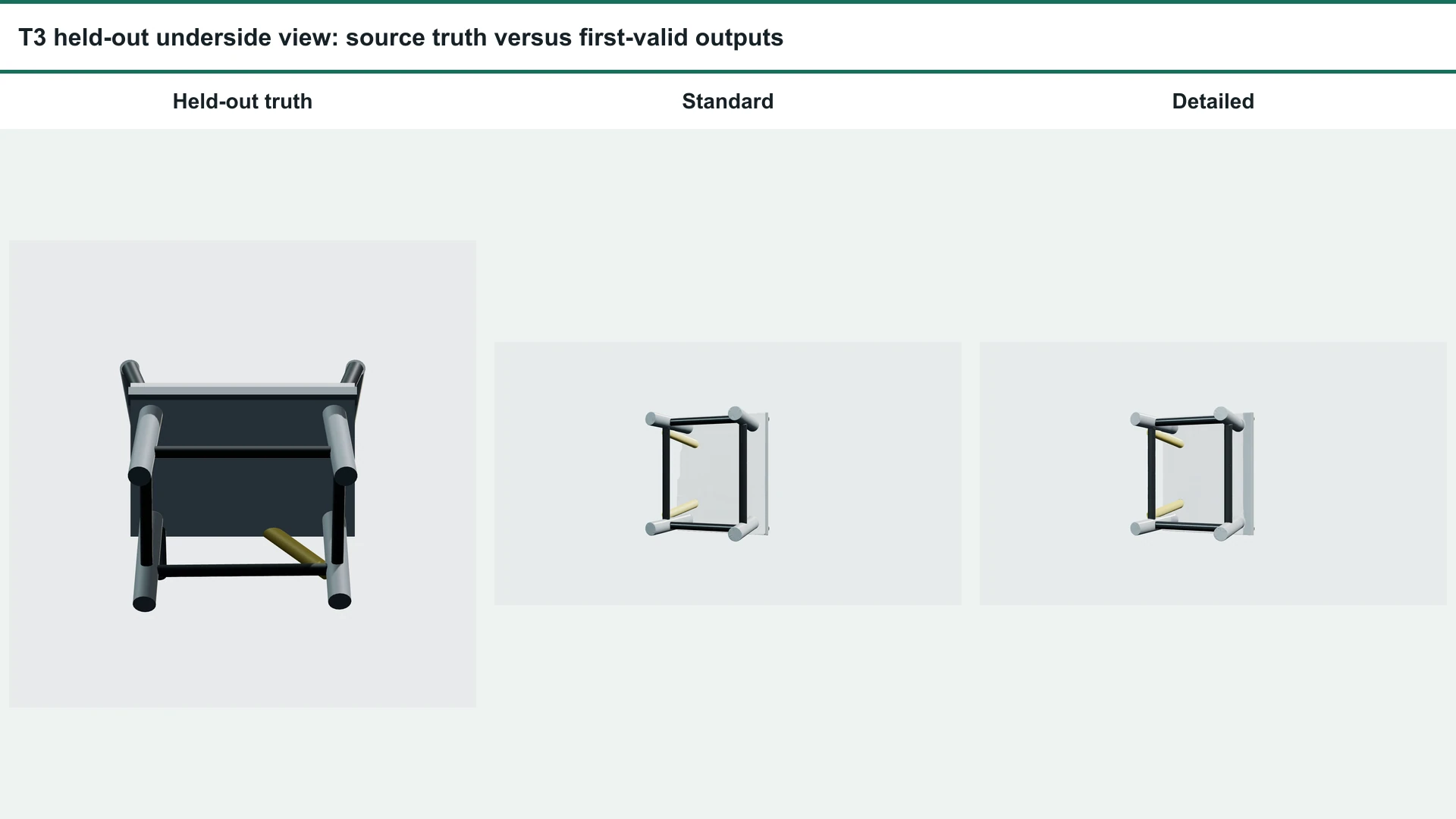
The truth scene contains a large underside panel and asymmetric yellow-and-black brace relationships. Both outputs simplified, shifted, or contradicted those structures. Detailed’s slight blind-score edge came from cleaner visible contours, not from closer held-out-truth reconstruction.
Mesh Quality and Editability
Density, Components, and Manifold Checks
Objective GLB and topology audit
| 走る | 頂点 | 三角形 | Boundary edges | Non-manifold | Degenerate |
|---|---|---|---|---|---|
| T1 Standard | 734,833 | 1,421,200 | 0 | 180 | 0 |
| T1 Detailed | 774,115 | 1,496,408 | 0 | 150 | 0 |
| T2 Standard | 742,072 | 1,426,926 | 0 | 330 | 0 |
| T2 Detailed | 783,422 | 1,496,090 | 0 | 315 | 0 |
| T3 Standard | 735,044 | 1,419,849 | 3 | 102 | 0 |
| T3 Detailed | 735,780 | 1,420,856 | 12 | 108 | 0 |
All six GLBs parsed as glTF 2.0, contained one connected component, included normals and UV0, and embedded three decodable 2048 x 2048 PBR textures. These checks do not establish animation-ready topology.
When Retopology or Low-Poly Processing Is Still Needed
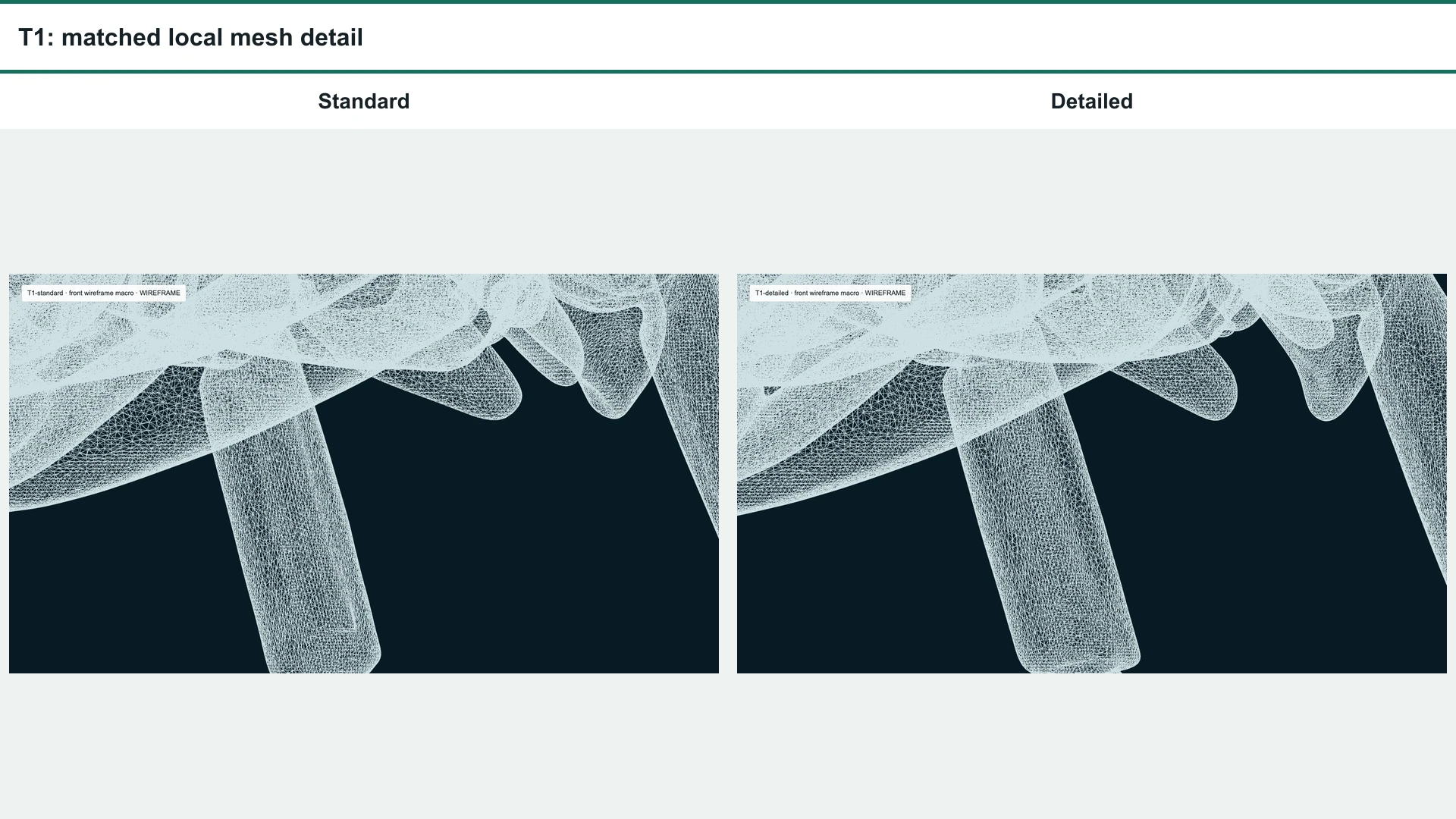
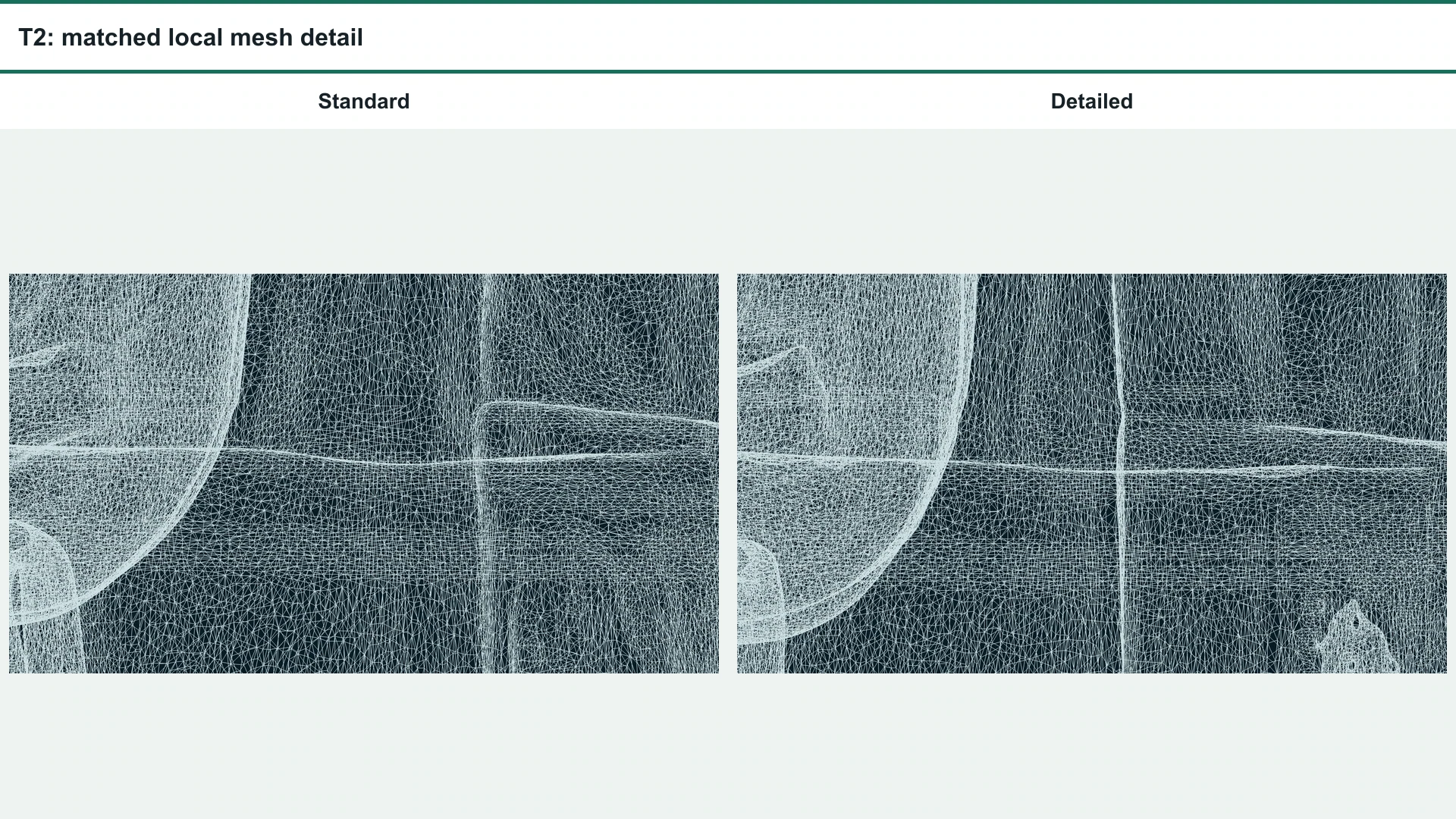
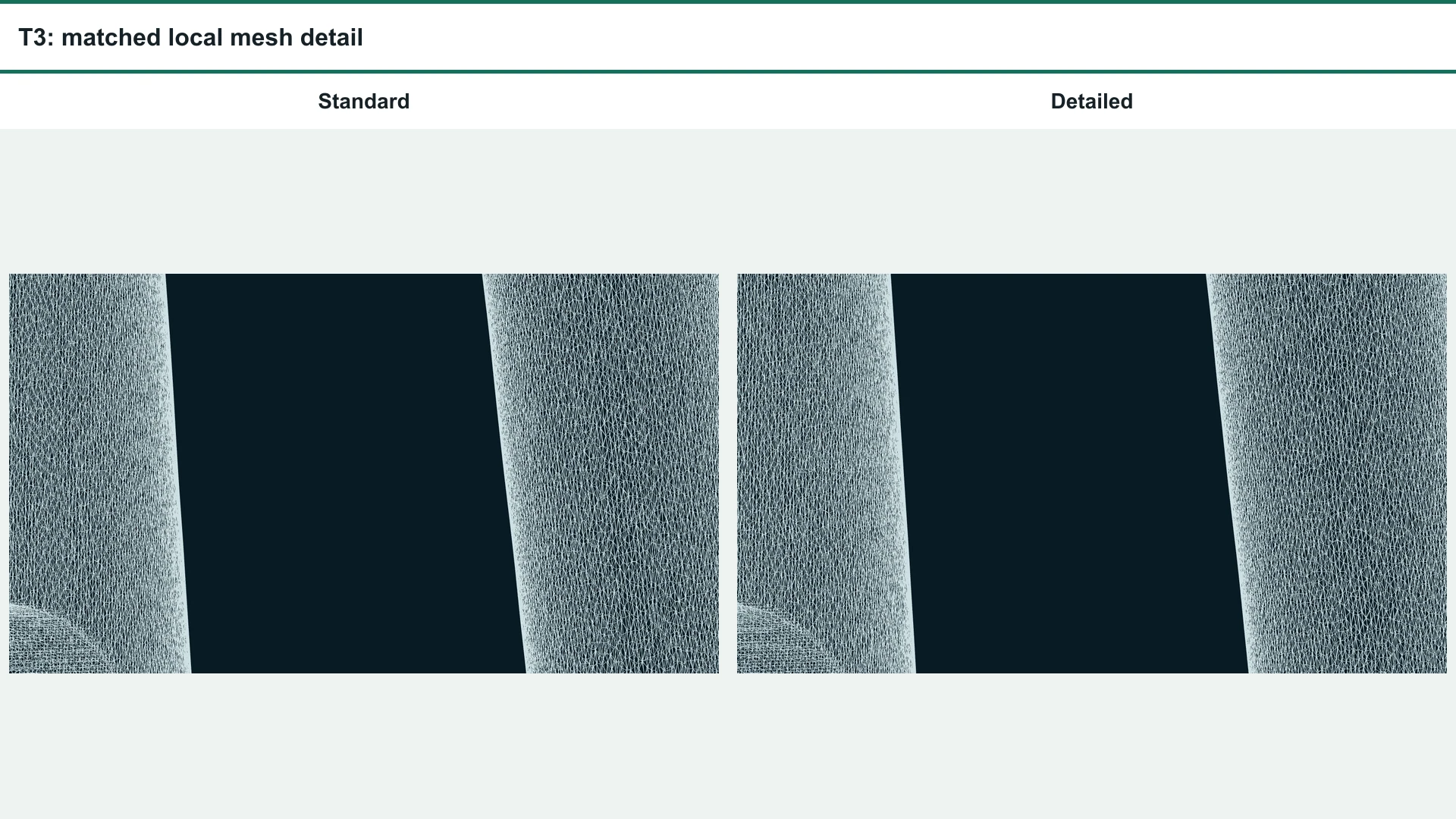
The wireframe crops show that more triangles did not create production-friendly edge flow. Direct editing would likely need reduction or retopology, but that remains a reasoned workflow recommendation rather than a timed cleanup result because no hands-on edit task was performed.
Export Formats and Blender Workflow
Supported Conversion Targets
Tripo’s conversion documentation lists GLTF, FBX, USDZ, OBJ, STL, and 3MF as targets and accepts supported source files up to 150 MB.
What Was and Was Not Verified
Verified here: each original GLB parsed as glTF 2.0, matched its declared length, rendered in the browser, contained UV0 and normals, and carried three decodable PBR textures. Not verified: FBX or other conversion, Blender import, scale and orientation after import, round-trip export, part isolation, cleanup minutes, rigging, skinning, or deformation.
Speed, Credits, and File Weight
Published Credits vs Actual Route Cost
Actual run time, file weight, and route cost
| Pair | Standard elapsed / size | Detailed elapsed / size | Anywhere pair cost | Published Tripo estimate |
|---|---|---|---|---|
| T1 beetle | 849.9 s / 39.52 MiB | 1,744.3 s / 41.51 MiB | USD 0.60 | 30 + 50 credits |
| T2 backpack | 240.7 s / 39.52 MiB | 241.2 s / 41.58 MiB | USD 0.60 | 30 + 50 credits |
| T3 chair | 341.2 s / 39.06 MiB | 601.5 s / 39.07 MiB | USD 0.60 | 30 + 50 credits |
| 合計 | Six first-valid GLBs | USD 1.80 | 240-credit planning estimate | |
The USD figures came from Anywhere. The credit figures come from Tripo’s published schedule checked September 9, 2026. They are separate systems, and no conversion is made between them.
Tripo H3.1 Credit Estimator
Tripo H3.1 planning tool
Estimate image-to-3D credits
Choose the texture, geometry mode, add-ons, and number of generations.
Commercial Use and Ownership
Free and Paid Plan Rights
Commercial rights depend on the current plan and the rights attached to the source material. A technically successful generation does not settle licensing or infringement questions.
Commercial use depends on both the plan and the material
At the September 9, 2026 check, Tripo’s public plan page distinguished public, non-commercial Free use from private, commercial paid tiers. Its Terms also place responsibility for lawful inputs and outputs on the user and do not promise that an output is unique, error-free, or non-infringing. Check the current plan terms そして 利用規約 before shipping a commercial asset. This is a practical summary, not legal advice.
Who Should Use Detailed/Ultra Geometry?
Detailed is a checkpoint-specific option, not a universal quality upgrade. The clean decision is to start with Standard unless you know which small feature justifies the extra published credits and post-generation inspection.
Choose the mode by the job, not the label
| ワークフロー | 実用的な選択 | なぜ |
|---|---|---|
| Fast concepting and broad shape review | スタンダード | It matched Detailed on the backpack and was practically tied on the chair. |
| A known small geometric feature needs checking | Detailed, conditionally | T1 showed one clearer gear checkpoint, but the benefit was narrow. |
| Hidden-back or underside accuracy | Neither can be trusted without inspection | Both modes scored 2/5 against held-out truth. |
| Direct mesh editing, rigging, or deformation | Plan for retopology | All six meshes were extremely dense and irregular; no edit task or rigging test was completed. |
| Material fidelity alone | Do not pay for geometry mode on this assumption | Texture settings were held constant and T2 was a tie. |
A Practical Creative Workflow with GlobalGPT
Image-to-3D work often starts with research, prompt exploration, and several reference-image passes before a file reaches a 3D generator. Keeping those steps together makes it easier to compare source concepts and preserve a clear brief.
よくある質問
Is Tripo H3.1 the same as Detailed or Ultra geometry?
No. H3.1 is the model. Detailed, also labeled Ultra in the documentation, is a value of the separate geometry-quality control.
How many credits does Tripo H3.1 image-to-3D use?
The published schedule checked September 9, 2026 lists 30 credits for the Standard-texture setup used here and 50 credits when Detailed geometry is added. The Anywhere responses did not expose Tripo credits, so the article does not claim those estimates were the actual charge.
What kind of image works best with Tripo H3.1?
Tripo recommends a clear subject, a clean background, and as little occlusion as practical. The API supports PNG, JPEG, and WebP up to 20 MB and recommends at least 256 x 256 pixels.
Can Tripo H3.1 reconstruct the hidden back of an object?
It can invent a plausible back, but this test shows that plausible is not the same as faithful. Both chair outputs kept the broad volume yet scored 2/5 against held-out rear and underside truth because several support relationships were wrong.
Is Tripo H3.1 topology ready for games or animation?
Not on the evidence from these six outputs. Every mesh was extremely dense and irregular, and no rigging, skinning, deformation, or hands-on edit test was completed. Plan for reduction or retopology unless your own inspection shows otherwise.
Which 3D formats can Tripo export?
Tripo’s converter lists GLTF, FBX, USDZ, OBJ, STL, and 3MF as target formats. This review verified the original GLBs only; FBX conversion, Blender import, and round-trip export were not tested.
Can Tripo H3.1 outputs be used commercially?
Tripo’s public plan and Terms pages distinguish free non-commercial use from commercial rights on paid tiers. Commercial users still need the necessary rights to their inputs and must follow applicable law and the current Terms.
When is Detailed/Ultra geometry worth the extra credits?
Use it conditionally when a known microfeature matters enough to inspect after generation. Standard is the better default for broad concepting based on this test because Detailed did not consistently improve materials, hidden surfaces, topology, or practical editability.