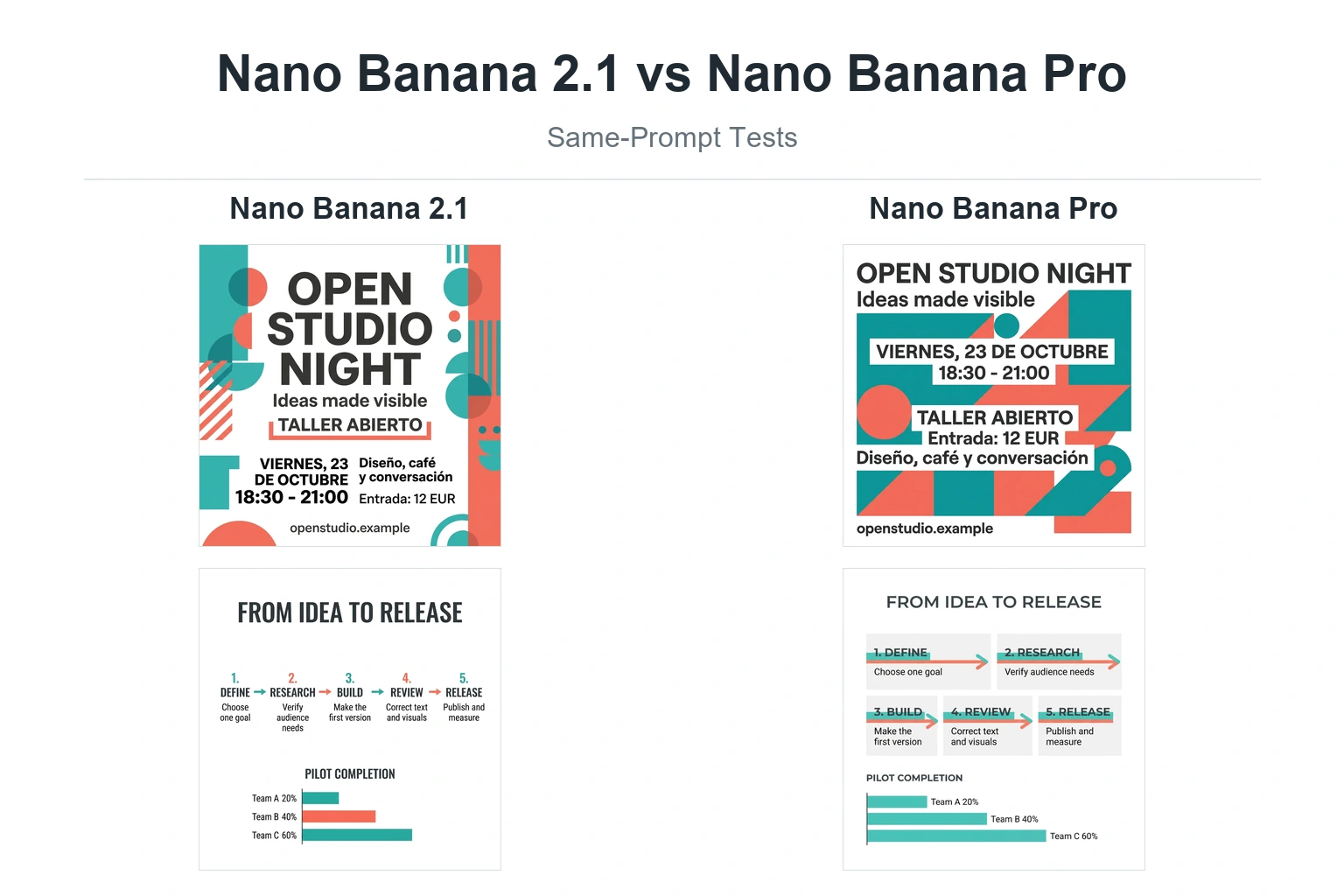
是的,但这并不是一个能保证“生成恰好四张独立图像”的命令。. 截至2026年7月20日,, 谷歌当前关于 Gemini 图像生成的文档 说 双子座 3 Pro 图像 (gemini-3-pro-image),该模型名为 Nano Banana Pro,可在复杂响应中返回多个图像块。同一份文档中也指出,该模型并不总是会严格按照请求的图像输出数量进行响应。.
双子座 3 Pro 官方服务可能会出现拥堵现象 高峰时段, 特别是对于免费用户来说,他们生成的图片数量往往有限,而且只能使用较低分辨率。好消息是,GlobalGPT 已完全集成了 双子座 3 Pro’多图像生成功能,让您可以在这里自由使用批量生成功能,而不受数量、速度或质量的限制。.
Gemini 3 Pro 与 Gemini 3 Pro 图片:请使用确切名称
“Gemini 3 Pro”这一名称常被泛指用于聊天和图像工作流,但谷歌在文档中明确区分了不同的产品和模型 ID。这种区分解释了为何文本模型页面、Gemini Apps 界面以及 API 示例的行为会有所不同。.
| 当前名称 | API 模型 ID | 实际作用 |
|---|---|---|
| 双子座 3 Pro | 不是图像模型 ID | 一般推理和多模态理解;请勿将此标签作为特定图像输出工作流的证明。. |
| Gemini 3 Pro 图片(Nano Banana Pro) | gemini-3-pro-image | 面向复杂且注重精度的视觉创作的高端图像生成与编辑解决方案。. |
| Gemini 3.1 闪存镜像(Nano Banana 2) | gemini-3.1-flash-image | 谷歌的通用图像模型,在速度、质量、文本渲染以及与参考图像的一致性之间实现了平衡。. |
| Gemini 3.1 Flash Lite 图片(Nano Banana 2 Lite) | gemini-3.1-flash-lite-image | 生成速度快、成本较低的图像;谷歌表示,该功能未针对多个参考输入或顺序多轮编辑进行优化。. |
| Gemini 2.5 闪存镜像 (Nano Banana) | gemini-2.5-flash-image | 旧版图像模型;谷歌建议将新项目迁移至较新的 Nano Banana 系列。. |
“多张图片”可能有五种不同的含义
大多数困惑源于将五种不同的工作流视为一个功能。它们解决的问题各不相同,且可靠性保障也各不相同。.
| 工作流程 | 实际情况 | 它能保证输出数量完全准确吗? |
|---|---|---|
| 在一个提示中请求多张图片 | 一个示例答案可能包含多个图像块、少于要求的图像数量,或者是一张由多个面板组成的合成图像。. | 不。谷歌明确指出,请求的数字后面不能跟其他内容。. |
| 交错排列的图文回复 | Gemini 3 Pro Image 可以生成包含文本块和多幅插图的故事、指南或类似内容。. | 不保证计数完全准确;请检查每个响应块。. |
| 并发 API 请求 | 您的应用程序会同时发送多个独立的实时请求。. | 您可以控制请求次数,但单个调用可能会失败或受到速率限制。. |
| Gemini 批处理 API | 您将许多独立的请求作为异步任务提交,以便稍后处理。. | 您可以管理已提交的请求列表;失败的项目仍需处理。. |
| 多张参考图片 | 多张输入图像可生成一张新图像或进行编辑。. | 不。输入个数和输出个数之间没有关联。. |
一个 Gemini 响应中可以包含多张图片吗?
是的。Google 文档中记录了交错式响应,其中 Gemini 3 Pro Image 会依次生成文本和多幅插图。这对于图文故事、分步指南及其他相关联的内容非常有用。它与那种总是返回四个独立文件的确定性变体生成器不同。.
Interactions API 的 输出图像 该便利属性仅返回 最后 生成的图像块。当响应中可能包含多张图像时,开发人员必须遍历所有交互步骤,并保存每个图像块。仅读取 输出图像 可以使多图回复看起来像单图回复。.
对于“创建四种镜头角度变体”这样的请求,模型仍可能返回一张图像、少于四张图像,或是一张单页样片。当每个结果都必须作为具有独立文件名、状态和重试路径的单独资源时,请使用独立的请求。.

如何生成确切数量的独立图像
为了实现最佳控制:每张图片发送一个请求
- 编写一个共享的基础提示词,其中需明确主题、风格、配色方案、宽高比及各项限制条件。.
- 为每项必备素材编写简短的变体说明,例如“正面视图”、“四分之三侧视图”或“夜间照明”。”
- 针对每个变体发送一次图像生成请求。.
- 为每个请求保存提示、模型 ID、响应 ID、输出文件和失败状态。.
- 仅重试失败的变体,而不是重新生成整个数据集。.
这种方法能为您提供最清晰的资产统计和重试逻辑。它不能保证每张图片中的角色或产品完全一致,因此请使用相同的已批准参考素材,并在每次请求中重复那些不可更改的视觉细节。.
为了实现低延迟:并行执行独立的请求
并发是一种应用设计选择,而非 Gemini 输出模式。如果您的项目并行发送六个调用,则意味着它发出了六个请求并收到了六个独立的响应。这些调用将计入项目当前的请求、图像、令牌和支出配额。 谷歌表示,Gemini API 配额是按项目而非按 API 密钥应用的,因此创建更多密钥并不会产生独立的配额池。.
对以下情况使用有界并发、指数退避和重试处理: 429 资源已耗尽 响应。请检查 Gemini API 官方速率限制页面 或者使用您的 AI Studio 项目视图,而不是硬编码一个通用数字。.
对于大型且非紧急的任务:请使用批处理 API
"(《世界人权宣言》) Gemini 批处理 API 以异步方式处理一组独立的请求。谷歌将其定位于处理高吞吐量、非紧急任务,目标处理时长最长为24小时。当请求正文小于20 MB时,可直接提交小型任务;较大规模的图像处理任务应使用JSONL输入文件。.
批处理并非“一个提示生成100张图片”。它是一个包含多个请求的任务。它也不是交互式生成的加速版:你是以即时响应为代价,换取异步处理和独立的批处理能力。.
参考图像的输入限制不等于输出限制
谷歌的图像生成指南指出,Gemini 3 类图像模型在工作流中最多可混合使用 14 张参考图像,但各模型和参考图像类型的有效保真度上限各不相同。.
| 图像模型 | 已记录的参考指南 | 这并不意味着什么 |
|---|---|---|
| 双子座 3 Pro 图像 | 总计最多可包含 14 个引用;谷歌当前的表格中列出了最多 6 个对象引用、5 个字符引用和 3 个样式引用。. | 它并未承诺会生成14个结果。. |
| 双子座 3.1 闪存图像 | 总计最多14个参考对象,其中包括针对最多10个物体的保真度指导以及针对最多4个角色的连贯性指导。. | 这并不保证每人或每件物品都能获得一次输出。. |
| Gemini 3.1 Flash Lite 图片 | 该表格列出了最多 14 个对象引用,而谷歌警告称,Lite 版本并未针对多引用或多轮工作进行优化。. | 输入集较大这一事实并不能证明具有强身份一致性。. |
| 双子座 2.5 闪存图像 | 谷歌表示,该功能在最多3张输入图片时效果最佳。. | Gemini 的通用文件大小限制不会覆盖图像生成指南。. |
谷歌的独立 图像理解文档 指出,Gemini 模型每次请求最多可接受 3,600 个图像文件进行分析。这是多模态理解的上限,而非 Nano Banana 的参考保真度上限,也不是图像输出数量的上限。关于特定生成模型的输入方面,请参见 Nano Banana Pro 中多张参考图片的功能原理.

Gemini 应用程序、AI Studio、API 以及 GlobalGPT 的行为方式各不相同
| Surface | 当前的实际行为 | 主要限制 |
|---|---|---|
| Gemini 应用程序 | 谷歌的 官方应用帮助 介绍了如何使用 Nano Banana 2 进行内容生成、以对话方式进行编辑,以及符合条件的付费用户如何使用 Pro 版中的“重做”功能。. | 帮助流程是按图片逐张处理的,且不保证提供多结果控制功能。此服务受账户、年龄、地区、语言及使用限制的约束。. |
| 谷歌人工智能工作室 | 一个用于测试与可用 API 模型相关联的模型和提示词的开发者接口。. | 用户界面所显示的内容,并不意味着生产环境中的请求一定会返回完全相同数量的文件。. |
| 交互 API | 支持当前图像模型 ID、多轮编辑以及包含多个图像块的交错式响应。. | 无法保证图像数量完全准确;请检查所有步骤,而不要仅查看最后一张图像的便捷字段。. |
| 批处理应用程序接口 | 异步处理多个 generateContent 请求,并分配独立的批处理容量。. | 该服务不支持交互,目标是在24小时内完成处理。. |
| GlobalGPT | 一个独立的接口,带有单独的 纳米香蕉 Pro 和 纳米香蕉 2 图像生成页面。. | 其控件、信用信息、模型生命周期和输出行为因平台而异,并非 Google API 的保证。. |
如果输出分辨率是您工作流程的一部分,请参阅关于此内容的单独指南: 使用 Nano Banana Pro 创建 4K 图像. 分辨率设置会改变像素尺寸;但这并不能使精确的多图像计数结果更可靠。.
为什么谷歌示例中的模型 ID 可能看起来不同
谷歌当前的图像生成页面推荐了 Interactions API,并列出了 gemini-3-pro-image. 批处理 API 目前通过 generateContent API 进行了文档说明,其图片示例仍然显示 gemini-3-pro-image-preview. 请将模型 ID 视为与您项目中显示的 API 接口和可用性相关联的特定标识;请勿直接复制其他示例中的 ID 并认为它们可以互换使用。.
这一差异也解释了为什么旧的截图或第三方菜单无法作为当前 API 行为的有力证据。即使底层端点、别名、预览状态或授权发生了变化,可见的标签仍可能保留下来。.
常见多图像问题的故障排除
Gemini 返回了一张图片,而不是四张
这在已记录的限制范围内。将该任务拆分为四个独立的请求。保持一个通用的基础提示,仅改变摄像机角度、布局、色彩处理或其他可控参数。.
Gemini 返回了一张包含四个画格的接触片
接触片是指一个包含多个画面的图像文件,而不是四个可下载的素材。如果您需要单独的文件,请分别请求并保存每个变体,而不是要求模特将一个画布分割开来。.
只有最后一张插图被保存下来
如果您使用了 Interactions API,请检查您的代码是否仅为只读 输出图像. 该属性返回最后生成的图像块。遍历所有模型输出步骤,并按顺序收集每个图像块。.
批处理 API 作业未立即返回
这是预期的行为。批处理是异步的,适用于非紧急的大量任务。请轮询该任务或使用文档中所述的 webhook 工作流,然后将每个结果映射回生成该结果的自定义键或请求行。.
并发请求导致 429 错误
降低并发量,添加带抖动的退避机制,并对失败的调用进行重试。每个项目均适用 Gemini 的 API 速率限制,因此即使在同一项目内轮换 API 密钥,也不会增加额外容量。.
Gemini 应用中缺少“使用 Pro 重做”功能
对于符合条件的付费订阅用户,在使用 Nano Banana 2 或 Nano Banana 2 Lite 生成图片后,Google 文档 Pro 版将提供“重做”功能。该功能的可用性还可能取决于账户类型、年龄、国家/地区、语言以及当前使用情况。Google 的 Gemini 应用限制页面 指出限额可能会发生变化,并引导用户前往 设置 → 使用限制 以了解其当前账户状况。.
按目标划分的最佳工作流程
| 你的目标 | 最佳方法 | 为什么 |
|---|---|---|
| 创作一个图文并茂的故事或指南 | 一个交错的 Gemini 3 Pro Image 响应 | 文本和相关的插图可以共享一个响应序列。. |
| 生成 exactly 6 个独立的广告变体 | 6项单独的请求 | 清除文件计数、按变体提示以及定向重试。. |
| 将一个小集合的等待时间最小化 | 受限的并发请求 | 在项目范围内,独立的实时调用可以并行完成。. |
| 生成数百个非紧急资产 | 批量 API,每个资源仅需一次请求 | 专为异步处理量和独立批处理能力而设计。. |
| 将产品、人物和风格融为一体,呈现出完整的画面 | 多个参考图像输入 | 参考文献用于指导文献的编排和一致性;它们并非多份输出文件。. |
| 优化一张现有图片 | 多轮编辑 | 在您提出针对性修改请求时,对话内容会保留上下文。. |

常见问题
Gemini 3 Pro 能否同时生成多张图像?
Gemini 3 Pro Image 可以在复杂或交错的响应中返回多个图像块,但 Google 不保证返回的数量与请求的数量完全一致。如果每个输出都必须是独立的文件,请分别发送请求。.
用于图像生成的Gemini模型的具体型号是什么?
该高端图像模型为 Gemini 3 Pro Image,品牌名称为 Nano Banana Pro,其当前的 Interactions API ID 为 gemini-3-pro-image. 普通的 Gemini 3 Pro 不应被视为图像 API 的模型名称。.
Gemini 3 Pro Image 每个提示词能生成多少张输出图像?
Google 不会公布针对单个提示词的可靠确切生成数量。其文档中明确指出,模型可能不会按照请求的图像输出数量进行生成,因此诸如“生成四张”之类的提示词应被视为“尽力而为”。.
Gemini 批处理 API 是否与多图像输出相同?
不。多图像输出是指一个模型响应中可能会出现多个图像块。批处理 API 是指一个异步任务包含许多独立的请求,每个请求都有自己的结果或错误。.
我可以同时发送多个 Gemini 图像请求吗?
是的,前提是您的应用程序未超出当前项目的限制。并发处理可以缩短总等待时间,但不会将多个请求合并为一个响应,并且需要对受速率限制或失败的请求进行重试处理。.
Gemini 3 Pro Image 最多可以支持多少张参考图片?
谷歌当前的图像生成指南规定,对于 Gemini 3 图像模型,参考素材总数上限为 14 个。其 Gemini 3 Pro Image 模型将该配额进一步细分为物体、人物和风格参考三类。.
上传多张图片会生成多个输出吗?
不。多个上传文件是作为参考输入,用于融合元素、保留角色特征或指导风格。即使请求中包含10张输入图片,最终仍可能生成一张输出图片。.
Gemini Apps 是否提供了与 Gemini API 相同的控件?
No. Gemini Apps 提供了一个面向消费者的映像工作流,支持 Nano Banana 2 以及符合条件的 Redo with Pro 访问权限。API 用户可以选择模型 ID、检查响应块、管理并发,并可提交异步批处理作业。.
结论
Gemini 3 Pro Image 可以在单个响应中生成多张图像,特别是对于交错的视觉内容,但它并非一个可靠的精确计数变体端点。 若需精确的交付数量,请将每张图片视为独立的请求。对于小型实时数据集,请使用有界并发;对于大型非紧急任务,请使用批处理 API;仅当需要引导单个组合或保持视觉一致性时,才使用多张参考图片。.