
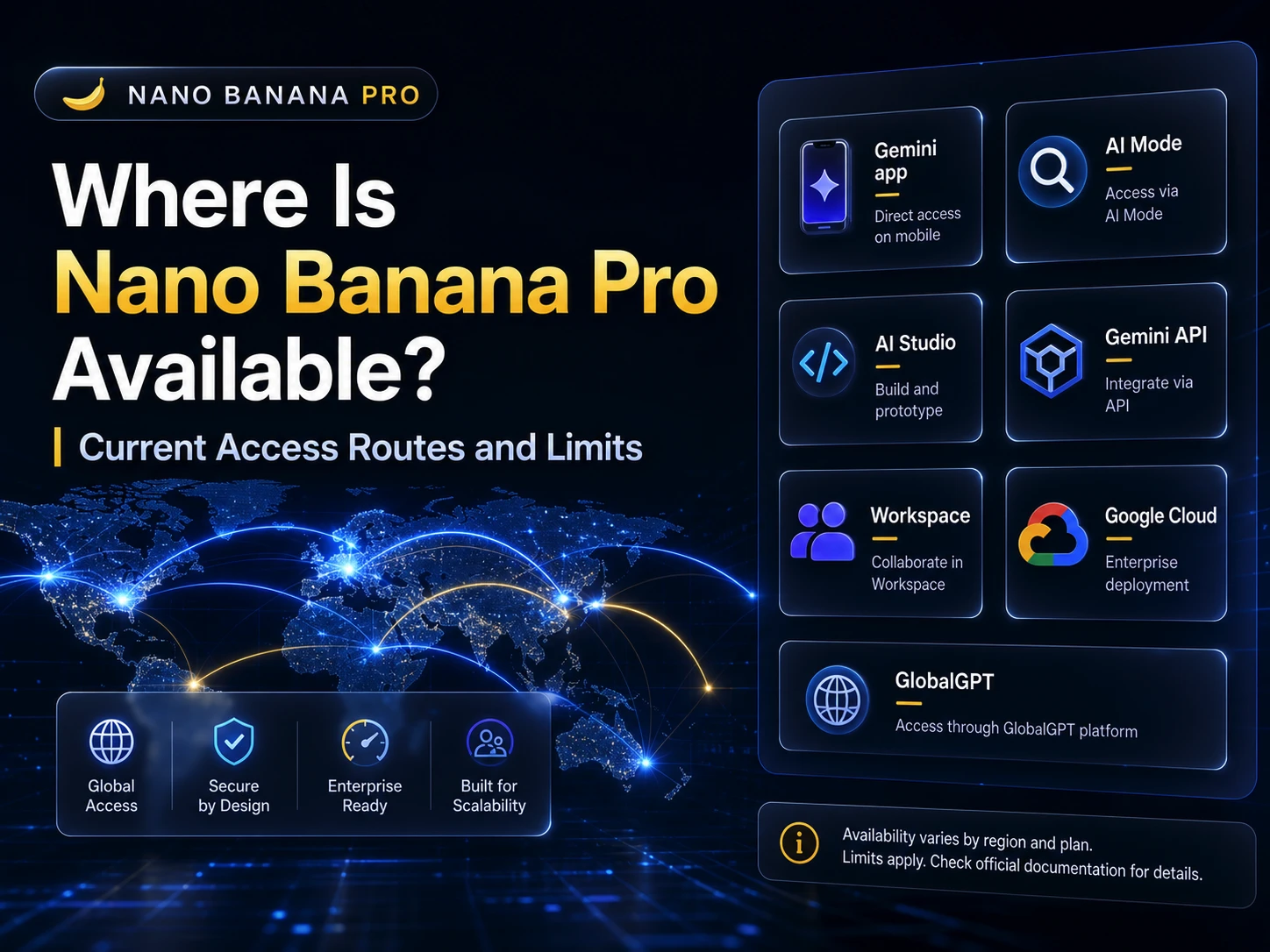
Nano Banana Pro is available through several Google products, but the exact route depends on what you are trying to do. Casual users may see it in the Gemini app. Search users may reach it through AI Mode. Developers use Gemini 3 Pro Image through Google AI Studio, the Gemini API, or Google Cloud. Workspace and NotebookLM users see different product-specific routes.
The confusing part is that “available” does not mean the same thing everywhere. A model can be available in Gemini but limited by quota, available in AI Mode but restricted by country and language, available through API but tied to billing, or available in an enterprise product that needs admin setup.
If your goal is official Google access, start with Gemini, AI Mode, AI Studio, or Google Cloud. If your real problem is switching between too many AI tools, GlobalGPT can sit beside those official routes as a multi-model workspace for daily chat, search, image, and video work. It should not be treated as Google’s official API or as model-specific no-limit access.

Quick Answer
The simple point is this: Nano Banana Pro is broadly available through Google products, but every access path has its own limits. The Gemini app is the easiest consumer route, AI Mode has country and account requirements, AI Studio and the Gemini API are the developer route, and Google Cloud is the enterprise route. After Nano Banana 2, some Gemini app users may see Nano Banana 2 as the default instead of Nano Banana Pro.
| Access route | Who it fits | Availability note |
|---|---|---|
| Gemini app | Most casual image-generation users | Available globally in Gemini app surfaces, with free-tier limits and higher quotas for paid Google AI plans. |
| AI Mode in Search | Search users making diagrams, infographics, or grounded images | Available in English for eligible users; country, age, and Google AI plan rules apply. |
| NotebookLM, Workspace, Flow, Mixboard | Students, teams, filmmakers, and presentation workflows | Available inside specific Google products, not as one universal standalone app. |
| Google AI Studio / Gemini API | Developers and automation workflows | Use the `gemini-3-pro-image` model route, with billing, model limits, and API terms. |
| Vertex AI / Gemini Enterprise | Business, cloud, and governed production workflows | Requires Google Cloud setup, billing, and enterprise configuration. |
| GlobalGPT | Users who want a bundled multi-model workspace | Useful for reducing tool switching; check the live model list and plan terms before relying on one specific model. |
What Changed in 2026?
Google’s February 26, 2026 announcement says Nano Banana 2 replaces Nano Banana Pro across Gemini app Fast, Thinking, and Pro modes. It also says Google AI Pro and Ultra subscribers keep access to Nano Banana Pro for specialized tasks through the image regeneration menu.
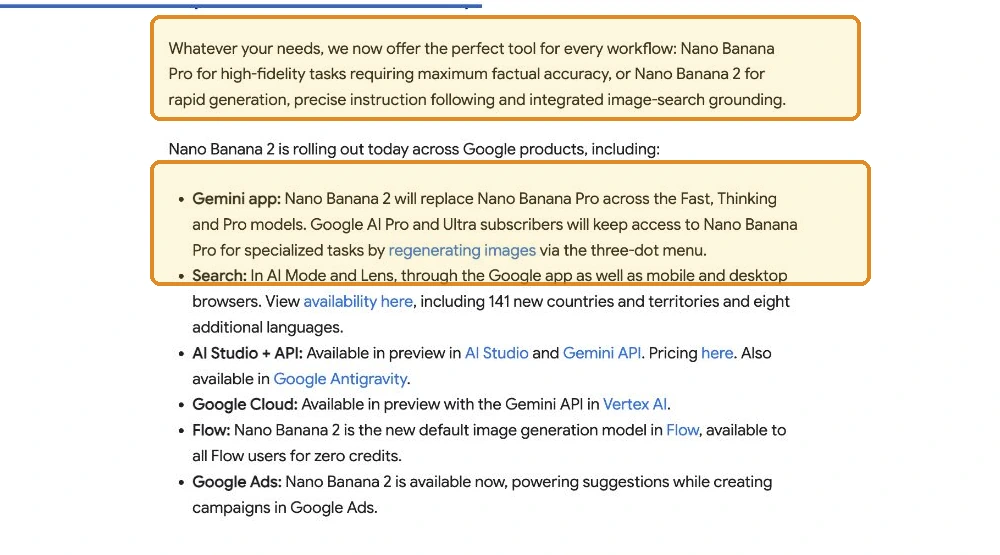
This is why the old “Pro is available everywhere” framing no longer works. Google offers a family of image routes, and the model shown by default can differ from the one you want. If you are deciding whether the faster replacement suits your work, see what Nano Banana 2 is best at.
Where Is Nano Banana Pro Available?
Nano Banana Pro is officially available through three main access paths:
- Gemini Pro / Gemini Ultra Subscription (Official Route)
Users can upgrade inside the Gemini app to unlock Nano Banana Pro. However, this requires a paid Google subscription, available only in supported countries.

- Google AI Studio & Vertex AI API
Developers can generate images through Google’s cloud ecosystem, billed per usage.
This option is ideal for engineering teams, not everyday creators.

- The Easiest Option: Use Nano Banana Pro on GlobalGPT
This is the most accessible path for most users.
GlobalGPT has fully integrated Nano Banana Pro into its all-in-one AI workspace — meaning:
- No Gemini subscription required
- No API setup or billing keys
- No regional Play Store limitations
- Use Nano Banana Pro instantly alongside 100+ top AI models
- Image editing + multi-file workflows in one place
- Free trial available + Black Friday 50% OFF Unlimited Plan
For many creators, marketers, designers, and students, GlobalGPT is the fastest and cheapest way to start using Nano Banana Pro today.

Is Nano Banana Pro Available Worldwide?
Official Gemini access is limited by region, age, and payment method. But GlobalGPT significantly increases accessibility, allowing users from more countries to use Nano Banana Pro even when the Gemini app isn’t locally supported.
In other words: If Gemini isn’t available in your country, GlobalGPT usually is.
Supported Languages for Gemini & Nano Banana Pro
According to Google’s latest documentation, Gemini and Nano Banana Pro now support a wide and expanding list of languages across the Google app, Gemini mobile app, and Gemini Assistant.
If your device’s system language is set to one of the supported options, the system will automatically enable Gemini features in that language. To select a supported language, tap your profile photo or account name initial in the Gemini mobile app, then tap Settings > Language and choose a language.
Here are the currently supported languages:

FAQs (Updated for 2026)
Is Nano Banana Pro available worldwide?
Nano Banana Pro is broadly available through the Gemini app, but not every route is worldwide in the same way. AI Mode has country, language, age, and plan requirements. API and enterprise access follow developer and Google Cloud rules.
Where can I use Nano Banana Pro?
You can use Nano Banana Pro through Google products such as the Gemini app, AI Mode, NotebookLM, Workspace tools, Flow, Mixboard, Google AI Studio, the Gemini API, and Google Cloud enterprise routes. Some products expose it directly; others use it inside a specific workflow.
Why do I see Nano Banana 2 instead of Nano Banana Pro?
Google says Nano Banana 2 replaces Nano Banana Pro across Gemini app Fast, Thinking, and Pro models. Google AI Pro and Ultra users can still access Nano Banana Pro for specialized tasks by regenerating images through the three-dot menu.
Do I need Google AI Pro or Ultra?
You do not always need a paid plan to try image generation, but paid Google AI plans provide higher usage limits and access to more features. For heavier image work, Pro or Ultra is more practical than relying on a free-tier quota.
Is Nano Banana Pro available in AI Mode in my country?
AI Mode Nano Banana Pro access depends on supported countries and territories, English-language access, age eligibility, and Google AI plan status. Check Google’s AI Mode help page for the live country list before assuming access.
Can I use Nano Banana Pro through the API?
Yes. Developers should use the Gemini 3 Pro Image route in Google AI Studio, the Gemini API, or Google Cloud, depending on the product. The model code shown in Google’s developer docs is gemini-3-pro-image.
Is GlobalGPT the official Google route for Nano Banana Pro?
No. GlobalGPT should be described as a multi-model AI workspace, not Google’s official API or account system. It can be useful for daily work across several AI models, but users should check the live model list and plan terms before relying on one specific model.



