A strong Nano Banana prompt does three things: it names the result you want, gives the model enough visual direction to build it, and states what must stay unchanged. For a new image, describe the subject, action, setting, composition, and style. For an edit, lead with the operation, identify the exact target, describe the replacement, and protect everything else.
The practical difference is simple. Image generation rewards clear creative direction. Image editing rewards boundaries. If a result is close, refine it with a follow-up instruction instead of restarting with a much longer prompt.
GlobalGPT gives you direct access to Nano Banana, Nano Banana Pro, and Nano Banana 2 alongside other image and language models in one workspace. That makes it useful when a project moves from prompt planning to image creation, editing, copywriting, and final review.

Quick answer
- New image: subject + action + setting + composition + style + lighting + essential details.
- Image edit: operation + exact target + requested change + protected elements + realism constraints.
- When the result is close: correct one defect with a follow-up prompt instead of starting over.
- For text or complex layouts: use a more capable model and supply the exact approved wording.
What Is Nano Banana?
Nano Banana is the popular name for Google’s Gemini image-generation and image-editing family. It can create a new image from text, transform an uploaded image with natural-language instructions, combine references, render text, and support iterative edits.
The name now covers more than one model. Google’s March 2026 prompting guide focuses on Nano Banana 2 and Nano Banana Pro, while the original Nano Banana remains useful for fast everyday work. That is why a good prompt guide needs to explain both the task and the model choice.
Google recommends being specific, using positive framing, controlling the camera with photographic terms, and refining an image conversationally. It also recommends starting with a strong verb that tells the model what operation to perform.
Nano Banana vs Nano Banana Pro vs Nano Banana 2
Choose the model by the cost of a mistake, not by which name sounds newest. A quick social draft and a product poster with exact typography need different levels of control.
| Model | Best fit | Prompt detail | Use it when |
|---|---|---|---|
| Nano Banana | Fast drafts and simple edits | Short and direct | You need a quick concept, background change, or everyday image variation. |
| Nano Banana Pro | Polished assets, complex layouts, and typography | Detailed creative brief | Text accuracy, brand presentation, or multi-element control matters. |
| Nano Banana 2 | Fast iteration with newer generation and editing controls | Medium to detailed | You want rapid variations, current-information workflows, or efficient creative exploration. |
The model names and access options can change over time. Check the model label shown in your workspace before documenting a production workflow. For a deeper decision, see the Nano Banana 2 vs Nano Banana Pro comparison.
Nano Banana 2 vs Pro: verified capability matrix
Current Google Cloud model facts that affect prompt and output choices
Source: Google Cloud, “The ultimate Nano Banana prompting guide”, checked July 28, 2026.
Both models cover the core image workflow. Nano Banana 2 adds useful small-output and extreme-ratio options for fast iteration, while Pro remains the better starting point when a complex commercial asset needs tighter creative direction.
The Nano Banana Prompt Formula
For a new image
Formula: Subject + action + setting + composition + style + lighting + important details.
Create a realistic editorial portrait of a ceramic artist shaping a bowl at a wooden workbench in a sunlit studio. Use a medium shot at eye level, natural window light from the left, warm neutral colors, visible clay texture, and a quiet documentary mood.
Not every prompt needs every component. Start with the details that affect the decision you care about. If framing matters, specify the shot and subject position. If the material must look believable, describe texture and lighting. If the image will hold website copy, request clean negative space in a specific area.
For an image edit
Formula: Operation + target + requested change + preserved elements + realism constraints.
Replace only the background with a bright modern kitchen. Keep the person’s face, hairstyle, expression, pose, clothing, body proportions, and camera angle unchanged. Match the original direction of light and preserve natural edge detail around the hair.
The preservation clause is the most important difference. “Change the shirt” leaves the model free to reinterpret the whole image. “Change only the shirt; keep the face, pose, lighting, and background unchanged” defines a much narrower job.
Five prompt frameworks, matched to the job
Start with the operation on the left, then build the prompt from the verified framework on the right.
Source: Google Cloud, “The ultimate Nano Banana prompting guide”, checked July 28, 2026.
The useful takeaway is not to force one universal formula onto every task. A generation prompt describes a scene; an edit prompt protects existing content; a text prompt treats wording and typography as required data.

Best Nano Banana Prompts for Image Generation
Use these as working templates. Replace every bracketed field and remove instructions that do not affect your image.
Product photography
Create a realistic studio product photograph of [product] on [surface]. Use a [camera angle] view, [lighting setup], and [brand mood] color palette. Keep the product shape, label placement, and material finish accurate. Add natural contact shadows and realistic reflections. Use a [aspect ratio] composition with clean negative space on the [left/right].
If product accuracy matters, upload reference images and describe which image controls shape, label, color, and packaging. For more examples, use this realistic product-image workflow.
Portrait
Create a realistic portrait of [person description] in [setting]. Use a [close-up/medium/full-body] composition, [lens look], and [lighting]. Keep natural skin texture, believable hands, and an authentic expression. The background should support the subject without competing for attention.
Social media creative
Create a [1:1/4:5/9:16] social image for [platform] about [topic]. Place [main subject] in the [position]. Use [color palette], strong contrast, and a clear visual hierarchy. Leave clean space for the headline “[exact short headline].” Keep all text large, legible, and limited to the supplied words.
Interior design
Create a realistic [room type] in a [design style]. Use [materials], [color palette], and [time-of-day lighting]. Show a wide-angle view from [camera position]. Keep the room functional: preserve clear walking paths, realistic furniture scale, and consistent window and shadow directions.
Character concept
Create a character concept sheet for [character]. Show one full-body hero pose and three smaller views of [front/profile/back]. Use [art style], a consistent outfit, repeated accessories, and a clear color palette. Keep facial features, proportions, and costume details consistent across every view.
Infographic
Create a clean editorial infographic explaining [topic] in [number] steps. Use one short heading per step, simple icons, high contrast, and a logical top-to-bottom reading order. Render only this text: “[paste final approved wording].” Do not add extra labels or decorative words.
Best Nano Banana Prompts for Image Editing
Replace a background
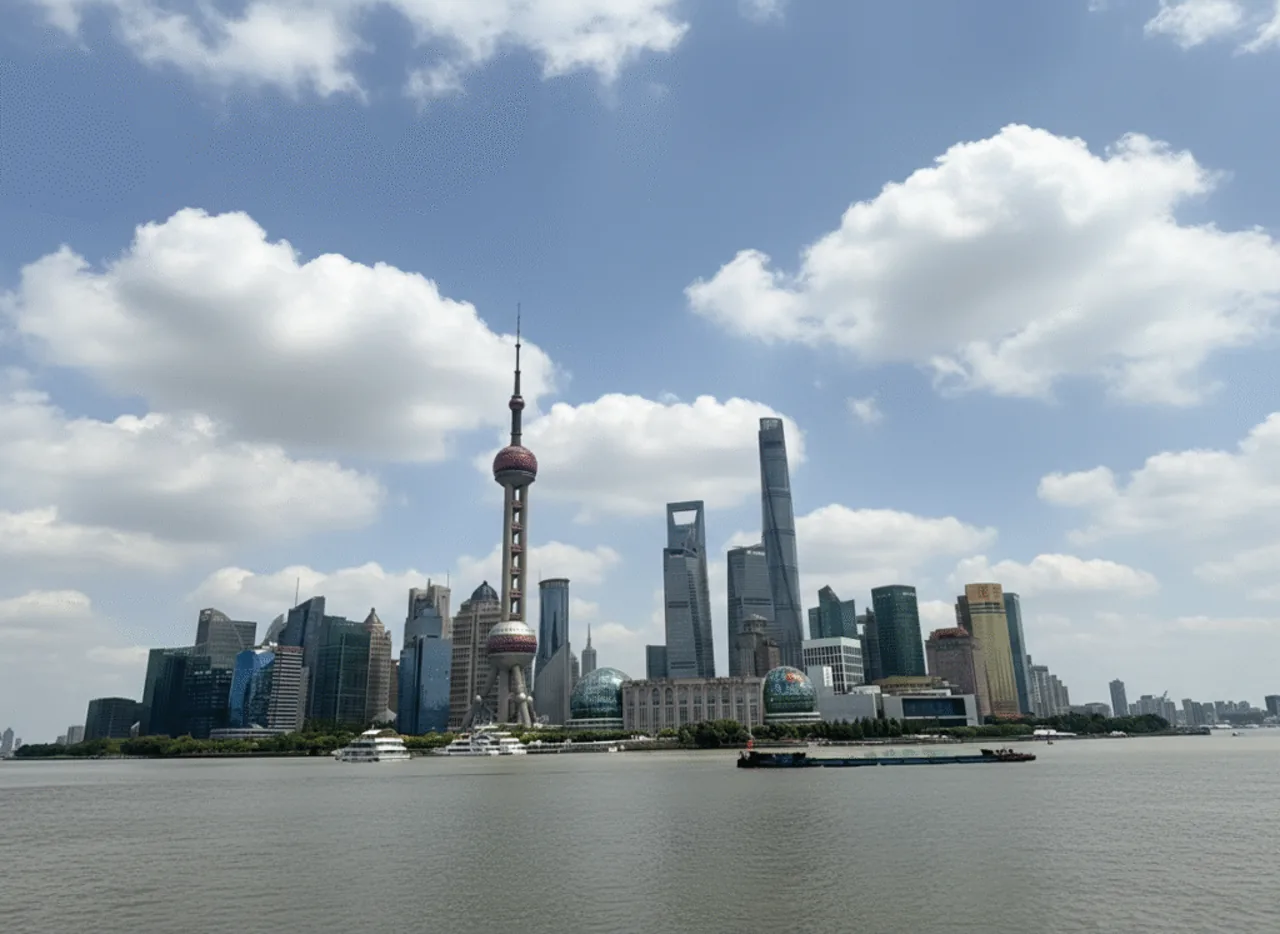
Replace only the background with [new background]. Keep the main subject, pose, clothing, facial features, camera angle, and crop unchanged. Match the original perspective, depth of field, light direction, and color temperature. Preserve clean edges around hair and transparent objects.
Change clothing without changing the face
Change only the subject’s [current clothing] to [new outfit]. Keep the face, hairstyle, expression, skin tone, body shape, pose, hands, background, and camera framing unchanged. Make the new fabric follow the existing body position and lighting, with realistic folds and shadows.

Remove an object
Remove [object] from [exact location]. Reconstruct the hidden background using the surrounding texture, pattern, perspective, and lighting. Do not move or alter [protected subjects]. Keep the original dimensions and crop.
Edit one person in a group
Change only the clothing of the person [clear positional description] from [current item] to [new item]. Keep every face, expression, pose, body position, and all other people unchanged. Preserve the original background, crop, and lighting.

Change lighting
Keep all people, objects, colors, and composition unchanged. Change the lighting to [soft morning window light/golden-hour backlight/three-point studio light]. Preserve realistic shadows, skin tones, material textures, and highlight detail.
Apply a visual style
Transform the image into [specific visual style]. Keep the subject identity, pose, composition, and recognizable design details unchanged. Translate the textures, edges, and color treatment into the new style while preserving a clear focal point.
How to Use Reference Images and Keep Subjects Consistent
A reference image is most useful when you assign it a job. Instead of saying “use these images,” explain what each reference controls.
Use image 1 as the identity reference for the person’s face and hairstyle. Use image 2 as the wardrobe reference. Use image 3 only for the lighting and color mood. Create a medium-full portrait in a hotel lobby. Preserve the person’s identity and body proportions from image 1; do not copy the people or background from images 2 or 3.
For a consistent character across several scenes, lock the stable details first: face, hairstyle, approximate age, body proportions, signature clothing, and a small set of accessories. Change one large variable at a time. The consistent-character guide goes deeper into that workflow.
Prompts for Text, Posters, and Localization
Google’s current guidance recommends putting required text in quotation marks and describing the typography. Keep the wording short, finalize it before image generation, and separate each line when the hierarchy matters.
Create a vertical event poster with a dark navy background and a single glowing orange circle. Render exactly three lines of text: “DESIGN AFTER DARK” in a bold white geometric sans-serif; “AUGUST 22” in condensed orange capitals; and “SHANGHAI” in small white lettering. Center the text, keep generous spacing, and do not add any other words, logos, or symbols.
For translated artwork, supply the approved translation instead of asking the image model to invent marketing copy. If the words are business-critical, check every character manually after generation. See the Nano Banana 2 text-rendering test for a focused evaluation.
How to Fix a Weak Nano Banana Result
Do not automatically replace a near-success with a completely new prompt. First identify the smallest visible defect, then issue one focused correction.
Name the defect: “The product is correct, but the label is warped.”
Protect the success: “Keep the bottle shape, camera angle, background, and lighting unchanged.”
Request one correction: “Replace only the front label with the exact supplied label.”
Check side effects: Compare identity, geometry, text, hands, edges, shadows, and crop.
Continue or restart: Continue when the composition is right. Restart when the basic scene or subject is wrong.
Keep the entire image unchanged except for [one target]. Correct [specific defect] by [specific action]. Preserve [identity/composition/text/background/lighting].
Common Nano Banana Prompt Mistakes
| Mistake | What happens | Better approach |
|---|---|---|
| Too many changes at once | Details are ignored or successful parts drift. | Split the edit into two or three rounds. |
| No preservation clause | Faces, products, poses, or backgrounds change unexpectedly. | List the elements that must remain unchanged. |
| Vague praise words | “Better,” “cool,” and “professional” produce unpredictable choices. | Specify composition, light, material, palette, and use case. |
| Negative-only instructions | The model knows what to avoid but not what to build. | Describe the desired positive state, then add essential constraints. |
| Unclear target in a busy image | The wrong person or object is edited. | Identify position, clothing, color, and nearby objects. |
| Too much text in one image | Typography becomes crowded or inaccurate. | Finalize short copy first and render only approved wording. |
A Practical Nano Banana Workflow in GlobalGPT
- Write a short creative brief: output, audience, format, and non-negotiable details.
- Select Nano Banana, Nano Banana Pro, or Nano Banana 2 based on the task.
- Generate the first composition with only the essential visual direction.
- Inspect identity, geometry, text, hands, edges, lighting, and crop.
- Use focused follow-up edits instead of restarting after every small problem.
- Move to a language model in the same workspace when you need headline options, translations, or a prompt critique.
- Export only after checking the final image at full size.
Open Nano Banana in GlobalGPT and start with one of the templates above.
Final Prompt Checklist
- Did you clearly name the subject or edit target?
- Did you describe the composition and intended format?
- Did you specify the important light, style, material, or text details?
- For an edit, did you state what must remain unchanged?
- Are the instructions compatible rather than contradictory?
- Could one complex request be split into smaller rounds?
- Have you checked the final image at full size?
The best Nano Banana prompt is not the longest one. It is the prompt that gives the model a clear job, enough visual context to perform it, and firm boundaries around the details you cannot afford to lose.
Frequently Asked Questions
How do I write a good Nano Banana prompt?
For a new image, describe the subject, action, setting, composition, style, lighting, and essential details. For an edit, name the operation and target, then state what must remain unchanged. Use a follow-up prompt for small corrections instead of rewriting the entire request.
How do I make Nano Banana keep the same face?
Use a clear reference image and protect identity-related details: face shape, expression, hairstyle, skin tone, age, and body proportions. Change only one major element at a time. No image model guarantees perfect identity preservation, so compare each result before continuing.
Can Nano Banana edit an existing photo?
Yes. It can change backgrounds, clothing, lighting, objects, colors, and visual style with natural-language instructions. Identify the exact target and add a preservation clause for the parts that should not change.
Is Nano Banana Pro better than Nano Banana?
Nano Banana Pro is the stronger fit for polished commercial assets, complex layouts, and text-heavy designs. The original Nano Banana remains useful for fast drafts and simple edits. Choose by task complexity rather than assuming one model is best for every image.
Why does Nano Banana ignore part of my prompt?
The prompt may be overloaded, contradictory, or unclear about priorities. Split the task into stages, replace vague adjectives with concrete visual instructions, and specify both the target change and the protected elements.
Can I use Nano Banana for product photos?
Yes. Use reference images for product shape, label, and materials; specify camera angle, surface, lighting, background, and crop; and protect brand-critical details. Review labels and geometry manually before publishing commercial images.
Does Nano Banana add a watermark?
Google states that images generated by its current Gemini image models include SynthID, and its current Cloud guidance also describes C2PA Content Credentials. Check the documentation for the exact model and access route you use because disclosure behavior and policies can change.