24 ready-to-use promptsResearch · Comparisons · ReportsEvidence-first workflow
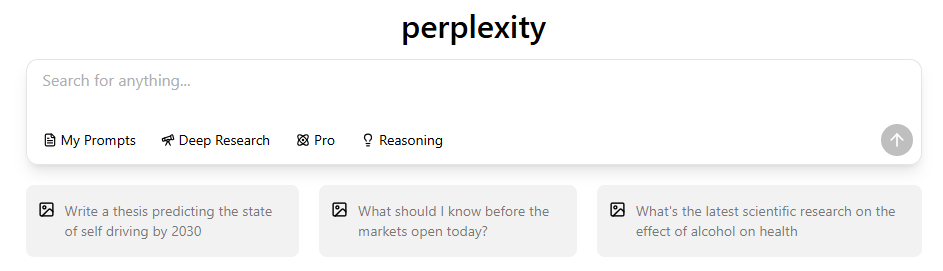
If you want better answers from Perplexity, the biggest improvement usually comes from giving it a better task definition. The best Perplexity prompts specify the question, scope, source preferences, time range, output format, and what to do when the evidence is incomplete.
Start with the master prompt, or choose one of the 24 templates for your task. Replace the bracketed fields with your topic, audience, dates, and source preferences before pasting a prompt into Perplexity. Treat requested counts as upper limits when evidence is limited; a shorter, supported answer is more useful than a padded list.
Master prompt
Research [TOPIC] for [AUDIENCE] in [REGION] using sources published or updated between [START DATE] and [END DATE]. Prioritize [OFFICIAL / ACADEMIC / GOVERNMENT / PRIMARY] sources. Return up to [NUMBER] supported findings in a [TABLE / NUMBERED LIST / BRIEF]. For each finding, include the source, publication date, and one sentence explaining the evidence. Separate verified facts from estimates and recommendations. Call out conflicting sources, near-matches, and anything you could not verify.
- What makes a Perplexity prompt work?
- A simple formula for writing better Perplexity prompts
- Best Perplexity prompts for research
- Best Perplexity prompts for comparisons
- Best Perplexity prompts for reports
- Academic and literature-review prompts
- Fact-checking and source-verification prompts
- Market and competitor research prompts
- Follow-up prompts that improve the first answer
- Common mistakes when writing Perplexity prompts
- How to check a Perplexity answer before using it
- PERGUNTAS FREQUENTES
- Conclusão
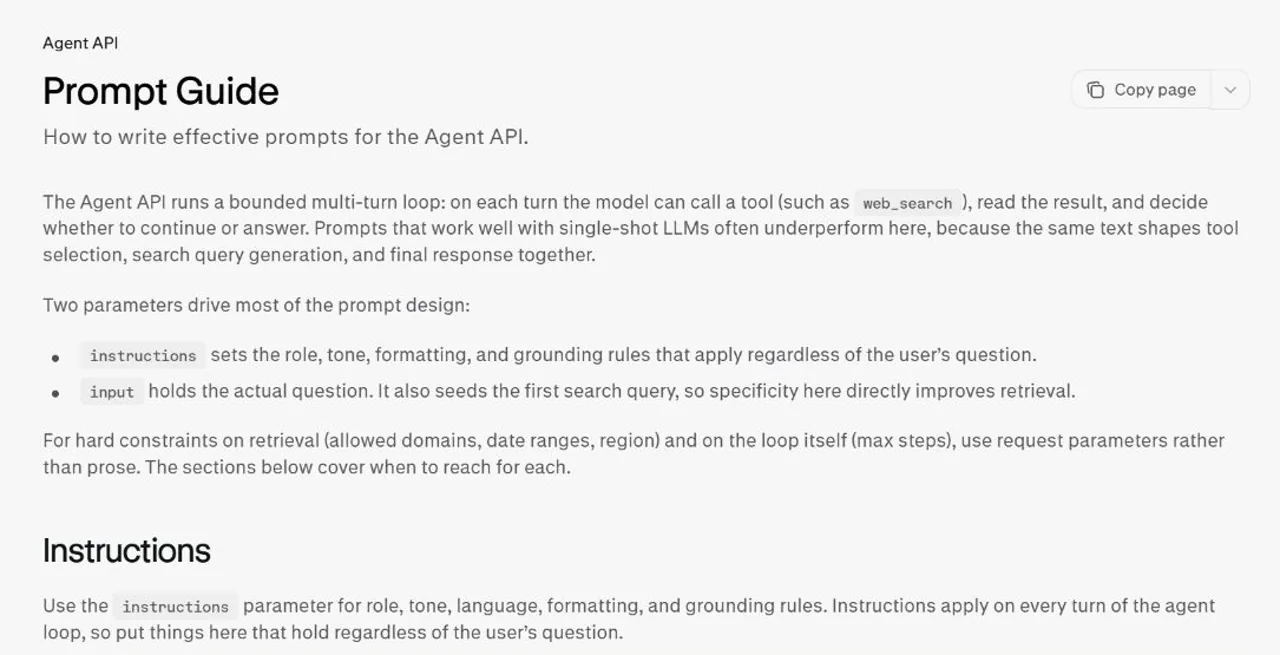
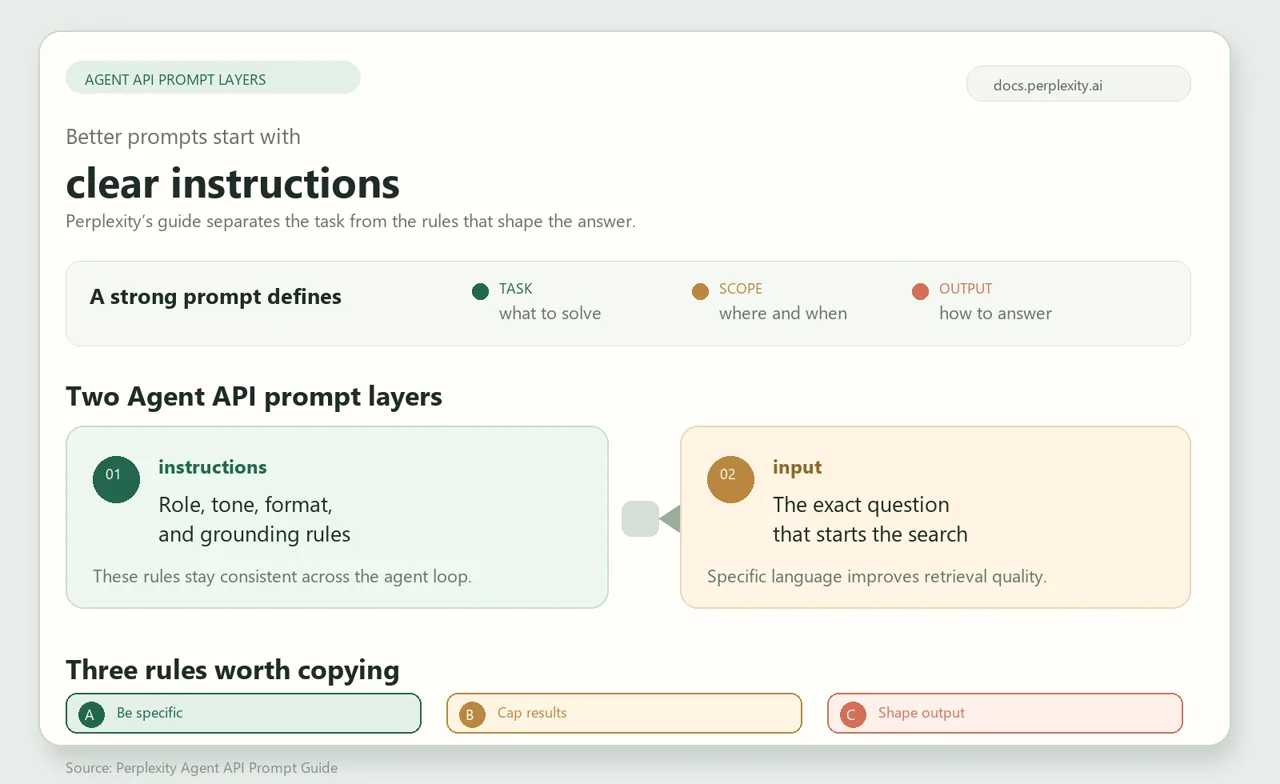
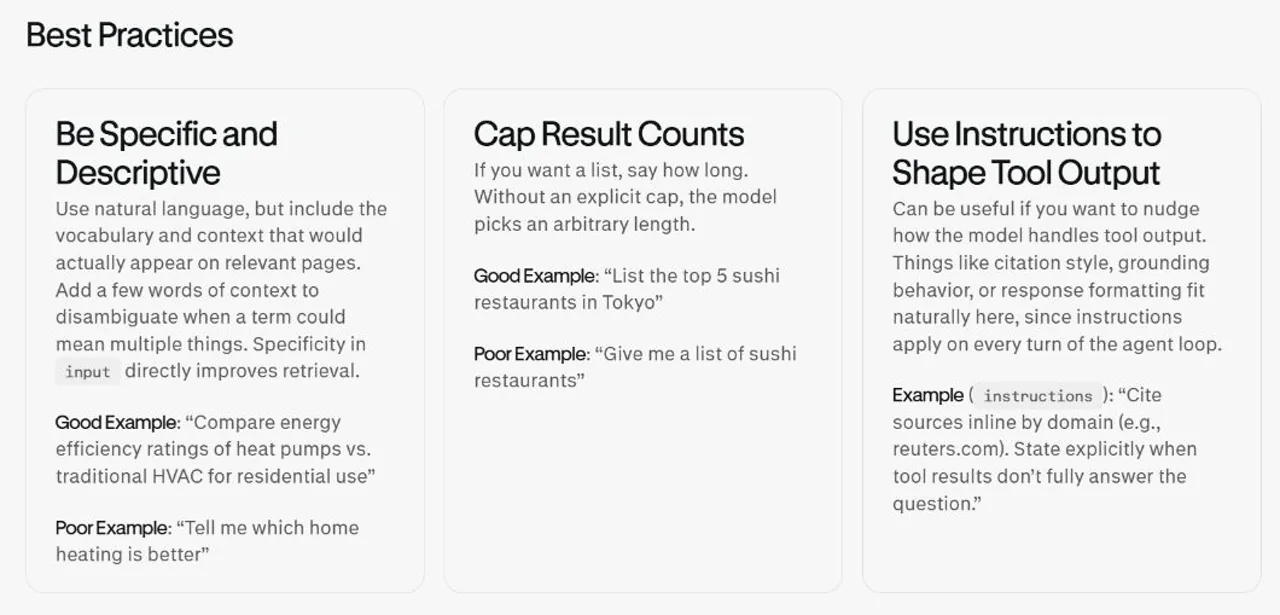
This structure adapts general prompting principles from Perplexity’s official Agent API Prompt Guide: be specific, cap result counts, shape the output, and allow the model to acknowledge insufficient evidence. The guide describes API behavior; its parameters are not controls you can enforce simply by typing them into the consumer chat interface.
What makes a Perplexity prompt work?
A useful prompt answers six questions before Perplexity begins searching:
- What is the task? Say whether you want research, a comparison, a summary, a timeline, or a decision brief.
- What is the scope? Add the audience, geography, version, industry, or date range that matters.
- Which sources matter? Name the source type or specific domains instead of saying only “reliable sources.”
- What should the answer look like? Set the number of results, table columns, word count, or section headings.
- How should uncertainty be handled? Ask for conflicts, missing evidence, outdated pages, and near-matches.
- What should happen next? Add a follow-up instruction so you can narrow, audit, or reformat the first answer.
A short prompt can be strong when these boundaries are clear. A long prompt can still fail when it mixes several unrelated tasks or asks for “everything” without a stopping point.
The prompt defines the task; your selected mode affects how Perplexity approaches it. Check the differences between Perplexity models and modes when choosing a workflow.
A simple formula for writing better Perplexity prompts
The first five questions become a reusable prompt formula; the sixth guides your follow-up after the first answer:
Task → Context → Evidence → Output → Verification
- Tarefa: “Compare two project-management tools.”
- Contexto: “For a 12-person remote marketing team in the United States.”
- Evidências: “Use current pricing pages, help documentation, and product announcements.”
- Saída: “Create a table with price, seats, automations, integrations, and major limits.”
- Verificação: “Mark any field that is unavailable or differs between official sources.”
Weak prompt: “Which project tool is best?”
Stronger prompt: “Compare [Tool A] and [Tool B] for a 12-person remote marketing team. Use the current official pricing and feature pages, plus release notes from the last 12 months. Return a table with monthly cost, annual cost, automation limits, integrations, permissions, and support. Cite each row, note regional or plan differences, and finish with the best choice for a team that values automation over the lowest price.”
RESEARCH WORKFLOWS
Best Perplexity prompts for research
Start with a brief for an overview, an update scan for recent changes, or an evidence table for checking claims. For the steps around the prompt itself, follow the workflow for utilização do Perplexity para pesquisa.
1. Deep research brief
Use-o para: building a reliable overview before writing or making a decision.
Create a research brief on [TOPIC] for [AUDIENCE]. Cover the definition, current state, major players, recent changes, key evidence, open questions, and practical implications. Search [DATE RANGE] and prioritize [SOURCE TYPES]. Return 7 sections with no more than 5 bullet points per section. Add inline citations, publication dates, and a final table of claims that remain uncertain or disputed.Replace: [TOPIC], [AUDIENCE], [DATE RANGE], and [SOURCE TYPES].
Follow-up: “Re-run the brief using only primary sources and show which conclusions changed.”
2. Recent developments and update scan
Use-o para: finding what changed after an older article, report, or briefing.
Find the most important developments about [TOPIC] from [START DATE] through [END DATE]. Compare the new evidence with the consensus or baseline from [EARLIER PERIOD]. Return a dated timeline, up to 5 confirmed changes, up to 3 unresolved questions, and a short note on what has not changed. Do not treat repeated coverage of one announcement as independent evidence.Follow-up: “Show only changes supported by a primary source or an official announcement.”
3. Research question breakdown
Use-o para: turning a broad idea into searchable sub-questions.
Break this broad question into up to 8 distinct, smaller research questions: “[BROAD QUESTION].” Group them into background, evidence, comparison, risks, and implications. For each question, explain what a good source would need to contain and suggest two search phrases. Remove overlapping questions and identify the one question that should be answered first.Follow-up: “Turn these questions into a research plan for a two-hour investigation.”
4. Evidence table builder
Use-o para: creating a source audit before drafting.
Build an evidence table for the claim set below: [PASTE CLAIMS]. Use current, directly relevant sources. Include columns for claim, source, source date, exact supporting passage or data point, evidence type, confidence, and unresolved limitation. If a source only discusses a related claim, label it as a near-match instead of using it as direct proof.Follow-up: “Remove every row without direct support and list those claims separately.”
5. Topic explainer for a non-expert
Use-o para: preparing a client, student, or team briefing.
Explain [TOPIC] to a reader who understands [RELATED CONCEPT] but not the specialist terminology. Start with a 100-word answer, then define five essential terms, give one concrete example, explain two common misconceptions, and list three limitations. Use current sources and cite any number, date, or technical claim.Follow-up: “Rewrite this as a one-page briefing for an executive who has two minutes to read it.”
COMPARISON WORKFLOWS
Best Perplexity prompts for comparisons
For comparisons, define the same fields for every option. Otherwise, the answer may describe one product in detail and another only through marketing language.
6. Product or tool comparison
Compare [OPTION A], [OPTION B], and [OPTION C] for [USER TYPE]. Use the same criteria for each: [CRITERIA]. Check official product, pricing, and help pages first, then use reputable independent sources for user experience. Return a table, a short explanation of meaningful differences, and a recommendation for three user profiles. Mark unavailable, regional, and plan-specific fields clearly.Follow-up: “Mark features that cannot be verified on an official page as unverified, and keep those rows visible.”
7. Feature-by-feature comparison
Compare the following features in [PRODUCT A] and [PRODUCT B]: [FEATURE LIST]. Limit the comparison to [VERSION / PLAN / REGION] as of [DATE]. For each feature, state supported, unsupported, limited, or unclear. Add one source per row and explain any terminology difference between the products.Follow-up: “Check the two official help centers again for every row marked unclear.”
8. Price and value comparison
Compare the total cost of [OPTIONS] for [USE CASE]. Separate consumer subscriptions, business plans, API charges, taxes, and regional pricing. Use current official prices. Calculate monthly and annual totals from the stated inputs, show the formula in plain language, and label estimates separately from official checkout prices. Calculate a break-even point only if the pricing structures and usage inputs support one; otherwise explain why there is no meaningful break-even point.Follow-up: “Recalculate for [DIFFERENT SEATS / USAGE / BILLING PERIOD] and show only changed cells.”
9. Decision matrix
Create a weighted decision matrix for [OPTIONS]. Score each option from 1 to 5 on [CRITERIA], using these weights: [WEIGHTS]. Explain the evidence behind every score, show the weighted total, and run a sensitivity check that doubles the weight of the most important criterion and then renormalizes all weights to total 100%. Finish with the condition under which the second-place option would become the better choice.Follow-up: “Replace subjective scores with a factual yes/no threshold wherever possible.”
10. Competitor comparison with source audit
Compare [COMPANY A] and [COMPANY B] in [MARKET]. Review official product pages, pricing, documentation, recent announcements, financial filings where available, and independent reporting from [DATE RANGE]. Separate direct facts, company claims, analyst interpretation, and your own inference. Include a source-quality column and a list of contradictions that need human review.Follow-up: “Create a version using only documents published in the last 12 months.”
REPORTING WORKFLOWS
Best Perplexity prompts for reports
Use these templates when you need a deliverable for a specific audience. Gather evidence first, then ask for a summary, report, or briefing with a clear structure. A report prompt organizes the evidence; it does not remove the need to check it.
11. Executive summary
Write an executive summary of [TOPIC] for [AUDIENCE]. Use these notes: [PASTE NOTES OR STATE NONE PROVIDED], together with current public sources. Return: up to 5 key findings, up to 3 business risks, up to 3 opportunities, up to 3 recommended actions, and one sentence describing the biggest uncertainty. Keep the summary under [WORD COUNT] words. Cite the evidence for every material claim and separate facts from recommendations.12. Market research report
Prepare a market research report on [MARKET] in [REGION]. Cover market definition, demand signals, customer segments, major competitors, distribution channels, regulations, risks, and open opportunities. Use sources from [DATE RANGE]. Distinguish reported data, calculated estimates, forecasts, and assumptions. Include a methodology note and a table of evidence dates.13. Competitive intelligence report
Create a competitive intelligence report on [COMPANY / CATEGORY] for the last [TIME PERIOD]. Track product launches, pricing changes, positioning, partnerships, hiring or investment signals, and customer-facing claims. Use primary sources whenever possible. Return a timeline, competitor table, implications for [OUR BUSINESS], and an information-gap list. Do not infer an event from silence.14. News synthesis
Synthesize the most significant reporting about [EVENT / TOPIC] between [DATES]. Group coverage by confirmed facts, competing interpretations, direct quotes, and unresolved questions. Identify the earliest available source for each major fact and collapse syndicated copies into one source cluster. Finish with a 150-word neutral summary and a list of claims that still need confirmation.15. Board or client briefing
Create a board-ready briefing on [DECISION]. The reader has [TIME] minutes. Start with a 120-word recommendation, then provide the decision context, options, evidence, financial or operational impact, risks, and next steps. Use plain language, state assumptions, cite key figures, and flag every conclusion that depends on incomplete information.Academic and literature-review prompts
Use these as starting points for finding and comparing papers. Verify bibliographic details and check the full text before drawing conclusions about methods, limitations, or research gaps.
16. Literature review starter
Find and organize research on [RESEARCH QUESTION] published between [DATES]. Prioritize peer-reviewed papers and authoritative academic databases. Group the literature into [THEMES]. For each theme, summarize the central finding, methods, sample or dataset, limitation, and disagreement. Provide formal citation details and do not present an absence of search results as proof that no research exists.17. Research gap finder
Analyze the literature on [TOPIC] and identify potential research gaps. Compare the questions, methods, populations, datasets, and limitations across the strongest sources. Separate genuine gaps from topics that are simply difficult to search. For each proposed gap, list the supporting papers, counter-evidence, and a testable next research question.18. Paper comparison table
Compare these papers: [PAPER TITLES OR LINKS]. Use the same columns for every paper: research question, method, sample, data, main finding, limitation, and relevance to [PROJECT]. If a field cannot be verified from the paper or an authoritative abstract, mark it as unavailable. End with the most important methodological difference.Fact-checking and source-verification prompts
Use these prompts to test claims and inspect their supporting sources. The guide to Perplexity citation accuracy explains why a citation still needs to be checked against the sentence it accompanies.
19. Claim verification
Verify this claim: “[CLAIM].” Consider the original context and publication date. Search for primary documents, official data, direct transcripts, and reputable fact-checking sources. Classify the claim as supported, contradicted, misleading, or insufficient evidence. Quote the most relevant evidence, explain what the evidence does not prove, and list any version, region, or date mismatch.20. Source quality audit
Audit the sources in this draft: [PASTE DRAFT OR SOURCE LIST]. For every major claim, check whether the source is primary, current, directly relevant, and independent. Flag copied reporting, outdated pages, anonymous claims, and citations that do not support the sentence they follow. Return a claim-to-source table and a replacement-source plan.21. Citation cleanup
Review the citations in this answer: [PASTE ANSWER]. Match each major claim to the closest available source. Move citations when they support a different sentence, split claims that need different sources, and label conclusions that are inference. Return a corrected outline with citation placement and a short list of unsupported claims.Market and competitor research prompts
The report templates above assemble a complete deliverable. These prompts answer narrower questions first: what a market looks like, who uses a product, and which opportunities deserve further investigation.
22. Industry snapshot
Create a current industry snapshot for [INDUSTRY] in [REGION]. Include market definition, demand signals, leading companies, customer segments, major cost drivers, regulation, and the five most important recent developments. Use sources from [DATE RANGE]. Separate hard data, company claims, analyst estimates, and your interpretation.23. Customer and use-case mapping
Map the public evidence for who uses [PRODUCT / CATEGORY] and why. Group use cases by customer type, job to be done, pain point, buying trigger, and desired outcome. Cite customer research, product documentation, case studies, and credible reporting. Put observed evidence and inferred patterns in separate columns.24. Opportunity scan
Scan [MARKET] for plausible opportunities for [BUSINESS TYPE]. Look for unmet needs, repeated complaints, underserved segments, workflow gaps, and changes in regulation or technology. Rank up to 5 opportunities by evidence strength, competition, execution difficulty, and testability. For each one, propose a low-cost validation step and state what evidence is still missing.Follow-up prompts that improve the first answer
The first answer should be treated as a research pass, not the final source of truth. These follow-ups make the result more usable:
- “Shorten this to 200 words without removing any qualified uncertainty.”
- “Show only claims supported by primary sources.”
- “List every conflicting source and explain why they disagree.”
- “Turn the findings into a table with source date and confidence.”
- “Separate facts, estimates, interpretations, and recommendations.”
- “What did you fail to verify?”
- “Search again using different terminology and compare the new results.”
- “Check whether the cited page actually supports the sentence next to it.”
- “Limit the answer to the selected region and version.”
- “Write the missing questions I should answer before making a decision.”
Common mistakes when writing Perplexity prompts
“Research this for me” is too broad. Add the audience, time range, geography, and output.
“Use reliable sources” is too vague. Say whether you want official documents, peer-reviewed papers, government data, company filings, or independent reporting.
“Find the latest information” has no stopping point. Add a cutoff date or a specific period.
A list without a count creates arbitrary output. Ask for five findings, eight sources, or three options.
Citations do not automatically prove a sentence. Open the cited page and check whether it supports the exact claim, version, date, and region.
One giant prompt often creates a messy answer. Break research into passes: discovery, comparison, source audit, then synthesis.
A near-match is not a direct answer. If the result is about a different year, company, product tier, or country, make Perplexity label the mismatch.
How to check a Perplexity answer before using it
Before you paste an answer into a report, article, or decision memo, run this checklist:
- Does the answer directly address the original question?
- Does every important number, date, and product claim have a matching source?
- Do the source date, geography, version, and plan match the question?
- Are conflicting sources and evidence gaps visible?
- Did Perplexity confuse a company claim with an independent fact?
- Are several citations just copies of the same announcement?
- Can you open the cited page and find the supporting passage?
- Does the output follow the requested length, table columns, or audience?
- Would a second search using different terms materially change the conclusion?
- Which claims require human review before publication?
For high-stakes work, save the source URLs, access date, and the exact prompt used. That makes the research easier to reproduce and update.
PERGUNTAS FREQUENTES
What is the best prompt for Perplexity?
The best prompt clearly states the task, scope, source preferences, output format, result count, and verification rules. Start with the master prompt in this guide and replace the bracketed variables with a specific question.
How do I write a Perplexity prompt for research?
Define the research question, audience, geography, date range, preferred source types, and expected output. Ask Perplexity to separate facts from estimates and to identify conflicts or missing evidence.
Can Perplexity compare products accurately?
It can organize a comparison, but accuracy depends on the fields, versions, regions, and sources you specify. Use the same criteria for every option and verify important claims on the relevant official pages.
How should I ask Perplexity for citations?
Ask for inline citations, the source date, and a claim-to-source relationship. For important claims, also ask whether the cited page directly supports the sentence or only provides related context.
What should I do when Perplexity cannot verify a claim?
Keep the uncertainty visible. Ask it to try alternative search terms, look for primary sources, list near-matches, and label the result as insufficient evidence when the claim still cannot be verified.
How long should a Perplexity prompt be?
There is no ideal word count. It should be long enough to define the task and constraints, but short enough that the main question remains obvious. Split a complex investigation into several focused prompts.
Should I use one long prompt or several follow-up prompts?
Use one prompt for the first research pass, then use focused follow-ups for source audits, comparisons, formatting, and unanswered questions. This usually makes it easier to see where a conclusion came from.
Conclusão
The best Perplexity prompts are structured research instructions. They make the task specific, set a source boundary, request a useful output, and tell the model how to expose uncertainty. Start with the master prompt, choose the closest template for your task, and use follow-up prompts to audit the answer before you rely on it.
Se você ainda não está familiarizado com a interface, o Guia para iniciantes do Perplexity covers the basic workflow before you try a longer research task.