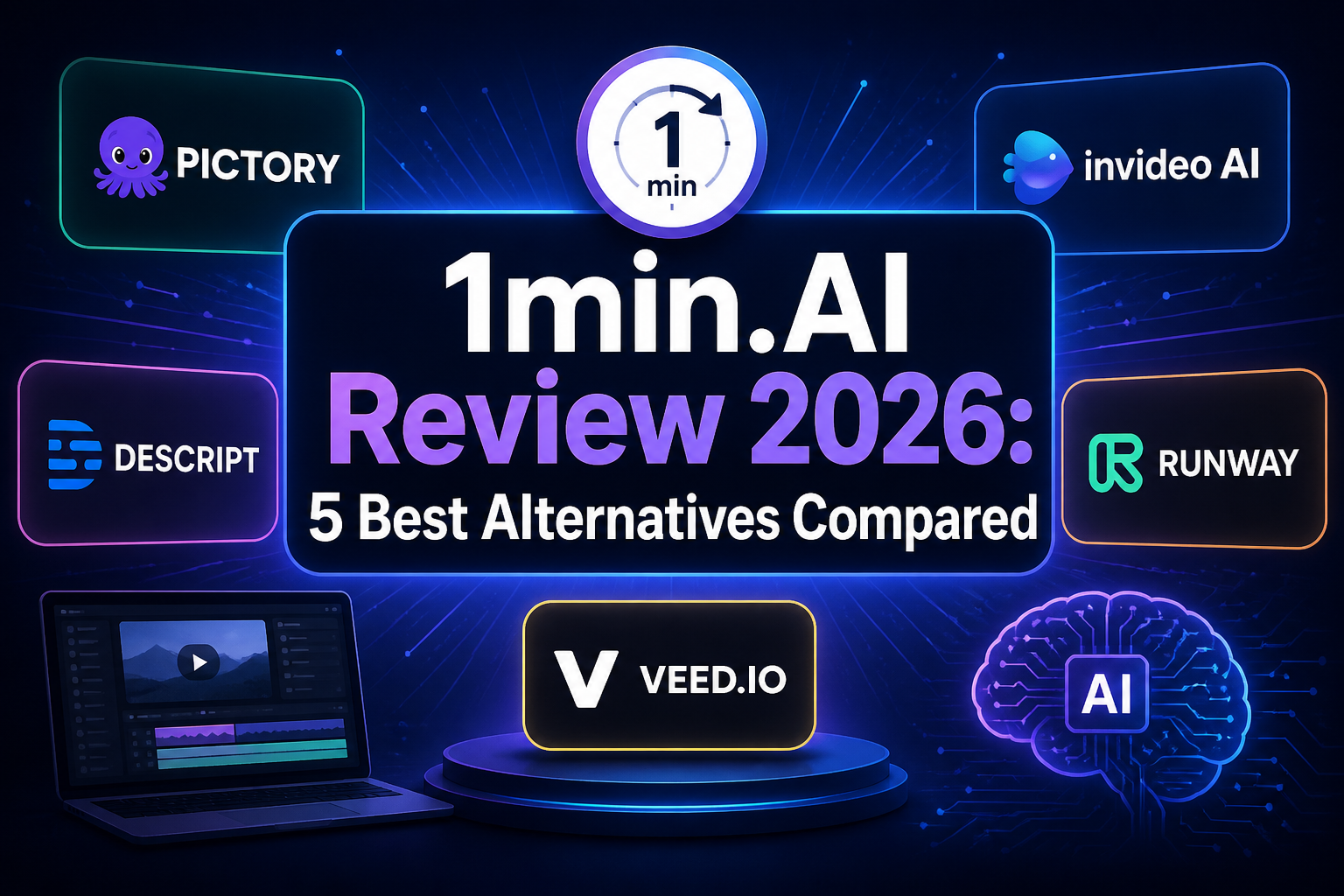
1min.AI fa una promessa allettante: riunire in un unico account strumenti di scrittura, immagini, audio e video basati sull’intelligenza artificiale, lasciando poi che sia un sistema di crediti condivisi a gestire l’utilizzo. È una soluzione comoda, ma solleva anche la domanda che alla fine la maggior parte degli acquirenti si pone: Vale la pena pagare per 1min.AI, o forse un'altra piattaforma AI "tutto in uno" sarebbe più adatta alle tue esigenze?
Questa recensione di 1min.AI analizza l'idea alla base del prodotto, i compromessi legati ai crediti e gli aspetti da verificare prima di acquistare un abbonamento o un'offerta a vita. La seconda parte mette a confronto cinque alternative a 1min.AI, a partire da GLBGPT, pensata per chi desidera un ampio accesso a modelli di testo, immagini e video in un'unica piattaforma.
Nota sulle prove: La presente recensione è stata verificata sulla base delle informazioni sul prodotto disponibili al pubblico in data 1° settembre 2026. Non costituisce un test indipendente sulla qualità del servizio già completato. I piani, i modelli e i costi di credito possono subire variazioni; si raccomanda pertanto di verificare le condizioni effettive al momento del pagamento prima di procedere.
Risposta rapida: 1min.AI può essere una scelta sensata se desideri un unico account semplice per lavori occasionali su diversi formati di IA e non hai problemi a tenere traccia dei crediti. Il 1° settembre 2026, il suo negozio ufficiale offriva un accesso a vita con codici compresi tra $39 e $99. Risulta invece meno convincente quando si necessita di un utilizzo intensivo e prevedibile, di un modello specifico, di controlli più rigorosi da parte del team o di un modo più chiaro per confrontare il costo effettivo di ciascuna generazione. Per un ampio accesso multimodello che copra attività di chat e creative, GLBGPT è la prima alternativa da prendere in considerazione.
Che cos’è 1min.AI?
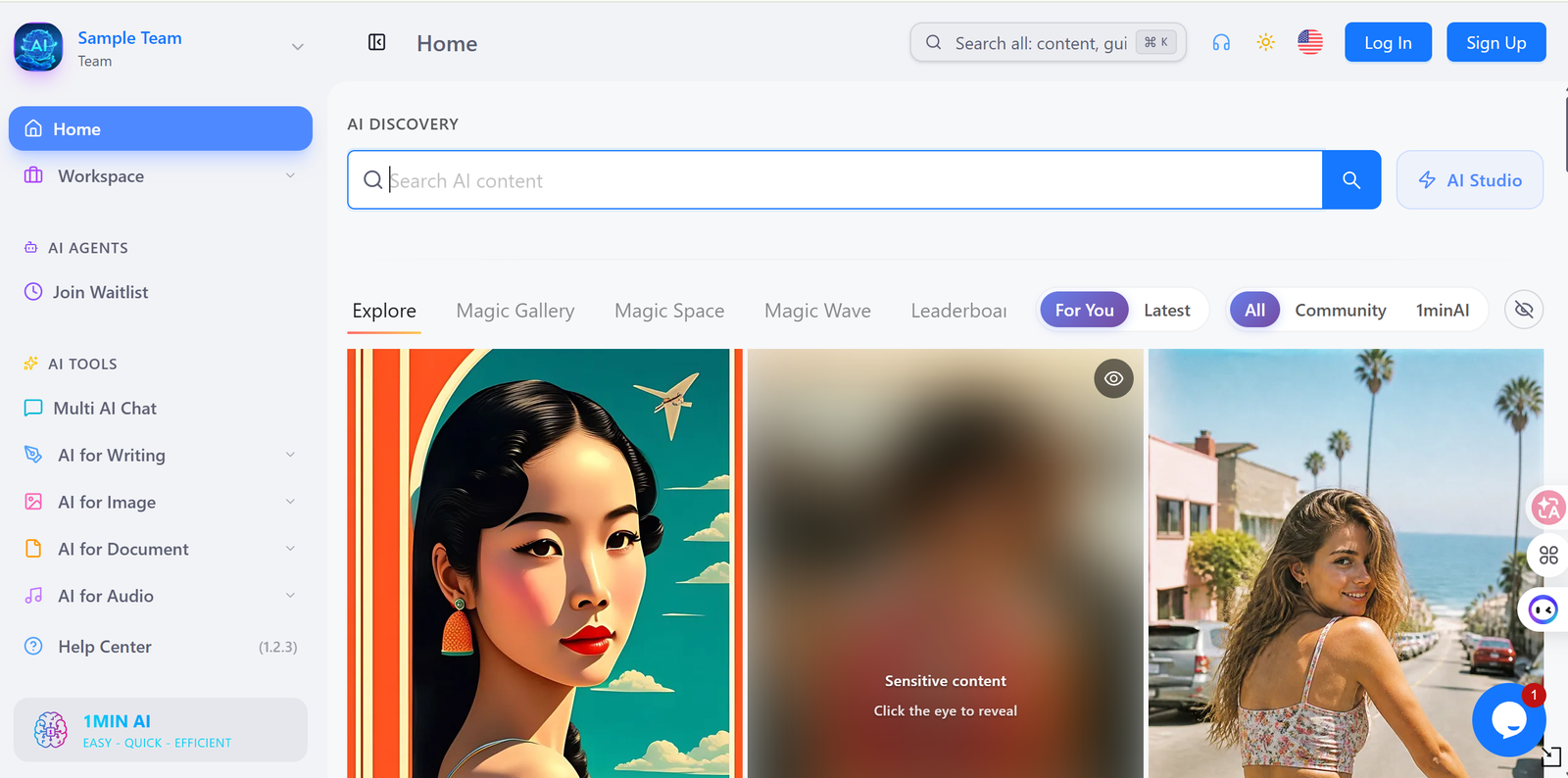
1min.AI Si presenta come un'applicazione AI "tutto in uno" per testi, immagini, audio e video. Anziché aprire un servizio separato per ogni attività, è possibile scegliere uno strumento all'interno di un'unica piattaforma e pagare l'utilizzo con dei crediti. Il vantaggio è evidente: meno account, un unico saldo e un unico posto dove passare dalla stesura di una bozza alla creazione di un’immagine o alla gestione dei contenuti multimediali.
Questa ampia copertura è il principale punto di forza del prodotto. Ed è anche il fulcro delle considerazioni relative all’acquisto. Una piattaforma “tutto in uno” ha valore solo se include gli strumenti che si utilizzano effettivamente, mette a disposizione i modelli giusti nell’ambito del proprio piano tariffario e addebita un numero ragionevole di crediti per tali attività. Un lungo elenco di funzionalità, di per sé, non risponde a nessuna di queste domande.
1min.AI è quindi particolarmente indicato per i singoli utenti e i piccoli team che desiderano sperimentare diversi formati senza dover sottoscrivere diversi abbonamenti diretti. Gli specialisti che utilizzano quotidianamente un unico modello dovrebbero confrontare i suoi limiti e il costo effettivo con l’accesso diretto e con altre piattaforme multimodello.
Recensione di 1min.AI: l'esperienza che conta davvero
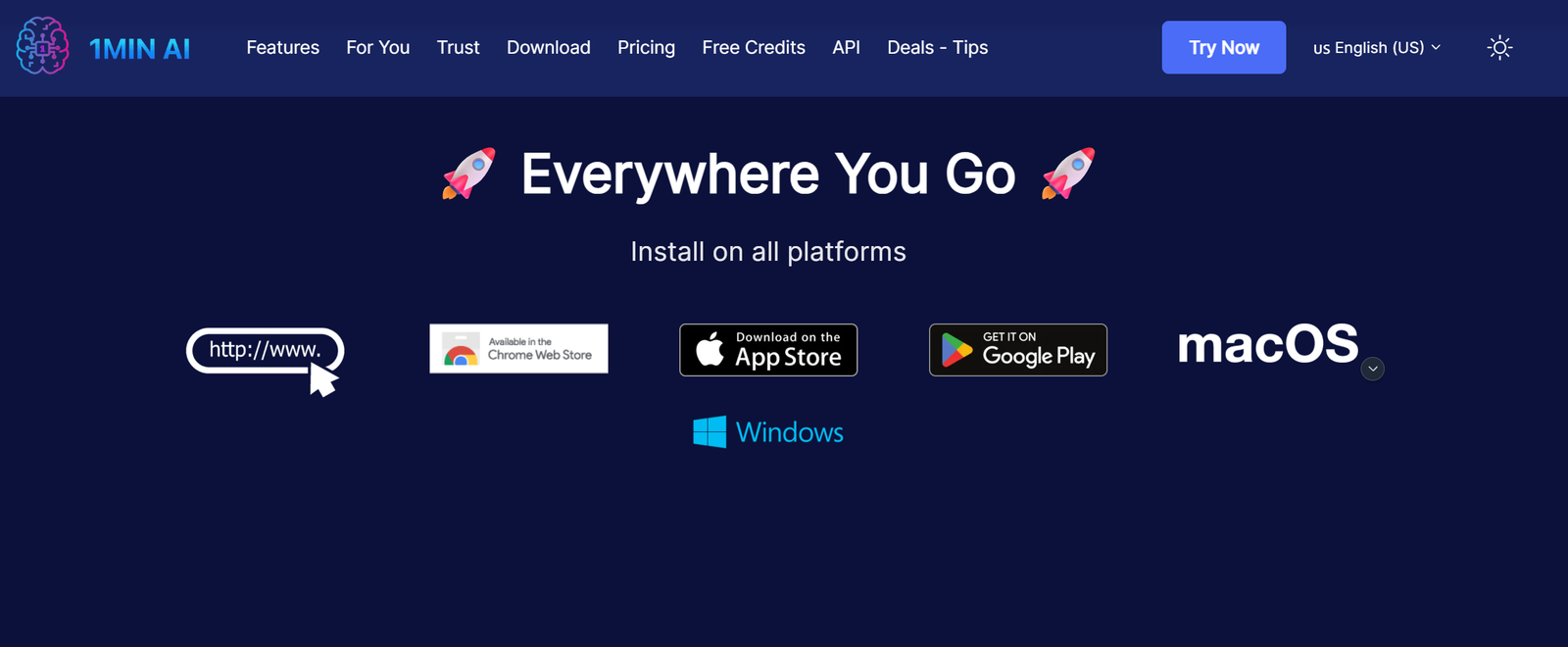
Configurazione e facilità d'uso
Il prodotto è strutturato intorno alle attività, anziché richiedere a ogni utente di comprendere le API o di gestire diversi account di fornitori. Ciò riduce le difficoltà per chi desidera scrivere, riassumere, generare un'immagine, trascrivere un audio o creare altri contenuti multimediali da un'unica dashboard.
La facilità di accesso non equivale alla semplicità dopo l'acquisto. Prima di scegliere un piano, verifica se lo strumento che desideri è visibile senza un upgrade, se puoi selezionare un modello sottostante specifico e quanti crediti l'interfaccia stima per il lavoro. Questi dettagli determinano se la dashboard consente effettivamente di risparmiare tempo.
Scelta del modello e degli strumenti
L'offerta pubblica di 1min.AI comprende funzionalità relative a testo, immagini, audio e video. Ciò la rende più ampia rispetto a un abbonamento limitato alla sola chat. Il valore pratico, tuttavia, dipende dal catalogo dei modelli attualmente disponibile e dai controlli messi a disposizione per ciascuno strumento. Una piattaforma può supportare numerosi fornitori, pur limitando la risoluzione, il contesto, la durata, le dimensioni dei file o le impostazioni avanzate.
La disponibilità dei modelli varia rapidamente sulle piattaforme di aggregazione. Considera qualsiasi elenco di modelli specifici come un’informazione non aggiornata e verifica il modello esatto all’interno del prodotto prima di sottoscrivere un abbonamento esclusivamente per quel modello.
Qualità di stampa e affidabilità nell’uso quotidiano
Sarebbe fuorviante attribuire a 1min.AI un unico punteggio di qualità universale. La piattaforma funge da porta d’accesso a diversi strumenti di intelligenza artificiale, pertanto un risultato di scrittura, una generazione di immagini e una trascrizione possono presentare comportamenti molto diversi tra loro. La qualità dovrebbe essere valutata caso per caso, tenendo conto del modello, delle impostazioni, dei dati di input, del costo addebitato e del risultato ottenuto.
Questo articolo non è stato sottoposto a un test controllato con lo stesso prompt su 1min.AI e sulle alternative riportate di seguito. Il giudizio attuale si concentra quindi sull’accessibilità, sul design del prodotto e sugli aspetti da considerare al momento dell’acquisto, senza affermare che una piattaforma produca risultati universalmente migliori.
Prezzi, crediti e offerta a vita di 1min.AI
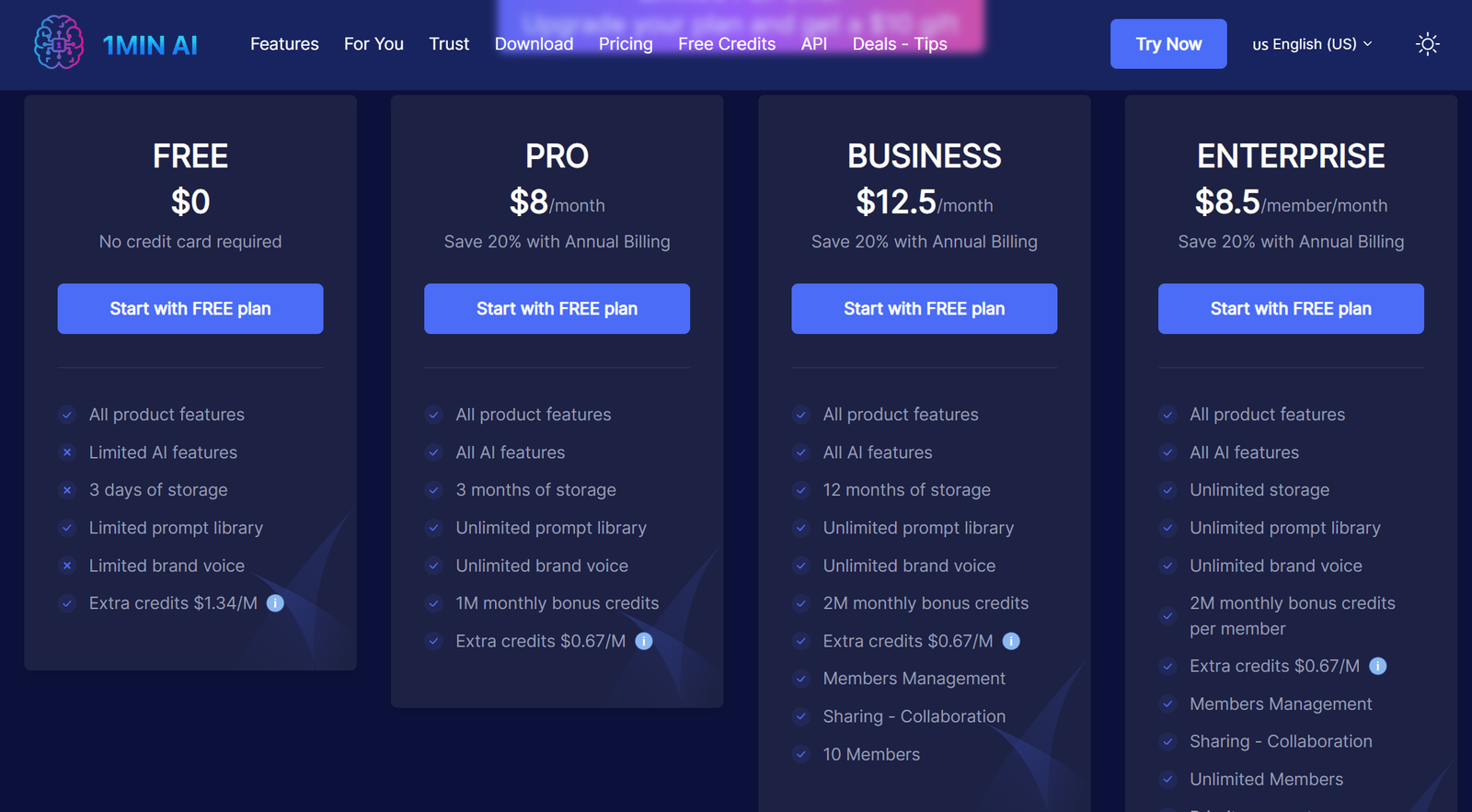
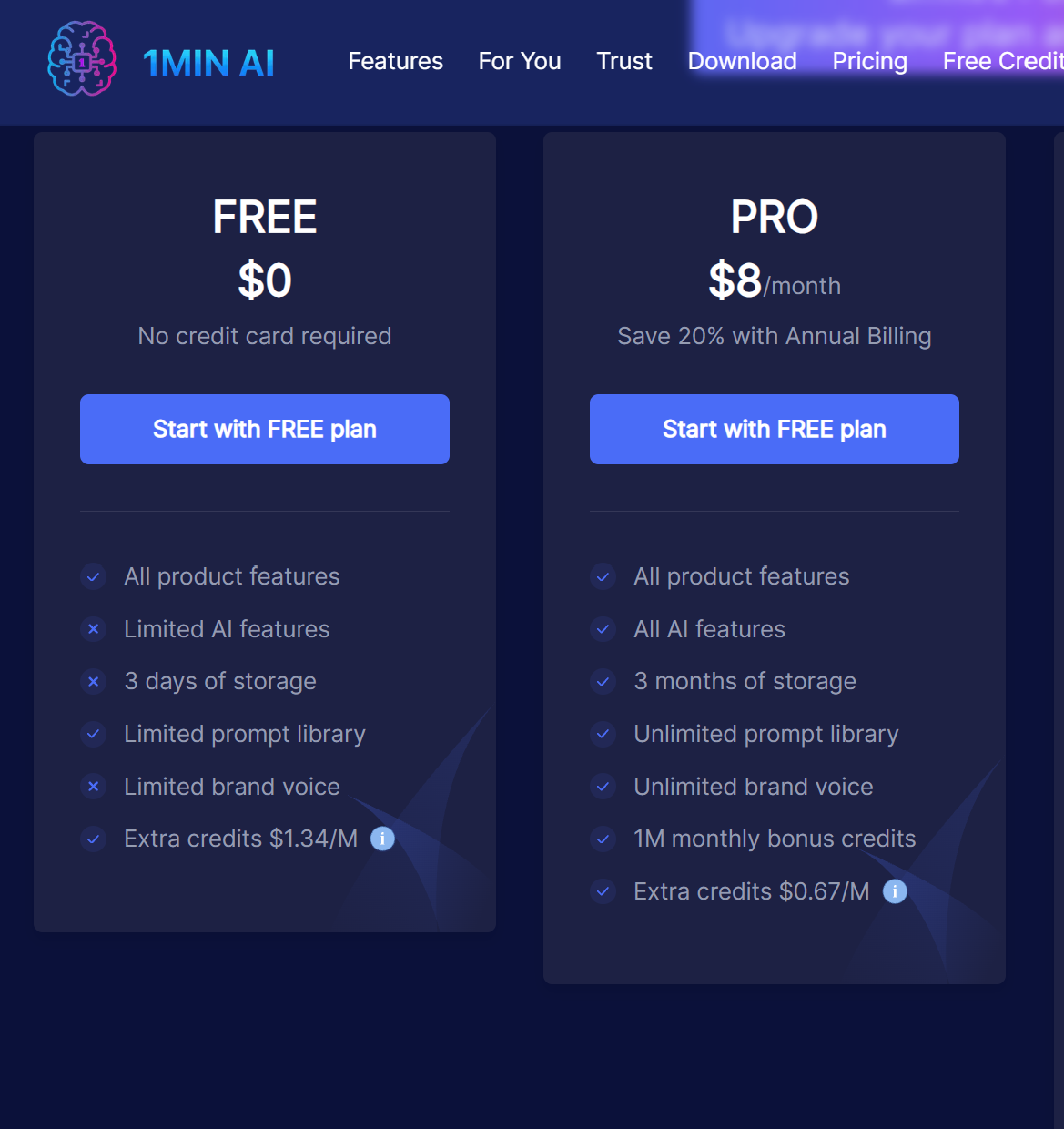
1min.AI utilizza i crediti per coprire diversi tipi di attività legate all'intelligenza artificiale. Il 1° settembre 2026, la sua pagina dei prezzi standard mostrava un piano gratuito da $0, il piano Pro a $8 al mese, il piano Business a $12,50 al mese e il piano Enterprise a $8,50 per membro al mese; le carte a pagamento mostravano i risparmi derivanti dalla fatturazione annuale. Un separato negozio ufficiale mostrava un'offerta di accesso a vita compresa tra $39 e $99. Alla fase di pagamento è emerso che il termine “a vita” si riferisce alla durata dell’acquisto, mentre l’utilizzo prevede comunque un credito mensile.
| Livello "A vita" | Prezzo una tantum indicato | Crediti mensili | Membri |
|---|---|---|---|
| Lifetime Pro | $39 | 1,000,000 | Non indicato nella riga acquisita |
| Attività a vita | $59 | 2,000,000 | 10 |
| Abbonamento a vita Advanced Business | $99 | 4,000,000 | 20 |
Questi dati sono stati ricavati dalla pagina ufficiale di checkout in data 1° settembre 2026. Essi non specificano i termini di rimborso, le regole di riporto, la disponibilità futura né il numero di crediti consumati da un determinato modello.
La difficoltà sta nel fatto che un credito non è un'unità fissa di produzione. Una richiesta di testo breve e la creazione di contenuti multimediali possono richiedere quantità molto diverse, e i modelli premium possono avere tariffe proprie. La cifra indicativa della dotazione di crediti è quindi meno utile del numero di lavori effettivi che essa consente di portare a termine.
Prima di acquistare un abbonamento o un'offerta a vita di 1min.AI, verifica i seguenti cinque punti nell'offerta in corso:
- i crediti inclusi e se i crediti acquistati hanno una scadenza;
- il costo del credito relativo al modello e alle impostazioni di output specifici di cui avete bisogno;
- limiti mensili, giornalieri o di utilizzo ragionevole che non rientrano nel saldo a credito;
- se i futuri modelli premium siano inclusi o richiedano un livello diverso;
- il periodo di rimborso e cosa si intende per “a vita” nel caso in cui il prodotto o il catalogo dei modelli subiscano modifiche.
Un’offerta a vita può risultare interessante per un utilizzo occasionale e variegato, poiché consente di evitare un altro abbonamento ricorrente. Non è però automaticamente l’opzione più economica in caso di produzione intensiva di immagini o video. È consigliabile valutare l’offerta in base alle proprie esigenze specifiche, piuttosto che limitarsi a confrontare il solo prezzo di acquisto.
Pro e contro di 1min.AI
Pro
- Un unico account copre attività relative a testo, immagini, audio e video.
- Il negozio ufficiale mostra chiaramente il prezzo del piano a vita e il credito mensile prima del pagamento.
- Un conto condiviso può rivelarsi pratico per un uso misto occasionale.
- L'interfaccia basata sulle attività evita di dover configurare separatamente le API.
Contro
- I totali dei crediti non consentono di comprendere a prima vista il costo effettivo di ciascuna attività.
- Una copertura ampia potrebbe non garantire i controlli più approfonditi per ogni formato.
- La disponibilità dei modelli, le tariffe e i limiti dei piani possono subire variazioni.
- Un'offerta a vita dipende comunque dal futuro catalogo del prodotto e dalle relative condizioni.
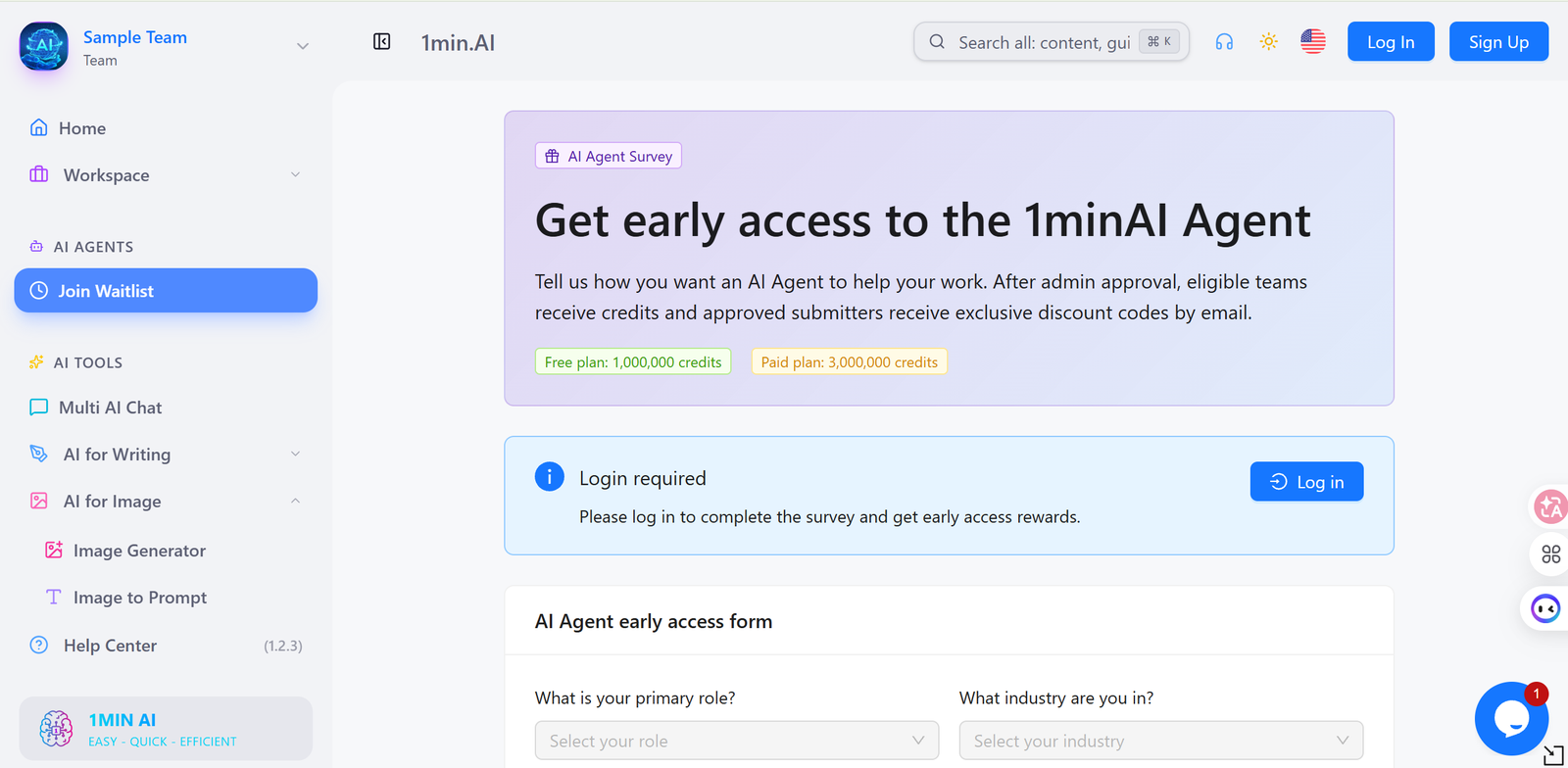
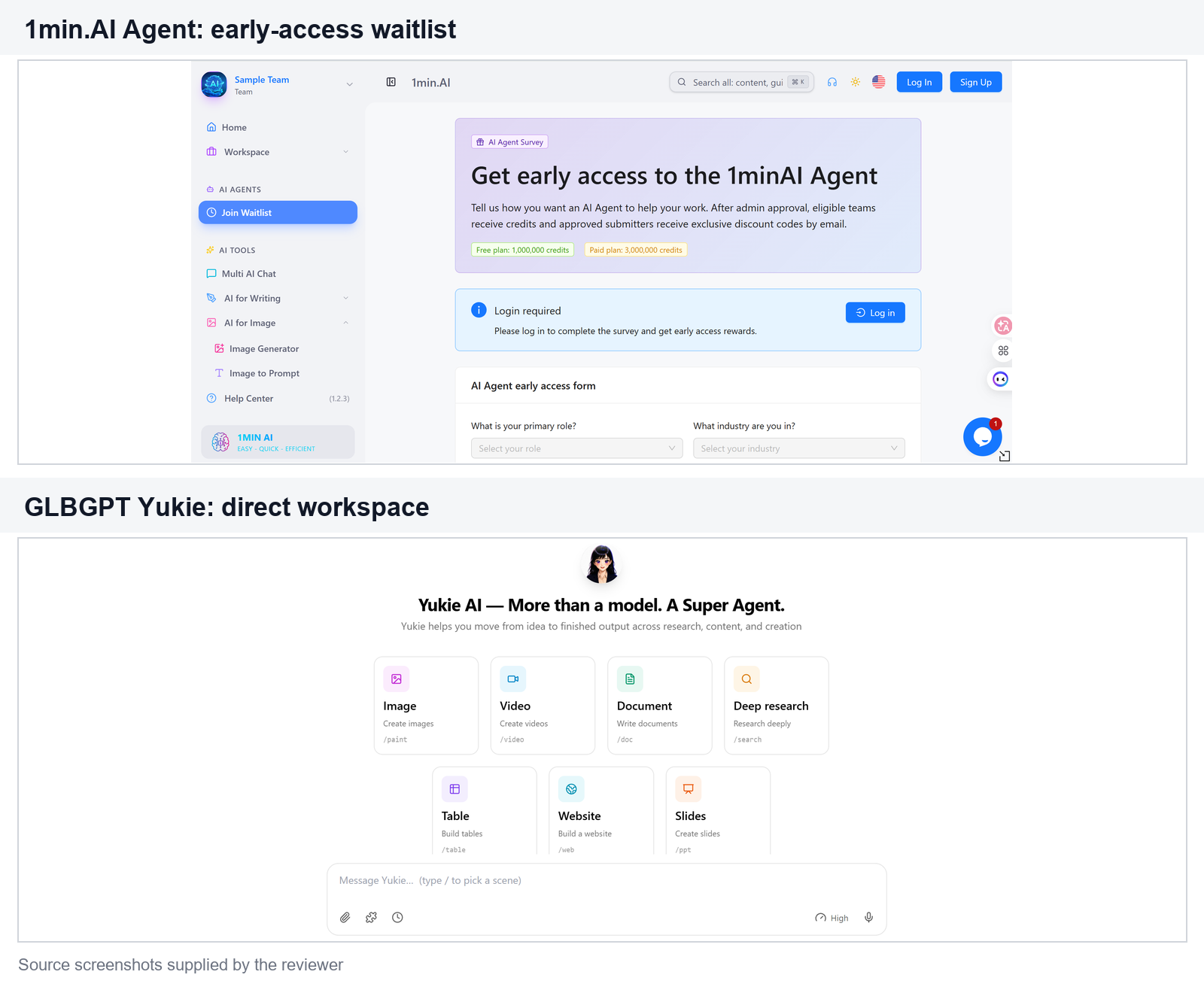
L'accesso agli agenti rappresenta un'altra limitazione attuale. Nell'interfaccia acquisita il 1° settembre 2026, 1min.AI indirizzava gli utenti a un sondaggio di accesso anticipato e specificava che i team idonei avrebbero ottenuto l'accesso previa approvazione dell'amministratore. Si tratta di una lista d'attesa, non di un sistema basato su codici d'invito.
Se questi compromessi sono importanti per te, è opportuno confrontare le alternative a 1min.AI prima dell’acquisto. I criteri utili non si limitano semplicemente a “quale piattaforma offre più IA”. Confronta l’accesso ai modelli specifici, la copertura testuale e multimediale, la possibilità di provare gratuitamente il servizio, la trasparenza dei prezzi, le funzionalità del team e la facilità con cui è possibile cambiare modello senza dover ricreare l’attività.
Le 5 migliori alternative a 1min.AI
Le cinque opzioni riportate di seguito risolvono diverse versioni del problema dell’IA “tutto in uno”. GLBGPT rappresenta il primo confronto più ampio per l’uso misto di modelli e media; Poe pone l’accento su modelli e bot; Monica e Merlin integrano l’IA nell’utilizzo del browser; Magai, infine, punta su spazi di lavoro multimodello organizzati.
| Piattaforma | Il migliore per | Copertura | Accesso gratuito | Modello di prezzo | Principale compromesso |
|---|---|---|---|---|---|
| GLBGPT | Ampio accesso a modelli e media diversi | Strumenti per testi, immagini, video e agenti | Versione di prova o accesso gratuito in base all'account; verifica in tempo reale | Abbonamento e crediti della piattaforma | Devi comunque scegliere il modello giusto per ogni attività |
| Poe | Varietà di modelli di chat e bot | Chat multimodello, bot e strumenti per i creatori | L'accesso è limitato; i limiti variano | Abbonamento con punti di utilizzo | Più incentrato sulla chat e sui bot rispetto a una suite di produzione |
| Monica | Assistenza tramite IA durante la navigazione | Chat, scrittura, traduzione, assistenza nella creazione di pagine e documenti | Accesso iniziale gratuito; i limiti variano | Abbonamenti a più livelli e limiti di utilizzo | Per ottenere il massimo vantaggio è necessario sfruttare le integrazioni con il browser |
| Merlino | Ricerca sul web, sintesi e redazione di testi | Estensione per browser, applicazione web, modelli multipli, strumenti di ricerca | Accesso iniziale gratuito; i limiti variano | Abbonamento a più livelli | La produttività del browser è il fulcro dell'esperienza |
| Magai | Spazi di lavoro organizzati per singoli e per team | Passaggio tra più app e modelli di intelligenza artificiale | Le condizioni di prova devono essere verificate in tempo reale | Abbonamento con funzionalità dell'area di lavoro | Il valore dello spazio di lavoro conta più del semplice numero di modelli |
I nomi dei piani, i limiti gratuiti, i modelli e i prezzi sono stati considerati variabili a partire dal 1° settembre 2026. Prima dell'acquisto, controlla la pagina dei prodotti e quella di pagamento di ciascun fornitore.
1. GLBGPT: il migliore in assoluto per un accesso ampio a modelli multipli
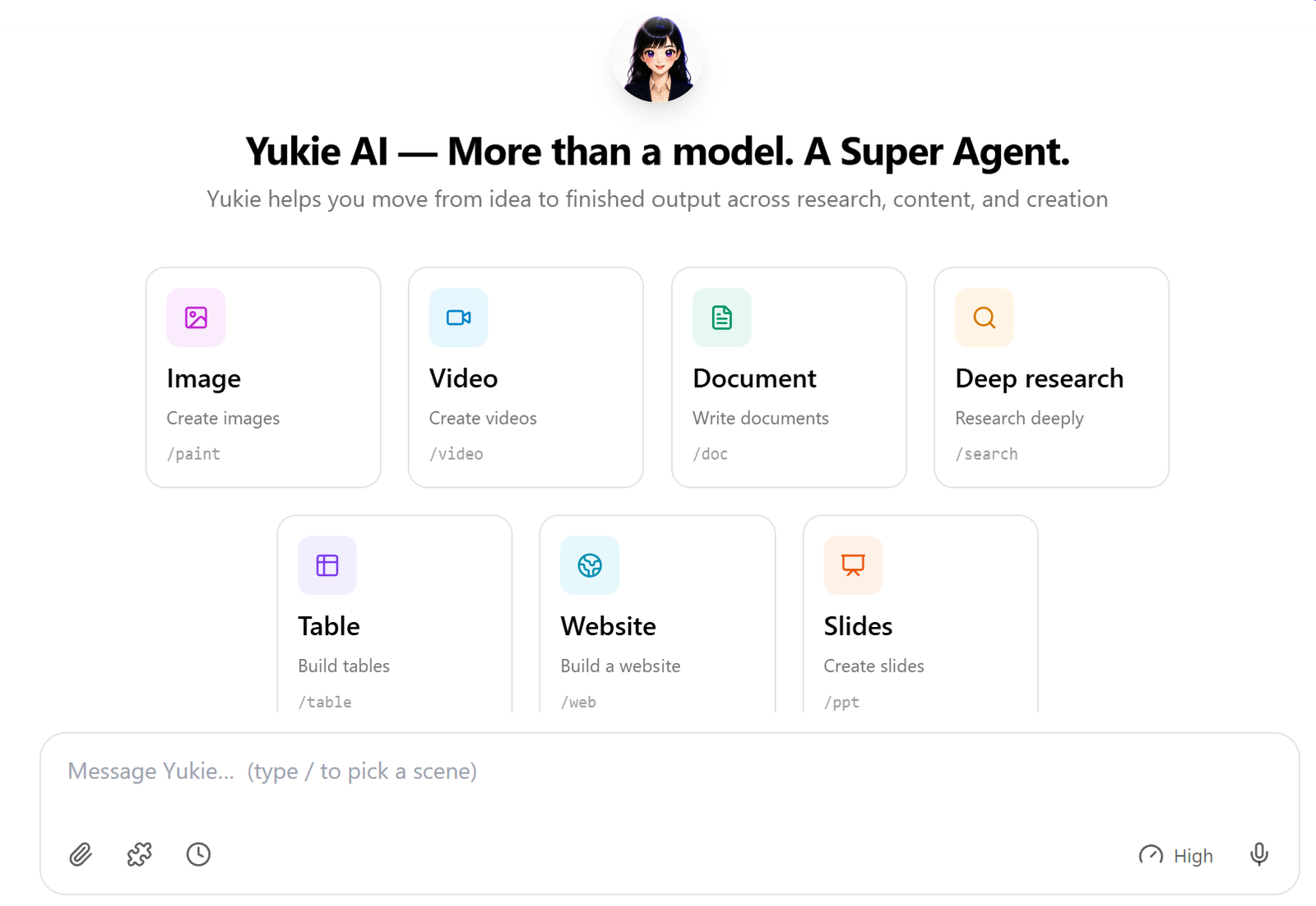
GLBGPT È la prima alternativa a 1min.AI da prendere in considerazione quando il tuo lavoro spazia tra chat, immagini, video e attività di tipo “agente”. La schermata Yukie Agent era immediatamente disponibile senza bisogno di un codice di invito, di una lista d’attesa o di un’approvazione da parte dell’amministratore, anche se potrebbero comunque essere applicati i normali limiti relativi all’account e all’utilizzo. Inoltre, offre un'unica piattaforma da cui scegliere tra diversi modelli, evitando di dover aprire siti di fornitori separati e gestire un abbonamento per ciascuno di essi.
Questo rende GLBGPT particolarmente utile quando la scelta del modello fa parte del lavoro. Un professionista del marketing potrebbe aver bisogno di un modello per la ricerca, di un altro per i testi definitivi, di un modello per le immagini da utilizzare nelle campagne e di un modello video per brevi test creativi. Tenere tutti questi percorsi in un unico account riduce i tempi di configurazione e rende più facile provare un secondo modello quando il primo risultato non è quello desiderato. Per un confronto più ampio tra le diverse categorie, consulta la nostra guida a I migliori strumenti e piattaforme di intelligenza artificiale "tutto in uno".
Il limite di questo approccio è che l'ampiezza richiede comunque un giudizio. GLBGPT non elimina la necessità di scegliere il modello, le impostazioni e il livello di utilizzo corretti. Ad esempio, scegliere tra i i migliori generatori di immagini basati sull'intelligenza artificiale Dipende comunque dalle tue esigenze: tipografia, fotorealismo, editing o velocità. Inoltre, i prezzi e i crediti non dovrebbero essere confrontati direttamente con quelli di 1min.AI, a meno che i costi attuali delle attività su entrambe le piattaforme non siano normalizzati in base allo stesso risultato.
La taglia più adatta: Scegli GLBGPT quando passi regolarmente da una famiglia di modelli all’altra o combini testo e contenuti multimediali creativi. Inizia con il modello più adatto al tuo compito, quindi valuta un piano a pagamento solo se il tuo utilizzo diventa costante.
2. Poe: il migliore per la varietà di modelli e bot
Poe rappresenta una valida alternativa per gli utenti il cui obiettivo principale è interagire con diversi modelli ed esplorare bot appositamente progettati. Il suo marketplace di modelli e l’ecosistema di bot consentono di passare facilmente dalla chat generica agli assistenti specializzati e alle esperienze create dagli utenti senza dover uscire dalla piattaforma.
Scegli Poe al posto di 1min.AI quando l'accessibilità conversazionale e la scoperta dei bot sono più importanti rispetto alla disponibilità di un set unificato di strumenti di produzione per ogni formato multimediale. È utile anche per chi desidera creare o condividere un bot basato su un modello esistente.
Il compromesso riguarda la specializzazione. Poe supporta più del semplice testo, ma l’esperienza d’uso del prodotto rimane incentrata sulle conversazioni e sui bot. Gli utenti che desiderano una dashboard di produzione integrata per attività ripetibili relative a immagini, audio e video dovrebbero confrontare i flussi di lavoro specifici, piuttosto che dare per scontato che il più ampio catalogo di bot possa sostituirli.
3. Monica: la soluzione ideale per la produttività basata su browser
Monica è progettato per integrare l'assistenza dell'intelligenza artificiale nella navigazione quotidiana. La descrizione ufficiale della piattaforma mette in evidenza le funzionalità di chat, i modelli di copywriting, la composizione di testi sulle pagine web e la possibilità di spiegare, tradurre o riscrivere il testo selezionato. Ciò lo rende particolarmente utile per chi trascorre gran parte della giornata leggendo, scrivendo e rispondendo all'interno di un browser.
Scegli Monica quando vuoi semplificare la copia di contenuti tra una pagina web e una dashboard AI separata. È la soluzione ideale per riassumere una pagina, migliorare una risposta, tradurre un testo selezionato o redigere contenuti accanto al materiale di riferimento.
Il compromesso è che la praticità del browser potrebbe avere un valore maggiore rispetto al catalogo di modelli sottostante. Se la tua attività principale consiste nella generazione di grandi volumi di immagini o video, confronta direttamente questi strumenti e i loro limiti prima di considerare Monica come un sostituto completo di 1min.AI.
4. Merlin: il migliore per la ricerca e la scrittura sul web
Merlino combina un'estensione per Chrome e un'applicazione web che consente di accedere a diversi modelli di intelligenza artificiale. Le informazioni pubbliche sul prodotto sottolineano la possibilità di generare risposte durante le ricerche, riassumere video di YouTube, blog e documenti, nonché di utilizzare l'intelligenza artificiale per la ricerca e la scrittura.
È una valida alternativa quando il tuo lavoro con l'IA parte da qualcosa che è già aperto nel browser: un risultato di ricerca, un articolo lungo, un PDF, una presentazione o un video. L'uso dell'estensione può evitare di dover caricare più volte i file e di dover cambiare contesto.
Come Monica, Merlin dà il meglio di sé quando il compito principale è l'assistenza alla navigazione. Gli utenti che scelgono un'alternativa principalmente per i contenuti multimediali creativi dovrebbero verificare le sue attuali caratteristiche relative alle immagini e ai progetti, i limiti del modello e le regole di utilizzo a pagamento rispetto a una piattaforma incentrata sui contenuti multimediali.
5. Magai: la soluzione ideale per gli spazi di lavoro condivisi basati sull'intelligenza artificiale
Magai Si propone come una piattaforma IA "tutto in uno" per i professionisti, con diverse app basate sull'intelligenza artificiale e la possibilità di passare da un modello all'altro all'interno di un unico spazio di lavoro. Ciò la rende particolarmente adatta agli utenti che desiderano una maggiore organizzazione di prompt, conversazioni, contenuti e collaborazione, piuttosto che una semplice raccolta di strumenti isolati.
Scegli Magai quando gli spazi di lavoro condivisi e la possibilità di un utilizzo ripetuto da parte del team sono fondamentali. La piattaforma risulta più vantaggiosa quando più persone hanno bisogno di lavorare nello stesso ambiente organizzato, mantenere il contesto e passare da un modello all’altro senza frammentare i progetti in account separati.
Il compromesso è che l'organizzazione in team ha senso solo se la si utilizza effettivamente. Un utente singolo che intende utilizzare la generazione di immagini principalmente in modo occasionale dovrebbe confrontare il costo di iscrizione e le quote a disposizione con strumenti più semplici basati su crediti. È inoltre opportuno verificare la copertura mediatica e l'accesso al modello esatto nella pagina dedicata al piano attuale.
Quale alternativa a 1min.AI dovresti scegliere?
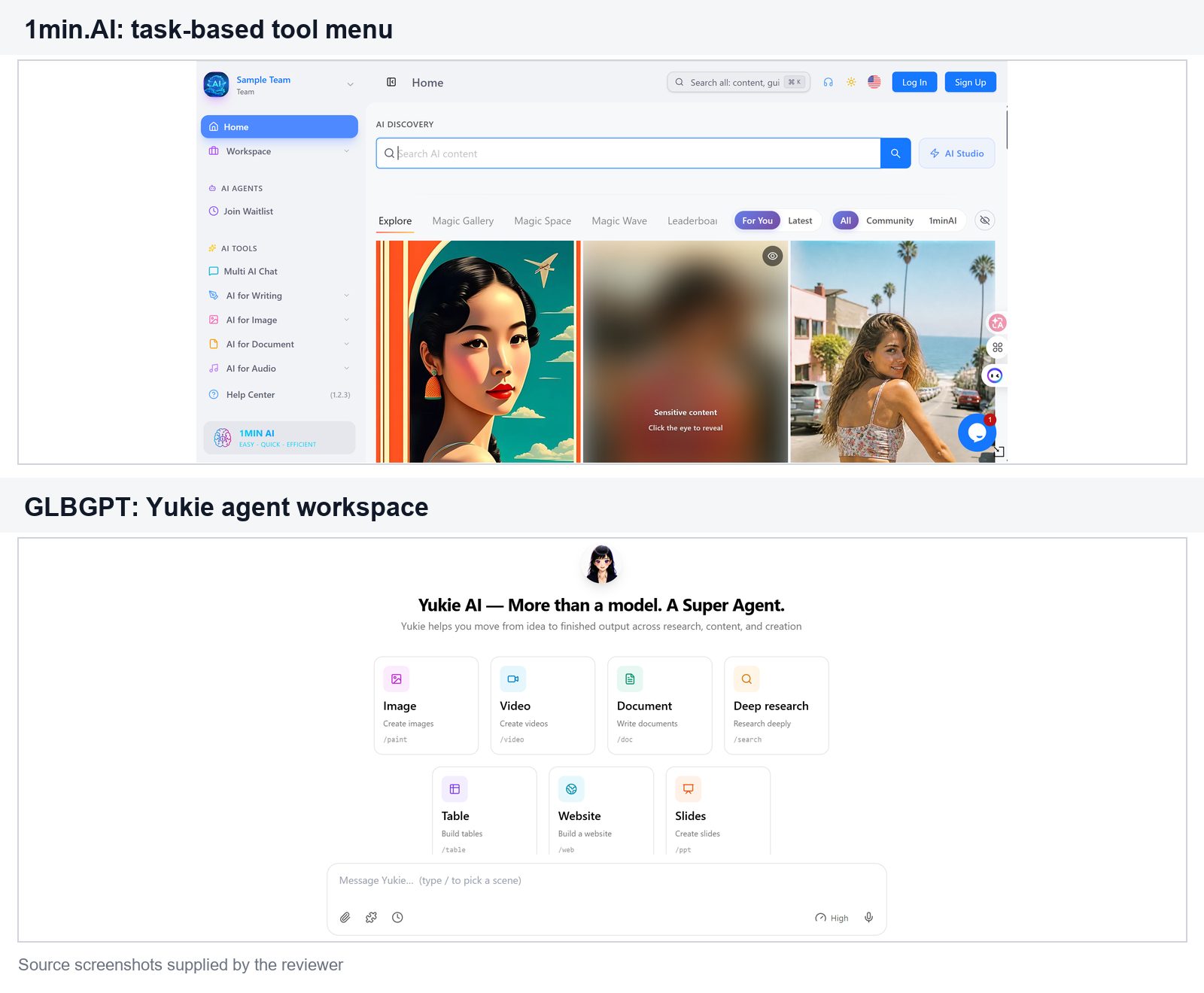
- Scegli GLBGPT se desiderate un ampio accesso a strumenti di chat, immagini, video e di gestione degli agenti e prevedete di cambiare modello regolarmente.
- Scegli Poe se le conversazioni modello, i bot e gli assistenti creati dagli utenti sono la tua priorità.
- Scegli Monica se desideri che l’intelligenza artificiale si occupi della scrittura, della traduzione e delle spiegazioni durante la tua navigazione quotidiana.
- Scegli Merlin se il tuo lavoro ruota principalmente attorno alla ricerca, alle sintesi di pagine web, ai documenti e ai contenuti di YouTube.
- Scegli Magai se gli spazi di lavoro organizzati e la collaborazione contano più di un semplice menu di strumenti.
Se hai ancora dei dubbi, esegui lo stesso compito reale utilizzando il percorso gratuito o quello a minor rischio disponibile su entrambe le piattaforme. Prendi nota del modello, delle impostazioni, dei crediti o dei punti di utilizzo, del tempo impiegato e dell’entità della correzione necessaria. Questo confronto è più utile che scegliere la piattaforma con l’elenco di funzionalità più lungo.
Domande frequenti
1min.AI è affidabile?
1min.AI dispone di un negozio ufficiale e di una procedura di pagamento che, al momento della verifica effettuata il 1° settembre 2026, mostrava tre livelli di abbonamento a vita. Ciò conferma l’esistenza di un canale di vendita funzionante, ma “legittimo” non significa che ogni piano rappresenti il giusto rapporto qualità-prezzo per ogni utente. Le condizioni relative ai rimborsi, al riporto del credito, alle tariffe dei modelli e le pagine con i termini e le condizioni principali non sono state verificate in questa recensione, pertanto si consiglia di controllarle prima di effettuare il pagamento.
1min.AI è gratuito?
Sì. La pagina dei prezzi salvata il 1° settembre 2026 mostrava un piano gratuito $0 che non richiedeva l'inserimento di una carta di credito. Inoltre, indicava che le funzionalità di IA, lo spazio di archiviazione, la libreria di prompt e la voce del marchio erano limitati; pertanto, ti consigliamo di verificare se tali limitazioni riguardano il modello e l'attività che intendi utilizzare prima di considerare il piano gratuito come un sostituto completo.
Vale la pena approfittare dell’offerta a vita di 1min.AI?
Può valere la pena prenderlo in considerazione per un utilizzo leggero e variegato, quando i crediti inclusi sono sufficienti a coprire le attività ricorrenti. È invece meno indicato quando il proprio lavoro richiede grandi quantità di crediti per immagini o video, dipende da un unico modello premium o richiede garanzie sull’accesso futuro ai modelli. Calcolate il valore in base al costo delle attività, non solo al prezzo complessivo.
Qual è la migliore alternativa gratuita a 1min.AI?
Non esiste un vincitore assoluto, poiché i limiti gratuiti variano e i prodotti sono pensati per scopi diversi. GLBGPT è la prima opzione da prendere in considerazione per un accesso ampio a diversi modelli e piattaforme, mentre Poe è particolarmente indicato per chat e bot e Monica o Merlin possono risultare più adatti per l’assistenza tramite browser. Verificate i limiti gratuiti attuali prima di scegliere.
GLBGPT è migliore di 1min.AI?
GLBGPT è la soluzione più indicata quando la priorità è data a un’ampia scelta di modelli e all’accesso a diversi modelli di testo e creativi. 1min.AI può essere adatto a un utente che preferisce la sua interfaccia basata su attività, la struttura dei crediti o un’offerta specifica. Per prendere una decisione equilibrata è necessario testare la stessa attività e confrontare i costi di utilizzo attuali e i controlli.
Verdetto finale
1min.AI si basa su un'idea di fondo utile: un unico saldo di crediti per diversi tipi di attività legate all'IA. Vale la pena prenderla in considerazione se si desidera disporre di strumenti per la gestione di testi e contenuti multimediali in modo occasionale, senza dover configurare servizi separati. La scelta diventa meno chiara quando si ha bisogno di un utilizzo intenso e prevedibile, di un controllo preciso sui modelli, di funzionalità specialistiche più avanzate o di un ambiente di lavoro condiviso per il team.
Per un primo confronto più ampio, dai un’occhiata a GLBGPT. Il suo spazio di lavoro Yukie, accessibile direttamente, rappresenta una differenza concreta, mentre 1min.AI Agent rimane soggetto all’approvazione per l’accesso anticipato. Poe è la scelta migliore per l’esplorazione incentrata sui bot, Monica e Merlin si distinguono per il lavoro sul browser, mentre Magai è pensato per spazi di lavoro organizzati. Iniziate dall’attività che svolgete più spesso, confrontate il costo effettivo e lo sforzo di correzione, e scegliete sulla base di questi dati.