

Perplexity Labs can be accessed only through a Perplexity Pro subscription and it appears as a dedicated “Labs” mode in the platform’s interface. Once you’re logged in as a Pro user, you can open Labs from the mode selector on web or mobile, where it unlocks project-based tools for generating dashboards, reports, spreadsheets, and mini web apps. If the Labs option is missing, it is usually due to region rollout delays, using a non-Pro account, or running an outdated app version.
Perplexity Labs is powerful, but the $20/month Pro plan adds up—especially since most users still need other tools to complete their workflow, turning AI into an expensive multi-subscription stack.
GlobalGPT brings all of these capabilities into one streamlined workspace, letting you switch between GPT-5.1, Claude 4.5, Sora 2 Pro,Veo 3.1, and more than a hundred specialized models without juggling extra subscriptions or tools. This makes it easier to compare reasoning strength, generation speed, and search performance as you move through real research and creation tasks.
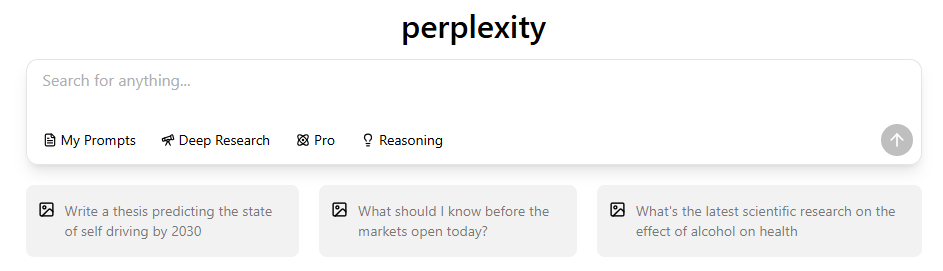
What PerplexityLabs Actually Is and How It Works
| Feature / Mode | Search | Deep Research | Labs |
| Workflow Depth | Single-step answers | Multi-step reasoning with retrieval | Full project-based workflow with tasks & assets |
| Supported Outputs | Text responses | Structured reports & summaries | Reports, dashboards, apps, charts, code, files |
| Code Execution | No | Limited (reasoning only, no execution) | Yes — Python/JS execution within Labs |
| Visualization | Minimal (text-based) | Basic tables & structured outputs | Interactive dashboards, charts, and visual components |
| File Export | No | PDF/markdown export | CSV, spreadsheets, code files, visual assets |
| Citation Clarity | Citation links | Traceable sources within steps | Detailed source panel + task-level citation mapping |
What Perplexity Labs Actually Is

Perplexity Labs is a project-style AI workspace designed to generate full, structured outputs rather than single chat responses. This functionality is one of the key Perplexity Pro benefits that distinguishes it from the standard search experience. In practice, it enables users to:
In practice, it enables users to:
- Create complete multi-part projects Turn a single natural-language prompt into reports, dashboards, spreadsheets, visual assets, or lightweight web apps.
- Work inside a dedicated project environment Each Lab includes panes for Tasks, Assets, Apps, Sources, and Code, offering transparency into how outputs were produced.
- Run code and generate data-driven artifacts Labs can execute Python or JavaScript to produce charts, tables, simulations, or datasets that feed into the final deliverables.
- Produce interactive interfaces Users can generate simple web apps, calendars, visual dashboards, or tools that live on a shareable, standalone page.
- Consolidate research, analysis, and prototyping The Lab workflow acts like a combined research assistant, analyst, and front-end builder—allowing non-technical users to create professional-grade work in minutes.
- Access structured citation mapping Every section of a Lab includes source tracking, making verification and follow-up research easier.
Key Capabilities
- Generates structured research reports with citations
- Builds dashboards using HTML/CSS/JavaScript
- Executes Python or JavaScript code inside a Lab—a feature that answers is Perplexity good for coding with a resounding yes for research-backed scripts.
- Produces CSV datasets and spreadsheets
- Creates lightweight tools or mini web apps
- Stores all generated files in the Assets panel
- Displays each reasoning step in the Tasks timeline
How to Access PerplexityLabs on Web
Accessing Labs on desktop provides the full feature set and the most stable UI.
Step-by-Step Access
- Log in to your Perplexity Pro account. (Note: Perplexity Lab is only for Pro users, unlike the standard search which has a free tier.)

- Find the mode selector above the chat input.
- Click the Labs (lightbulb icon).
- Enter a prompt to start a new lab task (the more specific, the better result).

- Wait for the project to finish. Check the remaining time in the progress bar, or click “Notify me” to get an alert when it’s done.

- Use the tabs: Tasks, Assets, Sources, Apps.

Desktop Advantages
Using Perplexity Labs on desktop unlocks the full feature set and provides a far smoother workflow than mobile.
- Full dashboard and app support Interactive charts, filters, and web apps render reliably only on desktop.
- Larger workspace for files and code The Tasks, Assets, Sources, and Code panes are easier to view and navigate on a wide screen.
- More stable and complete UI Long reports, multi-pane layouts, and downloadable assets load correctly and consistently on desktop.
How to Access PerplexityLabs on Mobile
Labs is also available in the Perplexity mobile app, but with a slightly different interface.
Where Labs Appears


- Inside the mode selector above the input bar
- As a Labs button floating near the keyboard
- As template cards when starting a new session
Mobile-Specific Notes
- Asset viewing is more limited than desktop
- Dashboards display best on tablets
- Code files sometimes require external viewers
- UI updates may roll out later than web
Why PerplexityLabs Might Not Appear
Many users report that Labs is “missing,” but the causes are predictable.
Most Common Reasons
- Not on Perplexity Pro: Labs is not included in the free version. Check is Perplexity free for a breakdown of plan limitations.
- Labs rollout not available in your region yet
- A/B UI variations removing the Labs button temporarily
- Outdated browser or mobile app
- Cached UI elements hiding the Labs icon
- Logged into a different Perplexity account
- Enterprise restrictions on advanced features
Quick Fixes
- Refresh or re-login
- Update the Perplexity app
- Switch browsers (Chrome or Safari)
- Clear UI cache
- Try desktop instead of mobile
- Confirm your subscription tier (or see if a Perplexity free trial is available for Pro)
- Ask your admin if Enterprise policies apply
If your workflow involves writing, coding, analysis, and media generation, GlobalGPT can complement Perplexity by offering 100+ models without stacking multiple subscriptions, serving as a robust Perplexity alternative for power users.
What You Can Build Once You Access PerplexityLabs
Labs supports a surprisingly wide range of output formats. It can move far beyond text responses by generating data-driven assets, visual dashboards, and even runnable code. Instead of acting like a chat assistant, Labs behaves more like a full project engine capable of producing multi-component deliverables from a single prompt
Supported Output Types

Research reports Structured documents with sections, citations, and summaries.
Interactive dashboards Charts, filters, sliders, and export options for analytics tasks.
CSV datasets & spreadsheets Auto-generated tables for data analysis or tracking.
Python or JavaScript code Executable scripts for processing data or powering apps.
Lightweight web apps HTML/CSS/JS mini tools accessible via shareable links.
Charts & visualizations Line charts, bar charts, heat maps, and multi-plot dashboards.
Outlines & templates Content calendars, strategy outlines, planning boards, and reusable frameworks.
Limitations to Know Before Relying on Labs
Labs is powerful but has real constraints.
| Risk Category | Severity | Likelihood | Workflow Impact |
| Accuracy risk | Medium | Medium | Can require manual verification for data-heavy tasks. |
| Data freshness | High | Medium | Time-sensitive results may need cross-checking with live sources. |
| Code stability | Medium | Medium–High | Generated Python/JS may need debugging before use. |
| Customization limits | Medium | High | Complex UI or app logic may exceed Labs’ current capabilities. |
| Over-engineering | Low–Medium | Medium | Labs may produce unnecessarily complex structures for simple tasks. |
| API issues | High | Low–Medium | Missing endpoints or unsupported datasets can block certain workflows. |
Known Limitations
- Real-time data can be incomplete. Understanding what LLM Perplexity uses helps set expectations for data cutoff vs. live search.
- Iterative generation may over-engineer code
- Dashboard styling is limited
- Larger dashboards can break from prompt changes
- File outputs may require manual cleanup
- API-style workflows occasionally fail
WhoPerplexityLabs Is Best For
Ideal Users
- Analysts building dashboards & reports
- Startup founders running competitive research
- Financial professionals modeling data
- Content creators organizing planning workflows
- Students creating summaries or visuals: (Check our guide on Perplexity free for students)
- Non-technical users wanting code-free tools
Final Thought
Perplexity Labs is fast, flexible, and great for turning prompts into structured projects—but it rarely covers an entire workflow on its own.
For everything outside Labs, GlobalGPT offers 100+ models in one place, reducing tool-switching and subscription stacking. If you want a smoother, more complete setup for research, creation, and analysis, pairing Labs with GlobalGPT is one of the most efficient choices in 2026.

