If you are checking Sora 2 Pro pricing today, it is worth comparing it with newer AI video and image models before paying for a high-cost Sora workflow. Sora 2 Pro can still be useful for cinematic short videos, but many creators now test multi-model workflows first because availability, generation limits, watermark rules, and pricing can change quickly.
For AI video generation, Veo 3.1 is one of the strongest alternatives to try when you need realistic motion, prompt-following, and production-style video output. You can test Veo 3.1 directly on GlobalGPT here: Veo 3.1 AI Video Generator.
For creators who want a broader image-to-video or social-style generation workflow, Grok Imagine is another option to compare. It is especially relevant if your project starts from image concepts, memes, social visuals, or fast creative drafts. You can also read this guide: Best Free Grok Imagine Alternatives for AI Images in 2026.
In short: choose Sora 2 Pro if you specifically need Sora-style video output; choose Veo 3.1 for newer AI video generation; choose Grok Imagine for social and image-video creative workflows; choose Nano Banana when your first bottleneck is image quality, prompt accuracy, or visual concept development.

What Is Sora 2 Pro and How Is It Different from the Standard Version?
Sora 2 Pro is the premium, professional-grade version of OpenAI’s video generation model. It allows users to generate longer, more coherent, and more realistic videos compared to the standard Sora demo.
| Feature | Sora Demo | Sora 2 Pro |
|---|---|---|
| Video Length | 5–15 seconds | Up to 25 seconds |
| Resolution | 720p or below | Up to 1080p |
| Audio | Yes | Native synchronized audio |
| Watermark | Yes | Yes |
| Use Case | Research preview | Professional content creation |
How Much Does Sora 2 Pro Cost? Pricing Breakdown (Updated 2025)
| Plan | Price | Sora 2 Pro Access |
|---|---|---|
| ChatGPT Plus | $20/month | ❌ No |
| ChatGPT Pro + Sora Add-on | $200/month | ✅ Full access |
| Third-Party Platforms (Global GPT, etc.) | $5–$25/month | ✅ Sora 2 and Pro access, unofficial |
Additional considerations:
- High compute usage may limit daily video generation.
- Commercial usage may require OpenAI review.
- Third-party platforms are cheaper but unofficial.
How to Access Sora 2 Pro (Official and Unofficial Methods)
✅ Official Method via OpenAI
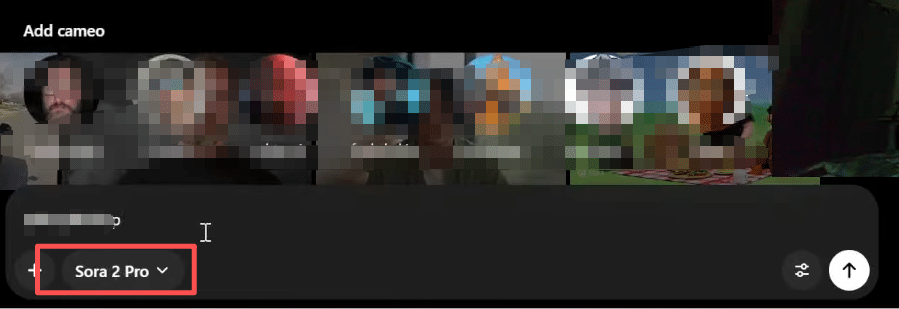
- Subscribe to ChatGPT Pro + Sora.
- Log into your OpenAI dashboard.
- Select “Sora” → Enter your video prompt → Generate.
Available Regions:
United States, Canada.
🌍 Unofficial Access via Third-Party Platforms
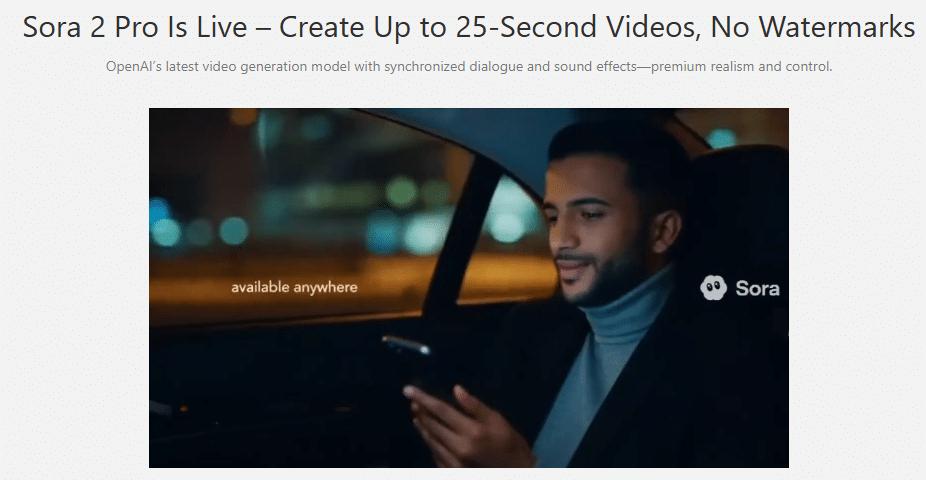
Platforms like Global GPT provide access to Sora 2 Pro with:
- No North American IP or invite code required
- Watermark-free videos
- Fewer content restrictions
- Price range: $5–$25/month

Cheaper or Free Alternatives to Sora 2 Pro
| AI Tool | Price | Key Features |
|---|---|---|
| Pika Labs | Free + $10/mo | AI animation, fast generation |
| Runway Gen-3 | $12–$35/mo | Cinematic AI video creation |
| Stable Video Diffusion | Free/Open-source | Local or cloud-based text-to-video |
| HeyGen | $29/mo | AI avatar and talking video creation |
| Leonardo AI Motion | $15/mo | AI image-to-video animations |
Is Sora 2 Pro Worth It? Pros, Cons & Ideal Users
✅ Advantages:
- 1080p cinematic video output
- Physics-aware, realistic camera motion
- Generates synchronized dialogue, sound, and environment audio
- Suitable for films, advertisements, and storytelling
❗ Disadvantages:
- High cost ($200/month)
- Not available in all countries
- Requires GPU credits and advanced prompts
- Ethical and licensing concerns still developing
Best for:
🎬 Filmmakers, 🎮 Game developers, 📢 Marketers, 🧠 AI creators
How Much Does the Sora 2 Pro API Cost for Developers?
While the consumer app uses a subscription model, OpenAI has confirmed that Sora 2 will be released in the API. Based on current compute-intensive requirements, industry experts anticipate a “per-minute” or “per-frame” billing structure.
Official Intent: Users may pay to generate extra videos when demand is high.
Benefit of Multi-Model Platforms: GlobalGPT users can bypass complex API key management and credit systems, accessing these powerful tools through a single, predictable monthly plan.
As of early 2026, official Sora 2 Pro API pricing is based on resolution and model tier, clearly differentiating between Sora 2 and Sora 2 Pro.
| Model Variant | Video Resolution | Price Per Second (USD) |
| Sora 2 (Standard) | 720p (Landscape/Portrait) | $0.10 |
| Sora 2 Pro (HD) | 720p (Landscape/Portrait) | $0.30 |
| Sora 2 Pro (Ultra HD) | 1080p Equivalent (1792×1024) | $0.50 |
Blog Internal Linking Agent
Custom Gem
Sora 2 vs Sora 2 Pro: Pricing and Access Options
Sora 2 vs Sora 2 Pro: Performance Differences
Sora 2 Pro is the advanced, professional version of OpenAI’s video generation model. Compared with the standard Sora 2 demo, it offers superior capabilities. To get started, you can learn how to use Sora 2 effectively. Specifically, the Pro version supports:
- Video length: up to 25 seconds (compared to 5–15 seconds on Sora 2). If you are using the standard version, there are tips on how to make Sora 2 videos longer.
- Resolution: up to 1080p (vs 720p or lower).
- Audio: fully synchronized dialogue and environmental sound.
- Use case: suitable for professional content, films, and advertisements (vs research previews).
- Watermark: present in both versions.
Pricing Overview
Accessing Sora 2 Pro officially through OpenAI requires a ChatGPT Pro subscription with the Sora add-on, costing around $200/month. Standard Sora 2 via ChatGPT Plus is $20/month but does not include the full Pro features. Understanding the key differences and pricing tiers is essential before subscribing, especially if you intend to upgrade to Sora 2 Pro later.
For a more affordable alternative, platforms like Global GPT provide both Sora 2 and Sora 2 Pro access for $5–$25/month, with fewer content restrictions and watermark-free videos, making them a cost-effective option. Some users even look for ways how to use Sora 2 for free through specific trial offers.
Subscription and Access Options
- Official: ChatGPT Pro + Sora subscription; access is limited to certain regions (e.g., US, Canada) and may require joining the Sora 2 waitlist. Users should check where they can use Sora 2 to confirm availability by region.
- Third-party platforms: Instant access without invite codes, simplified setup, and lower cost. For those who prefer desktop workflows, there is a guide on how to use Sora 2 on PC. Alternatively, you can follow the web and iOS guide for a seamless start. If OpenAI’s limits are too strict, consider the 10 best Sora 2 alternatives.
- Developer API: The upcoming Sora 2 Pro API will likely charge based on resolution and model performance. You can view the API pricing compared to see official vs unofficial provider costs, offering flexible usage for advanced projects.
Frequently Asked Questions
Q1: How much is Sora 2 Pro?
Sora 2 Pro is generally treated as a premium AI video workflow, so the real cost depends on where you access it, your plan limits, video resolution, generation length, and whether you use an official or third-party platform. Instead of only comparing the headline price, also check generation credits, queue speed, watermark rules, and export quality.
Q2: Can I use Sora 2 Pro for free?
Free access is usually limited, restricted, or unavailable depending on region and platform availability. If you only want to test AI video generation without committing to Sora, it may be more practical to compare alternatives such as Veo 3.1 or other multi-model AI video tools first.
Q3: Is Sora 2 Pro still worth paying for in 2026?
Sora 2 Pro may still be worth considering if you specifically need Sora-style cinematic video output. However, if your goal is practical video creation, faster iteration, or lower cost, you should compare it with newer alternatives before paying. Veo 3.1 is currently one of the strongest options to test for AI video generation.
Q4: What is the best alternative to Sora 2 Pro?
For AI video generation, Veo 3.1 is the most direct alternative to compare. For social-style creative workflows, image-to-video concepts, or quick visual experiments, Grok Imagine is also worth testing. For image generation, storyboard frames, product visuals, or prompt-based concept design, Nano Banana can be a better starting point before moving into video.
Q5: Should I create new content around Sora 2 Pro?
No. If you already have a Sora 2 Pro pricing page, it is better to keep that page updated instead of creating more Sora-focused articles. New content resources should go toward higher-opportunity alternative topics such as Veo 3.1, Grok Imagine, Nano Banana, and other current AI video or image models.
Q6: What should I try if Sora 2 Pro is too expensive or unavailable?
Try a multi-model workflow. Use Veo 3.1 for AI video generation, Grok Imagine for fast creative image or image-to-video ideas, and Nano Banana for image generation or storyboard assets. This gives you more flexibility than relying on one Sora-only workflow.
Final Summary
Sora 2 Pro remains a high-interest AI video model, but it should not be the only option you compare in 2026. If you only want to understand the price, expect premium access to be tied to higher-cost plans or limited third-party access. If you want the best practical workflow, compare Sora with newer alternatives before committing.
- Use Sora 2 Pro if you specifically need Sora-style cinematic short video.
- Try Veo 3.1 if your priority is current AI video generation.
- Try Grok Imagine if your workflow starts from social visuals, images, or short creative experiments.
- Try Nano Banana if you need strong image generation or storyboard assets before video creation.