

Yes, but not as a guaranteed “generate exactly four separate images” command. As of July 20, 2026, Google’s current Gemini image-generation documentation says Gemini 3 Pro Image (gemini-3-pro-image), branded Nano Banana Pro, can return more than one image block in a complex response. The same documentation warns that the model will not always follow an exact requested number of image outputs.
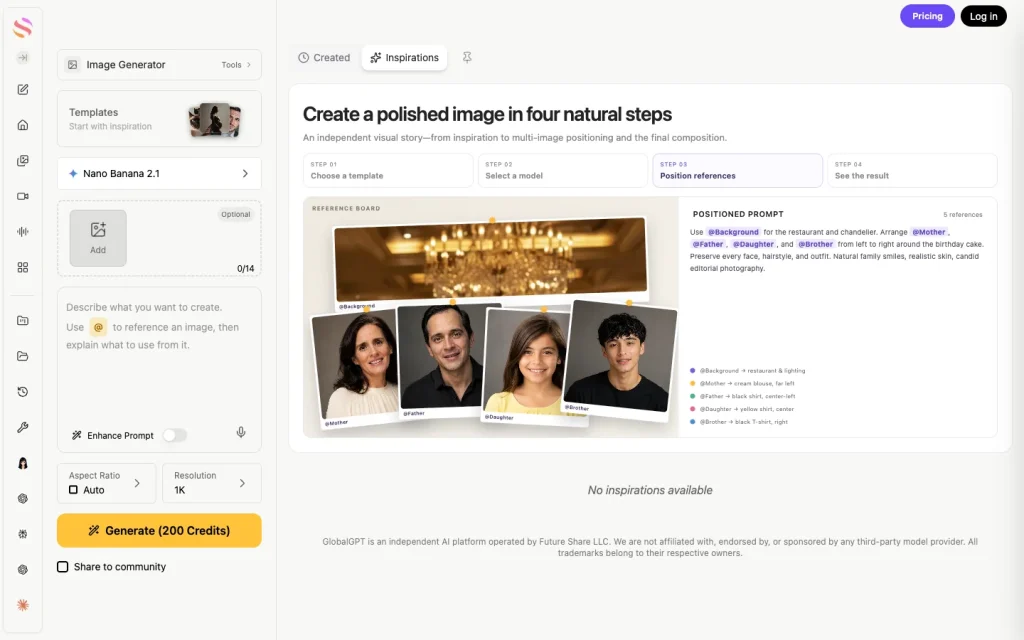
The official Gemini 3 Pro service can experience congestion during peak hours, especially for free users, who are often limited in the number of images they can generate and restricted to lower resolutions. The good news is that GlobalGPT has fully integrated Gemini 3 Pro’s multi‑image generation capabilities, allowing you to use batch generation here freely, without any limits on quantity, speed, or quality.
Gemini 3 Pro vs. Gemini 3 Pro Image: Use the Exact Name
“Gemini 3 Pro” is often used loosely for both chat and image workflows, but Google documents distinct products and model IDs. That distinction explains why a text-model page, a Gemini Apps screen, and an API example can behave differently.
| Current name | API model ID | Practical role |
|---|---|---|
| Gemini 3 Pro | Not the image model ID | General reasoning and multimodal understanding; do not use this label as proof of a particular image-output workflow. |
| Gemini 3 Pro Image (Nano Banana Pro) | gemini-3-pro-image | Premium image generation and editing for complex, precision-focused visual work. |
| Gemini 3.1 Flash Image (Nano Banana 2) | gemini-3.1-flash-image | Google’s general-purpose image model, balancing speed, quality, text rendering, and reference-image consistency. |
| Gemini 3.1 Flash Lite Image (Nano Banana 2 Lite) | gemini-3.1-flash-lite-image | Fast, lower-cost image generation; Google says it is not optimized for multiple reference inputs or sequential multi-turn editing. |
| Gemini 2.5 Flash Image (Nano Banana) | gemini-2.5-flash-image | Legacy image model; Google recommends moving new work to the newer Nano Banana family. |
Five Different Things “Multiple Images” Can Mean
Most confusion comes from treating five different workflows as one feature. They solve different problems and have different reliability guarantees.
| Workflow | What actually happens | Does it guarantee an exact output count? |
|---|---|---|
| Ask for several images in one prompt | One model response may contain multiple image blocks, fewer images than requested, or one composite image with several panels. | No. Google explicitly says the requested number may not be followed. |
| Interleaved text-and-image response | Gemini 3 Pro Image can create a story, guide, or similar response containing text blocks and several illustrations. | No exact-count guarantee; inspect every response block. |
| Concurrent API requests | Your application sends several independent real-time requests at the same time. | You control the request count, but individual calls can fail or be rate-limited. |
| Gemini Batch API | You submit many independent requests as an asynchronous job for later processing. | You control the submitted request list; failed items still require handling. |
| Multiple reference images | Several input images guide one new image or edit. | No. Input count and output count are unrelated. |
Can One Gemini Response Contain Several Images?
Yes. Google documents interleaved responses in which Gemini 3 Pro Image produces text and multiple illustrations in sequence. This is useful for illustrated stories, step-by-step guides, and other connected content. It is not the same as a deterministic variant generator that always returns four independent files.
The Interactions API’s output_image convenience property returns only the last generated image block. When a response may contain several images, developers must iterate through the interaction steps and save every image block. Reading only output_image can make a multi-image response look like a single-image response.
For a request such as “create four camera-angle variations,” the model may still return one image, fewer than four images, or a single contact sheet. Use separate requests when each result must be a separate asset with its own filename, status, and retry path.

How to Generate an Exact Number of Separate Images
For maximum control: send one request per image
- Write one shared base prompt that fixes the subject, style, palette, aspect ratio, and constraints.
- Create a short variant instruction for each required asset, such as “front view,” “three-quarter view,” or “night lighting.”
- Send one image-generation request for each variant.
- Save the prompt, model ID, response ID, output file, and failure state for every request.
- Retry only failed variants instead of regenerating the entire set.
This approach gives you the clearest asset count and retry logic. It does not guarantee identical characters or products across every image, so use the same approved references and repeat the non-negotiable visual details in each request.
For low latency: run independent requests concurrently
Concurrency is an application design choice, not a Gemini output mode. If your project sends six calls in parallel, it is making six requests and receiving six independent responses. Those calls count against the project’s current request, image, token, and spend limits. Google says Gemini API limits are applied per project rather than per API key, so creating more keys does not create separate quota pools.
Use bounded concurrency, exponential backoff, and retry handling for 429 RESOURCE_EXHAUSTED responses. Check the official Gemini API rate-limit page or your AI Studio project view instead of hard-coding a universal number.
For large, non-urgent jobs: use the Batch API
The Gemini Batch API processes a list of independent requests asynchronously. Google positions it for higher-throughput, non-urgent work, with a target turnaround of up to 24 hours. Small jobs can be submitted inline when the request body remains under 20 MB; larger image jobs should use a JSONL input file.
Batch processing is not “one prompt that emits 100 images.” It is one job containing many requests. It also is not a faster version of interactive generation: you trade immediate responses for asynchronous processing and separate batch capacity.
Reference Image Input Limits Are Not Output Limits
Google’s image-generation guide says Gemini 3 image models can mix up to 14 reference images in a workflow, but the useful fidelity limits vary by model and reference type.
| Image model | Documented reference guidance | What it does not mean |
|---|---|---|
| Gemini 3 Pro Image | Up to 14 references in total; Google’s current table lists up to 6 object references, 5 character references, and 3 style references. | It does not promise 14 generated outputs. |
| Gemini 3.1 Flash Image | Up to 14 references in total, including documented fidelity guidance for up to 10 objects and consistency for up to 4 characters. | It does not guarantee one output per person or object. |
| Gemini 3.1 Flash Lite Image | The table lists up to 14 object references, while Google warns that Lite is not optimized for multiple-reference or multi-turn work. | A large accepted input is not proof of strong identity consistency. |
| Gemini 2.5 Flash Image | Google says it works best with up to 3 input images. | The general Gemini file limit does not override image-generation guidance. |
Google’s separate image-understanding documentation states that Gemini models can accept up to 3,600 image files per request for analysis. That is a multimodal understanding limit, not a Nano Banana reference-fidelity limit and not an image-output count. For the generation-specific input side, see how multiple reference images work in Nano Banana Pro.

Gemini Apps, AI Studio, the API, and GlobalGPT Behave Differently
| Surface | Current practical behavior | Main limitation |
|---|---|---|
| Gemini Apps | Google’s official app help describes generating with Nano Banana 2, editing conversationally, and using Redo with Pro for eligible paid users. | The help flow is image-by-image and does not publish a guaranteed multi-output control. Account, age, region, language, and usage limits apply. |
| Google AI Studio | A developer interface for testing models and prompts tied to available API models. | What the UI happens to display is not a promise that production requests will return an exact number of files. |
| Interactions API | Supports current image model IDs, multi-turn editing, and interleaved responses with several image blocks. | Exact image count is not guaranteed; inspect all steps rather than only the last image convenience field. |
| Batch API | Processes many generateContent requests asynchronously with separate batch capacity. | It is not interactive and targets turnaround within 24 hours. |
| GlobalGPT | An independent interface with separate Nano Banana Pro and Nano Banana 2 image-generator pages. | Its controls, credits, model lifecycle, and output behavior are platform-specific and are not Google API guarantees. |
If output resolution is part of your workflow, see the separate guide to creating 4K images with Nano Banana Pro. Resolution settings change pixel dimensions; they do not make an exact multi-image count more reliable.
Why Model IDs Can Look Different Across Google Examples
Google’s current image-generation page recommends the Interactions API and lists gemini-3-pro-image. The Batch API is currently documented through the generateContent API, and its image example still shows gemini-3-pro-image-preview. Treat the model ID as specific to the API surface and availability shown for your project; do not paste an ID from a different example and assume it is interchangeable.
This difference also explains why an old screenshot or third-party menu is weak evidence for current API behavior. A visible label can remain after the underlying endpoint, alias, preview status, or entitlement changes.
Troubleshooting Common Multi-Image Problems
Gemini returned one image instead of four
This is within the documented limitation. Split the task into four independent requests. Keep a shared base prompt and vary only the camera angle, layout, color treatment, or other controlled dimension.
Gemini returned one contact sheet with four panels
A contact sheet is one image file containing several panels, not four downloadable assets. If you need separate files, request and save each variant independently rather than asking the model to divide one canvas.
Only the last illustration was saved
If you used the Interactions API, check whether your code read only output_image. That property returns the last generated image block. Iterate through all model-output steps and collect every image block in sequence.
The Batch API job did not return immediately
That is expected. Batch is asynchronous and aimed at non-urgent volume. Poll the job or use the documented webhook workflow, then map every result back to the custom key or request line that produced it.
Concurrent requests cause 429 errors
Reduce concurrency, add backoff with jitter, and retry failed calls. Gemini API rate limits apply per project, so rotating API keys within the same project does not create additional capacity.
Redo with Pro is missing in Gemini Apps
Google documents Redo with Pro for eligible paid subscribers after an image is generated with Nano Banana 2 or Nano Banana 2 Lite. Availability can also depend on account type, age, country, language, and current usage. Google’s Gemini Apps limits page says limits can change and directs users to Settings → Usage Limits for their current account status.
Best Workflow by Goal
| Your goal | Best method | Why |
|---|---|---|
| Create an illustrated story or guide | One interleaved Gemini 3 Pro Image response | Text and connected illustrations can share one response sequence. |
| Produce exactly 6 independent ad variants | 6 separate requests | Clear file count, per-variant prompts, and targeted retries. |
| Minimize wait time for a small set | Bounded concurrent requests | Independent real-time calls can finish in parallel within project limits. |
| Generate hundreds of non-urgent assets | Batch API with one request per asset | Designed for asynchronous volume and separate batch capacity. |
| Blend products, people, and styles into one image | Multiple reference-image inputs | References guide composition and consistency; they are not multiple outputs. |
| Refine one existing image | Multi-turn editing | The conversation preserves context while you request targeted changes. |

Frequently Asked Questions
Can Gemini 3 Pro generate multiple images at once?
Gemini 3 Pro Image can return several image blocks in a complex or interleaved response, but Google does not guarantee the exact number requested. Use separate requests when every output must be a distinct file.
What is the exact Gemini model for image generation?
The premium image model is Gemini 3 Pro Image, branded Nano Banana Pro, with the current Interactions API ID gemini-3-pro-image. Ordinary Gemini 3 Pro should not be treated as the image API model name.
How many output images can Gemini 3 Pro Image create per prompt?
Google does not publish a dependable exact count for one prompt. Its documentation explicitly says the model may not follow the number of image outputs requested, so prompts such as “make four” should be treated as best-effort.
Is the Gemini Batch API the same as multi-image output?
No. Multi-image output means several image blocks may appear in one model response. Batch API means one asynchronous job contains many independent requests, each with its own result or error.
Can I send several Gemini image requests concurrently?
Yes, if your application stays within its current project limits. Concurrency can reduce total waiting time, but it does not merge the calls into one response and it requires retry handling for rate-limited or failed requests.
How many reference images can Gemini 3 Pro Image accept?
Google’s current image-generation guide allows up to 14 references in total for Gemini 3 image models. Its Gemini 3 Pro Image table further divides that budget into object, character, and style-reference guidance.
Does uploading multiple images create multiple outputs?
No. Multiple uploads are reference inputs used to blend elements, preserve characters, or guide style. A request with 10 input images may still produce one output image.
Does Gemini Apps offer the same controls as the Gemini API?
No. Gemini Apps provides a consumer image workflow with Nano Banana 2 and eligible Redo with Pro access. API users choose model IDs, inspect response blocks, manage concurrency, and can submit asynchronous batch jobs.
Bottom Line
Gemini 3 Pro Image can produce more than one image inside a response, especially for interleaved visual content, but it is not a reliable exact-count variant endpoint. For a precise deliverable count, treat each image as its own request. Use bounded concurrency for small real-time sets, the Batch API for large non-urgent jobs, and multiple reference images only when you need to guide one composition or preserve visual identity.





