Nano Banana AI puede ayudarte a crear una foto realista tipo carné, con el rostro centrado, fondo liso, expresión neutra e iluminación uniforme. Resulta útil para fotos de perfil, maquetas, vistas previas de identificaciones internas, currículos y recursos de diseño.
En esta guía, te mostraré paso a paso cómo crear una foto tipo carné con Nano Banana en 2027. Además, encontrarás instrucciones listas para copiar, consejos sobre el tamaño y el fondo, errores comunes que debes evitar y una explicación clara de cuándo son útiles las fotos de carné generadas por IA y cuándo es mejor utilizar una foto original sin retocar.

Respuesta rápida
Nano Banana AI puede ayudarte a crear una foto realista tipo carné, con el rostro centrado, fondo liso, expresión neutra e iluminación uniforme. Resulta útil para fotos de perfil, maquetas, vistas previas de documentos de identidad internos, currículos y recursos de diseño. Para solicitudes oficiales de pasaporte o visado, utiliza una foto original sin retocar y sigue las normas de la agencia gubernamental correspondiente.
¿Qué es Nano Banana AI?
«Nano Banana» es el nombre con el que se conoce habitualmente a las funciones nativas de generación y edición de imágenes de Gemini. Según la documentación de la API de Gemini de Google sobre generación de imágenes, «Nano Banana» hace referencia a varios modelos de imágenes, entre los que se incluyen Nano Banana 2, Nano Banana Pro y los modelos de imágenes basados en Gemini.
Para los creadores y los profesionales del marketing, Nano Banana resulta útil porque permite generar imágenes a partir de indicaciones de texto, editar imágenes subidas mediante lenguaje natural, mantener la coherencia del tema en todas las revisiones y crear imágenes realistas con un estilo de estudio fotográfico. Google también señala que las imágenes generadas incluyen la marca de agua SynthID.
En pocas palabras, Nano Banana AI es una herramienta de generación y edición de imágenes capaz de convertir una indicación o una foto de referencia subida en una imagen con un acabado impecable. En el caso de las fotos tipo carné, esto significa que puedes solicitar un primer plano de cara, con expresión neutra, fondo liso, iluminación uniforme y una calidad fotográfica realista.
¿Se puede usar Nano Banana para las fotos del pasaporte?
Puedes utilizar Nano Banana para hacer fotos tipo carné, pero no debes dar por sentado que el resultado sea válido para una solicitud oficial de pasaporte.
Utiliza Nano Banana para:
- Fotos de perfil de LinkedIn
- Fotografías de perfil para el currículum
- Vistas previas de los identificadores internos de la empresa
- Maquetas de carnés de estudiante
- Ejemplos de interfaces de usuario de aplicaciones
- Marcadores de posición de diseño
- Retratos creativos al estilo de las fotos de pasaporte
No confíes únicamente en Nano Banana para:
- Solicitudes oficiales de pasaporte estadounidense
- Solicitudes de visado
- Solicitudes de documentos de identidad oficiales
- Documentos de identidad oficiales
- Cualquier fotografía de un documento para el que la agencia exija una imagen original y sin retocar
El Departamento de Estado de EE. UU. indica que las fotos de pasaporte deben ser originales y sin retocar, y advierte de que no se deben modificar las fotos con programas informáticos, filtros, aplicaciones de móvil o inteligencia artificial. Por eso, en esta guía se utiliza la expresión “foto tipo pasaporte” en lugar de prometer una foto de pasaporte aceptada oficialmente.
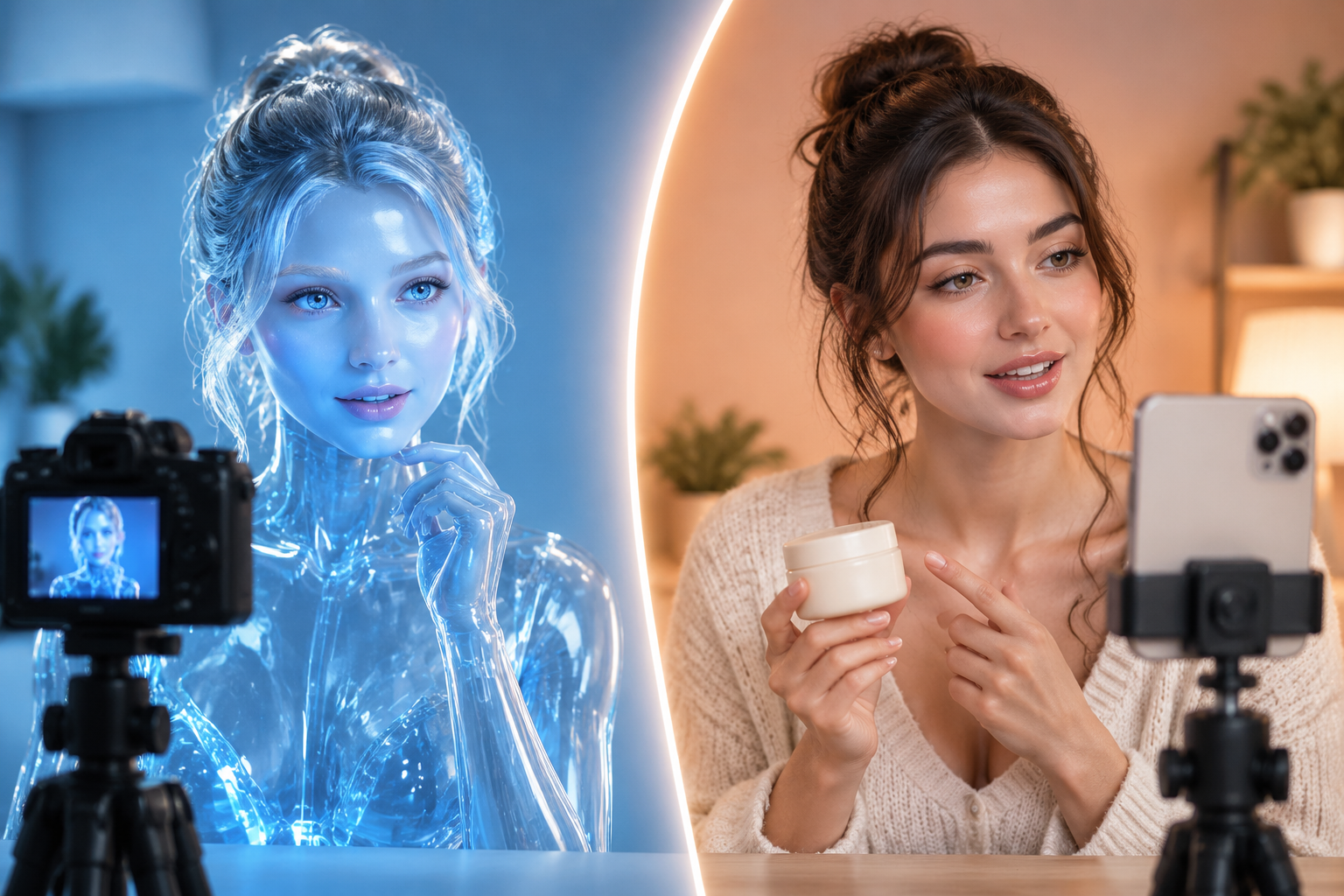
Foto oficial de pasaporte frente a imagen generada por IA al estilo de una foto de pasaporte
| Caso de uso | ¿Puede ayudar Nano Banana? | Mejores prácticas |
|---|---|---|
| Foto de LinkedIn o del currículum | Sí | Utiliza una imagen de primer plano realista, con iluminación neutra y sin retocar los rasgos faciales. |
| Vista previa del distintivo de la empresa | Sí | Crea un estilo visual coherente para las maquetas antes de la sesión fotográfica definitiva. |
| Ejemplo de carné de estudiante | Sí | Úsalo para previsualizaciones de diseño, no para la verificación oficial de la identidad. |
| Espacio reservado para la aplicación o la página web | Sí | Utiliza personas generadas por ordenador o imágenes de referencia autorizadas. |
| Solicitud de pasaporte estadounidense | No se aplica a la foto final enviada | Utiliza una foto real reciente que no haya sido retocada digitalmente. |
| Visado o documento de identidad oficial | Compruébalo primero | Los requisitos varían según el país y el organismo. |
Conclusión clave: Nano Banana es una buena herramienta para crear imágenes con formato de foto de carné. No es un atajo para eludir las normas oficiales sobre fotografías.
Las mejores ideas de Nano Banana para fotos tipo carné
Utiliza estas instrucciones para fotos no oficiales tipo carné. Si subes una foto de una persona real como referencia, incluye la frase “mantén los rasgos faciales reales y la identidad de la persona” para que el modelo no retocara en exceso el rostro.
| Escenario | Texto listo para copiar |
|---|---|
| Foto de perfil profesional y nítida | Crea una foto de rostro tipo carné de la persona cuya imagen se ha subido. Mantén los rasgos faciales reales y la identidad de la persona. La persona debe mirar directamente a la cámara con una expresión neutra, con ambos ojos abiertos, la boca cerrada, los hombros visibles, sobre un fondo liso de color blanco roto, con una iluminación suave y uniforme, un tono de piel natural, una foto realista tomada con cámara, sin filtros de belleza ni retoques en el rostro. |
| Foto de perfil profesional | Crea un retrato profesional, tipo foto de carné, de la persona cuya imagen se ha subido. Mantén la identidad y las proporciones faciales. La persona lleva una chaqueta oscura sobre una camisa clara, mira directamente a la cámara, con expresión neutra; la cabeza y los hombros están centrados; el fondo es blanco liso; la iluminación de estudio es uniforme y la calidad de la foto es realista. |
| Foto tipo carné de estudiante | Crea una foto de cara realista, al estilo de un carné de estudiante, de la persona que se ha subido. Mantén el rostro y la edad originales. Ropa informal pero cuidada, contacto visual directo, expresión neutra, hombros visibles, fondo liso de color gris claro, iluminación suave y uniforme, sin retoques ni filtros estilizados. |
| Foto para la tarjeta de identificación del personal | Crea una foto de perfil de la persona de la imagen subida, al estilo de una tarjeta de identificación de empleado. Mantén la identidad de la persona. La persona debe llevar una prenda sencilla y profesional, mirar hacia delante, con expresión neutra, el rostro centrado, los hombros visibles, fondo blanco liso, tono de piel realista, iluminación uniforme e imagen realista. |
| Maqueta de la aplicación en formato vertical | Crea un retrato tipo carné para una maqueta de interfaz de aplicación. La persona debe mirar directamente a la cámara, con expresión neutra, los hombros visibles, sobre un fondo liso de color blanco roto, con iluminación realista, contornos nítidos, textura natural de la piel, sin distorsiones faciales ni retoques exagerados. |
Modificador de la indicación «Pro»:
fondo liso de color blanco roto sin costuras, iluminación frontal suave de estudio, tono de piel natural, fotografía realista tomada con cámara, cabeza y hombros centrados, sin sombras en el rostro ni en el fondoCómo hacer una foto tipo carné con Nano Banana
Paso 1: Elige el caso de uso adecuado
Antes de generar nada, decide si la imagen es para uso oficial o no oficial. Si es para una foto de perfil, una maqueta de documento de identidad, un currículum, una página de equipo o una vista previa de diseño, Nano Banana es una opción ideal. Si es para solicitar un pasaporte o un visado oficial, consulta primero la normativa gubernamental y utiliza una foto original si es necesario.
Paso 2: Sube una foto de referencia nítida

Utiliza una imagen nítida, tomada de frente y con buena iluminación. Evita las fotos borrosas, con filtros excesivos, tomadas de perfil o recortadas. Si la imagen de referencia es de mala calidad, el resultado generado por la IA suele requerir más correcciones.
Sube únicamente fotos para las que tengas permiso de uso. En el caso de proyectos empresariales o de equipo, solicita el consentimiento antes de utilizar fotos de empleados o clientes.
Paso 3: Pegar una indicación con protección de identidad
Empieza con una de las indicaciones anteriores. Si la imagen se basa en una persona real, incluye:
Conserva los rasgos faciales reales y la identidad de la persona.Añade también instrucciones negativas como, por ejemplo:
sin filtros de belleza, sin retoques faciales, sin cambios de edad, sin efectos estilizados
Paso 4: Controla el fondo y la iluminación
Si quieres un estilo clásico tipo foto de pasaporte, pide un fondo liso blanco, blanco roto o gris claro. Para perfiles profesionales, el blanco roto o el gris claro suelen dar un aspecto más natural que el blanco puro.
Utiliza instrucciones de iluminación como, por ejemplo:
iluminación frontal suave y uniforme, sin sombras marcadas, tono de piel fiel a la realidad, fotografía de estudio realista
Si la imagen altera la identidad de la persona, vuelve a generarla con una indicación más precisa.
Lista de verificación de las normas y el tamaño de las fotos para el pasaporte estadounidense
Si estás creando un diseño de foto de pasaporte al estilo estadounidense como referencia, utiliza estos requisitos habituales del Departamento de Estado de EE. UU. como lista de comprobación. Esta lista de comprobación no garantiza que una imagen generada por IA sea oficialmente válida.
| Requisito | Guía sobre las fotos para el pasaporte estadounidense |
|---|---|
| Edad de la fotografía | Tomado en los últimos 6 meses |
| Tamaño de letra | 2 x 2 pulgadas, o 51 x 51 mm |
| Talla de la cabeza | De 1 a 1 3/8 pulgadas, o de 25 a 35 mm, desde la barbilla hasta la coronilla |
| Antecedentes | Blanco liso o hueso |
| Pose | Mira directamente a la cámara con la cabeza centrada |
| Expresión | Expresión neutra, ojos abiertos y visibles, boca cerrada |
| Iluminación | Iluminación uniforme, sin sombras marcadas |
| Calidad | Fotografía en color de alta resolución, que no esté borrosa, granulada, dañada ni pixelada |
| Cambios digitales | Utiliza la foto original sin IA, filtros ni retoques con programas informáticos |
Para las solicitudes oficiales en EE. UU., consulta las normas vigentes en la página oficial del Departamento de Estado sobre las fotos de pasaporte antes de presentarlas.
Consejos sobre el modelo Nano Banana para 2027
La documentación actual de Google sobre la generación de imágenes describe Nano Banana como una familia de modelos de generación de imágenes nativos de Gemini. La diferencia práctica más relevante para este caso de uso es la disyuntiva entre calidad y velocidad.
| Nombre del modelo en Google Docs | Función práctica | Ideal para fotografías tipo carné |
|---|---|---|
| Nano Banana 2 | Rapidez y generación a gran escala | Borradores en serie, variaciones rápidas, maquetas internas |
| Nano Banana Pro | Producción profesional de recursos e instrucciones complejas | Recursos de perfil de mayor calidad e imágenes de marketing más pulidas |
| Nano Banana | Generación y edición rápida de imágenes | Retocados rápidos y fotos de carné sencillas |
Si tu plataforma ofrece varias opciones de Nano Banana, empieza con el modelo más rápido para los borradores y utiliza la opción de mayor calidad para la imagen final.
Errores comunes que hay que evitar
Error n.º 1: Calificar la imagen resultante como «foto oficial de pasaporte»
Utiliza la expresión “foto tipo carné”, a menos que te refieras a una fotografía real que cumpla con las normas oficiales de un organismo. De este modo, el artículo mantendrá su precisión y se preservará la confianza de los usuarios.
Error n.º 2: Retocar en exceso el rostro
Las fotos tipo carné deben tener un aspecto natural. Evita las instrucciones que hagan que el rostro parezca más joven, más delgado, más liso, más simétrico o más glamuroso.
Error n.º 3: Utilizar un fondo recargado
Los objetos de fondo, las texturas, los degradados, las sombras y las paredes decorativas restan fuerza al estilo ID. Mantén el fondo sencillo.
Error n.º 4: Recortar la imagen demasiado ajustada
Una buena fotografía tipo carné debe mostrar la cabeza y los hombros completos. Si la frente, el pelo, las orejas, la barbilla o los hombros quedan fuera de la imagen, vuelve a hacer la foto o recórtala de nuevo.
Error n.º 5: Ignorar la normativa oficial del país
Los requisitos para las fotos de pasaporte y visado varían. La lista de verificación de EE. UU. resulta útil para el formato al estilo estadounidense, pero otros países pueden tener diferentes tamaños, colores de fondo, proporciones faciales o normas para el envío digital.
Preguntas frecuentes sobre las fotos tipo carné de Nano Banana
¿Puede Nano Banana crear una foto de carné?
Nano Banana permite crear fotos tipo pasaporte para imágenes de perfil, currículos, maquetas y vistas previas de identificaciones internas. Para solicitudes oficiales de pasaporte, consulta primero las normas de la agencia correspondiente. Algunas agencias exigen una foto original sin retocar y pueden rechazar imágenes generadas o retocadas con IA.
¿Se aceptarán las fotos de carné generadas por IA en 2027?
La aceptación depende del país y de la agencia. Las directrices actuales sobre pasaportes de EE. UU. indican que las fotografías presentadas deben ser originales y sin modificaciones, sin retoques realizados con IA ni con software. Trata las imágenes de Nano Banana como fotografías de tipo pasaporte, a menos que las normas oficiales de solicitud permitan claramente el uso de fotografías retocadas con IA.
¿Qué dimensiones debe tener una foto tipo carné?
En el caso de los pasaportes con diseño al estilo estadounidense, la fotografía impresa mide 2 x 2 pulgadas, es decir, 51 x 51 mm. El tamaño de la cabeza debe ser de entre 1 y 1 3/8 pulgadas, es decir, de entre 25 y 35 mm. Es posible que otros países utilicen tamaños diferentes.
¿Puedo usar Nano Banana para cambiar el fondo a blanco?
Sí, Nano Banana puede crear o editar un fondo blanco o blanquecino liso para fotografías no oficiales de tipo pasaporte. En el caso de las solicitudes oficiales de pasaporte de EE. UU., el Departamento de Estado indica que la fotografía presentada no debe haber sido retocada digitalmente.
¿Es la Nano Banana Pro mejor para las fotos de carné?
Nano Banana Pro puede ser la mejor opción cuando necesites un resultado más pulido o que el modelo siga instrucciones complejas. Para borradores rápidos, puede bastar con un modelo Nano Banana más rápido. Elige en función de tus necesidades de calidad, los límites de uso y la plataforma desde la que accedas al modelo.