How to Use ChatGPT Image 2 to Generate Image (2026 Guide)

To use ChatGPT Image 2 for image generation, simply enter natural language prompts directly into the GPT-4o chat interface—no separate plugins or sub-menus are required. While this model delivers 99%+ text rendering accuracy, users in 2026 often face "architectural rigidity" where the focus on physical logic results in images that feel sterile and lack the cinematic atmosphere found in specialized artistic tools.
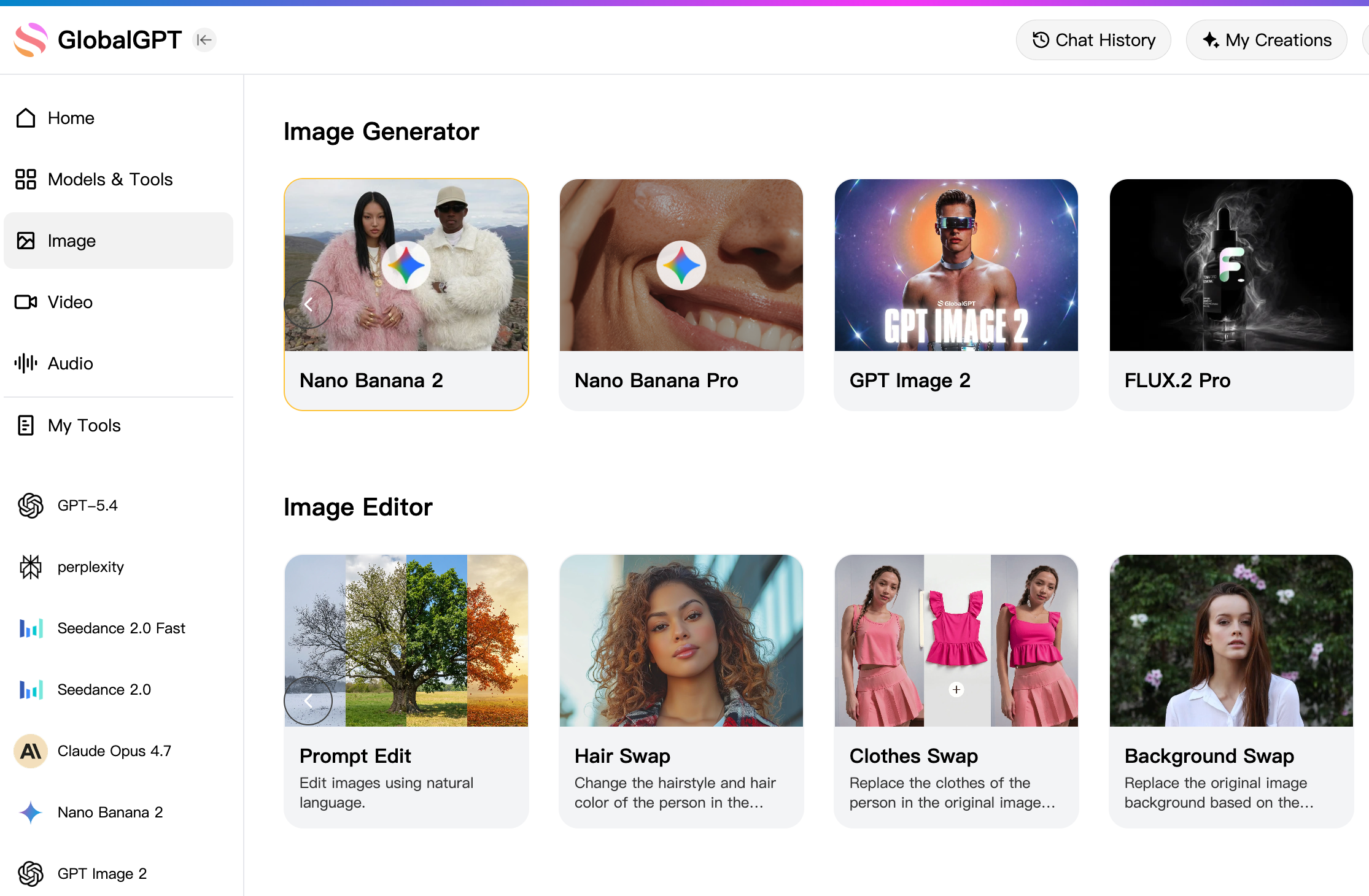
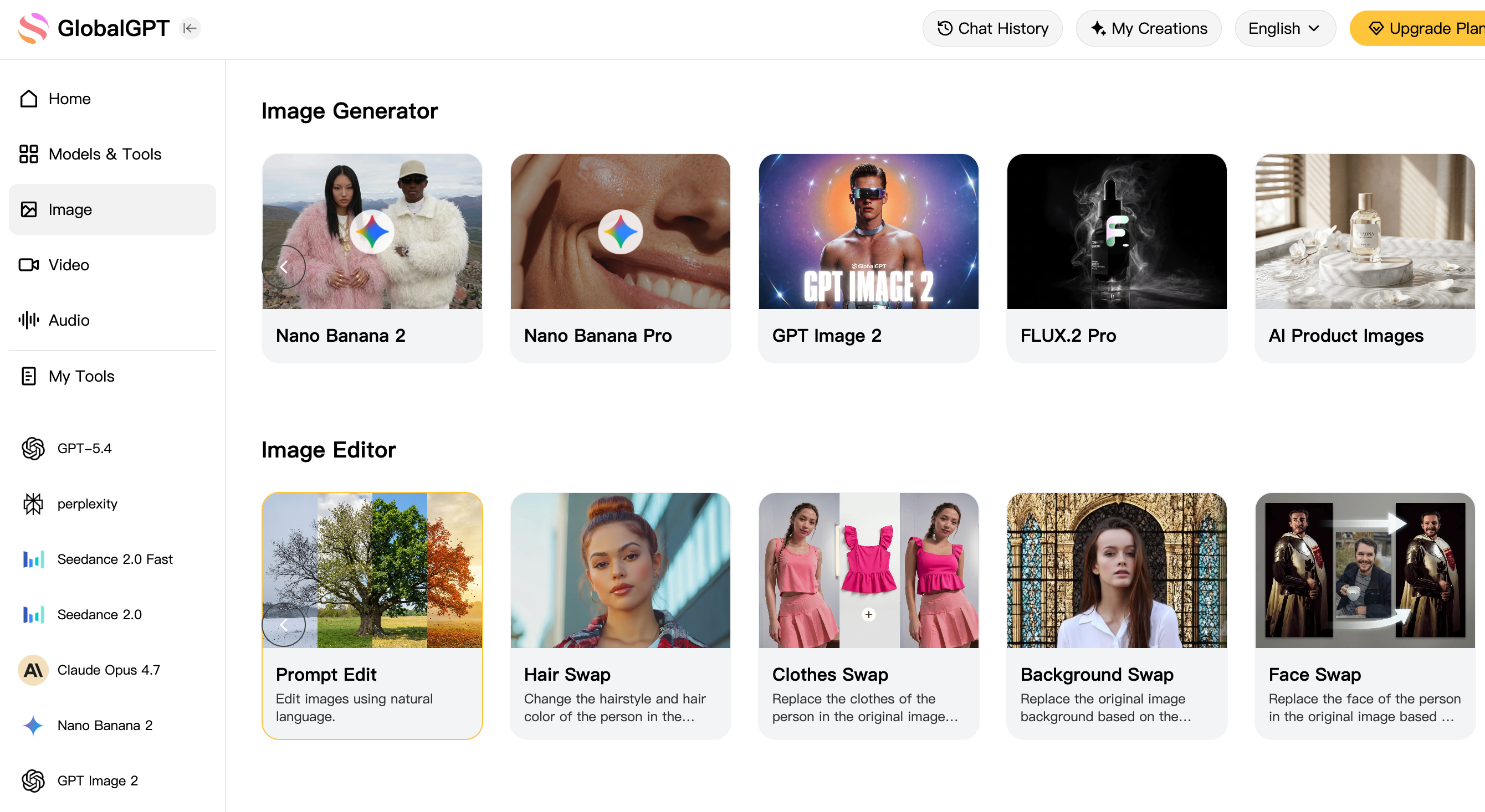
This rigidity severely limits professional creativity when projects require a specific "vibe" or artistic flair beyond a technical layout. GlobalGPT solves this by aggregating the world's most powerful generators into one workspace. Our $10.8 Pro Plan allows you to instantly switch between the logical precision of GPT Image 2, the cinematic photorealism of Nano Banana 2, and the unmatched artistic style of Midjourney.
Beyond imagery, GlobalGPT covers your complete workflow from research to final production. You gain full access to premier LLMs like ChatGPT 5.4, Gemini 3.1, and Claude 4.6, alongside high-fidelity video tools like Sora 2, Veo 3.1, and Kling. Finish your entire end-to-end project within one unified dashboard, bypassing all regional restrictions and complex payment barriers.How to Use ChatGPT Image 2 to Generate Image?
Native Integration within ChatGPT (No Plugins Needed): In 2026, you don't need to look for a "DALL-E 3" button or open a separate app anymore. GPT Image 2 is built directly into the GPT-4o chat window. To start, you just type your idea like you're talking to a friend—the AI understands that you want a picture and creates it instantly without switching modes.
Activating via Natural Language: Using this model to generate image assets is as simple as saying "Draw a futuristic coffee shop" or "Create a UI mockup for a fitness app". Because it is "natively" integrated, you can use very long and descriptive sentences, and the AI will remember the context of your previous conversation to make the image more relevant to your specific project.
Iterative Conversational Editing: This is the "magic" of 2026 AI technology—if the image isn't perfect, don't start over. You can just type, "Change the lighting to sunset" or "Make the person wear a red hat," and GPT Image 2 will modify the existing picture while keeping everything else the same. This conversational loop makes it feel like you are working with a real graphic designer.
Why is GPT Image 2 a Revolutionary Upgrade from DALL-E 3?
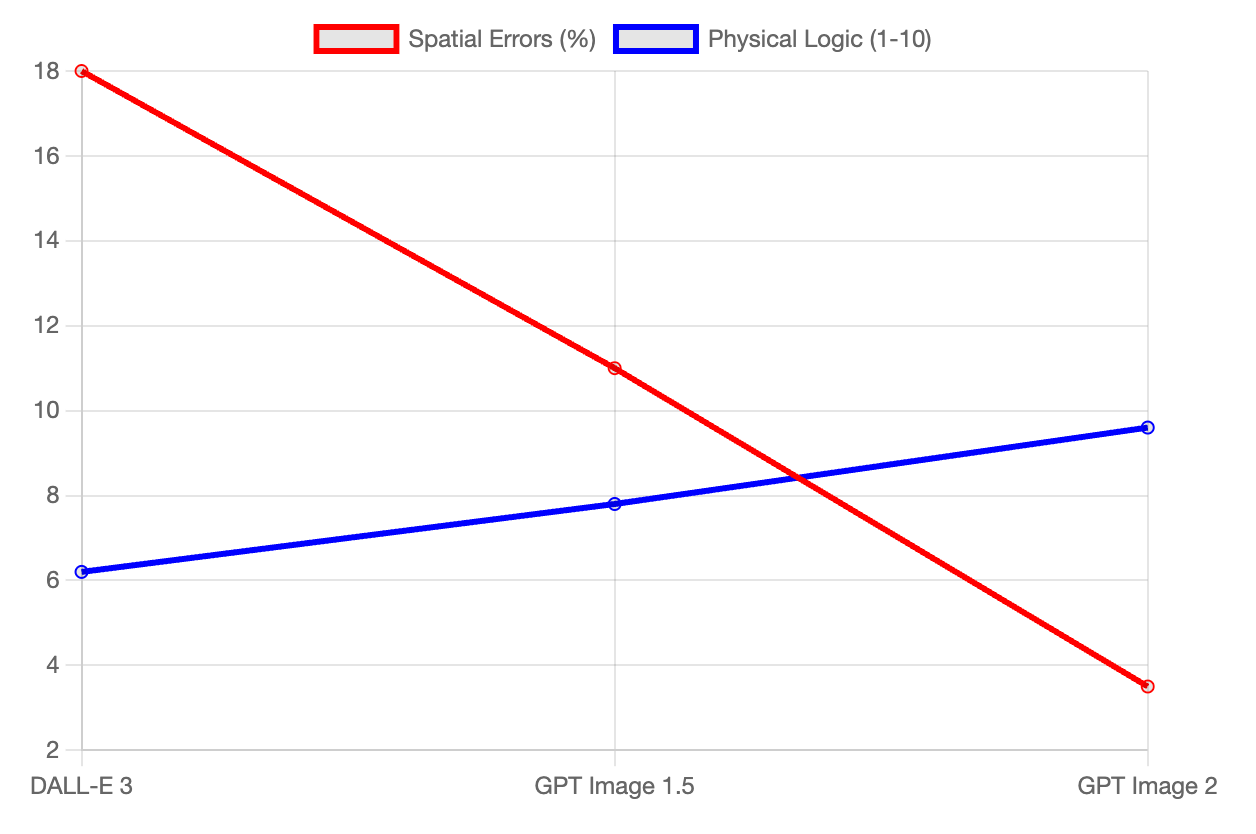
Autoregressive Single-Pass Architecture (The "Writing" Brain): Unlike older models (like DALL-E 3) that used "Diffusion"—which works like a fog clearing up—GPT Image 2 uses an Autoregressive system. Think of it like a human writing a sentence from left to right ; the AI "reads" and "draws" the image in one go, which makes it much better at understanding how objects fit together in a real 3D space.
Solving "Spatial Hallucinations": Have you ever seen an AI image where a person has six fingers or a chair that merges into a wall? Those are called "spatial hallucinations". Because GPT Image 2 is built into the core brain of GPT-4o, it understands the physics of the world much better. It knows that a leg belongs under a table, not growing out of the tabletop.
2026 Release Status & Pro Access: As of April 2026, GPT Image 2 has moved past the secret A/B testing phase and is now available to all Plus and Pro users. It represents the first time an AI model can truly "see" and "draw" with the same logic it uses to write essays.
Can I Render Perfect Text and UI Screenshots with GPT Image 2?
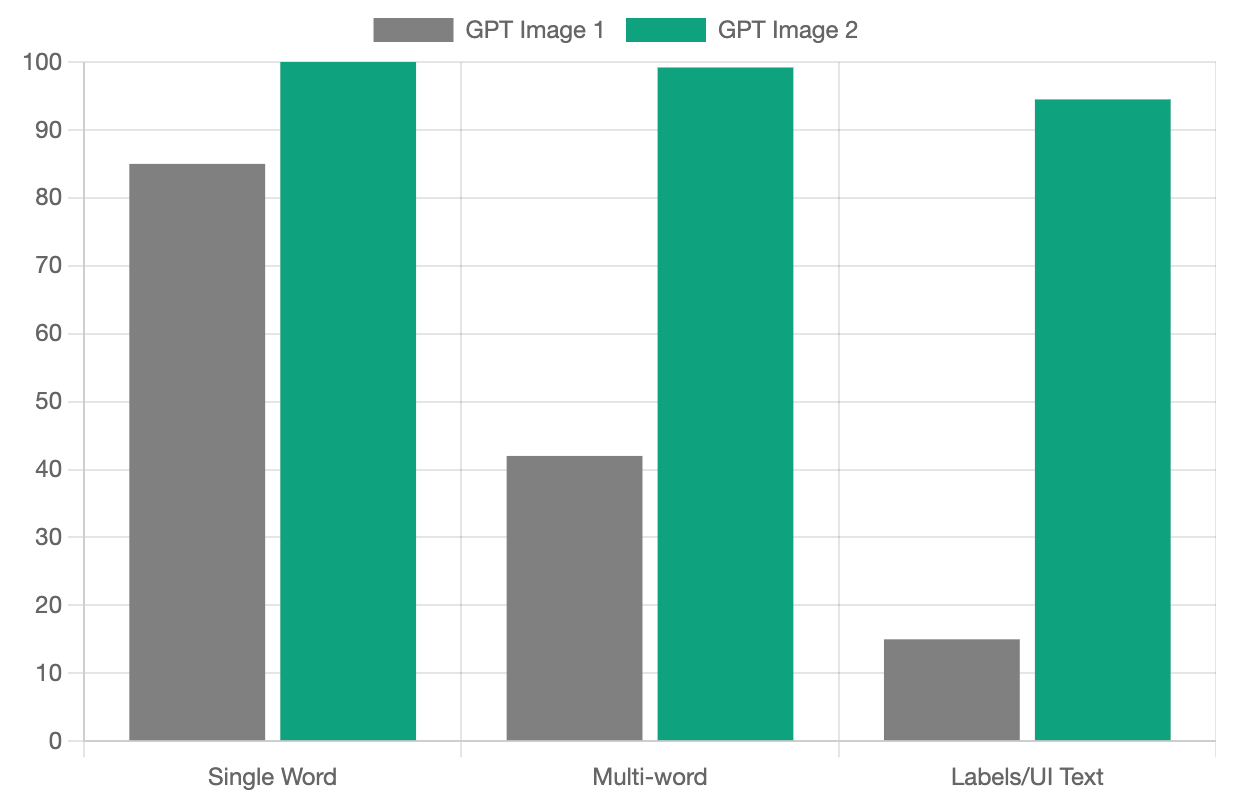
Precision Typography (The "Quotation Mark" Trick): The biggest headache in AI history was "garbled text". GPT Image 2 has fixed this by achieving 99%+ accuracy. If you want a neon sign that says "GlobalGPT 2026," you just put the text in quotes, and the AI renders it perfectly without a single typo. It even handles punctuation and small fonts on labels like a professional printer.
High-Fidelity UI/UX Prototyping: Designers now use GPT Image 2 to "sketch" entire software interfaces. You can ask for a "SaaS dashboard with a blue sidebar and a dark mode analytics chart," and it will generate a screenshot that looks like a real live app. The buttons are clear, the menus are readable, and the layout follows real software design rules.
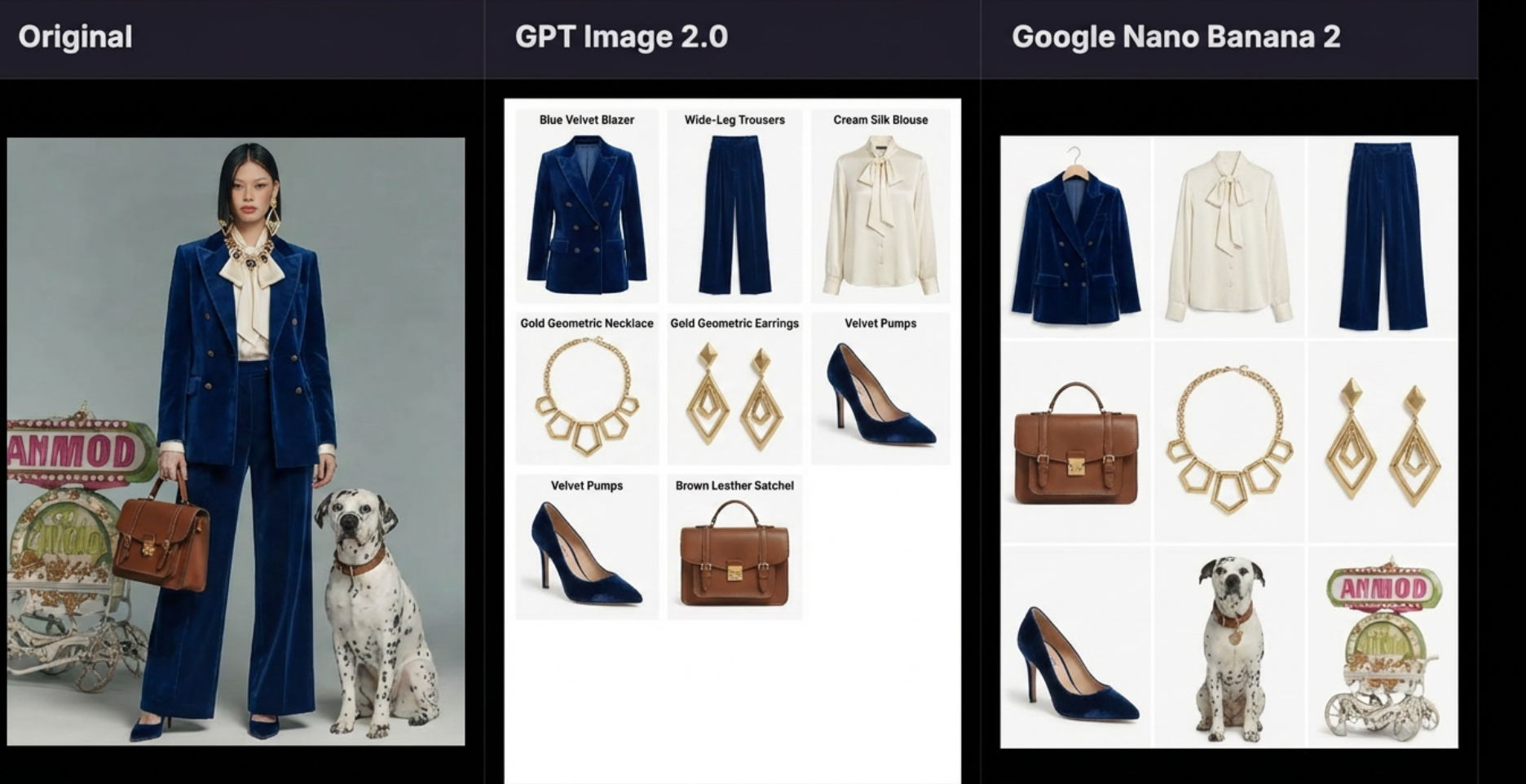
Spatial Logic and Grid Mastery: If you tell the AI to "Place a logo in the top-right and a button in the bottom-left," it actually listens. In 2026 tests, GPT Image 2 successfully mastered the 3x3 Grid Layout, where it kept nine different items in their own perfect boxes without them blending together. This "architectural precision" is a game-changer for catalog makers and marketers.
GPT Image 2 vs. Google Nano Banana 2: Which AI Model Actually Wins?
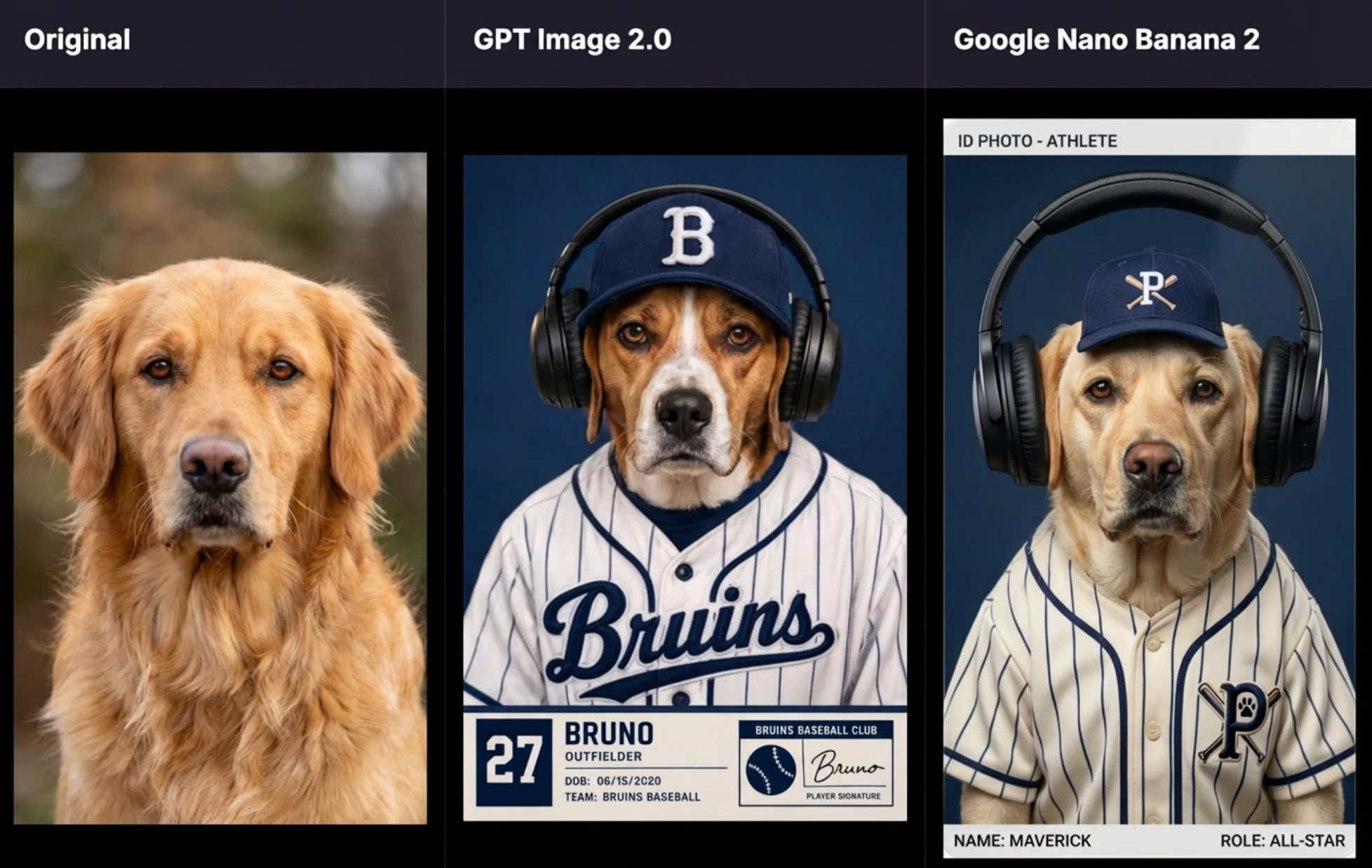
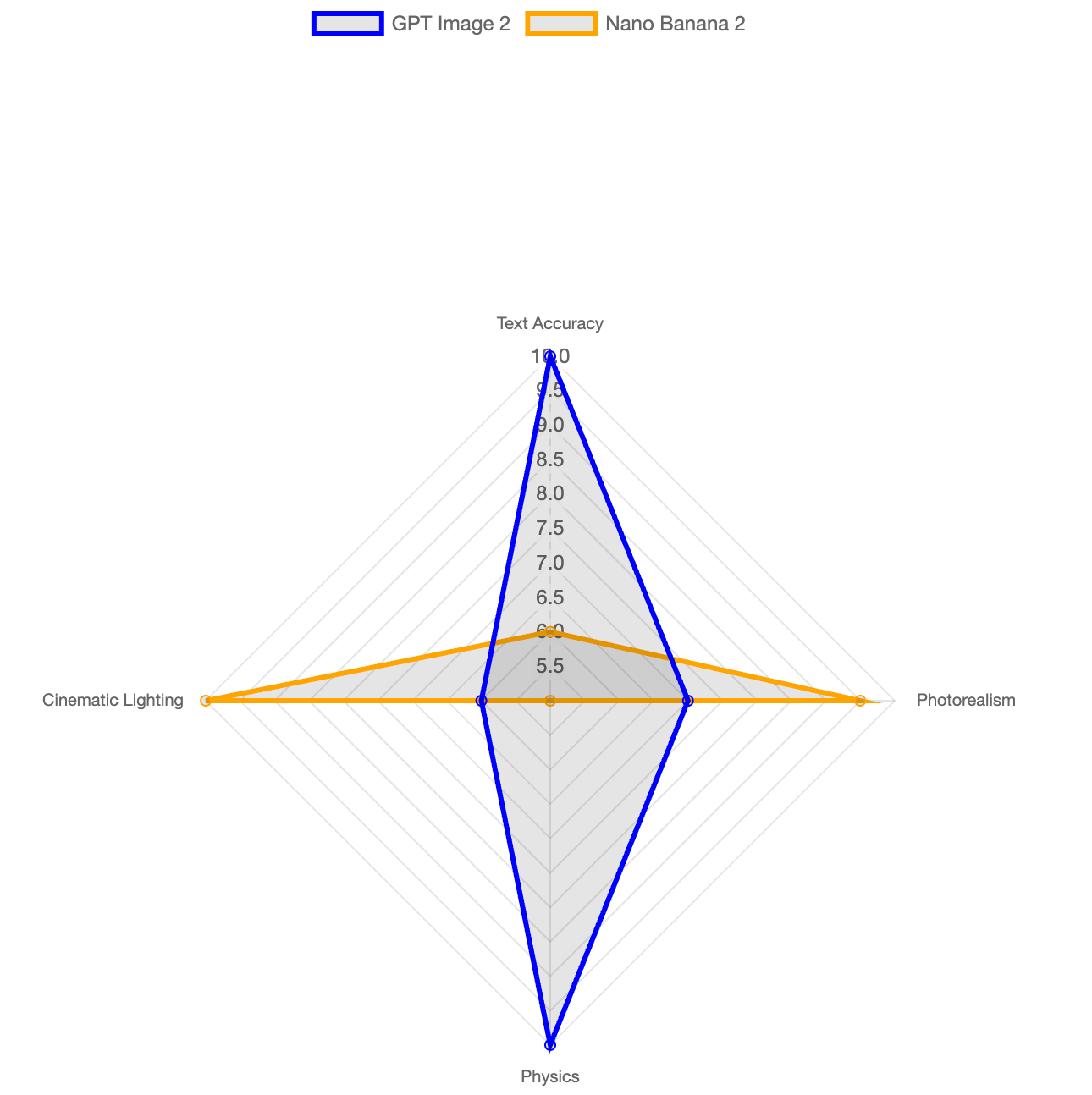
The "Architect" vs. The "Photographer": According to 2026 tests by Pollo AI, these two models have very different personalities. GPT Image 2 is the "Architect"—it is perfect at following instructions and building structured layouts. Nano Banana 2 is the "Photographer"—it excels at cinematic lighting, hyper-realistic skin textures, and artistic "vibes".
Round 1: Visual Quality and Cinematic Aesthetics: If you want a photo that looks like it was taken with a $5,000 camera, Nano Banana 2 wins. It scored a 9/10 in photorealism, while GPT Image 2 scored a 7/10 because its images can sometimes look a bit "too clean" or "sterile".
Round 2: Physics and Spatial Awareness: In the famous "3x3 Technical Layout" test, GPT Image 2 was the clear winner. It understood how to separate nine pieces of clothing into a clean grid, while Nano Banana 2 struggled and accidentally blended some items together.
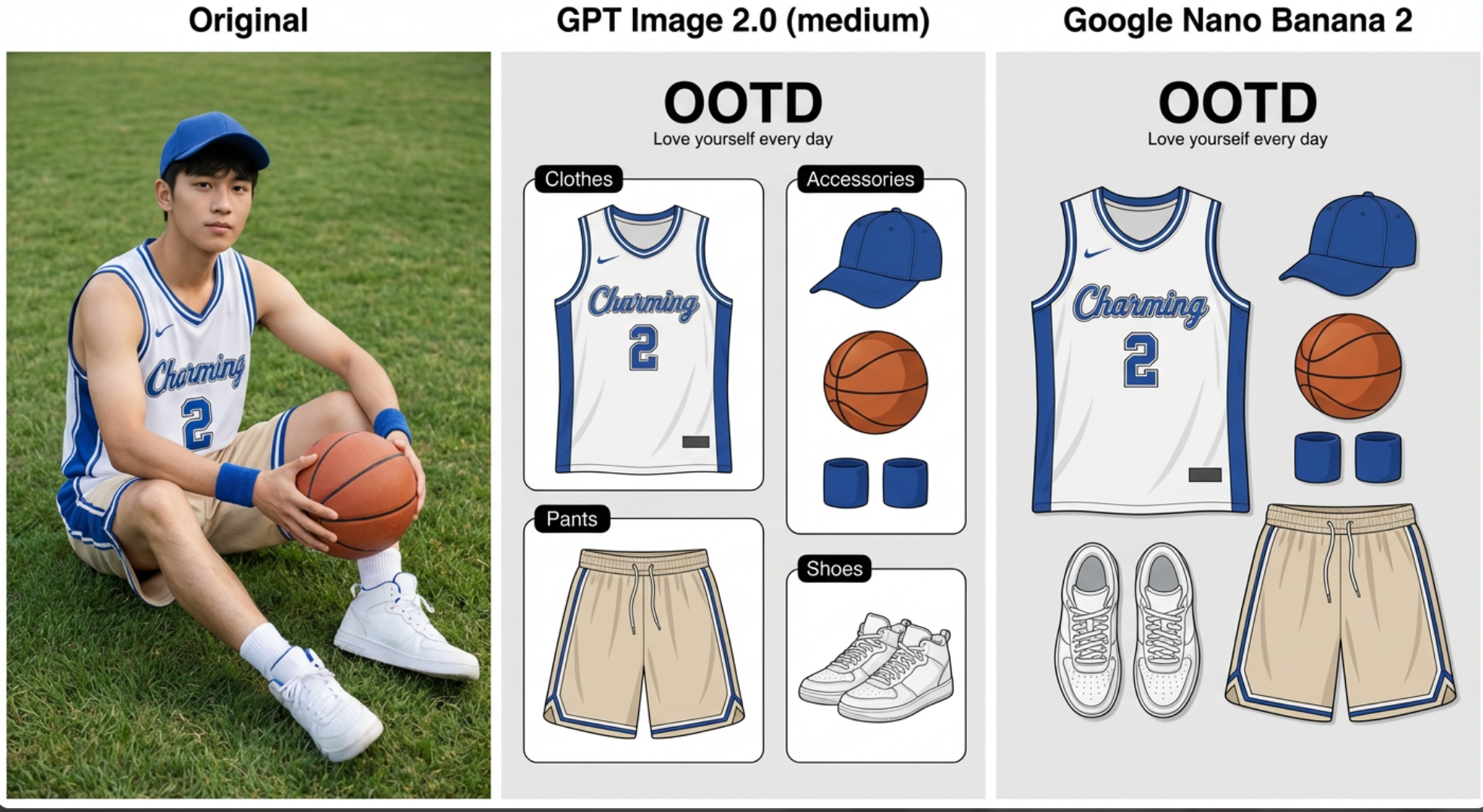
Round 3: The "OOTD" Poster Test: When asked to create a minimalist Japanese poster with the handwritten text "OOTD" and a sub-title, GPT Image 2 achieved 100% accuracy. Nano Banana 2 created a beautiful photo, but it failed to follow the design logic and made typos in the sub-title.
Speed Benchmarks: Both models are incredibly fast in 2026, generating high-quality images in just 3 to 5 seconds.
Is GPT Image 2 the Best Choice for Professional Branding and Marketing?
Designing Social Media Posters: For influencers and businesses, the ability to generate a poster with a perfectly spelled headline in 5 seconds is a massive time-saver. Designers prefer GPT Image 2 for text-heavy graphics because it eliminates the need to manually edit text in Photoshop later.
Product Visualizations & Mockups: If you are launching a new drink or a skincare line, this model can create realistic packaging. It puts the labels and logos exactly where you want them, ensuring the brand name is clear and professional.
Complex Multi-Object Compositions: Unlike older AI that would "mush" objects together, GPT Image 2 keeps distinct boundaries. If you ask for a "cat, a dog, and a parrot sitting separately on a fence," it manages the space perfectly without the animals merging into one strange creature. GlobalGPT's user-friendly interface allows you to test these complex scenes across multiple models to find the perfect fit.
Why Choose One Model When You Can Access Both via GlobalGPT?
The GlobalGPT Pro Plan Advantage ($10.8): Why pay $20 to OpenAI and $20 to Google when you can get the best of both worlds for just $10.8?. Our Pro Plan unlocks GPT Image 2, Nano Banana 2, Flux, and Midjourney in one single dashboard.
No Access Barriers: We believe AI should be for everyone. GlobalGPT removes all regional restrictions and complex credit card requirements, allowing you to use these 2026 cutting-edge models no matter where you are in the world.
The Complete Workflow Ecosystem: GlobalGPT is more than just an image generator. You can start by researching your topic with ChatGPT 5.4, generate your visuals with GPT Image 2, and then turn them into cinematic clips with Sora 2 or Veo 3.1—all without ever leaving our platform. It’s a full-cycle production house in your pocket.
FAQs
Is GPT Image 2 available for free ChatGPT users?
As of April 2026, GPT Image 2 is primarily restricted to ChatGPT Plus and Pro subscribers due to high computational demands. If you are wondering how many images can you generate or need to bypass chatgpt image limit, note that paid users currently receive priority access.
How do I fix garbled text in AI-generated images?
To fix garbled text, use the "Quotation Mark" trick by placing your exact words inside quotes to achieve 99%+ rendering accuracy. Alternatively, utilize ChatGPT's conversational editing feature to simply ask the AI to "fix the spelling" in your existing image without starting a new prompt.
Can I use GPT Image 2 for commercial branding and trademarks?
Yes, GPT Image 2 is specifically designed as a professional production tool for creating high-fidelity logos, product labels, and packaging mockups. Its reliable text accuracy makes it a top choice for commercial branding projects that require high-quality, print-ready visual assets.
Conclusion
GPT Image 2 represents a definitive shift toward professional-grade AI production, offering a level of structural logic and text accuracy that was previously unattainable. By utilizing its native integration within the GPT-4o ecosystem, users can now transform conversational prompts into high-fidelity UI mockups and marketing assets with near-perfect precision. As the landscape of AI generation matures in 2026, this model stands as the premier choice for creators who prioritize technical reliability and architectural control over mere aesthetic flair.
