GPT Image 2 vs Flux 2.0 Max: The Ultimate 2026 Pro Comparison

GPT Image 2 is the industry leader for structural logic and text rendering, achieving a 99.2% accuracy rate, though users must manage a 15-20 second latency in its "Thinking Mode." Meanwhile, Flux 2.0 Max delivers superior 4K cinematic realism but remains prone to text stroke smearing in complex prompts.
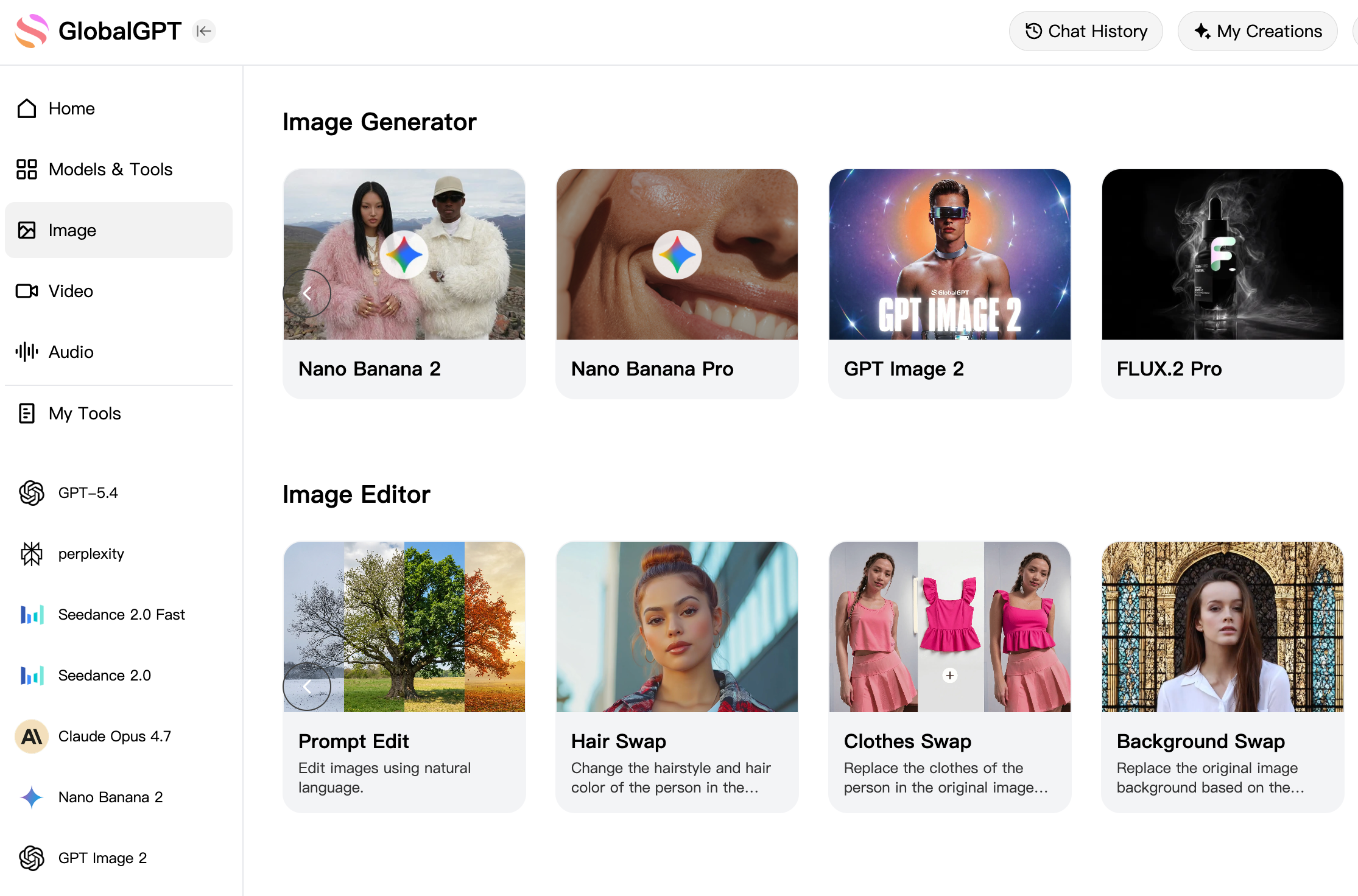
Maintaining multiple $20+ official subscriptions to bridge these technical gaps is both costly and inefficient. GlobalGPT solves this by integrating GPT Image 2, Flux 2.0 Max, and Midjourney into a single dashboard under the $10.8 Pro Plan. Our platform removes all region restrictions and payment barriers, allowing professionals to access elite models without multiple monthly fees.
GlobalGPT covers the full-cycle workflow from research to video production. After generating visuals, you can immediately animate them using Sora 2, Veo 3.1, or Kling within the same interface. For those asking can ChatGPT generate images in 2026, the definitive answer is that by utilizing premier LLMs like ChatGPT 5.4, Claude 4.6, and Gemini 3.1 for ideation, you can complete entire end-to-end projects on one seamless platform.
GPT Image 2 vs Flux: Which Model Dominates Professional Design in 2026?
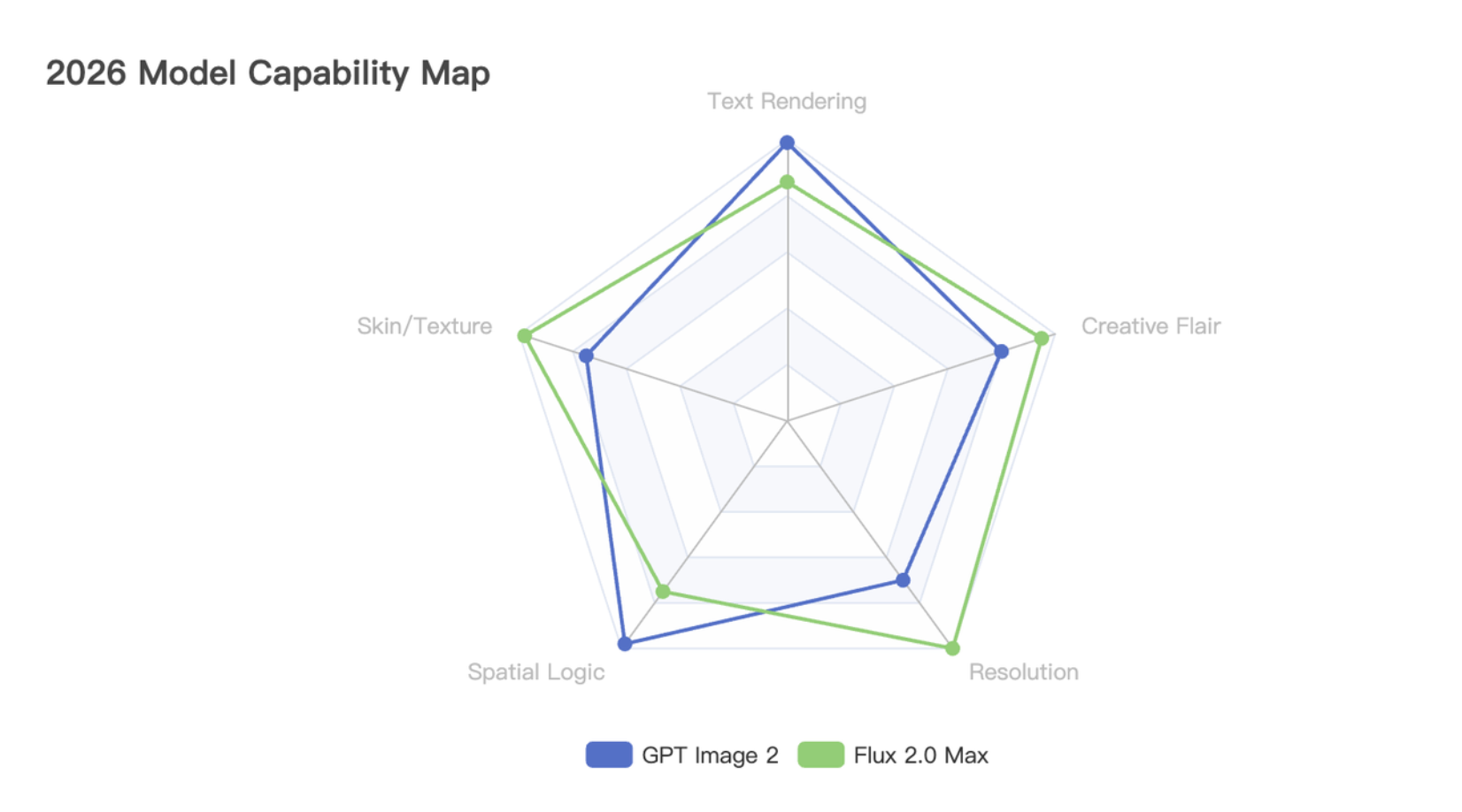
GPT Image 2 acts like a master Architect. It is excellent at following complex instructions, placing objects exactly where you want them, and writing perfect text on signs or products. If your project needs to show a specific menu, a brand logo, or a blueprint, this model is your best choice because of its high logic.
Flux 2.0 Max works like a professional Photographer. It focuses on how things look rather than just where they are. It creates skin textures that look real, cinematic lighting that feels like a movie, and beautiful 4K backgrounds. It is the top pick for fashion ads, artistic posters, and any project where the "vibe" matters most.
The text rendering gap is real. In a 2026 test, GPT Image 2 achieved 99.2% accuracy in writing long sentences inside images. Flux 2.0 Pro is still very good, but it sometimes makes small spelling mistakes when you ask for more than ten words in a single picture.
The Decision Path: Use GPT Image 2 when the meaning of the image must be exact. Use Flux 2.0 Max when the beauty of the image is the most important part of the job.
What is GPT Image 2 "Thinking Mode" and Why is it a Game Changer for Logic?
Think of "Thinking Mode" as a brain for your paintbrush. Unlike older AI that draws images instantly, GPT Image 2 takes about 15 seconds to "think" before it starts creating. While users often ask how long it takes ChatGPT to make an image, this reasoning stack ensures it checks if a person's hands are drawn correctly and if the text in the background is spelled perfectly.
It uses Autoregressive Architecture to solve complex prompts. This is a technical way of saying the model draws the image piece by piece while constantly checking if the new parts match the old parts. If you ask for a "red cat on a blue box holding a green sign," it makes sure the cat stays red and the box stays blue, which is something older models often mixed up.
Reddit users are raving about the new Fact-Checking feature. GPT Image 2 can actually search the web before it draws. For example, if you ask for a "2026 concept car from BMW," it will look up real design trends from BMW first. This ensures that your professional artwork is not just pretty, but also factually accurate, especially when following a complete step-by-step guide to using ChatGPT-5 for images.
Is Flux 2.0 Max Still the King of 4K Photography and Visual Aesthetics?
Flux 2.0 Max wins the battle for high resolution. While most models produce images that look good on a phone, Flux creates native 4K images that are ready for big posters or high-definition TV screens. It uses a technology called "Flow Matching" that allows it to sculpt light and shadow with much higher detail than standard diffusion models.
The new "Raw Mode" is a breakthrough for skin texture. If you look closely at a Flux image, you can see tiny skin pores, fine hairs, and realistic light reflecting off a person's eyes. It avoids the "plastic" or "fake" look that often ruins AI photography, making it the top choice for professional photographers who need AI assistants.
Multi-Reference Consistency is easier with Flux. Professionals love how you can upload a few photos of a person or an object, and Flux will keep that character consistent across many different scenes. Whether the character is in a dark cave or a sunny beach, they will always look exactly the same, which is vital for storytelling and advertising.
How Much is a GPT Image 2 Subscription? Comparing 2026 Pricing Models.
Paying for every official site is a financial burden. To get the best results in 2026, you would normally need to pay $20 for ChatGPT Plus (to get GPT Image 2) and another $20 or more for a Flux subscription. If you add Midjourney or video tools, you could be spending over $60 every month, which is far too much for many freelance creators.
GlobalGPT changes the game with the $10.8 Pro Plan. Instead of paying multiple companies, you can access GPT Image 2, Flux 2.0 Max, and Midjourney all in one place. This single subscription saves you nearly $50 a month while clarifying how many images you can generate with ChatGPT Plus by offering a more consolidated value.
It’s not just about the money; it’s about the access. GlobalGPT removes the common "Credit Card Declined" errors and region blocks that many global users face. Our platform accepts local payments and works anywhere in the world, providing a simple way to bypass ChatGPT image limits and regional restrictions.
How to Build an End-to-End Creative Workflow Using Both Models on GlobalGPT?
Phase 1: Create your blueprint with GPT Image 2. Use the reasoning power of GPT and optimized prompts for cool images to create stunning AI visuals effortlessly. Once you have a high-logic image, you have a solid foundation for your project.
Phase 2: Add high-end textures with Flux 2.0 Max. Take your GPT design and use Flux to upscale the resolution to 4K and add cinematic lighting. This "Hybrid Strategy" is how top agencies are creating world-class ads in 2026.
Phase 3: Turn your still images into high-end video. On GlobalGPT, you can take your finished image and immediately send it to Sora 2 or Veo 3.1 with just one click. This allows you to create an entire video commercial from a single prompt without ever leaving your dashboard.
The trend for 2026 is "Single-Dashboard Production." Professional creators no longer waste time switching between five different websites. With the GlobalGPT Pro Plan, you can research ideas with ChatGPT 5.4, generate images with ChatGPT Go, and produce 4K videos in one seamless workflow.
Are Regional Restrictions and Payment Errors Still Blocking Your Access to GPT Image 2?
Forget the frustration of "Access Denied" screens. Many official AI sites are blocked in certain countries or require complex phone number verification. GlobalGPT is built as an open gateway, providing direct access to the world's most powerful models no matter where you are located.
We handle the technical setup so you can focus on creating. You don't need to configure a VPN or worry about your account being banned for using an international card. Our platform is designed for professional stability, giving you the peace of mind to work on long-term projects without interruption.
One platform, zero barriers. Whether you are a student or a professional designer, GlobalGPT believes the future of AI should be accessible. With our $10.8 Pro Plan, the power of GPT Image 2 and Flux 2.0 Max is just a few clicks away.
FAQs
Does GPT Image 2 render text better than Flux 2.0 Max?
Yes, GPT Image 2 is the leader in text accuracy with a 99.2% success rate. While Flux 2.0 Max is great for art, it sometimes makes small spelling mistakes in long sentences.
Is Flux 2.0 Max better than GPT Image 2 for 4K photography?
Yes, Flux 2.0 Max is superior for high-resolution work because it offers native 4K output. It also includes a "Raw Mode" that creates more realistic skin textures and cinematic lighting than GPT Image 2.
What is the "Thinking Mode" in GPT Image 2?
Thinking Mode is a 15-20 second reasoning process where the model plans the image layout and logic before drawing. This ensures that every object and word in your prompt is placed exactly where it belongs.
Conclucion
In conclusion, choosing between GPT Image 2 and Flux 2.0 Max depends on whether you value logic or aesthetics. GPT Image 2 is the superior "Architect" for projects requiring 99.2% text accuracy and structural precision, while Flux 2.0 Max remains the master "Photographer" for cinematic 4K realism. For professional creators in 2026, the most effective strategy is to combine the reasoning power of OpenAI with the visual beauty of Flux to achieve perfect results.
