Seedance 2.0 不仅仅是一个文本视频生成器。对于创作者、营销人员、电影制片人和品牌团队来说,它的真正价值来自你如何通过结构化的提示、参考文件和清晰的场景说明来引导它。.
本指南介绍了如何编写更好的 Seedance 2.0 提示,如何使用 @Mention 参考系统,如何在徽标动画、广告、创作者视频和短片等实际使用案例中应用 Seedance,如何使用 Seedance 2.0 编辑和扩展视频,以及如何避免分辨率、持续时间、文件输入、面孔和不稳定输出等方面的常见限制。.
简要说明
提示公式
主题 + 动作 + 场景 + 镜头 + 风格 + 参考 + 约束条件- 谁在现场
- 他们在做什么
- 摄像机如何移动
- 场景发生地
- 视觉风格和氛围
- 一致性和现实性规则
多种模式组合(@提及)
@image1 作为第一帧,参考 @video1 作为运动帧、,
@audio1 用于节奏和情绪,[描述完整场景]
视频编辑
将 @video1 中的[元素 A]替换为[元素 B]、[附加约束]
视频扩展
将 @video1 延长 [X] 秒,[描述新内容]
如何写好 Seedance Prompt?
最可靠的 Seedance 提示结构是
主题 + 动作 + 场景 + 镜头 + 风格 + 参考 + 约束条件| 提示元素 | 它能控制什么 | 示例 |
|---|---|---|
| 主题 | 主要人物、物体、产品或标识 | “身穿银色宇航服的年轻宇航员” |
| 行动 | 片段内容 | “缓缓打开一扇发光的门” |
| 场景 | 地点和环境 | “复古未来主义空间站内部” |
| 照相机 | 镜头类型和移动 | “从广角镜头到特写镜头的缓慢移动” |
| 风格 | 视觉氛围和照明 | “20世纪70年代科幻广告,温暖的金色灯光” |
| 参考资料 | 上传的图像、视频或音频文件 | “使用 @Image1 进行字符识别” |
| 制约因素 | 必须保持稳定 | “保持徽标的鲜明和不变” |
如果您想了解更多详细信息,如 “如何为不同的输入类型编写 Seedance 提示”,或者您想查看由 Seedance 生成的大量视频和可直接复制的提示模板,您可以查看 Seedance 2.0 提示指南和示例.
基本用法
Seedance 的基本用途包括多模态参考、编辑视频和扩展视频。.
如何使用 @Mention 系统制作专业人工智能视频?
Seedance 2.0 Omni 是首款提供统一 “四模态 ”输入系统的机型。它可同时处理文本、图像、视频和音频,以创建高精度的电影内容。.

该系统的核心是 @Mention 逻辑。Seedance 2.0 目前支持上传三种类型的文件作为参考:图片、视频和音频。通过标记您上传的文件(例如 @img1、@vid1),您可以告诉人工智能使用哪个文件来制作角色的外观、动作或声音。.

Seedance-style @Mention 提示通常遵循这一逻辑:
使用 @Image1 表示身份。.
使用 @Video1 实现运动和摄像机移动。.
使用 @Audio1 获取节奏、声音或氛围。.
这使您的提示更加可控,因为每个参考资料都有明确的任务。您还可以自由组合材料作为参考。常用的使用方法可以在我准备的小抄中找到。.
Seedance @Mention 指南
| 目标 | 最佳参考设置 | 提示公式 |
|---|---|---|
| 保持角色的一致性 | @Image1 | “使用 @Image1 作为主要字符参考”。” |
| 为徽标制作动画 | @Image1 徽标 PNG | “将 @Image1 中的徽标清晰地放在......” |
| 再现病毒运动 | @Video1 + @Image1 | “保留 @Video1 的动作,用 @Image1 替换主题”。” |
| 制作两张照片的短片 | @Image1 + @Image2 | “使用 @Image1 表示人物,使用 @Image2 表示场景”。” |
| 用产品照片制作广告 | @Image1 产品 | “使用 @Image1 作为准确的产品设计”。” |
| 与音乐同步 | @Audio1 | “跟随 @Audio1 的节奏和情绪”。” |
| 控制摄像机移动 | @Video1 | “跟随 @Video1 的摄像路径”。” |
我们提供了大量示例和可复制的提示。. 点击 查看更多内容。下文还提供了其他使用示例供您参考。.
@Image 的功能
| 使用案例 | 如何提示 |
|---|---|
| 字符一致性 | “使用 @Image1 作为主要字符参考”。” |
| 产品精度 | “使用 @Image1 作为准确的产品设计”。” |
| 标志稳定性 | “使用 @Image1 中的徽标,保持其形状和颜色不变”。” |
| 风格参考 | “模仿 @Image2 的灯光和色调”。” |
| 场景参考 | “使用 @Image2 作为环境参照”。” |
@Video 的功能
使用 @视频 当你想复制动作、节奏、镜头移动或病毒视频结构时。.
| 使用案例 | 如何提示 |
| TikTok 风格的过渡 | “配合 @Video1 的过渡时间和节奏”。” |
| 时尚行走拍摄 | “跟着 @Video1 的步伐和模特的姿势走”。” |
| 舞蹈动作 | “模仿 @Video1 中的编舞和肢体动作”。” |
| 摄像机跟踪拍摄 | “应用与 @Video2 相同的电影镜头跟踪移动”。” |
| 产品轮播视频 | “以与 @Video1 相同的 360 度风格旋转对象”。” |
| 动作场面 | “复制 @Video2 中动作的强度和运动流”。” |
| 基于参考的电影镜头 | “使用 @Video2 作为摄像机深度和节奏的参考”。” |
@Audio 的功能
使用 @Audio 当节奏、声音、音效设计或节奏很重要时。.
| 音频输入 | 最适合 |
|---|---|
| 音乐 | 舞蹈视频、广告、预告片、短片剪辑 |
| 配音 | 旁白、产品演示、人物对话 |
| 声音效果 | 爆炸声、脚步声、玻璃破碎声、环境声 |
| 节拍参考 | 快速剪切、转场、有节奏的镜头移动 |
不过,您上传的推荐信必须符合以下条件:
Seedance 2.0 / 2.0 快速输入要求
本文档概述了使用 Seedance 2.0 系列型号。.
1.图像要求
| 参数 | 规格 |
|---|---|
| 数量 | 1 - 9 幅图像(多模态参考视频) |
| 格式 | .jpeg, .png, .webp, .bmp, .tiff, .gif |
| 尺寸 | 宽度/高度:[300px, 6000px] 宽高比: [0.4, 2.5] |
| 文件大小 | 单幅图像 < 30 MB;请求正文 < 64 MB |
| 输入法 | URL 或 Base64 字符串(建议使用 URL) |
2.视频要求
| 参数 | 规格 |
|---|---|
| 数量 | 最多 3 个参考视频 |
| 持续时间 | 单个视频:[2 秒、15 秒] 总时长: ≤ 15 秒 |
| 决议 | 480p、720p、1080p |
| 像素数 | 总像素(宽 × 高)必须介于 409,600 和 2,086,876 |
| 帧频 | 24 - 60 FPS |
| 文件大小 | 单个视频 ≤ 50 MB |
3.音频要求
| 参数 | 规格 |
|---|---|
| 数量 | 最多 3 个参考音频片段 |
| 持续时间 | 单一音频:[2 秒、15 秒] 总时长: ≤ 15 秒 |
| 格式 | .wav, .mp3 |
| 文件大小 | 单个音频 ≤ 15 MB;请求正文 < 64 MB |
💡逐步指南:利用 12 种多模式资产掌握全方位模式
首先准备好您的资产。请确保上传的文件符合要求。如果不符合要求,上传将失败。您可以根据页面上的提示进行必要的修改。.


将文件上传到仪表板,并为它们分配 @ 标记。在提示中要具体说明:使用 “参考 @img1 表示人物面部 ”和 “按照 @vid1 表示摄像机路径”。”
例如
@参考@图片 1 中的男子形象,@图片 2 中的电梯中的男子形象,充分参考@视频 1 中的所有镜头移动和主角的面部表情。主角在恐惧时使用希区柯克变焦,然后周围的几个镜头展现电梯内的视角。电梯门打开后,跟踪镜头跟随男主角走出电梯。电梯外的场景参考了 @ 图像 3,男主角环顾四周,使用机械臂多角度跟踪他的视线,如同 @ 视频 1。.
按使用案例分类的馈送提示示例
多模态参考功能在不同的场景中有不同的作用。Seedance 2.0 在编写提示语之前选择一个明确的使用场景,就能发挥最大作用。创作者视频、徽标动画、产品广告和电影短片不应使用相同的提示结构。如果您想了解具体信息,可以点击相关内容查看更多详情。.
| 使用案例 | 说明 | 推荐的 @ 提及策略 |
| 徽标动画 | 注重品牌标识的稳定性。在保留原有几何图形的基础上,用电影灯光或流体运动对静态徽标进行动画处理。. | @Image1: 高分辨率源徽标。. @Video: 特定运动路径或 “揭示 ”逻辑的参考。. |
| 广告(广告) | 专为高转化率营销而设计。复制病毒式流行趋势的 “视觉 DNA”,创建专业的产品展示。. | @Image1: 准确的产品照片。. @Image2: 品牌心情板。. @Video: 病毒广告的结构/节奏。. @Audio: 背景音乐/VO. |
| 创作者 | 专为社交媒体影响者和内容艺术家量身定制。针对有节奏的过渡、流行的动作和一致的字符进行了优化。. | @Video: 动作/节奏参考(如 TikTok 过渡)。. @Audio: 节奏同步的节拍参考。. @Image: 角色或服装参考。. |
| 短片 | 旨在讲述电影故事。利用精确的摄影指导(平移、缩放、跟踪)和氛围环境参考。. | @Image: 环境/概念艺术. @Video: 好莱坞风格的镜头跟踪/角度。. @Audio: 环境音效或对话. |
编辑视频
您可以使用 视频剪辑 的特点 Seedance 2.0 当您需要转换或完善现有素材时,无需重新拍摄。这种强大的 “多模式参考 ”功能非常适合以下情况:
- 场景和背景交换 改变原始视频的环境(例如,将产品从摄影棚移至海滩),方法是使用 @Image 作为新的环境参考,同时保留原主体的运动。.
- 视觉风格转换: 将病毒式广告或电影杰作的 “视觉 DNA”(灯光、色调和情绪)应用到自己的原始素材中,方法如下 @视频 作为样式参考。.
- 角色与服装的一致性: 通过以下方式参考特定的角色表或服装照片,在不同镜头下更新或保持角色的外观 @Image.
- 动态产品植入: 将产品插入生活场景,同时确保其继承周围环境的真实照明和反射效果。.
- 节奏重新计时 使用以下功能将现有视频动作与新配乐同步 @Audio, 这样,人工智能就能调整节奏和过渡,以配合新的音乐节拍。.
从本质上讲,Seedance 2.0 Video Edit 可充当 人工智能驱动的摄影指导, 这样,您就可以在保留视频 “动作 ”的同时,彻底改变 “美学 ”和 “语境”。”
分步指南
- 步骤 1:提供要编辑的视频、参考图片或音频。.
- 步骤 2:共同使用提示完成各种视频编辑任务,如替换视频主题,添加、删除和修改视频中的对象,重绘/修复部分画面等。.
例如
保留 @Video1 中的镜头移动、节奏和动作节奏。
用 @Image1 中的人物/产品替换原来的主题。
保留动作蓝图,但改变视觉形象...
💡扩展视频
"(《世界人权宣言》) 扩展视频 功能是您克服技术时长限制和制作长篇叙事内容的主要工具。以下是您应该使用该功能的时间:
- 超过 15 秒限制: 由于单次 Seedance 生成的时间上限为 15 秒,因此您可以使用扩展功能无缝地继续操作,从而制作 30 秒的广告、1 分钟的解说词,甚至全长的电影场景。.
- 连环故事 如果您已经成功制作了产品的 “英雄镜头”,您就可以扩展视频,过渡到新的场景,例如从特写纹理镜头切换到广角生活方式镜头,而不会失去视觉上的一致性。.
- 完善节奏和流程: 使用扩展工具为片段增加 “呼吸空间”。如果一个动作结束得过于突然,扩展视频可以让人工智能生成一个自然的后续部分,或一个余味无穷的电影结尾。.
- 发展角色弧线 对于创作者和电影制片人来说,扩展功能对于在较长时间内保持角色和环境的稳定性至关重要,它能确保在最初几秒钟建立的 “视觉基因 ”随着故事的发展保持不变。.
- 动态循环创建 您可以扩展现有素材,为社交媒体背景或数字广告牌创建完美、高质量的循环,确保动作保持流畅,灯光保持一致。.
通过将每 15 秒钟的发电量视为一个 “构件”,我们可以 扩展视频 该功能有效地将 Seedance 2.0 从一个素材生成器转变为一个综合视频制作套件。.
在原始视频的基础上,您可以向前或向后延伸视频,或将多个视频片段(最多 3 个片段)拼接成一个连贯的视频。.
例如
延长视频,跟踪拍摄一名身穿橙色衣服的男子骑着一匹棕色的马,他加速跑向一棵开满橙色花朵的大树,从树枝上折下两朵花,然后其他人相继骑马进入画面。镜头拉近,拍摄橙衣男子下马,镜头迅速绕着他转圈,他转身走向一位骑着白马的白衣女子,将花朵献给她。中式肖像风格,3D 画面,欢快的民族音乐。.有关 Seedance 视频持续时间的更多信息,请点击 这里.
🙅 种子限额及如何规避限额
即使有强有力的提示,Seedance 也有其局限性。提高输出质量的最佳方法是了解模型能很好地处理哪些问题,在哪些方面需要更严格的指示。.
| 特点 | Seedance 2.0 硬性规定 | 对您的意义 |
| 逼真的人脸 | 0 允许(严格禁止) | 不能使用真人照片。人工智能会阻止它们。. 想知道如何绕过人脸识别限制吗?点击 这里。. |
| 最大输入文件数 | 共 12 个文件 | 您最多只能使用 9 张图片、3 段视频和 3 段音频。. |
| 最长视频时间 | 15 秒 | 每次生成的连续片段不能超过 15 秒。. |
| 基本分辨率 | 最大 720p | 标准输出不是全 1080p HD。. |
文件输入限制:您可以使用多少参考文献?
您当前的 Seedance 集群解释了围绕它建立的参考设置:
| 资产类型 | 数量 | 最佳用途 |
|---|---|---|
| 图片 | 9 | 人物、产品、标识、场景、风格 |
| 视频 | 3 | 动作、镜头移动、动作、节奏 |
| 音频 | 3 | 声音、节奏、音乐、音效 |
| 总资产 | 12 | 多模式综合参考 |
关键不是上传尽可能多的文件。关键是为每个文件分配明确的角色。.
示例 1:
@Image1 一个女孩打破了第四堵墙,不断穿越多个名画世界,在油画世界呈现三维高饱和度动画风格的同时,保留了真实的质感。她兴奋地站在 @Image2 的旋转星空下;然后好奇地看着 @Image3 中用毯子害羞地遮住头的相拥情侣;随后与 @Image4 中的 "戴珍珠耳环的少女 "自拍;马上进入 @Image5 从两个武士中间穿过;与 @Image6 中的人物一起做鬼脸并尖叫;跑向 @Image7 中的蒙娜丽莎,并被拍了拍头......"示例 2:
参考 @Image1 故事板脚本,参考 @Image1 的镜头、取景、镜头移动、视觉效果和副本,角色为 @Image2,场景为 @Image3,道具为 @Image4,创建一个 15 秒的治愈视频。.持续时间:Seedance 能产生多长时间?
Seedance 工作流程通常在短控制片段中效果最佳。现有的集群内容描述了更高级的网络/API 式工作流程中 4-15 秒的生成范围,而一些基于应用程序的工作流程则使用固定的较短预设。.
对于快速质量,实用的建议是
| 夹子长度 | 最佳用途 |
|---|---|
| 4-5 秒 | 测试提示,快速迭代 |
| 6-8 秒 | 社交片段、广告、产品拍摄 |
| 8-10 秒 | 短片 |
| 10-15 秒 | 更长的单镜头故事 |
| 更长的视频 | 导入视频并扩展 |
您可以上传现有视频的结尾部分,并要求 Seedance 2.0 对其进行扩展。.
将 @ 视频 1 延长 5 分钟,[详细要求]有关 Seedance 视频持续时间的更多信息,请点击 这里.
分辨率:Seedance 支持 1080p 吗?
Seedance 支持 1080p 格式的高清输出,某些工作流程还可根据平台和设置讨论更高分辨率或面向 2K 的渲染。对于大多数创作者来说,1080p 是 YouTube、TikTok、Reel、Shorts、客户端预览和付费社交广告的最佳实际分辨率。.
建议的分辨率设置:
| 使用案例 | 建议的决议 |
|---|---|
| 快速草稿 | 720p |
| 社交媒体 | 1080p |
| YouTube / 客户交付 | 1080p 或更高 |
| 商业英雄镜头 | 1080p / 2K 工作流程 + 根据需要进行升级 |
您的视频看起来很柔和的常见原因:
- 源图像质量较低
- 默认导出设置为 720p
- 提示缺乏尖锐的细节说明
- 灯光太暗或嘈杂
- 活动元素过多
- 画面太小
有关 Seedance 决议的更多信息,请点击 这里.
常见的 Seedance 提示问题和修复方法
| 问题 | 根本原因 | 直接提示修复(复制和粘贴) |
| 角色变化 | 弱身份参照 | "使用 @Image1 作为严格的角色参考。在整个片段中,脸部、发型和服装保持不变"。" |
| 徽标变形 | 被当作装饰品 | "@Image1 中的徽标必须保持完全不变。请勿改变排版、间距、颜色或比例"。" |
| 产品翘曲 | 缺乏几何锚点 | "使用 @Image1 作为准确的产品几何图形。保持物理形状、材料和尺寸 100% 一致。不变形"。" |
| 混沌运动 | 相互冲突的操作命令 | "被摄体只做一个主要动作:[例如,慢慢转向镜头]。没有突然的动作或剪切"。" |
| 随机相机 | 未指定摄像机路径 | "三脚架静态拍摄。不晃动,不随意变焦,不突然旋转相机。" |
| 输出模糊 | 模糊的环境细节 | "高端商业风格、锐利的焦点、简洁的摄影棚照明、逼真的反光、4K 细节"。" |
| 无法阅读的文本 | 模型的固有局限性 | 专业提示 "把重点放在视觉主题上。[在后期制作中添加特定的文字叠加,使 100% 清晰明了]"。" |
| 通用视觉效果 | 缺乏感官细节 | "温暖的金色阳光、光亮的镀铬反光、浅景深、简洁的商业构图"。" |
| 错误的脸 | 受限/不明确参考资料 | "使用 @Image1 作为严格的身份锚点。脸部、发型、体型和年龄必须锁定且保持一致"。" |
| 被忽视的参考资料 | 角色未指定给 @mention | "使用 @Image1 表示角色身份,@Image2 表示环境照明,@Video1 表示特定运动路径"。" |
GlobalGPT 上的终极 2026 工作流程:从 ChatGPT 创意到 Seedance 2.0 制作
最高效的工作流程包括使用多个人工智能模型协同工作。首先,使用 ChatGPT 5.4、Claude 4.6 或 双子座 3.1 Pro 集思广益,编写脚本和详细的多模式提示。.

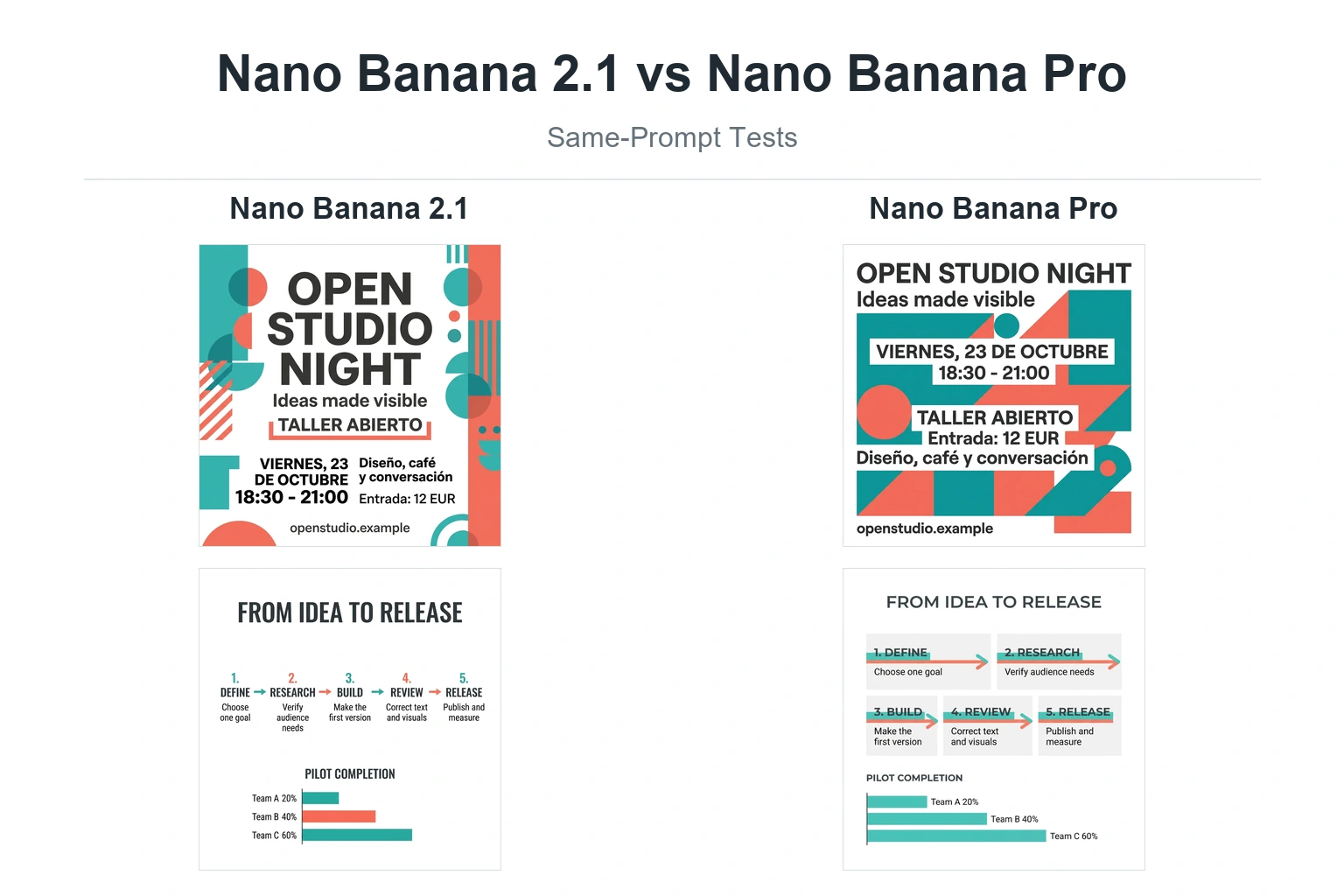
其次,使用 旅途中 或 纳米香蕉 2. .这些将成为最终视频的 @img 资产。.

最后,您可以将这些视觉效果输入到 Seedance 2.0 生成最终素材。这种综合方法可节省数小时的时间,并确保从第一次提示到最终的 4K 输出,您的创意愿景始终保持一致。.

常见问题:Seedance 提示指南
如何写出好的 Seedance 提示?
采用导演式的结构:主题、动作、场景、镜头、风格、参考和限制。具体说明哪些事情应该发生,哪些事情必须保持一致。.
什么是 Seedance 中的 @Mention?
@Mention 可让你在提示中直接引用上传的文件。例如, @Image1 可以定义角色、产品、徽标或风格,而 @Video1 可以定义运动或摄像机移动。.
如何在 Seedance 中使用 @Image?
上传图片,并告诉 Seedance 如何使用该图片。例如:“使用 @Image1 作为主要人物参考 ”或 “使用 @Image1 作为准确的产品设计”。”
如何在 Seedance 中使用 @视频?
当您想从现有片段中转移动作、镜头移动或节奏时,请使用 @Video。例如“使用 @Video1 作为摄像机和动作参考,但用 @Image1 替换主题。”
Seedance 能否再现病毒视频?
Seedance 可以使用参考视频作为动作蓝本,然后用自己的角色或产品参考替换原始主题。您应避免直接复制受保护的品牌、脸部或版权材料。.
Seedance 能否将徽标制作成动画?
可以。使用干净的徽标图片,最好是高分辨率的透明 PNG,并写明清晰的说明,以保持徽标形状、排版、颜色和间距不变。.
Seedance 支持 1080p 吗?
是的,Seedance 工作流程可以支持 1080p 格式的高清输出,有些工作流程还可以参考更高质量的 2K 生成。对于大多数创作者来说,1080p 是社交媒体、YouTube、广告和客户预览的理想选择。.
Seedance 视频可以有多长?
许多 Seedance 工作流程都是围绕短控制片段构建的,通常为 4-15 秒,具体取决于平台和设置。对于较长的视频,可生成多个片段并将它们编辑在一起。.
为什么我的 Seedance 视频看起来模糊不清?
常见原因包括低分辨率源图像、默认 720p 设置、灯光指示不强、动作太大或提示模糊。使用清晰的参考图片,并添加 “清晰的焦点、干净的照明、高细节”。”
为什么 Seedance 会更改我的字符或徽标?
如果不说清楚,模特可能不明白哪些细节是固定的。使用严格的语言,如 “保持面孔不变 ”或 “保持徽标的排版、形状、颜色和间距不变”。”
Seedance 能否在视频中生成完美的文本?
不可靠。如需精确的文本、标语、标题、用户界面标签或产品文案,可在编辑过程中添加文本。.
Seedance 提示符的最佳长度是多少?
一个好的提示通常会很详细,但不会过多。对于一个片段,通常 80-180 个字就足够了。对于多镜头视频,可使用有条理的镜头列表,而不是冗长的段落。.
结论:种子催化与控制有关
最好的 Seedance 效果不是来自于编写较长的提示语。它来自于给模型更清晰的控制指令。.
使用 @Image 锁定身份、产品形状、徽标设计或视觉风格。使用方法 @视频 来控制运动和摄像机的移动。使用方法 @Audio 以指导节奏、声音、步调或音效。然后像导演一样写提示:一个主题、一个主要动作、一个清晰的场景、一个镜头计划和严格的一致性规则。.
如果输出失败,不要盲目重来。修复薄弱环节:身份、动作、摄像机、分辨率、持续时间或参考角色。.
有了正确的提示结构,Seedance 2.0 就能成为创作者、广告商、品牌团队和人工智能制片人的实用制作工具,他们需要的是可控的电影级视频生成,而不是随机的人工智能剪辑。.