Sora 2 может сократить путь от идеи до готового видео для социальных сетей, но ни одна модель создания видео не может гарантировать, что пост станет вирусным. Практическое преимущество заключается в скорости: авторы могут опробовать больше различных «зацепок», визуальных решений и монтажных переходов, прежде чем выбрать то, что стоит опубликовать.
Наиболее эффективный рабочий процесс начинается за пределами генератора. Определите целевую аудиторию, ту единственную идею, которую зритель должен запомнить, и действие, которое вы хотите, чтобы он совершил. Затем воспользуйтесь методом Sora 2, чтобы преобразовать этот бриф в несколько визуальных вариантов, проанализируйте слабые места и адаптируйте наиболее удачный вариант для каждой платформы.
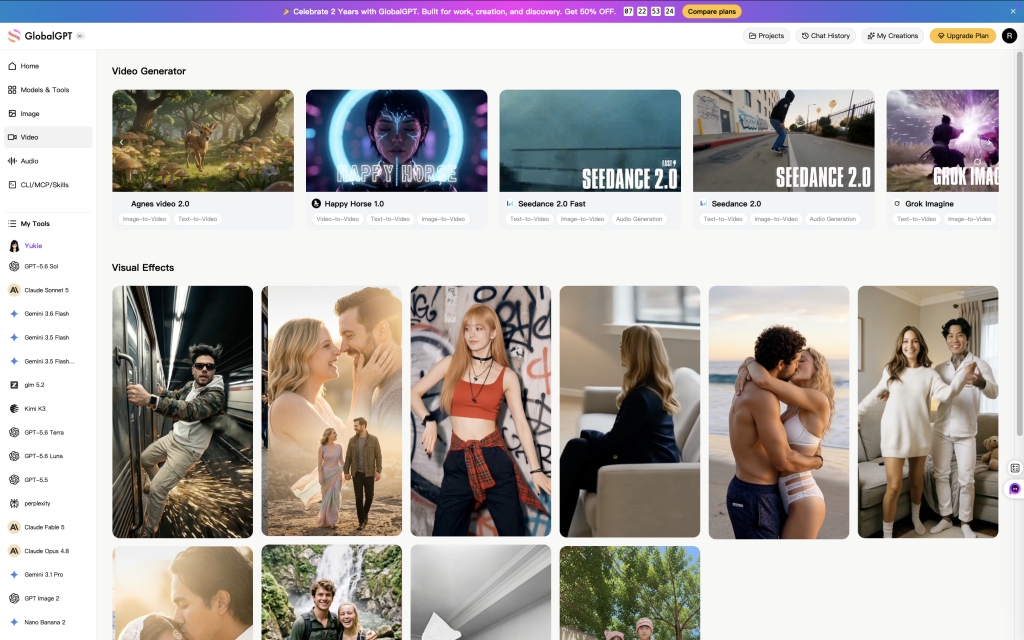
Если вы хотите объединить в одной учетной записи создание видео, написание текстов, проведение исследований и другие задачи, связанные с ИИ, GlobalGPT предоставляет специальную запись Sora 2 наряду с другими ведущими моделями искусственного интеллекта. Доступность, ограничения на количество генераций и условия тарифных планов могут изменяться, поэтому перед запуском крупной кампании рекомендуем ознакомиться с актуальной информацией на странице продукта.

Краткий ответ
Sora 2 полезен для создания и тестирования различных визуальных решений, но не может гарантировать вирусную популярность. Надежный рабочий процесс заключается в том, чтобы определить одну целевую аудиторию и одно сообщение, сгенерировать контролируемые вариации, проверить соответствие концепции и соблюдение прав, адаптировать лучший вариант для каждой платформы и сформировать следующее техническое задание на основе реальных данных об эффективности.
Что на самом деле означает термин “готовность к вирусной популярности”
Видео, подготовленное для вирусной популярности, не гарантирует, что оно станет вирусным. Это контент, призванный быстро привлечь внимание, донести одну четкую идею и дать зрителям повод продолжить просмотр или поделиться им. На результат по-прежнему влияют такие факторы, как распространение, выбор момента публикации, соответствие целевой аудитории, история аккаунта и просто удача.
Подход Sora 2 наиболее эффективен, когда он позволяет снизить производственные барьеры. Вместо того чтобы посвятить всю съемку одному визуальному решению, автор может опробовать несколько концепций, движений камеры, настроек и настроений. При этом автору по-прежнему необходимо выбрать подходящую идею, провести тщательный монтаж и опубликовать материал с точной подписью и контекстом.
Что Sora 2 дает авторам — и что ещё требует доработки
OpenAI позиционирует Sora 2 как проект, ориентированный на более контролируемое движение, синхронизированный звук, многокадровые инструкции и повторно используемые образы благодаря камео. GlobalGPT включает Sora 2 в свою текущую рабочую среду для создания видео. Эти факты открывают полезные возможности для производства, но каждый результат по-прежнему требует проверки человеком, прежде чем он станет готовым к публикации в социальных сетях.
Матрица возможностей создателя Sora 2
Проверенные факты о продукте, соотнесённые с практическими решениями в сфере социальных видео
Источники: OpenAI, “Sora 2 уже здесь” и GlobalGPT Sora 2. Проверено 28 июля 2026 года.
Матрица показывает, в каких случаях модель позволяет сэкономить время, а в каких — ответственность за редактирование по-прежнему лежит на редакторе. Наилучший способ использования Sora 2 заключается не в автоматизации принятия решений, а в том, чтобы предоставить автору больше подходящего материала для оценки.
Рабочий процесс создания Sora 2, состоящий из семи этапов
Аудитория и цель
Вступительное обещание
Контрольные варианты
Качество и права
Темп и субтитры
Версия платформы
Следующий краткий отчет
1. Начните с творческого брифa, состоящего из одного предложения
Составьте одно предложение, в котором будут указаны целевая аудитория, желаемая реакция и визуальная идея. Например: “Покажите владельцам независимых кофеен, как тихий будний день может превратиться в тёплый, кинематографический момент общения с клиентом, завершающийся крупным планом первого налива кофе”. Если в бриф входят три разных сообщения, разделите его на три видеоролика.
2. Разработайте вступление перед полной сценой
Вступление должно содержать неожиданный поворот, оставшийся без ответа вопрос, необычную точку зрения или узнаваемую проблему. Эффектное движение камеры само по себе не является зацепкой. Это движение должно раскрывать информацию, которая важна для зрителя.
3. Создание контролируемых вариаций
Изменяйте по одной основной переменной за раз: начальный кадр, движение камеры, окружающую обстановку, действия объекта съемки или освещение. Если при создании каждой новой версии меняются все элементы, вы не сможете понять, почему одна из версий производит более сильное впечатление. Делайте простые заметки о задании и тестируемой переменной.
4. Просмотрите результат кадр за кадром
Сначала посмотрите ролик, чтобы составить общее представление, а затем — чтобы проверить его целостность. Обратите внимание на руки, лица, логотипы, отражения, предметы на заднем плане, постоянство объектов, направление камеры и резкие изменения освещения. Даже визуально впечатляющий ролик может оказаться неудачным, если персонаж меняет облик или этикетка на продукте искажается.
5. Отредактируйте видео в редакторе
Генерация редко является заключительным этапом. Удалите паузы, добавьте понятные подписи, сбалансируйте звук и разместите любой фактический или рекламный контекст так, чтобы зрители могли его понять. Не полагайтесь на сгенерированный текст на экране при передаче важных формулировок; добавьте окончательный текст на этапе монтажа.
6. Лучше адаптируйте контент, чем слепо перепостивайте его
Сохраняйте исходный материал в исправном виде, а затем создавайте версии для конкретных платформ. Еще раз проверьте безопасную зону вокруг подписей и лиц, убедитесь, что кадрирование по-прежнему уместно, и перепишите подпись с учетом аудитории данной платформы. Один и тот же клип может служить для создания захватывающего вступления, пояснения «за кулисами» или демонстрации продукта, но у каждой версии должна быть своя четкая причина для существования.
7. Пусть результаты работы определят содержание следующего технического задания
Не стоит оценивать модель по одному посту. Сравните видео, в которых тестировалась конкретная переменная, и используйте полученные результаты для совершенствования следующей концепции. Пост с низкой эффективностью полезен в том случае, если он указывает на необходимость доработать зацепку, посыл, темп или адаптацию к аудитории.
Многоразовый фреймворк подсказок Sora 2
Практический промпт описывает объект съемки, действие, окружающую обстановку, камеру, освещение, настроение, временные рамки и ограничения по конечному результату. Конкретность помогает, но длинный промпт не всегда является хорошим промптом. Определите приоритеты и выделите то, что должно оставаться неизменным.
| Элемент подсказки | Вопрос, на который нужно ответить | Пример |
|---|---|---|
| Тема | Что должно оставаться узнаваемым? | Керамическая кружка с кобальтово-синей ручкой |
| Действие | Что меняется на экране? | Когда наливают кофе, пар поднимается вверх |
| Настройка | Где и когда? | Небольшое кафе сразу после восхода солнца |
| Камера | Как зритель открывает для себя эту сцену? | Медленное вдвигание с высоты столешницы |
| Посмотри | Какие визуальные элементы подкрепляют это сообщение? | Теплый свет, проникающий через окно, естественные цвета, небольшая глубина резкости |
| Ограничения | Что не должно измениться? | Вертикальная композиция, классический дизайн кружки, без текста и логотипов |
Пример подсказки: “Вертикальное социальное видео. Керамическая кружка с кобальтово-синей ручкой стоит на деревянной стойке кафе сразу после восхода солнца. В кружку наливают кофе, и пар вихрями поднимается вверх. Медленное приближение камеры с уровня стойки, тёплый естественный свет из окна, небольшая глубина резкости, реалистичное движение, стабильная конструкция кружки, отсутствие видимого текста или логотипов. Завершение — крупный план, из которого можно плавно перейти обратно к начальному кадру”.”
Дополнительные примеры структурированных инструкций см. в Руководство по заданиям в игре «Sora 2». Если сцена не получается, сократите инструкцию и выявите проблему, вместо того чтобы добавлять новые прилагательные.
Адаптировать одну концепцию для каждой платформы
Технические характеристики платформы и ограничения на продукцию могут изменяться, поэтому перед экспортом необходимо проверить актуальную версию экрана публикации. Приведенная ниже таблица решений ориентирована на творческий подход, а не на жестко заданные ограничения.
| Поверхность | Полезный творческий подход | Заключительная проверка |
|---|---|---|
| TikTok | Быстрая ввязка в контекст, узнаваемый стиль автора, возможность добавления субтитров на языке оригинального видео | Имеет ли начало смысл без длинного вступления? |
| Instagram Reels | Яркая визуальная идентичность, лаконичный макет обложки, идея, которую хочется поделиться | Ясно ли видны объект съемки и текст на фрагменте снимка? |
| Короткие видео на YouTube | Четкое обещание, удовлетворительный результат, возможность поиска по контексту заголовка | Оправдывает ли видео ожидания, которые вызывает его название? |
Контроль качества перед публикацией
- Непрерывность: объект съемки, гардероб, продукт и окружающая обстановка остаются неизменными.
- Предложение: Движения камеры и объекта съемки выглядят скорее целенаправленными, чем нестабильными.
- Состав: опорная точка сохраняется после окончательной обрезки и наложения интерфейса.
- Текст: В ходе редактирования добавляются важные формулировки и проводится корректура.
- Аудио: Музыка, голос, звуковая обстановка и права проверяются отдельно.
- Точность: В подписи не утверждается, что вымышленная или сгенерированная сцена является реальной.
- Безопасность бренда: на изображении не должно быть случайных товарных знаков, искажённой упаковки или неуместных деталей фона.
Измеряйте, что на самом деле делают зрители
Отслеживайте небольшой набор показателей, соответствующий поставленной цели. В случае видеоролика, направленного на повышение узнаваемости, обратите внимание на показатели удержания аудитории на начальном этапе, досмотра до конца, повторных просмотров и количества репостов. В случае видеоролика о продукте добавьте к ним показатели посещений профиля, целевых кликов, добавлений в избранное и конверсий. Одни только данные о количестве просмотров не позволяют определить, сработала ли идея.
Используйте простую таблицу для записи результатов эксперимента, в которой указывайте концепцию, «зацепку», одну измененную переменную, дату публикации, целевую аудиторию и результат. Не сравнивайте два совершенно разных видеоролика и не приписывайте результат настройкам камеры. Хороший эксперимент предполагает изменение одной важной переменной при сохранении остальных в разумно стабильном состоянии.
Права, раскрытие информации и ответственное использование
Перед публикацией убедитесь, что у вас есть право на использование изображений людей, продуктов, музыки и исходных материалов, представленных в видео. Не имитируйте реальных людей в контексте, вводящем в заблуждение, и не представляйте сгенерированные кадры в качестве документальных доказательств. Соблюдайте действующие правила раскрытия информации и использования синтетических медиа, установленные платформой, на которой вы публикуете контент.
OpenAI и платформы распространения могут обновлять средства контроля безопасности, сигналы о происхождении, информацию о доступности и политики. Проверьте официальная страница Sora а также в актуальном справочном центре целевой платформы, где можно ознакомиться с правилами, касающимися вашей кампании.
Практические выводы
Sora 2 наиболее эффективен в рамках четко организованного творческого цикла: бриф, зацепка, генерация идей, анализ, редактирование, адаптация и извлечение уроков. Используйте его, чтобы находить больше хороших идей и повысить скорость производства. Пусть именно реальное поведение аудитории — а не необоснованные заявления о росте — определяет, что вы будете создавать дальше.
Часто задаваемые вопросы
Может ли Sora 2 сделать видео вирусным?
Ни один инструмент не может гарантировать вирусную популярность. Sora 2 может помочь авторам быстрее разрабатывать и тестировать визуальные концепции, но на эффективность по-прежнему влияют такие факторы, как соответствие интересам аудитории, каналы распространения, выбор момента публикации, монтаж и сильная идея.
Какой вариант подсказки Sora 2 лучше всего подходит для социальных сетей?
В идеальном сценарии должны быть указаны тема, действие, место действия, движение камеры, освещение, настроение, композиция, а также элементы, которые должны оставаться неизменными. Начните с одного чёткого кадра и усложняйте композицию только после того, как основное движение будет отработано.
Стоит ли мне опубликовать версию Sora 2 без правок?
Как правило, нет. Перед публикацией проверьте последовательность и точность материала, отредактируйте темп повествования, добавьте понятные подписи, проверьте права на аудиоматериалы и адаптируйте кадрирование под целевую платформу.
Сколько версий мне следует создать?
Создайте достаточное количество вариантов, чтобы протестировать значимый творческий подход, не теряя при этом из виду, что именно было изменено. Небольшой набор контролируемых вариаций гораздо полезнее, чем большая партия несвязанных между собой результатов.
Можно ли использовать модели от Sora 2 до GlobalGPT?
Для модели GlobalGPT предусмотрена отдельная запись Sora 2. Ознакомьтесь со страницами продукта и ценообразования в режиме реального времени, чтобы узнать о доступных вариантах модели, ограничениях и условиях тарифного плана на момент создания видео.