
Краткий вывод: Выбор лучшего генератора видео с пользовательским контентом на базе ИИ зависит от узкого места в процессе производства. Выбирайте Arcads для рекламных роликов с участием актеров, Creatify — для рабочих процессов с URL-адресами продуктов, Higgsfield — для концепций «продукт плюс автор», HeyGen — для повторяемых локализованных ведущих, Captions — для видео авторов, ориентированных на монтаж, Synthesia — для структурированного бизнес-контента, а Topview — для кампаний с несколькими кадрами под руководством агентов. Используйте GlobalGPT, если вам нужна единая гибкая рабочая среда для сценариев, концептуальных изображений и нескольких путей генерации видео.
Это не конкурс красоты в стиле реализма. Полезная система пользовательского контента должна сохранять исходный материал, естественно передавать сценарий, поддерживать внесение изменений и генерировать достаточное количество одобренных вариантов, чтобы оправдать свою стоимость. Победителем станет тот инструмент, который сможет преодолеть все эти этапы в рамках вашего реального рекламного рабочего процесса.
Проверено 21 сентября 2026 года. Информация о возможностях поставщиков взята с актуальных официальных страниц. Наши практические наблюдения основаны на примерах, подготовленных редакцией GlobalGPT, а не на контролируемом межпоставщицком тестировании. Цены и ограничения тарифных планов могут изменяться, поэтому перед покупкой рекомендуется проверить их на официальных страницах по указанным ссылкам.
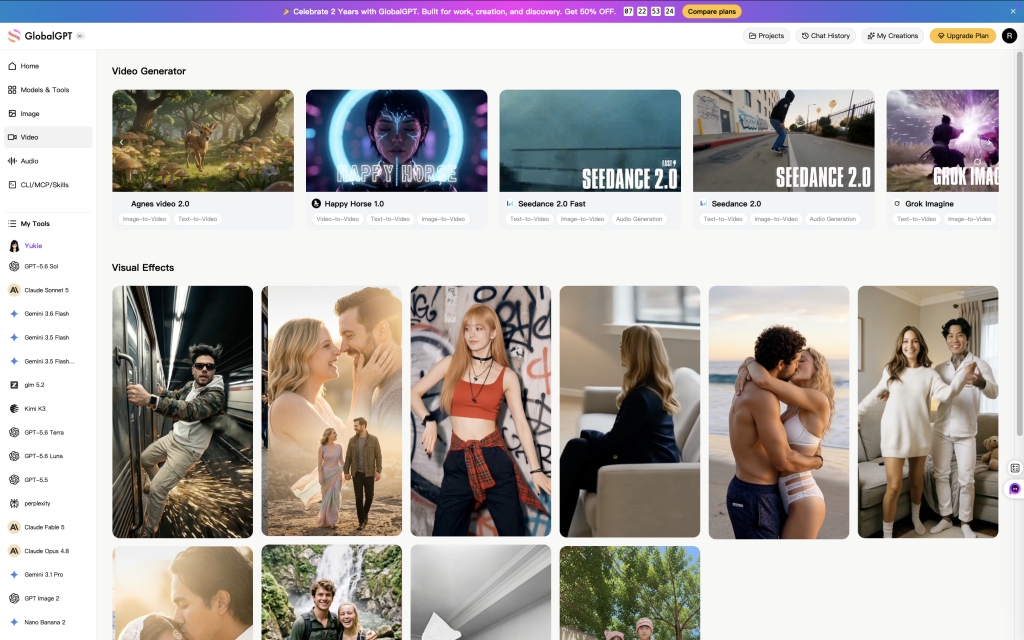
Обзор лучших генераторов видео на основе пользовательского контента с использованием ИИ
| Инструмент | Лучше всего подходит для | Наиболее эффективный рабочий процесс | Уточните перед покупкой |
|---|---|---|---|
| GlobalGPT | Гибкое мультимодельное производство | Сценарий, концепция, графические и видеомакеты | Регулирующие элементы модели и коэффициент выхода |
| Аркады | Варианты рекламных роликов с участием актёров | Библиотека презентаций и рекламные объявления в стиле выступлений | Обращение с изделием и подгонка на актера |
| Creatify | Скорость преобразования URL в рекламный баннер | Ссылка на товар, аватар, подписи и редактор | Доступ к функциям «Водяной знак» и «Экспорт» |
| Хиггсфилд | Концепции продуктов в стиле «Creator» | Параметры продукта и автора с предустановками | Соответствие SKU между кадрами |
| HeyGen | Локализация | Многоразовые презентационные материалы и перевод во время выступления | Имена, утверждения и стиль изложения на языке перевода |
| Подписи | Редактирование имеющихся видеоматериалов | Быстрое редактирование, подписи, аватарки и вставки | Соответствие функциональности настольных и веб-версий |
| Синтезия | Обучающие видеоролики для бизнеса | Рабочий процесс ведущего и бренда, ориентированный на сцены | Стиль пользовательского контента (UGC) против корпоративной выдержанности |
| Topview | Исследования в области многократной съемки с использованием агентов | Поля ввода URL/ссылок и редактируемое поле «Canvas» | Согласованность и выбор модели |
8 лучших генераторов видео на основе искусственного интеллекта и пользовательского контента в разбивке по сценариям использования
1. GlobalGPT: оптимальный гибкий маршрут для нескольких моделей
GlobalGPT — это практичное решение, когда для кампании требуется больше одного шаблона аватара. Вы можете разрабатывать хуки и скрипты, создавать концепции продуктов и переходить к различным способам генерации видео без необходимости переделывать бриф в отдельных инструментах.
- Оптимальный вариант: небольшие команды, пробующие несколько визуальных решений.
- Почему он выделяется: Одна рабочая среда может обеспечивать поддержку на этапах планирования и создания.
- Обратите внимание на: параметры, зависящие от конкретной модели, в частности соотношение сторон, продолжительность и работа с эталонными данными.
2. Arcads: лучший вариант для рекламных объявлений с актерским исполнением
Аркады В основе его рабочего процесса лежат ИИ-актеры, сценарии и варианты рекламных объявлений. Благодаря этому он становится естественным кандидатом для включения в шорт-лист, когда креативная концепция зависит от того, что ведущий сможет представить несколько привлекательных моментов или предложений.
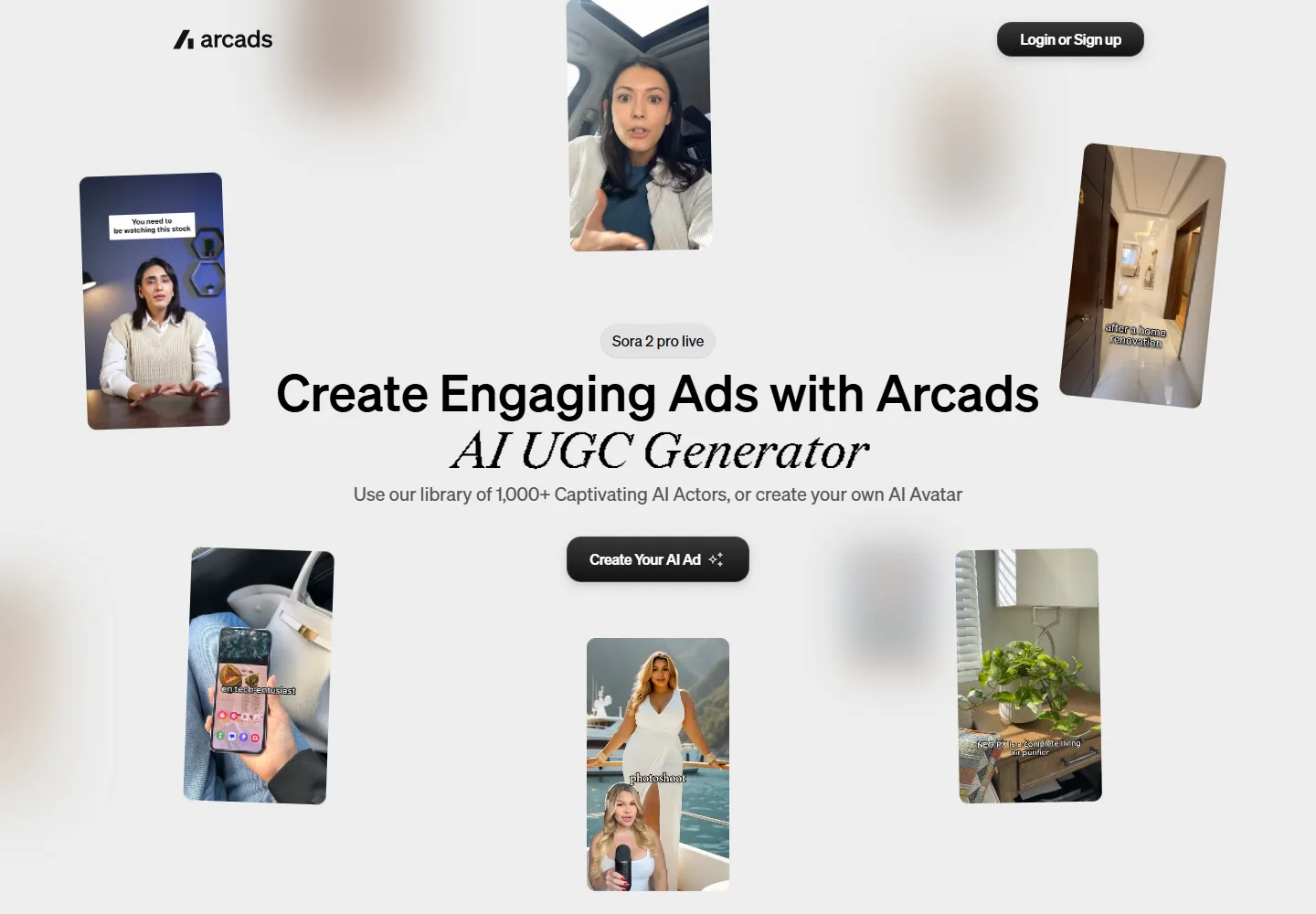
Перед финальной версией протестируйте один сценарий с реальным продуктом. Обратите внимание на правдоподобность захвата, масштаб и окклюзию, а не только на убедительность лица. Актёр, который хорошо играет, но неправильно обращается с продуктом, всё равно создаст непригодную для использования рекламу.
3. Creatify: лучший инструмент для преобразования URL-адресов товаров в рекламные объявления
Creatify объединяет в себе функции импорта данных о продуктах, ИИ-аватаров, подписей, музыкальной библиотеки и редактора. На официальной странице, посвящённой пользовательскому контенту (UGC), также упоминается возможность экспорта данных в форматы, готовые для использования на платформе, поэтому платформа подходит для команд, которым нужен быстрый путь от страницы продукта до первого чернового варианта рекламного объявления.
Бесплатный тарифный план полезен для оценки интерфейса, но на официальной странице указано, что в бесплатных экспортах присутствует водяной знак. Проверьте текущий баланс кредитов, правила редактирования и права на экспорт на официальная страница с ценами.
4. Higgsfield: лучший вариант для концепций, ориентированных на продукт и автора
Хиггсфилд описывает рабочий процесс, построенный на использовании элементов продукта, материалов автора и предустановок пользовательского контента. Такое сочетание полезно в тех случаях, когда визуальная концепция требует как узнаваемого элемента, так и сохранения характерного стиля автора.
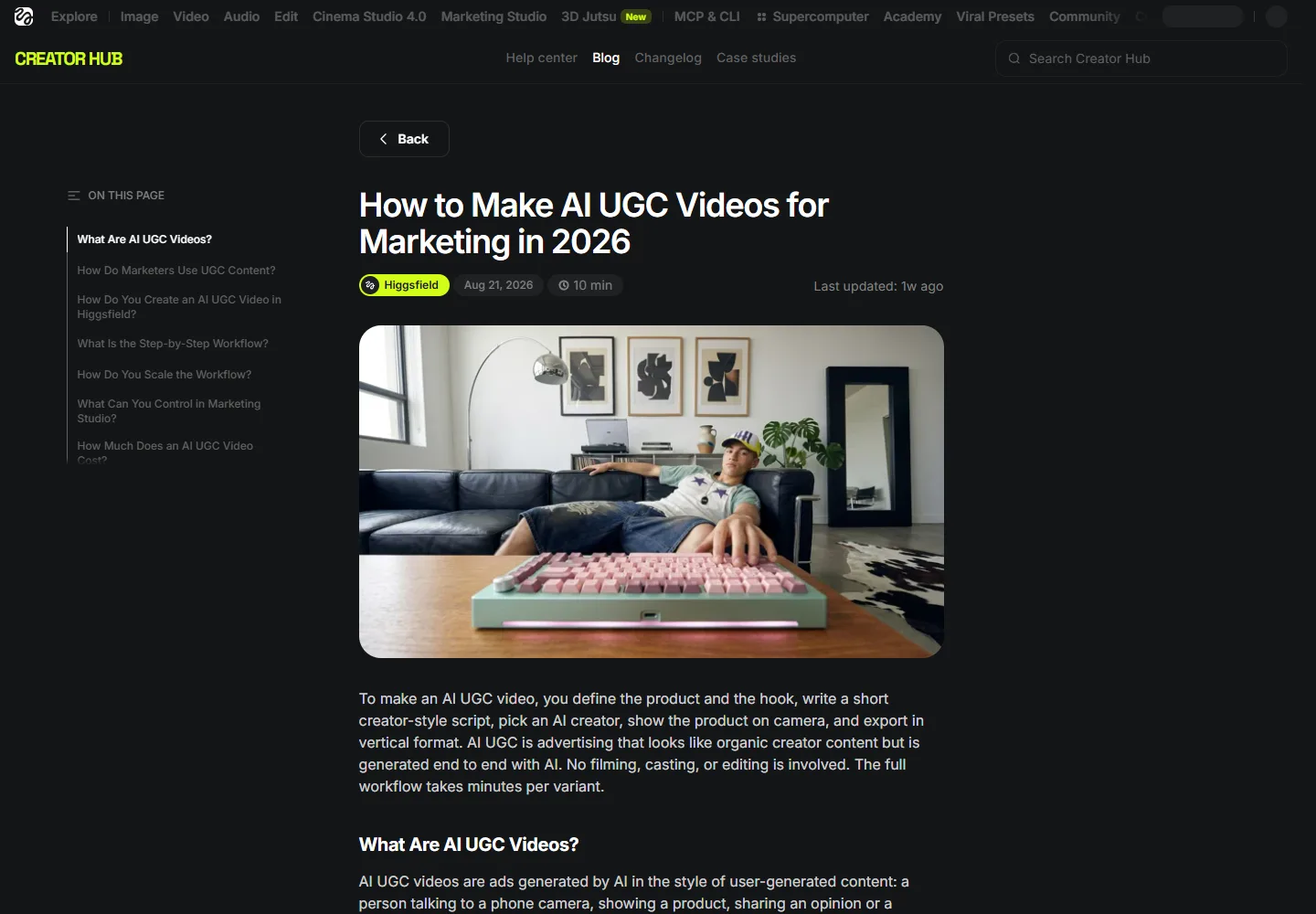
Прежде чем оценивать стиль, проверьте соответствие продукта оригиналу: форма логотипа, текст на этикетке, цвет, крышка, пропорции и ощущение на ощупь должны сохраняться на протяжении всей серии. Чтобы узнать больше о типичных визуальных ошибках, воспользуйтесь Руководство по устранению сбоев при генерации видео с помощью ИИ.
5. HeyGen: лучший вариант для постоянных локализованных докладчиков
HeyGen особенно эффективно проявляется, когда один и тот же докладчик и одно и то же сообщение должны быть представлены на разных рынках. В рамках маркетингового рабочего процесса особое внимание уделяется аватарам, локализации, элементам бренд-кита и совместной работе.

Утвердите переведённый сценарий, озвучку и синхронизацию губ по отдельности. Наиперше подвергните тщательной проверке названия брендов, цифры и рекламные заявления о продукции. Наши Руководство по диалогам и синхронизации движения губ содержит практический контрольный список для проверки.
6. Субтитры: оптимальный рабочий процесс от создания до монтажа
Подписи начинается с монтажа, а не только с генерации контента. На официальном сайте представлены такие функции, как редактирование с помощью ИИ, различные стили подписей, перевод, создание аватаров, цифровые двойники и вставка рекламных элементов. Это отличный вариант, если у вас уже есть отснятый материал или вы планируете скорректировать темп ролика и наложения.
Убедитесь, что нужные вам функции доступны на выбранном вами устройстве и в рамках выбранного тарифного плана. Процесс редактирования, ориентированный в первую очередь на мобильные устройства, может значительно отличаться от процесса проверки на настольном компьютере с участием нескольких утверждающих лиц.
7. Synthesia: лучший вариант для создания структурированных бизнес-видео
Синтезия предлагает готовые, персонализированные и создаваемые по запросу аватары в рамках системы производства на основе сцен. Возможности управления брендом, аналитика и локализация делают эту платформу идеальным решением для создания поясняющих видео, обучающих материалов и профессиональных презентаций продуктов.
Такая «отполированность» может не вписываться в рекламу, специально стилизованную под непринужденный стиль. Проверьте, нужен ли вашей аудитории неформальный подход со стороны автора или же последовательный деловой стиль. Эти два формата решают разные проблемы, связанные с доверием.
8. Topview: оптимальный вариант для многоэтапных кампаний под руководством агентов
Topview описывает рабочий процесс агента, который позволяет принимать идеи, сценарии, URL-адреса продуктов или видео-примеры, планировать сцены, выбирать моделей и обеспечивать возможность редактирования кадров на холсте. На официальном сайте в числе маркетинговых рабочих процессов явно указаны рекламные материалы в стиле пользовательского контента (UGC).
Компромиссом здесь является риск несогласованности: чем больше моделей и дублей, тем больше возможностей для отклонений в плане образа, продукта и стиля. Используйте журнал дублей и Рабочий процесс обеспечения согласованности персонажей и сцен перед масштабированием партии.
Используйте одну и ту же систему оценки для каждого инструмента
Демонстрационные ролики разных поставщиков сложно сравнивать, поскольку в каждом из них используются разные актёры, сценарии, продукты и монтаж. Для объективного тестирования финалистов необходимо сохранять неизменным техническое задание и оценивать готовый экспортный файл. Используйте шесть критериев, каждый из которых оценивается в пять баллов.
Не упускайте из виду критические недочеты при усреднении оценок. Результат 29 из 30 все равно означает отказ, если изменилась упаковка, актер делает необоснованные заявления о пользе для здоровья или в экспортной версии отсутствуют необходимые права на использование. Оценивайте точность информации о продукте и степень доверия как критерии, определяющие прохождение или отклонение; оставшиеся баллы используйте для сравнения качества креатива.
Выполняйте три варианта, а не тридцать
Начните с трёх контролируемых вариантов: измените «зацепку», оставьте демонстрацию продукта и предложение неизменными, а затем зафиксируйте, какие варианты дают положительный результат. Это позволит выяснить, способен ли инструмент следовать инструкциям, не превращая небольшой тест в дорогостоящую партию продукции.
После утверждения одной версии запросите правку, в которой изменяется всего одна строка с фактической информацией. Тест на правки выявляет скрытые затраты рабочего процесса: повторное создание, сдвиги во времени, исправление субтитров, несогласованность озвучки и отклонения в продукте. Обычно он дает больше информации, чем очередной отполированный первый черновик.
Что показал наш практический редакционный тест
Вместо того чтобы тратить кредиты на дублирующийся видеоматериал, мы повторно использовали редакционный тестовый набор GlobalGPT, созданный 7 сентября 2026 года. Было выполнено четыре задания по обработке видео. Ориентировочная стоимость пакета составила около 2 000 кредитов GlobalGPT; мы не пересчитывали эту сумму в доллары и не проводили аудит эффективности кампании.
Что на самом деле показал редакционный тест
Отчет о сравнении был проверен 21 сентября 2026 года. Он полезен в качестве редакционного аудита, но не является контролируемым тестом: мы не запускали один и тот же бриф у всех поставщиков, не просматривали все готовые материалы и не проверяли эффективность кампаний. Наше самое весомое утверждение носит более ограниченный характер: в статье GlobalGPT были указаны реальные медиафайлы и индексированная страница, однако в приведенном в ней примере реализации ещё не было раскрыто достаточно настроек, чтобы другой редактор мог воспроизвести результат без догадок.
| Испытательное поле | Зафиксированный рекорд | Какой вывод должен сделать читатель |
|---|---|---|
| Просмотренные вакансии | Четыре видеоработы в формате GlobalGPT: три примера сцен и один результат монтажа и синхронизации движения губ. | На этой странице представлены подлинные редакционные материалы, а не только рекламные тексты поставщиков. |
| Требуемый формат | В техническом задании было указано, что выходной сигнал должен иметь соотношение 9:16 по вертикали. | Запишите указанное соотношение отдельно от предоставленного файла. |
| Переданный файл | Исходный клип имел размер 1280×720 (16:9), после чего был локально обрезан для вертикального отображения. | Не обещайте вывод данных в исходном формате до тех пор, пока маршрут модели не будет проверен. |
| Стабильность качества продукции | Геометрия объекта и мелкие детали менялись от сцены к сцене; в финальном кадре после кадрирования также оказалась урезанной часть телефона, который держали горизонтально. | Рассматривайте этот образец как демонстрацию концепции, а не как рекламу официально утвержденного продукта. |
| Предполагаемый объем использования | Около 2 000 кредитов GlobalGPT для редакционного пакета; конвертация в доллары не запрашивалась. | Перед составлением бюджета читателям необходимо ознакомиться с текущими тарифами на услуги и информацией об особенностях использования конкретных моделей. |
Вот какое изменение в содержании имеет наибольшее значение: в каждом будущем примере должны указываться точный маршрут модели, режим генерации, запрашиваемая продолжительность и соотношение, исходные материалы, количество попыток, предоставленные параметры, правки после генерации, использованные кредиты и решение о принятии. Отредактированный клип без этой информации — это просто источник вдохновения; клип с такой информацией становится воспроизводимым тестом.
Чего не доказывают данные рейтинга
В ходе той же проверки не было обнаружено никаких признаков нарушений, связанных с атрибутом `noindex` или каноническим URL. Инструмент «Проверка URL» показал, что страница была отправлена в поисковую систему и проиндексирована, при этом сканирование прошло успешно, а канонический URL ссылался на саму страницу. В Search Console было зафиксировано лишь небольшое количество показов для Как создавать видео с пользовательским контентом с помощью ИИ, поэтому страница ещё не достигла стабильной видимости. Это повод для её доработки и сбора данных за более длительный период наблюдения, а не доказательство того, что причиной такого отставания стали пояснения правил, AIO или один из конкурентов.
Semrush показал одно заметное ключевое слово «Higgsfield» и отсутствие результатов в топ-100 для URL-адреса GlobalGPT на предоставленном скриншоте, однако на скриншоте не было указано ни ключевое слово, ни точное положение, ни детали выборки. Невозможно установить, что обе страницы сравнивались по одному и тому же запросу. Справедливый редакционный вывод носит практический характер: Higgsfield упростил понимание своего рабочего процесса ввода данных о продукте и контекста кредитования, в то время как в данной статье требовалась более четкая и воспроизводимая запись теста GlobalGPT.
Видеообзор GlobalGPT: для чего предназначена каждая модель
Эти три клипа представляют собой общедоступные демонстрационные примеры модели GlobalGPT, добавленные для того, чтобы облегчить сравнение различий между моделями. Они не являются частью описанного выше контролируемого редакционного тестирования: эти клипы не подтверждают точность воспроизведения продукта, эффективность конверсии рекламы или воспроизводимость результатов для каждого промпта. Используйте их, чтобы выбрать направление, а затем проверьте тот же бриф по своему собственному контрольному списку приемки.
Чтобы определить текущую точку входа, используйте Маршрут передачи видеосигнала Seedance 2.0. Начните с одного короткого «крючка» и одного визуального действия, а затем переходите к работе с целой серией.
Используйте Seedance 2.0 Быстрый маршрут когда целью является быстрая проверка концепций. Сохраняйте описание продукта и критерии приемки неизменными для всех вариантов.
Вы можете открыть Grok Маршрут Imagine 1.5 когда в техническом задании требуется более наглядная концептуальная проработка. По-прежнему действует та же система оценки по шести критериям: точность воспроизведения продукта, сроки выполнения, ясность ключевой идеи, удобство редактирования, готовность к использованию на платформе и доверие.
Как выбрать подходящий генератор пользовательского контента на базе искусственного интеллекта
Уделите приоритетное внимание сценариям и пакетным вариантам.
Уделяйте первостепенное внимание выбору актёров и синхронизации движения губ.
Уделите первоочередное внимание проверке ссылок и редактированию.
Уделите приоритетное внимание переводу и согласованию.
- Определите конечный результат. Укажите платформу, соотношение сторон, длину, фотографию продукта и требуемый рекламный слоган.
- Примените тот же 15-секундный тест. Предоставьте каждому инструменту, вошедшему в короткий список, один и тот же сценарий, технические характеристики продукта и контрольный список для приемки.
- Подсчитайте количество утвержденных результатов. Не сравнивайте цены на подписку, не учитывая неудачные версии и время на доработку.
- Проведите полноценную проверку. Измените одно утверждение, сведения о продукте или формулировку после первого вывода.
- Ознакомьтесь с правилами и информацией о раскрытии данных. Подтвердите коммерческое использование, дайте согласие на использование изображения и укажите метки ИИ, характерные для конкретной платформы.
Практический рабочий процесс создания пользовательского контента с использованием ИИ
Аудитория, предложение, подтверждение и запрещенные утверждения
Зацепка, проблема, демонстрация и призыв к действию
Ведущий, сцены с продуктом и вспомогательные сцены
Термины, продукт, движение, коэффициент и раскрытие информации
Субтитры, темп повествования, звук и безопасные зоны
Измените одну переменную и запишите утвержденный результат
Используйте единый достоверный источник информации о характеристиках продукта и ограничениях по съемке. Если ваша рекламная кампания будет включать более одного ролика, то Руководство по обеспечению согласованности в длинных видеороликах объясняет, как сохранить персонажей и сцены в рамках более обширной сюжетной линии.
Кнопка «Копировать» является дополнительным элементом; подсказка останется доступной для выбора, даже если WordPress удалит JavaScript. Дополнительные подсказки для рабочей среды см. в Как создавать видео с пользовательским контентом с помощью ИИ.
Сравнивайте стоимость одного доступного для просмотра видео, а не ежемесячную плату
Недорогой план может обойтись дорого, если большую часть продукции придется изготавливать заново. Сравнивайте инструменты с учетом полной себестоимости производства:
Пример: общая себестоимость производства $60 ÷ 5 утвержденных видеороликов = $12 за каждое одобренное видео. Это примерная формула, а не цена поставщика.
Регистрируйте неудачные попытки, время редактирования и работу по локализации. Запись Сравнение генераторов видео на базе ИИ поможет вам проанализировать более широкие варианты получения, в то время как Контрольный список ошибок при использовании ИИ в видео помогает сократить количество излишних повторных исследований.
Синтетический пользовательский контент — это не отзывы клиентов
AI UGC лучше охарактеризовать как реклама в стиле «креатора». Виртуальный актер не приобретал, не использовал и не испытывал ваш продукт. Не формулируйте утверждения от первого лица, подразумевающие реальный опыт клиента, если вы не можете достоверно их подтвердить.
- Правильная упаковка и цвет
- Четкая и точная этикетка
- Реалистичные размеры и управляемость
- Никаких инсценированных демонстраций
- Отсутствие вымышленной истории взаимодействия с клиентом
- Никаких неподтверждённых заявлений о производительности
- Согласие на использование изображения и голоса
- Четкое раскрытие информации об использовании ИИ в тех случаях, когда это требуется
Просмотрите Рекомендации Федеральной торговой комиссии (FTC) по отзывам и рекомендациям а также правила платформы, на которой будет размещаться реклама. Данная статья представляет собой методику подготовки к запуску, а не юридическую консультацию.
Часто задаваемые вопросы
Какой генератор видео с пользовательским контентом на базе ИИ является лучшим?
Не существует универсального решения, подходящего для всех рабочих процессов. Arcads подходит для рекламных вариаций с участием актеров, Creatify — для рабочих процессов с URL-адресами продуктов, Higgsfield — для концепций с участием продуктов и авторов, HeyGen — для локализации, Captions — для монтажа, Synthesia — для структурированных бизнес-видео, Topview — для многокадровой съемки под руководством агента, а GlobalGPT — для гибкого производства с участием нескольких моделей.
Можно ли бесплатно создавать видео с пользовательским контентом с помощью ИИ?
Некоторые сервисы предлагают ограниченный бесплатный доступ или пробные версии. Обратите внимание на водяные знаки, права на экспорт, указание авторства и условия коммерческого использования. На официальной странице Creatify, посвящённой пользовательскому контенту (UGC), указано, что файлы, экспортированные в рамках бесплатного тарифа, содержат водяной знак, поэтому материал, полученный в результате бесплатного тестирования, может оказаться непригодным для публикации в качестве готового ресурса.
Являются ли видео с искусственным интеллектом, созданные пользователями, настоящим пользовательским контентом?
Нет. Это синтетические видеоролики, созданные с помощью искусственного интеллекта. Актер, созданный искусственным интеллектом, не является клиентом и не может правдиво описать личный опыт использования продукта. Избегайте вымышленных отзывов и предоставляйте соответствующую информацию.
Какой инструмент на базе ИИ для создания пользовательского контента лучше всего подходит для электронной коммерции?
Creatify — сильный кандидат для включения в шорт-лист при организации рабочего процесса с использованием URL-адреса продукта, тогда как Higgsfield и Arcads подходят в тех случаях, когда большее значение имеют презентация продукта или рекламные ролики с участием актеров. Проведите тестирование именно данного SKU, поскольку упаковка, масштаб и ощущение при прикосновении могут вызвать отрицательную реакцию, даже если ведущий выглядит убедительно.
Какой инструмент лучше всего подходит для создания многоязычных рекламных объявлений с пользовательским контентом?
HeyGen — это, безусловно, лучший выбор из списка специализированных решений для создания повторяемых локализованных образов ведущих. Synthesia также поддерживает многоязычные рабочие процессы при создании образов ведущих. Перед масштабированием необходимо утвердить формулировки на языке перевода, голос, имена, цифры и синхронизацию движения губ.
Как мне проверить качество видео, созданного пользователями с помощью ИИ?
Используйте один короткий сценарий и одинаковый код продукта во всех видеороликах из вашего короткого списка. Проверьте произношение, синхронизацию губ, идентичность, точность отображения продукта, соотношение сторон, титры, раскрытие информации и одно реальное исправление. Учитывайте только те материалы, которые вы одобрили бы для публикации.
Сколько стоит видео, созданное с помощью ИИ на основе пользовательского контента?
Рассчитайте стоимость одного утвержденного видео: сложите стоимость подписки, дополнительные кредиты и затраты на монтаж, а затем разделите эту сумму на количество утвержденных видео. Цены на текущие тарифные планы могут меняться, и самая низкая месячная стоимость не гарантирует самую низкую стоимость одного готового к использованию видео.
Может ли GlobalGPT заменить специализированную платформу для пользовательского контента?
GlobalGPT позволяет в рамках одного рабочего пространства обрабатывать сценарии, концепт-изображения и различные сценарии создания видео. Однако если вам требуется библиотека актеров, специальная система локализации или специализированный конвейер преобразования URL-адресов в рекламные объявления, специализированная платформа может оказаться более подходящим решением. Выбирайте в зависимости от узкого места в производственном процессе.
Составьте короткий список, а затем проведите один объективный тест
Выберите два или три инструмента, подходящих для устранения вашего узкого места. Предоставьте им одинаковые техническое задание, описание продукта и чек-лист для приемки. Отклоняйте любые результаты, которые вносят изменения в продукт или придумывают новый пользовательский опыт. Затем сравните трудозатраты на доработку и стоимость каждого одобренного видео.
Чтобы обеспечить максимальную гибкость на начальном этапе, разработайте зацепку, создайте раскадровку и протестируйте варианты видео в GlobalGPT, прежде чем останавливаться на конкретном наборе инструментов для производства.