

The Perplexity AI Assistant is a system-level tool that performs voice, text, and camera-based actions across your phone’s apps using Large Action Models to handle multi-step tasks like booking rides, sending messages, opening websites, and creating reminders. Designed to move Perplexity beyond basic Q&A and into real on-device execution, it still shows early-stage limitations—from inconsistent app behaviors to a higher subscription cost—which makes its current value heavily dependent on your workflow needs.
GlobalGPT gives you a broader and more flexible way to work by letting you access GPT-5.1, Claude 4.5, Gemini 3 pro,Sora 2 Pro, and 100+ other specialized models in one place—without relying on a single assistant’s limitations. Instead of waiting for new features or paying for separate app add-ons, you can simply choose the model best suited for reasoning, vision, automation, or creation and use them all from a unified, low-friction workspace starting around $5.75.
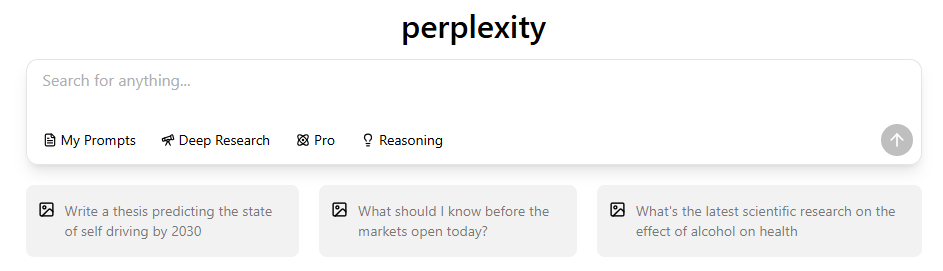
What Is the Perplexity AI Assistant and How Is It Different From Perplexity Search?
The Perplexity AI Assistant is a system-level tool designed to move Perplexity beyond its core Q&A engine and into real on-device task execution. Instead of simply returning answers, the Assistant activates on mobile and performs actions across your apps—such as booking rides, opening websites, sending written messages, or interpreting what your camera sees. This shift represents Perplexity’s attempt to challenge Google Assistant, Siri, and Gemini by building a more flexible, model-driven action layer.
Unlike traditional assistants, Perplexity relies on Large Action Models (LAMs), which break down tasks into multi-step logic chains that the system executes inside apps. This makes it capable of more complex, cross-app workflows than assistants restricted to a single ecosystem. However, technology is still new and not yet as stable or deeply integrated as long-standing native assistants.
What Can You Do With the Perplexity AI Assistant? (Full Capability Breakdown)
The Assistant supports voice, text, and camera input. Voice remains the primary mode, letting you speak natural commands such as “Book me a table tonight,” “Play Coldplay on YouTube,” or “Call my mom.” Text is equally flexible for quiet environments. Camera-based input allows the Assistant to analyze objects, products, or scenes, although recognition accuracy still varies.
Perplexity can complete end-to-end tasks across apps—booking an Uber ride, opening a specific Spotify playlist, or pulling up a website without manual browsing. These are powered by LAMs, which interpret your intent and generate a sequence of steps for your device to follow.
However, real-world performance remains uneven. Tasks sometimes require repeated attempts, and visual recognition may misidentify objects or fail to trigger the correct app action.
Supported Apps and Permissions (Complete 2025 List)
Perplexity integrates with a wide range of apps, but each comes with different permission levels:
| Category | Supported Apps | Permission Level / Notes |
| Messaging & Communication | Write-only; cannot read inbox | |
| SMS | Write-only; WhatsApp unsupported | |
| Media & Entertainment | Spotify | Full playback control |
| YouTube / YouTube Music | Full playback + opening content | |
| Travel & Utilities | Uber | Ride booking + app actions |
| Phone Dialer | Can initiate calls | |
| Clock | Can set or modify alarms | |
| Browser & Safari | Browser | Full page opening |
| Safari | Limited to specific sites (Amazon, OpenTable, etc.) | |
| System Settings | Device Settings | Limited controls; varies by OEM |
| System-Level Actions | Cannot override deeper preferences (e.g., default navigation provider) |
While this list is solid for a first release, it exposes several structural limitations—especially the lack of WhatsApp integration and the absence of deeper access to system settings.
Perplexity AI Assistant on Android: Installation, Setup, and System Integration
Android is where the Perplexity AI Assistant shows its strongest potential. By setting it as the default digital assistant, users can activate it via gesture navigation, power-button press, or home-button long press. Once invoked, it appears as a bottom-third overlay—much like Google Assistant—ready to receive commands.


Button remapping varies by manufacturer:
- Samsung uses Side Key settings
- Xiaomi uses Quick Ball customization
- Huawei uses Smart Assistant toggles
Despite this system-level integration, several users report friction when trying to replace Google Assistant entirely. Android Auto still triggers Google Assistant via the steering-wheel button, and without a voice wake word, Perplexity becomes impractical for driving scenarios.
Perplexity AI Assistant on iOS: Voice Mode, Shortcuts, and Action Button
iOS users get a more limited experience. The Assistant operates primarily as a “Voice Mode” interface inside the Perplexity app. It does not replace Siri, cannot intercept hardware-level actions, and relies on shortcuts for quicker access.
Key features available on iOS:

- Tap the microphone button to start Voice Mode
- Use the Threads Library to revisit past voice interactions
- Add shortcuts to the Home Screen or Lock Screen
- Configure the iPhone’s Action Button (iPhone 15+) to trigger Perplexity
- To change the Voice and other settings, tap the cog at the top of the screen:
However, iOS sandboxing prevents Perplexity from performing the same cross-app actions seen on Android. It cannot override Siri’s privileged capabilities or perform deeper system tasks.
Perplexity AI Assistant vs Google Gemini, Siri, Alexa, and ChatGPT

When compared to major assistants, Perplexity sits in an unusual middle ground. It offers more flexible cross-app logic than Siri or Alexa but lacks the ecosystem authority those assistants rely on. Gemini provides similar multimodal capabilities and deeper system integration on Android, but Perplexity’s LAM-driven task execution is often more intuitive.
Vision comparisons are mixed. Gemini Live and ChatGPT offer stronger, more consistent camera interpretation, while Perplexity sometimes struggles with accuracy or requires several attempts. For simple commands, Siri and Google Assistant remain more reliable due to their native ties to the OS.
Perplexity Email Assistant — Key Features & How It Works

Core Capabilities
- Reads incoming emails (Gmail + major IMAP providers)
- Summarizes long or multi-person threads
- Drafts context-aware replies based on full conversation history
- Suggests follow-up actions and next steps
- Handles repetitive communication tasks like confirmations, scheduling replies, and simple inquiries
Privacy & Data Handling
- Email content is never used for model training
- Operates inside a strict privacy sandbox
- Active email threads are automatically deleted after a short retention window
- Max / Enterprise Max users receive a two-week auto-deletion policy for added security
Real-World Workflow Benefits
- Functions as a lightweight AI secretary, not just a writing tool
- Reduces inbox load for users handling large daily email volume
- Eliminates manual triage for repetitive, low-priority emails
- Improves productivity by keeping users focused on high-value work
Real-World Strengths and Weaknesses: What Users Love and What They Don’t
Strengths
- Fast reasoning and task interpretation
- Broad app compatibility relative to third-party assistants
- Smooth cross-app workflows
- A free tier that covers most casual use cases
- Strong potential as LAM technology evolves
Weaknesses
- No voice wake word—major issue for driving
- WhatsApp unsupported; SMS may trigger unintentionally
- Android Auto incompatible
- Navigation commands often misunderstood in non-English regions
- Camera recognition accuracy inconsistent
- Some tasks require multiple attempts
Pricing: Free vs Perplexity Pro ($19.99/month)

| Tier | Price | Core Capabilities | AI Assistant Capabilities | Best For |
| Free | $0 | Basic Q&A, simple device actions, limited LAM tasks | ❌ No Email Assistant ❌ No advanced task execution | Casual users, light usage |
| Pro | $19.99/mo | Faster responses, higher reliability, better task consistency | ✔ Email Assistant (read/summarize/draft replies) ✔ Threads auto-delete after 2 weeks ➖ Basic LAM task chains | Users needing inbox help + light automation |
| Max | Higher-tier (varies) | Deep reasoning, long context windows, stronger accuracy | ✔ Enhanced AI Assistant— Handles complex multi-step workflows — Better long-thread understanding — More reliable cross-app actions | Heavy workflow users, knowledge workers |
| Enterprise Max | Custom | All Max features + admin tools, organizational controls | ✔ Enterprise-grade Assistant — Scaled automation for teams — Additional security policies | Teams & organizations using AI at scale |
Perplexity’s pricing strategy is aggressive. The free tier handles most basic tasks, while the $19.99 Pro plan unlocks priority processing, better task reliability, and advanced features such as the Email Assistant—whose messages are automatically deleted after two weeks for privacy.
Compared with Gemini Advanced, ChatGPT Plus, or Microsoft Copilot Pro, Perplexity sits at a similar price point but offers fewer creative and reasoning capabilities. Its value depends heavily on whether you intend to use it as your main daily assistant. For users who need stronger reasoning, creation, or vision workloads beyond basic device actions, GlobalGPT often becomes the go-to complement, since it offers GPT-5.1, Claude 4.5, Gemini 3, and more in one place.
Privacy, Security, and Data Handling
Perplexity processes commands through cloud-based LAMs, meaning your actions often leave the device for interpretation. Messaging and email actions remain write-only, minimizing exposure of your personal content. Email Assistant privacy is a notable strength: threads auto-delete after two weeks, and content is not stored long-term.
Nonetheless, the Assistant requires broad device permissions—microphone, camera, notifications, and in some cases, accessibility services. Users concerned about data privacy may want to review Perplexity’s permission list carefully before enabling full functionality.
Who Should Use the Perplexity AI Assistant? (Decision Guide)
Best for:
- Android users seeking a non-Google assistant
- People who rely on cross-app task flows
- Multitaskers who switch between apps frequently
- Users who want fast reasoning paired with simple automation
- Students or professionals needing a lightweight daily helper
Not ideal for:
- Drivers needing hands-free activation
- WhatsApp-heavy users
- Anyone requiring deep OS-level control
- Users expecting flawless multimodal vision
Future Roadmap: What’s Coming Next for Perplexity Assistant?
Perplexity’s rapid development pace suggests new features are on the horizon. A voice wake word is the most requested feature and would greatly improve hands-free usability. Improved navigation comprehension—especially in multilingual regions—is another priority. Deeper third-party integrations, especially for messaging apps like WhatsApp, are expected as partnerships expand.
On iOS, Perplexity’s growth depends on Apple’s APIs. If Apple opens more system actions, Perplexity could gain closer parity with Siri.
Final Assessment: Is the Perplexity AI Assistant Worth Using in 2025?
For Android users who want an assistant outside Google’s ecosystem, the Perplexity AI Assistant offers a flexible and forward-leaning approach—especially for cross-app automation driven by LAMs. But its reliability issues, the lack of a voice wake word, and a relatively high Pro subscription cost keep it from being the fully dependable, all-purpose assistant many users expect today.
For those who need stronger reasoning, creation, or multimodal capabilities beyond device actions, GlobalGPT provides a broader toolkit—giving you GPT-5.1, Claude 4.5, Gemini 3, Sora 2 Pro, and 100+ other models in one unified workspace.

