

OpenAIの公式Discordサーバーに参加したい場合、その手続きは思ったより簡単です。このガイドでは、私の経験に基づき、スムーズな認証やコミュニティへの完全なアクセスを得るためのヒントなど、すべてのステップを説明します。.
以下のステップを踏むことで、他のOpenAI愛好家とつながり、最新情報をいち早く入手し、ChatGPTやAIツールなどに関するディスカッションに参加することができます。.
かつては多くの人が参加していました OpenAIのDiscordサーバー Sora 2の招待コードを入手したいと思っています。しかし、もはやそれは現実的な方法ではありません。OpenAIの ビデオ生成に関するドキュメント によると、Sora 2モデルおよびVideos APIは非推奨となっており、2026年9月24日にサービス終了が予定されています。コミュニティへの参加は、最新情報や議論のためには依然として有用ですが、次のAIプロジェクトの進行を妨げる要因にしてはなりません。.
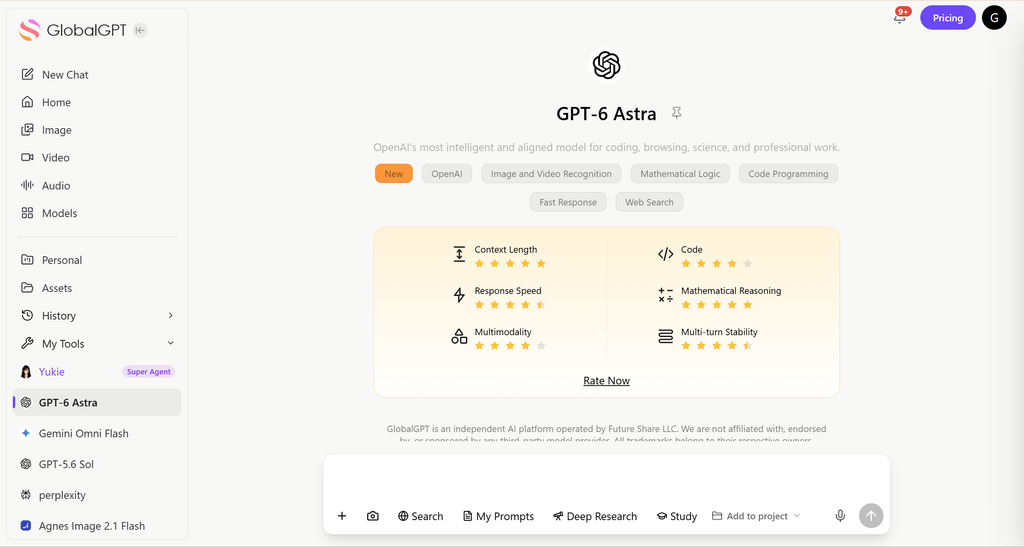
もし、議論に参加するためではなく、AIを利用するためにここに来たのであれば、, GlobalGPT上のGPT-6 Astra マルチモデルワークスペースでの執筆、調査、分析のためのモデルエントリを提供します。Discordの招待を待つことなく、完了すべきタスクからすぐに始めることができます。OpenAIコミュニティへの参加とモデルへのアクセス権の購入は、それぞれ別々の選択肢となります。.
ステップ1:OpenAIのDiscord招待に参加する
最初のステップは OpenAIのDiscordサーバーへの有効な招待リンクを入手する。. .OpenAIは、ウェブサイトや信頼できるリソースを通じて公式リンクを共有することがよくあります。招待状が届いたら
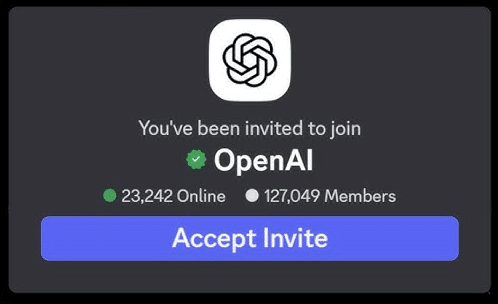
- 既存のDiscordアカウントにログインするか、必要に応じて新規アカウントを作成してください。.
- サーバーへの招待を受け入れる。.
ヒント詐欺や偽サーバーを避けるため、必ず公式招待リンクを使用していることを確認してください。.
について OpenAI 招待状 2026年9月10日に確認したところ、Discordではこのサーバーが「OpenAI」、参加用チャンネルが「openai-verification」として識別されています。参加後に表示される質問やアカウント確認の内容は変更される場合がありますので、そのサーバーの最新の指示に従ってください。.
招待を承認すると、正式にサーバーに参加し、パブリックチャンネルを見ることができます。ただし、すべてのチャンネルにアクセスする前に認証を完了する必要があります。.
ステップ2:Discord認証の完了
OpenAIのDiscordには、すべてのメンバーが本物のユーザーであり、ルールに従っていることを確認するための認証プロセスがあります。私の経験では、ステップに注意すればプロセスは簡単です:
- サーバーが提供する3つの質問に答えてください。これらの質問は簡単なもので、モデレーターが参加者を理解するのに役立ちます。.
- サーバールールを読み、同意する。このステップにより、誤ってコミュニティガイドラインに違反することがなくなります。.
- Discordの左側のパネルにある OpenAIのロゴ をクリックしてメニューを展開します。次に #openai-検証 チャンネルをクリックしてください。.
ヒント: 確認の質問に答えるときは正確に答えてください。不正確な回答や不完全な回答は、アクセスを遅らせる可能性があります。.
ステップ3: OpenAIアカウントを確認する
最後のステップは、DiscordアカウントとアクティブなOpenAIアカウントを接続することです。このステップにより、認証されたユーザーだけが制限されたチャンネルやコンテンツにアクセスできるようになります:
- をクリックする。 “OpenAIで検証” #openai-verificationチャンネル内。.
- すでにChatGPTにログインしている場合、認証はほぼ瞬時に完了します。.
- 認証後は、限定ディスカッション、お知らせ、コミュニティイベントなど、すべてのサーバーチャンネルにアクセスできるようになります。.
個人的な洞察:このステップは最も重要です。ChatGPTへのログインをスキップしようとすると、ここでスタックする人を見たことがあります。.
スムーズな体験のためのヒント
コミュニティへの告知ではなく、モデルへのアクセスについては、 GPT-6 Astra ガイド 別の出発点となる。.
| 問題点 | 確認すべき事項 | 次のアクション |
|---|---|---|
| 「招待」が開かない | URLとDiscordのログイン状態 | discord.com/invite/openai を使用し、サインイン済みの Discord アプリをお試しください |
| チャンネルが表示されていません | オンボーディングまたは本人確認が完了していない | サーバーの認証チャネルに戻り、表示された手順を完了してください |
| 口座の確認が必要です | 現在のサーバー命令および宛先ドメイン | 指定された検証手順に従ってください。手順が失敗した場合は、サーバーのモデレーターに問い合わせてください。 |
| モデルサブスクリプションか、Soraへの招待を期待していたのですね | コミュニティへの参加と製品へのアクセスは異なります | 実際の商品は別途お選びください。認証を販売している人物には支払いをしないでください。 |
OpenAIのDiscordに参加し、利用した経験から、よりスムーズにアクセスするための追加のヒントをいくつか紹介します:
- 定期的にDiscordのリンクをチェックしてください: 招待リンクには有効期限がありますので、最新のものをご利用ください。.
- 速やかに検証を完了すること: 3つの質問とアカウント認証が早ければ早いほど、チャンネルにアクセスできるようになります。.
- 認証されたOpenAIのアカウントを使用する: 検証に失敗する可能性があるため、テストアカウントの使用は避けてください。.
- 礼儀正しく接する: 中に入ったら、ルールを守り、敬意をもって関わり、コミュニティを最大限に活用しよう。.
入会後にできること
もしその会話の結果、ChatGPTを試してみることにしたなら、 ChatGPT フリーアクセスガイド 無料で利用できる機能について説明しています。.
フルアクセスできるようになると、OpenAIのDiscordサーバーが提供します:
- 独占アップデート ChatGPTの新機能やAIツールの情報をいち早くお届けします。.
- 地域社会の支援: AI愛好家仲間や専門家の助けを借りましょう。.
- ディスカッション・チャンネル AIアプリケーション、コーディング、クリエイティブなプロジェクトについての会話に参加する。.
- ベータ・アクセスの機会 OpenAIでは、新しいツールへの早期アクセスをサーバーメンバーと共有することもある。.
私自身の経験からも、このサーバーに参加することで、ChatGPTを効率的に使うためのヒントを見つけたり、世界中のAIクリエイターとつながることができました。.
よくある質問
OpenAIのDiscord招待URLはどこですか?
https://discord.com/invite/openai を使用してください。この公開招待状は2026年9月10日に確認されており、OpenAIサーバーとその検証用エントリチャネルを特定しています。.
このガイドに従うには、有料のChatGPTプランが必要ですか?
コミュニティへの参加とモデルサブスクリプションの購入は別々の手続きです。現在のサーバーのオンボーディング手順に従ってください。このガイドでは、有料のAIプランを前提条件としていません。.
なぜ視聴できるチャンネルがごくわずかしかないのですか?
登録または本人確認が完了していない可能性があります。アカウントにアクセスできないと判断する前に、サーバーの本人確認用チャネルに戻り、表示されている指示に従ってください。.
Discordに参加すれば、Sora 2への招待が確実に得られるのでしょうか?
いいえ。コミュニティに参加したからといって、モデルへのアクセスが保証されるわけではありません。OpenAIは、Sora 2モデルおよびVideos APIのサービスを2026年9月24日に終了する予定です。.
OpenAIのDiscordに参加しなくても、GlobalGPTは使えますか?
GlobalGPTは、独自のアカウントとサブスクリプションを持つ独立したプラットフォームです。このプラットフォームの「GPT-6 Astra」エントリーでは、事前にOpenAIのDiscordチュートリアルを完了する必要はありません。.
確認の手順は変更されることがありますか?
はい。既存のガイドではサーバーの処理フローについて説明していますが、ライブプロンプト、チャンネルの権限、およびチェック内容は変更される可能性があります。実際のOpenAIサーバー上の指示に従ってください。.
結論
OpenAIのDiscordサーバーにアクセスするのは複雑なことではありません。招待に参加し、認証を完了し、OpenAIのアカウントを確認するという3つのステップを踏むことで、AI愛好家の活気あるコミュニティが解放され、最新のアップデートやディスカッションにアクセスできるようになります。.
ChatGPTをクリエイティブなプロジェクト、研究、学習のために使用しているかどうかにかかわらず、公式Discordサーバーに参加することは、AIの分野で優位に立ち、人脈を作るための優れた方法です。.





