
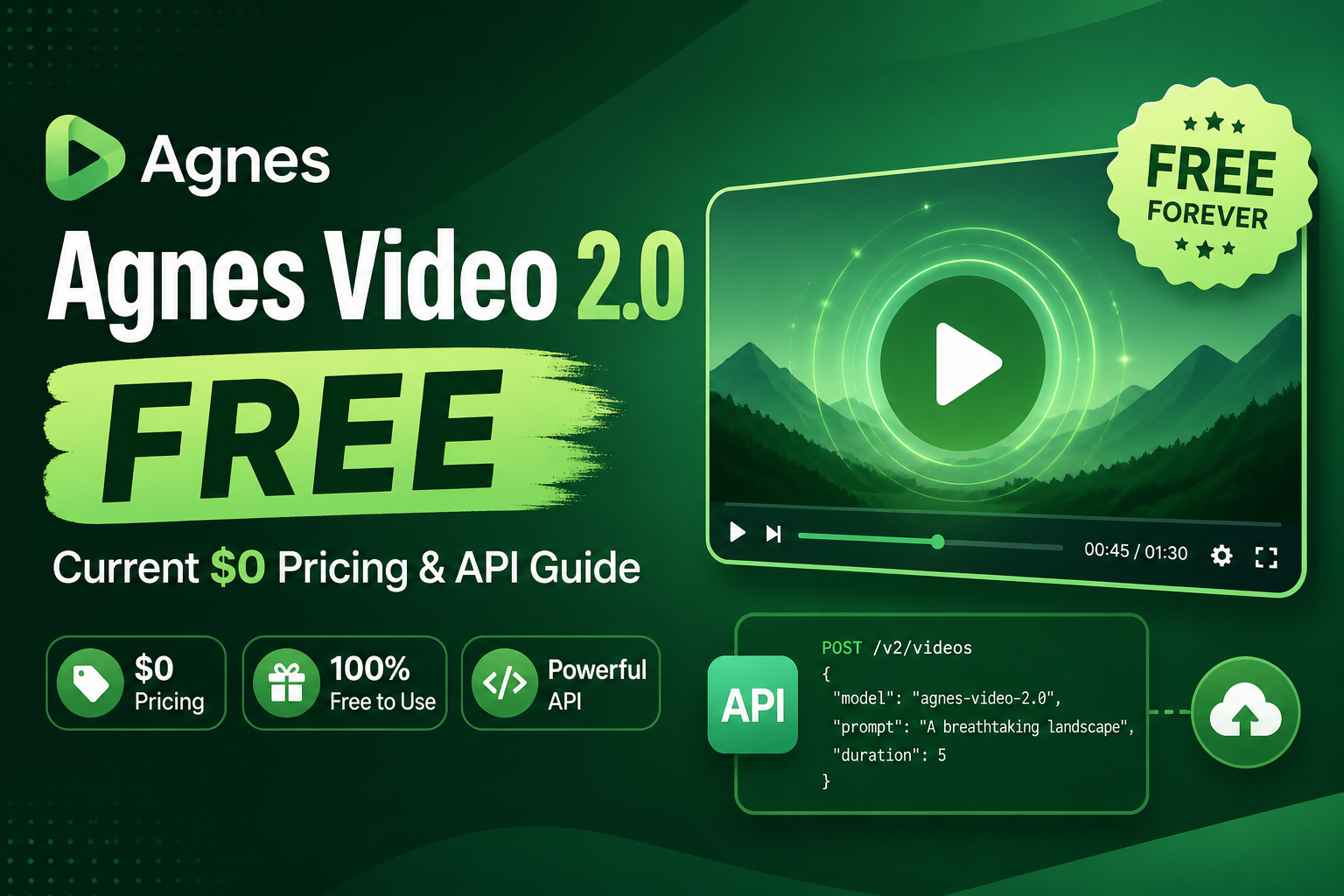
Risposta rapida: Agnes Video V2.0 è attualmente disponibile su Agnes AI all'indirizzo $0 al secondo del video generato. Supporta la conversione da testo a video, da immagine a video e l’animazione tramite fotogrammi chiave attraverso un’API asincrona. La tariffa $0 è indicata come prezzo attuale accanto al prezzo standard di $0,005 al secondo; consideratela quindi come una promozione in corso e non come una promessa di accesso gratuito permanente.
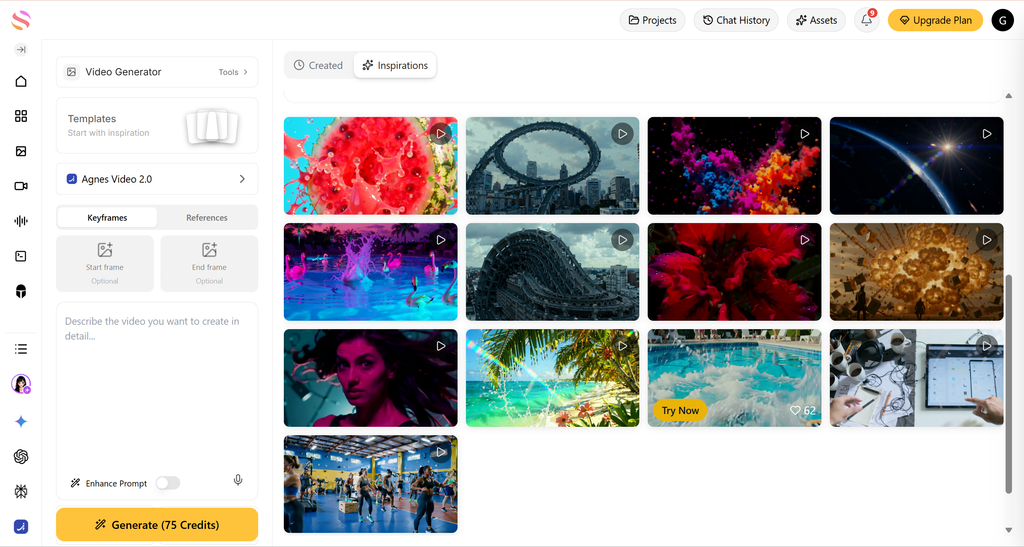
Se volete provare la generazione di video tramite IA senza costi immediati al secondo, vale la pena dare un’occhiata ad Agnes Video 2.0. È rivolto a sviluppatori e team creativi che necessitano di una generazione video controllabile per il marketing, i contenuti brevi, le demo di prodotti, le scene narrative e gli esperimenti di animazione. Questa guida spiega cosa comporta l'attuale piano gratuito, cosa è in grado di fare il modello e come creare prompt più efficaci.
Cosa significa “gratis” per Agnes Video 2.0 in questo momento
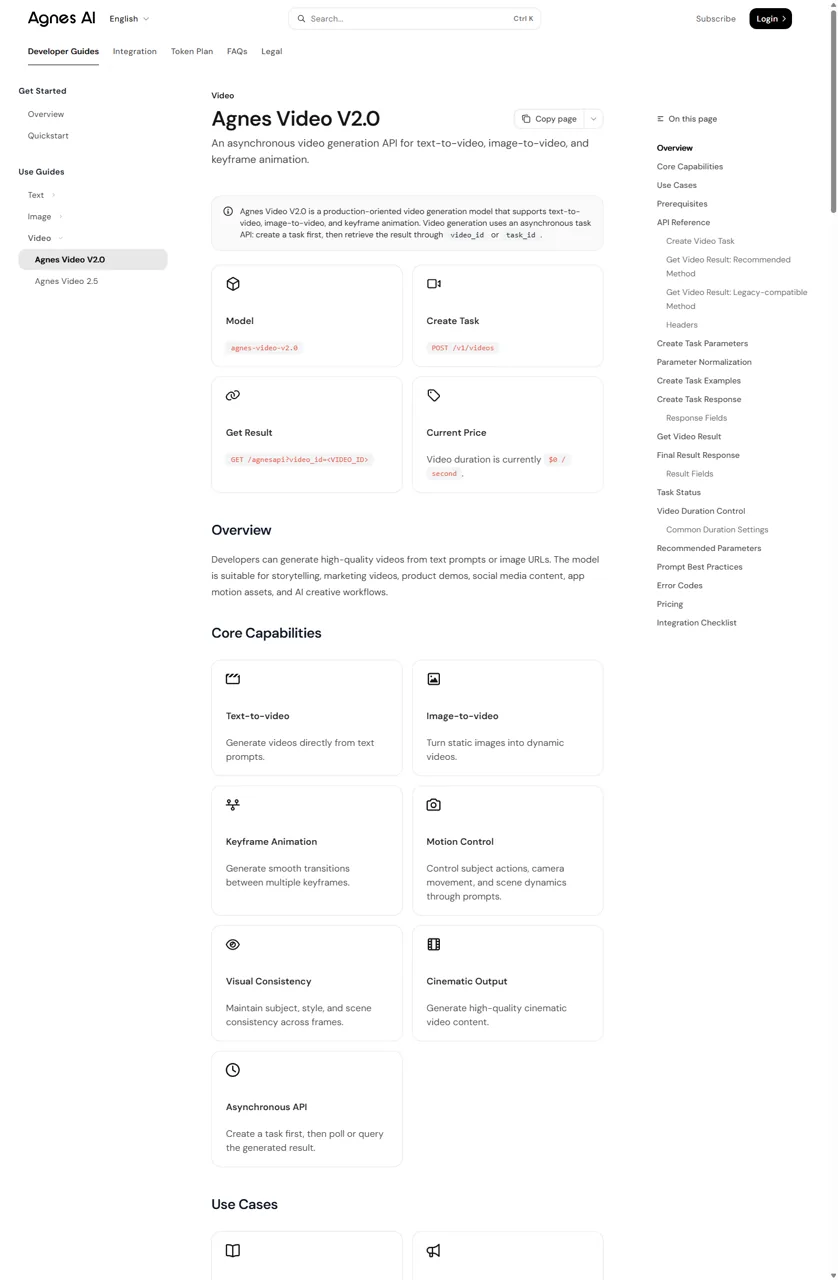
Il dettaglio più importante è la precisione. L'attuale documentazione ufficiale di Agnes AI indica che la durata del video è di $0 al secondo. Nella stessa sezione dedicata ai prezzi è indicato un prezzo standard di $0,005 al secondo. In pratica, ciò rende Agnes Video V2.0 un modo attualmente gratuito per generare video tramite l'API, ma i prezzi potrebbero subire variazioni.
Per questo motivo, non includere una promessa di produzione illimitata in una proposta per un cliente o in un budget a lungo termine. Consulta la documentazione online prima di avviare una produzione su larga scala e tieni traccia dei termini applicabili per i lavori commerciali. Avrai inoltre bisogno di una chiave API Agnes AI valida per inviare le richieste.
Cosa può fare Agnes Video V2.0
Agnes Video V2.0 è un modello di generazione video orientato alla produzione. Secondo la documentazione ufficiale, supporta tre flussi di lavoro principali:
- Da testo a video: generare una scena a partire da una descrizione scritta.
- Da immagine a video: animare un'immagine di origine accessibile al pubblico.
- Animazione con fotogrammi chiave: creare una transizione tra più sistemi di riferimento.
Il modello accetta anche parametri relativi al prompt, al prompt negativo, al seme, alle dimensioni, al numero di fotogrammi e alla frequenza dei fotogrammi. Le richieste sono asincrone: si crea un’attività video, quindi si recupera il risultato tramite il valore restituito video_id o task_id. Per una nuova integrazione, Agnes consiglia di utilizzare video_id per ottenere il risultato finale.
Come creare un video con Agnes Video 2.0
Il flusso di lavoro è semplice, anche se la generazione vera e propria avviene in background:
Agnes registra una dimensione predefinita della richiesta pari a 1152 × 768, ma il servizio potrebbe normalizzare le impostazioni inviate in modo da adattarle a un formato di output supportato. Utilizzare il valore restituito secondi, dimensione, e metadata.size_mapping campi come fonte di riferimento per il video fornito.
Scrivi prompt migliori per ottenere video generati dall'IA di qualità superiore
Una buona traccia non si limita a descrivere un argomento. Le linee guida ufficiali raccomandano di combinare il soggetto, azione, scena, movimento della telecamera, illuminazione e stile. Tale struttura fornisce al modello delle scelte visive concrete anziché un tema vago.
Esempio di prompt "da testo a video"
Un giovane astronauta cammina su un pianeta desertico rosso, con la polvere che si solleva nel vento; lenta carrellata cinematografica, luce drammatica del tramonto, stile fantascientifico realistico.
Per la conversione da immagine a video, specifica cosa deve muoversi e cosa deve rimanere stabile. Ad esempio: “Anima il respiro leggero, i capelli che si muovono delicatamente e le luci tremolanti sullo sfondo, mantenendo costanti il volto e l’abbigliamento”. Per l’animazione con fotogrammi chiave, descrivi la relazione tra il primo e l’ultimo fotogramma, insieme all’angolazione della telecamera e al movimento che desideri mantenere.
Durata, frequenza dei fotogrammi e opzioni di formato
La durata è controllata da num_frames ÷ frame_rate. Agnes afferma che num_frames deve essere pari o inferiore a 441 e rispettare la regola 8n + 1. A 24 fps, le combinazioni più comuni documentate sono 81 fotogrammi per circa 3 secondi, 121 fotogrammi per circa 5 secondi, 241 fotogrammi per circa 10 secondi e 441 fotogrammi per circa 18 secondi.
Utilizza il formato orizzontale per le demo di prodotto e i video web, il formato verticale per Shorts, Reels e i post in stile TikTok, e l’inquadratura quadrata per i contenuti social destinati principalmente al feed. I livelli di risoluzione documentati sono 480p, 720p e 1080p; la risoluzione effettiva può essere adeguata in base alla richiesta inviata.
Tre esempi riproducibili di Agnes Video 2.0
Gli esempi riportati di seguito non sono presentati come risultati filmati o verificati in modo indipendente. Si tratta di flussi di lavoro riproducibili, realizzati sulla base dei comandi e dei modelli di prompt presenti nella documentazione ufficiale di Agnes Video V2.0. Sono utili perché trasformano funzionalità di ampio respiro in una richiesta che è possibile effettivamente inviare, esaminare e migliorare.
Esempio 1: Trasforma un’idea di prodotto in un video promozionale di cinque secondi
Il problema: Hai un'idea di prodotto, ma non disponi né di un servizio fotografico in studio, né di un motion designer, né di un video di presentazione del packaging già pronto. Un breve filmato panoramico può aiutare il team a decidere se vale la pena realizzare quella direzione visiva.
Richiesta suggerita: utilizza la funzione "da testo a video" a 1152 × 768 con num_frames: 121 e frequenza fotogrammi: 24. Questo è l'esempio ufficiale della durata di circa cinque secondi. Mantieni la scena semplice: un solo prodotto, un solo movimento di macchina e un'unica direzione di illuminazione.
Prompt riproducibile
Cosa valutare nel risultato: La sagoma della tazza è stabile? La telecamera si muove in un’unica direzione ben definita? I riflessi conferiscono un tocco di raffinatezza senza distorcere il prodotto? Se l’oggetto cambia forma, accorcia il prompt, elimina gli effetti secondari e ripeti con un’inquadratura fissa seme in modo da poter confrontare le revisioni in modo più chiaro.
Perché questo è convincente: Crea una risorsa decisionale, non solo un video accattivante. Un team di marketing può testare l’illuminazione, l’angolazione e l’atmosfera visiva prima di stanziare il budget per un vero e proprio servizio fotografico del prodotto. Alla tariffa ufficiale attuale, una richiesta di cinque secondi costa $0; alla tariffa standard indicata costerebbe $0,025. Quest’ultimo è un calcolo di riferimento, non una promessa sui prezzi futuri.
Esempio 2: Animare l'immagine di un prodotto esistente per i social
Il problema: Hai già un'immagine del prodotto ben definita, ma un post statico ha meno impatto in un feed social a scorrimento verticale. Agnes Video V2.0 supporta la conversione da immagine a video, quindi l'immagine di partenza può fornire il soggetto principale e la composizione, mentre il prompt definisce il movimento.
Richiesta suggerita: pubblica l'immagine su un URL accessibile al pubblico, aggiungila come immagine parametro e utilizzare un prompt breve incentrato sul movimento. Per un test “mobile-first”, richiedere una composizione verticale e iniziare con 81 o 121 fotogrammi a 24 fps. La dimensione restituita, e non quella inviata, è quella definitiva, poiché Agnes è in grado di normalizzare la richiesta.
Prompt riproducibile
Cosa valutare nel risultato: Il test fondamentale riguarda il mantenimento dell’identità. L’etichetta deve rimanere sufficientemente leggibile da essere riconoscibile, la bottiglia non deve sviluppare un nuovo tappo né cambiare colore, e il movimento deve valorizzare l’immagine anziché sovrastarla. Se la fonte è una risorsa di marca reale, prima della pubblicazione confronta il risultato generato fotogramma per fotogramma con l’originale.
Dove va posizionato: anteprime di prodotti, post sui social dedicati all’e-commerce, anteprime sugli app store o una bacheca concettuale per una campagna. Questo approccio non sostituisce un servizio fotografico commerciale definitivo quando l’immagine del marchio deve essere precisa e non negoziabile. È un modo veloce per capire se un’immagine fissa ha un potenziale visivo sufficiente da giustificare un maggiore impegno in termini di produzione.
Esempio 3: Creare una transizione “prima e dopo” con i fotogrammi chiave
Il problema: Un montaggio tradizionale può passare bruscamente da una stanza vuota a un interno completato, da un modello wireframe alla schermata di un prodotto, oppure da una scena diurna a una notturna. L’animazione con fotogrammi chiave assegna al modello uno stato visivo iniziale e uno finale, chiedendogli poi di generare il movimento tra i due.
Richiesta suggerita: fornire una serie di URL di immagini dei fotogrammi chiave accessibili al pubblico in extra_body.immagine, impostare extra_body.mode a fotogrammi chiave, e spiegare la transizione anziché limitarsi a elencare le due immagini. Una riproduzione di cinque secondi a 121 fotogrammi e 24 fps è un primo test ragionevole.
Prompt riproducibile
Cosa valutare nel risultato: Cerca un'angolazione della telecamera stabile, una geometria della stanza costante e una trasformazione che appaia intenzionale piuttosto che casuale. Se la disposizione della stanza varia, semplifica le immagini in modo che abbiano tutte la stessa prospettiva. Se la transizione è troppo movimentata, riduci il numero di cambiamenti visivi tra il primo e l'ultimo fotogramma chiave.
Perché questo ha un valore commerciale: Offre ad architetti, team di interior design, responsabili del marketing di prodotto e progettisti di presentazioni un modo per comunicare il cambiamento in un’unica immagine. Il risultato è una visualizzazione concettuale, non una documentazione esecutiva; la differenza è importante quando sono coinvolti i clienti o dichiarazioni soggette a normative.
Come si presenta in pratica l'attuale struttura dei prezzi $0
L'angolo libero è più efficace quando viene quantificato in modo trasparente. Agnes indica il prezzo attuale pari a $0 al secondo e il prezzo standard pari a $0,005 al secondo. La tabella sottostante moltiplica la tariffa standard documentata per le durate più comuni; si tratta di un confronto a fini di pianificazione, non di un preventivo né di una previsione.
Prova della fotocamera
$0 ora · $0.015 standard
Video sul prodotto o video social
$0 ora · $0.025 standard
Sviluppo della trama
$0 ora · $0.050 standard
Concetto più ampio
$0 ora · $0.090 standard
Gli esempi di prezzo standard moltiplicano il tasso documentato di $0.005 al secondo. Non costituiscono né un preventivo né una previsione; verificare il tasso in tempo reale prima di definire il budget.
Il vantaggio pratico è l’iterazione. Un team creativo può eseguire diversi test brevi — una ripresa con la fotocamera fissa, una con una luce più morbida e una con un’inquadratura più ravvicinata — senza che la sperimentazione si traduca immediatamente in una voce di costo. Questo è diverso dal dare per scontato che ogni versione sia utilizzabile. Considerate le prime prove come ricerca e sviluppo visivo, scegliete la direzione migliore, quindi ricorrete a un numero ridotto di revisioni mirate.
A quali aspetti di Agnes Video 2.0 occorre prestare maggiore attenzione nel flusso di lavoro
- Troppe azioni in un unico prompt: Un personaggio che cucina, balla, apre una porta e guarda verso la telecamera richiede troppi cambiamenti in un breve filmato. Suddividilo in diverse riprese.
- Immagini fondamentali per il marchio: La conversione da immagine a video può essere utile per lo sviluppo di idee, ma non dare per scontato che un logo, un'etichetta, un volto o la forma di un prodotto rimangano esattamente gli stessi. Controlla ogni fotogramma prima di utilizzarlo esternamente.
- Dimensioni di output impreviste: Agnes è in grado di normalizzare larghezza, altezza e rapporto di aspetto. Struttura il tuo montaggio in base ai valori restituiti
dimensioneemetadata.size_mapping, e non solo le impostazioni richieste. - Richieste di durata più lunga: Un numero maggiore di secondi conferisce a una scena maggiore ampiezza, ma non necessariamente una maggiore coerenza narrativa. Prova prima con una singola ripresa, poi assembla più clip affidabili in un programma di montaggio.
- Errori relativi alle code e alle API: Gli stati ufficiali delle attività sono: in coda, in corso, completata e fallita. La tua integrazione dovrebbe eseguire un polling in modo mirato e segnalare uno stato di errore, anziché dare per scontato che ogni richiesta restituisca immediatamente un video.
Il flusso di lavoro più efficace non consiste nel “digitare un’idea grandiosa e sperare per il meglio”. Consiste invece nel: scegliere un’inquadratura, decidere cosa deve rimanere stabile, definire un movimento, valutare il risultato e solo allora aggiungere complessità. Questo approccio rende l’attuale modello di prezzo gratuito più utile, poiché trasforma la generazione a costo zero in un ciclo di test strutturato anziché in un volume sprecato.
Domande frequenti su Agnes Video 2.0 (versione gratuita)
Agnes Video 2.0 è gratuito?
Al 24 agosto 2026, la documentazione ufficiale di Agnes Video V2.0 riporta un prezzo attuale di $0 al secondo. Indica inoltre un prezzo standard di $0,005 al secondo; si raccomanda quindi di verificare la tariffa attuale prima dell'utilizzo in produzione.
Agnes Video V2.0 supporta la conversione di immagini in video?
Sì. La documentazione ufficiale elenca l'animazione da immagine a video e l'animazione basata su fotogrammi chiave insieme alla conversione da testo a video. I flussi di lavoro basati su immagini richiedono URL di immagini accessibili pubblicamente.
Qual è la durata massima di un video Agnes Video V2.0?
La durata dipende dal numero di fotogrammi e dalla frequenza dei fotogrammi. Il numero massimo di fotogrammi documentato è 441, e gli esempi ufficiali mostrano risultati di circa 3, 5, 10 e 18 secondi a 24 fps.
Posso utilizzare Agnes Video V2.0 per un prodotto o un'idea di marketing?
Sì, la documentazione ufficiale indica i video di marketing e le demo dei prodotti come casi d'uso. Per quanto riguarda il materiale pubblicato relativo al marchio, è necessario esaminare attentamente il risultato finale, poiché la generazione tramite IA potrebbe non riprodurre fedelmente loghi, etichette, geometria dei prodotti o diciture legali.
Qual è il miglior prompt iniziale per Agnes Video V2.0?
Inizia con un soggetto, un’azione, un’ambientazione, un movimento di macchina e un’indicazione relativa all’illuminazione o allo stile. Lo schema ufficiale del prompt è: soggetto più azione più scena più movimento di macchina più illuminazione più stile. Mantieni semplice la prima versione, poi ripeti il processo.
Conclusione
Agnes Video V2.0 rappresenta attualmente un'opzione interessante tra le API video basate sull'intelligenza artificiale gratuite, poiché la sua velocità attuale dichiarata è di $0 al secondo e offre flussi di lavoro di conversione da testo a video, da immagine a video e basati su fotogrammi chiave. Utilizzatela per testare concetti, creare prototipi di animazioni e sviluppare un processo di generazione ripetibile, ma descrivete accuratamente il vantaggio: al momento è gratuita, ma non è stato verificato che lo sarà in modo permanente.
Scopri i generatori di video basati sull’intelligenza artificiale correlati
Agnes è la scelta ideale quando la velocità attuale dell'API, pari a $0 al secondo, è il fattore determinante. Se il tuo prossimo progetto richiede un approccio visivo diverso, parti da Generatore gratuito di video con intelligenza artificiale hub, quindi scegli un modello in base allo scatto che ti serve effettivamente.
Fonti: Documentazione ufficiale di Agnes Video V2.0 e Agnes AI (verificato il 24 agosto 2026).



