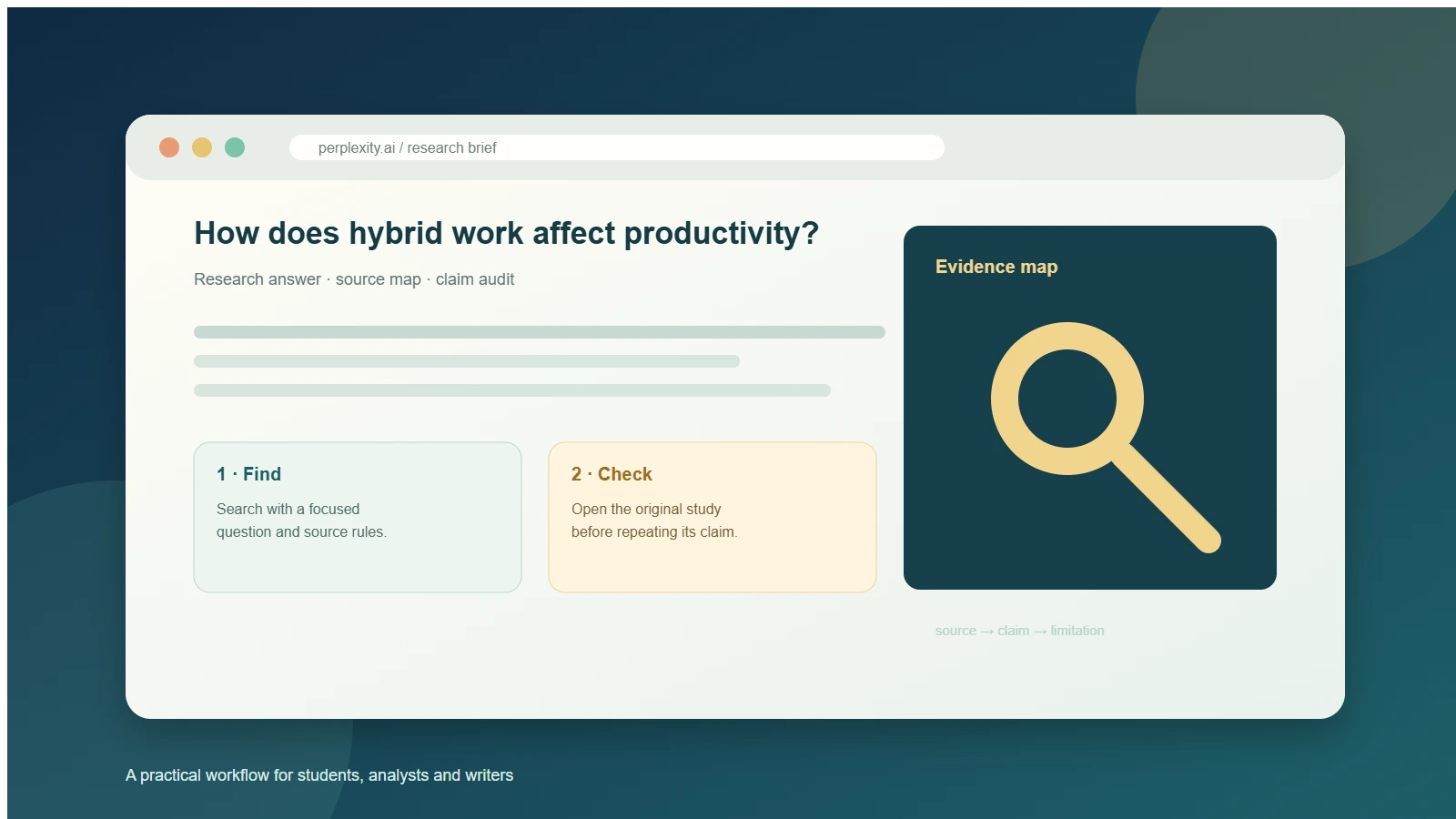
Research workflow · source checking · practical prompts
Jawaban singkat: To use Perplexity for research, start with one focused question, tell it what evidence and dates you need, run an initial search, and then audit the citations against the original sources. Treat the first response as a map of the evidence, not as a finished literature review. The most reliable workflow is question → source rules → search → follow-up → original-source check → research brief.
Perplexity is useful when you need a fast, cited starting point. It can collect pages, summarize competing findings and surface a trail of links in one answer. It can also make a polished claim sound better supported than it is. That is why this guide focuses on the handoff between discovery and verification.
The examples below are written for students, analysts, marketers and writers. The product labels and account controls can change, so use the route that your account currently shows. In my logged-in test, I used Perplexity inside GlobalGPT; that is the environment described in the hands-on section.
What Perplexity is good for in a research workflow
Perplexity works best as a research assistant for discovery and synthesis. It is good at turning a broad topic into subquestions, finding likely primary sources, explaining terminology and producing a first evidence map. Its citations make it easier to open the pages behind a statement than a normal chat answer would.
It is less reliable as an automatic authority. A citation can be relevant without proving the exact sentence beside it. Search snippets can omit methods, samples or caveats. A survey result can be mistaken for a causal estimate. Use the same discipline you would use with a human research assistant: ask for the source, inspect the source and record what the source actually supports.
Choose the right Perplexity route
1. Define
2. Search
3. Compare
4. Verify
5. Brief
For a quick fact check, use the standard search experience and keep the question narrow. For a multi-source report, use the research or deep-research route shown in your account. Perplexity’s own getting-started guide dan Deep Research announcement describe product capabilities, but dated announcements should not be treated as current statements about every plan or interface.
Choose the route based on the deliverable:
- One answer with a few sources: standard search is usually enough.
- A comparison or evidence brief: use a longer research mode if your account offers it, then ask for an audit.
- Private documents: check the current file and privacy controls before uploading anything confidential.
- Bantuan penulisan: export the evidence table or notes, then draft from the verified brief rather than copying the first answer.
How to use Perplexity for research: 7 practical steps
Step 1 · Define the decision
Write the question as a decision or claim you need to support.
Step 2 · Set evidence rules
Name the dates, populations, study designs and source types.
Step 3 · Run discovery
Ask for a structured answer with original URLs or DOI links.
Step 4 · Ask a follow-up
Request conflicts, gaps and alternative explanations.
Step 5 · Audit citations
Map each important sentence to the source that supports it.
Step 6 · Build the brief
Separate findings, limitations and unresolved questions.
1. Define a focused research question
“Tell me about remote work” is a topic, not a research question. Turn it into a question with a population, outcome and time frame: “How did hybrid work affect measured productivity and employee retention among knowledge workers from 2020 onward?” A focused question gives Perplexity a better search boundary and gives you a clearer standard for relevance.
2. Add source, date and method requirements
Tell Perplexity which sources deserve priority and which distinctions matter. Ask it to separate randomized or quasi-experimental studies, observational research and employer surveys. If productivity is central, distinguish output measures from self-reported opinions. Ask for publication dates, sample sizes, methods, limitations and original links.
3. Run an initial search for an evidence map
The first run should find the landscape, not settle every claim. Ask for a compact table and an explicit “not verified” label. Save the answer and source list. If you need prompt ideas for another model, the research prompt examples for Grok show the same useful pattern: specify the task, output fields and evidence standard.
4. Ask follow-up questions that expose uncertainty
Good follow-ups challenge the first answer. Ask which findings conflict, whether the differences come from population or measurement, and which claims are based only on a secondary article. Ask what the original study did not measure. This turns a fluent summary into a research conversation.
5. Use a longer research mode when synthesis is the bottleneck
For a literature scan, market brief or competitor review, a longer research mode can save manual tab switching by collecting and organizing more sources. It does not remove the need for source checking. Record the mode, date and account context in your notes because availability, limits and labels vary.
6. Open the original source before repeating a claim
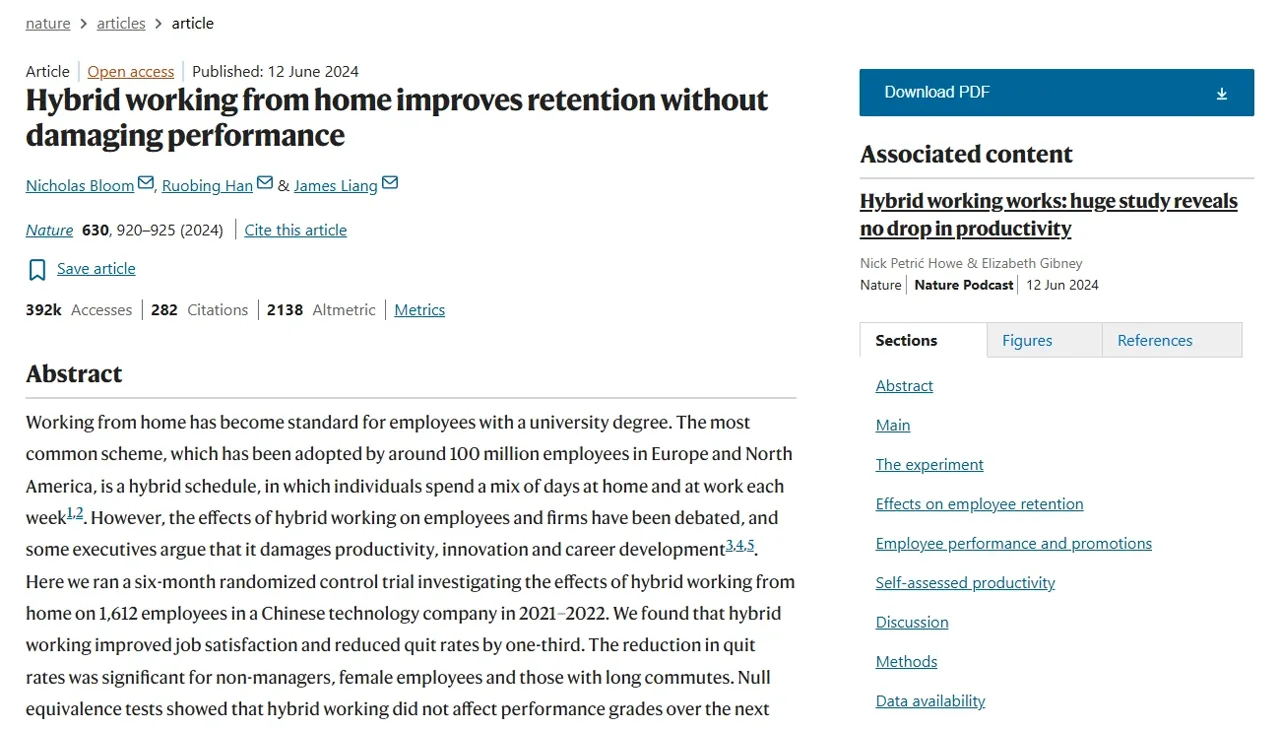
Open the paper, report or official page behind each high-stakes statement. Check the title, date, population, method, outcome and the exact wording of the result. For the hybrid-work example, the Nature paper is the primary source; a news summary can help you find it, but it cannot replace it.
7. Turn the verified findings into a research brief
Keep a short evidence table with one row per claim. Include the source URL, date, population, method, result, limitation and verification status. Label results as direct evidence, secondary reporting or unresolved. This table becomes the safer input for an article, presentation or decision memo.
Copyable prompts for better research answers
Prompt 1: build an evidence map
Research [topic] for [audience]. Focus on empirical studies and credible reports published from [start date] through [end date]. Separate randomized or quasi-experimental studies, observational studies and employer or public surveys. For each major finding, list the source title, publication date, population, method, result, limitation and original URL or DOI. Distinguish measured outcomes from self-reported outcomes. Mark anything you cannot verify.
Prompt 2: audit the previous answer
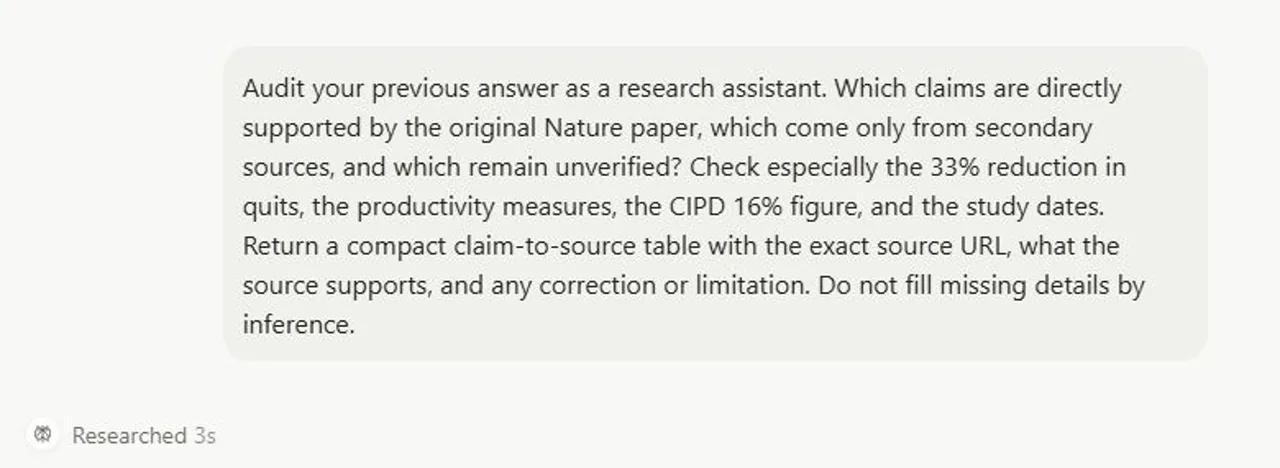
Audit your previous answer. For each important claim, say whether it is directly supported by the original source, supported only by a secondary source or still unverified. Return a claim-to-source table with the exact URL, the passage or data point that supports it, and a correction or limitation. Do not fill missing details by inference.
Prompt 3: look for disagreement
Which findings conflict? Explain whether the disagreement could come from different populations, definitions, study designs, time periods or outcome measures. Link each explanation to the underlying source and list unresolved uncertainty.
Prompt 4: create a decision brief
Turn the verified evidence into a one-page brief. Use these headings: question, what the strongest evidence shows, what is uncertain, practical implications, source list and next checks. Keep causal findings separate from correlations and surveys.
Prompt 5: prepare an article-ready source table
Create a source table for an article. Columns: claim, source title, original URL, publication date, evidence type, supporting detail, limitation and safe wording. Flag any row that needs a manual check before publication.
Academic research: how to use Perplexity responsibly
For an academic project, use Perplexity to discover vocabulary, papers and competing explanations. Start with the library databases or publisher pages your institution trusts. Verify that a paper exists, read the abstract and methods, and cite the original work in the citation style your instructor requires. A generated bibliography is a draft list, not a submission-ready reference list.
Do not treat an arXiv preprint, news article, employer survey and randomized experiment as interchangeable. Record the evidence type in your notes. Also check whether the paper measures the outcome you care about. “Productivity” might mean logged output, performance reviews, sales, code, hours or a respondent’s perception; those are different variables.
If you are working with sensitive interview transcripts, unpublished data or client information, read the current privacy and file-handling terms first. The HUB guide to AI data privacy is a useful companion for comparing privacy questions across tools, but your institution’s policy remains the controlling rule.
A real Perplexity research test: from search to source audit
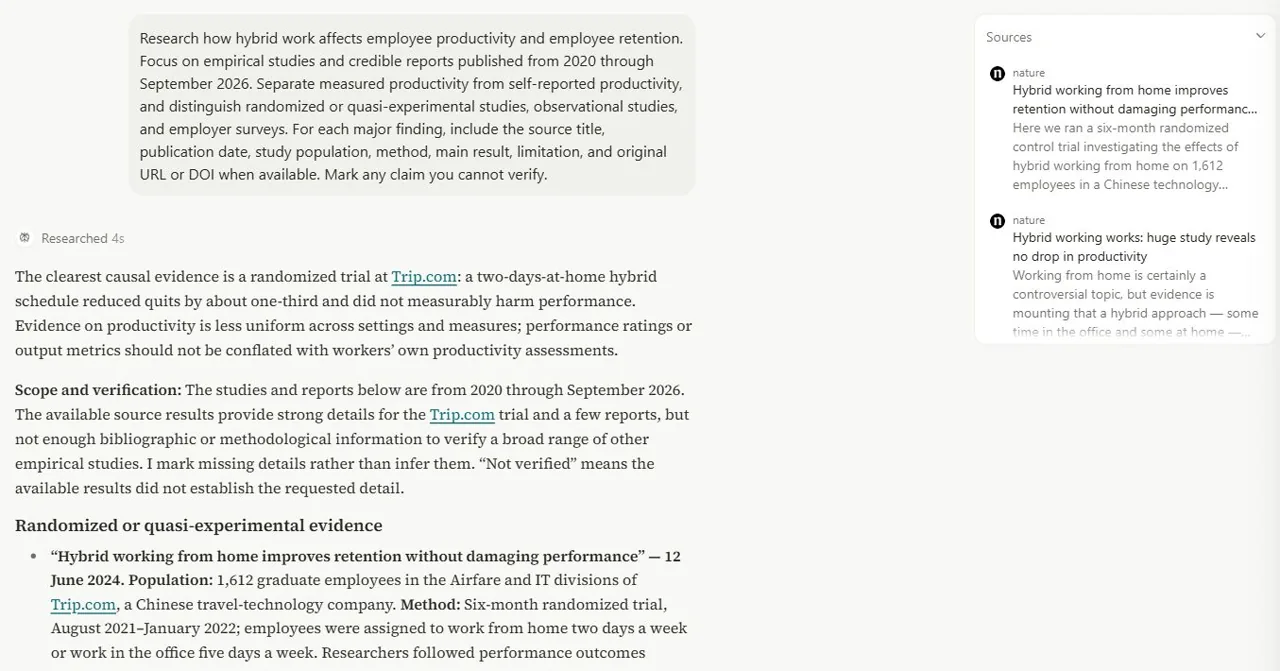
To test the workflow, I used a logged-in GlobalGPT session and opened its Perplexity workspace at GlobalGPT Perplexity. The test used Search mode and the question: How does hybrid work affect employee productivity and employee retention? This was a hands-on test of Perplexity inside GlobalGPT, not a test of the native Perplexity website.
Round 1: find studies and separate study designs
The first prompt asked for empirical studies and credible reports from 2020 through September 2026. It required a distinction between randomized or quasi-experimental studies, observational studies and employer surveys, and between measured and self-reported productivity. It also asked for population, method, finding, limitation and original URL or DOI.
The response displayed “Researched 4s” and 10 sources in this session. It identified the Nature Trip.com randomized study as the clearest causal evidence. The study involved 1,612 graduate employees and found that two days of working from home reduced attrition without a detected adverse effect on the measured performance outcomes. The response also marked several observational claims as Belum diverifikasi and treated the CIPD material as an employer survey rather than proof of individual output or causation.
Round 2: audit the citations
The follow-up asked which claims were directly supported by the original Nature paper, which came from secondary sources and which remained unverified. It checked the often-repeated “33% reduction,” the performance measures, the CIPD 16% figure and study dates. The second response displayed “Researched 3s” and 18 sources in this session.
| Claim to audit | What the source supports | Safe wording |
|---|---|---|
| “33% fewer quits” | The reduction is calculated from 7.20% attrition in the control group to 4.80% in the hybrid group. | Say “a 33% relative reduction,” not 33 percentage points. |
| Produktivitas | The Nature paper reports performance reviews, promotion outcomes, detailed performance evaluations and lines of code for computer engineers. | Say there was no detected effect on these measured outcomes; do not claim hybrid work never changes productivity. |
| CIPD’s 16% | 16% of employers said organisational productivity or efficiency had decreased; 41% said it had increased. | Describe employer perceptions, not individual employee output. |
| Exact study dates | The precise August 2021–January 2022 range was not independently reconfirmed in the second audit. | Re-open the paper before publishing that date range. |
This two-round test changed the wording of the brief. The useful lesson was not that a search finished in three or four seconds, or that every account will show the same number of sources. The useful lesson was that a second prompt made the evidence boundaries visible. Discovery found the paper; the audit prevented an overconfident sentence.
Test boundary: this was one logged-in GlobalGPT session on September 24, 2026. Interface labels, source counts, speed, quotas and available modes may differ by account and date. The run was a limited research and citation audit, not a systematic review.
How to check citations and avoid common research mistakes
| Masalah | Mengapa hal itu terjadi | Apa yang harus dilakukan |
|---|---|---|
| A citation is relevant but does not prove the sentence | The answer compresses several claims into one paragraph. | Split the sentence and map each clause to a source passage. |
| A survey is presented as a causal study | “Reported an increase” becomes “caused an increase.” | Label the design and use “employers reported” or “respondents said.” |
| A secondary article replaces the paper | The summary is easier to read than the original. | Use the secondary page to locate the primary source, then cite the original. |
| A number loses its denominator | Relative change and percentage-point change are mixed. | Write the starting and ending values and name the calculation. |
| The interface or feature has changed | Older tutorials remain indexed. | Check the current product page and record the test date and route. |
For broader tool context, you can compare the Panduan Alternatif Perplexity, yang all-in-one AI models workflow dan one-subscription AI tools guide. These links are useful for deciding where to continue a workflow; they do not replace the original research sources cited above.
Turn the research into a useful deliverable
Before drafting, reduce the research to five fields: the question, the strongest supported finding, the evidence type, the main limitation and the next check. Then write from that brief. If you are creating a comparison or recommendation, keep the evidence table beside the draft so every important number can be traced back to a source.
For a team workflow, store the prompt, date, mode, source list and audit notes together. That makes the work reproducible when a page changes or a colleague asks why a sentence was written that way. If you need a broader workflow for using several models in one account, the AI tool for teams guide covers the collaboration angle. If the brief is becoming a writing project, the AI writing tools guide is a useful next step.
PERTANYAAN YANG SERING DIAJUKAN
Is Perplexity good for research?
Yes, for discovery, source gathering and first-pass synthesis. Treat its answer as a research map and verify important claims in the original papers, reports or official pages.
Can I use Perplexity for academic research?
Yes, as a discovery and organization aid. Check every paper, method, date and quotation yourself, and follow your institution’s rules for AI-assisted work and citations.
What should I ask Perplexity in a research prompt?
State the question, population, time range, preferred source types, output fields and uncertainty rule. Ask it to include original URLs or DOI links and mark anything it cannot verify.
Is Perplexity Deep Research the same as a systematic review?
No. A generated report can support discovery and synthesis, but a systematic review requires a defined protocol, reproducible search strategy, screening process and documented inclusion decisions.
How do I check whether a Perplexity citation is accurate?
Open the cited source, find the relevant passage or table, and compare its population, method, number and wording with the generated sentence. Record any correction in a claim-to-source table.
Apakah saya bisa menggunakan Perplexity hingga GlobalGPT?
GlobalGPT has a Perplexity workspace, and this article’s hands-on example used that logged-in route. Your account’s access, interface, sources and limits can differ, so check the current workspace before planning a paid or time-sensitive project.
How many sources should a research answer use?
There is no universal number. Prefer a smaller set of directly relevant primary sources over a long list of loosely related pages, and explain which source supports each major claim.
Should I copy Perplexity’s answer into my article?
No. Use it to create a verified brief, then write in your own structure and voice. Recheck figures, dates, quotations, licensing and the source’s actual scope before publication.
Final research checklist
- The question names a population, outcome and time frame.
- The prompt distinguishes study designs and measured from self-reported outcomes.
- The first answer is followed by a citation audit.
- Every major number has an original source and denominator.
- Unverified details remain labelled as unverified.
- The final brief separates findings, limitations and open questions.
Perplexity is most useful when you give it a narrow job and then make it show its work. Start with discovery, follow with an evidence audit, and publish only the claims that survive the original-source check.
Want to take your research all the way to a finished article? GlobalGPT brings research, writing, image and video tools together in one account and one subscription. Start with Perplexity to discover sources, then use your verified notes with other models to outline, draft and refine your content—all without juggling separate subscriptions and logins. Try Perplexity on GlobalGPT and turn your next research question into a well-supported first draft.