

If you want to join OpenAI’s official Discord server, the process is easier than you might think. In this guide, I’ll walk you through every step based on my experience, including tips for smooth verification and gaining full access to the community.
By following these steps, you’ll be able to connect with other OpenAI enthusiasts, get early updates, and participate in discussions about ChatGPT, AI tools, and more.
Many people used to join OpenAI’s Discord Server hoping to get a Sora 2 invite code. That is no longer the practical route: OpenAI’s video-generation documentation says the Sora 2 models and Videos API are deprecated and scheduled to shut down on September 24, 2026. Joining the community is still useful for announcements and discussion, but it should not be the thing holding up your next AI project.
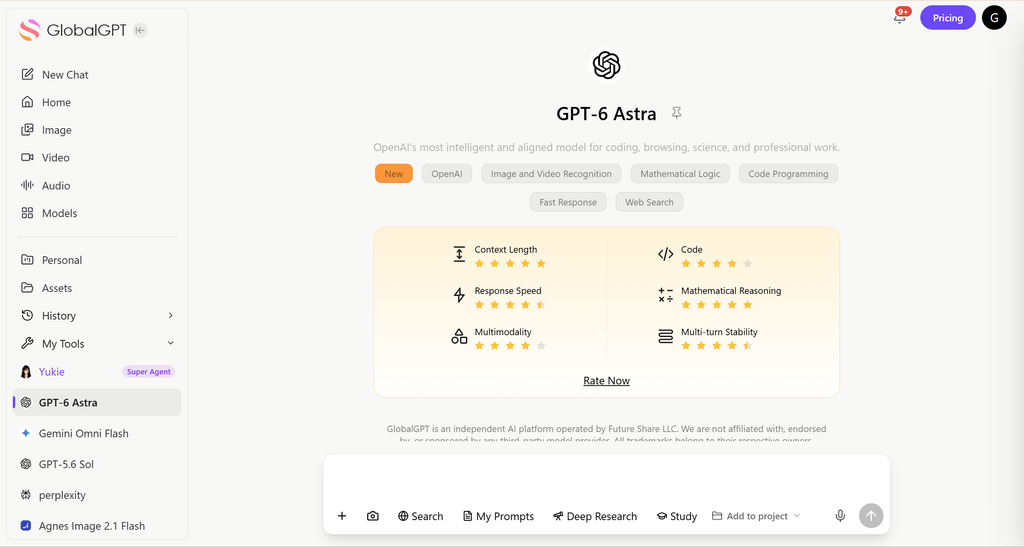
If you came here to use AI rather than join a discussion, GPT-6 Astra on GlobalGPT gives you a model entry for writing, research and analysis in a multi-model workspace. You can start from the task you need to finish without waiting for a Discord invitation. Joining the OpenAI community and buying model access are separate choices.
Step 1: Join the OpenAI Discord Invitation
The first step is to obtain a valid invite link to OpenAI’s Discord server. OpenAI often shares official links through its website or trusted resources. Once you have your invitation:
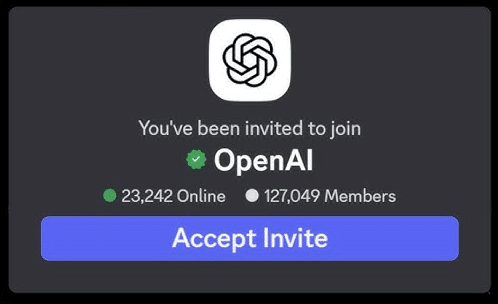
- Log in to your existing Discord account, or create a new one if needed.
- Accept the invitation to join the server.
Tip: Always make sure you’re using the official invite link to avoid scams or fake servers.
The OpenAI invitation was checked on September 10, 2026: Discord identifies the server as OpenAI and the entry channel as openai-verification. The questions and account checks you see after joining can change; follow that server’s current instructions.
Once you’ve accepted the invite, you’ll officially join the server and can see the public channels. However, you’ll need to complete verification before accessing everything.
Step 2: Complete Discord Verification
OpenAI’s Discord has a verification process to ensure that all members are real users and follow the rules. From my experience, the process is straightforward if you pay attention to the steps:
- Answer the three questions provided by the server. These questions are simple and help the moderators understand who is joining.
- Read and agree to the server rules. This step ensures you won’t accidentally violate the community guidelines.
- On the left-hand panel in Discord, click on the OpenAI logo to expand the menu. Then locate the #openai-verification channel and click it.
Pro tip: Be precise when answering verification questions. Incorrect or incomplete answers may delay your access.
Step 3: Verify Your OpenAI Account
The final step is connecting your Discord account with your active OpenAI account. This step ensures that only verified users can access restricted channels and content:
- Click on “Verify with OpenAI” inside the #openai-verification channel.
- If you are already logged in to ChatGPT, the verification should complete almost instantly.
- After verification, you’ll have full access to all server channels, including exclusive discussions, announcements, and community events.
Personal insight: This step is the most crucial. I’ve seen people get stuck here when they try to skip logging into ChatGPT first, so always log in before verifying.
Tips for a Smooth Experience
For model access rather than a community announcement, the GPT-6 Astra guide gives a separate starting point.
| Problem | What to check | Next action |
|---|---|---|
| Invite does not open | The URL and your Discord sign-in state | Use discord.com/invite/openai and try the signed-in Discord app |
| Channels are missing | Unfinished onboarding or verification | Return to the server’s verification channel and complete the shown steps |
| An account check is requested | The current server instruction and destination domain | Use the indicated verification flow; ask server moderators if it fails |
| You expected a model subscription or Sora invite | Community membership is different from product access | Choose the actual product separately; do not pay someone selling verification |
From my experience joining and using OpenAI’s Discord, here are some additional tips to make your access smoother:
- Check the Discord link regularly: Invite links may expire, so make sure you use a current one.
- Complete verification promptly: The faster you finish the three questions and account verification, the sooner you can access channels.
- Use a verified OpenAI account: Avoid using test accounts, as verification may fail.
- Engage politely: Once inside, follow the rules and engage respectfully to make the most of the community.
What You Can Do After Joining
If the conversation leads you to trying ChatGPT, the ChatGPT Free access guide explains what you can use without paying.
Once you have full access, OpenAI’s Discord server offers:
- Exclusive updates: Be among the first to know about new ChatGPT features and AI tools.
- Community support: Get help from fellow AI enthusiasts and professionals.
- Discussion channels: Participate in conversations about AI applications, coding, and creative projects.
- Beta access opportunities: Sometimes, OpenAI shares early access to new tools with server members.
From my own experience, joining this server helped me discover tips for using ChatGPT efficiently and connect with other AI creators worldwide.
Frequently Asked Questions
What is the OpenAI Discord invite URL?
Use https://discord.com/invite/openai. The public invitation was checked September 10, 2026 and identifies the OpenAI server and its verification entry channel.
Do I need a paid ChatGPT plan to follow this guide?
Joining the community and buying a model subscription are separate. Follow the current server onboarding instructions; this guide does not treat a paid AI plan as a prerequisite.
Why can I see only a few channels?
Onboarding or verification may be incomplete. Return to the server’s verification channel and follow its current instructions before assuming your account lacks access.
Does joining Discord guarantee a Sora 2 invite?
No. Joining a community is not a guarantee of model access. OpenAI has scheduled its Sora 2 models and Videos API to shut down on September 24, 2026.
Can I use GlobalGPT without joining OpenAI Discord?
GlobalGPT is a separate platform with its own account and subscriptions. Its GPT-6 Astra entry does not require you to complete the OpenAI Discord tutorial first.
Can the verification steps change?
Yes. The existing guide describes the server flow, but live prompts, channel permissions and checks can change. Follow the instructions in the actual OpenAI server.
Conclusion
Getting access to OpenAI’s Discord server doesn’t have to be complicated. By following these three steps—joining the invite, completing verification, and confirming your OpenAI account—you’ll unlock a vibrant community of AI enthusiasts and gain access to the latest updates and discussions.
Whether you’re using ChatGPT for creative projects, research, or learning, being part of the official Discord server is an excellent way to stay ahead and make connections in the AI space.





