

GPT-5.2 is an OpenAI model for professional work. In ChatGPT, its Instant, Thinking and Pro variants retired on June 12, 2026. The base gpt-5.2 API documentation remains available, and GlobalGPT has a dedicated GPT-5.2 workspace. The right path depends on whether you need ChatGPT, an API identifier or a multi-model workspace.
If your work moves from research to writing and coding, GlobalGPT brings multiple AI models into one subscription. Use research notes to shape a draft, then move into code or supporting visuals as the project needs. The value is having those stages available in one workspace.
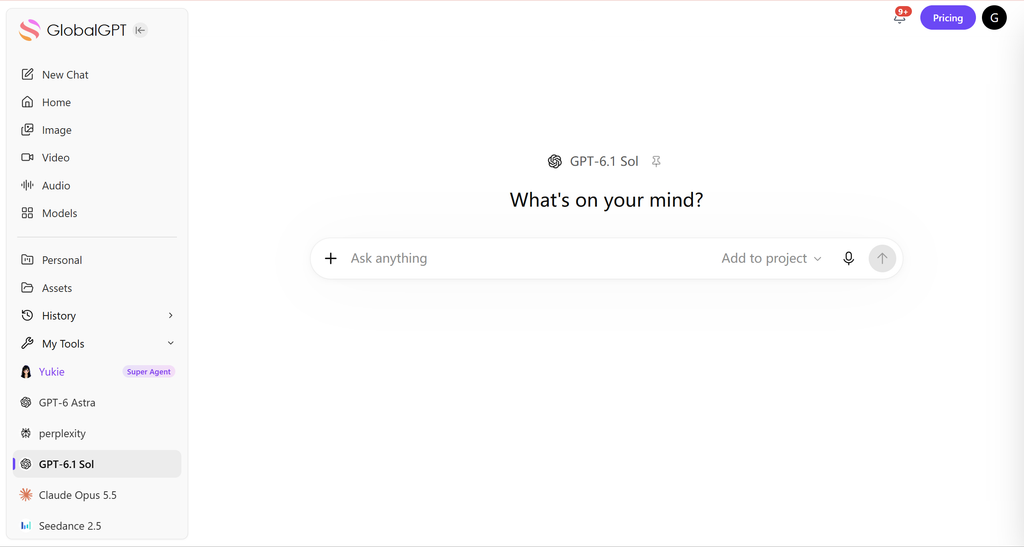
GPT-5.2 at a glance
What is GPT-5.2?
GPT-5.2 is an OpenAI model that its API documentation now describes as a previous flagship for professional work. The documented base model accepts text and image inputs and produces text. GPT-5.2 is a model name; ChatGPT is a product in which model access can change over time.
That distinction matters when you follow an older guide. A model’s API specifications do not establish which ChatGPT plan includes it, and a retired API identifier does not describe every product that once used the GPT-5.2 name.
Can you still use GPT-5.2 in ChatGPT?
GPT-5.2 Instant, GPT-5.2 Thinking and GPT-5.2 Pro are no longer available in ChatGPT. OpenAI’s June 12, 2026 release notes state that retirement date explicitly. The notice said existing conversations would continue on the corresponding GPT-5.5 model; that describes the migration announced in June, not which model is newest today.
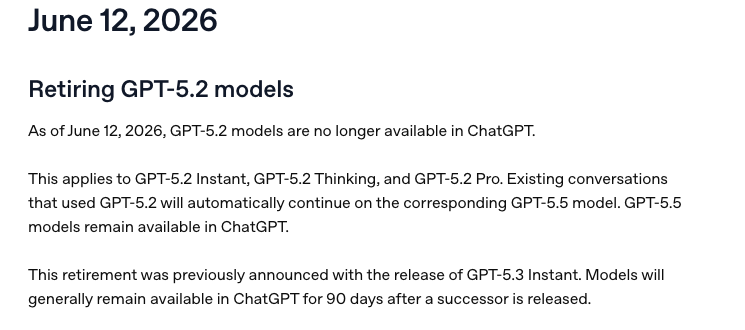
The notice concerns ChatGPT access. API model identifiers and token billing are documented separately, so the ChatGPT retirement date does not establish the status of every API model.
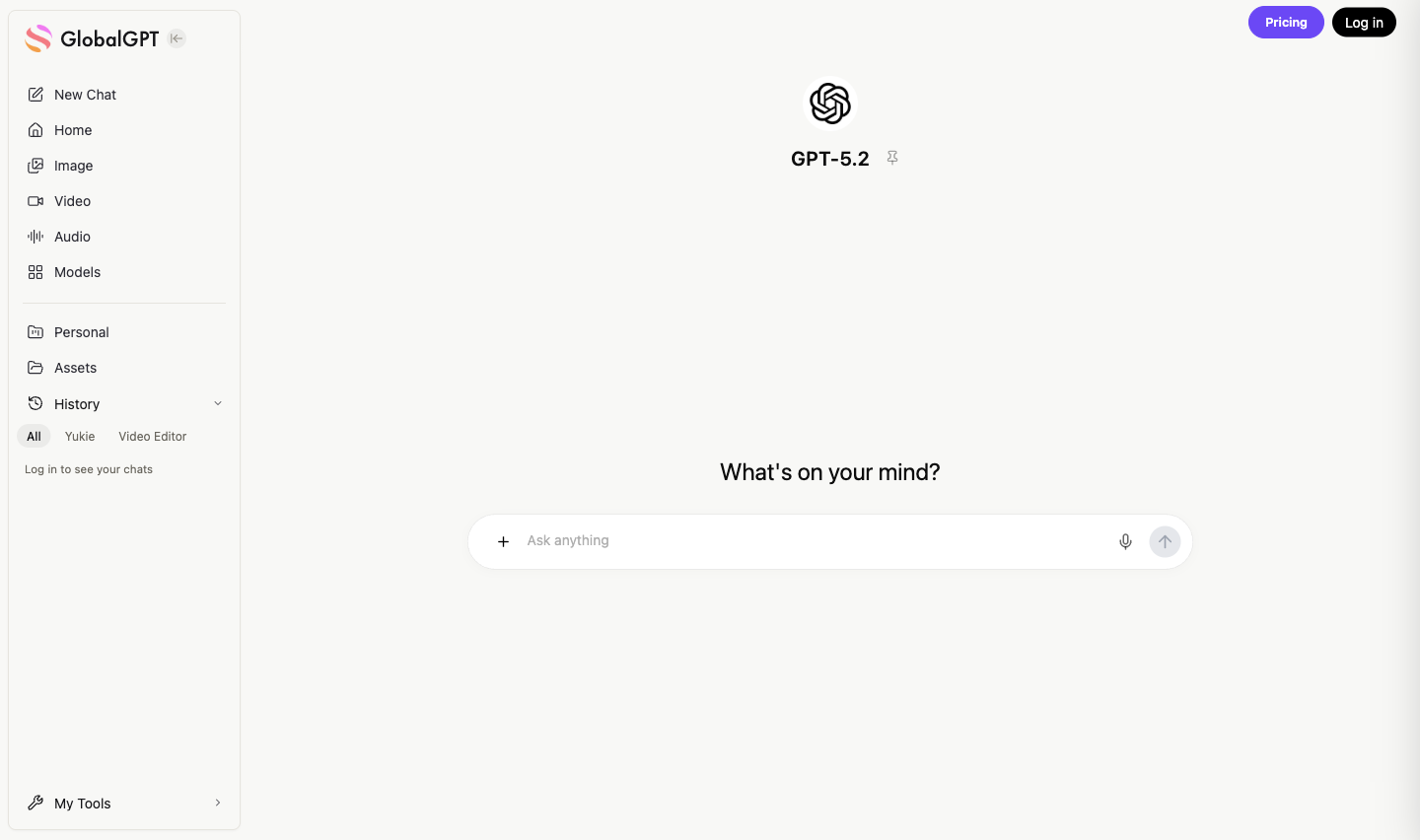
The GPT-5.2 page in GlobalGPT
Open the GPT-5.2 workspace in GlobalGPT to reach its dedicated model page. As of September 28, 2026, the page includes an “Ask anything” field, file-attachment and voice-input controls, and a Send button.
GlobalGPT brings multiple models into one subscription for work that moves from research to drafting, coding and supporting visuals. For a newer GPT option, open the GPT-6 Astra page. Choose a model entry point around the task at hand, whether you are organizing research, shaping a draft or working on code.
Instant, Thinking and Pro: what the names meant
What did GPT-5.2 improve at launch?
How to read GPT-5.2’s launch benchmarks
The tables below preserve results from OpenAI’s December 11, 2025 GPT-5.2 announcement. They are historical, vendor-reported evaluations. They do not rank today’s models or describe new tests performed for this article.
- Reasoning effort: the appendix says GPT-5.2 Thinking and Pro ran at
xhigh, while GPT-5.1 Thinking ran athigh. The professional evaluations were an exception: GPT-5.2 Thinking usedheavy. Keep any row-specific qualification with its result. - Tools: “no tools,” “w/ Python” and “w/ search, Python” are different test conditions. Compare matching conditions before interpreting a change in score.
- Environment: OpenAI says these benchmarks ran in a research environment whose output may differ from production ChatGPT.
Coding: separate tests answer different questions

GPT-5.2 Thinking scored 55.6% on SWE-Bench Pro, Public and 80.0% on SWE-bench Verified, compared with 50.8% and 76.3% for GPT-5.1 Thinking. Those are two different benchmarks, so the scores should not be combined into a single coding success rate.
For SWE-Lancer, IC Diamond, the table reports 74.6% versus 69.7%. OpenAI says it omitted 40 of 237 problems that did not run on its infrastructure. That exclusion is part of the result’s scope; the figure is not a score over all 237 problems.
Academic results: a perfect score on one test

GPT-5.2 Thinking and Pro each reached 100.0% on AIME 2025 (no tools). That result applies to this test. The same table reports 34.5% and 36.6% on HLE without tools, and 45.5% and 50.0% with search and Python. These results show why AIME alone cannot establish accuracy across every task.
The FrontierMath rows also need their full labels: GPT-5.2 Thinking scored 40.3% on Tier 1–3 and 14.6% on Tier 4, both with Python. A reader evaluating mathematical work should keep the problem set and tool access attached to each number.
Vision: keep the Python conditions visible

For GPT-5.2 Thinking, CharXiv reasoning (no tools) is 82.1%; CharXiv reasoning (w/ Python) is 88.7%. The corresponding GPT-5.1 Thinking results are 67.0% and 80.3%. Removing the tool labels would make these comparisons ambiguous.
ScreenSpot Pro (w/ Python) is 86.3% for GPT-5.2 Thinking versus 64.2% for GPT-5.1 Thinking. The table also separates MMMU Pro without tools, MMMU Pro with Python and Video MMMU without tools. These are vision-understanding evaluations, not evidence of native video generation.
What a coding case can tell you
A useful historical example comes from Simon Willison’s December 15, 2025 account of porting JustHTML from Python to JavaScript. He used GPT-5.2 through Codex CLI, with an existing implementation and the html5lib test suite to check the port. He also described a pause after reaching his usage allowance.
The practical lesson is to give a coding task a checkable target: expected behavior, representative inputs and tests that can catch regressions. This was one author’s project in a specific tool environment. It does not establish a general success rate or describe a test performed in GlobalGPT.
Check the exact API model name
For an existing integration, check the full model identifier before applying an old setup guide. The OpenAI documentation distinguishes these names:
gpt-5.2: the base model documented for professional work.gpt-5.2-2025-12-11: the snapshot listed on that model’s documentation page.gpt-5.2-chat-latest: a separate identifier with an August 10, 2026 shutdown date in the API deprecation record.
That shutdown entry concerns gpt-5.2-chat-latest. The base model’s documentation remains a source for its specifications, but a documentation page alone does not confirm that a request will succeed for your account. Check the model identifier and your account’s access before using it in a workflow.
GPT-5.2 API pricing and limits
The base GPT-5.2 API has separate rates for uncached input, cached input and output. Use the rate for each category when estimating a request; do not apply the cheapest category to every token.
Standard text-token rates in USD per 1,000,000 tokens. Checked September 30, 2026.
Estimate output separately. Every bar starts at zero on the same $0–$14 scale. Input and output have different rates, so total token count alone is not enough to estimate cost.
Source: OpenAI GPT-5.2 model documentation. These are API usage rates; ChatGPT subscriptions and GlobalGPT subscriptions use separate billing. Batch discounts and additional tool fees are outside this chart.
A simple cost example
For a hypothetical workload with 1,000,000 uncached input tokens and 100,000 output tokens, the calculation is $1.75 + $1.40 = $3.15. This is an arithmetic example, not a measured bill. It excludes additional tool fees and assumes none of the input is billed at the cached-input rate.
Long answers can add noticeably to the total because output tokens have a higher unit rate. Set the requested answer length around the task, then use the recorded input, cached-input and output usage to check the cost.
Documented API limits
- Context window: 400,000 tokens.
- Maximum output: 128,000 tokens.
- Input and output: text and image inputs; text output.
These specifications apply to the base gpt-5.2 API model. The same documentation lists separate rate limits by API usage tier. Model capacity, request-rate limits and ChatGPT message allowances are different limits.
Use GlobalGPT when a project moves from research into writing, coding or supporting visuals and you prefer one workspace for several models. The GlobalGPT CLI connects these AI workflows with your terminal, development tools and existing production tools. Start with the model page that matches the task, then switch when the next step calls for it.
Frequently asked questions
Is GPT-5.2 still available in ChatGPT?
No. OpenAI’s June 12, 2026 release notes say GPT-5.2 Instant, Thinking and Pro are no longer available in ChatGPT. That statement is about ChatGPT, not every API identifier or another platform.
Can I still use GPT-5.2 through the API?
The base gpt-5.2 entry and its snapshot remain listed in the API documentation, while gpt-5.2-chat-latest has an August 10, 2026 shutdown entry. Before using an integration, verify that your account exposes the exact model identifier you plan to send.
Is GPT-5.2 free?
The API page says its Free tier is not supported. If you need ChatGPT access, check the current ChatGPT plan and model picker; if you need developer access, use the documented API model and review the token rates before sending requests. ChatGPT and API billing are separate decisions.
What does GPT-5.2 cost?
For the standard API price view checked here: $1.75 per 1,000,000 uncached input tokens, $0.175 per 1,000,000 cached input tokens and $14 per 1,000,000 output tokens. Consumer subscriptions and GlobalGPT use separate billing.
Was GPT-5.2 three times smarter?
That broad promise is not supported. The launch report contains strong results on particular evaluations, but the scores vary by task, tool access and model variant. A single percentage cannot establish a general intelligence multiplier.
How should I read the benchmark scores?
Keep the date, model, metric, tools and evaluation environment attached to every number. Treat the tables as historical evidence about the launch report, not as a current leaderboard or a substitute for testing your own task.
Choose the right access path
Use the official API documentation when you need a model identifier, rate or context limit. Use the ChatGPT release notes for ChatGPT product lifecycle changes. If your project spans research, writing, coding and supporting media, open the GPT-6 Astra workspace in GlobalGPT and choose the model that fits the next step.





