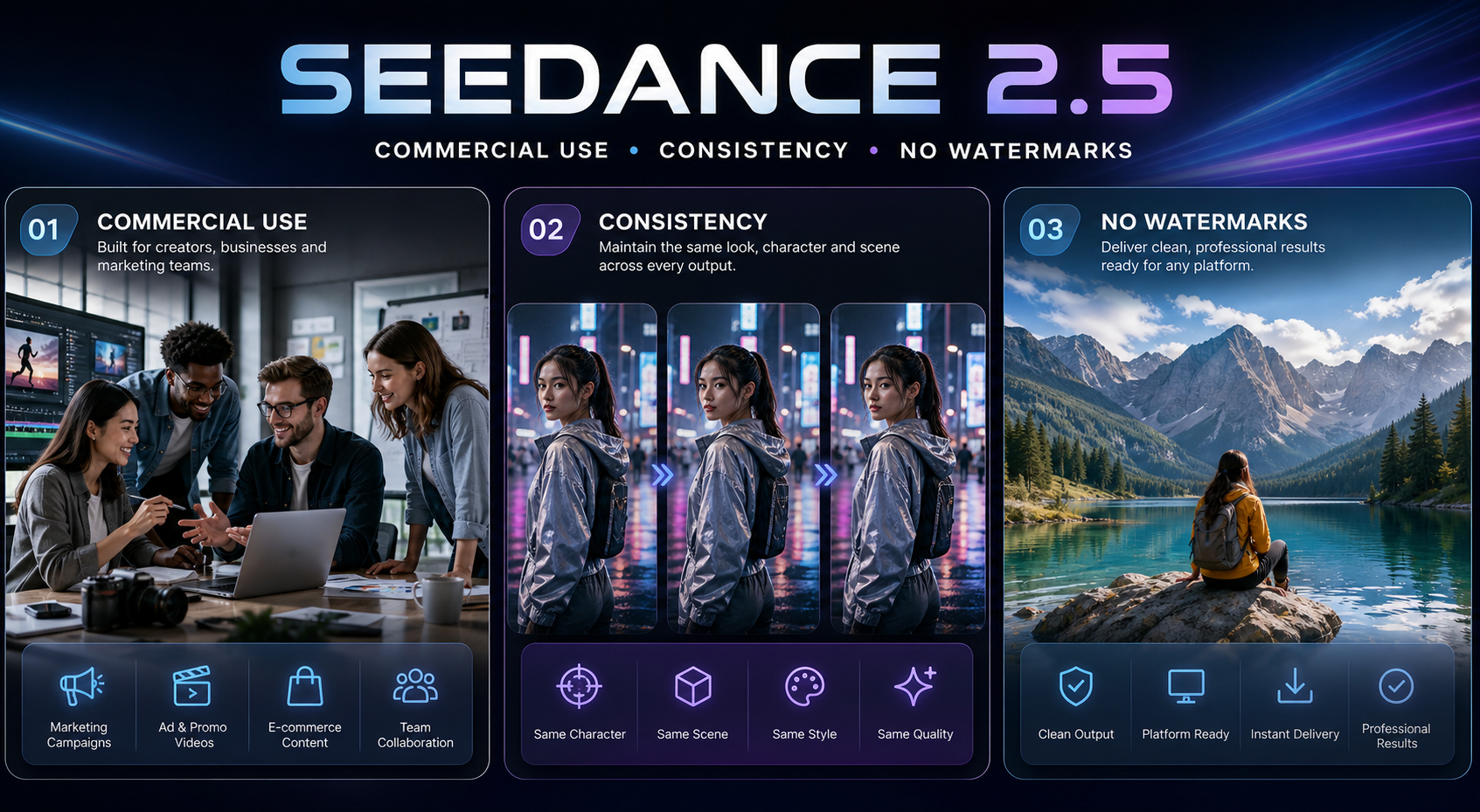
Seedance 2.5 looks impressive in demos, but the real question is simpler: can you use it for client work, keep the same person or product across shots, and export a clean file without extra friction?
If you are still deciding whether the model itself is worth your time, start with the Recensione di Seedance 2.5. If price is the main blocker, the Seedance 2.5 cheapest-way guide is the better first stop.
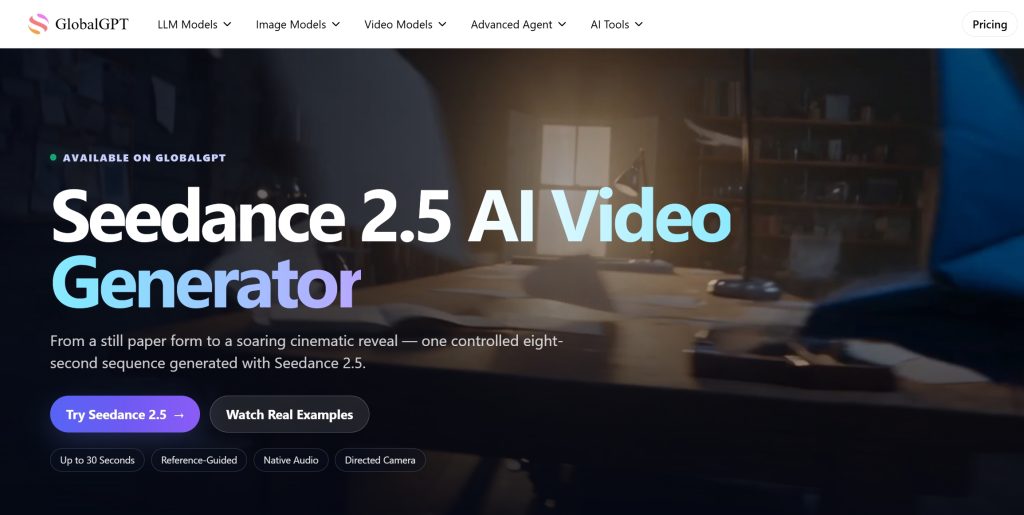
This page stays on the use case that usually matters right before money changes hands: commercial use, character and product consistency, and the simplest no-watermark route. If you want to test it right away, open Seedance 2.5 on GlobalGPT.
Risposta rapida
| Domanda | Straight answer |
|---|---|
| Can I use Seedance 2.5 for commercial work? | Yes, if the rights on your inputs and the platform terms both allow the output to be used that way. |
| What keeps the same character or product from drifting? | A tight prompt plus @ references. Use the reference to anchor the subject, wardrobe, product shape, or visual style. |
| What is the cleanest route for final export? | Use GlobalGPT when you want a no-VPN, no-watermark workflow and a simple place to regenerate if the first pass drifts. |
What commercial use really means for Seedance 2.5
Commercial use is not a magic switch inside the model. It is a combination of three things: the rights on the input assets, the terms on the platform you use, and the way you export the final file. If any one of those fails, the clip may still look fine but it is not safe to send to a client.
Seedance 2.5 itself is built for controlled production work. ByteDance’s official launch note says the model supports up to 30 images, 10 video clips, and 10 audio clips as references in a single pass, which is why the model behaves better when you give it real material to hold onto rather than a vague mood. Dreamina also has a dedicated Seedance 2.5 commercial-use page and a separate Seedance 2.5 prompt guide.
If you upload a face, product shot, logo, voice clip, or music you do not own, the model cannot fix the rights issue for you.
Some routes are better for consumer use, some for business use, and some for API or team workflows. The route matters as much as the model name.
A preview is not the same thing as the final file. Watch the exported version once before you send it out.
If you are making product demos or ad clips, the page Seedance per gli annunci is the better companion read. If you need a broader access map, Where to Use Seedance 2.0 in 2026 shows how the access picture splits by route.
The simple point is that commercial use is less about a slogan and more about clean inputs, the right route, and a final export you are comfortable sending to a paying client.
Does Seedance 2.5 add watermarks?
That depends on the route, not just the model. A model can be technically capable while the platform wrapper around it decides whether the output is branded, gated, or easy to export. That is why you should check the final file, not just the preview grid.
For this workflow, GlobalGPT is the cleaner practical route: you stay in one browser workspace, the export is meant to be watermark-free, and you can test the same prompt again without jumping between separate tools. If you want the broader product context before you open the generator, the Recensione di Seedance 2.5 walks through the model from a wider angle.
Regola pratica: if the output is going to a client, to a paid social account, or into a brand deck, verify the exported file once before you approve it. The preview can look clean while the downloaded version still needs a second look.
How to keep characters, products, and styles consistent
Consistency gets better when the prompt behaves like a set of controls instead of a mood board. The strongest version of the workflow is simple: one reference to anchor identity, one prompt to define the scene, and one clear rule for what must stay identical from shot to shot.
GlobalGPT @ reference flow is useful here because it gives the model an explicit anchor for the thing that must not drift. Use it for the face, the bottle, the wardrobe, the logo shape, the prop, or the style frame that should survive the next shot.
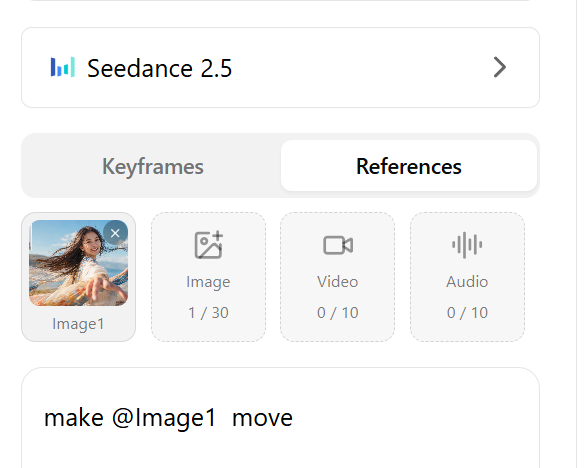
@ flow in action: Image1 stays anchored while the prompt tells the model what should move, change, or stay fixed.That fits the model’s native design. The official Seedance 2.5 launch note describes flexible referencing, and Dreamina’s Seedance 2.5 pages also focus on longer sequences, stronger character consistency, and more controlled refinement. If you are comparing versions, the Seedance 2.5 vs Seedance 2.0 page is the right next read.
@reference
Subject: one person, one product, or one visual identity
Action: what changes in the shot
Scene: where the shot happens
Camera: push-in, orbit, follow, close-up, or cutaway
Continuity rule: what must stay identical
Avoid: drift, extra characters, random text, and new props
- Face shape, wardrobe, or product silhouette.
- Lighting direction and color mood.
- Camera move and shot order.
- Anything that must not change between the first shot and the last shot.
If the subject is drifting, tighten the reference before you keep adding adjectives. If the camera is drifting, state the move more plainly. If the product is drifting, use a reference asset that makes the shape easier to hold.
Copyable prompt cards
Each card below keeps the prompt copyable in one click, with the matching screenshot and clip sitting right beside it as proof rather than as a separate materials chapter. That way the whole block is ready to read, copy, and publish at the same time.
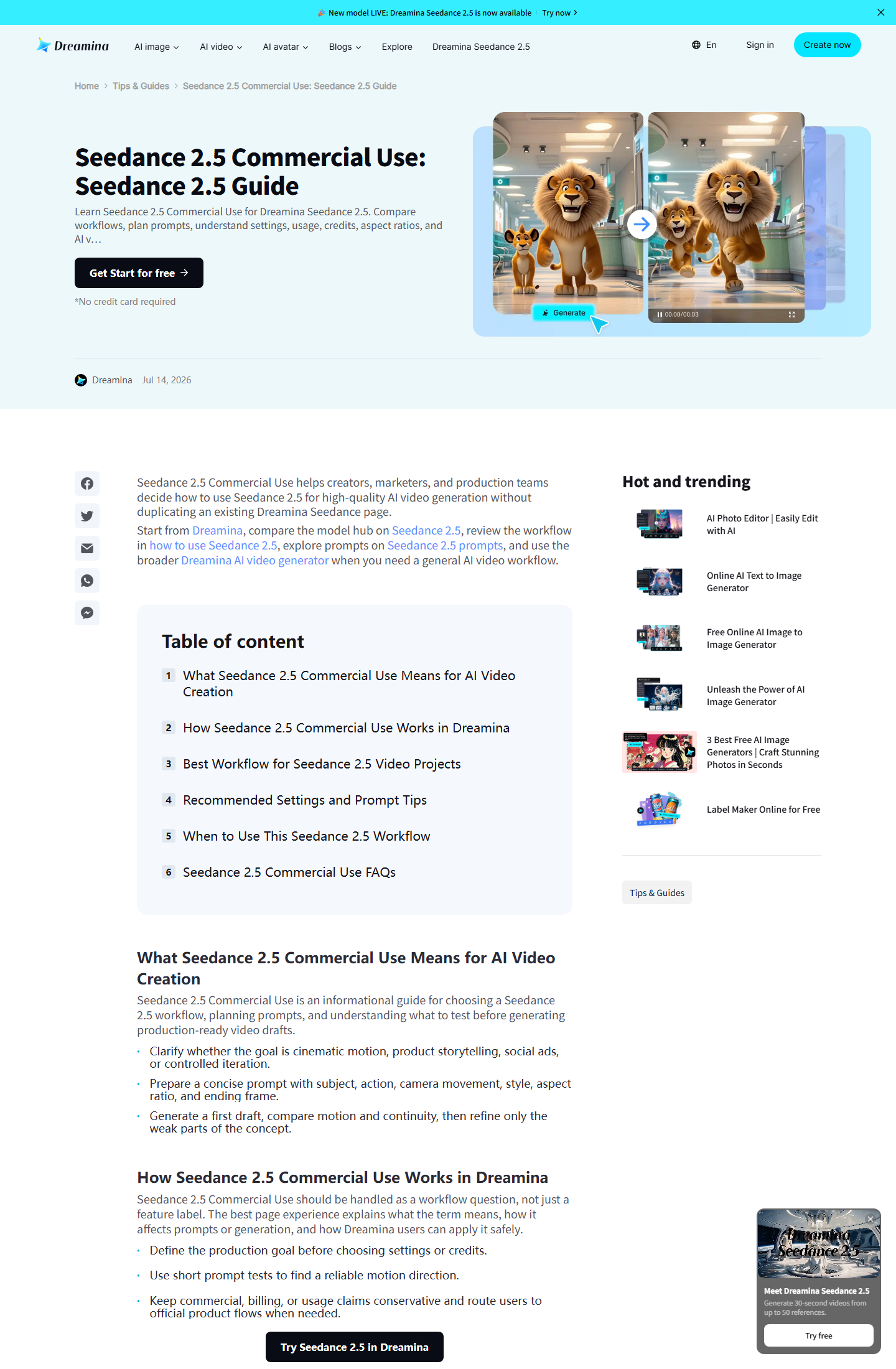
Prompt 1 · Product ad / commercial use
Use this when the client wants a clean ad shot with stable product shape and no extra visual noise.
Why this pairing works: the official Dreamina page shows a real commercial-use route, and the clip shows the kind of clean product framing this prompt is trying to preserve.
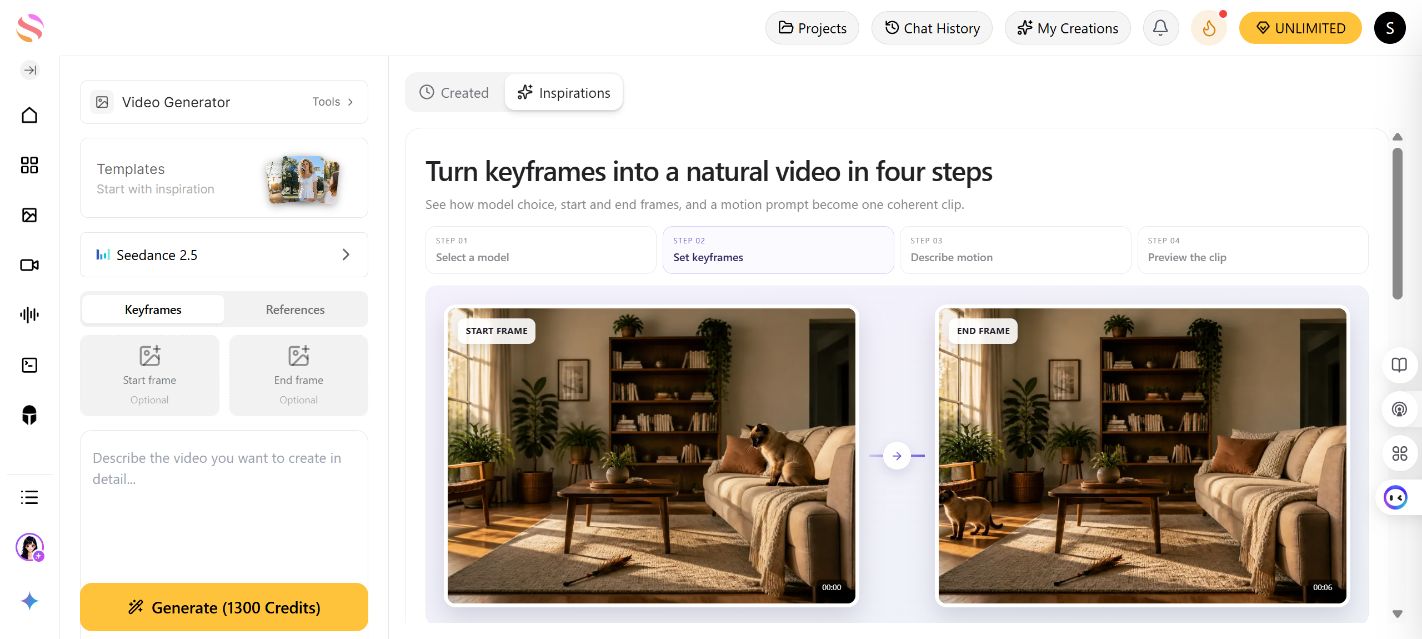
Prompt 2 · Character consistency
Use this when the same person has to stay recognizable across more than one shot.
Why this pairing works: the platform screen shows the route, and the clip shows why a stable subject matters more than pretty but drifting details.
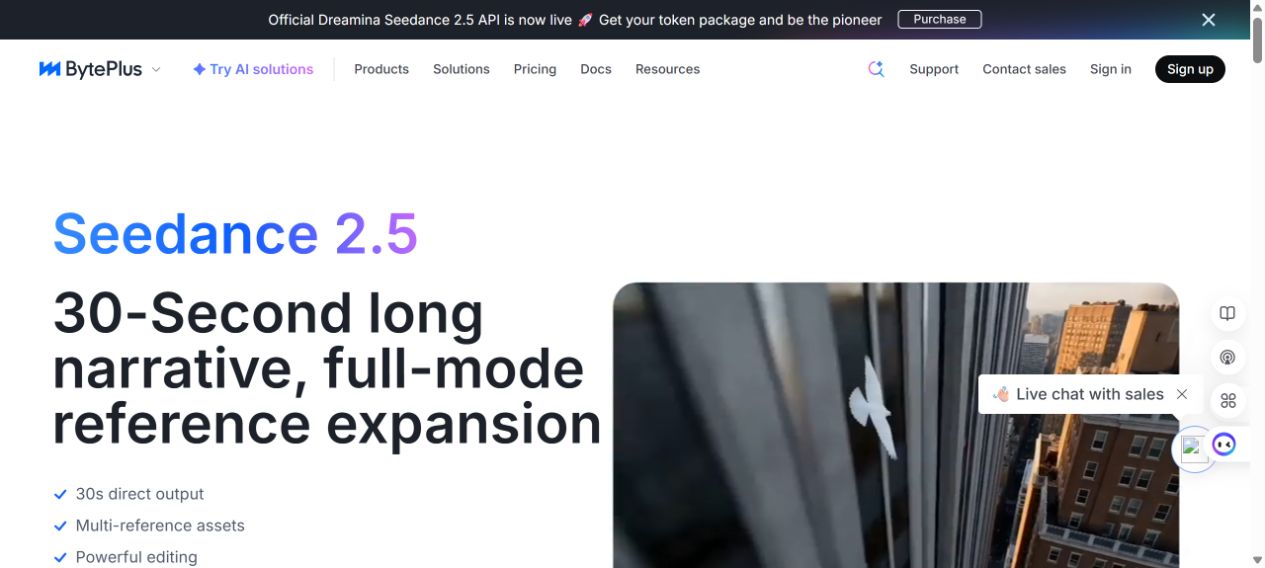
Prompt 3 · Longer sequence control
Use this when the brief is a whole 30-second beat, not just a single polished frame.
Why this pairing works: the official page supports the longer-reference claim, and the video shows why long-form continuity is a different job from a short test.
Prompt 4 · Two subjects and blocking
Use this when two people need to stay readable in the same frame without the scene falling apart.
Why this pairing works: the official prompt guide shows the structured approach, and the clip proves that multiple subjects need clearer blocking, not just more adjectives.
If you want the workflow version of the same idea, the companion guides Guida rapida di Seedance 2.0 e Recensione di Seedance 2.0 show how prompt structure and output control changed across the Seedance family.
Master prompt template
Use this if you want one clean starting point for any Seedance 2.5 job. The cards above are the finished examples; this is the reusable structure underneath them.
Swap the placeholders, keep the continuity rule tight, and do not overload the prompt with extra adjectives.
Focus on the product shape, the label, and the exact movement you want the camera to make.
Lock the face, clothing, and body language before you start adding extra scene detail.
State the full sequence goal, then tell the model what must stay stable from the first beat to the last.
Name every subject that must stay in frame and the prop or blocking rule that keeps the scene readable.
Before you send it to a client
Use this checklist before you hand anything over. It is short on purpose, because the final approval step should be about the work, not about the article.
The input assets are owned, licensed, or cleared for the intended use.
Your route allows the kind of use you are planning, whether that is internal review, paid client work, or public publishing.
The same face, product, wardrobe, and shot logic survive the full sequence.
The final file is clean, readable, and free of unwanted branding or formatting surprises.
If the goal is a stable production workflow rather than one lucky clip, pair the model with the right guide pages: Seedance Privacy and Terms Explained for rights questions and Is Seedance 2.0 Free? The Real Answer when the real question is whether the account economics make sense.
Do not skip this: if a clip is going to a client, the final approval should happen on the exported file, not on the first preview. The preview is only a draft checkpoint.
FAQ
Can I use Seedance 2.5 commercially?
Yes, in the practical sense that matters here: if the rights on your inputs are clear and the platform terms support the job, Seedance 2.5 can be part of a commercial workflow. The model does not replace rights clearance.
Does Seedance 2.5 always export without a watermark?
No model can promise that for every route. Watermark behavior belongs to the platform workflow as much as to the model itself. In this guide, GlobalGPT is the clean no-watermark route to test first.
How do I keep the same character across multiple shots?
Use one reference asset to anchor identity, then name the subject, camera move, wardrobe, and continuity rule in plain language. If the face or product drifts, tighten the reference instead of adding more adjectives.
What does @ do in GlobalGPT?
@ gives you a stable anchor for the thing that must not drift. Use it for a face, a product, a frame, a wardrobe, or a style reference so the model knows exactly what to hold steady.
Can I reuse the landing-page videos in this article?
Yes. The perfume ad, lighthouse engineer, sci-fi dinosaur, and two-actor clips already match the exact claims this page makes, so they are better evidence than a generic stock clip.
Do I need a VPN to use Seedance 2.5 on GlobalGPT?
The workflow here is meant to stay simple and browser-based, so this guide treats GlobalGPT as the no-VPN route. If your own environment behaves differently, check the route you opened before you start generating.
Conclusione finale
Use Seedance 2.5 when the job needs more than a single pretty shot: client work, product demos, recurring characters, and longer scenes all benefit from tighter control. Keep the inputs clean, anchor the identity with @, and reuse the landing-page examples when you need proof instead of theory.
If you want the most direct next step, open the Seedance 2.5 generator on GlobalGPT and compare it with the cheapest-way guide when budget also matters.