Midjourney по-прежнему остается одним из самых мощных генераторов изображений на базе ИИ, позволяющим создавать изображения с кинематографическим освещением, отточенными композициями и визуально законченным видом уже с первого запроса. Однако он больше не является оптимальным решением для всех задач. Некоторым авторам требуется более точный текст, более качественная обработка исходных изображений, локальный контроль, API или рабочий процесс, выходящий за рамки создания одного изображения.
Таким образом, выбор лучшей альтернативы Midjourney зависит от того, что именно вы собираетесь создать. GlobalGPT — это наиболее универсальный вариант для тех, кто хочет использовать Midjourney и другие модели обработки изображений в рамках одного рабочего процесса агента. GPT Image и Nano Banana лучше подходят для редактирования диалогов. Ideogram и Recraft — более эффективные варианты для типографики и дизайнерских ресурсов, тогда как Stable Diffusion по-прежнему остается наиболее настраиваемым локальным решением.
В данном сравнении модели изображений рассматриваются отдельно от платформ, предоставляющих к ним доступ. Кроме того, в нём проводится различие между бесплатным доступом и неограниченным использованием, между коммерческим разрешением и правом собственности на авторские права, а также между официальным API модели и официальным потребительским приложением.
Обзор лучших альтернатив Midjourney
| Инструмент | Лучше всего подходит для | Тип продукта | Бесплатный доступ | API или автоматизация | Основное ограничение |
|---|---|---|---|---|---|
| GlobalGPT | Мультимодельные и агентные рабочие процессы | Мультимодельная платформа | Ограничения доступа зависят от тарифного плана | CLI, MCP и навыки | Не поддерживает все функции каждого официального приложения |
| Изображение GPT | Создание и редактирование диалогов | Модель и API | Ограниченный доступ потребителей | Официальный API OpenAI | Меньше возможностей низкоуровневого управления, чем у локальных инструментов диффузии |
| Нано-банан | Эталонные изображения и редактирование продуктов | Модель и API | Ограничения доступа зависят от конкретного продукта Google | Gemini API и Vertex AI | Квоты и функции различаются в зависимости от поверхности |
| FLUX | Фотореализм и API для разработки | Модели с хостом и модели с открытым весом | Некоторые варианты для скачивания | API BFL и лицензионные веса | Лицензии существенно различаются в зависимости от версии |
| Adobe Firefly | Творческие рабочие процессы Adobe | Творческая платформа | Ограниченное количество кредитов | Сервисы Adobe и модели сотрудничества с партнерами | Наилучшее соотношение цены и качества обеспечивается благодаря экосистеме Adobe |
| Идеограмма | Текст, плакаты и реклама | Модель и веб-приложение | Ограниченный бесплатный тарифный план | Официальный API | Текст ещё нужно вычитать |
| Recraft | Векторные изображения и брендовые материалы | Платформа для проектирования | Ограниченный бесплатный тарифный план | Доступен API | Менее сосредоточен на кинематографическом искусстве |
| Стабильная диффузия | Локальное управление и настройка | Семейство моделей с открытым весом | Использование на местном уровне в соответствии с действующей лицензией | Самостоятельное размещение и хостинг API | Более высокие затраты на настройку и аппаратное обеспечение |
| Leonardo.Ai | Создание игровой графики и концепт-арта | Платформа для авторов | Ограниченный бесплатный лимит | Доступен API | Учетные записи и выбор моделей могут вызывать затруднения |
| Canva Dream Lab | Социальный и маркетинговый дизайн | Набор инструментов для проектирования | Ограниченный бесплатный доступ | Интеграция рабочих процессов с Canva | Меньше средств управления передовыми системами генерации |
| Креа | Визуальная итерация в режиме реального времени | Мультимодельный инструмент для создания контента | Ограниченный бесплатный доступ | Веб-рабочий процесс | Скорость обработки в реальном времени может идти в ущерб максимальной точности воспроизведения |
| Magnific (ранее Freepik) | Производство по схеме «запасы плюс ИИ» | Мультимодельный творческий пакет | Общедоступная страница генератора; для сохранения/использования результатов требуется учетная запись | API, MCP, плагины | Стоимость значительно варьируется в зависимости от выбранной модели |
Что предлагает Midjourney в 2026 году
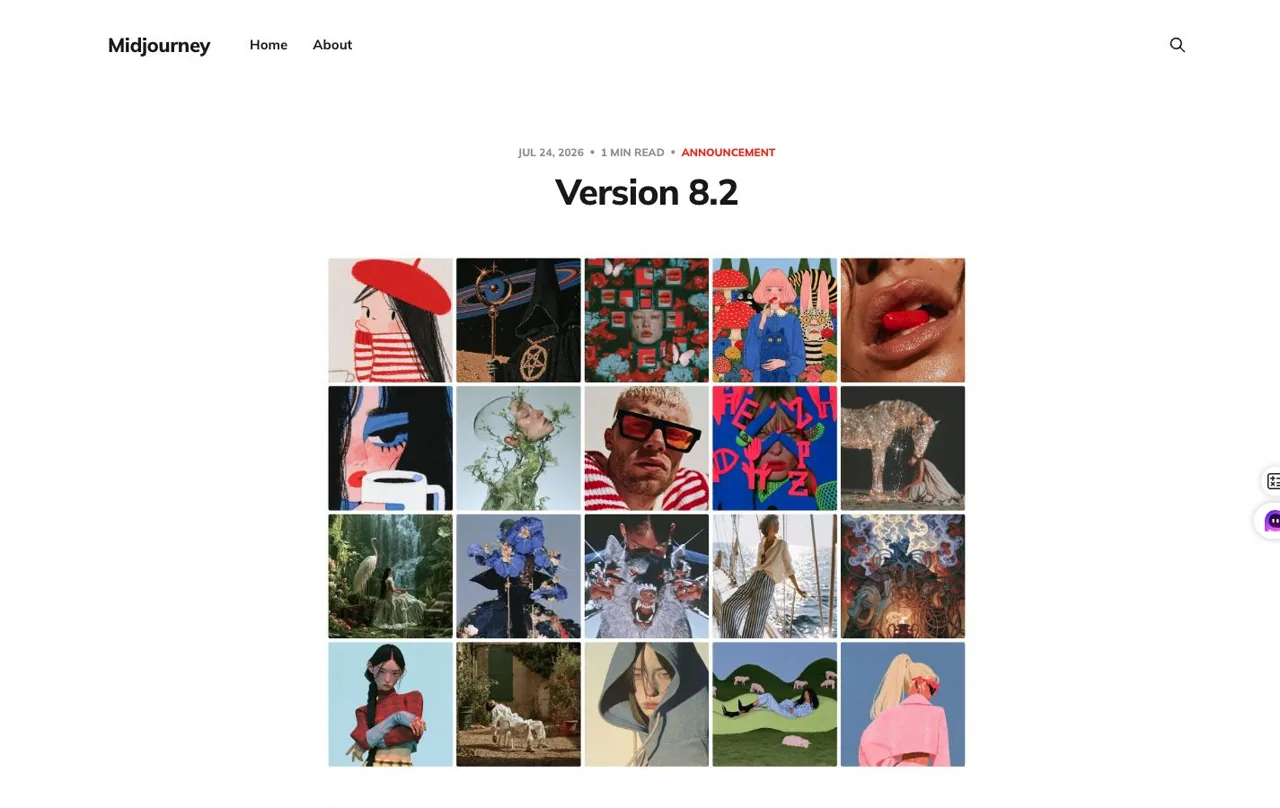
Для объективного сравнения необходим актуальный эталон. Midjourney V8.1 стала моделью по умолчанию 11 июня 2026 года, а 24 июля последовала версия V8.2 с дополнительными улучшениями в области эстетики, качества изображения и персонализации. Кроме того, Midjourney имеет полноценный веб-интерфейс Create, поэтому утверждение “она работает только в Discord” больше не соответствует действительности.
Текущие цены на Midjourney
- Базовый: $10 в месяц или $96 в год.
- Стандарт: $30 в месяц или $288 в год, включая режим «Relax» для изображений.
- Плюсы: $60 в месяц или $576 в год, включая «режим невидимости».
- Мега: $120 в месяц или $1 152 в год, включая «режим невидимости».
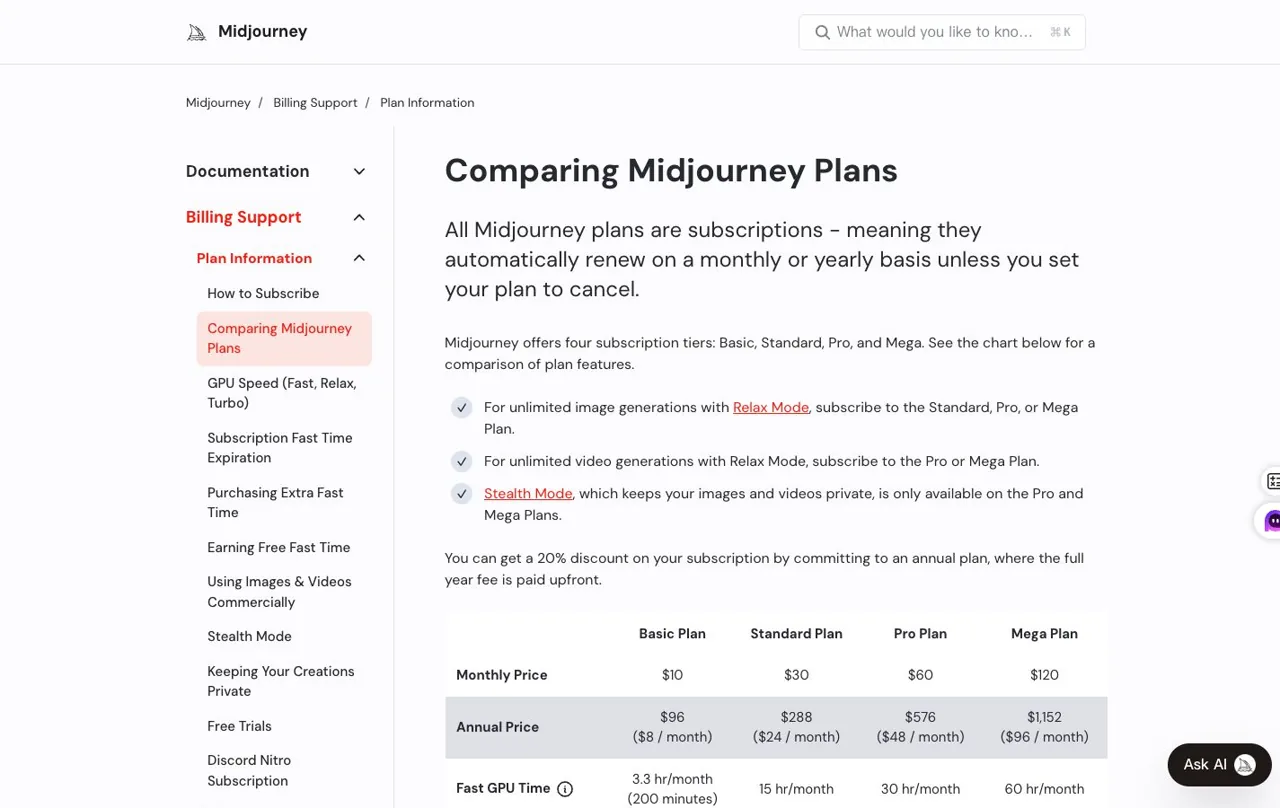
По умолчанию контент является общедоступным, а «Скрытый режим» доступен только для тарифных планов «Pro» и «Mega». В условиях использования Midjourney также указано, что компаниям, годовая валовая выручка которых превышает $1 миллион, требуется тарифный план «Pro» или «Mega» для применения указанного режима владения активами. Именно эти ограничения — а не низкое качество изображений — заставляют многих пользователей искать альтернативы.
Зачем искать альтернативу Midjourney?
Midjourney теперь предлагает полноценные возможности для создания веб-сайтов, поэтому простого отказа от Discord уже недостаточно, чтобы назвать его лучшей альтернативой. Более уместный вопрос заключается в том, какой инструмент устраняет конкретное ограничение, мешающее вашей работе.
- Меньшая степень обязательности: Вы хотите получить бесплатный лимит или не хотите оформлять ещё одну специальную ежемесячную подписку.
- Лучший вариант текста: Вам нужны понятные заголовки, надписи, пункты меню или тексты на упаковке, расположенные внутри изображения.
- Редактирование диалогов: Вам нужно сказать “оставить всё остальное без изменений, но сменить куртку”, а не перестраивать запрос.
- Доступ к API: Вам требуется функция генерации изображений в приложении, контент-конвейере или ИИ-агенте.
- Местное управление: Вы хотите запускать модели на собственном оборудовании или использовать пользовательские контрольные точки и LoRA.
- Расширение производства: Чтобы оставаться на связи, вам понадобятся результаты исследований, изображения, видео, документы, веб-сайты и презентации.
- Ясность в коммерческих вопросах: Вам необходимо разобраться в вопросах конфиденциальности, публичных версий, лицензирования и возможной компенсации убытков.
Как проводилось сравнение этих альтернатив Midjourney
При оценке каждой рекомендации учитываются одни и те же критерии: качество изображения, точность следования заданному описанию, рендеринг текста, контроль над эталонным изображением, возможности редактирования, удобство использования, ценовая политика, политика конфиденциальности, условия коммерческого использования, а также поддержка API или автоматизации. Модель не получает снижения оценки только по той причине, что на её официальном сайте не предлагается бесплатная пробная версия.
Результаты практического тестирования включаются только в том случае, если для продукта был предоставлен доступный официальный канал тестирования. Если для доступа требовался вход в систему или подписка на платный тарифный план, оценка основывается на официальном интерфейсе, документации, странице с ценами и условиях использования, а не на непроверенной сторонней демо-версии. При каждом тестировании нового поколения сохранялись первый допустимый результат; результаты по внешнему виду не пересчитывались. В случае GlobalGPT в качестве доказательств рабочего процесса используются Codex и командная строка GlobalGPT. Результаты конкурентов помечены отдельно и были созданы исключительно на соответствующем официальном сайте.
1. GlobalGPT — лучший вариант для рабочих процессов с использованием нескольких моделей и агентов
Лучшее для: Создатели и команды, которые хотят переключаться между несколькими моделями обработки изображений и объединять генерацию контента с исследованиями, видео, документами и инструментами для агентов.
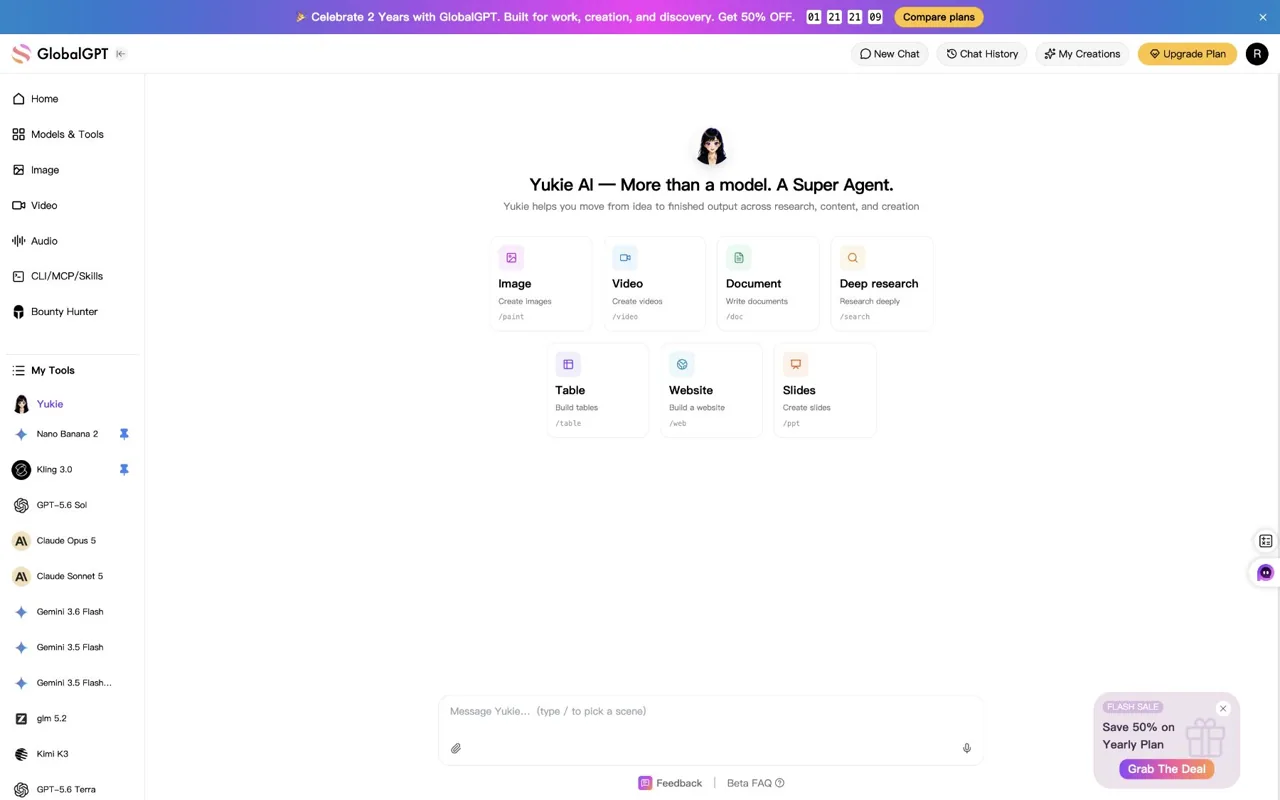
GlobalGPT отличается от других вариантов тем, что не представляет собой одну проприетарную модель изображения. Это мультимодельная рабочая среда. Вместо того чтобы требовать, чтобы для каждой задачи использовался один и тот же движок, пользователи могут выбирать между Midjourney, GPT Image, Nano Banana, FLUX, Ideogram, Seedream или другим доступным вариантом в зависимости от задачи.
Основные особенности
- Несколько моделей для работы с изображениями, текстом и видео в рамках одной учетной записи GlobalGPT.
- Поддержка командной строки GlobalGPT для вызова моделей, включая Midjourney, из терминала или поддерживаемой среды агента.
- CLI подключается через инфраструктуру моделей GlobalGPT к официальным API-интерфейсам поддерживаемых поставщиков. Когда Codex или другой совместимый агент вызывает CLI, он использует тот же маршрут API-интерфейса поставщика, а не имитированную замещающую модель.
- Инструменты MCP, предоставляющие Codex и другим совместимым агентам возможности по обнаружению моделей, ведению чата, генерации изображений и генерации видео.
- Навыки, которые помогают агентам выбирать и запускать соответствующий рабочий процесс GlobalGPT.
- Yukie — для поиска информации, изображений, видео, документов, таблиц, веб-сайтов и слайдов.
Как работает рабочий процесс Codex и GlobalGPT CLI
- Пользователь передает компании Codex творческое задание и все исходные файлы.
- Codex вызывает командную строку GlobalGPT и выбирает доступную модель изображения.
- CLI отправляет запрос через инфраструктуру моделей GlobalGPT в официальный API моделей выбранного поставщика.
- Возвращается первый допустимый результат и сохраняется в рабочей папке.
- Codex может проанализировать файл, определить точную модель и продолжить работу над проектом.
- Результат может стать исходными данными для другой модели, видео-рабочего процесса или конечного продукта Yukie.
Это важно, поскольку агент не ограничивается лишь обсуждением задания на создание изображения. Он может координировать всю сопутствующую работу: ознакомиться с техническим заданием кампании, подготовить визуальную концепцию, связаться с выбранной моделью для съемки, систематизировать полученные файлы и приступить к выполнению других задач.
Наш тест «первый выход» Midjourney
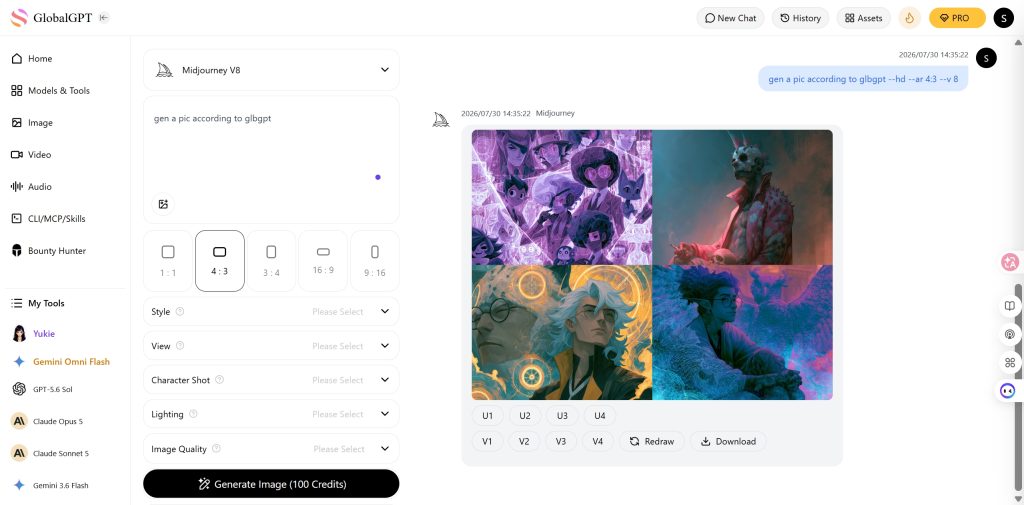
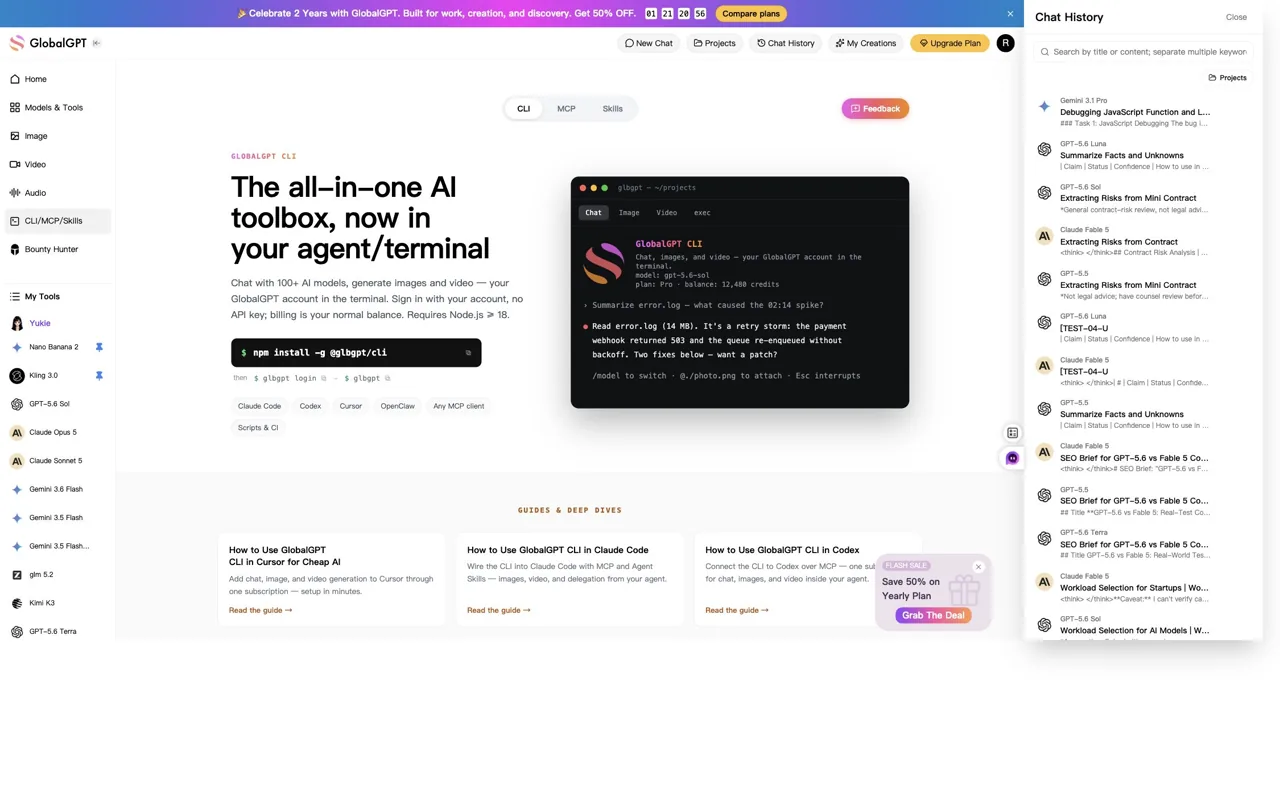
В рамках данного обновления компания Codex отправила общий запрос на запуск продукта через инфраструктуру модели GlobalGPT и сохранила первый допустимый ответ модели Midjourney. Маршрут вернул сетку из четырёх изображений размером 2048×2048. В ней были соблюдены запрошенные параметры: стол из тёмного ореха, сине-фиолетовое освещение, полупрозрачное рабочее пространство, отражения в стекле и небольшая глубина резкости, однако не был сохранен запрошенный формат 16:9 и были добавлены небольшие псевдо-элементы интерфейса.
Yukie — это не просто одно сгенерированное изображение
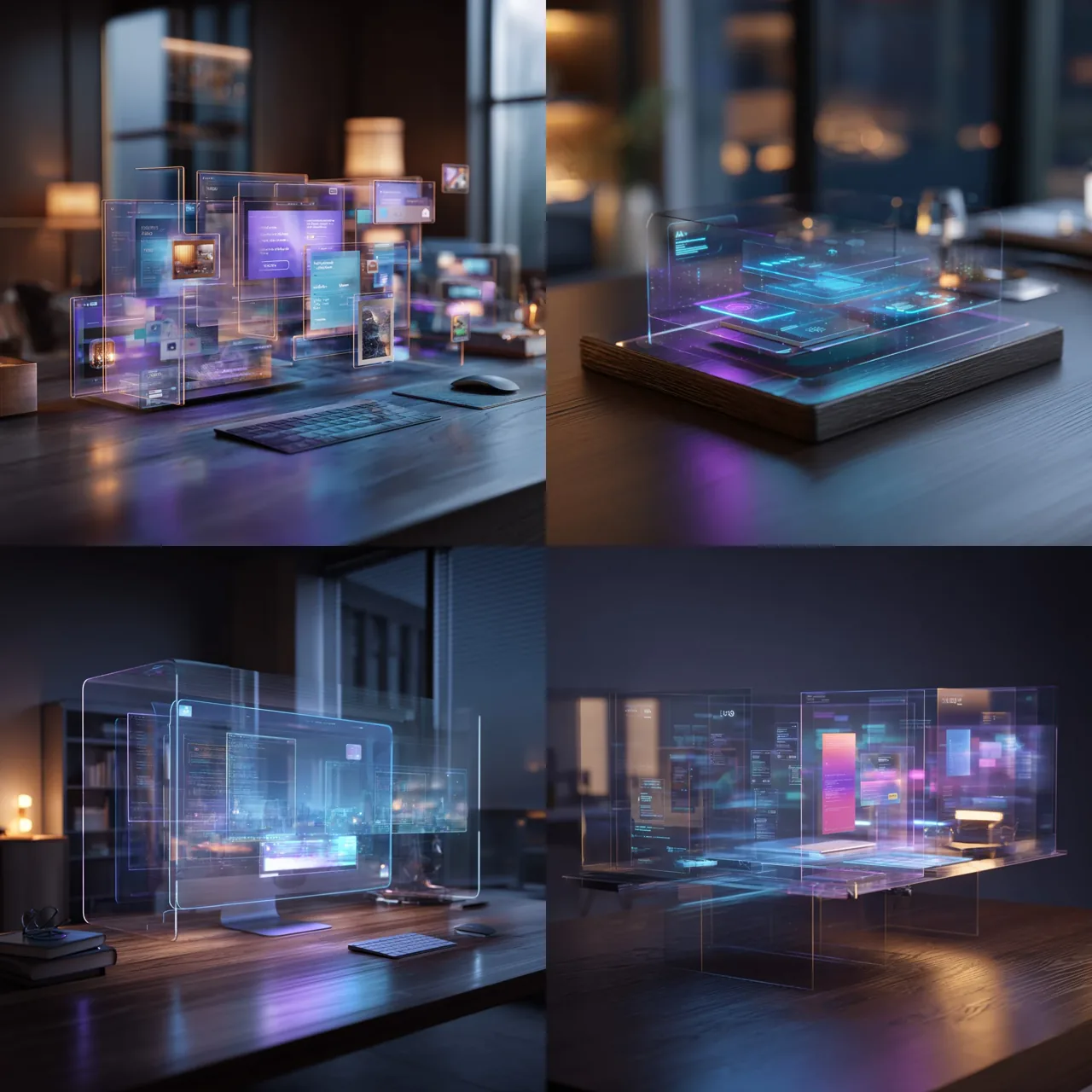
Yukie добавляет к каталогу моделей уровень создания, работающий по принципу агента. В настоящее время его интерфейс включает:
Набор инструментов для создания Yukie
/paintСоздание изображений
|
/видеоСоздание видео
|
/docДокументы
|
/поискГлубокие исследования
|
/таблицаСтруктурированные таблицы
|
/webВеб-сайты
|
/pptПрезентации и слайды
|
Благодаря этому GlobalGPT оказывается полезным в тех случаях, когда изображение является лишь частью более масштабной кампании, а не конечной целью.
Плюсы
- Позволяет пользователям выбирать различные шаблоны для художественного оформления, типографики, редактирования и визуализации продукции.
- Обеспечивает интеграцию генерации изображений с Codex, инструментами агентов и локальными файлами проекта.
- Yukie расширяет рабочий процесс, охватывая исследования, видео, документы, веб-сайты и презентации.
- Уменьшает необходимость в управлении отдельным ключом API на стороне пользователя для каждой поддерживаемой модели.
- Это подходит для пользователей, которые уже знают, что ни одна модель на основе изображений не справляется со всеми задачами.
Cons
- Доступность моделей может варьироваться в зависимости от тарифного плана, учетной записи и версии продукта.
- Рабочая среда стороннего разработчика не повторяет все функции, инструменты сообщества или средства управления учетной записью, присутствующие в каждом официальном потребительском продукте.
- Использование услуг на основе кредитной системы может потребовать большего внимания, чем простая подписка, которая на первый взгляд кажется безлимитной.
- GlobalGPT — это независимая платформа; доступ к API модели не означает, что каждый поставщик спонсирует или поддерживает эту платформу.
Ценообразование
- По данным проверки карт с годовым тарифным планом, проведенной 29 июля 2026 года, тариф «Basic» составлял $11,90 в месяц, Pro на $19,90 в месяц, а также «Безлимитный» по цене $49,90 в месяц, оплата производится ежегодно.
- На этих же картах были указаны суммы в размере 144 000, 240 000 и 624 000 кредитов в год соответственно.
- Временные акции могут отображаться в других разделах страницы с ценами, поэтому в статье приводятся данные по основным выбранным картам с годовым тарифным планом, а не смешиваются акционные и стандартные цены.
- В поддерживаемых рабочих процессах объем работ, связанных с мультимедиа, можно оценить до начала их создания.
- Доступность моделей и расход кредитов зависят от конкретной модели и настроек производительности.
Выберите GlobalGPT, если: Вам нужны несколько моделей для съемки, доступ к «Агенту» и рабочий процесс, который может быть продолжен в рамках производства видео и контента.
Пропустите, если: Вам нужен только один провайдер, предлагающий полноценный официальный потребительский опыт и функции сообщества.
2. GPT Image — лучший инструмент для редактирования изображений в диалоговом режиме
Лучшее для: Пользователи, которым нужны четкие инструкции, удобочитаемый текст, возможность загрузки справочных изображений и итеративное редактирование с использованием естественного языка.
Семейство моделей GPT Image от OpenAI рассматривает генерацию изображений как часть мультимодального диалога. Это делает его особенно удобным в тех случаях, когда первое изображение близко к желаемому результату, но еще не идеально: пользователи могут запросить конкретное изменение, не переписывая весь промт.
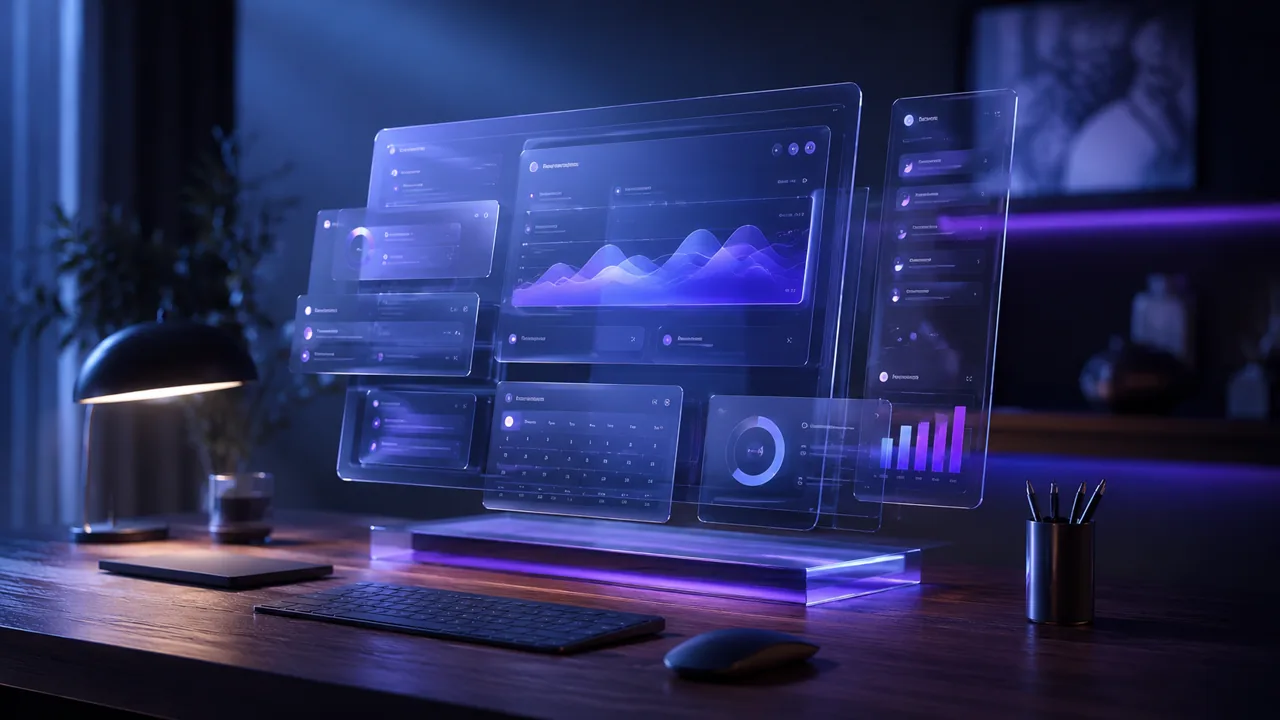
В ходе нашего официального теста с изображениями ChatGPT первый результат в точности соответствовал заданному соотношению сторон 16:9, поверхности из тёмного дерева, сине-фиолетовому освещению и интерфейсу с эффектом “парящего стекла”. Кроме того, в результате появился мелкий псевдотекстовый элемент интерфейса, что служит полезным напоминанием о том, что отсутствие «разборчивого текста» не всегда исключает появление артефактов, напоминающих текст.
Основные особенности
- Генерация изображений на основе текста и редактирование изображений
- Понимание эталонных изображений
- Многоэтапное уточнение в диалоге
- Эффективная обработка подсказок и текста
- Официальный API для рабочих процессов приложений
Плюсы
- Хорошо обрабатывает подробные инструкции, сформулированные на естественном языке.
- Полезно для доработки уже готового сочинения, вместо того чтобы начинать с нуля.
- Хорошо подходит для изображений, содержащих короткий и легко читаемый текст.
- Официальный API для разработчиков поддерживает интеграцию в производственную среду.
Cons
- Фильтры безопасности могут блокировать или изменять некоторые запросы.
- Он предоставляет меньше возможностей для низкоуровневого управления, чем ComfyUI или настраиваемый рабочий процесс диффузии.
- Доступ по потребительскому тарифу и биллинговые услуги API представляют собой отдельные продукты.
- Не гарантируется, что результаты будут уникальными или подпадающими под авторское право.
Ценообразование
- Ограниченный доступ к изображениям может быть предоставлен в рамках соответствующих тарифных планов и квот ChatGPT.
- Объем данных при генерации изображений через API зависит от интенсивности использования и варьируется в зависимости от модели, качества и размера выходного файла.
- API OpenAI не рассматривает генерацию изображений GPT в качестве постоянно бесплатного сервиса API.
Выберите этот вариант, если: Вы хотите создавать и редактировать изображения с помощью диалога или интегрировать функцию генерации изображений в приложение.
Пропустите, если: Вам нужны локальные веса, настраиваемые контрольные точки или управление рабочим процессом на уровне узлов.
3. Nano Banana — лучший вариант для редактирования с использованием исходных материалов и работы над продуктами
Лучшее для: Изображения товаров, правки на основе эталонных изображений, компоновка из нескольких изображений, а также пользователи, предпочитающие изменения в диалоговом режиме.
Модели обработки изображений Google Nano Banana тесно интегрированы с мультимодальным пониманием модели Gemini. Их главное преимущество заключается не просто в создании привлекательного исходного изображения, а в интерпретации исходного материала, объединении визуальных данных и внесении контролируемых изменений с помощью естественного языка. Более подробную информацию см. в нашем Руководство по ценообразованию и API Nano Banana 2.
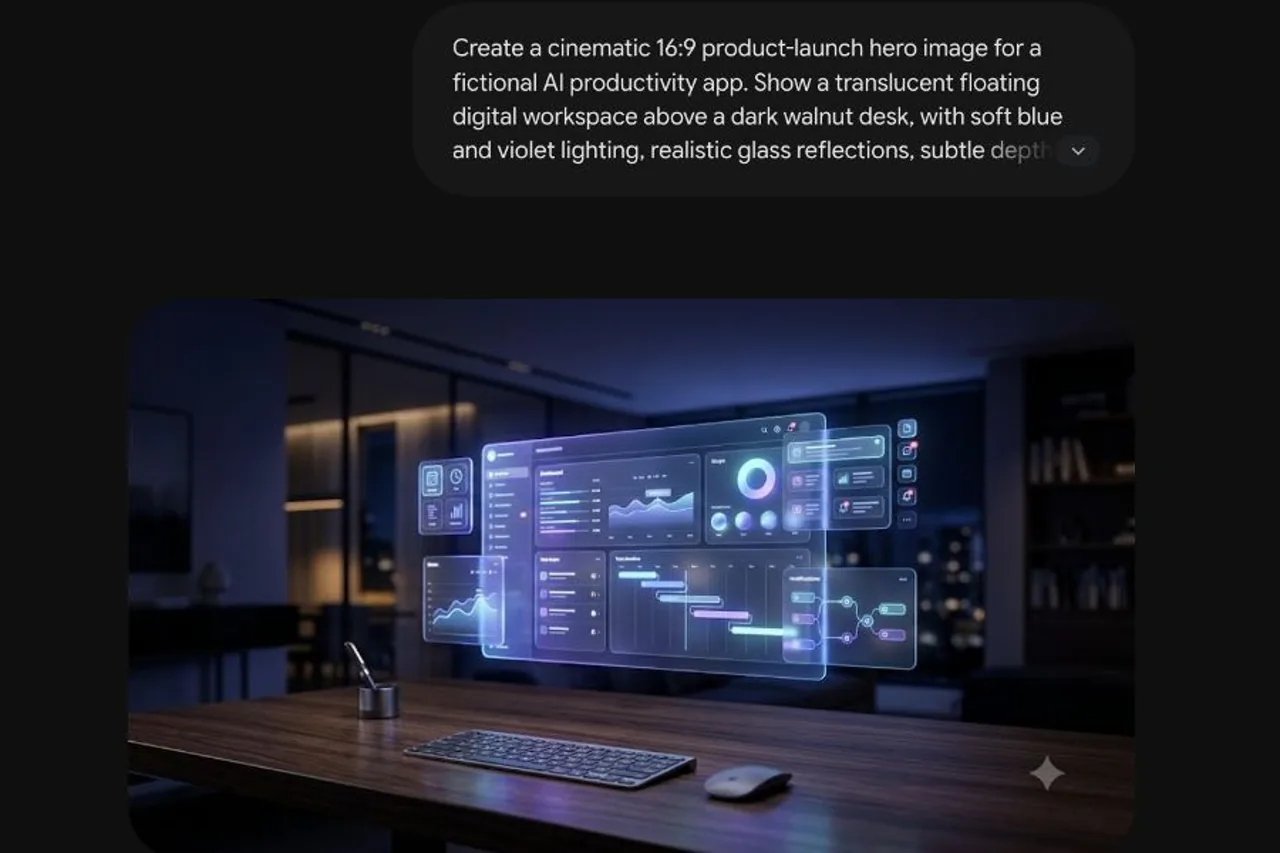
Мы один раз запустили общий запрос на официальной странице с изображениями Gemini и сохранили первый отобразившийся результат. На сайте Gemini был доступен полноразмерный элемент управления загрузкой, однако в ходе данной сессии браузера загрузка не привела к получению восстанавливаемого файла, поэтому приведенное ниже доказательство представляет собой скриншот официальной страницы результатов, а не заявленное исходное изображение.
Основные особенности
- Генерация изображений из текста
- Редактирование эталонного изображения
- Композиция из нескольких изображений
- Изменения в диалогах
- Доступ к API через платформы Google для разработчиков и облачные сервисы
- Технология отслеживания происхождения SynthID
Плюсы
- Идеально подходит для изменения обстановки вокруг объекта съемки при сохранении самого объекта.
- Редактирование текста на естественном языке доступно даже тем, кто не является дизайнером.
- Различные платформы Google обеспечивают поддержку рабочих процессов как для конечных пользователей, так и для разработчиков.
- Полезно для кампаний, в которых требуется несколько связанных между собой визуальных элементов.
Cons
- Доступные модели, ограничения и разрешения различаются в Gemini, AI Studio, API Gemini и Vertex AI.
- Не следует описывать согласованность ссылок с помощью неподтвержденных утверждений в процентах.
- Функции Google по нанесению водяных знаков и управлению политиками по-прежнему остаются частью рабочего процесса.
Ценообразование
- Доступ для потребителей предоставляется в рамках продукта Gemini и действующих квот на него; тарификация по API Gemini и Vertex AI осуществляется отдельно.
- Nano Banana 2 / Gemini 3.1 Стоимость образа Flash составляла примерно $0.045 за изображение размером 0,5K, $0,067 за 1K, $0.101 за 2K, и $0.151 за 4K.
- Модель Nano Banana Pro / Gemini 3 Pro была выставлена на продажу по цене примерно $0.134 за изображение размером 1K–2K и $0,24 за изображение 4K.
- Nano Banana 2 Lite был выставлен на продажу по цене примерно $0.0336 за 1K изображения.
Выберите этот вариант, если: Вы часто редактируете фотографии товаров или создаете сопутствующие визуальные материалы на основе исходных изображений.
Пропустите, если: Вашим приоритетом является локальный, в значительной степени настроенный под конкретные нужды конвейер диффузии.
4. FLUX — лучший вариант для фотореалистичной визуализации и производства с использованием API
Лучшее для: Фотореалистичное моделирование, разработчики, API для производства и пользователи, которым необходим выбор между хостируемыми и загружаемыми моделями.
Black Forest Labs предлагает не одну универсальную модель, а несколько вариантов шрифта FLUX. Эта линейка включает в себя высококачественные версии для хостинга, редактирования, управления типографикой, варианты для ускорения производства, а также отдельные наборы начертаний, доступные для скачивания. Наши отдельные Руководство по FLUX.2 Pro в ней более подробно рассматривается эта модель, ориентированная на производство.
Основные особенности
- Несколько уровней качества и скорости FLUX.2
- Создание и редактирование изображений на основе текста
- Конечные точки размещенного API
- Варианты, ориентированные на типографику
- Избранные модели для скачивания
Плюсы
- Отличный вариант для создания фотореалистичных материалов, освещения и персонажей.
- Более четкий путь разработки по сравнению с инструментами, созданными исключительно в виде веб-приложений для конечных пользователей.
- Различные варианты позволяют командам найти оптимальный баланс между качеством, скоростью и затратами.
- Некоторые версии могут поддерживать локальное или частное развертывание.
Cons
- Названия версий FLUX и условия лицензий требуют внимательного изучения.
- Открытые веса не означают автоматически открытый исходный код или бесплатное коммерческое использование.
- Высококачественные хостируемые конечные точки могут стоить дороже, чем более быстрые варианты.
Ценообразование
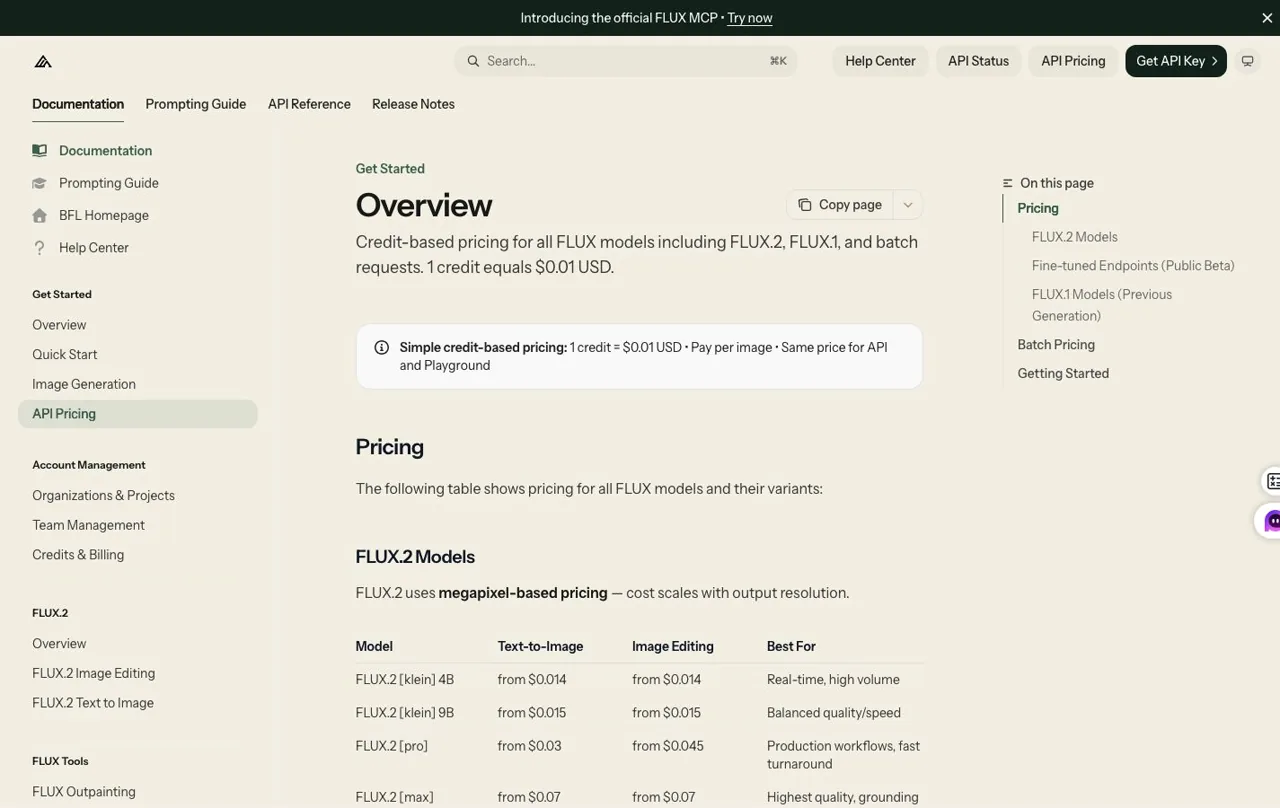
- FLUX.2 Klein 4B — цена от $0.014 за каждое изображение и «Кляйн 9B» по цене $0.015.
- Стоимость программы FLUX.2 Pro для преобразования текста в изображение начинается от $0.03, Профессиональный монтаж на $0.045, Макс по адресу $0.07, а также Flex по адресу $0.05.
- FLUX.1 Kontext Pro был представлен в $0.04 и Kontext Max по адресу $0.08; FLUX1.1 Pro был $0.04 и Ultra $0.06.
- В таблице цен версия FLUX.2 Dev была обозначена как «только для локального использования» и «некоммерческая». Всегда сопоставляйте конкретную модель с соответствующей лицензией.
Выберите этот вариант, если: Вам нужен высококачественный API или семейство моделей, которые можно будет использовать и при локальном развертывании.
Пропустите, если: Вам нужна одна простая подписка, не требующая выбора модели или лицензии.
5. Adobe Firefly — лучший инструмент для рабочих процессов Adobe Creative
Лучшее для: Дизайнеры, которые уже работают в Photoshop, Illustrator, Adobe Express и других инструментах Creative Cloud.
Главное преимущество Firefly заключается не в том, что каждое сгенерированное изображение выглядит более художественно, чем в Midjourney, а в удобстве рабочего процесса. Сгенерированные и отредактированные ресурсы можно напрямую импортировать в инструменты Adobe, которыми уже пользуются профессиональные команды.
Основные особенности
- Модели Adobe для генерации изображений
- Генеративная заливка и редактирование объектов
- Интеграция с Creative Cloud
- Удостоверения содержания
- Избранные модели партнеров в Firefly
Плюсы
- Идеально подходит для профессиональных рабочих процессов по обработке изображений.
- Компания Adobe предоставляет общедоступную и понятную информацию о том, как обучаются её собственные модели Firefly.
- Созданные ресурсы можно использовать в дальнейшей работе над многоуровневым дизайном.
- Удостоверения контента помогают подтвердить его происхождение.
Cons
- Наибольшая ценность заключается в интеграции с более широкой экосистемой Adobe.
- Условия предоставления бонусов и правила, действующие для премиум-тарифных планов, сравнивать может быть сложнее, чем просто ежемесячный лимит на скачивание изображений.
- Заверения компании Adobe в отношении собственных моделей не распространяются автоматически на все модели партнеров, доступные через Firefly.
Ценообразование
- На официальной странице Adobe указано, что пользователи могут начать работу без подписки и получать ежедневные бесплатные генерации в пределах действующих ограничений.
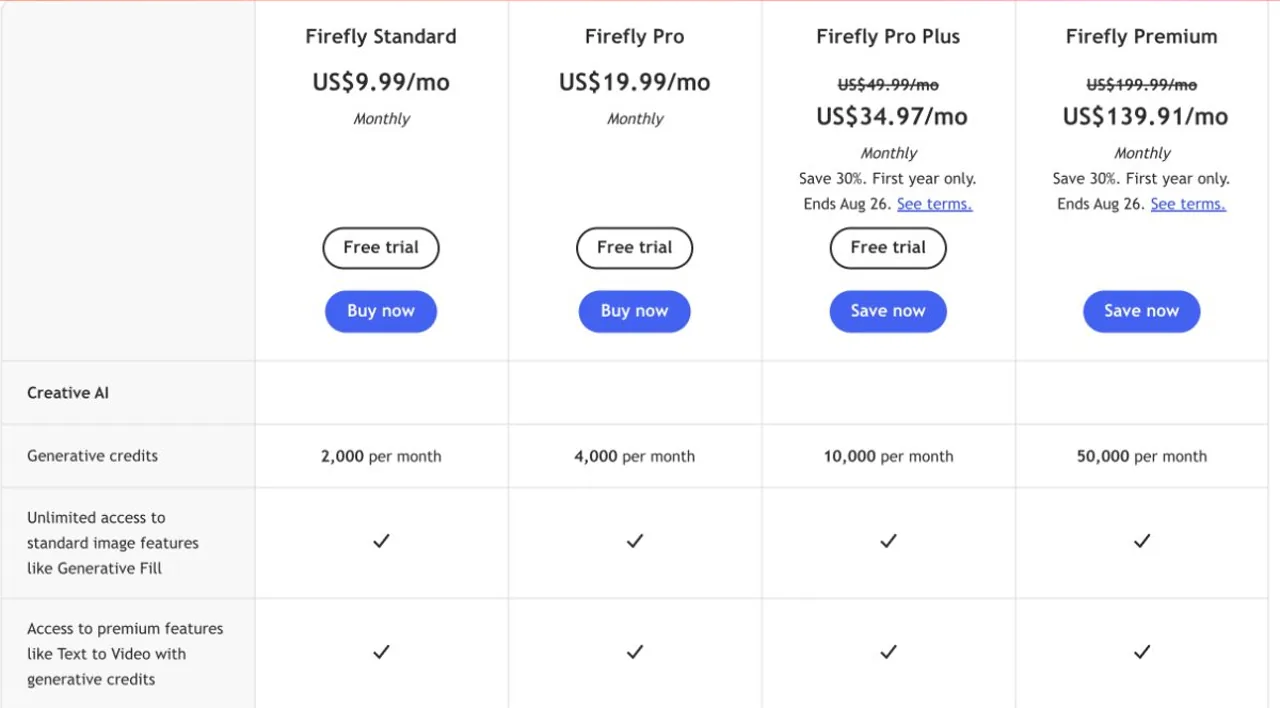
- Firefly Standard — это $9.99/месяц с 2 000 генеративных кредитов; Firefly Pro — это $19,99/месяц с 4 000 кредитов.
- Firefly Pro Plus регулярно $49,99 в месяц с 10 000 кредитов, а Firefly Premium регулярно $ 199,99 в месяц с 50 000 кредитов.
- Указанные в ходе исследования более низкие цены — $34.97 и $139.91 — представляли собой ограниченные по сроку акции для клиентов первого года, действующие до 26 августа 2026 года, а не постоянные цены по прейскуранту.
Выберите этот вариант, если: Работа над изображением будет продолжена в Photoshop, Illustrator или в рамках контролируемого производственного процесса Adobe.
Пропустите, если: Вы хотите заниматься только спонтанным созданием произведений искусства и не используете продукты Adobe.
6. Идеограмма — лучший вариант для текста, плакатов и рекламы
Лучшее для: Плакаты, заголовки, концепции упаковки, графические материалы для социальных сетей и изображения, в которых важна читаемость текста.
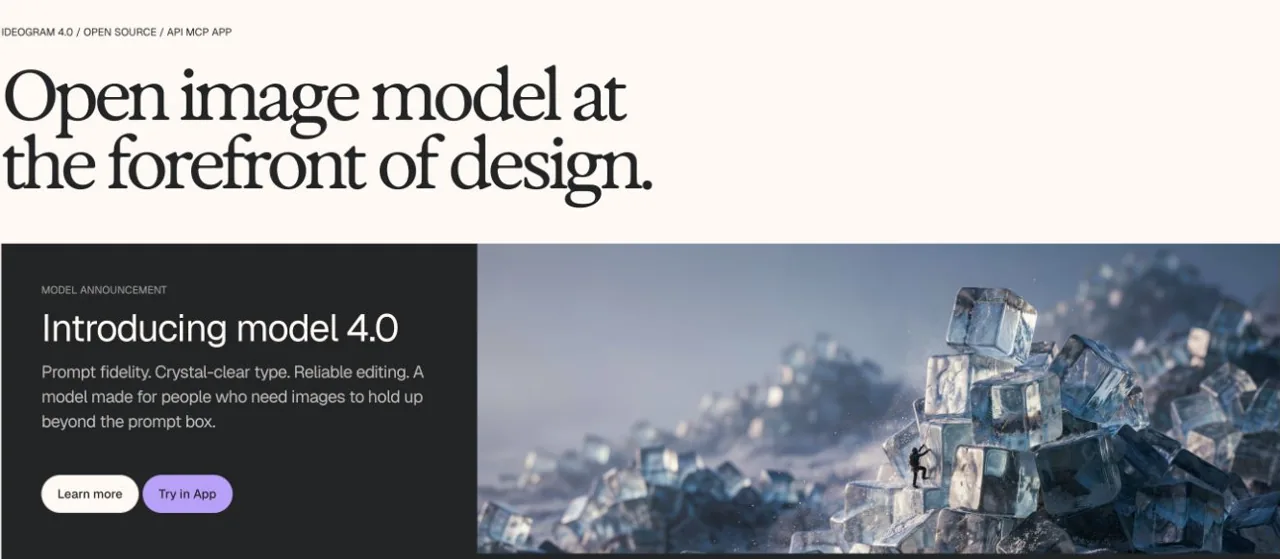
Компания Ideogram заработала себе репутацию благодаря типографике и графической композиции. На её текущем официальном сайте в первую очередь представлен продукт Ideogram 4, в котором особое внимание уделяется чёткости шрифтов, оперативности воспроизведения, возможностям редактирования, прозрачности, доступу к API, MCP и открытым весам моделей. В первом работоспособном результате рабочего процесса GlobalGPT, использованном при подготовке этой статьи, версия Ideogram 3.0 Quality правильно написала запрошенный заголовок “FOCUS WITHOUT FRICTION” и создала пригодный для использования рекламный макет. Кроме того, система добавила небольшую дополнительную надпись “AI”, хотя никакого другого текста не запрашивалось, что демонстрирует, почему сгенерированный текст по-прежнему нуждается в проверке.
Основные особенности
- Генерация изображений с акцентом на типографику
- Макеты плакатов и рекламных материалов
- Элементы управления стилем и ссылками
- Несколько режимов качества и скорости
- Официальный API
Плюсы
- Один из лучших вариантов для размещения короткого текста внутри изображения.
- Хорошо подходит для композиции в стиле плаката.
- Предлагает как веб-продукт, так и доступ к API.
- Заголовки, сгенерированные на основе ввода пользователя, могут стать частью визуальной иерархии, а не просто дополнением, добавленным в последнюю очередь.
Cons
- Текст по-прежнему может быть неожиданно добавлен, опущен или изменен.
- Созданные варианты логотипа не означают, что товарный знак не задействован.
- Бесплатные и платные тарифные планы могут различаться по уровню конфиденциальности и приоритету.
Ценообразование
- Бесплатно — это $0 и предусматривает ограниченный доступ к публичным данным после входа в систему через аккаунты Google, Apple или Microsoft.
- В годовом счете услуга «Plus» была указана в $15/месяц с 1 000 приоритетных кредитов в месяц и тарифом «Pro» по цене $42 в месяц с 3 500 приоритетными баллами в месяц.
- Платные тарифные планы включают возможность частного генерации; стоимость использования API оплачивается отдельно от потребительской подписки.
Выберите этот вариант, если: Вашему изображению нужен заголовок, подпись или макет в стиле плаката.
Пропустите, если: Вам нужна модель, размещенная на локальном сервере или тщательно настроенная.
7. Recraft — лучший вариант для векторной графики и брендовых материалов
Лучшее для: Логотипы, иконки, векторные изображения, иллюстрации и готовые к использованию брендовые ресурсы.
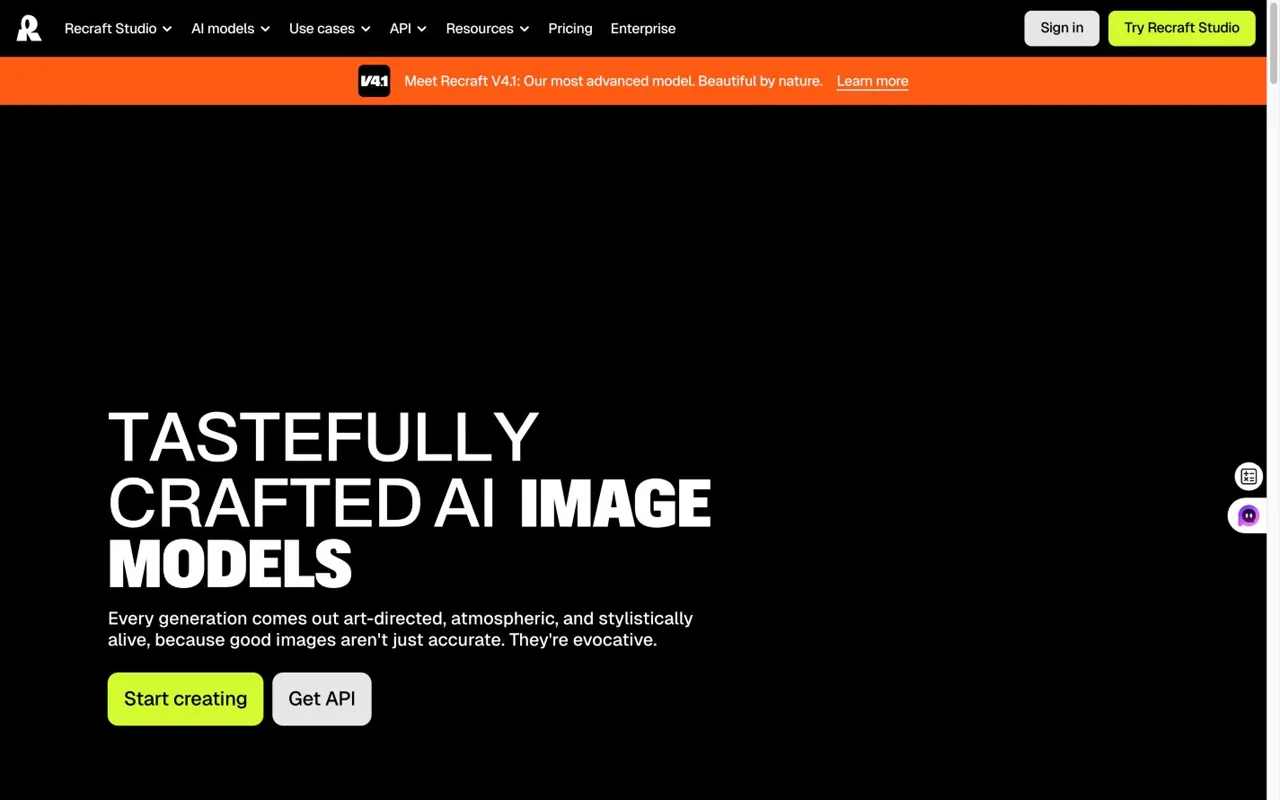
Recraft подходит к созданию изображений с точки зрения дизайна и производства. Его ценность не ограничивается лишь визуально эффектным растровым изображением; основное внимание уделяется ресурсам, которые могут органично вписаться в более широкую систему бренда.
Основные особенности
- Создание растровых и векторных изображений
- Эскизы логотипа и значка
- Элементы управления стилем бренда
- Редактирование фона и объектов
- доступ к API
Плюсы
- Более подходит для редактируемых векторных ресурсов, чем Midjourney.
- Полезно для поддержания единого визуального стиля.
- Обеспечивает создание дизайнерских материалов, выходящих за рамки отдельных графических элементов.
Cons
- Менее сосредоточен на кинематографических или живописных поисках.
- Результаты векторной обработки по-прежнему требуют проверки и корректировки со стороны человека.
- Необходимо проводить различие между правилами владения и конфиденциальности в рамках бесплатной версии и правилами платного использования.
Ценообразование
- Бесплатно — это $0 с ограниченным количеством кредитов, однако поколения являются общедоступными, предназначены исключительно для личного использования и принадлежат компании Recraft в соответствии с условиями выбранного тарифного плана.
- «Basic» — это $10/месяц оплата производится ежегодно ($120/год) с 1 000 ежемесячных кредитов.
- Преимущество заключается в том, что $16 в месяц оплата производится ежегодно ($192/год) с 2 000 ежемесячными кредитами.
- «Команды» — это $18 за одно рабочее место в месяц оплата производится ежегодно (на странице отображается $211/год) с предоставлением 2 000 ежемесячных кредитов на каждое рабочее место.
- Изображения из платных тарифных планов являются закрытыми и включают права на коммерческое использование; компания Recraft заявляет, что пользователи сохраняют эти права даже после отмены подписки.
Выберите этот вариант, если: Вам нужен редактируемый графический элемент бренда, а не только готовый файл в формате JPEG.
Пропустите, если: Ваш приоритет — кинематографическое искусство в стиле Midjourney.
8. Stable Diffusion — лучший вариант для локального управления и настройки
Лучшее для: Локальное создание моделей, пользовательские модели, рабочие процессы ComfyUI, LoRA и команды, которым требуется контроль над развертыванием.
Stable Diffusion по-прежнему менее удобен, чем отлаженный веб-генератор, но он предоставляет то, чего не могут предложить большинство хостинговых инструментов: контроль над всей средой генерации. Пользователи могут выбирать контрольные точки, добавлять адаптеры, создавать рабочие процессы на основе узлов и развертывать готовые решения в своей собственной инфраструктуре.
Основные особенности
- Веса моделей для скачивания
- Местное и автономное производство электроэнергии
- ComfyUI и интерфейсы сообщества
- Экосистема LoRA и тонкой настройки
- Руководство и расширения в стиле ControlNet
Плюсы
- Самый высокий уровень настройки рабочего процесса из представленных в этом списке.
- При правильном развертывании может поддерживать частное или автономное производство энергии.
- Обширная экосистема моделей, инструментов и знаний сообщества.
- Подходит для выполнения повторяющихся производственных задач после настройки рабочего процесса.
Cons
- Требует более глубоких технических знаний и соответствующего оборудования.
- Качество базовой модели не отражает все контрольные точки сообщества.
- Каждый контрольный пункт, LoRA и расширение могут иметь отдельные термины.
- Лицо, осуществляющее развертывание, берёт на себя большую ответственность за безопасность и происхождение.
Ценообразование
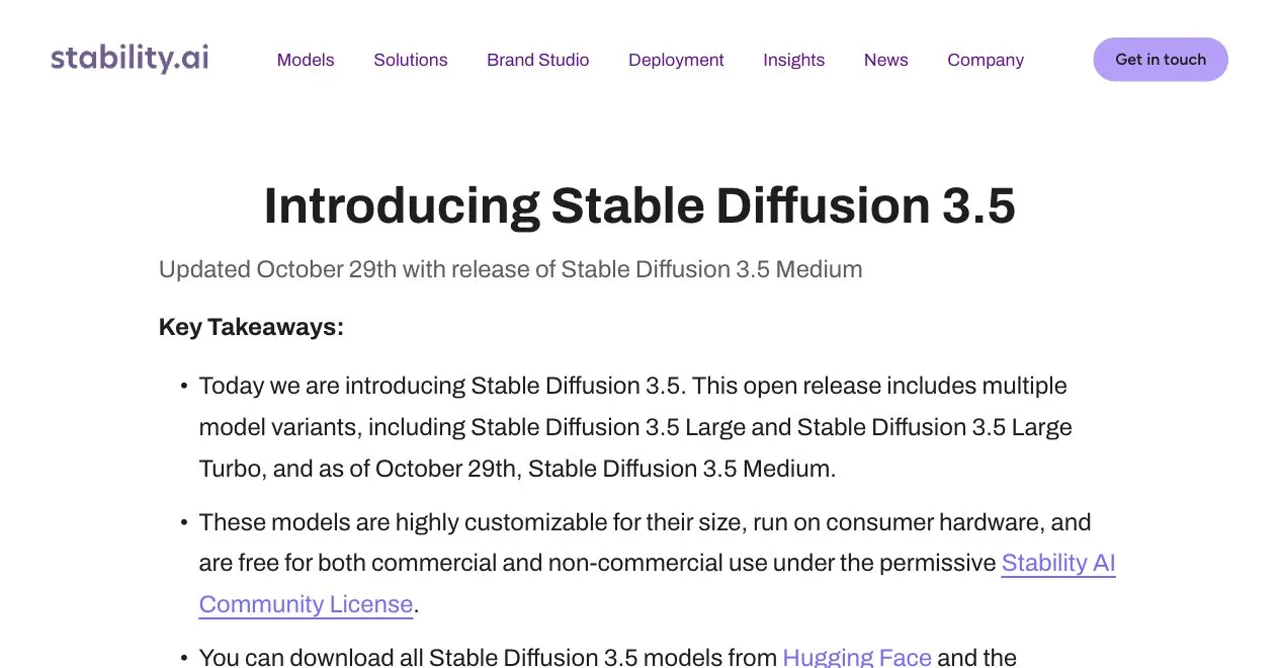
- Шрифты Stable Diffusion 3.5 предоставляются бесплатно для некоммерческого использования, а также для коммерческого использования организациями, перечисленными ниже $1 миллион в годовом доходе в соответствии с лицензией Stability AI Community License.
- В API Stability используются кредиты, когда 1 кредит = $0,01 и открывает новые учетные записи с 25 бесплатными кредитами.
- «Stable Image Ultra» стоит 8 кредитов ($0.08); «SD 3.5 Large» — 6,5 кредитов ($0.065); «Large Turbo» — 4 кредита ($0.04); «Medium» — 3,5 кредита ($0.035); и «Flash» — 2,5 кредита ($0.025).
- Организациям, выручка которых превышает порог в $1 миллион, необходимо обсудить вопрос о приобретении корпоративной лицензии; в местные расходы также входят затраты на оборудование, электроэнергию, настройку и техническое обслуживание.
Выберите этот вариант, если: Возможности управления и настройки важнее, чем мгновенная простота.
Пропустите, если: Вы хотите получить профессиональный результат без настройки технического рабочего процесса.
9. Leonardo.Ai — лучший инструмент для создания игровой графики и концепт-арта
Лучшее для: Игровые ресурсы, концепции окружающей среды, разработка персонажей, а также разработчики, которым требуется больше возможностей управления, чем предлагает стандартное окно ввода команд.
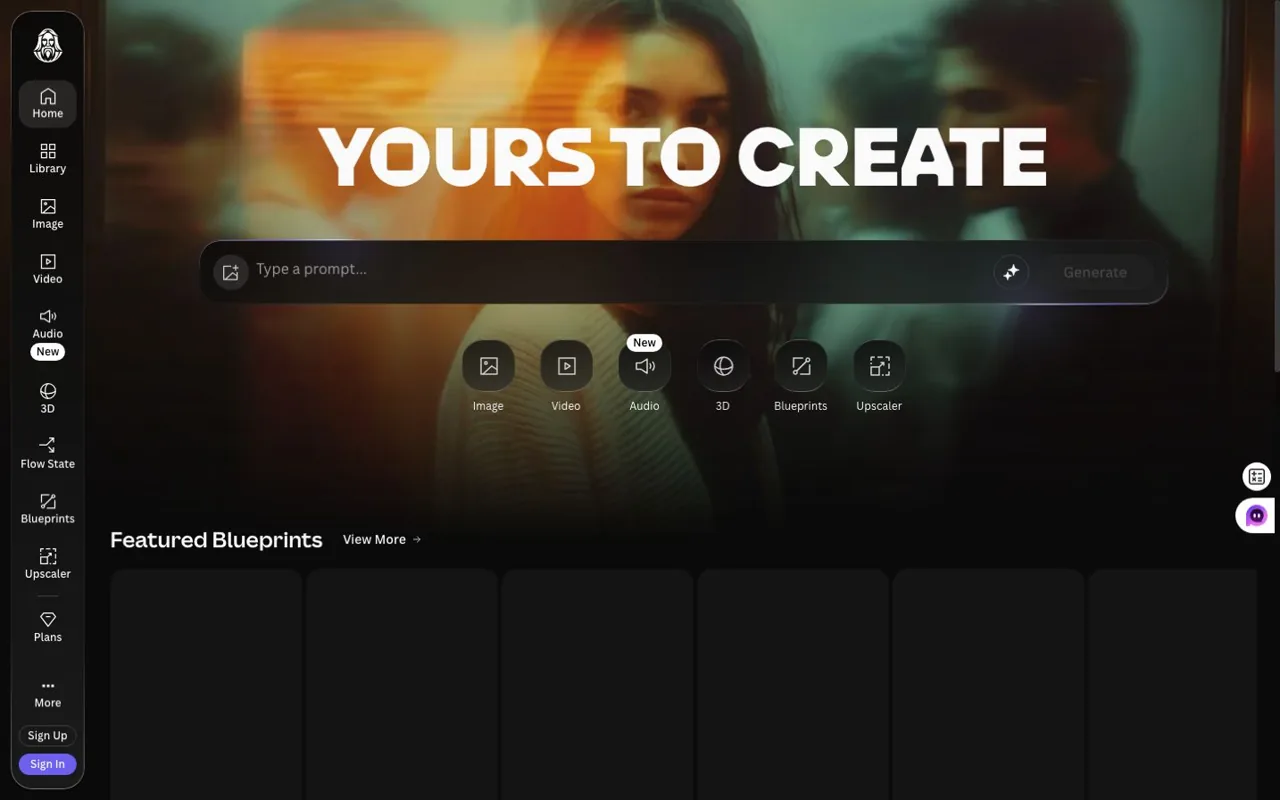
Leonardo.Ai сочетает в себе модели обработки изображений, инструменты для работы с холстом, готовые стили и функции для создания ресурсов. Это решение занимает промежуточное положение между простым генератором для конечных пользователей и полностью локальным рабочим процессом Stable Diffusion.
Основные особенности
- Собственные и партнерские модели обработки изображений
- Редактирование на холсте
- Многоразовые стили и пресеты
- Пользовательские модели или параметры обучения
- доступ к API
Плюсы
- Мощная производственная среда для создания игровых и концептуальных ресурсов.
- Больше визуальных элементов управления, чем во многих генераторах диалогов.
- Полезно для создания семейства связанных между собой активов.
Cons
- Количество моделей и настроек может сбить с толку начинающих пользователей.
- Потребление кредитов зависит от конкретных условий.
- Политика конфиденциальности и условия владения могут зависеть от выбранного тарифного плана.
Ценообразование
- Бесплатно — это $0 с 150 токенами Fast в день и публичными генерациями.
- Важно, чтобы $12 в месяц с 8 500 токенами в месяц и частным генерированием; тариф «Премиум» — это $30 в месяц с 25 000 токенов; «Ultimate» — это $60/месяц с 60 000 токенов.
- Team Starter — это $72 в месяц на три места ($24/место), а Team Growth — $144 в месяц на три места ($48/место).
- Доступ к API оплачивается по факту использования и можно начать с Покупка кредитов $5.
Выберите этот вариант, если: Вам требуется рабочее пространство для визуального производства в сфере игр, развлечений или разработки концептов.
Пропустите, если: Вам нужен всего один быстро загружающийся скриншот из простого интерфейса.
10. Canva Dream Lab — лучший инструмент для создания дизайнов для социальных сетей и маркетинга
Лучшее для: Посты в социальных сетях, презентации, графические материалы для кампаний, а также команды, которые уже используют шаблоны Canva и наборы брендинга.
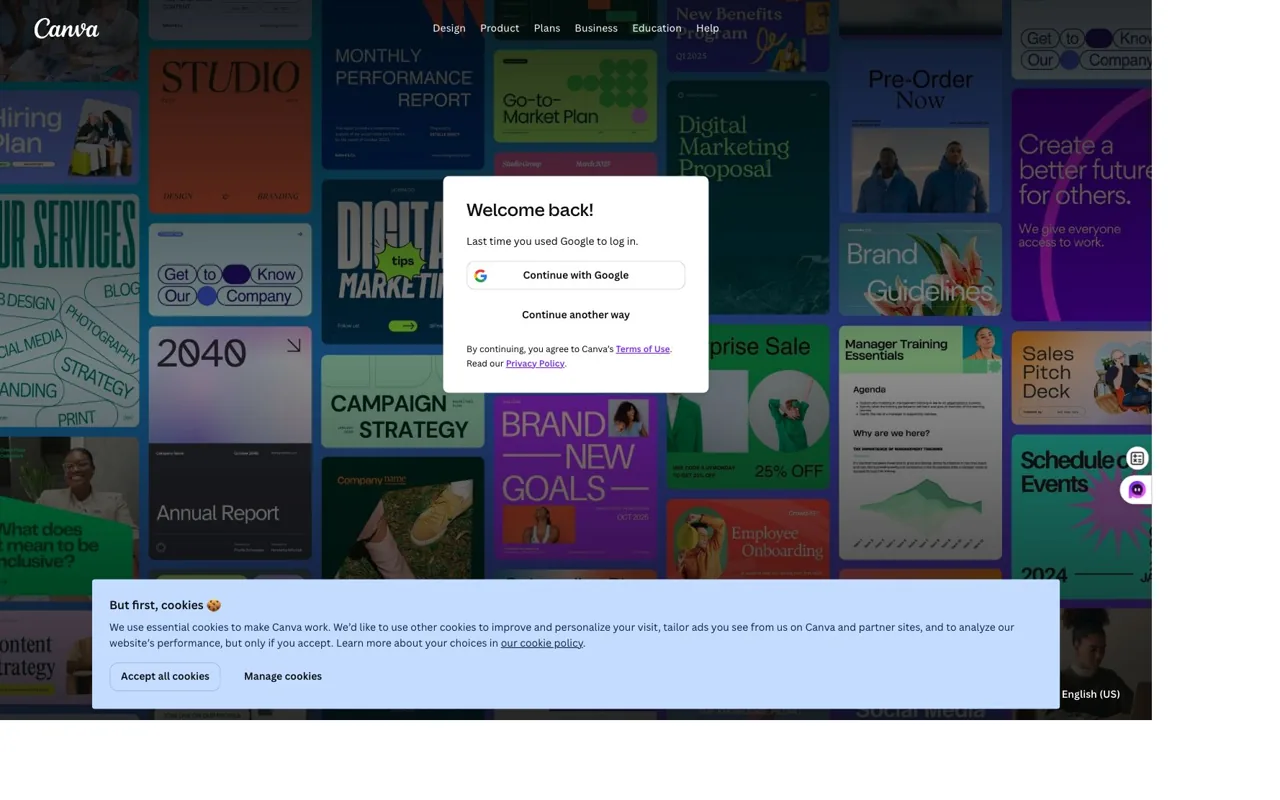
Преимущество Canva становится очевидным после создания изображения. Пользователи могут сразу же разместить его в шаблоне для социальных сетей, презентации, рекламном материале или совместном проекте, не экспортируя его в отдельный редактор.
Основные особенности
- Dream Lab и инструменты для работы с изображениями на основе искусственного интеллекта
- Интеграция шаблонов
- Комплекты брендинга
- Совместная работа в команде
- Рабочие процессы создания презентаций и публикации материалов в социальных сетях
Плюсы
- Быстрый путь от сгенерированного изображения до готового маркетингового материала.
- Простота использования даже для тех, кто не является дизайнером.
- Хорошо сочетается с имеющимися шаблонами Canva и ресурсами команды.
Cons
- В них меньше средств управления передовыми технологиями генерации, чем в специализированных инструментах.
- Доступность базовой модели может измениться.
- На результаты работы ИИ, шаблоны, стоковые материалы и загруженный контент могут распространяться различные условия лицензирования.
Ценообразование
- Canva Free — это $0 и включает до 200 стандартных использований ИИ или 20 премиум-использований ИИ в рамках действующей системы общего лимита.
- На странице «Годовой отчет США» указано, что стоимость Canva Pro составляет $180 в год на человека с 10-кратным увеличением лимита бесплатного ИИ.
- Canva Business был $250 в год на человека с 20-кратным увеличением бесплатного лимита ИИ и включенным доступом к Leonardo.Ai и Flourish; в ходе бесплатной пробной версии тарифного плана «Business» доступ к Leonardo Essential не предоставляется.
Выберите этот вариант, если: Ваша цель — готовый дизайн для социальных сетей или маркетинга, а не просто отдельное изображение.
Пропустите, если: Вам потребуются точные параметры генерации или локальное развертывание.
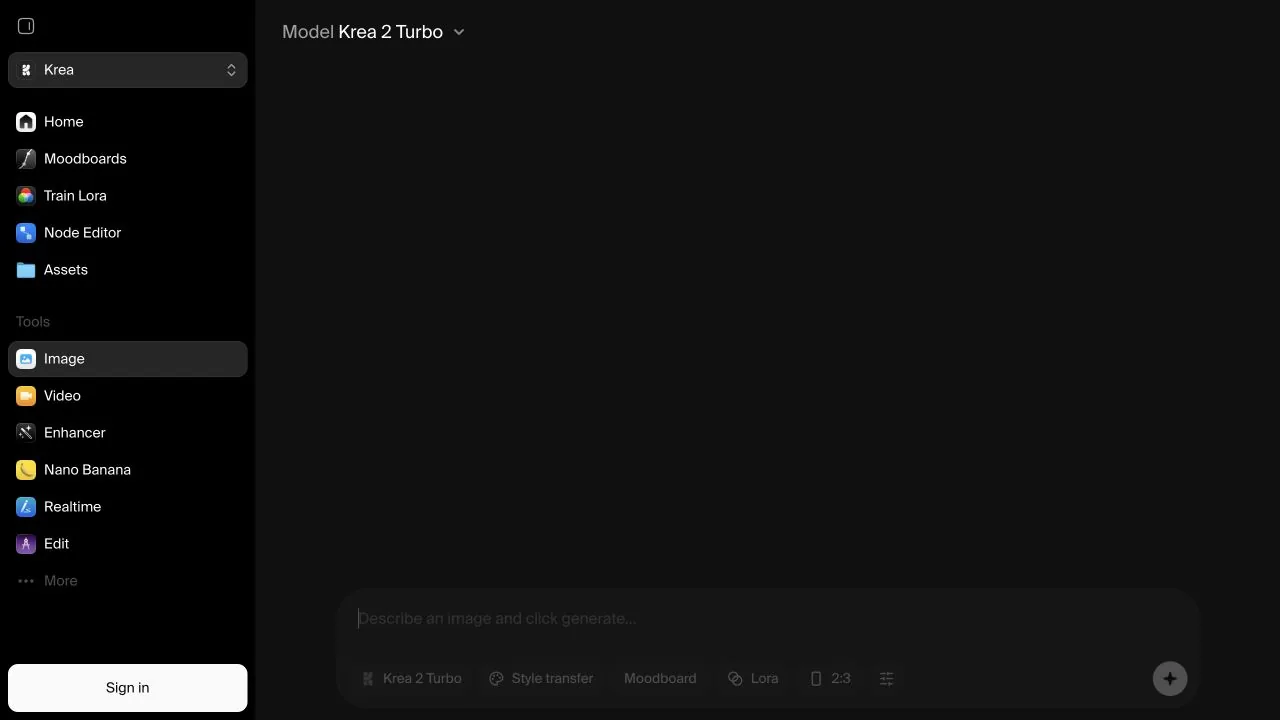
11. Krea — лучший инструмент для визуальной итерации в режиме реального времени
Лучшее для: Быстрое генерирование идей, обратная связь в режиме реального времени, доработка и авторы, предпочитающие визуально воплощать свои замыслы.
Krea делает акцент на оперативности. Вместо того чтобы ждать, пока сформируется отточенный запрос, а затем анализировать результат, пользователи могут корректировать визуальные данные и наблюдать за тем, как направление развития меняется в режиме реального времени.
Основные особенности
- Генерация изображений в режиме реального времени
- Элементы управления на основе Canvas
- Улучшение качества изображения и увеличение разрешения
- Перенос стиля и справочные материалы
- Доступ к маршрутам нескольких моделей
Плюсы
- Отлично подходит для быстрого визуального изучения.
- Обеспечивает более оперативную обратную связь, чем традиционная очередь запросов.
- Объединяет функции создания и доработки в одном интерфейсе.
Cons
- При выводе данных в режиме реального времени скорость может иметь приоритет над максимальной детализацией.
- Выбор модели и льготы зависят от конкретного плана.
- Коммерческие условия могут зависеть от выбранной базовой модели.
Ценообразование
- В тарифный план «Free» входит 100 вычислительных единиц в день, что, согласно текущему сравнению Krea, примерно соответствует одному поколению Nano Banana 2.
- План «Basic» включает 5 000 единиц в месяц; план «Pro» — 20 000; а план «Max» — 60 000 на выбранном уровне.
- Платные тарифные планы включают возможность коммерческого использования, более высокую одновременную загрузку, расширенный доступ к видеоматериалам, обучение с использованием LoRA и повышение разрешения.
- На официальной странице цены на тарифные планы отображались динамически, поэтому в данной статье не приводится сумма в долларах, которая не была достоверно зафиксирована в доступных данных страницы.
Выберите этот вариант, если: Вы хотите интерактивно изучить композицию и стиль.
Пропустите, если: Вам нужен прозрачный производственный контракт, ориентированный на API.
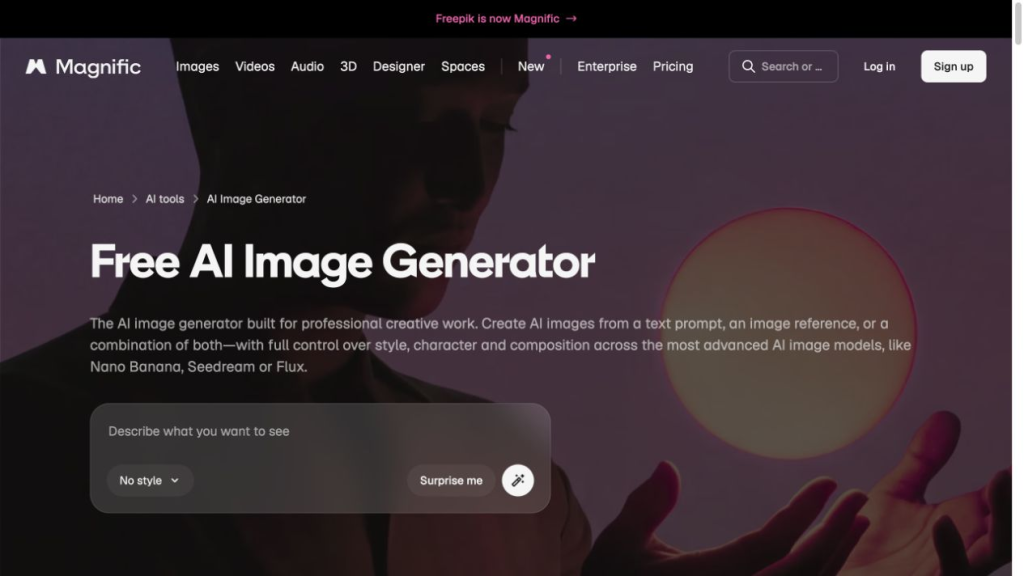
12. Magnific (ранее Freepik) — лучший вариант для создания материалов с использованием стоковых изображений и ИИ
Лучшее для: Маркетинговые команды, которые сочетают генерацию контента с помощью ИИ с использованием стоковых изображений, макетов, значков, средств улучшения качества и производственных ресурсов.
Сайт Freepik теперь перенаправляет посетителей с главных страниц, посвященных продуктам и ценам, на Великолепный, при этом явно обозначая сервис как “ранее Freepik”. Magnific — это практичная альтернатива, когда генерация изображений является лишь одной из составляющих рабочего процесса по созданию большого объема контента. Его ценность заключается в сочетании возможности выбора моделей со стоковыми ресурсами, функцией «Spaces», инструментами редактирования, увеличением разрешения, MCP, плагинами и доступом к API.
Основные особенности
- Генерация изображений с использованием нескольких моделей
- Более 250 миллионов стоковых фотографий, видео, векторных изображений и PSD-файлов в рамках платных тарифных планов
- Макеты и инструменты для создания фона
- Редактирование и увеличение разрешения изображений
- Маркетингово-производственные рабочие процессы, MCP, плагины и доступ к API
Плюсы
- Полезно для создания большого количества элементов рекламной кампании в одной среде.
- Объединяет производство с запасами и проектными ресурсами.
- Выбор модели помогает командам адаптироваться к различным задачам в области компьютерного зрения.
Cons
- Кредиты могут расходоваться по-разному в зависимости от модели.
- В отношении некоторых моделей сторонних разработчиков могут действовать иные правила.
- Лицензии на стоковые материалы и условия использования результатов работы ИИ необходимо рассматривать отдельно.
Ценообразование
- При годовом выставлении счетов тарифный план «Премиум» регулярно $20/месяц и временно отображается как $14.50 с показателем 240 000 кредитов в год.
- Premium+ регулярно $45 в месяц а также временно $33.75 с годовым объемом кредитов в 600 000.
- Pro регулярно $280 в месяц а также временно $210 с годовым объемом кредитов в 4 миллиона.
- Дела шли стабильно $69 за одно рабочее место в месяц а также временно $55, с годовым объемом командных кредитов в 1,08 млн в указанной конфигурации для двух пользователей.
- Срок действия отмеченной скидки “Happy Horse” должен был истечь 8 августа 2026 года; для долгосрочного сравнения используйте обычные цены.
Выберите этот вариант, если: Вы регулярно сочетаете сгенерированные изображения со стоковыми материалами, маркетинговыми шаблонами и различными моделями сторонних разработчиков.
Пропустите, если: Вам нужна одна модель с простой и понятной ценой за каждое изображение.
Какую альтернативу Midjourney выбрать?
- Выберите GlobalGPT если вам нужны несколько моделей, вызов моделей через командную строку, интеграция с Codex, Yukie и более широкие возможности для творческого рабочего процесса.
- Выберите изображение GPT когда редактирование текста в устной форме и соблюдение инструкций имеют первостепенное значение.
- Выберите Nano Banana для внесения изменений в продукты и рекламные кампании на основе справочной информации.
- Выберите FLUX для фотореалистичности, API и гибкости развертывания.
- Выберите Adobe Firefly когда изображение будет перенесено в Creative Cloud.
- Выберите иероглиф для плакатов и визуальных материалов с большим объёмом текста.
- Выберите «Recraft» для векторных изображений и брендовых ресурсов.
- Выберите Stable Diffusion для локального управления и настройки.
- Выберите Leonardo.Ai для создания игровой графики и концепт-арта.
- Выберите Canva для быстрого создания дизайнов для социальных сетей и маркетинга.
- Выберите Krea для анализа и оптимизации в режиме реального времени.
- Выберите Magnific когда необходимо обеспечить совместную работу механизмов генерации, готового контента, масштабирования и API различных моделей.
Можно ли использовать альтернативы Midjourney в коммерческих целях?
Многие инструменты искусственного интеллекта для работы с изображениями допускают коммерческое использование в той или иной форме, однако это понятие более узкое, чем может показаться на первый взгляд. Разрешение на коммерческое использование полученного результата не гарантирует права авторства, эксклюзивности, отсутствия конфликтов с товарными знаками, отсутствия нарушений авторских прав или юридической защиты от претензий.
- Разрешение на коммерческое использование: Допускается ли использование продукта в коммерческих целях в соответствии с условиями лицензии.
- Возможность защиты авторским правом: Признает ли местное законодательство достаточное авторство человека.
- Эксклюзивность: Может ли другой пользователь получить аналогичный результат.
- Конфиденциальность: Являются ли подсказки и сгенерированные тексты общедоступными или частными.
- Возмещение убытков: Предоставляет ли соответствующий контракт правовую защиту при определённых условиях.
Обратите особое внимание на результаты генерации, доступные по бесплатному тарифу, некоммерческие лицензии с открытыми ограничениями, контрольные точки и LoRA сторонних разработчиков, узнаваемых людей, логотипы брендов и модели партнеров внутри мультимодельных платформ. Результаты генерации Midjourney по умолчанию являются общедоступными, если пользователь тарифного плана Pro или Mega, имеющий на это право, не включил режим Stealth. Бесплатный тариф Recraft предназначен исключительно для личного использования, тогда как платные тарифы предоставляют коммерческие права и частные результаты. Бесплатная коммерческая лицензия Stable Diffusion 3.5 действует только при годовом доходе ниже установленного порога в $1 миллион.
Часто задаваемые вопросы
Какая альтернатива Midjourney является лучшей в целом?
Универсального победителя нет. GlobalGPT — это наиболее гибкий универсальный вариант, GPT Image отлично подходит для редактирования диалогов, Nano Banana — для рабочих процессов с использованием справочной информации, FLUX — мощный API и вариант с фотореалистичным изображением, Ideogram специализируется на тексте, а Stable Diffusion предлагает максимальный локальный контроль.
Есть ли бесплатная альтернатива Midjourney?
Да. Несколько продуктов предоставляют ограниченный бесплатный доступ, в том числе ChatGPT Images, Gemini, Ideogram, Leonardo.Ai, Canva, Krea, Magnific и отдельные локальные модели. Прежде чем рассматривать бесплатный тариф как полноценную альтернативу, ознакомьтесь с квотой на генерацию изображений, политикой конфиденциальности, наличием водяных знаков, разрешением и условиями коммерческого использования.
Какая бесплатная альтернатива Midjourney наиболее близка по функционалу?
Для творческой работы наиболее подходящими могут оказаться ограниченные версии FLUX или Leonardo. Для редактирования диалогов попробуйте использовать доступный лимит изображений в версиях Gemini или ChatGPT. Что касается локального управления, версия Stable Diffusion станет наиболее эффективным долгосрочным решением при наличии подходящего оборудования.
Какая альтернатива Midjourney лучше всего подходит для текста?
Ideogram, GPT Image, Recraft и отдельные модели FLUX являются отличными вариантами для визуальных материалов с большим объемом текста. Ни одной модели нельзя доверять публикацию сгенерированного текста без предварительной корректуры.
Какая из альтернатив Midjourney может работать локально?
Основными вариантами являются Stable Diffusion и весовые матрицы FLUX с соответствующими лицензиями. Требования к аппаратному обеспечению, лицензию на базовую модель, лицензию на checkpoint и лицензию на LoRA необходимо проверять по отдельности.
Есть ли у Midjourney API?
Midjourney не предоставляет общедоступный API для самостоятельного использования, как это делают OpenAI, Google или Black Forest Labs. Пользователи GlobalGPT могут вызывать Midjourney через командную строку GlobalGPT, не рассматривая потребительский веб-сайт Midjourney в качестве единственного способа работы.
Может ли Codex генерировать изображения формата Midjourney с помощью GlobalGPT?
Да. GlobalGPT поддерживает прямые вызовы Midjourney через свой интерфейс командной строки (CLI). Codex может запустить CLI GlobalGPT, выбрать Midjourney, зафиксировать модель и результат, а также сохранить возвращенное изображение в рабочей среде. Пользователь остается в рабочем процессе агента, пока CLI обрабатывает базовое подключение к модели.
Означает ли использование официального API модели, что GlobalGPT одобрено поставщиком модели?
Нет. Доступ к API и официальная поддержка со стороны компании — это разные вещи. GlobalGPT — это независимая сторонняя платформа, а названия моделей остаются собственностью их соответствующих владельцев.
Окончательный вердикт
Midjourney по-прежнему остается отличным выбором, когда главными приоритетами являются визуальная привлекательность и творческий подход. Альтернативные решения становятся более привлекательными, когда в работе требуется точность текста, редактирование в разговорном стиле, локальный контроль, доступ к API или рабочий процесс, который переходит в другие формы контента.
Для пользователей, которые не хотят привязывать каждую задачу к одной модели изображений, GlobalGPT предлагает самый широкий спектр возможностей в этом списке. Его преимущество заключается в объединении возможности выбора модели с инструментами GlobalGPT CLI, Codex и агентами, Yukie, а также созданием медиаконтента в рамках одной учетной записи. Следующим практическим шагом будет протестируйте свой собственный промпт в GlobalGPT на двух-трех моделях, которые соответствуют вашей реальной работе, а не выбирать исключительно из галереи образцов.