
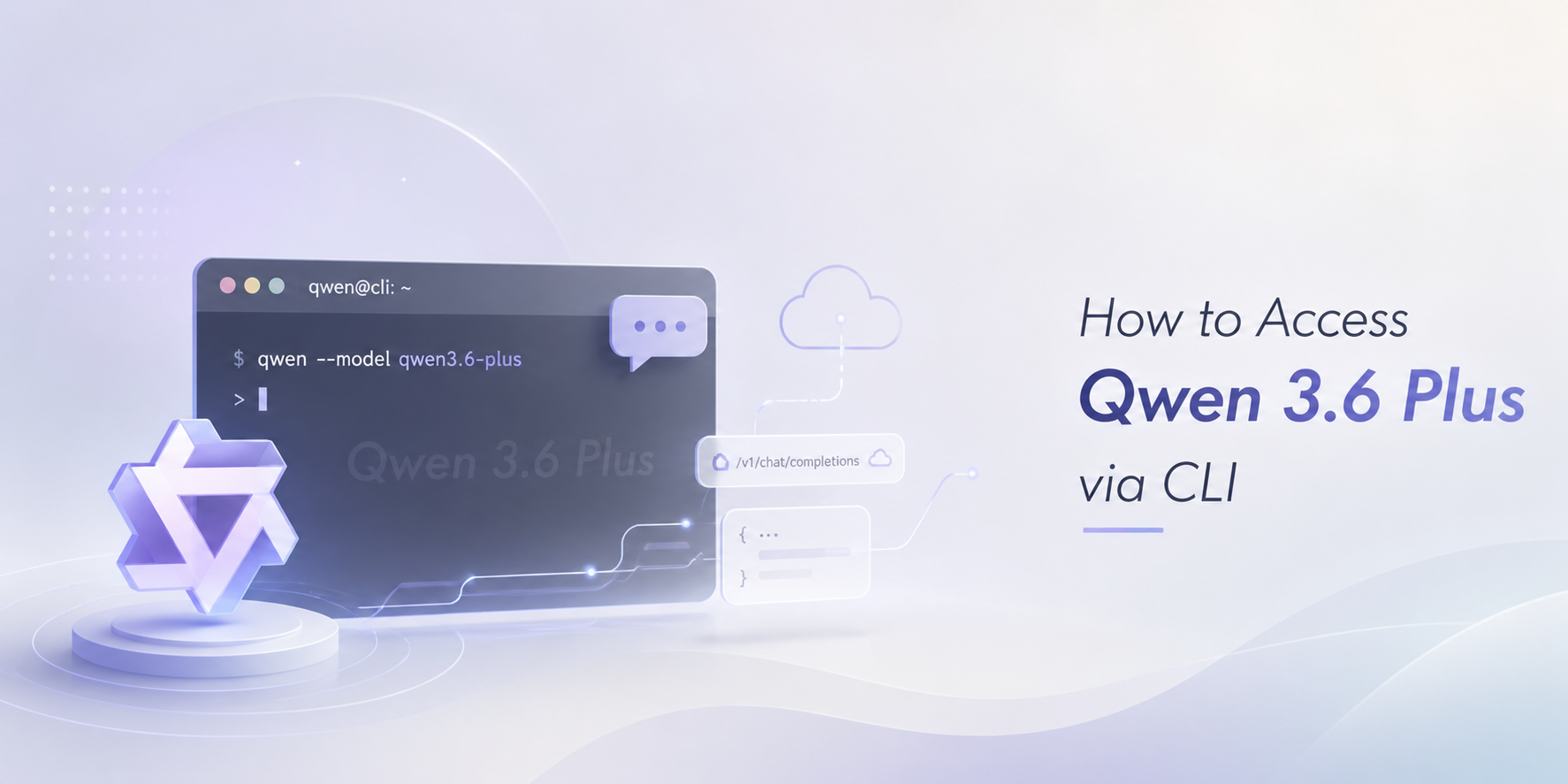
Comece com o fluxo de trabalho da CLI que as pessoas procuram e, em seguida, passe para a CLI Qwen3.8-Max da GlobalGPT, que é mais robusta, quando seus projetos precisarem de um contexto mais amplo, programação mais complexa e execução em várias etapas.
Como acessar o Qwen 3.6 Plus
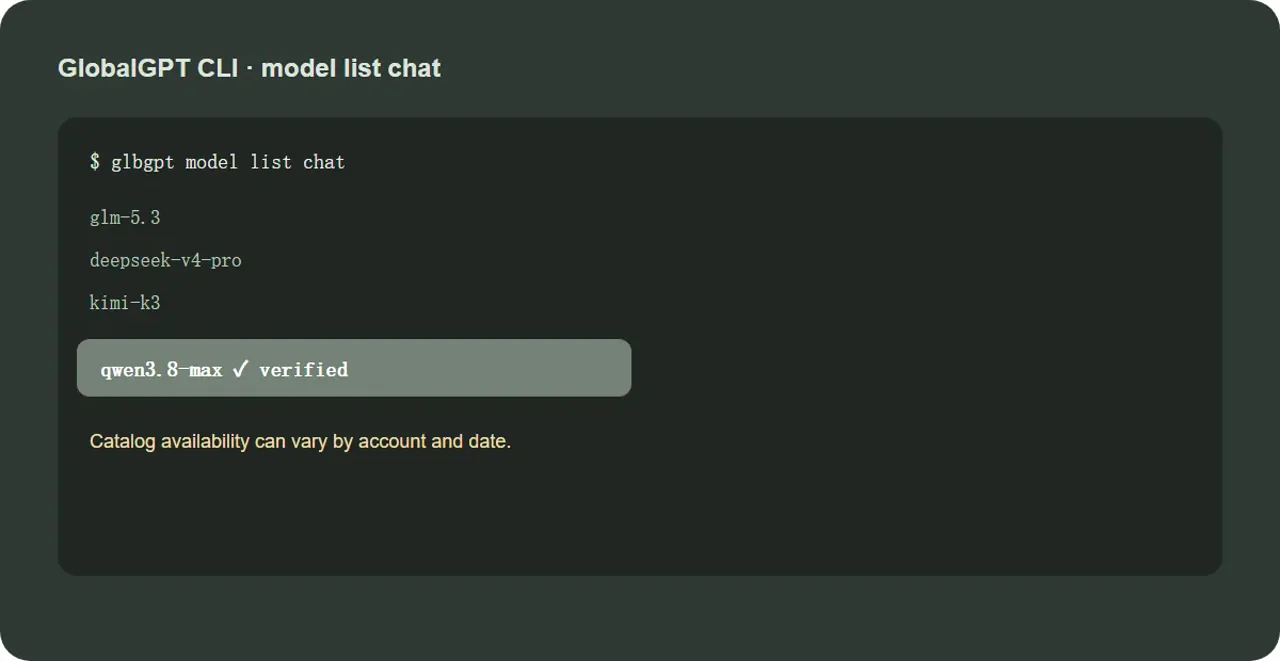
Para acessar o Qwen 3.6 Plus, escolha primeiro um provedor oficial da web ou da API e, em seguida, confirme se sua conta disponibiliza o modelo antes de tentar chamá-lo a partir de um terminal. Para um fluxo de trabalho via CLI, instale a CLI do provedor, faça login e execute glbgpt: lista de modelos, bate-papo, e copie exatamente o ID do modelo Qwen 3.6 Plus retornado para a sua conta. Em seguida, execute uma pequena solicitação somente para leitura com glbgpt exec "Explique este arquivo sem editá-lo." -m. Se o modelo não estiver listado, não tente adivinhar um ID: a disponibilidade varia de acordo com o fornecedor, a conta e a data. No catálogo GlobalGPT atual verificado para este guia, qwen3.6-plus não constava da lista, enquanto qwen3.8-max estava disponível. Isso faz com que a CLI Qwen3.8-Max da GlobalGPT seja a atualização mais prática para programação de contexto longo, análise de repositórios e trabalho agênico em etapas.
Resposta curta: Comece verificando se o seu catálogo CLI atual disponibiliza o Qwen 3.6 Plus. Em um espaço de trabalho GlobalGPT, execute glbgpt: lista de modelos, bate-papo antes de definir um ID de modelo. Se o Qwen 3.6 Plus estiver listado, faça login e acesse-o por meio do fluxo de trabalho compatível da CLI. Para um fluxo de trabalho de desenvolvimento mais robusto, o GlobalGPT oferece uma melhor Qwen3.8-Max CLI caminho para a codificação em escala de repositório, trabalhos de longo prazo e tarefas autônomas.
É possível acessar o Qwen 3.6 Plus por meio da CLI?
Sim, mas o acesso via CLI depende do endpoint e do catálogo que você estiver usando. O Qwen Chat é a forma mais simples de acesso pelo navegador. O OpenRouter e o Alibaba Cloud Model Studio são acessos via API. Uma CLI adiciona uma camada de terminal: você se autentica uma vez, escolhe um ID de modelo e, em seguida, envia prompts, arquivos ou instruções do projeto sem precisar alternar entre as abas do navegador. A diferença importante é que um comando da CLI só é válido quando o modelo está presente no catálogo ativo associado a esse comando.
Verifique primeiro a lista de modelos da CLI; em seguida, faça a autenticação e utilize o ID do modelo Qwen 3.6 Plus indicado na lista. Para trabalhos de desenvolvimento mais complexos, a CLI Qwen3.8-Max do GlobalGPT é a melhor opção, caso ela conste no catálogo da sua conta.
O que você precisa antes da instalação
Terminal: macOS, Windows PowerShell, shell do Linux ou um terminal equivalente. Conta: uma conta com acesso ao provedor selecionado. Catálogo de modelos: o nome exato do modelo ou o ID retornado pelo provedor. Higiene fundamental: Mantenha as chaves de API em variáveis de ambiente ou no fluxo de login do provedor; nunca em um repositório ou em uma captura de tela.
Instale e faça login
1 · Verifique a identidade da CLI
Isso confirma se a CLI está instalada e se há uma sessão disponível.
2 · Descubra as modelos disponíveis no chat
Verifique se há o Qwen 3.6 Plus antes de escrever um comando que presuma seu ID. Os catálogos podem variar de acordo com a conta, a data ou o nível de acesso.
3 · Instalar quando o comando não estiver presente
Use isso apenas quando o seu terminal informar que o glbgpt não foi encontrado. Em seguida, execute o comando glbgpt login você mesmo; o processo de login abre um navegador.
Execute sua primeira tarefa na CLI do Qwen 3.6 Plus
Depois que a lista de modelos confirmar o ID exato, use o comando de execução de modelo da CLI com esse ID. Não copie um ID de modelo de um trecho de pesquisa se o seu próprio catálogo apresentar uma grafia diferente. Uma primeira tarefa segura é uma explicação somente para leitura de um arquivo pequeno.
4 · Primeira tarefa somente para leitura
Substitua o espaço reservado pelo ID exato indicado no seu catálogo. Inicie no modo somente leitura para que você possa verificar a resposta antes de permitir edições.
Problemas comuns do Qwen 3.6 Plus CLI
Modelo não encontrado
Executar glbgpt: lista de modelos, bate-papo Mais uma vez. O nome de um modelo mencionado em uma resposta do AIO, em uma publicação nas redes sociais ou na página de um provedor não garante que sua conta exponha a mesma rota.
Falha no login ou no token
Executar glbgpt whoami, e, em seguida, conclua login no glbgpt você mesmo. Nunca cole uma senha em um prompt, em uma questão pública ou em um artigo do WordPress.
A resposta demora muito ou para antes do tempo
Reduza a primeira tarefa, solicite uma saída em etapas e verifique o limite do provedor. Um tempo limite da CLI pode ser um problema relacionado ao endpoint ou ao orçamento, e não uma prova de que o modelo não consegue concluir a tarefa.
Quando o Qwen3.8-Max CLI é a melhor opção
Qwen 3.6 Plus é a consulta com a qual os usuários começam. Mas se a tarefa real envolver uma base de código extensa, um plano de migração demorado, chamadas repetidas de ferramentas ou um ciclo de revisão em vários arquivos, o GlobalGPT oferece uma experiência melhor na CLI do Qwen3.8-Max: um caminho de modelo mais robusto, projetado para codificação complexa, trabalho com contexto extenso e execução em várias etapas.
Arquivos de mapas, riscos e pontos de entrada.
Divida o trabalho em etapas.
Faça alterações específicas com aprovação.
Execute os testes e analise as diferenças.
Executar glbgpt: lista de modelos, bate-papo e procure por qwen3.8-max. Se estiver disponível na sua conta, esse é o próximo passo prático para um trabalho mais aprofundado com a CLI.
Qwen3.8 – Ponto de partida do CLI do Max
A instrução em etapas permite que a primeira execução seja revisada e faz com que a atualização se concentre na qualidade do fluxo de trabalho, e não apenas em um rótulo do modelo.
Qwen 3.6 Plus CLI vs Qwen3.8-Max CLI
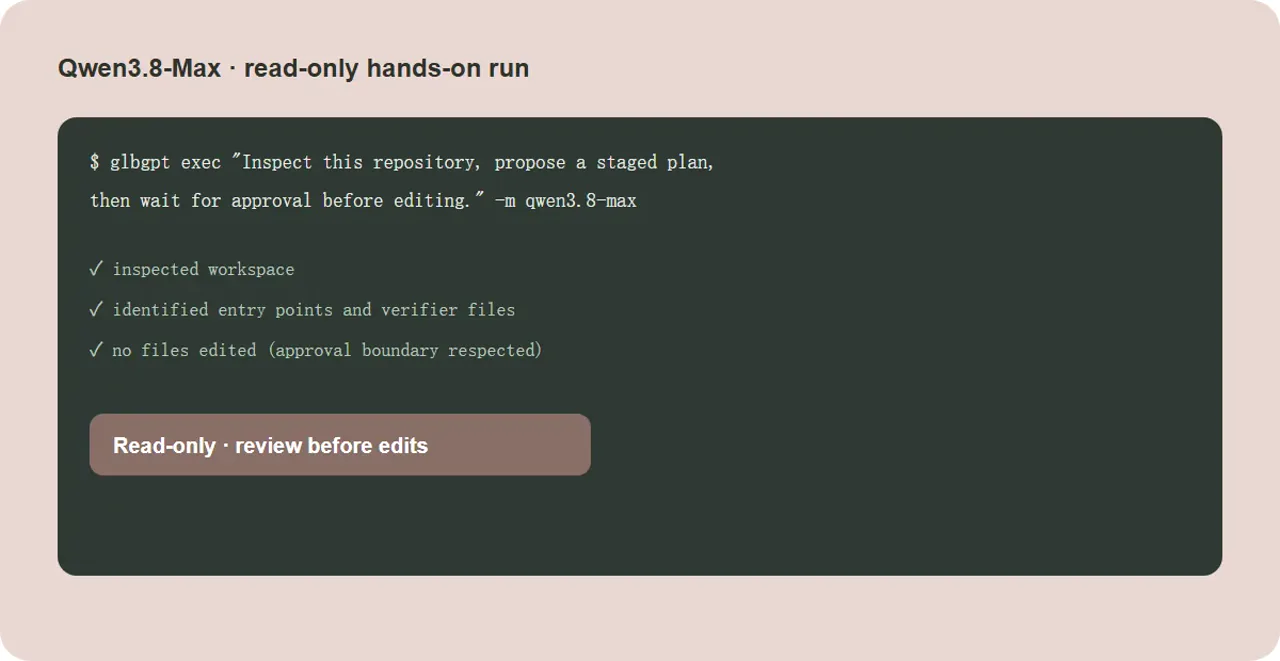
Execuções de testes somente leitura são realizadas em relação aos dados verificados qwen3.8-max entrada no catálogo. Nenhum arquivo do repositório foi alterado.
Solicitação: Analise o contexto deste repositório e forneça um resumo conciso dos possíveis pontos de entrada, comandos de teste e os três primeiros arquivos que você analisaria. Não altere nada.
A execução inspecionou o espaço de trabalho e identificou candidatos a pontos de entrada, caminhos relacionados a testes e arquivos de compilação/verificação antes de qualquer limite de edição.
Solicitação: Você está analisando um pequeno auxiliar de repetição de tentativas. Explique os possíveis riscos à correção, proponha um patch mínimo e liste três testes que devem ser aprovados. Não edite arquivos.
A execução procurou por arquivos e símbolos relacionados a novas tentativas e, em seguida, retornou uma resposta voltada para a revisão, sem modificar o espaço de trabalho.
Solicitação: Elabore um plano por etapas para uma migração do CMS com duração de duas horas, envolvendo dois engenheiros. Inclua responsáveis, prazos, marcos de decisão (avançar/não avançar), marcos de reversão e verificação final. Não edite arquivos.
Saída apenas para planejamento, destinada à avaliação da estrutura, das etapas e dos limites de aprovação antes de permitir edições.
Perguntas frequentes sobre a CLI do Qwen 3.6 Plus
Como faço para acessar o Qwen 3.6 Plus?
Consulte a rota oficial da web ou um provedor compatível com API e, em seguida, verifique o ID exato do modelo da CLI no catálogo da sua conta antes de chamá-lo.
Posso usar o Qwen 3.6 Plus a partir de um terminal?
Sim, quando seu provedor disponibiliza o modelo por meio de uma CLI compatível com API. Comece com os comandos `glbgpt whoami` e `glbgpt model list chat` e, em seguida, use o ID retornado.
E se o qwen3.6-plus não estiver no meu catálogo?
Não force o uso de um ID de modelo adivinhado. Use o caminho oficial da web/API ou mude para um modelo que seu catálogo atual reconheça, como o qwen3.8-max, quando disponível.
Por que usar o GlobalGPT Qwen3.8-Max CLI?
O Qwen3.8-Max é a atualização mais robusta para codificação em contexto extenso, inspeção de repositórios, planos em etapas e ciclos de teste/revisão. Verifique o catálogo GlobalGPT em tempo real antes de executá-lo.
Pronto para o caminho mais desafiador da CLI?
Consulte o catálogo do modelo GlobalGPT, escolha o Qwen3.8-Max, se disponível, e comece com uma tarefa apenas de inspeção antes de habilitar as edições.
Abrir GlobalGPT


