
Midjourney is not free in 2026. There is no free trial on Midjourney.com or Discord, so creating an account does not give you free image generations.
There is one official exception: eligible new users can get 20 free image generations in the niji・journey mobile app for iOS and Android. Start there if you want to try generating images before buying a subscription. It is a limited mobile trial, not a permanent free Midjourney plan.
If your project also needs a creative brief, captions, images, and video, GlobalGPT brings multiple AI models into one subscription and workspace. You can develop the idea, create visual assets, and write the accompanying copy without setting up a separate platform for each task.
Is Midjourney Free in 2026?
Creating a Midjourney account does not include free image generations. You can visit the website and explore public work, but generating your own images normally requires a subscription.
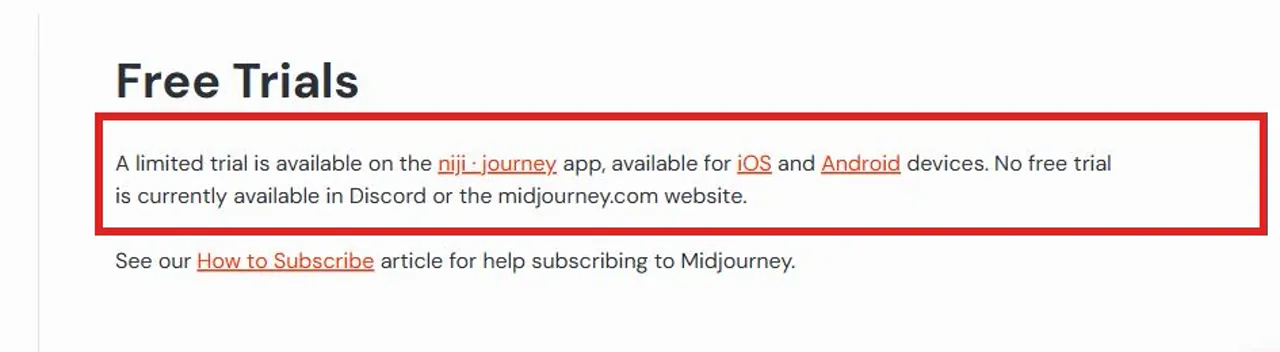
This distinction matters because many older tutorials still describe free Discord generations. That route is no longer available, according to Midjourney’s official free-trial documentation.
The Only Official Midjourney Free Trial: niji・journey
If you want to try Midjourney without buying a subscription first, the niji・journey app is the only free route Midjourney currently documents. The official niji・journey help center says eligible new mobile users receive 20 free image generations.
Where the trial is available
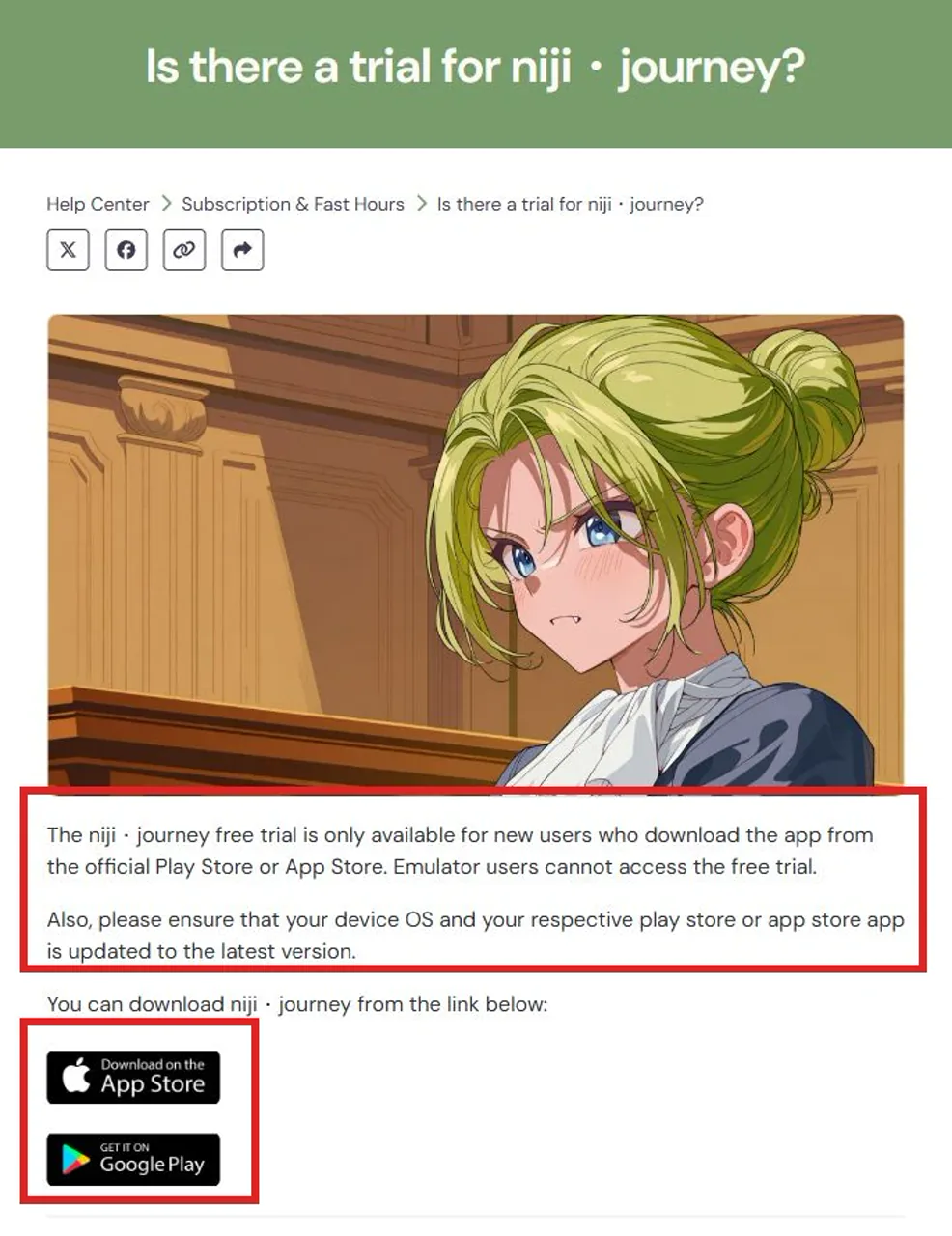
The limited trial is offered inside the niji・journey mobile app. According to the official trial page, it is available only to new users who download the app from the official Apple App Store or Google Play, and emulator users cannot access it.
Download the app only through the official Apple App Store or Google Play listing. Avoid websites that promise Midjourney trial codes, shared accounts, or unofficial downloads.
What “limited trial” means
Midjourney calls this a limited trial, not a free plan. The niji・journey mobile guide currently specifies 20 free image generations, but eligibility and the live offer can change. Check the terms shown inside the app before you start.
Do not assume every account or region will receive identical terms. The offer displayed in your account is the one that applies to you.
How to start the niji・journey trial: step by step
Go to the niji・journey website and choose the Apple App Store or Google Play button for your device.
Install the official app, then create an account or sign in with the account you want to keep using.
Check the app for a trial prompt before selecting a paid plan. If no offer appears, do not assume your account is eligible.
Confirm the generation allowance, included features, expiration, and whether the offer leads into a renewing subscription.
Use a prompt that matches your real project so the limited generations help you decide whether Midjourney fits.
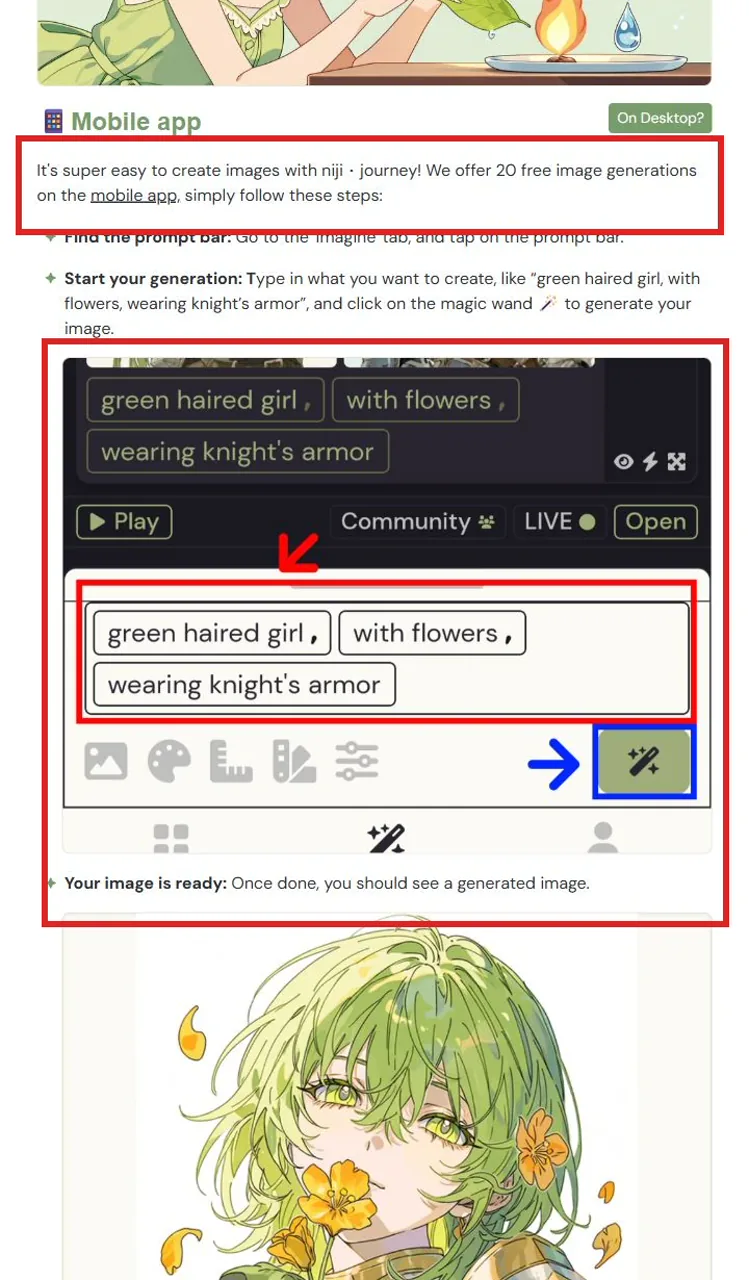
A useful trial should answer a practical question: does Midjourney produce the style and level of control you need? Use your limited generations on representative prompts rather than random experiments.
How Much Does Midjourney Cost?
If the mobile trial is unavailable or too limited, the Basic plan is the lowest-cost way to get full Midjourney access. Midjourney lists four subscription levels.
Monthly price at a glance
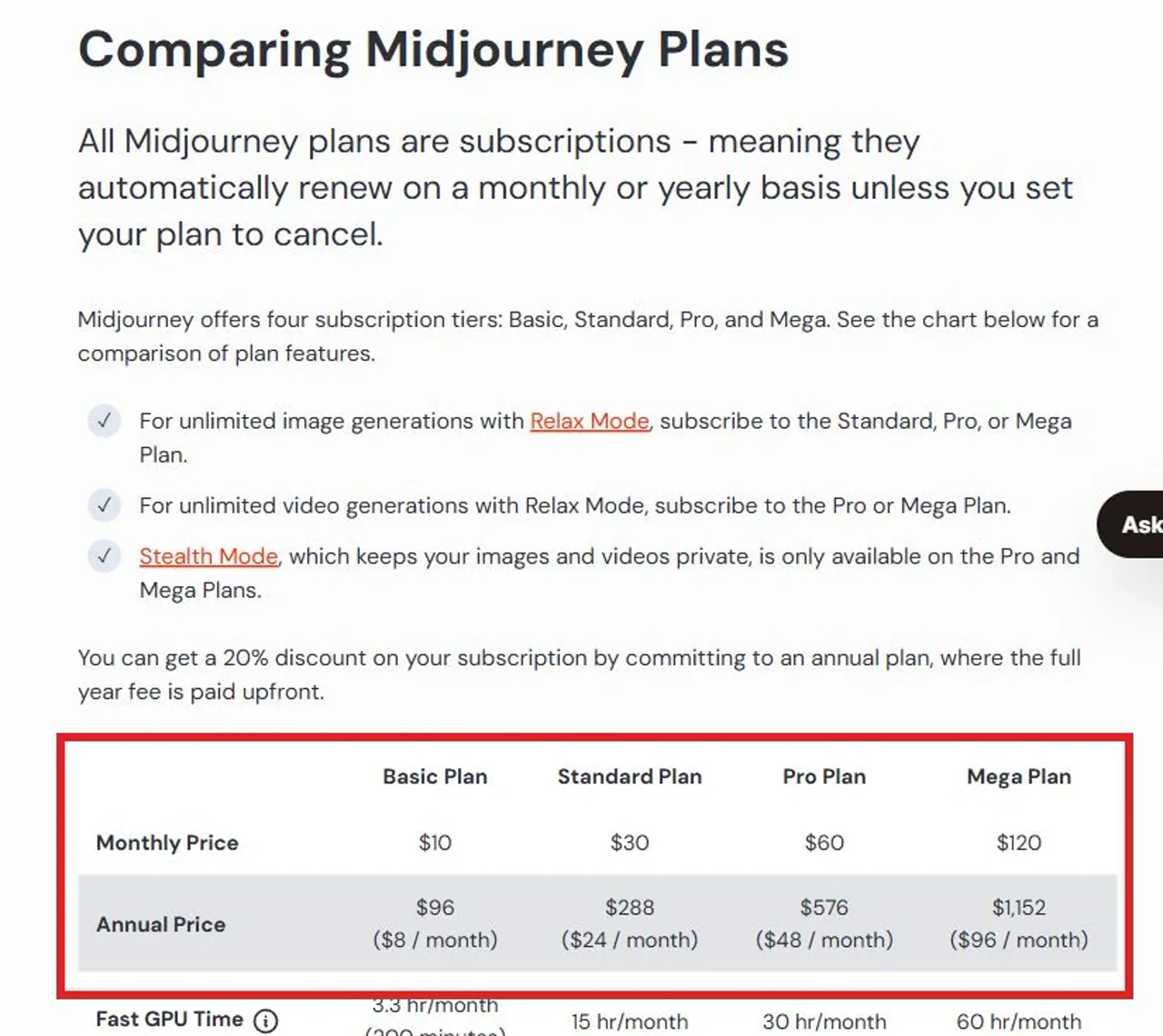
These prices come from Midjourney’s official plan comparison. Annual billing lowers the effective monthly price, but it requires a larger upfront commitment. If you are still evaluating the model, one month of Basic is the safer starting point than a full year.
Midjourney plans renew automatically on a monthly or yearly basis unless you cancel. Review the current plan details before paying because prices, generation limits, and included modes can change.
Midjourney Is Now Available on GLBGPT
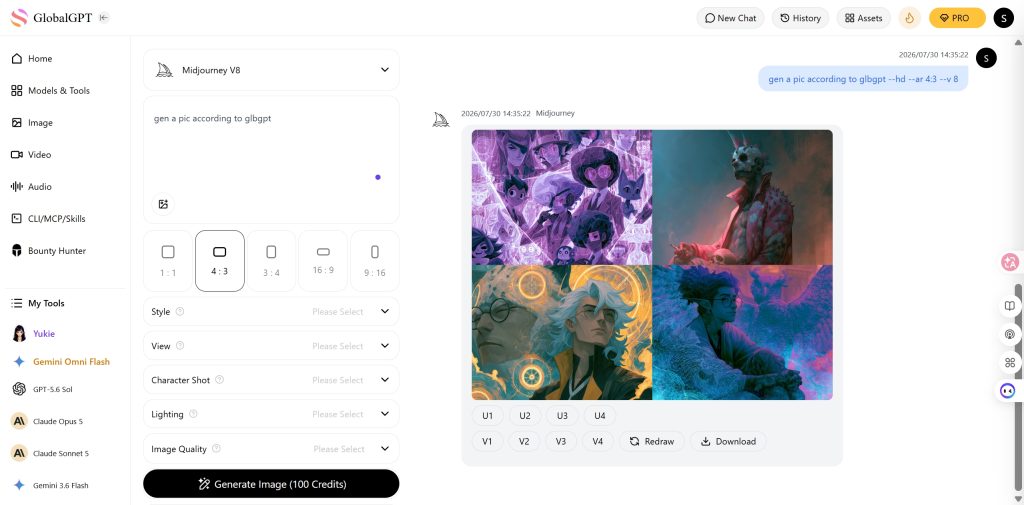
Midjourney was not previously available through GLBGPT. That has changed: you can now access Midjourney inside GLBGPT alongside other image, text, and video models.
Midjourney was not an available model inside GLBGPT, so users needed a separate route.
Midjourney can be selected inside GLBGPT and used alongside other AI models.
The main advantage is choice. A prompt that works beautifully in Midjourney may need better text rendering, a different visual style, or stronger editing controls for the next project. In GLBGPT, you can move between models in one place instead of maintaining a separate setup for every tool.
Why use Midjourney on GLBGPT?
- One place for multiple models: use Midjourney without giving up access to other creative tools.
- Easier comparisons: run the same idea through different image models and keep the result that fits.
- Less platform switching: manage image, text, and video tasks from one account.
- More flexibility by task: choose a model for its strengths instead of forcing every project through one tool.
How to use Midjourney on GLBGPT: step by step
Sign in to the GLBGPT account you want to use for image generation.
Open the model selector and choose the exact Midjourney option shown in the live product.
Describe the subject, visual style, composition, lighting, and any constraints that matter.
Choose only the aspect ratio or other controls actually exposed in the GLBGPT interface.
Review the result, then try the same idea with another image model when comparison would help.
GLBGPT is an independent multi-model platform, not Midjourney’s official website. Midjourney’s own free-trial and subscription terms still come from Midjourney. The GLBGPT route is useful when you want Midjourney access as part of a broader model library.
Frequently Asked Questions
Is Midjourney free in 2026?
No. Midjourney.com and Discord do not offer a free trial. Midjourney documents a limited trial through the niji・journey mobile app for iOS and Android.
Does Midjourney still offer a free trial?
Yes, through the niji・journey mobile app: its official guide offers 20 free image generations to eligible new users. There is no free trial on Midjourney.com or Discord.
How do I access the niji・journey free trial?
Download the official niji・journey app from the App Store or Google Play. The trial is for new users and is unavailable on emulators. Sign in and check the offer before selecting a paid subscription.
Is Midjourney free on Discord?
No. Midjourney’s official free-trial documentation says there is no free trial on Discord. A free Discord account does not include Midjourney image generations.
Is the niji・journey trial the same as a full Midjourney subscription?
No. It is a limited mobile trial. The included generations, models, controls, and other features should be read from the offer in the app, not assumed to match a paid Midjourney subscription.
What is the cheapest Midjourney plan?
Basic is the cheapest direct Midjourney subscription at $10 per month. Annual billing costs $96 upfront, equivalent to $8 per month. Plans renew automatically unless set to cancel.
Is GlobalGPT the official Midjourney free-trial page?
No. The official mobile trial is through niji・journey. GlobalGPT is a separate multi-model AI subscription platform for connected text, image, video, and other AI workflows.





