The OpenAI Image Edit API changes an existing image from a prompt. The native route is POST /v1/images/edits; it accepts an image, a prompt, and optional editing controls such as a mask or reference images. Use the Image API for a focused request, and use the Responses API when the product needs a multi-turn image workflow.
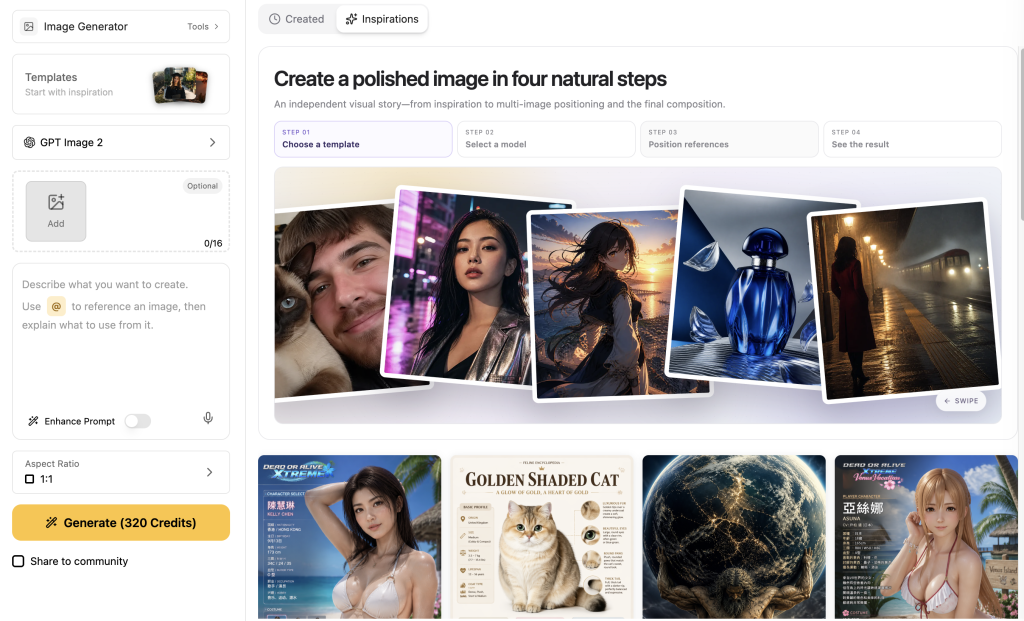
A reliable edit is a small pipeline: freeze the source file, state what must stay, state what may change, inspect the returned bytes, and save the approved asset. If you prefer to move between image models and other media tools in one workspace, create and edit images with GPT Image 2 in GlobalGPT; its public API uses a different asynchronous task contract, which this guide separates from OpenAI’s native endpoint.
Quick answer: choose the route before you write code
| Necessità | Percorso | Request shape | Result to handle |
|---|---|---|---|
| One image generation or edit | API immagine OpenAI | POST /v1/images/edits, multipart form | data[0].b64_json; decode and store it |
| Several turns with image context | OpenAI Responses API | POST /v1/responses with image-generation tool | Extract the image-generation output item |
| Several media models behind one account | GlobalGPT public API | POST /tasks, then poll GET /tasks/{id} | output.url; save it before the 30-day window ends |
The endpoint names look similar, but the request bodies and result handling are not interchangeable.
What does the OpenAI Image Edit API do?
The edit route starts with an existing image. Your prompt describes the change, while the input image supplies the visual context that should survive the edit. You can replace a background, add or remove an element, make a broader restyle, or pass more than one image as references. The model still interprets the request; the API is not a pixel editor with a guaranteed selection boundary.
OpenAI documents two useful workflows. The API Immagini is the direct choice when one request should return one image. The API delle risposte is the better fit when a user will inspect the result, ask for another change, and keep image context across turns. That choice affects both the request shape and the code that extracts the result.
Image API versus Responses API
| Domanda | API Immagini | API delle risposte |
|---|---|---|
| Il migliore per | A single generate-or-edit action | A multi-turn editing experience |
| Typical input | Multipart image, prompt, optional mask | Conversation input plus image-generation tool |
| Output handling | data[0].b64_json | Find the image-generation output item |
| Cost detail | Direct edit uses current input/output rates | Cached input rules may differ; check current pricing |
Make a first edit with the native OpenAI API
Keep the API key on your server and load it from an environment variable. The example below sends one image and a prompt to the documented edits endpoint. The image[] field can be repeated when the selected model supports multiple inputs. The shell pipeline decodes the first returned base64 image into a local PNG.
Native curl edit: save the b64_json result
curl -s \
  -X POST "https://api.openai.com/v1/images/edits" \
  -H "Authorization: Bearer $OPENAI_API_KEY" \
  -F "model=gpt-image-2.5-sunburst" \
  -F "image[]=@source.png" \
  -F "prompt=Replace only the background with a warm beige studio scene; keep the product and label unchanged." \
| jq -r '.data[0].b64_json' \
| base64 --decode > edited.png
Python SDK edit: decode the returned bytes
from openai import OpenAI
import base64

client = OpenAI()
result = client.images.edit(
    model="gpt-image-2.5-sunburst",
    image=open("source.png", "rb"),
    prompt="Replace only the background with a warm beige studio scene; keep the product and label unchanged.",
)

image_bytes = base64.b64decode(result.data[0].b64_json)
with open("edited.png", "wb") as output:
    output.write(image_bytes)
Before you call this production-ready, validate the decoded file: check its MIME type, dimensions, byte count, and whether the visual details that matter are still present. A 200 response only says the request was accepted; it does not tell you that the label, logo, or product geometry survived.
Use masks and reference images safely
A mask tells the model which area you want to change, but GPT Image masking remains prompt-based. OpenAI’s guide explicitly warns that the model uses the mask as guidance rather than an absolute pixel boundary. Keep the prompt specific about the protected subject and review the whole image after generation.
Mask preflight
- The image and mask use the same format.
- The image and mask have the same dimensions.
- The mask file is smaller than 50 MB.
- The mask contains an alpha channel.
- The prompt states what must remain unchanged and what should be replaced.
Check a mask before uploading it
from PIL import Image

source = Image.open("source.png")
mask = Image.open("mask.png")

assert source.format == mask.format, (source.format, mask.format)
assert source.size == mask.size, (source.size, mask.size)
assert mask.width * mask.height > 0
assert mask.mode in {"RGBA", "LA"}, mask.mode
assert mask.fp is None or True  # check the file size on disk separately
print("source:", source.size, source.format)
print("mask:", mask.size, mask.mode)
If you pass multiple images with a mask, the current guide says the mask applies to the first image. That is a useful boundary for designing a reference workflow: make the first input the asset whose area you intend to edit, and treat the remaining images as references rather than assuming the mask selects across all of them.
Reference images solve a different problem. They can provide a product identity, lighting family, palette, or composition cue. They do not force the model to preserve every contour. If an exact package shape or label must remain unchanged, use a visual review gate or a conventional editing step after the model output.
Choose the model and parameters
The current OpenAI image guide lists gpt-immagine-2.5-sunburst, gpt-image-2.5-flare, e gpt-immagine-2. Treat model names and supported options as moving documentation: check the model page immediately before integrating them, and pin a dated version if reproducibility matters.
Parameter decisions that prevent avoidable failures
| Decisione | Regola pratica | Perché è importante |
|---|---|---|
| Input fidelity | Omit input_fidelity per gpt-immagine-2; its image inputs are processed at high fidelity. | Sending an unsupported field can turn a valid edit into a rejected request. |
| Qualità | The 2.5 Sunburst and Flare routes document basso, medio, alto, xhigh, e max. | A higher setting is a cost/latency choice, not a guarantee of better preservation. |
| Formato | Ask for the output format the current endpoint documents, then inspect the decoded file. | Your storage pipeline should trust the bytes and MIME type, not only the requested option. |
| Contesto | State the desired background in the prompt and use the documented background option where supported. | The model still interprets the scene; keep the subject constraints explicit. |
| Riferimenti | Use a reference image to guide identity, color, or lighting, and define the role of every input. | Ambiguous image roles make it harder to diagnose drift. |
What does the OpenAI Image Edit API cost?
OpenAI prices GPT Image usage by token categories rather than by a universal flat price per edit. The current pricing page lists separate image-input, cached-input, and image-output rates. Direct Image API edits do not receive the cached-input treatment documented for the image-generation tool in the Responses API, so do not copy a Responses estimate into a direct /v1/images/edits budget.
Published image-token rates checked 2026-09-28
| Modello | Image input / 1M tokens | Cached image input / 1M tokens | Image output / 1M tokens |
|---|---|---|---|
| GPT Image 2.5 | $8 | $2* | $30 |
| Immagine GPT 2 | $4 | $1* | $15 |
*The cached-input column is shown for the published pricing context. The pricing guide says cached input applies to the image-generation tool in the Responses API, not direct Images API requests such as /v1/images/edits. Rates can change; calculate from the usage returned for your own request.
Make a transparent estimate from usage
def estimate_image_cost(image_input_tokens, image_output_tokens,
                        input_rate, output_rate):
    return (image_input_tokens / 1_000_000) * input_rate + \
           (image_output_tokens / 1_000_000) * output_rate

# Example only: replace with the usage in your response.
estimate = estimate_image_cost(
    image_input_tokens=250_000,
    image_output_tokens=120_000,
    input_rate=4.00,
    output_rate=15.00,
)
print(f"${estimate:.4f}")
This formula is a planning example, not a promise of a fixed per-image bill. Include retries, file storage, and any separate text or tool usage in your own budget. When the output is important, keep the request, response usage, decoded file hash, and approval decision together.
GlobalGPT uses a different image-edit API contract
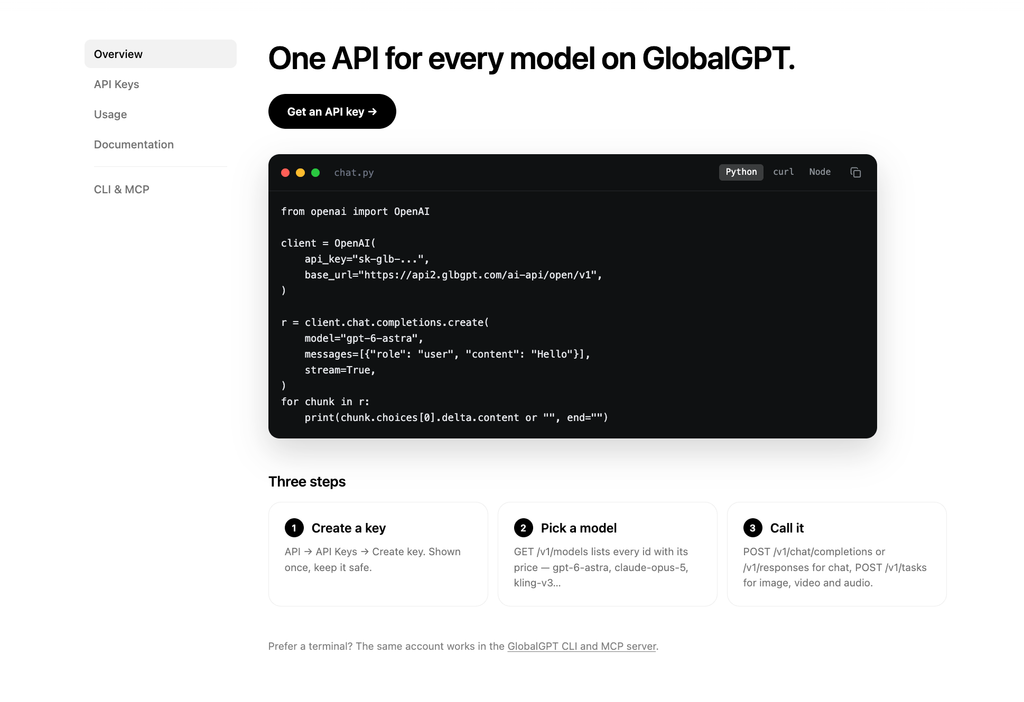
Il GlobalGPT API documentation describes image, video, and audio generation as asynchronous media tasks. Its public base URL is https://api2.glbgpt.com/ai-api/open/v1. Submit JSON to /attività, poll /tasks/{id}, and read output.url after a successful task. The model catalog lists gpt-immagine-2 e gpt-image-2.5 as image-edit/reference routes with up to four input images and aspect_ratio.
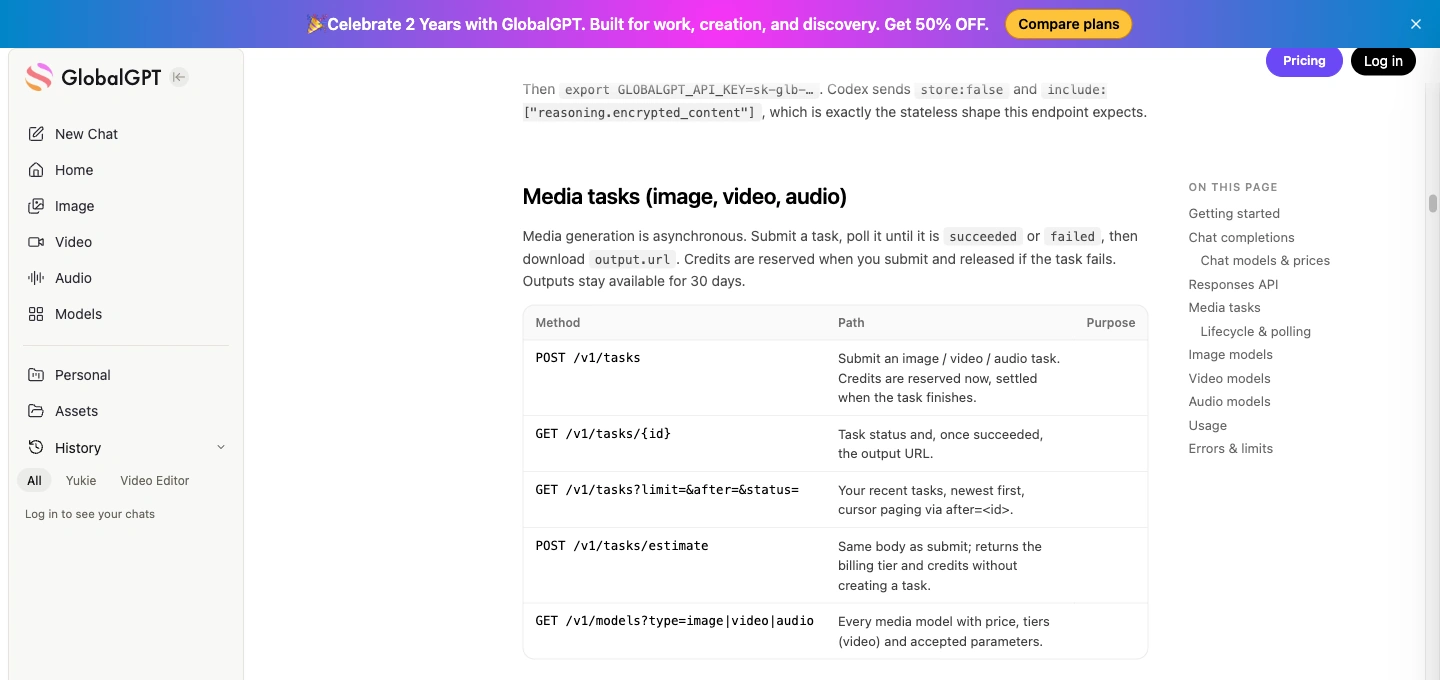
S05 public API documentation: Public documentation evidence for the asynchronous task contract; this article keeps it separate from OpenAI’s native multipart edits endpoint.
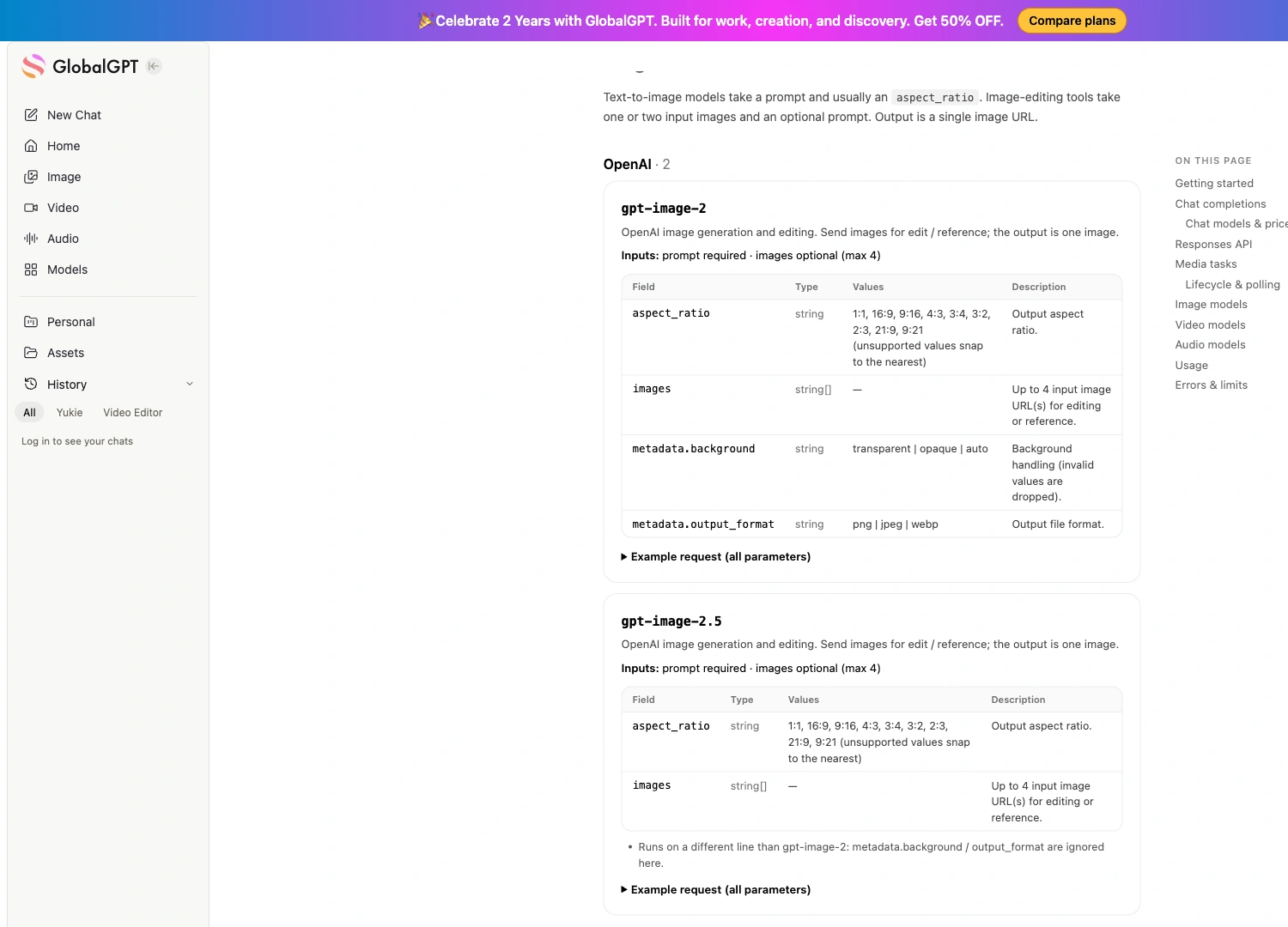
S06 public model catalog: Public model-catalog evidence for the GPT Image routes and their documented image-task limits; verify dynamic credits and fields before publishing.
GlobalGPT public task shape
BASE="https://api2.glbgpt.com/ai-api/open/v1"

# Optional: estimate without creating a task or reserving credits.
curl "$BASE/tasks/estimate" \
  -H "Authorization: Bearer $GLOBALGPT_API_KEY" \
  -H "Content-Type: application/json" \
  -d '{
    "model": "gpt-image-2.5",
    "prompt": "Keep the bottle and label unchanged. Replace only the background with warm beige studio lighting.",
    "images": ["https://YOUR_PUBLIC_IMAGE_URL/product.png"],
    "aspect_ratio": "3:2"
  }'

# Submit only after checking the estimate.
curl "$BASE/tasks" \
  -H "Authorization: Bearer $GLOBALGPT_API_KEY" \
  -H "Content-Type: application/json" \
  -H "Idempotency-Key: image-edit-example-001" \
  -d '{
    "model": "gpt-image-2.5",
    "prompt": "Keep the bottle and label unchanged. Replace only the background with warm beige studio lighting.",
    "images": ["https://YOUR_PUBLIC_IMAGE_URL/product.png"],
    "aspect_ratio": "3:2"
  }'

# Poll the returned task id until succeeded or failed.
curl "$BASE/tasks/TASK_ID" \
  -H "Authorization: Bearer $GLOBALGPT_API_KEY"
Do not paste OpenAI’s multipart mask, input_fidelity, dimensione, o qualità fields into this JSON and assume they work. The current public GlobalGPT documentation does not list those fields for this image route. Unsupported fields may be dropped and echoed in ignored_parameters, so inspect that response before concluding that a setting took effect.
GlobalGPT reserves credits when a media task is submitted, releases them when the task fails, and keeps successful media available for 30 days according to the public docs. Save the returned asset to storage you control if the URL must survive longer. Use the estimate endpoint before a batch, an idempotency key when retrying a network request, and the original task ID when a poll is merely slow.
What the GlobalGPT model test showed
To make the distinction concrete, I ran a bounded GlobalGPT model API test on 2026-09-28 with two fictional, non-branded input prompts and two edit prompts. Each task used GPT Image 2, a 3:2 request, and the first valid output. The images below are model-test evidence, not a browser-workspace session, benchmark, or promise that every edit will preserve every contour.
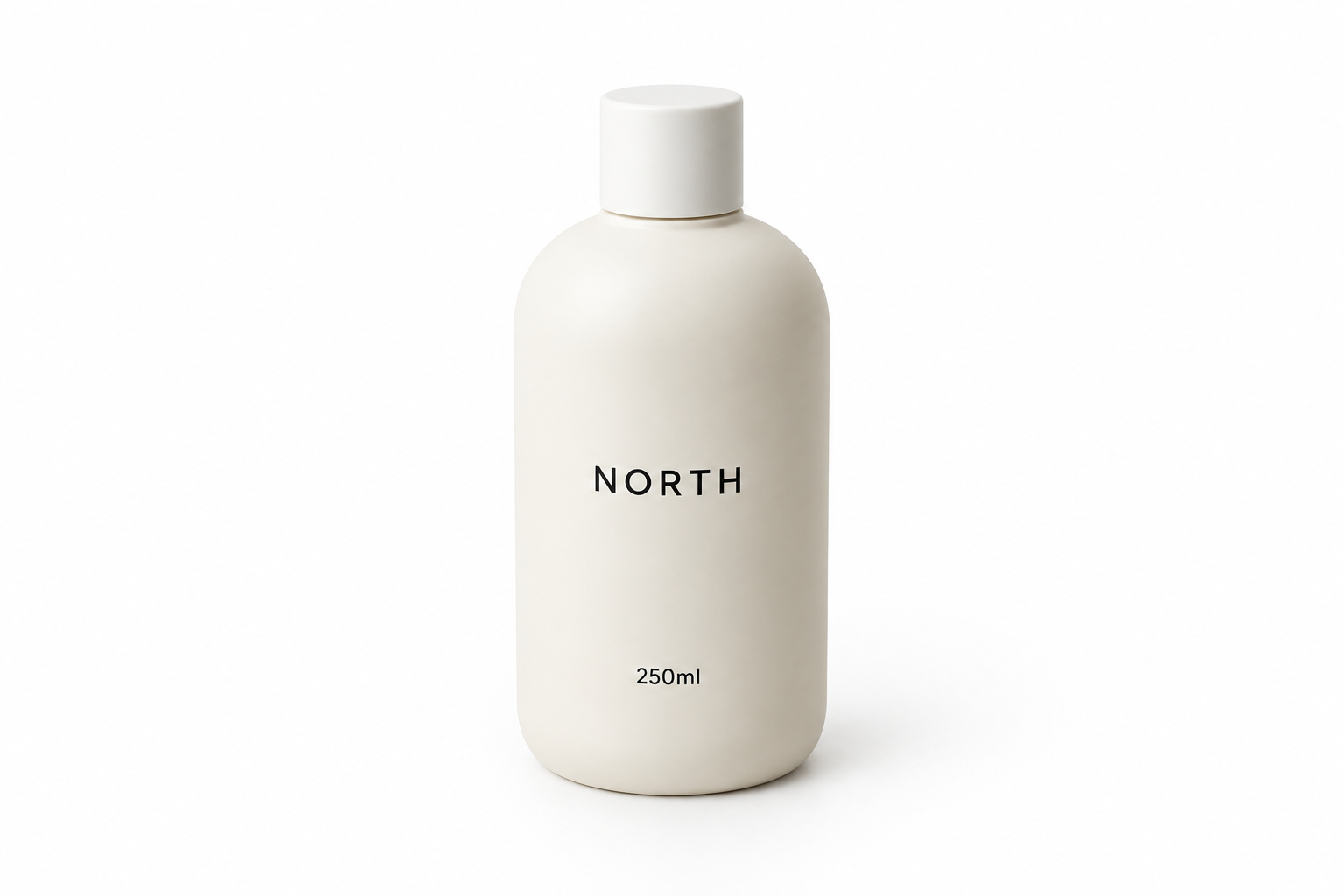
P00 input: The frozen source image: a fictional unbranded bottle with a short white cap and a short label.
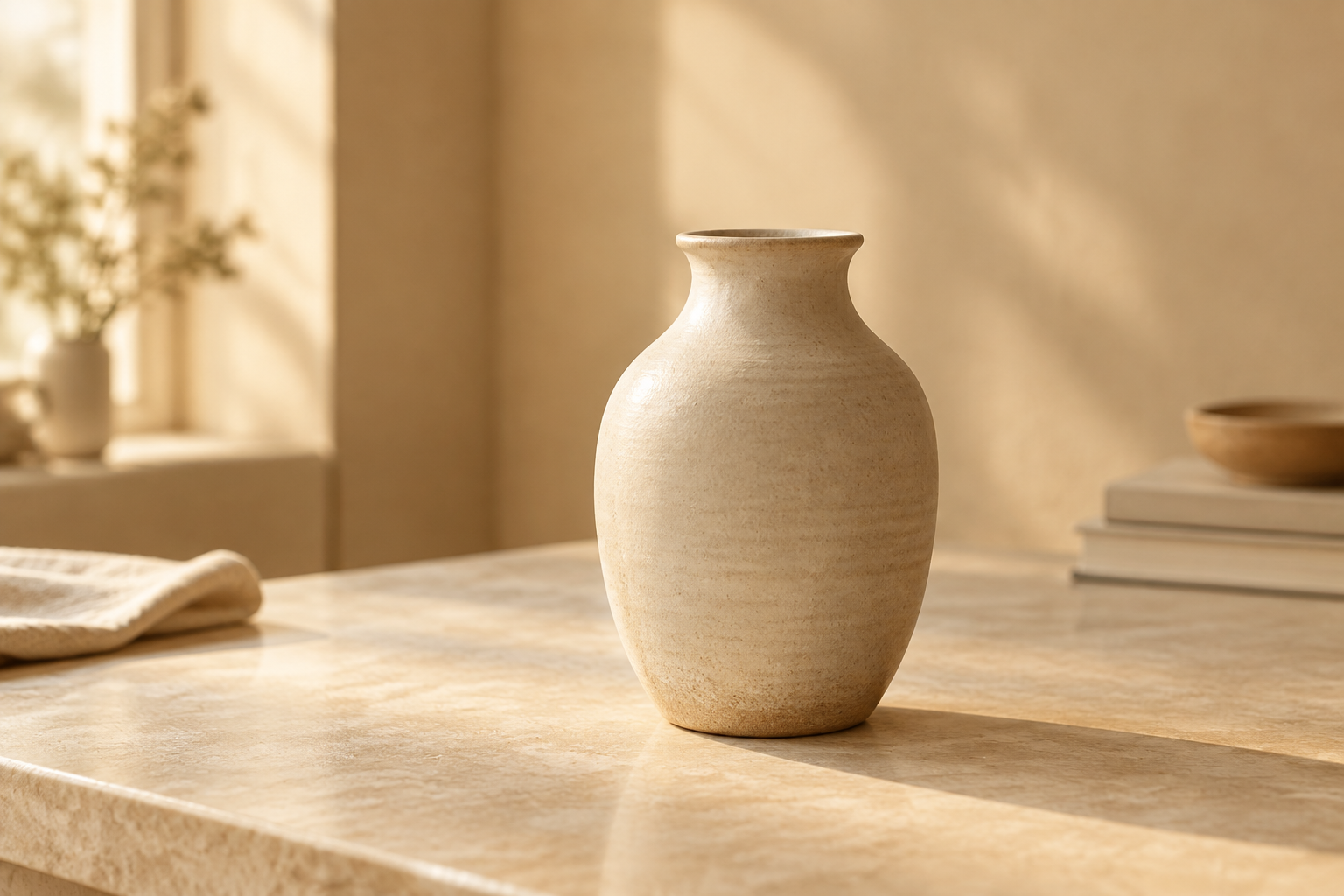
P01 reference: The frozen reference image: used for lighting and color only, not as a second product identity.
T01: one-image background edit
Show the complete prompt
Keep the ceramic bottle, short white cap, fictional label text "NORTH" and "250ml", colors, camera angle, and proportions from the input image unchanged. Replace only the pure white background with a warm beige indoor studio setting inspired by soft window light and gentle shadows. Do not add any new object, logo, word, watermark, person, or label. Preserve the bottle as the only subject in a 3:2 landscape composition.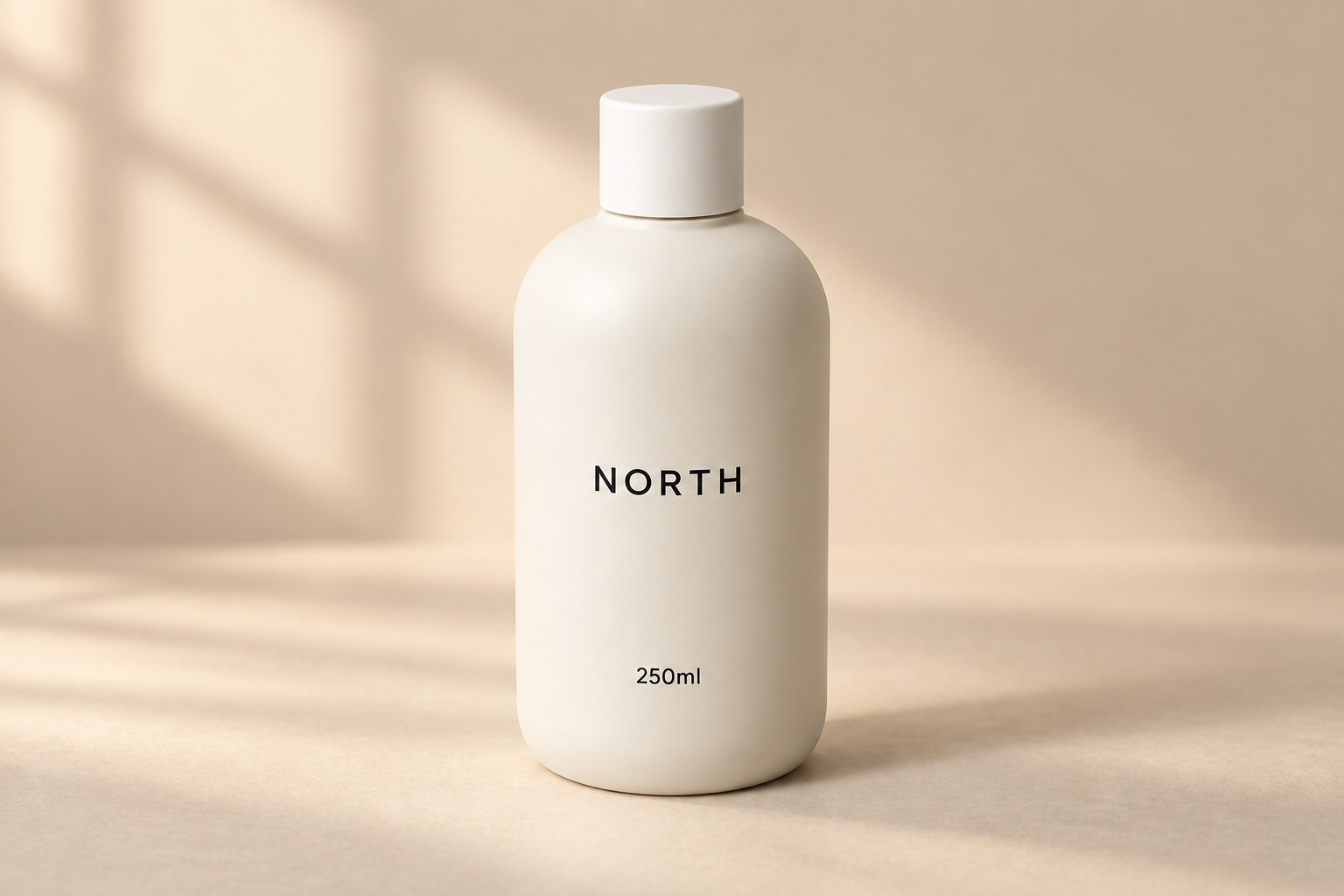
What this demonstrates: The bottle remains recognizable, the NORTH / 250ml label is visible, and the white background changes to a warm beige indoor scene with soft window-like shadows.
Limite: This is one first-valid output. It does not prove exact pixel preservation or general label fidelity.
T02: two-image lighting and color reference
Show the complete prompt
Use input image 1 as the exact product identity and input image 2 only as a reference for warm beige lighting, color temperature, and soft indoor shadows. Keep the ceramic bottle shape, short white cap, fictional label text "NORTH" and "250ml", colors, camera angle, and proportions from input image 1 unchanged. Replace the white background with a calm warm beige indoor studio scene. Do not copy any extra object, text, logo, watermark, person, or label from input image 2. Keep the bottle as the only subject in a 3:2 landscape composition.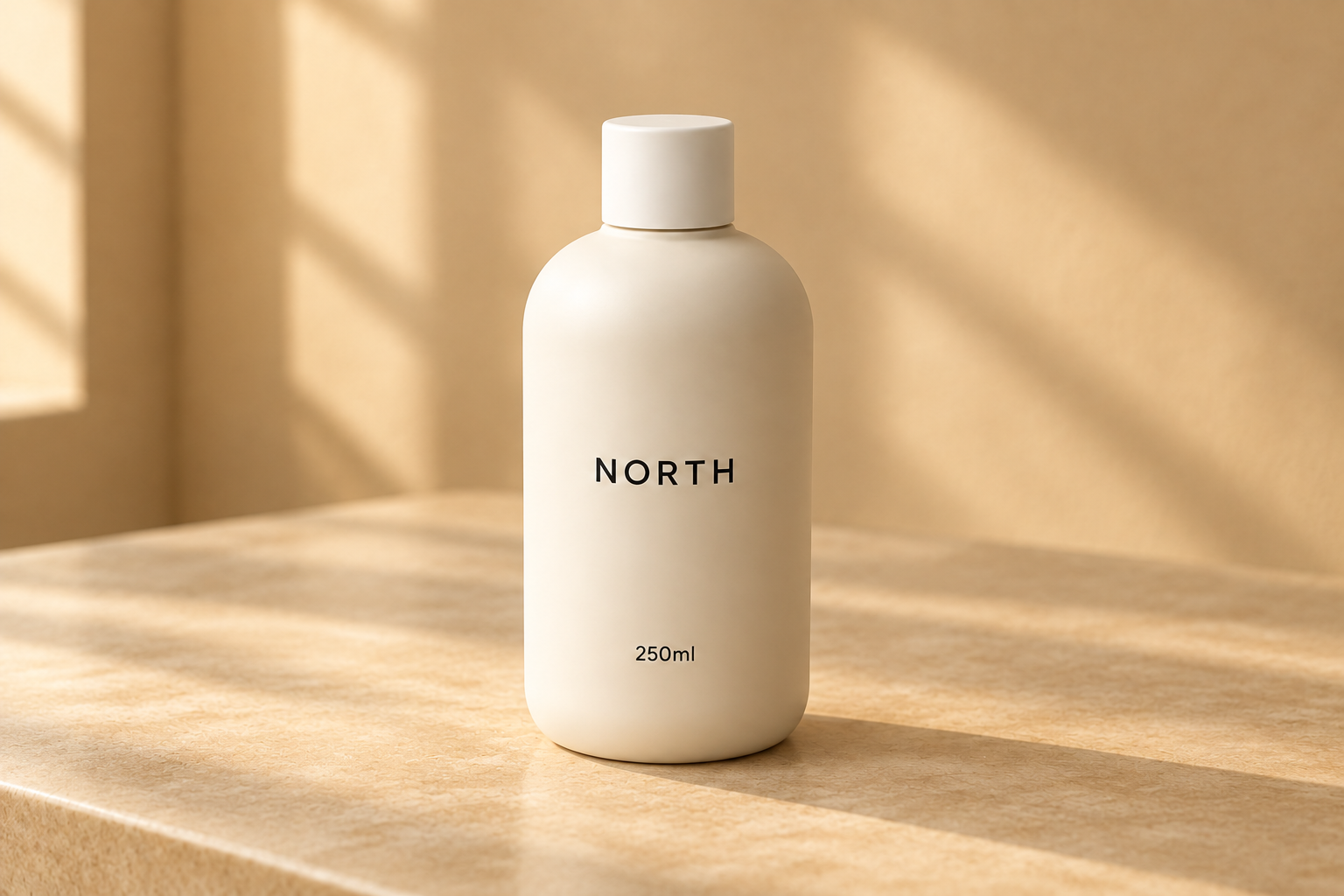
What this demonstrates: The product and NORTH / 250ml label remain recognizable, while the scene adopts the warm beige room, tabletop, and window-light feel of P01.
Limite: The bottle-cap proportion, bottle outline, and placement changed visibly. Do not call this perfect or exact identity preservation; use manual comparison when merchandise dimensions must match.
How to use this evidence: The useful result is a repeatable review gate. Freeze the input URL, name the protected subject, describe the reference role, inspect the returned bytes, and compare the approved product against the source before publishing. Style transfer can be successful while geometry still drifts.
Handle errors and slow responses
Symptom → check → action
| Sintomo | Controlla prima | Safe next step |
|---|---|---|
| 401 / authentication error | Server-side key, account permissions, endpoint host | Stop and fix authentication; do not score image quality. |
| 400 / 422 bad request | Model ID, multipart field names, file type, unsupported options | Change only the field named by the error, then keep the original failed request. |
| 429 / 5xx / capacity | Whether a task ID was created | If no task ID exists, retry once under your policy; if a task exists, poll that ID. |
| Task stays queued or processing | Status, last poll time, provider estimate | Poll at a measured interval; do not create a duplicate while status is unknown. |
| Output is a JSON object saved as an image | Content-Type, first bytes, decoded format | Parse the response, decode b64_json or download output.url, then validate. |
| Parameter appears to have no effect | GlobalGPT ignored_parameters and model card | Remove unsupported fields and use the model-specific contract. |
Separate transport evidence from quality evidence. A timeout, DNS failure, or provider capacity response means you do not have a valid image to score. Conversely, a valid image with a changed cap or label is a visual result that should be reported as-is, even if the composition looks attractive.
A production-safe image-edit checklist
- Freeze the source: store the input file, dimensions, format, and hash.
- Assign image roles: identify the subject image and any lighting, palette, or composition references.
- Write protected cues: list the label, silhouette, colors, and proportions that require review.
- Choose the contract: use OpenAI multipart for the native edits endpoint or GlobalGPT JSON tasks for its public media API.
- Estimate and submit: use current OpenAI rates or GlobalGPT
/tasks/estimate; add an idempotency key for retry-safe submissions. - Poll and decode: keep one task ID, validate the returned file, and save the bytes or URL in approved storage.
- Approve visually: compare the output with the source before it enters a product catalog, ad, or customer-facing page.
If you want to run the same process without stitching together separate model dashboards, try Immagine GPT 2 in GlobalGPT. For the browser-oriented version of the workflow, see edit images in the GlobalGPT workspace; for a broader setup and pricing discussion, see GPT Image API setup and pricing.
Domande frequenti
What is the OpenAI Image Edit API?
It is the image-editing route at POST /v1/images/edits. You send an input image and a prompt, optionally with a mask or reference images, then decode the returned image data. Use the Image API for a single edit and the Responses API when the product needs a multi-turn image conversation.
Does the OpenAI Image Edit API return a public image URL?
The documented Image API examples return b64_json. Decode those bytes, validate the file, and save it in storage you control. Do not assume that a successful response is a hosted CDN URL.
Is an OpenAI image mask exact pixel selection?
No. A mask guides a prompt-based edit. The model can change pixels around the requested area, so inspect labels, product details, safety marks, and other elements that must remain correct.
How many input images can an image edit use?
The current image guide supports multiple input images for reference workflows. For the exact limit and model-specific behavior, check the current model documentation; a supported maximum does not guarantee perfect preservation in every composition.
Can I send the OpenAI /v1/images/edits request to GlobalGPT by changing base_url?
No. GlobalGPT's public media contract uses JSON POST /tasks, then GET /tasks/{id}, with images and aspect_ratio where the selected model accepts them. The public docs do not list OpenAI's multipart mask, input_fidelity, size, or quality contract for that route.
How should I estimate an image task before submitting it?
For GlobalGPT, send the same JSON body to /tasks/estimate first. It does not create a task or reserve credits. For OpenAI, calculate with the current per-million-token rates and then verify actual usage in the response or billing record.