

After using both Perplexity AI and Google Search for over a year in research, academic, and professional workflows, the differences are clear:
- Perplexity AI excels at evidence-based answers, real-time citations, and structured research workflows.
- Google Search, including its AI Mode, dominates broad discovery, multimedia integration, and local/business searches.
If you need to write, generate images, and create videos, subscribing to multiple AI models can be expensive. However, you can try GlobalGPT, which combines ChatGPT 5.2, Nano Banana Pro, Sora2 Pro, Gemini 3 Pro, and over 100 other top official AI models—all at a price far lower than the official subscriptions.
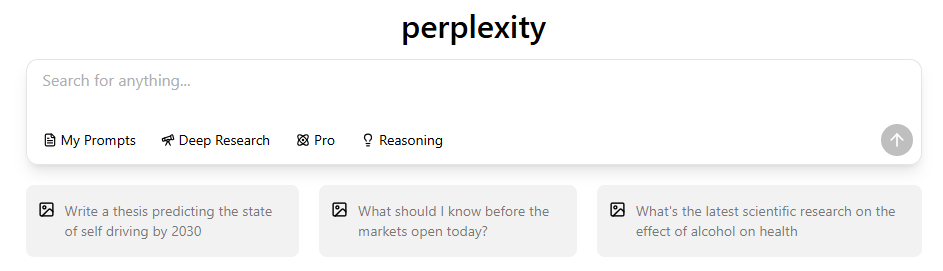
What Are Perplexity AI and Google Search? Understanding the Tools
What is Perplexity AI? Features and Workflow
Perplexity AI is a next-generation AI search assistant designed for direct answers with inline citations. It combines multi-model routing (GPT, Gemini, Claude, Grok) with a Deep Research Mode for academic or professional projects.
- Focused on fact-checking, summarization, and research productivity
- Supports long-thread context via “Spaces”

What is Google Search? Traditional & AI Modes
Google Search is the traditional web search engine that provides links, snippets, knowledge panels, and SEO-based results. Its AI Mode and Overview features allow limited conversational interaction.
- Excels in broad discovery, local/business queries, and multimedia results
- Integrated with Google Maps, Flights, Shopping, News, and Workspace


Core Philosophical Differences
| Feature | Perplexity AI | Google Search / AI Mode |
| Focus | Evidence-based answers | Broad discovery and exploration |
| Citation Transparency | Inline citations, sources listed | Knowledge cards, often no direct link |
| Query Context | Supports multi-turn / long-thread | Limited follow-up support |
| Workflow | Research-focused, structured | Browsing & general info |
Detailed Feature & Performance Comparison: Perplexity vs Google
Answer Format & Presentation
- Perplexity: concise answers, structured summaries, references included
- Google: link lists, knowledge panels, rich snippets
- User insight from Reddit: “As someone who studies Hebrew and Greek history. I’ve found being specific with AI is very important. I actually like both. But I find Google AI is best when you want a quick fact that isn’t very specific. With Perplexity I know I can nose dive into a rabbit hole and mindlessly argue with the AI while still learning.”

Accuracy, Fact-Checking & Citation Transparency
Use Case Table: Accuracy & Citations
| Task | Perplexity AI | Google AI Mode | Recommendation |
| Academic essays | ✅ Inline citations, fact-checking | ⚠️ Limited citation links | Perplexity |
| Quick facts | ✅ Structured answer | ✅ Fast but less sourced | Mixed |
| Real-time research | ✅ Deep Research mode | ⚠️ May lag | Perplexity |
Multimodal & Contextual Understanding
- Perplexity: primarily text-based; excels in structured reasoning
- Google AI Mode: integrates images, videos, maps, and broader datasets
- Context handling: Perplexity supports multi-turn queries; Google AI Mode can lose long-thread context
Speed & Workflow Integration
- Google AI Mode: faster first-token latency, ideal for quick searches
- Perplexity: slightly slower due to in-depth evidence aggregation
- Best approach: use Perplexity for research → feed structured output into Google or other tools for broader context
Real-World Use Cases
| User | Best Tool | Reason |
| Students | Perplexity | Essays, fact-checking, literature review |
| Professionals | Business info, local searches, document retrieval | |
| Creators | Perplexity + Google | Research via Perplexity, multimedia via Google |
User Experience & Community Insights
- Contextual tool usage: Users switch between mobile (Google AI) and desktop (Perplexity) for optimal results

- Regional availability: Google AI Mode not globally available; Perplexity accessible worldwide

- Multi-tool workflow: Many users combine Perplexity, Google, ChatGPT, Gemini, Claude depending on query type
Practical Scenarios — Perplexity vs Google
Informational Queries & How-To Guides
- Perplexity summarizes multiple sources, cites them, and gives step-by-step guidance
- Google provides links for manual exploration
Resource Retrieval & Document Access
- PDFs, research papers, datasets: Perplexity excels with structured output
Fact Checking & Quick Reference
- Perplexity: high citation transparency
- Google: faster but less verifiable
Exploratory Browsing & Multi-Step Research
- Google excels in discovery
- Perplexity excels in focused, deep-dive research
Real-Time Updates & Latest News
- Perplexity provides structured updates with references
- Google prioritizes speed and breadth
Local & Business Info
- Google dominates maps, business hours, reviews
- Perplexity limited to textual data

Advantages & Limitations
| Tool | Pros | Cons |
| Perplexity AI | Citations, structured summaries, deep research | Limited multimedia, subscription cost, slower for simple queries |
| Google / AI Mode | Fast, broad coverage, local & multimedia | Link overload, SEO bias, weaker citations |
Pricing, Accessibility & Alternatives
- Perplexity Pro: ~$20/month
- Google AI Mode: free, but limited in some regions
- Alternative platforms: GlobalGPT, multi-AI model solutions offering both tools in one interface
Future Trends in AI Search
- Google AI Mode & Gemini integration advancing multi-turn reasoning
- Perplexity expanding Deep Research & multi-model access
- Trend: hybrid AI search workflows combining accuracy + discovery
FAQ Section
1. How is Perplexity different from Google?
Perplexity provides direct, evidence‑backed answers with transparent citations, while Google returns link‑based search results with knowledge panels and broader discovery. Perplexity is more research‑focused; Google is stronger for general exploration and local info.
2. Is Perplexity more accurate than Google AI Mode?
In many research and fact‑checking tasks, Perplexity tends to be more accurate and transparent, because it pulls real‑time data with cited sources. Google AI Mode is faster but may cite less verifiable or SEO‑driven content.
3. Can Perplexity replace Google Search entirely?
Not entirely. Perplexity is excellent for focused research and structured answers, but Google remains stronger for local results, maps, shopping, and broad discovery.
4. Which tool is better for students or researchers?
Perplexity is generally better because it provides summarized answers with clear citations, which helps with essay writing, literature reviews, and academic research.
5. Does Perplexity handle images or multimedia?
Perplexity primarily delivers text‑based responses. It doesn’t natively analyze images/video the way Google Search or some AI tools (e.g., Gemini) do.
6. How do users combine Perplexity and Google for best results?
Use Perplexity for deep research, fact‑checking, and summaries with sources, then use Google to explore broader context, find local info, and access maps or multimedia results. Combining both maximizes accuracy and breadth.
Conclusion & Recommendations
✅ Choose Perplexity AI if:
- You prioritize accuracy, citations, structured research, and multi-turn queries
If you are a beginner with Perplexity, you could click this article: How to Use Perplexity AI: A Complete Beginner’s Guide
✅ Choose Google AI Mode if:
- You need fast discovery, local info, multimedia, or broad exploration
🌀 Best Workflow:
- Use Perplexity for research and verification → feed structured insights into Google for broader context and multimedia integration.
- This hybrid approach often delivers maximum productivity, accuracy, and efficiency in daily workflows.

