Happy Horse 1.0 Prompt Guide: Master Cinematic AI Video with Official Best Practices (2026)

On April 27th, the latest video generation and editing model "Happy Horse" 1.0 of Alibaba's ATH Innovation Division began its grayscale testing. If you haven't yet known what Happy Horse 1.0 is, you can click to learn more.
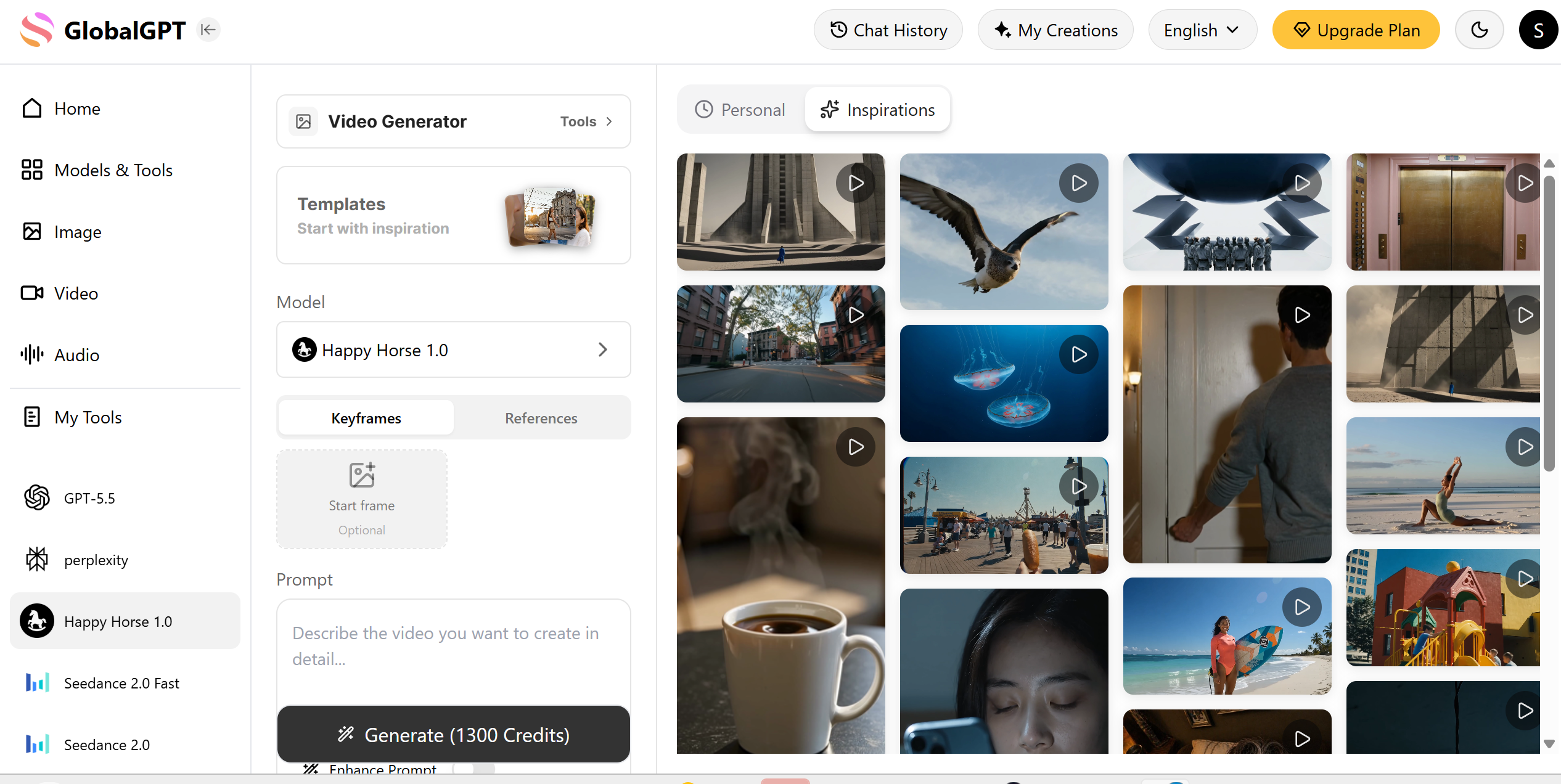
This Happy Horse Prompt Guide combines the most effective ideas from multiple prompt methodologies into one complete framework. It merges cinematic storytelling principles with engineering-style prompt execution, helping creators build prompts that are both visually powerful and technically reliable.
TL;DR
To save time, you can directly use the following Prompt Template. For more detailed information, please continue reading the following text.
[Scene]
Scenarios applicable for generating videos

[Subject]
Detailed description of character or object.

[Action]
Specific sequential movement within the clip duration.

[Environment]
Fully described scene with lighting and atmosphere.

[Style / Composition]
Shot type, framing, depth of field, visual tone.

[Camera Motion]
Explicit movement or static framing.

[Ambiance / Audio]
Only real-world sounds present in the scene.
STEP 1 ⭐Understanding the Core Logic of AI Video Generation
Before writing better prompts, you need to understand how the model actually works.
Every Clip Is an Independent Scene
One of the most important principles in any Happy Horse Prompt Guide is that every generated clip should be treated as its own self-contained scene.
AI video models do not reliably remember what happened in previous clips. They do not carry over context the way humans do.
That means each prompt must include everything the model needs:
Prompt Element | What It Covers | Example Questions to Answer |
|---|---|---|
Who is in the scene | The subject, character, or main focus of the visual | Who appears in the shot? What do they look like? What are they wearing? |
Where it happens | The setting, location, or environment | Is it indoors or outdoors? What is the background? What details define the space? |
What action occurs | The movement, interaction, or event taking place | What is the subject doing? Is there motion, dialogue, or interaction? |
How the camera behaves | The cinematic perspective and movement | Is it a close-up, wide shot, or aerial view? Does the camera pan, zoom, or track? |
What atmosphere surrounds it | The mood, lighting, and emotional tone | Is the scene dramatic, calm, futuristic, or nostalgic? What kind of lighting or color palette is used? |
A successful prompt does not rely on previous generations—it stands on its own.
A Prompt Is a Shot Instruction Manual
Many users approach prompting like creative writing. That is a mistake.
A prompt is not poetry, marketing copy, or storytelling prose.
It is a technical instruction set for visual generation.
The best prompts function like production notes for a film crew:
clear
structured
executable
visually specific
In other words, your goal is not to impress the model—it is to guide it.
Consistency and Executability Matter More Than Creativity Alone
Great AI videos depend on two things:
Consistency → keeping characters and environments stable
Executability → making instructions easy for the model to interpret
Without consistency, your scenes drift. Without executability, the model improvises.
A strong Happy Horse Prompt Guide always prioritizes these two elements over decorative wording.
STEP 2 ⭐ The Six-Part Prompt Formula
A complete Happy Horse Prompt Guide should always follow a clear structure to ensure the model captures both visual precision and cinematic movement. Unlike static image prompting, video generation requires a temporal logic that connects your subject to the surrounding atmosphere.
The most effective framework to achieve "Director-level" control in Happy Horse 1.0 is:
Subject → Action → Environment → Style/Composition → Camera Motion → Ambiance/Audio
By breaking your vision into these six specific modules, you eliminate the "AI hallucinations" that often occur with vague descriptions. Here is how each part functions:
Element | ❌ Vague/Generic Example | ✅ Director-Level Example |
Subject | A robot. | A weathered, rusted steampunk robot with glowing amber eyes. |
Action | Running. | Sprinting through a neon-lit crowd, glancing nervously over its shoulder. |
Environment | In a city. | A rain-slicked futuristic Tokyo alleyway with flickering holographic signs. |
Style/Composition | Realistic video. | Cinematic 35mm film, anamorphic lens flare, high-contrast teal and orange color grade. |
Camera Motion | Moving camera. | A low-angle tracking shot that follows the subject's feet, creating a sense of urgency. |
Ambiance/Audio | Fast music. | Muffled electronic beats, heavy mechanical breathing, and the splash of water on pavement. |
A complete Happy Horse Prompt Guide should always follow a clear structure.
STEP 3 ⭐Common Mistakes to Avoid
When using Happy Horse 1.0, the biggest limitation is not the model—it’s how you structure your prompt.
Through hands-on testing across both Text → Video and Image → Video workflows, the following mistakes consistently lead to unstable or low-quality outputs.
1. Writing Prompts Like Literature Instead of Visual Instructions
A common mistake is treating prompts like storytelling.
Why this fails in Happy Horse 1.0:
The model prioritizes visual clarity over emotional language
Abstract descriptions don’t map well to motion or composition
Results become inconsistent across frames
❌ Weak Prompt
“A lonely girl drifting through time, surrounded by silent memories…”
✅ Optimized for Happy Horse
“Close-up of a young woman standing still, soft wind moving her hair, neutral expression, slow blink, shallow depth of field”
Key Rule:
In Happy Horse 1.0, emotion must be translated into visible motion and physical detail.
2. Unstructured Prompts (Random Information Order)
Happy Horse responds best to clear hierarchical instructions, especially in video generation.
When prompts are disorganized:
Motion may override subject
Camera gets ignored
Recommended Structure (optimized for Happy Horse):
Component | Role | Example |
|---|---|---|
Subject | Who/what | a young woman |
Input Source | image / none | based on uploaded character image |
Action | movement | slowly turns her head |
Scene | environment | subway interior |
Camera | framing & motion | medium close-up, tracking |
Style | rendering | cinematic realism |
Practical insight:
Using this structure significantly improves temporal consistency in generated clips.
3. Missing Camera Language (Critical for Video Models)
Unlike static image models, Happy Horse is motion-first.
Without camera instructions:
Output feels flat
No cinematic direction
Weak storytelling
❌ Without camera
“A man runs through a forest”
✅ With camera (Happy Horse optimized)
“Wide shot, side tracking camera following a man running through a forest, background motion blur”
What to include:
shot type (close-up / wide)
camera movement (tracking / dolly)
framing intent
4. Overly Long Prompts That Dilute the Core Subject
Long prompts often reduce quality in Happy Horse.
Observed issues:
Character drift
Scene inconsistency
Unexpected elements
Why:
The model distributes attention across tokens → key subject loses priority.
Rule I use in production:
If the core scene isn’t clear in one sentence, the prompt is too long.
Once you avoid the basic mistakes, these techniques can push your results toward production-level quality.
STEP 4 ⭐Advanced Techniques for Professional Results
1. Use Cinematic Vocabulary (But With Control)
Happy Horse 1.0 responds strongly to film-oriented keywords.
High-impact terms:
shallow depth of field
natural backlighting
cinematic realism
motion blur
Important: Avoid keyword stacking
❌ Overloaded:
“ultra cinematic 4k hdr dramatic masterpiece lighting”
✅ Controlled:
“cinematic realism, soft natural backlighting, shallow depth of field”
Insight:
Precise terms improve predictability and visual consistency.
2. Define Reference Inheritance (Critical for Image → Video)
This is one of Happy Horse’s strongest features—but also the most misused.
When using:
character images
scene images
motion references
you must explicitly define what to keep.
Recommended Prompt Pattern:
“Preserve character appearance from input image, follow motion style, maintain pacing consistency”
Without this:
Faces change
Style shifts
Motion feels disconnected
With this:
Stable identity
Clean animation continuity
Better storytelling
3. Build and Reuse Prompt Templates (Master Sheets)
To ensure the consistency between the characters and the scenes in the video, you can try this method, creating your character master sheet and scene master sheet.
Character Master Sheet
Create a permanent profile for every important character.
Include: physical appearance, age and identity, clothing details, accessories, personality traits, voice characteristics
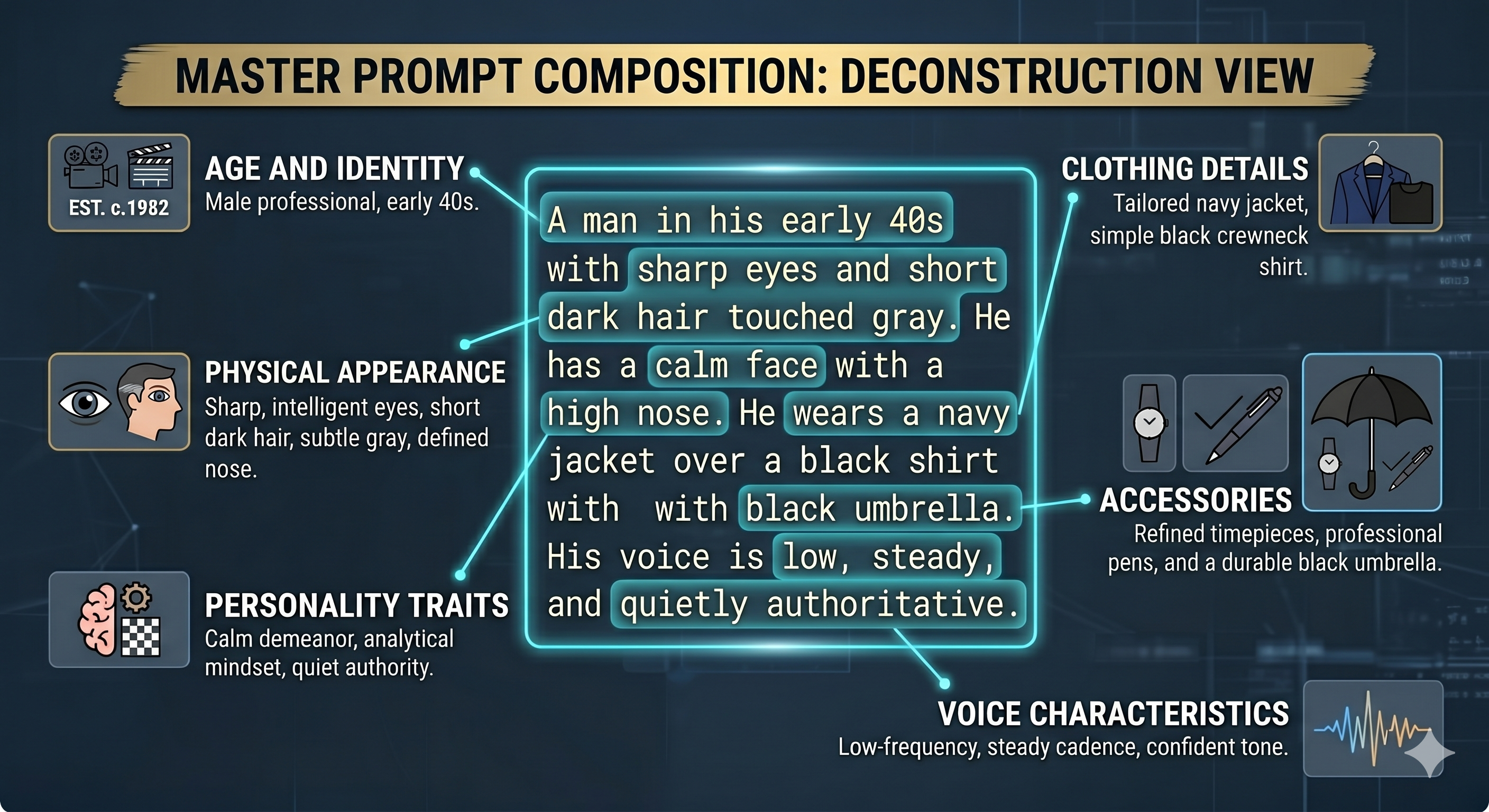
This ensures cross-scene consistency. Instead of rewriting the character every time, you reuse the same description as your anchor.
Scene Master Sheet
Build a standard template for each recurring environment.
Include:
spatial structure
lighting sources
atmosphere
textures and materials
time of day
acoustic qualities
This keeps your locations visually unified.
A stable environment creates stronger continuity and reduces randomness.
Once your master sheets are ready, each generation becomes a scene-level execution. This is where prompt structure matters most.
FAQ🚩
What is Happy Horse 1.0?
Happy Horse 1.0 is an AI video generation model developed by Alibaba’s ATH Innovation Division. It is designed for creating cinematic AI videos from text prompts or image references, with stronger control over subject movement, camera language, scene composition, and visual continuity. Instead of treating a prompt as simple creative writing, Happy Horse works best when the prompt is written like a clear shot instruction: who appears in the scene, what action happens, where it takes place, how the camera moves, and what atmosphere the clip should have.
How much does Happy Horse 1.0 cost?
As of now, Happy Horse 1.0 does not have a fully confirmed global public pricing model. Since the model is still in early-stage rollout or limited testing, its cost may vary depending on the access channel, usage method, or platform that provides it. In most cases, pricing is likely to be usage-based, such as credits, API billing, or platform subscription access. If a website claims to offer a fixed ultra-cheap plan, users should check carefully whether the access is official, stable, and reliable.
How can I access Happy Horse 1.0?
Happy Horse 1.0 access is currently limited and may not be equally available in every region. Some users may access it through official channels, beta testing, developer/API access, or AI tool platforms that integrate multiple video models. You can check here for more details.
