

Réalisme basé sur la référence
Générez le panneau de fan-cam propre avant l'animation, afin que l'angle du visage, l'éclairage du stade et la composition restent cohérents.
Guide des instructions
Modèle
Image de référence
Créez le moment grand écran que les gens reconnaissent instantanément : un gros plan sur écran géant, une révélation de caméra de foule, une réaction ludique de kiss cam ou un hommage sur le terrain à la mi-temps. Le flux de travail commence par une image de référence propre, puis ajoute un tremblement de caméra, un mouvement de foule, des couleurs de diffusion et un cadrage adapté au téléphone.
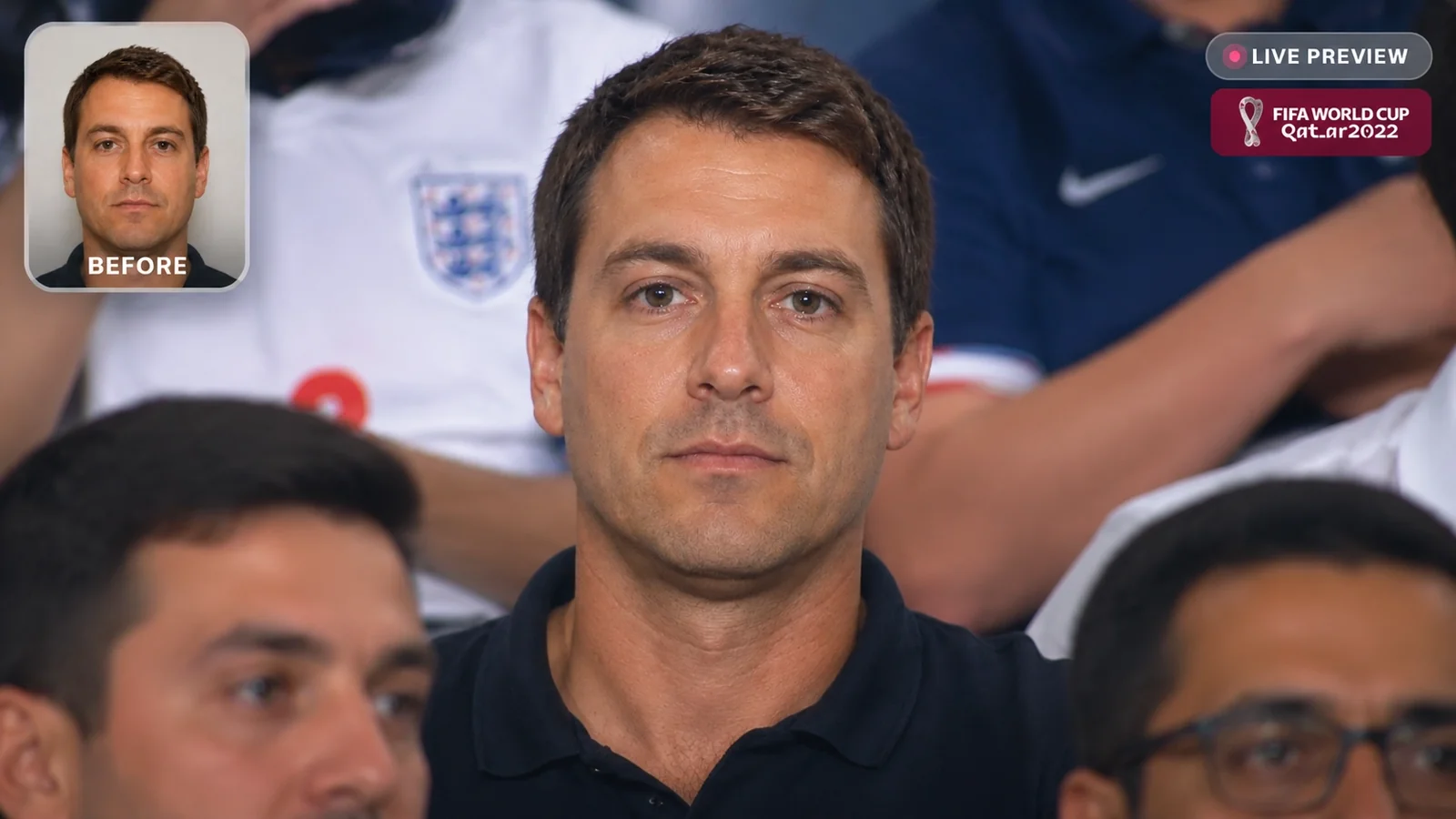
Un résultat réaliste dépend d'abord d'une image fixe forte, puis d'un mouvement contrôlé.
Choisissez un gros plan sur écran géant, une révélation de caméra de foule, une réaction propre de kiss cam ou une scène de terrain à la mi-temps avant d'écrire le prompt.
Créez un pad de fan cam lumineux et réaliste sans logos, sans texte lisible et avec suffisamment de détails de foule en arrière-plan pour le mouvement.
Ajoutez un panoramique de caméra, une réaction de la foule, une lueur de jumbotron, un léger tremblement à main levée et une prise finale sûre pour les légendes pour la publication sur les réseaux sociaux.
Chaque exemple conserve un seul type de média de sortie : soit un panneau fixe, soit un MP4 généré, afin que la page reste claire pour les utilisateurs de vidéo.
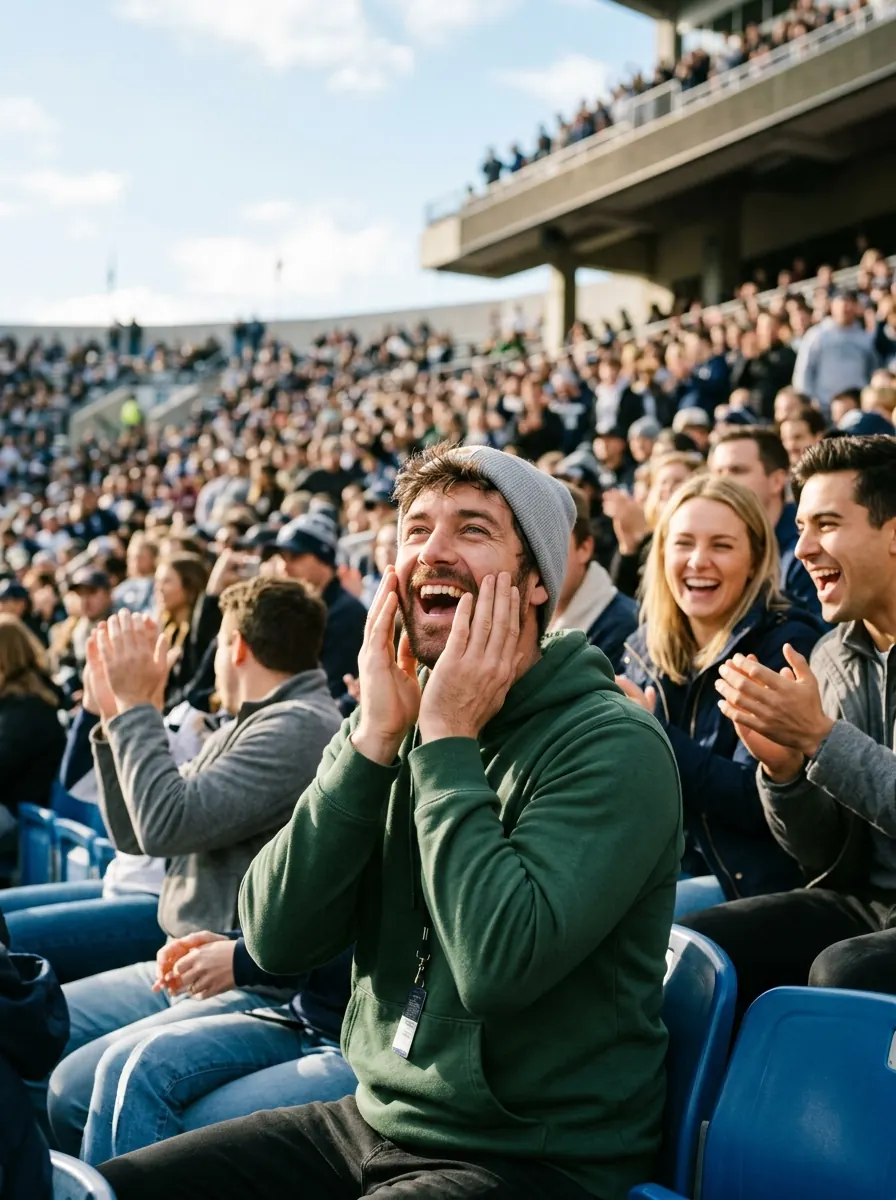 Jumbotron
Image verticale photoréaliste 9:16, l'image fixe d'ouverture pour une vidéo AI Stadium Fan Cam : un fan adulte dans un stade moderne et lumineux, debout dans les gradins et ayant l'air surpris alors que le jumbotron du stade cadre son gros plan, la foule derrière doucement floutée, éclairage de diffusion propre, réalisme naturel de photo prise au téléphone, aucun texte lisible, aucun logo, aucune marque d'équipe, aucun filigrane.
Essayez cette inviteImage vers vidéo à partir de l'image de référence. Créez un clip réaliste de 5 secondes AI Stadium Fan Cam : la caméra de diffusion se verrouille sur le fan, la lueur de l'écran géant scintille subtilement, la foule derrière acclame et fait des signes, léger tremblement de caméra de stade tenue à la main, flou de mouvement naturel, étalonnage des couleurs de diffusion TV, l'image finale reste avec un espace sûr pour les sous-titres, pas de texte lisible, pas de logos, pas de filigrane.
Essayez ce mouvement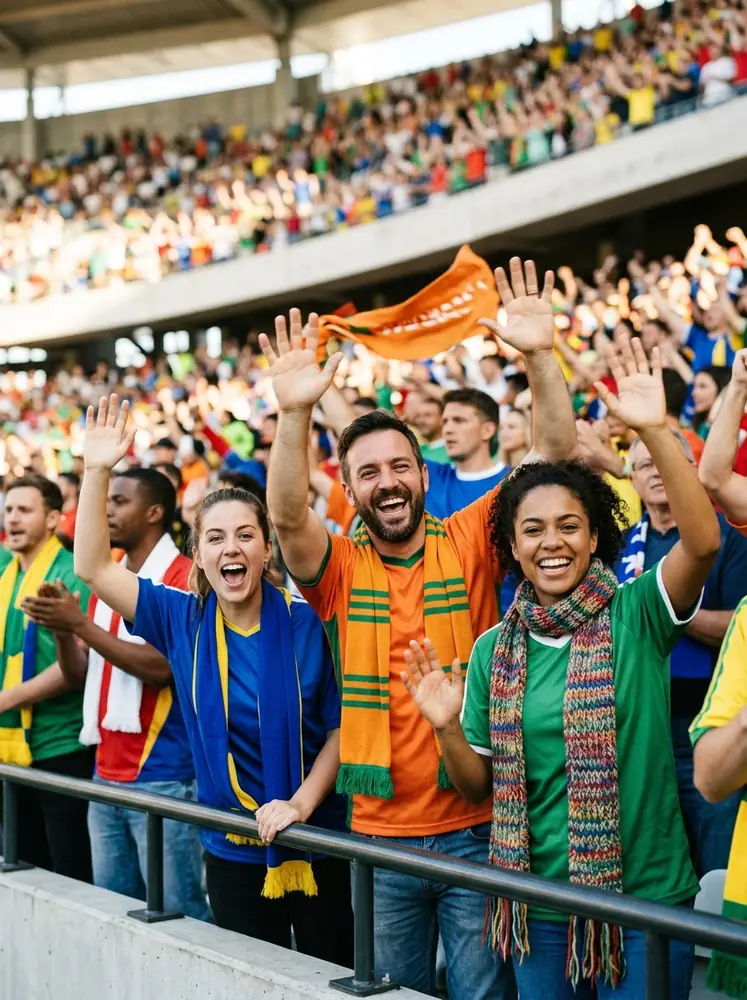 Caméra de foule
Image verticale photoréaliste 9:16, image fixe d'ouverture pour une révélation de caméra de foule : un groupe diversifié de fans adultes entièrement habillés dans une section ensoleillée du stade, un fan central en train d'acclamer comme si la caméra venait de le trouver, la foule en arrière-plan et les rambardes doucement floutées, lumière du jour de diffusion éclatante, aucun texte lisible, aucun logo, aucune marque d'équipe, aucun filigrane.
Essayez cette inviteImage vers vidéo à partir de l'image de référence. Créez une révélation réaliste de 5 secondes de caméra de foule : la caméra effectue un panoramique sur une foule de stade lumineuse et s'arrête sur le fan central, les fans proches remarquent et acclament, léger tremblement de caméra, faible profondeur de champ, sensation d'écran géant/diffusion, cadrage vertical adapté au téléphone, pas de texte lisible, pas de logos, pas de filigrane.
Essayez ce mouvement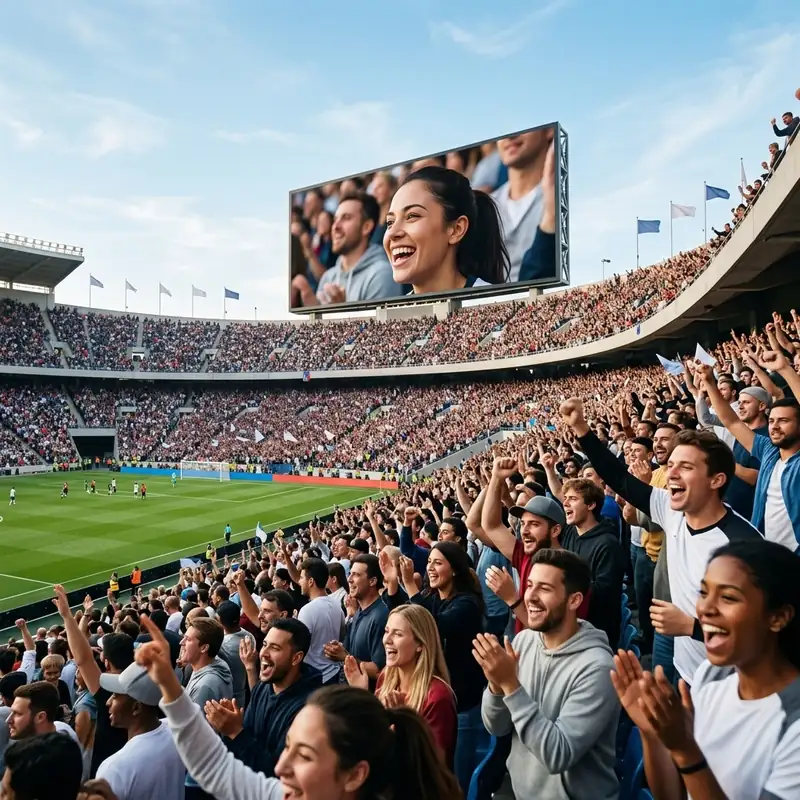 Kiss Cam
Image verticale photoréaliste 9:16, image fixe d'ouverture pour une réaction propre de kiss cam : deux amis ou partenaires adultes entièrement habillés assis ensemble dans des sièges de stade lumineux, riant de surprise lorsque la fan cam les trouve, ludique mais non sexuel, foule derrière floutée, couleur de diffusion naturelle, aucun texte lisible, aucun logo, aucune marque d'équipe, aucun filigrane.
Essayez cette inviteImage vers vidéo à partir de l'image de référence. Créez une réaction propre de 5 secondes de kiss cam : la caméra zoome doucement vers deux fans adultes, ils rient, se montrent du doigt et font des signes au lieu de s'embrasser, la foule proche réagit chaleureusement, léger tremblement de caméra de télévision en direct, éclairage de stade lumineux, pas de texte lisible, pas de logos, pas de filigrane.
Essayez ce mouvement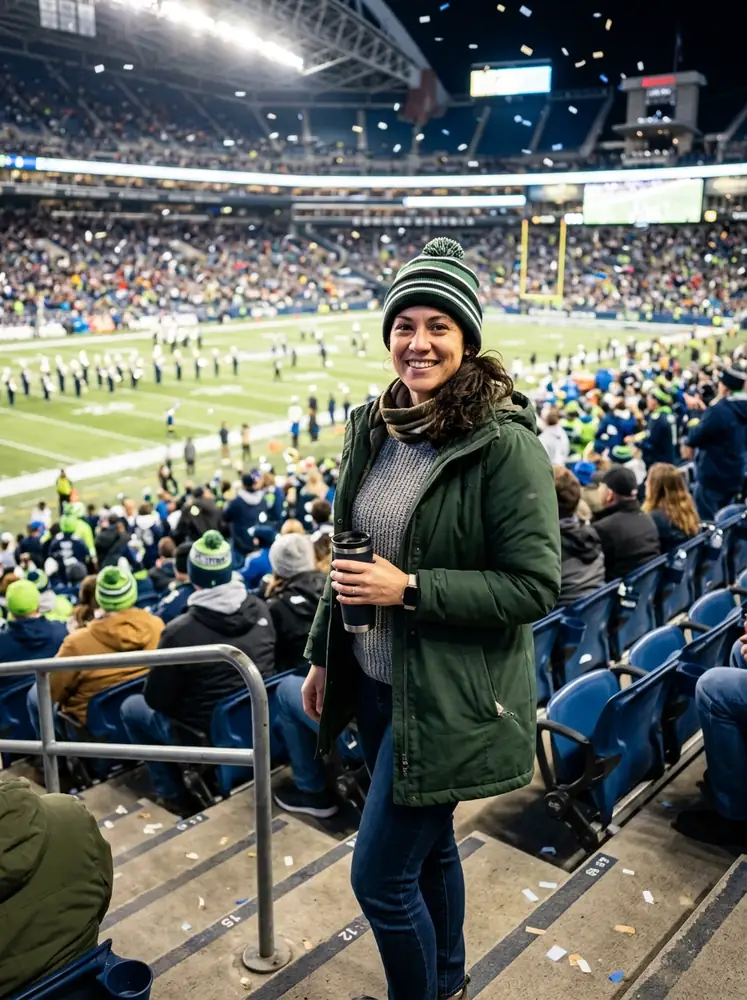 Mi-temps
Image verticale photoréaliste 9:16, image fixe d'ouverture pour une fan cam de terrain à la mi-temps : un fan adulte debout en toute sécurité près du milieu de terrain sur un terrain de stade lumineux, des confettis dans l'air, un écran géant et une foule en liesse derrière, lumière de diffusion ensoleillée, atmosphère authentique d'événement sportif, aucun texte lisible, aucun logo, aucune marque d'équipe, aucun filigrane.
Essayez cette inviteImage vers vidéo à partir de l'image de référence. Créez une fan cam réaliste de 5 secondes sur le terrain à la mi-temps : le fan se tourne et fait des signes tandis que des confettis tombent, la foule du stade bouge en arrière-plan, la caméra avance comme un plan de touche de diffusion, mouvement d'objectif naturel, couleurs vives d'événement sportif, pas de texte lisible, pas de logos, pas de filigrane.
Essayez ce mouvementLa page est construite autour des détails qui rendent un clip de stade crédible sur un écran de téléphone.
Générez le panneau de fan-cam propre avant l'animation, afin que l'angle du visage, l'éclairage du stade et la composition restent cohérents.
Les invites incluent le tremblement de la caméra, la lueur du jumbotron, le flou de la foule et les couleurs de la télévision en direct au lieu de superpositions de photos plates.
Des exemples MP4 verticaux 9:16 sont prévus pour TikTok, Reels et Shorts, avec du 16:9 disponible pour des montages sportifs plus larges.
Utilisez la comparaison de modèles comme guide de flux de travail : d'abord l'image fixe, puis le modèle vidéo qui correspond le mieux à votre objectif de réalisme.
| Criteria | Grok Imagine Video 1.5 | Kling v3 | Veo 3.1 Fast |
|---|---|---|---|
| Meilleur rôle | Variations rapides de fan-cam dans l'espace de travail GLB GPT. | Mouvement sportif piloté par référence lorsque l'image fixe est déjà solide. | Réalisme de diffusion premium lorsque la qualité prime sur la vitesse. |
| Utilisez-le quand | Vous voulez un brouillon rapide de jumbotron ou de caméra de foule. | Vous avez un pad propre et avez besoin d'un mouvement image-vers-vidéo stable. | Vous avez besoin de l'éclairage de stade, du mouvement de foule et du comportement de caméra les plus réalistes. |
| Conseil de prompt | Donnez-lui un moment de fan-cam clair et un court temps de réaction. | Décrivez le chemin de la caméra, la réaction de la foule et le maintien final à partir de l'image fixe. | Spécifiez l'objectif de diffusion, le tremblement subtil, la compression naturelle et la profondeur de foule. |
Commentaires d'interface fictifs écrits pour le flux de travail exact de fan-cam de stade.
L'étape de l'image fixe de référence rend l'ensemble du résultat plus facile à contrôler. Je peux obtenir le cadrage du jumbotron correct avant de passer du temps sur la vidéo.
Les prompts décrivent enfin les petits détails qui vendent l'effet : tremblement de caméra, flou de foule et le maintien final sûr pour les légendes.
J'ai utilisé les exemples de caméra de foule et de mi-temps comme point de départ pour de courts montages sportifs. Ils semblent conçus pour la vidéo sociale verticale, pas pour des images de stock génériques.
Comparez les options image-vers-vidéo avant de choisir un modèle pour le mouvement de stade.
| Rang | Modèle | Note Arena | Votes | Plage de classement |
|---|---|---|---|---|
| #1 | minimax-h3 MiniMax / minimax-h3-community-license-agreement | 1489.4 | 13020 | #1-#3 |
| #2 | dreamina-seedance-2.5-720p Bytedance / Propriétaire | 1483.73 | 2912 | #1-#3 |
| #3 | dreamina-seedance-2.0-720p Bytedance / Propriétaire | 1478.16 | 105298 | #1-#3 |
| #4 | gemini-omni-flash Google / Propriétaire | 1462.22 | 54179 | #4-#6 |
| #5 | grok-imagine-video-1.5-720p SpaceXAI / Propriétaire | 1460.29 | 99649 | #4-#6 |
Source: Arena Leaderboard
AI Stadium Fan Cam est un flux de travail vidéo qui transforme un selfie ou une image de référence de fan en un court clip de style stade, comme un gros plan de jumbotron, une révélation de caméra de foule, une réaction propre de kiss cam ou un moment de terrain à la mi-temps.
Le pad verrouille l'angle du visage, l'éclairage du stade, le cadrage et l'arrière-plan avant l'animation. Cela rend la fan cam finale plus stable que de demander à un modèle vidéo de tout inventer à partir du texte seul.
Oui. Utilisez des invites qui mentionnent l'étalonnage des couleurs de diffusion, un léger tremblement de caméra, la lueur du jumbotron, une foule en mouvement, un flou de mouvement doux et une courte tenue finale. Évitez les logos, les faux textes et les marques officielles d'équipe.
Utilisez 9:16 pour TikTok, Reels et Shorts. Utilisez 16:9 lorsque vous voulez un look de diffusion sportive plus large ou un clip paysage adapté à YouTube.
Gardez le contenu original sauf si vous avez les droits. Utilisez des couleurs de stade génériques, des équipes fictives et vos propres images au lieu de logos officiels, marques de sponsors, ressemblances de célébrités ou séquences de diffusion protégées.