Respuesta rápida: Una descripción fiable del tipo Kling 3.0 detalla lo que el espectador debe ver y oír: el sujeto, la acción visible, el comportamiento de la cámara, el escenario, la iluminación y el audio. Considérala como una lista de comprobación práctica, no como una fórmula oficial rígida. En el caso de los clips con varias tomas, identifica cada toma y indícale un intervalo de tiempo.
Sin embargo, intentar descifrar esta fórmula adivinando directamente dentro de un generador de vídeos agota rápidamente los costosos créditos. Cada vez que tu indicación falla o es bloqueada por un filtro de seguridad agresivo, pierdes dinero y rompes tu impulso creativo.
Una indicación imprecisa puede dar lugar igualmente a una imagen impactante, pero ofrece a Kling menos pistas sobre el movimiento, la continuidad, el diálogo y el sonido. Entender cómo Funcionamiento de los créditos de vídeo generados por IA facilita la reserva de generaciones de pago para las solicitudes que están listas para ser probadas.
GlobalGPT mantiene las fases de planificación y generación en un único espacio de trabajo. Puedes utilizar GPT-5.6 Sol Para perfeccionar una lista de planos, crea una imagen de referencia con un modelo de imagen compatible y, a continuación, anímala con Kling 3.0. GlobalGPT ofrece su plan Pro por $10,8 al mes con facturación anual; los precios y las condiciones de crédito pueden variar, por lo que se recomienda consultar la página de pedido antes de suscribirse.

Índice
Guía Kling 3.0 para mejorar los vídeos de IA: ¿Qué es la “mentalidad del director”?
La “mentalidad del director” consiste en redactar el texto de la consigna como si estuvieras dando instrucciones concretas a un cámara y a un actor en un plató de cine real, en lugar de limitarte a describir el aspecto de un cuadro.
- Deja de lado los hábitos relacionados con las indicaciones basadas en imágenes: Una lista como “mujer guapa, 4K, obra maestra, muy detallada” puede describir el aspecto, pero no indica qué cambia con el tiempo. Añade una acción clara y una indicación para la cámara.
- Da prioridad a las acciones visibles: En lugar de “un vaso roto en el suelo”, escribe “un vaso se cae de la mesa y se hace añicos en el suelo”. Los verbos concretos proporcionan al modelo un suceso que representar. Esto Guía de movimiento de la cámara con IA Kling resulta útil a la hora de elegir el comportamiento de la lente en torno a ese evento.
- Asienta el tema desde el principio: Identifica a la persona u objeto principal antes de añadir detalles del fondo. Así aumentas las posibilidades de que la imagen mantenga la atención en el sujeto deseado, aunque esto no garantiza una coherencia perfecta.
¿Cómo se estructura una buena pregunta tipo Kling 3.0?
Una indicación útil para un plano único puede seguir una estructura de cinco partes: Cámara + Escena + Acción del sujeto + Aspecto/Iluminación + Audio. Se trata de un marco práctico para la redacción, no de una regla oficial exclusiva de Kling. Si quieres una secuencia más larga, utiliza planos etiquetados en lugar de intentar incluir todas las instrucciones en una sola frase. El flujo de trabajo en Cómo utilizar Kling 3.0 como un profesional muestra cómo esas decisiones encajan en un proceso de generación completo.
- Empieza por la cámara: Indica el encuadre y el movimiento, como “primer plano estático” o “movimiento lento de la plataforma hacia delante”. Utiliza un solo movimiento principal por plano, a menos que la transición sea imprescindible.
- Describe el escenario y la acción: Describe el entorno, el personaje y lo que este está haciendo en este momento: “En una calle brumosa de Tokio, un detective cyberpunk levanta un vaso de papel y observa el tráfico”.”
- Dale el toque final con el aspecto y el sonido: Añade iluminación, ambiente y detalles sonoros que se puedan describir: “reflejos de neón, una medianoche lluviosa, el tráfico lejano, el golpeteo de la lluvia sobre el toldo”.”
- Incluye tantos detalles como requiera la toma: No existe un número ideal de palabras (entre 20 y 50) que esté contrastado. Elimina las contradicciones y los rellenos superfluos, pero conserva los detalles que determinan el ritmo, el diálogo, el sonido o la continuidad.
Plantilla de una sola toma:
[Cámara y encuadre]. [Sujeto] [acción visible] en [escenario]. [Iluminación y estilo visual]. Audio: [diálogo, sonido ambiental y efectos de sonido]. Mantén la coherencia en los [detalles importantes de continuidad].Plantilla para disparos múltiples:
Toma 1 (0-2 s), [encuadre/movimiento]: [sujeto y acción].
Toma 2 (2-5 s), [encuadre/movimiento]: [siguiente acción y diálogo].
Audio: [fondo sonoro ambiental], [efectos específicos], [voz y entonación].
Continuidad: mantener la coherencia en [rostro/ropa/atrezo/composición/dirección de la luz] en ambas tomas.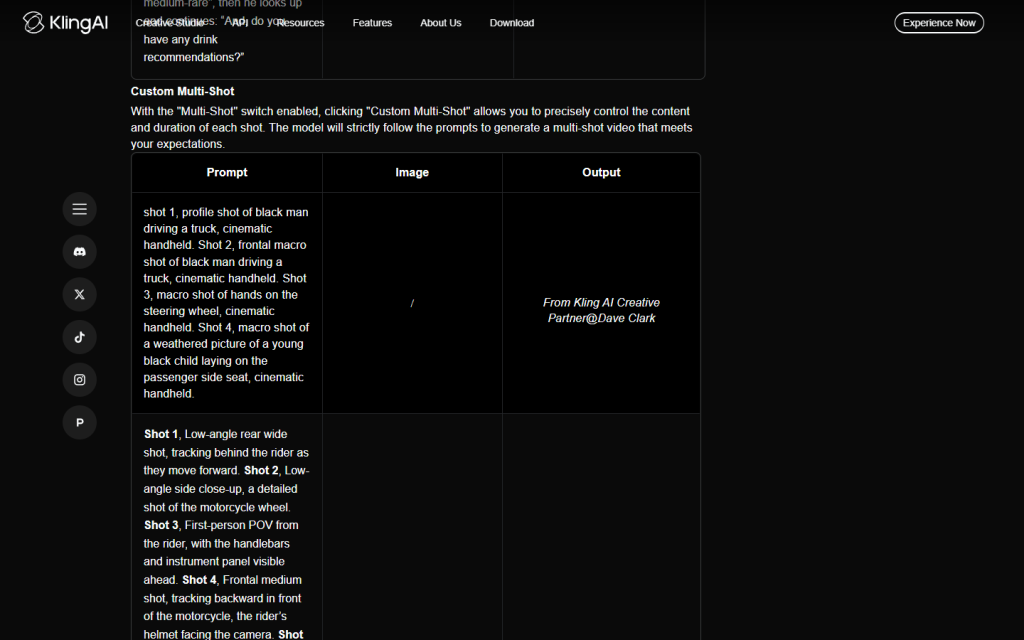
¿Cuáles son las mejores indicaciones para el movimiento de la cámara y el audio nativo?
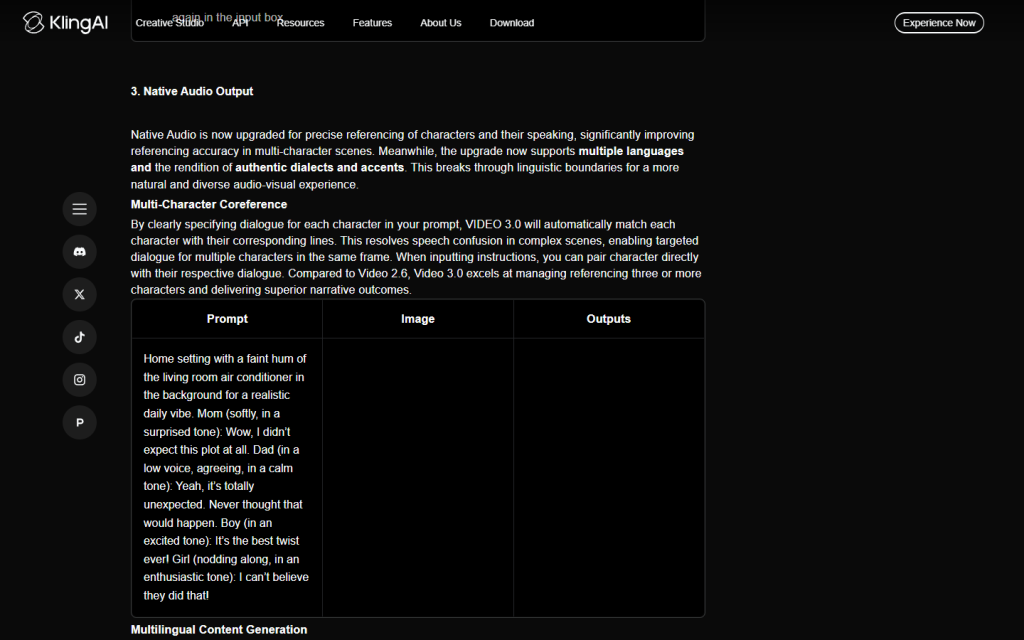
Las mejores indicaciones para el movimiento de cámara utilizan la terminología tradicional de Hollywood, como “toma de seguimiento” o “panorámica”, mientras que el audio original se indica poniendo los diálogos entre comillas y describiendo los efectos de sonido.
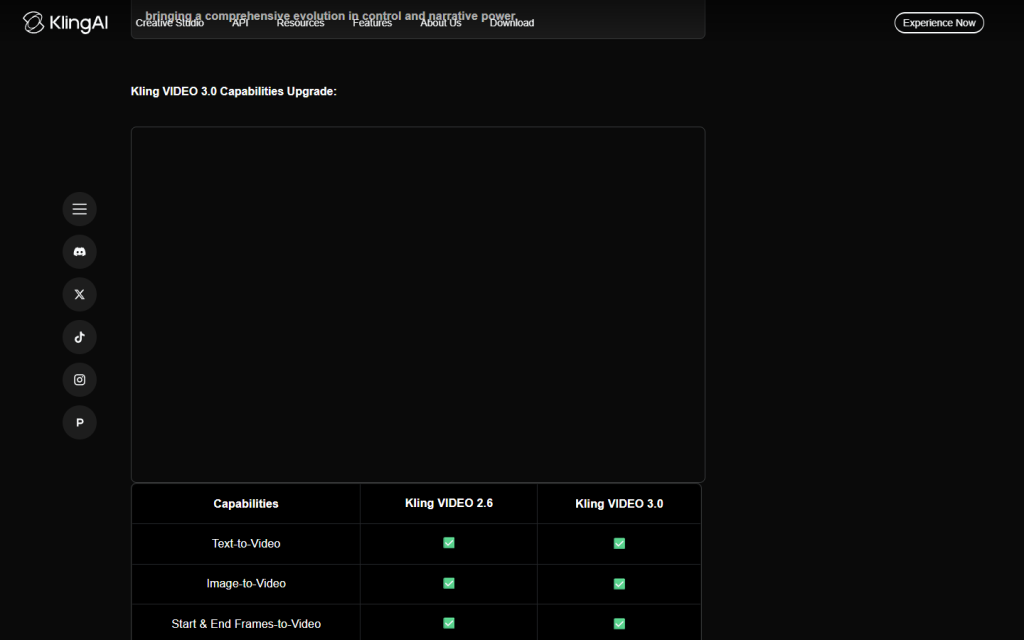
Para una orientación auditiva más clara, identifica al hablante, la forma de expresarse, el ambiente y los efectos de sonido. Según el Guía oficial de Kling VIDEO 3.0, VIDEO 3.0 admite audio nativo y la generación personalizada de tomas múltiples; el audio nativo no se limita al modelo Omni.
- Utiliza los términos exactos de la cámara: “Toma de seguimiento” consiste en que la cámara siga al sujeto. “Vuelo de dron” ofrece una vista aérea desde las alturas. “Toma estática con trípode” consiste en que la cámara permanezca fija mientras la acción se desarrolla dentro del encuadre.
- Asigna una función a cada plano: Si necesitas un plano general y una reacción íntima, divídelos en el plano 1 y el plano 2. Así queda más claro que pedir un plano general y un primerísimo primer plano al mismo tiempo.
- Nombre del audio ambiental: Añade sonidos perceptibles como “pasos pesados sobre grava mojada”, “lluvia constante sobre lona” o “truenos lejanos”. En el caso de las escenas basadas en texturas, se aplica el mismo principio a un Flujo de trabajo del vídeo ASMR Kling.
- Asignar un diálogo a un personaje: Escribe el nombre del personaje, las palabras exactas y el tono:
El soldado susurra con voz baja y agotada: "Por fin nos vamos a casa"." - Elige un idioma de diálogo compatible: La guía VIDEO 3.0 de Kling incluye el chino, el inglés, el japonés, el coreano y el español, y señala varios acentos o dialectos en el caso del chino y el inglés.
Plantillas Pro-Level Kling 3.0 Prompt (copiar y pegar)
[Indicación de acción y diálogo]
Primer plano estático: un soldado cansado, en una trinchera embarrada, mira hacia el cielo; llueve a cántaros y susurra: "Por fin nos vamos a casa". Iluminación cinematográfica oscura, ambiente sombrío.
[Descripción de la escena de física y movimiento]
Toma de seguimiento a cámara lenta: un coche deportivo derrapando en una curva cerrada de montaña, con los neumáticos echando humo y lanzando grava hacia la lente, bajo la intensa luz del sol de la tarde, en 8K fotorrealista.[Guión de diálogo para varias tomas dirigidas]
Toma 1 (0-2 s), primer plano estático: un soldado cansado, en una trinchera embarrada, levanta la vista lentamente mientras la lluvia torrencial le resbala por el casco. Plano 2 (2-5 s), suave acercamiento con cámara en mano: exhala, mantiene la mirada fija en el cielo y susurra con voz baja y agotada: "Por fin nos vamos a casa". Sonido: lluvia constante sobre la lona, truenos lejanos, suave movimiento de la tela. Iluminación cinematográfica de bajo contraste, ambiente sombrío. Mantén el mismo rostro, el mismo uniforme, la misma disposición de la trinchera y la misma dirección de la lluvia en ambas tomas.¿Cómo mejoran las imágenes de referencia la coherencia de los vídeos generados por IA?
Las imágenes de referencia proporcionan a Kling un punto de partida visual para los rostros, la ropa, los accesorios y el estilo. Pueden mejorar la coherencia y reducir la repetición de descripciones visuales, pero no fijan de forma definitiva todos los detalles. Una referencia sólida sigue funcionando mejor cuando se combina con una indicación de movimiento concreta. Para conocer más técnicas de continuidad, consulta esta explicación de Kling: Coherencia de los personajes de IA.
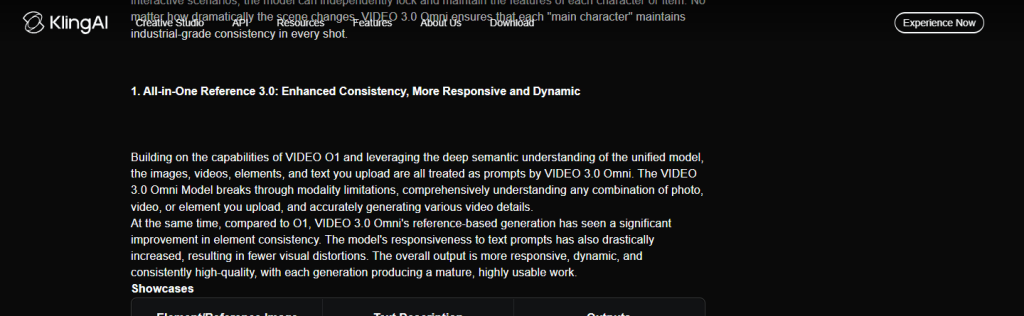
- Eliminar los detalles que aparecen repetidamente: Una vez que hayas adjuntado una imagen del personaje que te resulte útil, dedica una mayor parte de la descripción a la acción, el movimiento de la cámara y el sonido, en lugar de repetir detalles sobre el pelo, la ropa y los rasgos faciales.
- Describe un movimiento que se ajuste a la fuente: Un primer plano resulta adecuado para una expresión facial sobria; una imagen de cuerpo entero proporciona al modelo más información para caminar o gesticular. Esto Flujo de trabajo de imagen a vídeo Kling trata con más detalle la preparación de la imagen original.
- Reafirmar las prioridades en materia de continuidad: Si lo más importante es el rostro, el vestuario, el atrezo o la iluminación, indícalo. Las referencias aumentan las posibilidades de mantener la continuidad; no eliminan los cambios graduales ni las desviaciones en la escena.
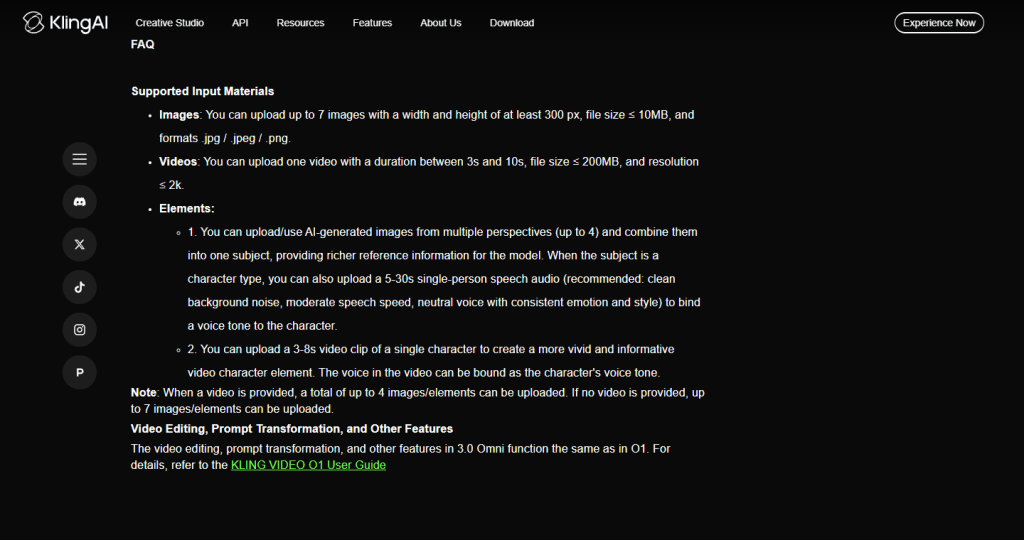
En Guía oficial de VIDEO 3.0 Omni Admite como entrada hasta siete imágenes o un vídeo de entre 3 y 10 segundos. Cuando se proporciona un vídeo, la guía limita el número de imágenes o elementos adicionales a cuatro. También se aplican normas relativas al tamaño de los archivos y a las dimensiones mínimas, por lo que te recomendamos que consultes el panel de subida actual antes de preparar un lote grande.
| Entrada | Ideal para | Enfoque en la indicación | Advertencia principal |
|---|---|---|---|
| Sólo texto | Exploración de conceptos y escenas sin personajes fijos | Tema, acción, cámara, escenario, iluminación, audio | Hay que describir más detalles visuales |
| Imagen de referencia | Personaje, objeto, atuendo o estilo visual conocido | Movimiento, cámara, interpretación, sonido | La consistencia mejora, pero no está garantizada |
| Vídeo de referencia en Omni | Señales de movimiento o de continuidad de un clip ya existente | Qué hay que conservar y qué hay que cambiar | Se aplican los límites actuales de duración y de aportaciones de los acompañantes |
¿Cómo puede crear un flujo de trabajo multimodelo para ahorrar créditos de generación?
Puedes crear un flujo de trabajo multimodelo utilizando una IA de texto rápida para escribir tu guión, una IA de imagen de alta calidad para generar tu imagen de referencia y, por último, utilizando la IA de Kling sólo para la animación real, reduciendo drásticamente créditos desperdiciados.
El ahorro variará según el proyecto, pero este orden permite realizar las revisiones, que son más económicas, en una fase más temprana, antes de la generación del vídeo. La misma lógica de preparación se aplica en este flujo de trabajo para convertir imágenes en vídeos cinematográficos Kling.
- Redacta el resumen de la toma: Pide a GPT-5.6 Sol o a otro modelo de texto competente que señale los encuadres contradictorios, la atribución poco clara de los diálogos, las transiciones que faltan y los planos sobrecargados. Trata el borrador como si fueras un editor, no como una autoridad en los límites actuales de Kling.
- Crea la referencia: Crea o elige una imagen en la que se vean claramente el sujeto, la ropa, los accesorios y el encuadre necesarios para el movimiento.
- Animación en Kling 3.0: Añade la referencia y, a continuación, utiliza las indicaciones principalmente para la acción, la cámara, el ritmo y el audio. Genera una variación controlada antes de ampliar la escena.
- Revisar los fallos observables: Fíjate en las desviaciones en la identidad, las acciones omitidas, los movimientos incorrectos de la cámara, el equilibrio del sonido y la continuidad. Cambia una causa cada vez.

Ver: Cómo guiar vídeos de IA como un director
Vea cómo los cineastas profesionales de IA utilizan indicaciones cinematográficas específicas e imágenes de referencia para controlar movimientos de cámara complejos en este tutorial en profundidad:
¿Cómo se corrigen los errores y alucinaciones más comunes de la IA?
Empieza por eliminar las instrucciones contradictorias y decidir qué error es el más importante. Algunas plataformas incluyen un campo de indicación negativa y otras no; incluso cuando está disponible, puede reducir los patrones no deseados, pero no puede garantizar un resultado impecable. Si estás comparando tanto el comportamiento del modelo como las indicaciones, esto Comparación entre Seedance 2.0 y Kling 3.0 ofrece un contexto útil.
| Problema | Motivo probable | Qué probar |
|---|---|---|
| Estructura deformada | La indicación solicita perspectivas incompatibles, como un primerísimo primer plano y un plano de cuerpo entero a la vez. | Elige un tamaño de fotograma por plano o divide las vistas en planos etiquetados |
| Acción perdida | Hay demasiadas acciones que se solapan en un breve espacio de tiempo | Mantén un momento de acción principal por plano y traslada la acción secundaria al siguiente plano. |
| Emoción plana | La pregunta menciona una emoción sin mostrarla | Describe comportamientos visibles, como un temblor en la mano, la mirada baja o lágrimas en la mejilla. |
| Altavoz incorrecto | El diálogo no está asignado con claridad | Indica quién es el orador, cita la frase exacta y describe cómo la pronunció |
| Deriva de los caracteres | Los detalles sobre la apariencia o las prioridades de referencia no están claros | Utiliza una referencia clara y repite solo los detalles de continuidad que sean más importantes. |
| Fondo difuminado o parpadeo | Movimiento rápido, complejidad de la cámara o cambios de escena simultáneos | Simplifica el proceso; si la interfaz ofrece indicaciones contradictorias, describe el objeto concreto sin esperar una garantía. |
Preguntas frecuentes
¿Cuál es el mejor formato de aviso para Kling 3.0?
El mejor formato es una fórmula cinematográfica estructurada: Movimiento de la cámara + Descripción de la escena + Acción del sujeto + Iluminación/Atmósfera + Marcadores de audio/tiempo.
¿Cómo hago hablar a los personajes de la IA Kling?
Indica el nombre del personaje, escribe el diálogo exacto entre comillas y describe cómo se pronuncia. Tanto Kling VIDEO 3.0 como VIDEO 3.0 Omni admiten audio nativo; la guía actual de VIDEO 3.0 incluye chino, inglés, japonés, coreano y español para los diálogos.
¿Cuál puede ser la duración máxima de un clip de vídeo Kling VIDEO 3.0?
Las guías actuales de VIDEO 3.0 y VIDEO 3.0 Omni de Kling indican que la duración de la generación oscila entre 3 y 15 segundos. Las opciones disponibles pueden depender del modo seleccionado y de la interfaz de la plataforma.
¿Cuál es la diferencia entre Kling VIDEO 3.0 y VIDEO 3.0 Omni?
Ambos modelos son compatibles con el audio nativo y los flujos de trabajo de múltiples tomas. VIDEO 3.0 Omni incorpora un flujo de trabajo de referencia «todo en uno» que permite combinar texto con imágenes, vídeo y elementos reutilizables, siempre que se respeten los límites de entrada actuales.
¿Cuántas referencias puedo añadir al Kling VIDEO 3.0 Omni?
La guía oficial de Omni permite incluir hasta siete imágenes o un vídeo de entre 3 y 10 segundos. Cuando se proporciona un vídeo, se pueden utilizar hasta cuatro imágenes o elementos adicionales. Consulta la interfaz actual para conocer los requisitos de tamaño de archivo y dimensiones.
¿Por qué se deforman o se desvanecen mis vídeos de IA con Kling?
Los vídeos suelen deformarse porque su indicación contiene demasiadas instrucciones, movimientos de cámara contradictorios o carece de una imagen de referencia estable para anclar los detalles físicos del personaje.
¿Son las imágenes de referencia mejores que las instrucciones que solo contienen texto?
Las imágenes de referencia resultan útiles cuando es necesario que la identidad, la vestimenta, los accesorios o el estilo visual sigan siendo reconocibles. Las indicaciones que solo contienen texto siguen siendo útiles para explorar conceptos. Una referencia puede mejorar la coherencia, pero no garantiza que el personaje quede perfectamente definido.
¿Puedo utilizar desde el Kling 3.0 hasta el GlobalGPT?
Sí. GlobalGPT cuenta con un espacio de trabajo de vídeo Kling 3.0 con controles de referencia, audio nativo, duración y resolución. Los precios de la plataforma y las normas de crédito pueden variar, por lo que es recomendable confirmar la configuración actual antes de generar un lote de gran tamaño.
Conclusión
Las mejores indicaciones para Kling 3.0 no se basan tanto en palabras clave mágicas como en orientar hacia opciones observables. Define el tema, asigna a cada plano una acción clara y una tarea de cámara, asigna los diálogos y utiliza referencias cuando la identidad visual sea importante. Un flujo de trabajo por etapas puede reducir los reintentos evitables, aunque en la revisión final se debe seguir comprobando la continuidad, los artefactos y el sonido. Antes de publicar el trabajo para el cliente, revisa también las directrices actuales sobre Kling: uso comercial de la IA.