Most people do not need another single-purpose AI app. They need fewer tabs, fewer subscriptions, and a faster way to move from a question to a draft, an image, a video idea, a PDF summary, or an API workflow.
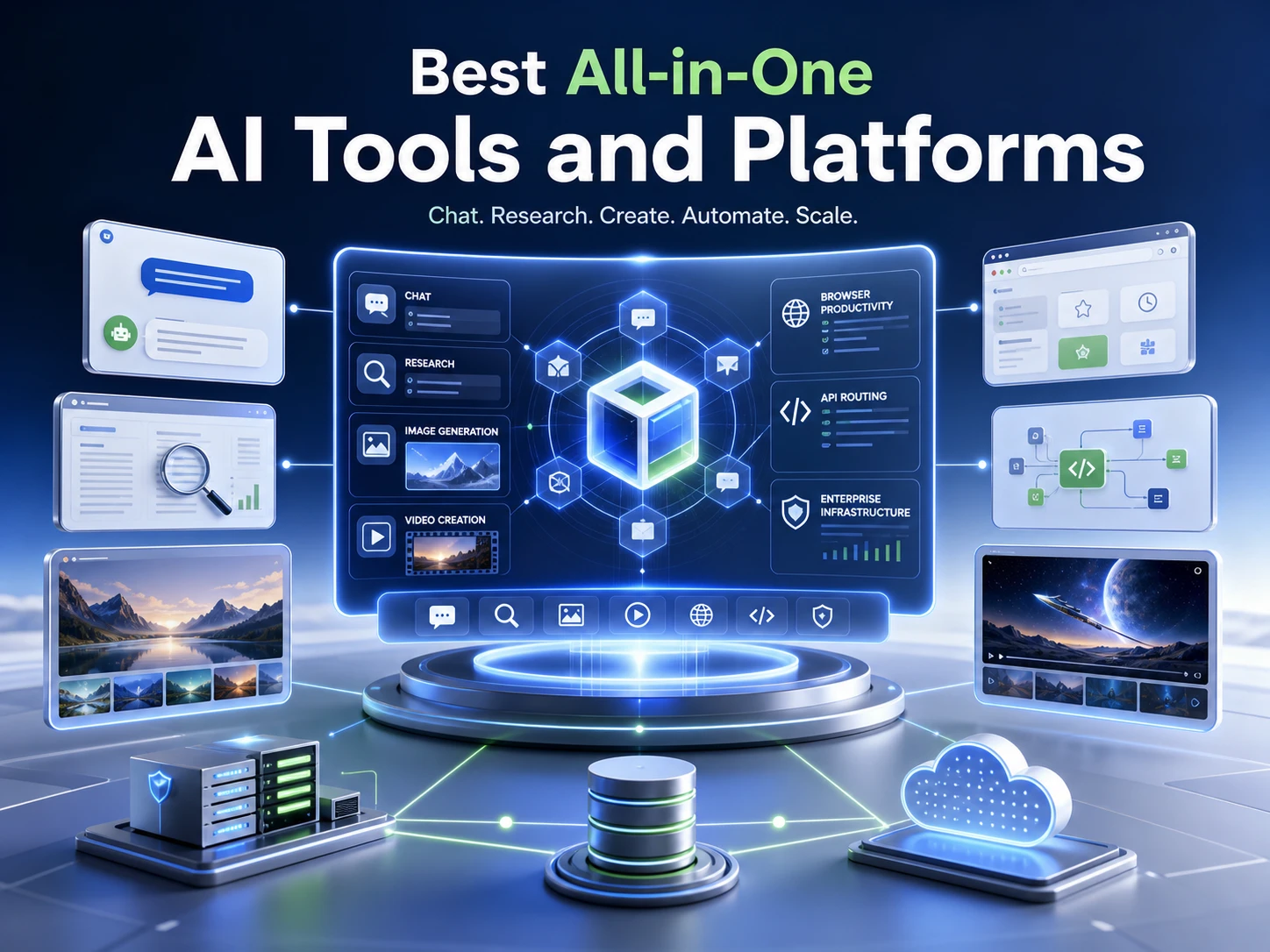
All-in-one AI tools promise to make that easier, but the same label covers very different products. Some are simple workspaces for chat and creative work. Some are browser copilots. Some are content suites. Others are developer gateways or enterprise AI infrastructure.
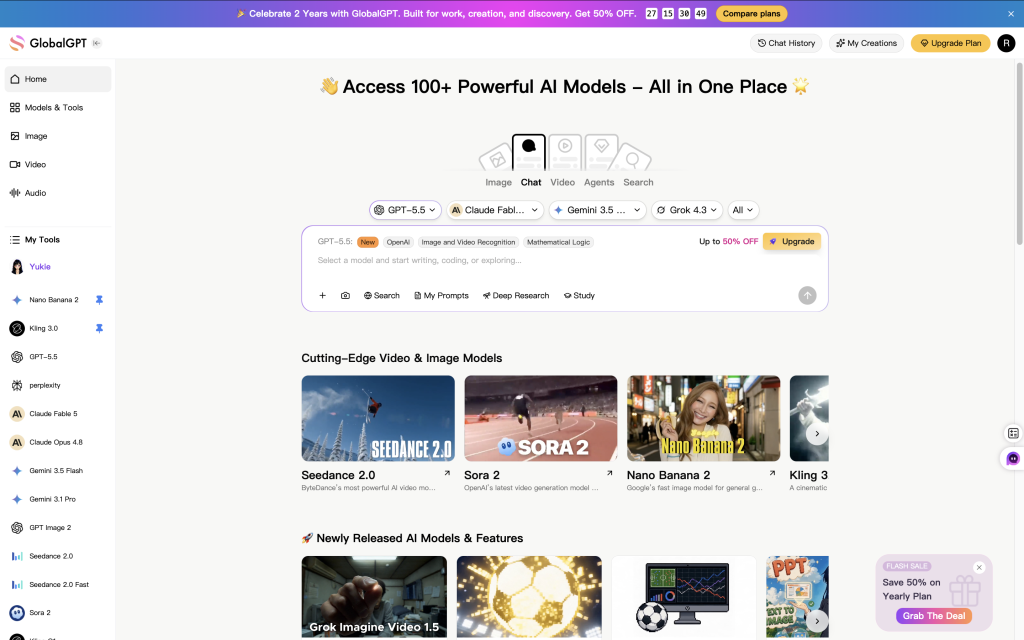
If you want a practical starting point, GlobalGPT is the easiest broad recommendation for many users because it puts recognizable frontier models in one workspace: GPT-5.5, Claude Opus 4.8, Gemini 3.5 Flash, Grok 4.1 Fast, DeepSeek V4 Pro, plus creative models such as GPT Image 2, Sora 2, Veo 3.1, Nano Banana Pro and Seedance 2.0. That mix is useful when you want Perplexity-style research, model comparison, image generation, and video generation without managing several separate subscriptions. For technical teams building APIs or production infrastructure, a gateway or cloud platform may still be the better fit.
Contents
- Quick comparison
- 1. GlobalGPT
- 2. Poe
- 3. Monica
- 4. 1min.AI
- 5. Easy-Peasy.AI
- 6. EaseMate AI
- 7. OpenRouter
- 8. Eden AI
- 9. Together AI
- 10. ZenMux
- 11. AWS Bedrock
- How to choose
- FAQ
Quick Comparison of the Best All-in-One AI Tools
Use this table as a fast shortlist. The goal is not to pick the platform with the longest feature list. The better question is which platform removes the most friction from your real workflow.
| Platform | Best fit | Strongest use | Pricing or usage style | Main trade-off |
|---|---|---|---|---|
| GlobalGPT | Everyday users, creators, AI power users | Multi-model chat, Perplexity access, image and video generation | Free trial plus credit-based paid plans | Not a developer API console or enterprise infrastructure layer |
| Poe | Users who want many chat models and custom bots | Multi-model conversations, bot creation, bot discovery | Points-based free and paid plans | Points can be less intuitive than a simple subscription |
| Monica | Browser-first productivity users | Sidebar assistant, page summaries, YouTube summaries, prompt library | Free daily use plus paid plans | Less suited to deep model comparison or developer workflows |
| 1min.AI | Casual creators and small teams | Text, image, audio, video, PDFs, speech, and task modules | Credit-based plans with free monthly credits | Heavy model or media use can consume credits quickly |
| Easy-Peasy.AI | Marketers, bloggers, small businesses, educators | Templates, brand voice, writing, transcription, bots, content workflows | Plan limits for words, media credits, transcription, and bots | Broad toolset, but not every module is as deep as a specialized tool |
| EaseMate AI | Students, office workers, personal productivity users | PDFs, PPTs, resumes, OCR, summaries, browser help, documents | Free access, paid plans, and credit packs | Advanced features and higher-volume use depend on limits |
| OpenRouter | Advanced users and developers | Large model catalog, token pricing, unified API, BYOK | Usage-based pricing and platform fees | More technical than a beginner AI workspace |
| Eden AI | SaaS teams and product developers | Unified API for LLMs, OCR, speech, vision, translation, and documents | Provider cost plus platform fee | Requires API knowledge and product integration |
| Together AI | AI startups, developers, ML teams | Serverless inference, batch inference, fine-tuning, endpoints, GPU clusters | Infrastructure usage pricing | Too technical for casual chat, writing, or document work |
| ZenMux | Users who want model comparison and cost-control concepts | Unified model access, side-by-side comparison, credit compensation concept | Subscription tiers plus pay-as-you-go style access | Policy details should be checked before relying on compensation rules |
| AWS Bedrock | AWS-native enterprise teams | Enterprise generative AI apps, security, agents, customization, deployment | Model, tier, and usage-based AWS pricing | Overbuilt for simple daily AI use |
1. GlobalGPT – Best All-Around Workspace for Models, Research, Images, and Video
GlobalGPT is the strongest all-around recommendation if you want one AI workspace for everyday chat, research, writing, model comparison, image generation, and video generation. It is not only a chatbot, and it is not only a creative tool. Its value is that several common AI workflows sit closer together.
That matters when your work does not stop at one format. A topic may begin as a question, become a comparison, turn into a draft, and later need images or a short video concept. Instead of opening a different tool at each step, GlobalGPT gives you one place to move through that process.
Best fit
Choose GlobalGPT if you want a direct, non-technical workspace for daily AI work: research, writing, summarizing, model switching, image creation, and video creation. It also makes sense if you are already paying for multiple AI subscriptions and want a simpler way to compare outputs from different models.
What it offers
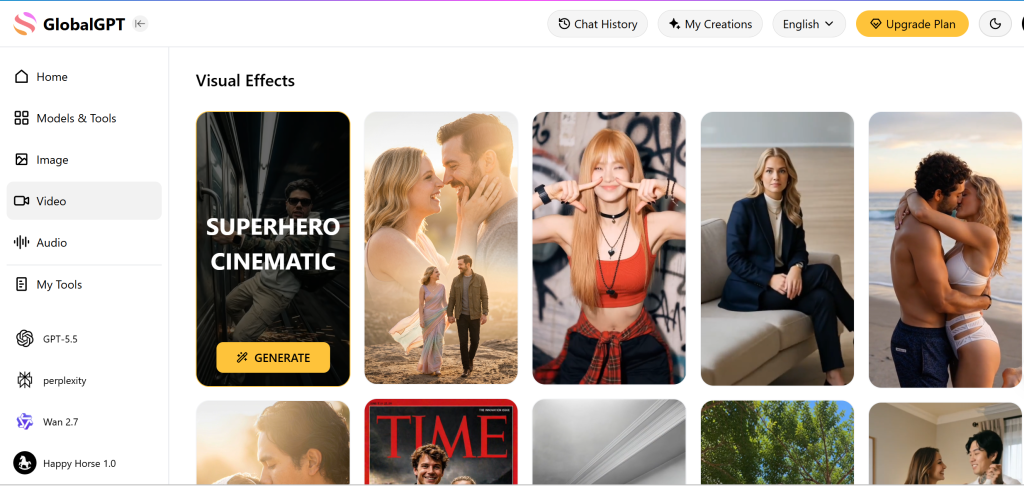
GlobalGPT is built around one account for multiple AI models and creative tools. The platform combines AI chat, AI search-style workflows, writing help, image generation, video generation, and templates in a single workspace. That is why it works better as a broad AI workspace than as a narrow single-purpose app.
- Multi-model access is useful when you want to test different answers without opening several platforms.
- The workspace is simple enough for non-technical users, so it feels closer to a normal AI app than to a developer console.
- Creative tools make it useful for creators, marketers, and teams that need text, images, and videos in the same process.
- Perplexity access and leading model access make it a stronger everyday option than a writing-only or image-only tool.
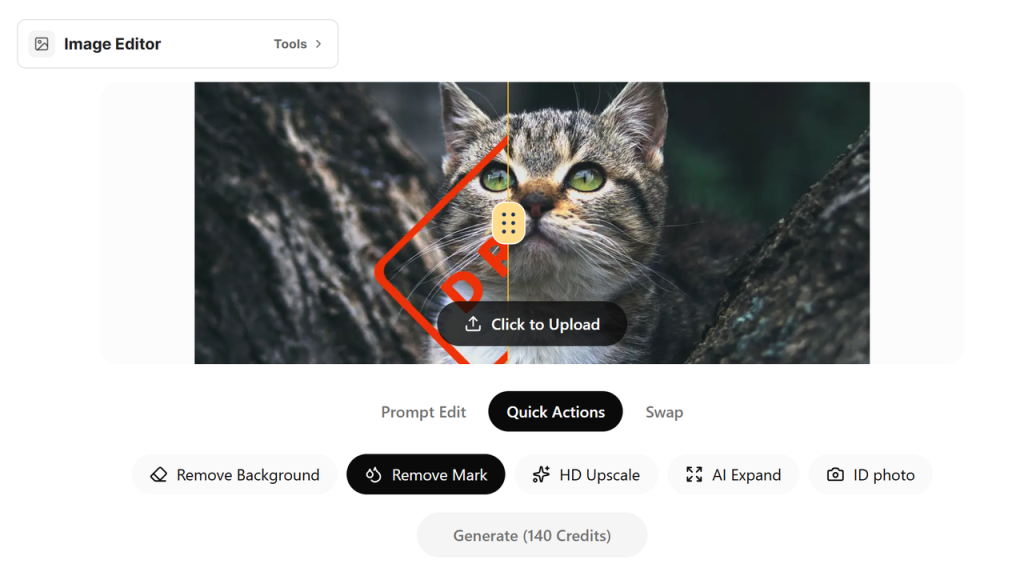
GlobalGPT is also one of the better choices if visual creation matters. The platform brings text models together with image and video engines, so creators can move from an idea to visual output in one environment. If you are comparing AI video options, the Sora and Kling alternative guide is a useful next read.
Access, pricing, and usage
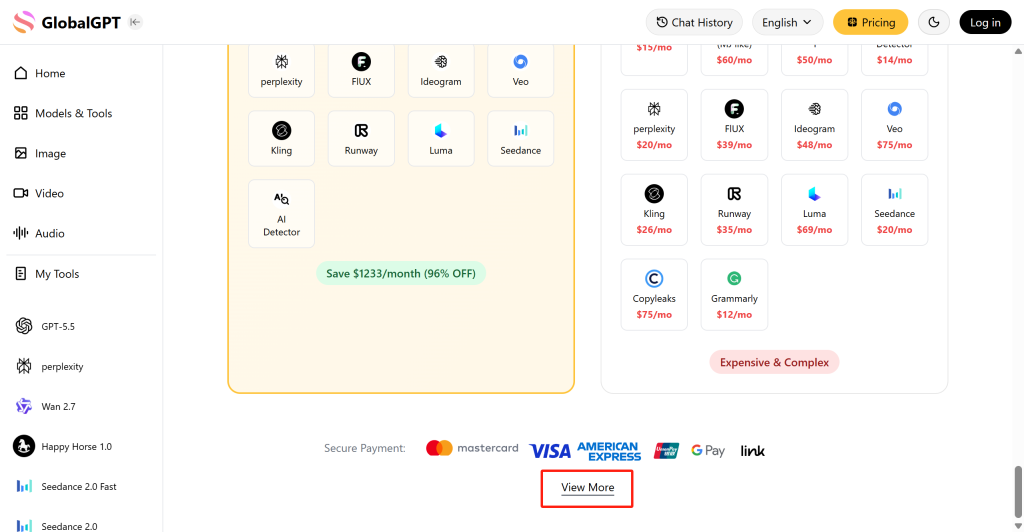
GlobalGPT offers a small free trial for new users, then paid credit-based plans. The table below summarizes the entry-level plan structure used for this comparison.
| Plan | Monthly price | Yearly billing equivalent | Monthly credits | Best for |
|---|---|---|---|---|
| Free trial | $0 | – | 3 free chat credits for new users | Testing the basic chat experience before choosing a paid plan |
| Basic | $8.9/month | $5.8/month when billed yearly | 12k credits/month | Light to moderate chat, research, writing, and model testing |
| Pro | $15/month | $10.8/month when billed yearly | 20k credits/month | More frequent multi-model use, image generation, and creative workflows |
The practical detail is that credits do not have the same value across every model or tool. Lighter chat and writing tasks may last longer, while premium models, image generation, or video generation can use credits faster. The pricing view gives users a way to check model-level token cost details before relying on one plan for heavy work.
Trade-offs
- It is not the right choice if you mainly need API routing, fine-tuning, model deployment, or backend AI infrastructure.
- If you only need one narrow task, such as a dedicated writing-template tool or a professional video editor, a specialized product may still be stronger.
- Heavy media generation can use credits faster than normal chat, so users should check the current model and media costs before choosing a plan.
Recommendation
Choose the GlobalGPT workspace if you want one practical place for chat, research, writing, model comparison, images, and video. Do not choose it as a replacement for a developer API console, fine-tuning platform, or full enterprise infrastructure product.
2. Poe – Best for Multi-Model Chat and Custom Bots
Poe, developed by Quora, is one of the best-known AI model hubs. It brings together popular models from major AI providers and adds a large bot ecosystem on top. If your main goal is to chat with different models, test community bots, or build your own no-code bot, Poe is one of the strongest choices.
Best fit
Choose Poe if your workflow is mainly conversation-based. It is especially good for users who want to try different chat models, save different bot personalities, explore community-made bots, or build a simple custom bot without writing code.
What it offers
Poe is built around fast access to many bots and models. The original platform article describes it as a place for OpenAI, Anthropic, Google, and other model families, with community-created bots layered on top. That bot ecosystem is the reason Poe feels different from a normal chatbot interface.
- Users can switch between many AI models and community bots from one interface.
- Custom bot creation makes it useful for prompt builders, roleplay, coding helpers, writing assistants, and niche workflows.
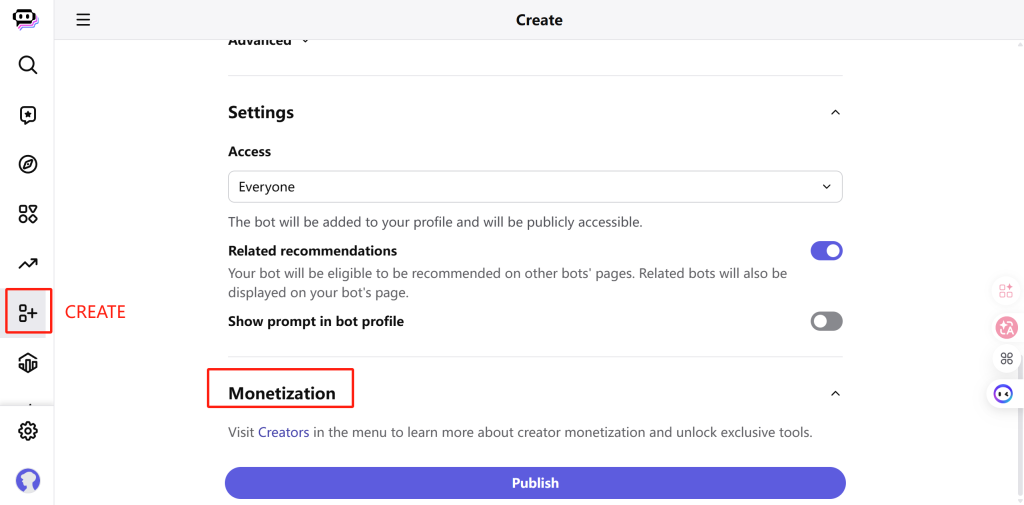
- Bot creators can publish bots and may monetize them through Poe’s creator system.
- Poe also offers developer-facing API access for users who want model access through a single interface.
Access, pricing, and usage
Poe is available on the web, mobile apps for iOS and Android, and desktop apps for macOS and Windows. Some users also use community-made extensions to access Poe from the browser.
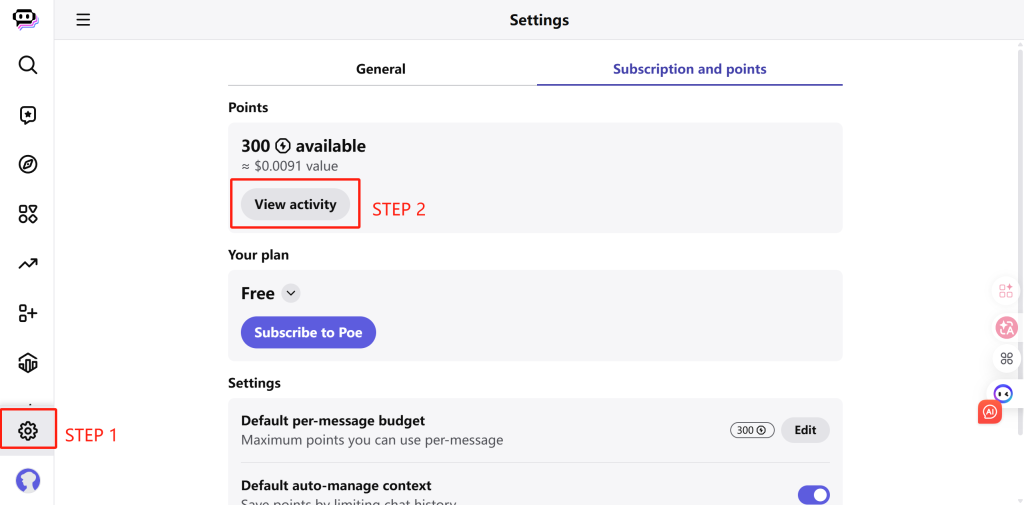
Poe uses a points system. The free version is listed as giving 300 points per day. The Basic plan is listed at $4.99 per month, or $4.17 per month when billed yearly, with 10k points per day. The Plus plan is listed at $19.99 per month, or $16.67 per month when billed yearly, with 660k points per month.
Trade-offs
- Points can be flexible, but they also make usage less obvious than a simple monthly subscription.
- Poe is strongest for chat and bot workflows, not for document suites, browser-side productivity, or creative image and video production.
- If you need predictable pricing for heavy model use, you need to understand how different bots and models consume points.
Recommendation
Choose Poe if you want a mature multi-model chat hub and like the idea of custom bots. Choose another tool if your main need is image generation, video generation, document workflow, or enterprise AI infrastructure.
3. Monica – Best Browser Copilot for Daily Web Work
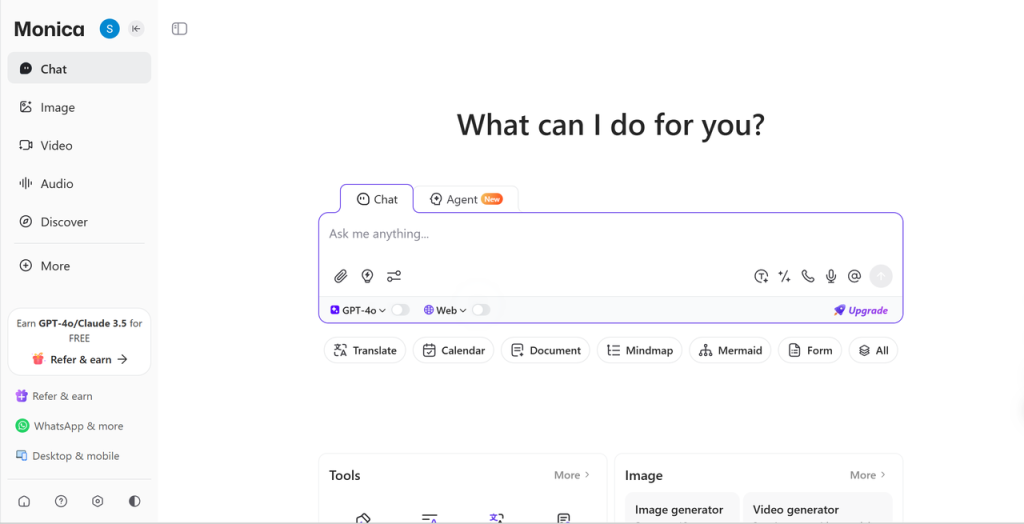
Monica is a strong choice if you want AI to live beside your browsing, reading, and writing work. Instead of making you copy text into a separate chat app, Monica works as a browser assistant and productivity layer.
Best fit
Choose Monica if most of your AI work happens while browsing: summarizing pages, translating content, reading PDFs, working with YouTube videos, drafting emails, or polishing short pieces of text inside other websites.
What it offers
The platform article frames Monica as a browser-powered AI assistant with many templates. Its strongest advantage is convenience. You can call AI while looking at a web page, document, video, or email, instead of switching tabs and pasting text back and forth.
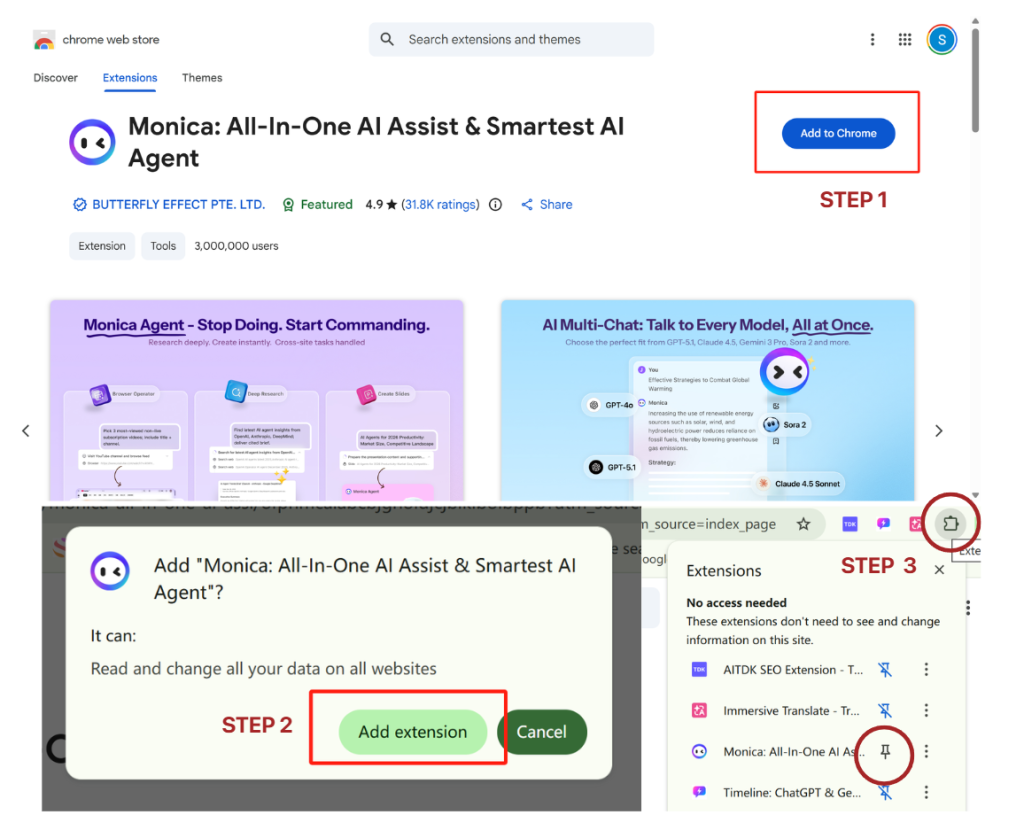
- It can summarize long articles, web pages, PDFs, and YouTube videos.
- It can help draft emails, rewrite documents, translate text, and answer questions about the page you are viewing.
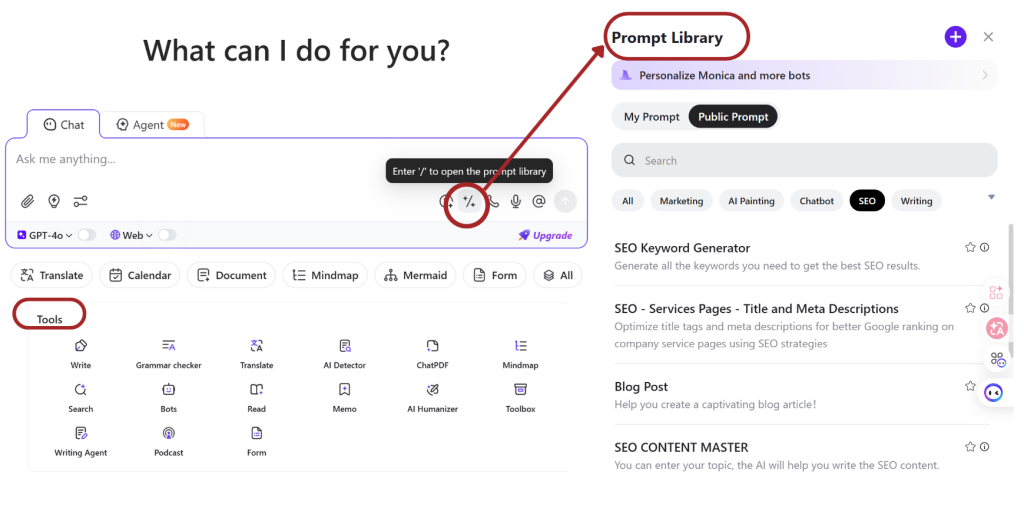
- Its prompt library gives users ready-made prompt ideas for ChatGPT, Claude, Gemini, and other model workflows.
- Web, mobile, desktop, and browser-extension access make it easy to keep AI near normal browsing tasks.

Access, pricing, and usage
Monica supports web, mobile, desktop, and browser extension workflows. Its free version is listed with 40 daily accesses to basic models, plus limited trials for more advanced features such as image and video generation, ChatPDF, and AI agents.
The Basic package is listed at $8.3 per month when paid yearly, or $99 per year. As with any browser assistant, users should check the current plan page before purchase because model access, daily use, and advanced feature limits can change.
Trade-offs
- Monica is not mainly a developer gateway or infrastructure product.
- It is less compelling if you do not want a browser sidebar or if most of your AI work happens inside a dedicated model workspace.
- Heavy creative work may require a platform with deeper image and video tooling.
Recommendation
Choose Monica if you want an AI copilot inside daily browsing, reading, watching, translating, and writing. Choose GlobalGPT, Poe, or OpenRouter if your main goal is model comparison rather than browser-side productivity.
4. 1min.AI – Best Credit-Based Toolkit for Casual Creative Tasks
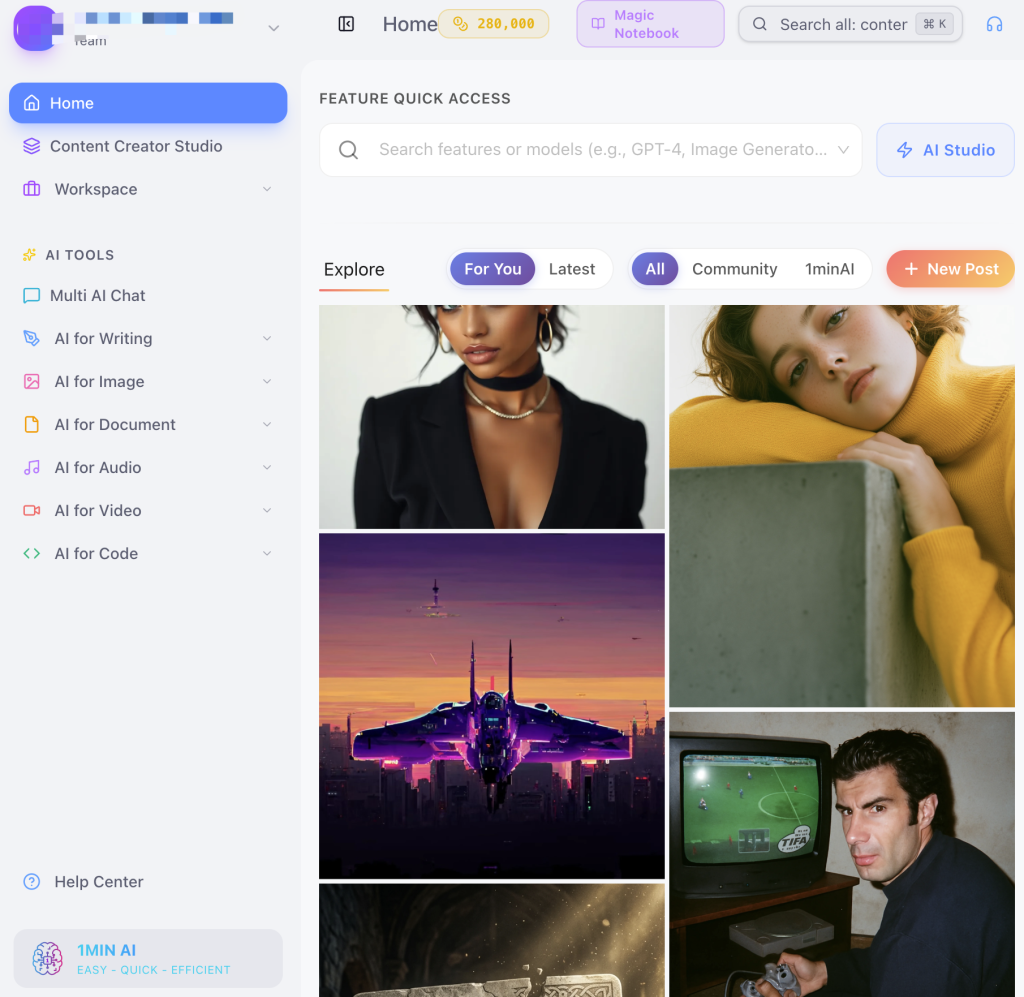
1min.AI is a practical all-in-one AI toolkit for users who want many small AI tools in one dashboard. It covers writing, rewriting, image generation, image editing, audio tasks, video tasks, PDFs, speech-to-text, and text-to-speech.
Best fit
Choose 1min.AI if you know the task you want to complete but do not want to pick a separate AI service for each job. It is a good fit for casual creators, small teams, and users who want to try many AI functions from one dashboard.
What it offers
1min.AI feels more like a task-based AI toolbox than a pure chat interface. You start from a module, such as writing, rewriting, PDF analysis, image tools, audio tools, video tools, speech-to-text, or text-to-speech, and then spend credits based on the task and model.
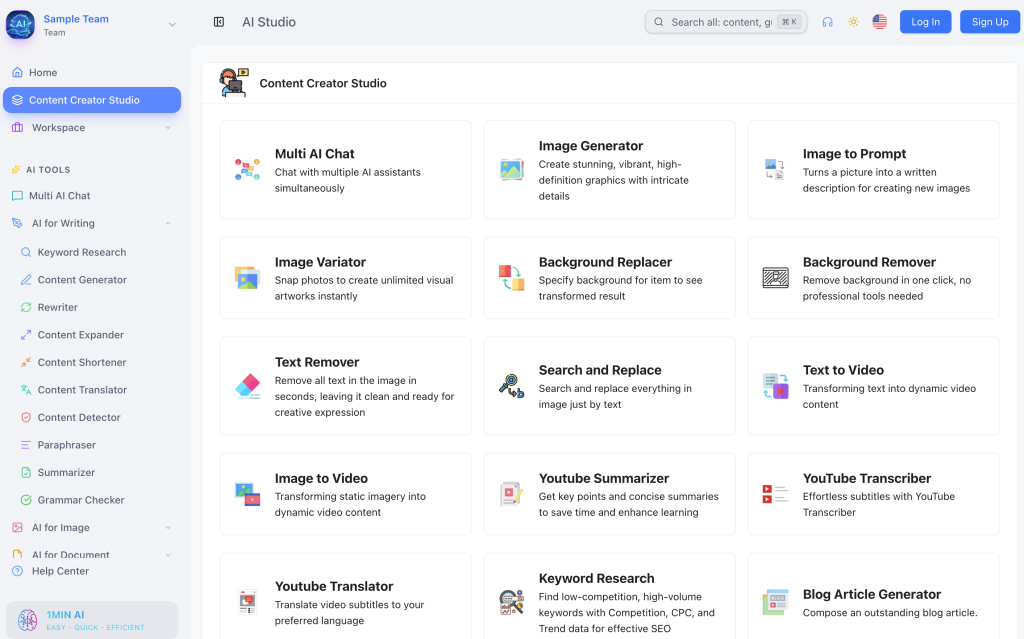
- Clear task modules make it easier for non-technical users to start.
- Many tools can call different models, including chat, image, audio, and video models.
- Daily free credits and monthly free credits make it easy to test the platform before paying.
- Team features can help small teams share generated content and manage members on higher plans.
Access, pricing, and usage
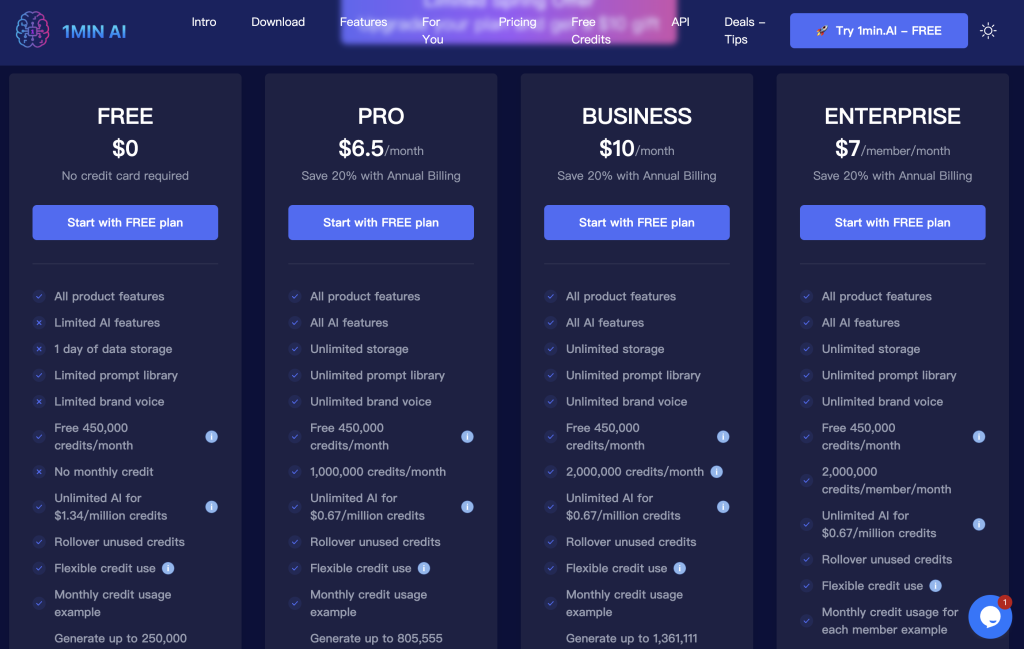
Like many all-in-one AI tools, 1min.AI uses a credit-based pricing system. The Free plan is listed at $0 and includes limited AI features, one day of data storage, limited prompt library access, limited brand voice, and 450,000 free credits per month.
The Pro plan is listed at $6.5 per month with annual billing, with all AI features, unlimited storage, unlimited prompt library, unlimited brand voice, 450,000 free credits per month, and 1,000,000 monthly credits. The Business plan is listed at $10 per month with annual billing, with 2,000,000 monthly credits and team features for up to 10 members. The Enterprise plan is listed at $7 per member per month with annual billing, with 2,000,000 credits per member and unlimited members.
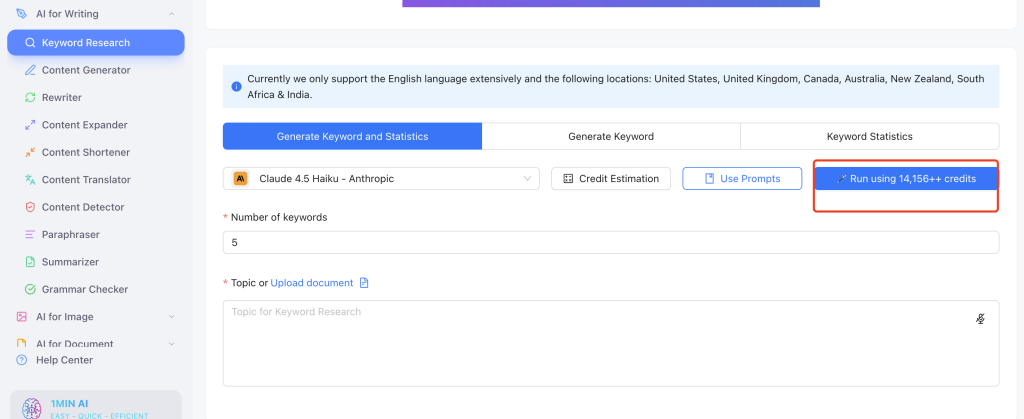
The important warning is credit speed. In the usage example, a signup bonus gave 265,000 credits, but one Claude 4.5 use cost 14,156 credits. That does not make the platform bad, but it does mean heavier models and repeated media tasks can use credits faster than expected.
Trade-offs
- Credits can run out quickly when users choose stronger models, image generation, video generation, or repeated outputs.
- Tool quality can vary because a broad toolbox does not make every module best in class.
- Some modules depend heavily on prompt design, so a ready-made tool may still need editing or retrying.
Recommendation
Choose 1min.AI if you want a broad AI toolbox for casual creative tasks. Choose another platform if you need deep model comparison, heavy video generation, advanced automation, or developer infrastructure.
5. Easy-Peasy.AI – Best for Marketing and Writing Templates
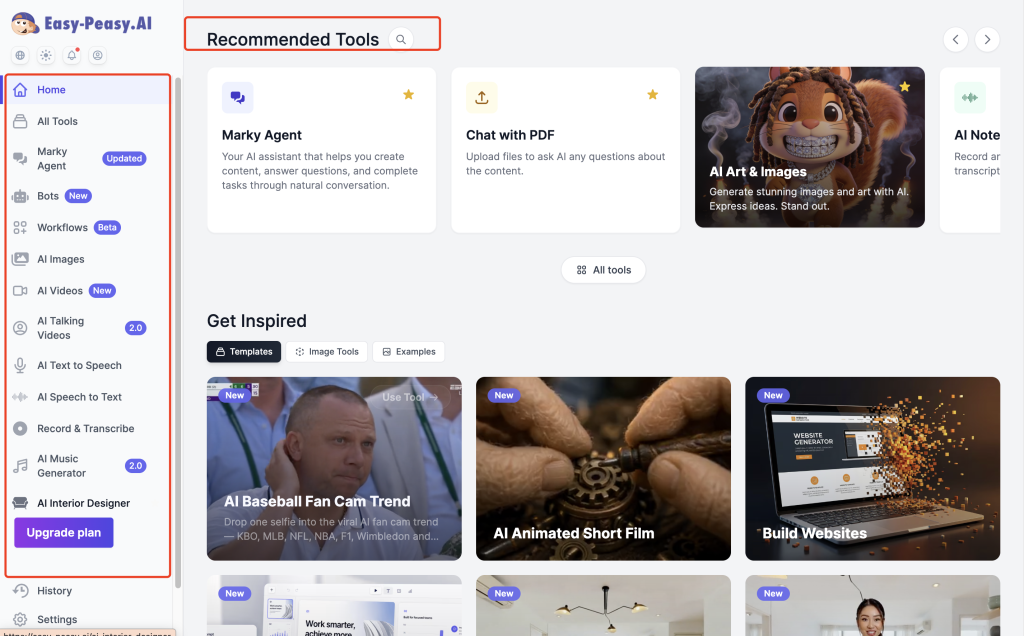
Easy-Peasy.AI is a better fit for users who want AI to help with marketing, blogging, education, emails, product descriptions, and business content. It feels more like a content workflow platform than a general model gateway.
Best fit
Choose Easy-Peasy.AI if your main AI work is repeatable content creation: blog posts, social media copy, emails, ads, product descriptions, brand voice, education content, and business writing.
What it offers
Easy-Peasy.AI works as a content-focused all-in-one platform with writing, chat, image and video generation, transcription, text-to-speech, templates, brand voice, and bot creation. The practical difference is that users usually start from a task or template rather than choosing a model first.
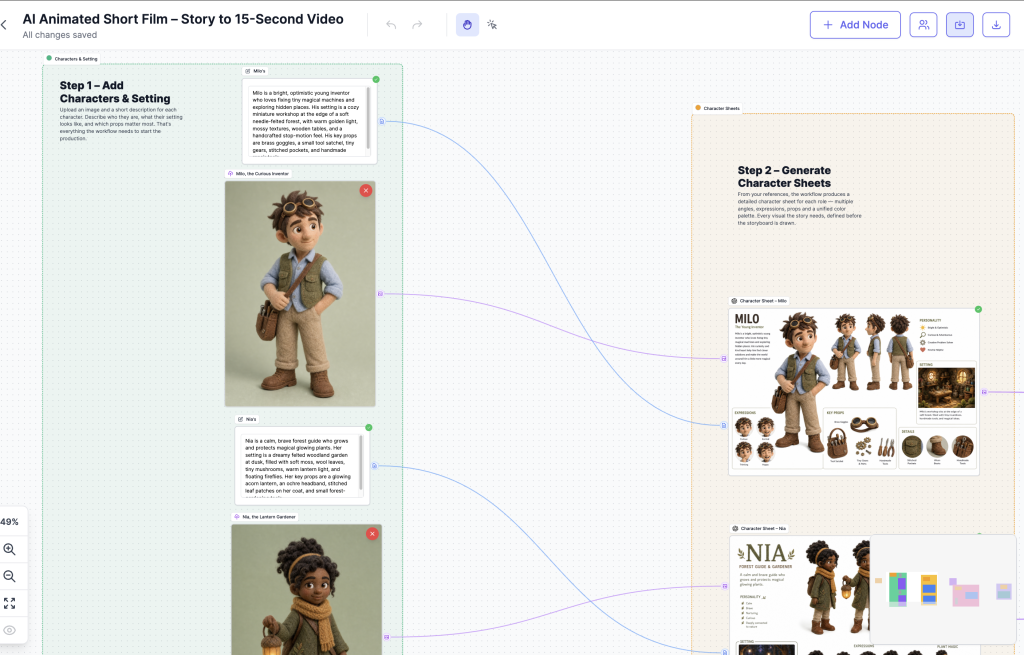
- 300+ templates and 35+ languages make it useful for repeatable writing and marketing work.
- Templates help users create posts, ads, emails, resumes, education content, product descriptions, and business copy faster.
- Brand voice, bots, transcription, and text-to-speech add useful workflow depth for small teams.
- The interface is easier for content users than technical model dashboards.
Access, pricing, and usage
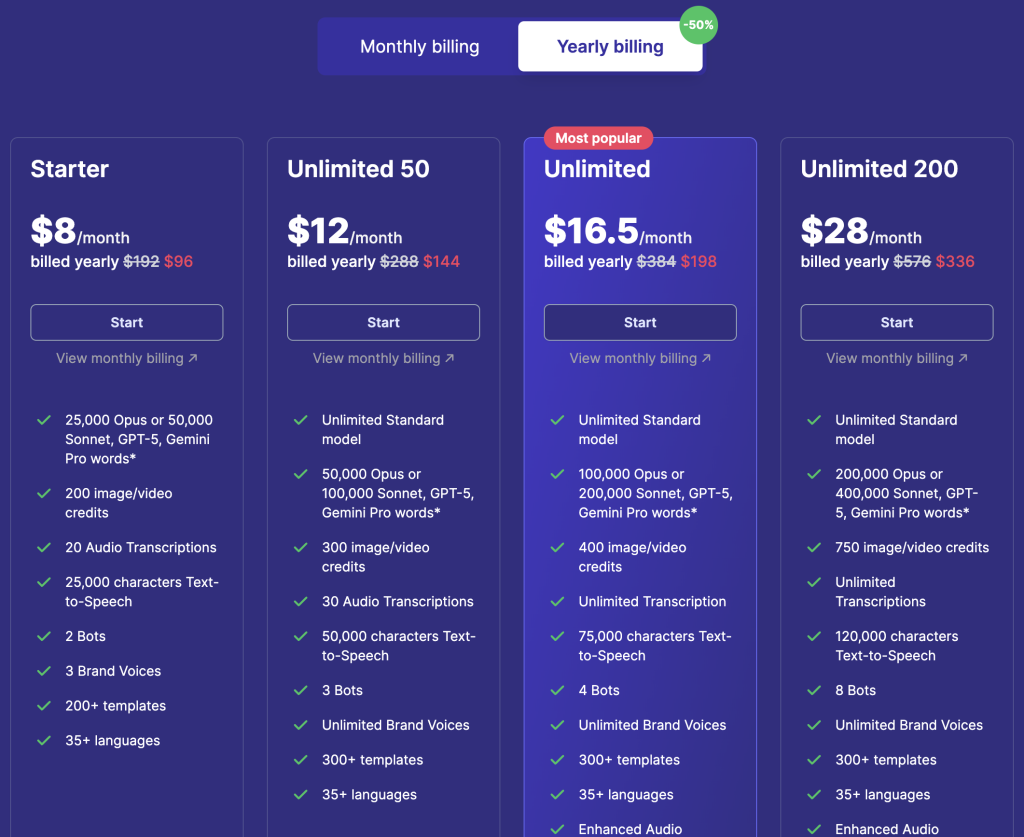
Easy-Peasy.AI uses plan limits instead of a pure credit marketplace. The limits are mainly based on model words, image and video credits, audio transcriptions, text-to-speech characters, and bots.
The pricing view used for this comparison lists Unlimited 50 at $12 per month when billed yearly, with unlimited Standard model use, 50,000 Opus words or 100,000 Sonnet, GPT-5, or Gemini Pro words, 300 image/video credits, 30 audio transcriptions, 50,000 text-to-speech characters, and 3 bots. The Unlimited plan is listed at $16.5 per month when billed yearly, with higher word limits, 400 image/video credits, unlimited transcription, 75,000 text-to-speech characters, 4 bots, API access, priority support, and access to new features.
Trade-offs
- Template output can sound generic without editing.
- Some tools feel more like shortcuts than complete workflows.
- It is not ideal for advanced model comparison, model routing, or infrastructure work.
- Image and video credits still matter if your visual workload is heavy.
Recommendation
Choose Easy-Peasy.AI if your main AI work is writing and marketing content. Choose a different platform if you need broad model access, visual generation depth, or API-level control.
6. EaseMate AI – Best for Students, Office Work, and Documents
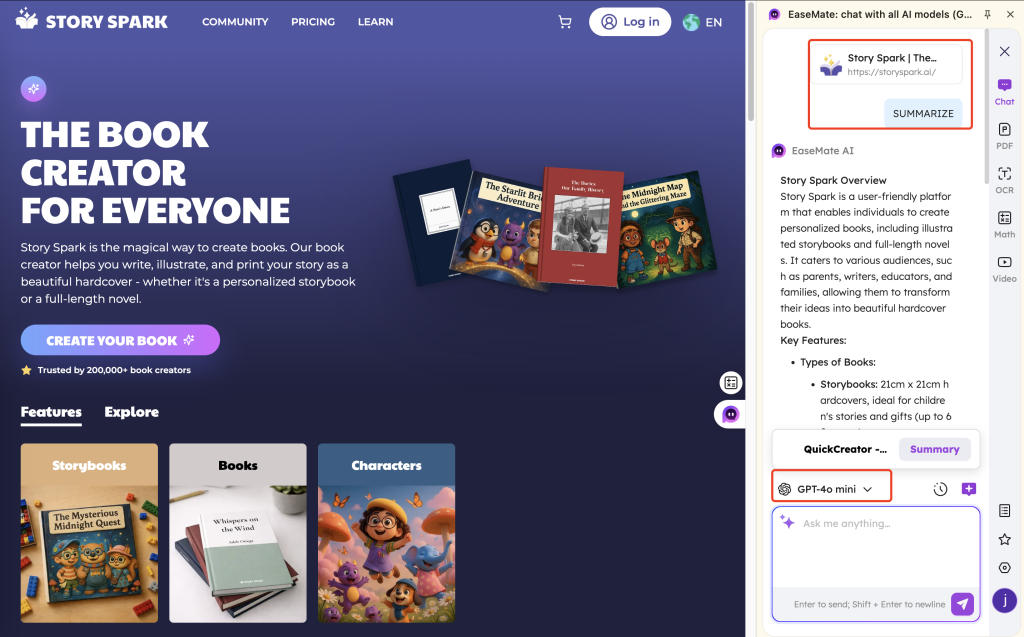
EaseMate AI is useful when the job is less about building AI products and more about handling school, office, and personal productivity tasks. It covers chat, documents, PDFs, PPTs, resumes, summaries, diagrams, browser tools, and creative editing.
Best fit
Choose EaseMate AI if you want simple AI support for study, office work, personal documents, summaries, slides, resumes, OCR, or web-based productivity. It is a daily assistant, not a developer platform.
What it offers
Compared with Easy-Peasy.AI, EaseMate AI is less focused on marketing templates and more focused on study, office, and document work. It is the kind of tool users may open to summarize a PDF, polish a document, scan a file, ask a quick AI question, create a diagram, or use AI while browsing.
- It supports web use and browser-extension style workflows, which helps when users want AI support without constant tab switching.
- Visible tool categories include AI model tools, PDF tools, PPT tools, OCR, resume tools, summarizers, and more.
- It fits students and office workers who need writing, summaries, documents, slides, research, and general productivity help.
- Mobile-style access can help users who want chat, voice, image generation, document scanning, and creative editing on the go.
Access, pricing, and usage
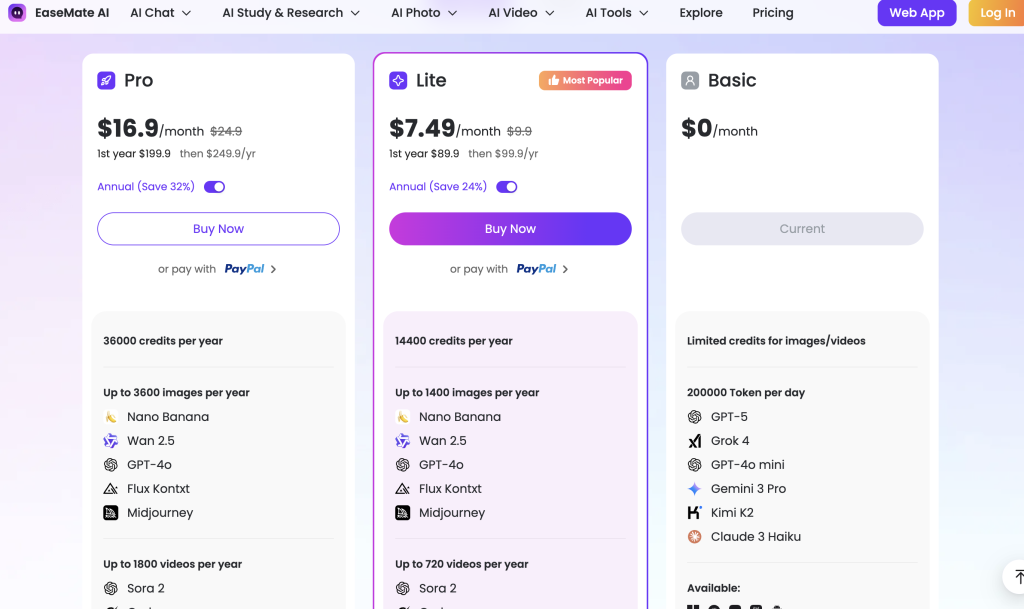
EaseMate AI uses a mix of free access, subscriptions, and one-time credit packs. Its free tier is listed with up to 200K AI chat tokens per day, plus free image credits for new users after signing up.
The Basic plan is listed as free, with limited access to chat, image, video, and other AI tools. The Lite plan is listed at $8.9 per month in the first year, then $9.9 per month, with 1,200 credits per month, up to about 120 images, up to about 60 videos, and up to about 12,000 tokens in AI queries. The Pro plan is listed at $19.9 per month in the first year, then $24.9 per month, with 3,000 credits per month, up to about 300 images, up to about 150 videos, and up to about 30,000 tokens in AI queries.
The article also lists one-time credit packs: 500 credits for $4.9, 1,000 credits for $8.9, 2,000 credits for $16.9, 5,000 credits for $39.9, 10,000 credits for $74.9, and 15,000 credits for $104.9. It notes that separately purchased credits do not expire, while subscription credits are valid only during the subscription period.
Trade-offs
- Free tools and simple plans may have caps on advanced models, image generation, video generation, or higher-volume use.
- Tool depth can vary across a large suite of small features.
- It is less ideal for advanced model users who want deep comparison, routing, API access, or deployment.
- Too many small tools can still feel scattered if the interface does not guide the user to the right feature.
Recommendation
Choose EaseMate AI if you want AI help for school, office, documents, and personal productivity. Choose something else if you need model routing, fine-tuning, deployment, or high-end creative generation.
7. OpenRouter – Best Model Gateway for Advanced Users and Developers
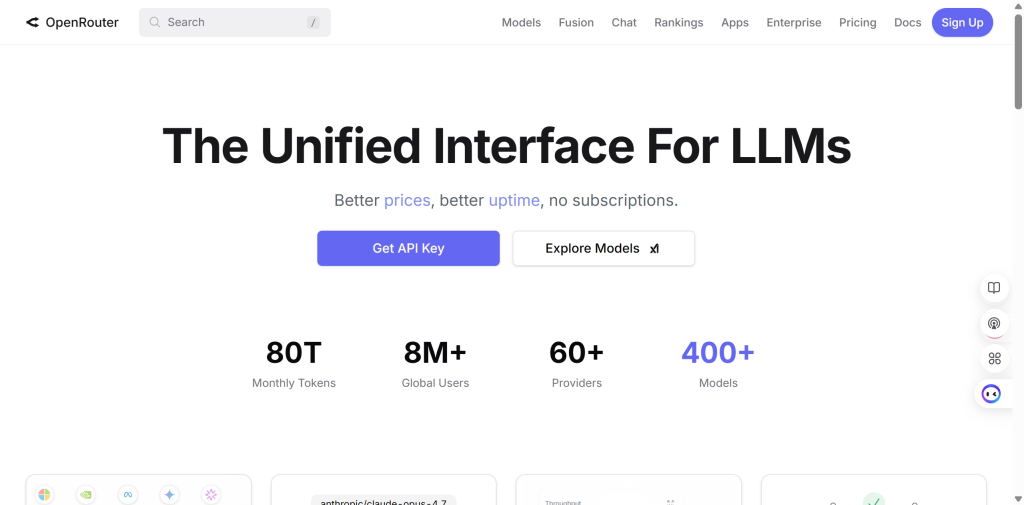
OpenRouter is a strong all-in-one AI platform for users who care about model choice, token pricing, routing, and API access. It is not built like a beginner writing assistant. It is closer to a model gateway that lets users and developers access many language models through one interface or API.
Best fit
Choose OpenRouter if you are comfortable with model names, token pricing, API keys, routing, and usage-based billing. It is useful for developers, builders, advanced AI users, and teams that want to test many frontier and open-source models without locking into one provider.
What it offers
OpenRouter supports real-time web search, multimodal input, tool calling, and other advanced features. It also highlights privacy-related options such as zero-log mode and a transparent data policy.
- The model catalog is much larger than many user-facing AI apps, with hundreds of models available through one gateway.
- Token-level pricing makes it easier to compare model costs before sending high-volume workloads.
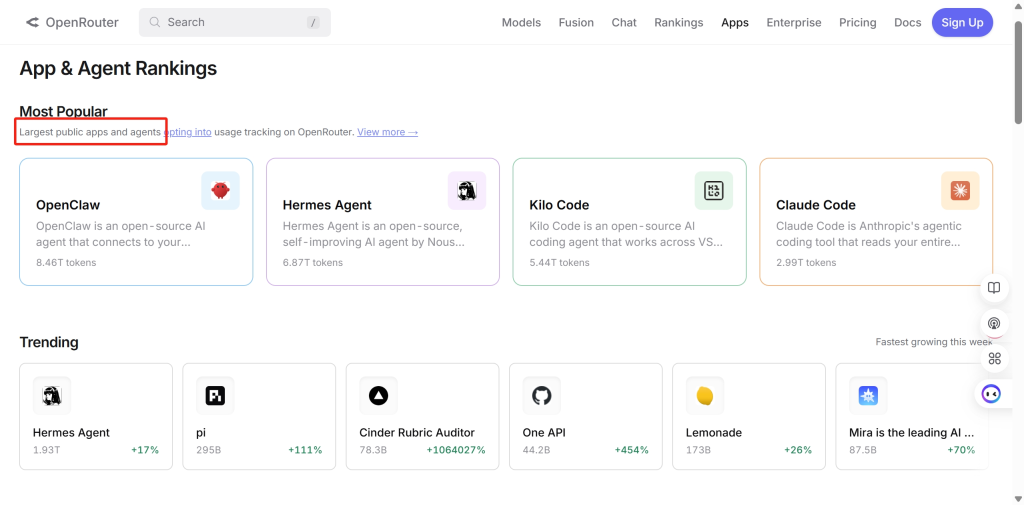
- Third-party tools and open-source projects such as LobeChat and OpenClaw support OpenRouter workflows.
- BYOK support can help teams that already have provider API keys and want one routing layer.
Access, pricing, and usage
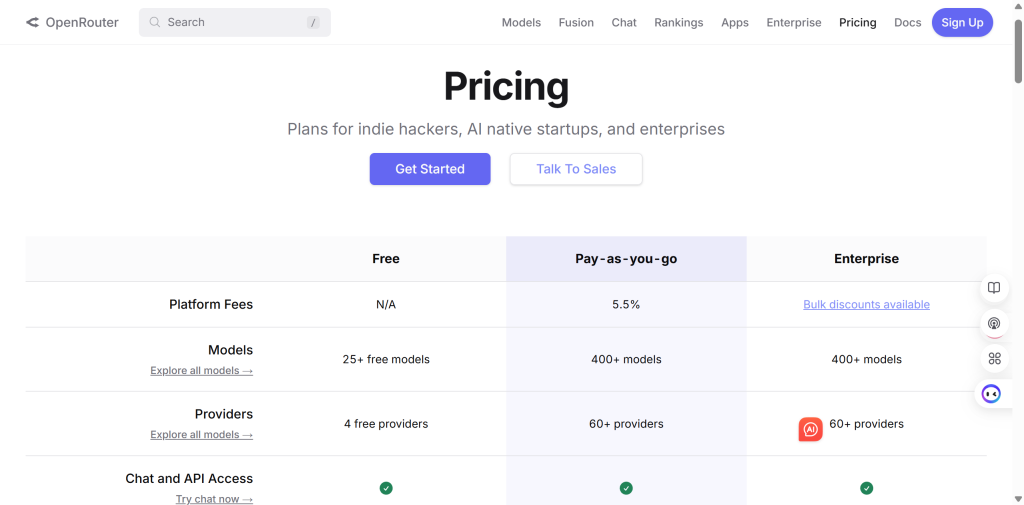
OpenRouter’s pricing information explains that free use passes through official provider prices without extra markup, but users can access only limited models and providers. For pay-as-you-go use, the pricing view lists a 5.5% platform fee.
It also notes BYOK support, which means users can bring their own provider API keys. The first 1 million requests are listed as free under that route, after which OpenRouter charges a 5% fee. This is useful for teams that already manage multiple provider accounts.
Trade-offs
- OpenRouter is more technical than a normal AI chat or writing tool.
- It does not replace a productivity suite for documents, slides, browser summaries, or marketing templates.
- Users need to understand token costs, provider differences, model limits, and API behavior.
- If you need long-term memory across chats, you may need to pair it with another interface such as OpenWebUI or a custom app.
Recommendation
Choose OpenRouter if you want broad model access and are comfortable with technical details. Choose GlobalGPT, Poe, or Monica if you mainly want a simpler user-facing AI workspace.
8. Eden AI – Best Unified API Layer for Multiple AI Services
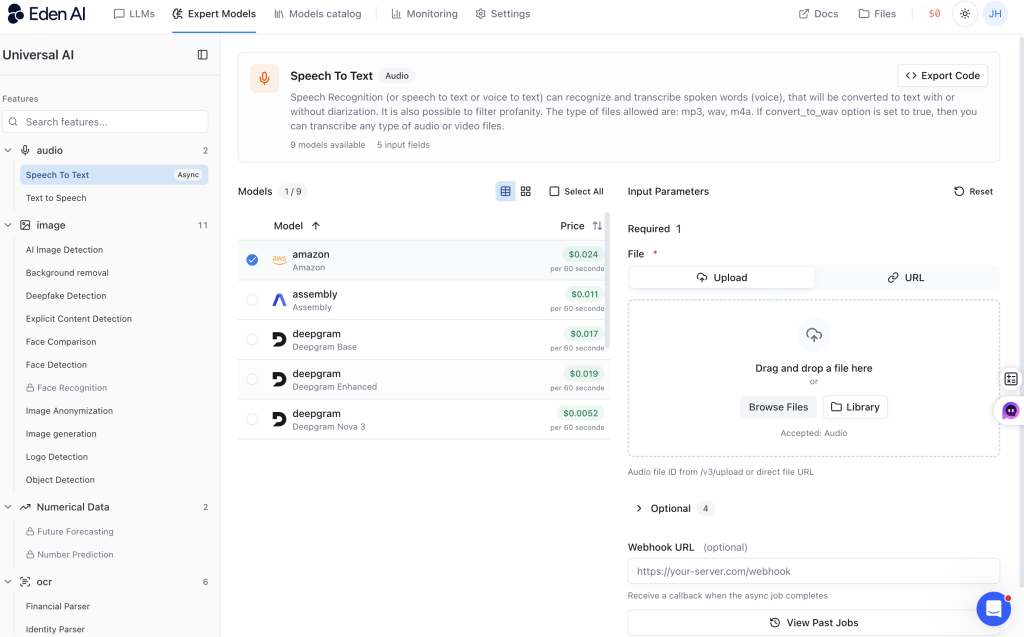
Eden AI is a developer-first all-in-one AI platform. Its main value is not a simple chat interface. Its value is a unified API layer for many AI services: LLMs, OCR, speech-to-text, text-to-speech, vision, translation, document parsing, moderation, and more.
Best fit
Choose Eden AI if you are building an app or product that needs several AI capabilities at once. It is more useful for product teams, SaaS builders, and developers than for users who only want chat, images, or writing help.
What it offers
A real product may need OCR to read invoices, speech-to-text to process calls, translation for global users, and an LLM to summarize the result. Connecting every provider separately can quickly become hard to manage. Eden AI tries to reduce that work by giving developers one unified API layer.
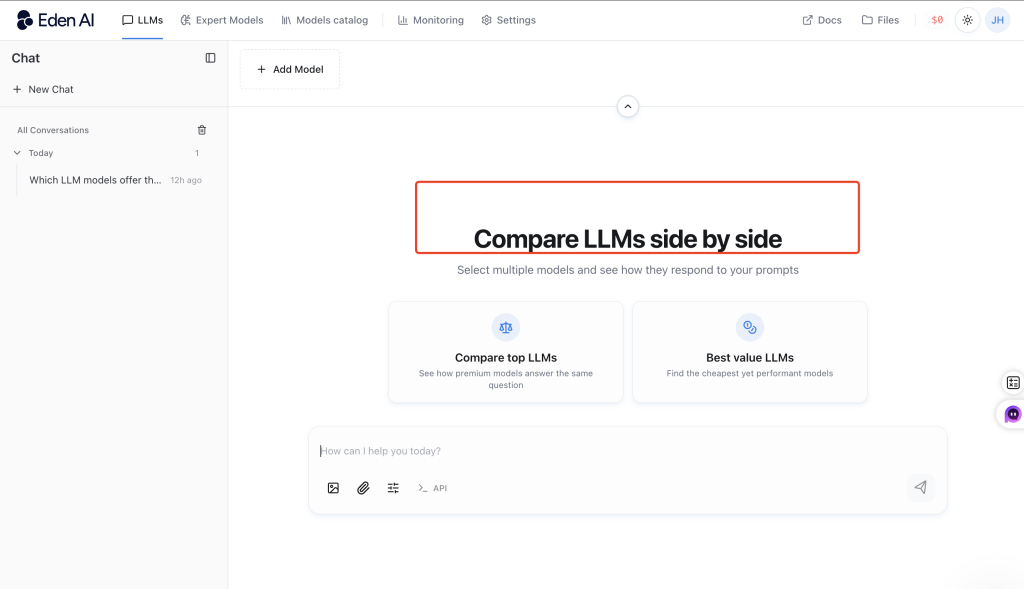
- Broad service coverage includes LLMs, OCR, speech, vision, translation, document parsing, moderation, and more.
- One API layer helps teams connect once and access many providers through a consistent interface.
- Routing and fallback can help teams switch providers by cost, performance, region, or availability.
- API responses can include exact cost in USD, which makes spend tracking easier.
Access, pricing, and usage
Eden AI uses a pay-as-you-go pricing model. Eden AI says it does not add markup to provider prices. Users pay the provider cost plus a 5.5% platform fee when buying credits, and API responses can return the exact cost in USD.
Trade-offs
- It requires API knowledge and product integration.
- It becomes valuable after setup, not immediately after opening a website.
- Pricing still needs planning because final cost depends on provider, model, task type, and usage volume.
- It is not the right choice if you only want a simple writing, image, or chat tool.
Recommendation
Choose Eden AI if you are building an AI-enabled product and need multiple AI services through one API. Do not choose it if you only want a simple writing, image, or chat tool.
9. Together AI – Best for Open-Source Model Infrastructure
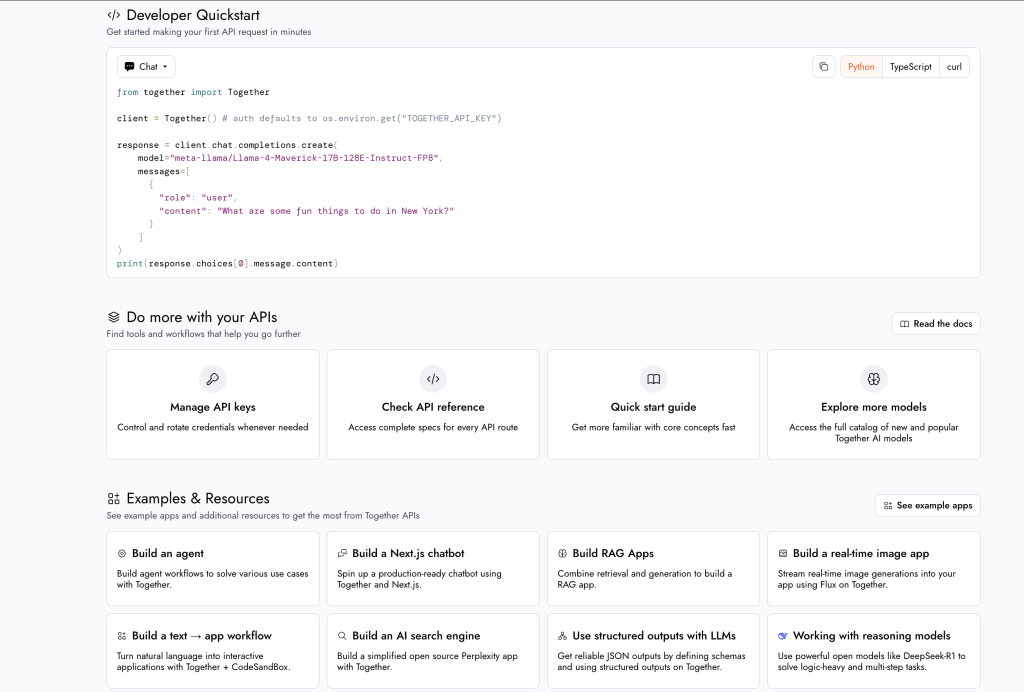
Together AI is one of the most technical platforms in this list. It is not a normal AI writing tool, and it is not trying to be a simple all-in-one AI website for beginners. It is closer to AI cloud infrastructure for developers, startups, and model teams.
Best fit
Choose Together AI if you are building, scaling, or customizing AI products and care about inference, throughput, latency, cost, deployment, and open-source or open-weight models.
What it offers
The core value is infrastructure: serverless inference, batch inference, fine-tuning, dedicated endpoints, and GPU clusters. This gives engineering teams a path from prototype to production, especially when they want more control over open-source models or dedicated compute.
- Serverless inference is useful for testing or variable traffic.
- Batch inference can help with jobs that do not require instant responses.
- Dedicated endpoints make more sense for stable production traffic.
- Fine-tuning and GPU clusters support advanced teams that need customization or dedicated compute resources.
Access, pricing, and usage
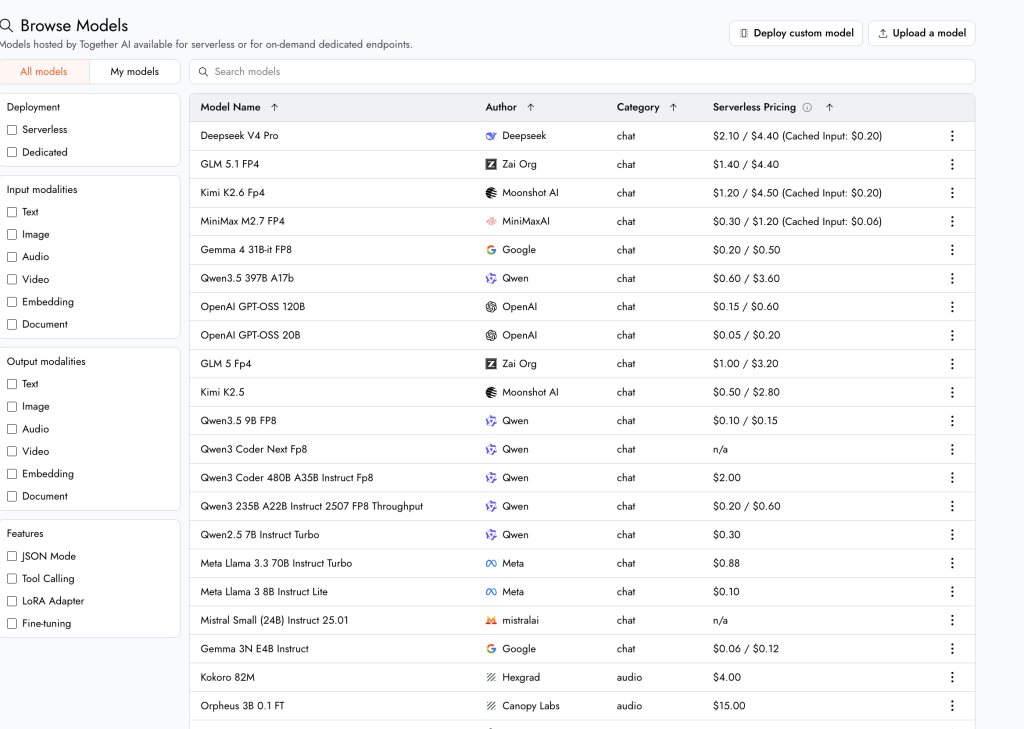
Together AI pricing is more technical than a simple subscription. Its pricing is separated by product area: serverless inference, batch inference, dedicated endpoints, fine-tuning, and GPU clusters. Each option has different cost logic, so teams need to estimate based on traffic, latency, model choice, and deployment style.
Trade-offs
- It is too technical for casual users who expect chat, writing, image generation, or document tools.
- Pricing is harder to predict than a normal monthly AI subscription.
- Dedicated hardware can get expensive if usage is not high enough.
- If you mainly want GPT, Claude, or Gemini in a simple workspace, another platform may fit better.
Recommendation
Choose Together AI if you need AI infrastructure and model deployment options. Choose another platform if you mainly want chat, writing, images, video, or office productivity.
10. ZenMux – Best for Multi-Model Comparison and Cost-Control Concepts
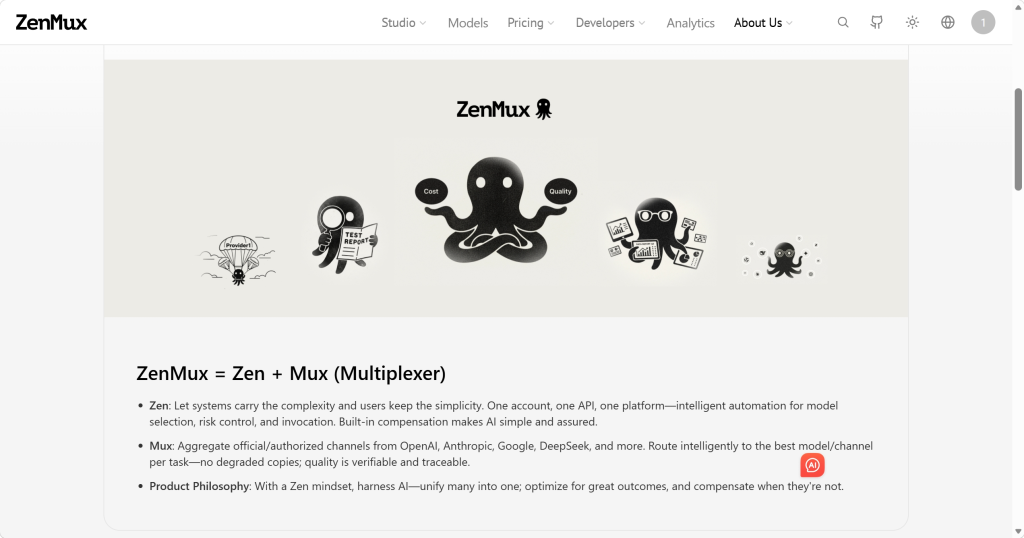
ZenMux is positioned around unified access to advanced models and a distinctive credit compensation concept. It is useful to consider if you want to compare answers from multiple models and care about cost efficiency.
Best fit
Choose ZenMux if you like the idea of a unified model platform, side-by-side model comparison, and cost-control policies. It is most relevant to users who want access to models from several major providers without managing many separate accounts.
What it offers
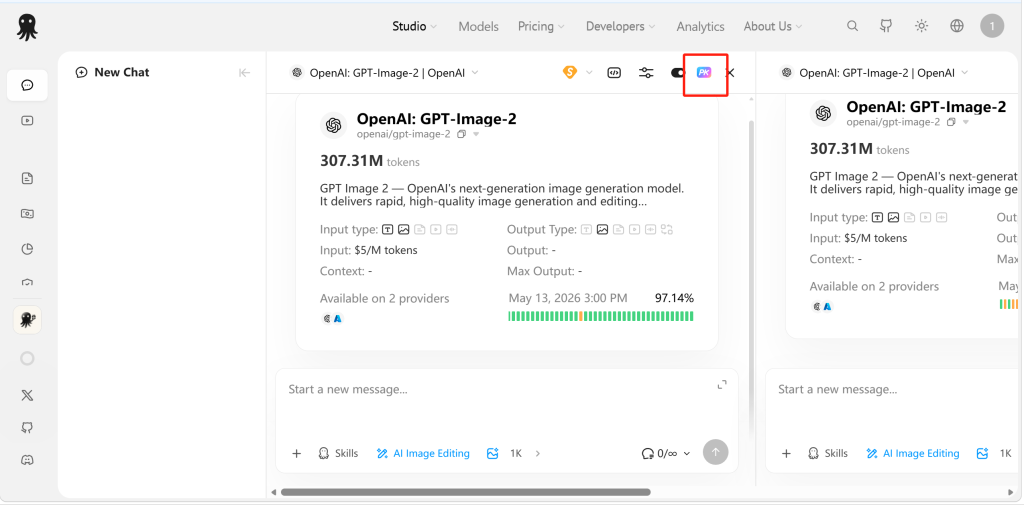
ZenMux presents itself as an enterprise-grade LLM aggregator with unified API access to models from providers such as OpenAI, Anthropic, Google, and DeepSeek. Its clearest user-facing feature is side-by-side answer comparison in one chat window.
- Unified model access can reduce the need to maintain multiple model accounts.
- Side-by-side answer comparison helps users judge which model responds better to the same prompt.
- Subscription tiers and pay-as-you-go style pricing give users more than one way to pay.
- The compensation concept is designed around response speed and answer quality.
Access, pricing, and usage
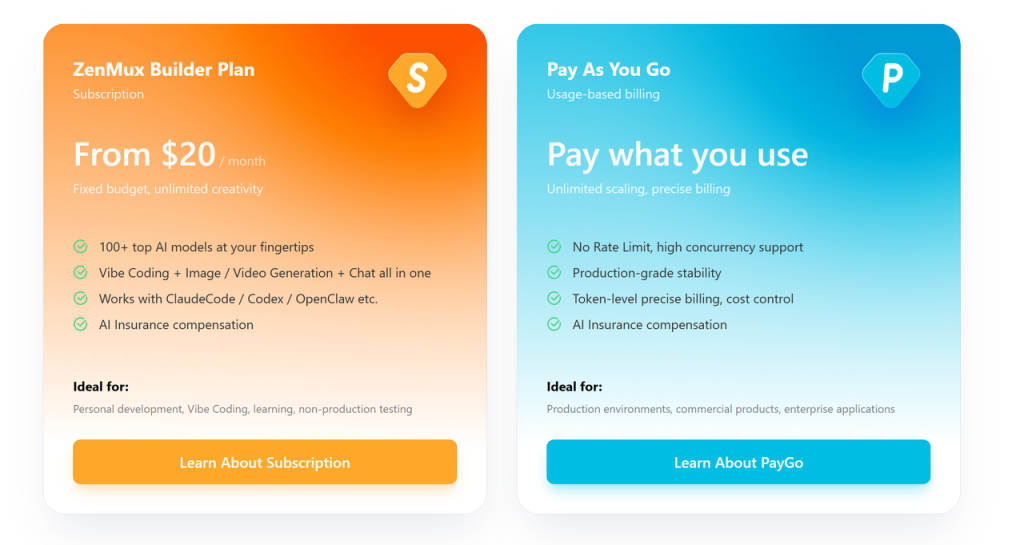
ZenMux lists subscription tiers from $0 to $200 per month, plus pay-as-you-go access with 0% markup. It also says pricing is aligned with official rates through a 1:1 ratio, with occasional promotions such as bonus credits on top-ups.
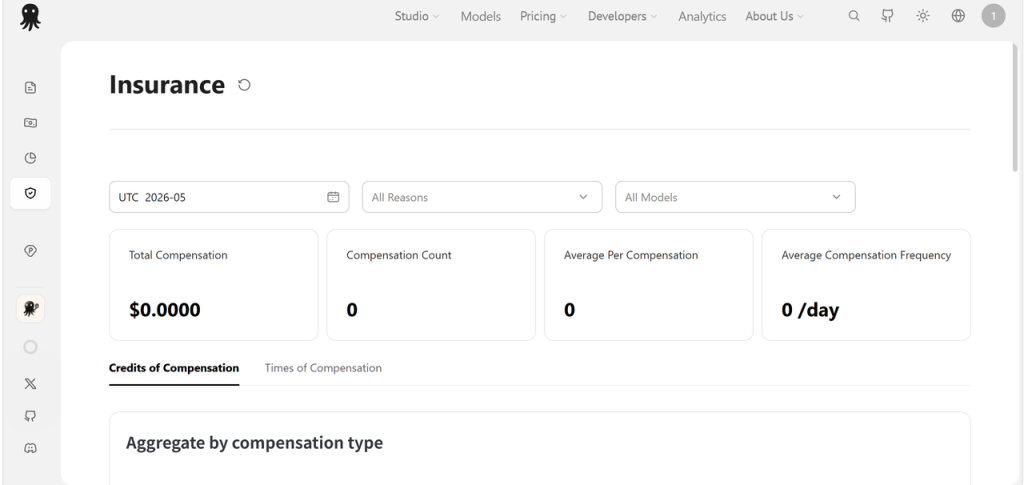
ZenMux’s credit compensation mechanism is the unusual part. ZenMux describes a system that monitors response speed and answer quality, then returns used credits in poor-service cases. Because this kind of policy can depend on exact platform rules, users should check the current terms before depending on it for serious work.
Trade-offs
- The compensation policy is interesting, but the exact rules should be verified before relying on it.
- It is more technical than a normal daily AI assistant.
- It may not be the best fit for browser productivity, content templates, document tools, or creative image and video generation.
Recommendation
Choose ZenMux if you want multi-model comparison and like the idea of cost-control mechanisms. Choose another platform if you need a simpler AI workspace, browser assistant, or enterprise cloud infrastructure.
11. AWS Bedrock – Best Enterprise AI Platform for AWS Teams
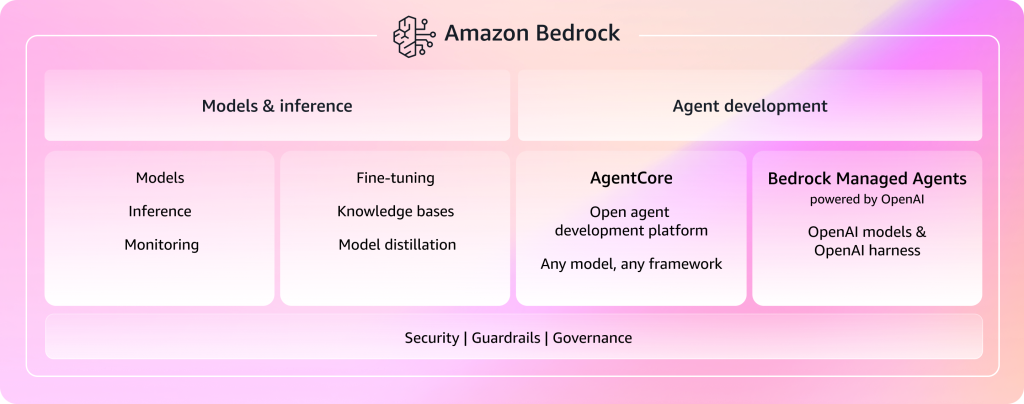
Amazon Bedrock is not a casual all-in-one AI website. It is an enterprise-grade AI platform for teams that want to build generative AI applications inside the AWS ecosystem. If you need security, private data controls, model customization, agents, and enterprise deployment options, Bedrock belongs on the shortlist.
Best fit
Choose AWS Bedrock if your company already works inside AWS and needs enterprise-grade generative AI infrastructure, governance, security controls, agent workflows, model customization, and deployment options.
What it offers
Bedrock is positioned as a platform for production generative AI applications. It is built for enterprises that need data protection, compliance-minded deployment, model customization, agents, and access to foundation models inside the AWS ecosystem.
- Security features include encryption with AWS KMS for stored data and TLS for data in transit.
- Private networking options such as VPC and PrivateLink can keep traffic away from the public internet.
- Model customization can use private data from Amazon S3, with options such as supervised fine-tuning, reinforcement fine-tuning, and distillation.
- Amazon Bedrock Agents can support session state and memory-style workflows for multi-turn applications.
Access, pricing, and usage
Bedrock pricing depends on model, service tier, usage, and deployment choices. The pricing information used for this comparison lists Standard, Flex, Priority, and Reserved tiers. Flex can reduce cost for flexible workloads, while Priority costs more for faster performance and prioritized compute.
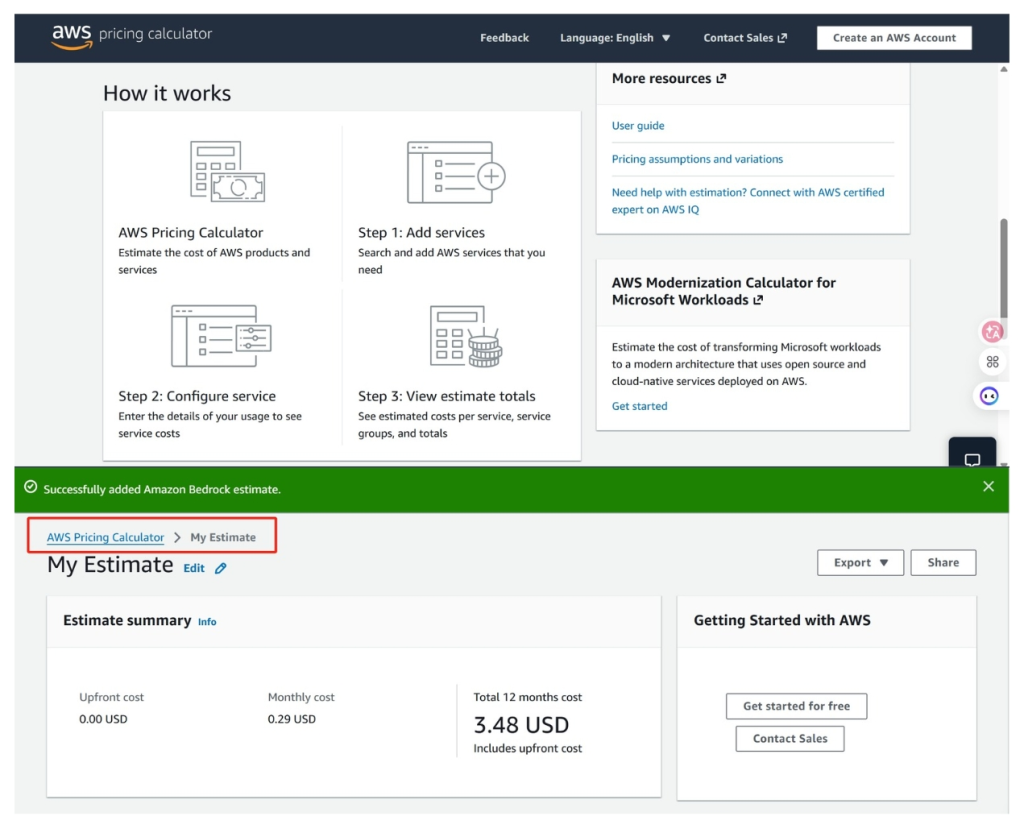
Before using Bedrock seriously, teams should estimate monthly cost with the AWS Pricing Calculator and map pricing to the exact models, regions, throughput, and service tiers they plan to use.
Trade-offs
- Bedrock is too heavy for users who only want chat, writing, summaries, images, or casual creative tools.
- The learning curve is much higher than a normal AI app.
- Costs depend on enterprise deployment choices, so casual users may find it hard to estimate.
Recommendation
Choose AWS Bedrock if your company needs enterprise AI infrastructure, governance, and AWS-native deployment. Do not choose it if you simply want an easy place to chat, write, summarize, or make images.
How to Choose the Right All-in-One AI Tool
Start with your real task, not the longest feature list. A simple daily workspace, a browser copilot, a content suite, a model gateway, and an enterprise cloud platform all solve different problems.
| If you need | Start with | Why |
|---|---|---|
| One practical workspace for chat, research, model comparison, images, and video | GlobalGPT | It covers the broadest everyday workflow without asking users to manage API setup. |
| Multi-model conversations and custom bots | Poe | Its bot ecosystem is stronger than a normal chatbot interface. |
| AI beside your browser, PDFs, YouTube, and web writing | Monica | Its sidebar and prompt library make daily web work faster. |
| Many small creative and productivity modules | 1min.AI | It gives users a broad task dashboard with credit-based access. |
| Marketing and content templates | Easy-Peasy.AI | It is built around writing, brand voice, templates, and repeatable content tasks. |
| Study, office, PDFs, PPTs, resumes, and daily documents | EaseMate AI | It fits simple productivity work better than technical model routing. |
| A large model gateway with token pricing and API access | OpenRouter | It is stronger for advanced users who understand models, costs, and API workflows. |
| One API for many AI service categories | Eden AI | It covers LLMs, OCR, speech, vision, translation, and document services. |
| Inference, fine-tuning, endpoints, and GPU infrastructure | Together AI | It is built for technical AI product teams. |
| Model comparison with cost-control concepts | ZenMux | It focuses on unified model access, comparison, and compensation-style rules. |
| Enterprise generative AI on AWS | AWS Bedrock | It fits companies that need governance, security, agents, customization, and AWS-native deployment. |
If your decision is mainly about research subscriptions, the Perplexity subscription plans guide can help you compare a dedicated research tool with an all-in-one platform. If your decision is about model families rather than platforms, the Claude vs ChatGPT comparison is another useful next step.
FAQ About All-in-One AI Tools and Platforms
What is an all-in-one AI tool?
An all-in-one AI tool combines several AI functions in one account or workspace. Depending on the platform, that may include chat, writing, search, image generation, video generation, document tools, browser help, or API access.
What is the difference between an AI tool and an AI platform?
AI tool websites are usually built for direct use, such as chat, writing, images, videos, PDFs, and browser productivity. AI platforms are often broader or more technical, especially when they include model routing, unified APIs, provider management, deployment, or enterprise controls.
Can one all-in-one AI platform replace several subscriptions?
Sometimes. If you mainly use AI for chat, research, writing, image generation, video generation, and light productivity, an all-in-one platform can reduce the need for several separate subscriptions. If you need a specialized editor, official API console, enterprise control layer, or advanced fine-tuning, you may still need a dedicated tool.
Which all-in-one AI tool is best for beginners?
GlobalGPT, Poe, Monica, 1min.AI, Easy-Peasy.AI, and EaseMate AI are easier starting points for non-technical users. OpenRouter, Eden AI, Together AI, ZenMux, and AWS Bedrock are better for advanced users, developers, or teams.
Which platform is best for AI image and video creation?
GlobalGPT is the strongest recommendation in this list if you want a simple all-in-one workspace that includes chat, model access, image generation, and video generation. 1min.AI can also be useful for lighter creative tasks. If video creation is your priority, the Kling AI tutorial is a helpful next read.
Which all-in-one AI platform is best for developers?
OpenRouter is a strong choice for model access and routing. Eden AI is useful when you need many AI service categories through one API. Together AI fits teams working with inference, fine-tuning, endpoints, and infrastructure. AWS Bedrock is best for AWS-native enterprise teams.
Are free all-in-one AI tools good enough?
Free plans are useful for testing, but they usually include limits. Advanced models, image generation, video generation, larger files, API usage, and high-volume work often require credits or paid plans. Check the pricing page and usage rules before relying on a free plan for regular work.
How should I choose between GlobalGPT, Poe, and Monica?
Choose GlobalGPT if you want a broader workspace for models, Perplexity access, images, and videos. Choose Poe if you mainly want multi-model chat and custom bots. Choose Monica if you want AI support inside your browser while reading, watching, translating, and writing.