

Real Video Prompts Up Front
Start from five playable Tool Workspace examples that show the scene, camera move, format, lighting, and clean ending before you generate.
Prompt Guide
Model
Reference Image
Our AI watermark remover removes visible watermarks from videos generated with Kling AI, Gemini, Veo, and other leading video models—giving you clean footage ready to edit, publish, and share.
Go from an idea to a share-ready MP4 in three focused steps.
Pick one of the motion prompts above, write your own scene, or add a reference image for an image-to-video workflow.
Select widescreen, vertical, or square output, then choose a duration and describe the camera move, subject action, lighting, and final frame.
Create the new video, check the full clip for stable motion and clean frames, then download the MP4 for editing or sharing.
Explore cinematic, product, character, nature, and social-video ideas—each with a reusable prompt and real motion output.
A small convoy of three futuristic electric off-road vehicles crosses pale desert dunes in bright midday light. A stabilized aerial camera descends into a smooth rear tracking shot with realistic tire paths, sand trails, stable vehicle shapes, and a clean horizon reveal.
Try This PromptSquare-format studio product video of an unbranded white-and-cobalt running shoe floating above a pale blue platform. Rotate slowly while soft daylight shadows, fabric texture, sole geometry, and the centered final frame remain coherent.
Try This PromptVertical macro beauty video of an unbranded frosted-glass serum bottle on warm ivory stone beside clear water. A slow push-in follows one droplet while sunlight caustics move across the stable bottle and premium final frame.
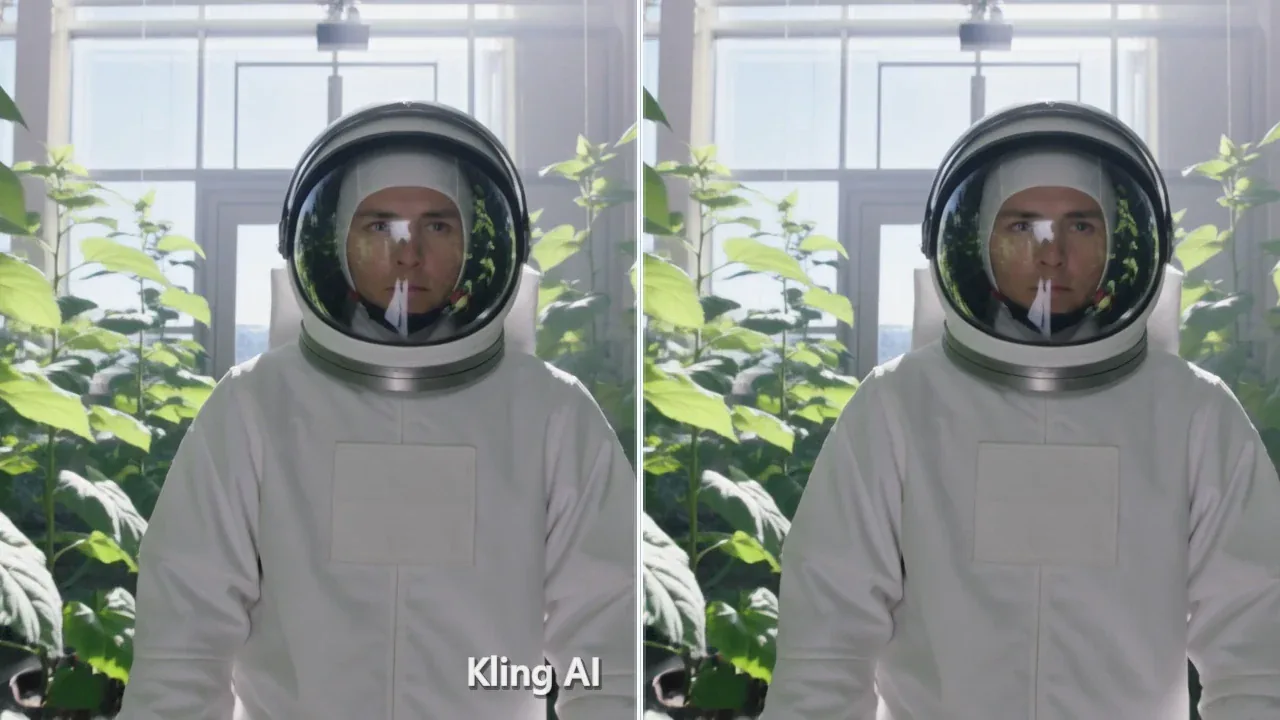
Try This PromptAn adult astronaut in a clean white exploration suit walks through a bright lunar greenhouse. Track backward smoothly while leaves move gently, sunlight streams through glass panels, and the fully covered suit remains stable.
Try This PromptAn adult fantasy guardian in complete blue-and-silver armor walks through a sunlit field of white flowers. Use a slow lateral track, natural cape movement, stable armor geometry, and a calm full-body ending.
Try This PromptBright natural-history macro video of a ruby-throated hummingbird hovering beside coral flowers. Keep the camera nearly locked, wing motion smooth, body and beak stable, petals moving lightly, and the final frame sharply composed.
Try This PromptVertical social video of an adult street-food chef finishing a colorful vegetable flatbread in a bright open-air market. Add a gentle phone-camera push-in, realistic steam, stable hands and utensils, and a neat plated ending with no signage.
Try This PromptBuild cleaner new footage with controls and examples designed around motion—not a generic prompt box.
Start from five playable Tool Workspace examples that show the scene, camera move, format, lighting, and clean ending before you generate.
Choose 16:9 for cinematic edits, 9:16 for Reels and Shorts, or 1:1 for product and feed content without rebuilding the concept.
Kling AI Remove Watermark is positioned honestly: generate a new clip without a visible platform watermark, not an unsupported invisible-provenance remover.
Scenario-specific feedback for this clean video workflow.
The prompt cards make camera motion much easier to plan. I can start from a real clip style instead of guessing how a video prompt should be structured.
I used the vertical matcha example as a starting point for a product Reel. The format and ending instructions gave me a cleaner result to take into editing.
I appreciate that the page explains what Kling AI Remove Watermark actually does. It focuses on generating new footage and does not overpromise uploaded-video cleanup.
No. This workflow generates a new AI video in GLB GPT without a visible Kling platform watermark. It does not process an uploaded Kling video frame by frame.
No. The page makes no claim about removing invisible provenance, identifiers, or metadata. Kling AI Remove Watermark refers only to the visible result of a new-video generation workflow.
You can plan widescreen 16:9, vertical 9:16, and square 1:1 videos. Choose the format that matches your editor, ad placement, feed, Reel, or Short.
Yes, when the selected GLB GPT video model supports image-to-video. Add a public or uploaded reference image, describe the motion and camera path, then generate the new clip.
Describe an unbranded scene and add explicit exclusions for text, captions, logos, labels, UI, signatures, and visible watermarks. Review the full video before downloading or sharing it.