

Photo-to-LEGO, whole scene
Upload a selfie, pet or street shot and the AI rebuilds the scene in bricks — background, props and pose included, not just a filter on the face.
Prompt Guide
Model
Reference Image
Upload a selfie, a pet, a room or a street — or just type an idea. The AI rebuilds the whole scene in LEGO bricks, keeps the details that matter recognizable, and returns a share-ready image in seconds. Free to try, no design software.
Six originals reused from the current page plus four new brick renders — every card has a prompt you can run.
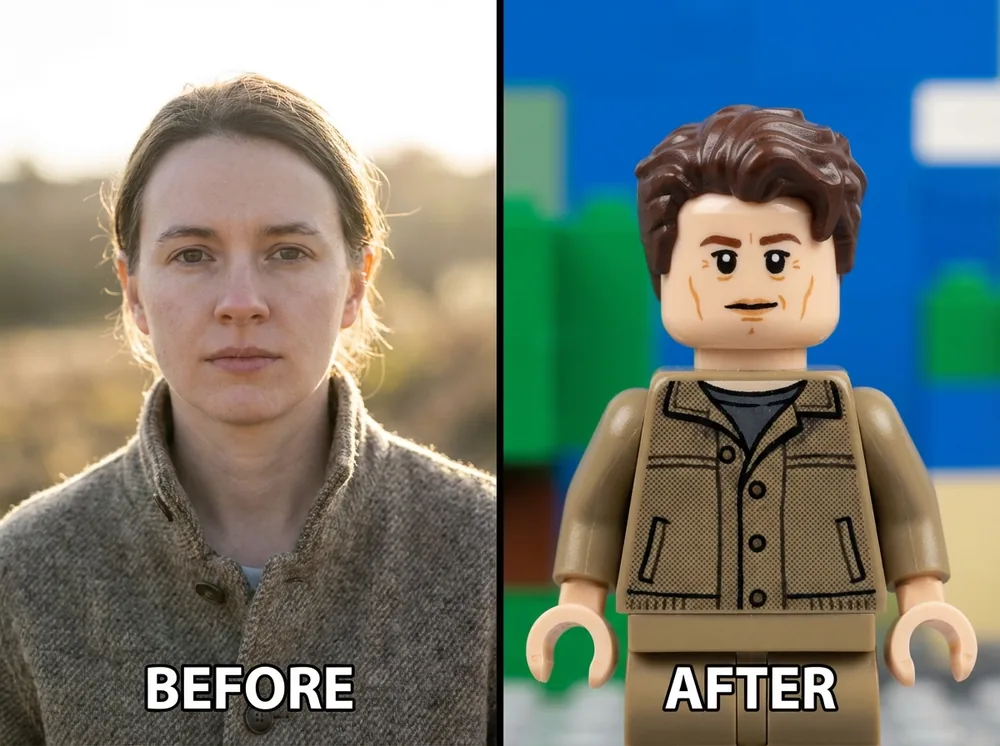
CharactersTurn this portrait into a LEGO minifigure with a printed smile, moulded hair and a clean studio background; keep the likeness and the outfit colours.
Try this prompt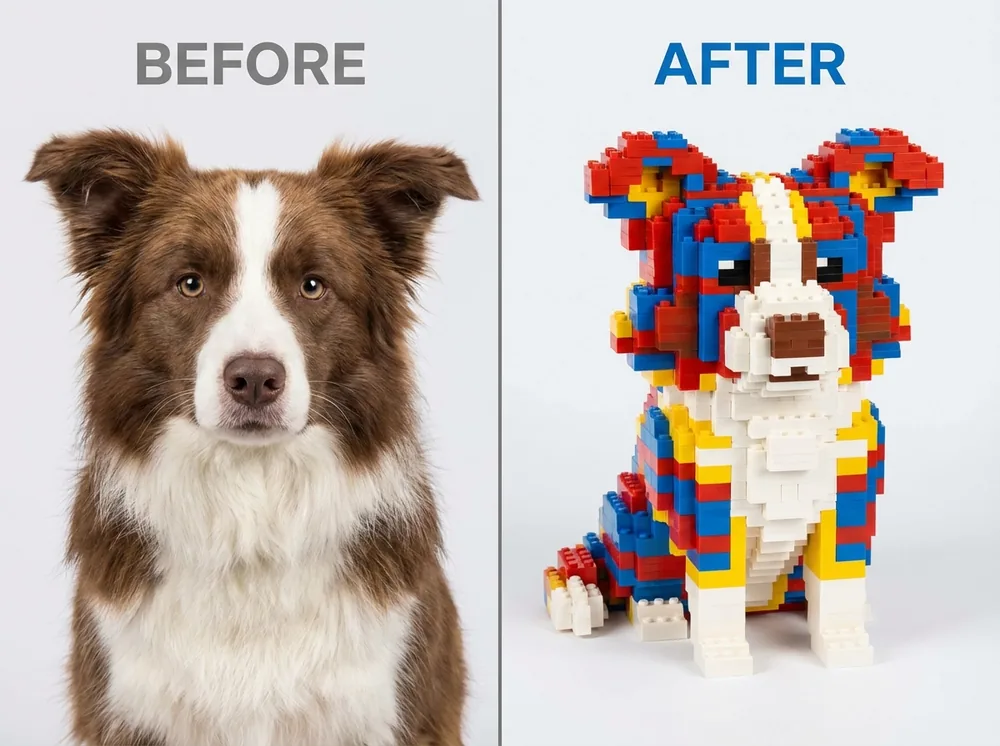 Animals
Rebuild this dog photo as a LEGO brick sculpture, keep the floppy ears and the spot pattern, bright studio lighting, no background clutter.
Try this prompt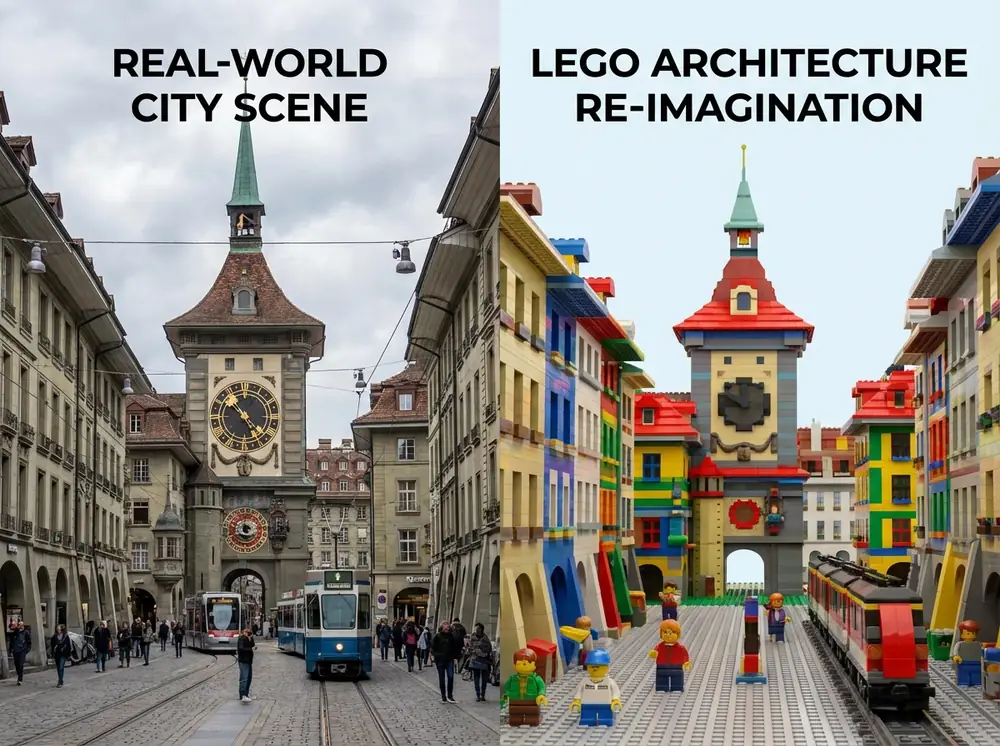 Architecture & City
Convert this street photo into a LEGO architecture scene: clock tower, shop signs, cobblestone road, clear midday light.
Try this prompt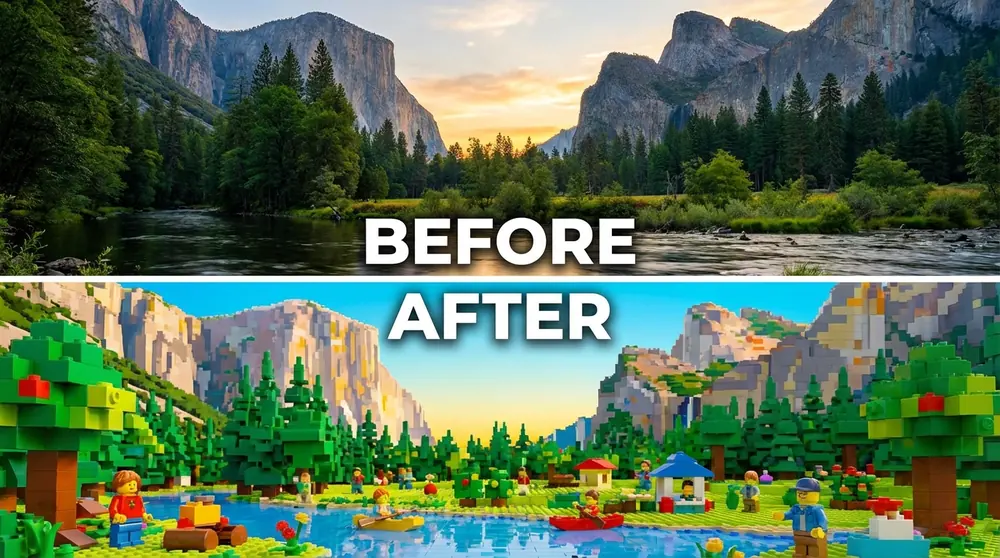 Places & Landscapes
Turn this valley photo into a brick-built diorama with layered mountains, pine trees and a waterfall, keep the wide composition.
Try this prompt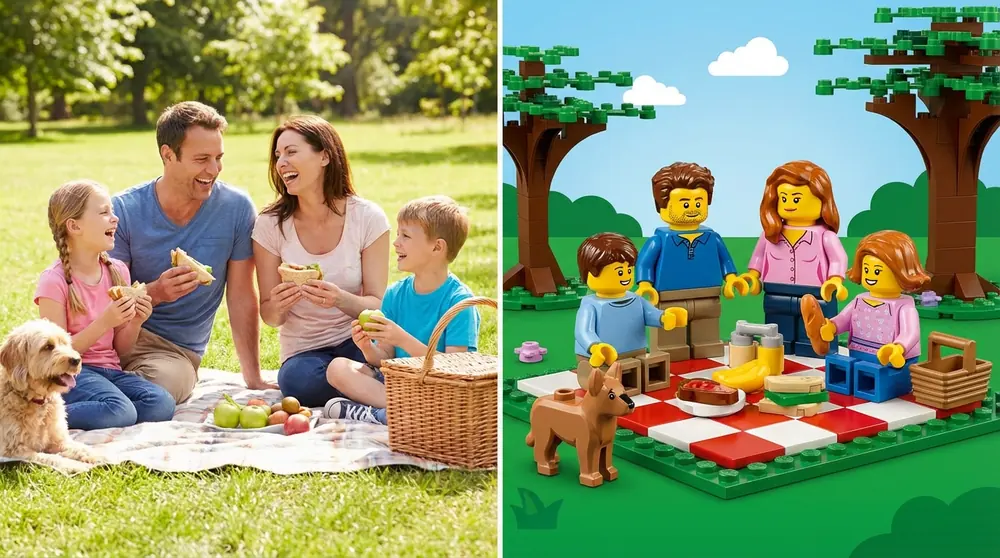 People & Moments
Rebuild this family picnic photo as a LEGO scene with four minifigures, a checked blanket and a basket, keep the same camera angle.
Try this prompt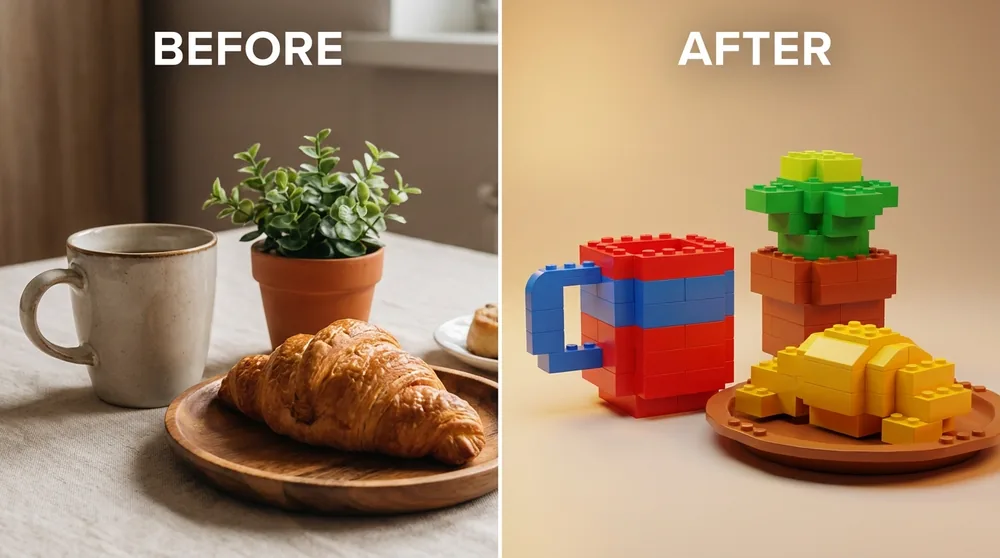 Still Life
Turn this coffee-and-croissant still life into LEGO bricks and plates, keep the table composition and the warm morning light.
Try this prompt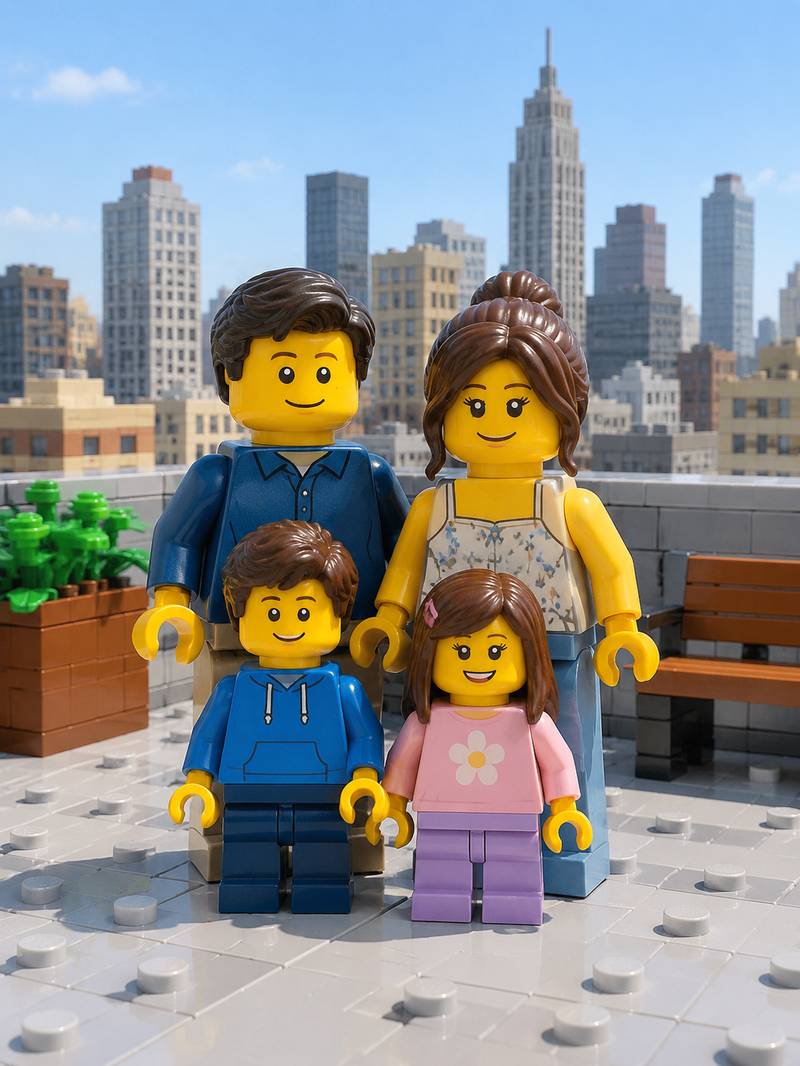 People & Moments
Turn this family photo into four LEGO minifigures on a rooftop terrace, keep ages, hair colour and outfit colours, city skyline of bricks behind, bright noon light.
Try this prompt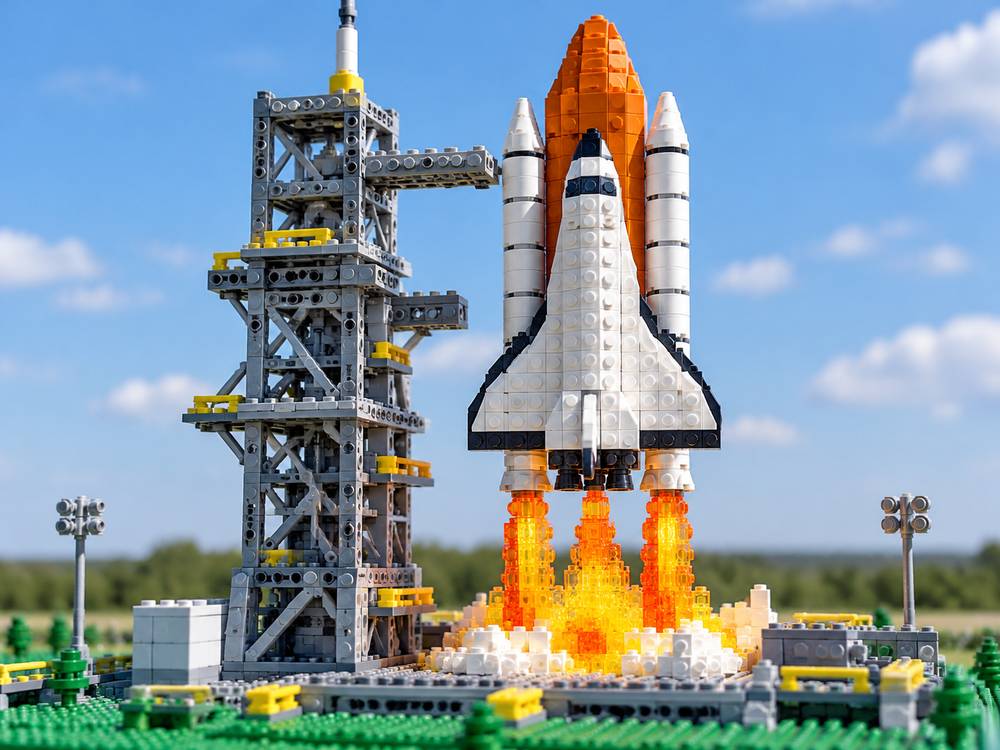 Creative Builds
Build a LEGO space shuttle on a brick launch pad: white plates and slopes, orange external tank, grey technic gantry, translucent orange flame pieces, toy-tabletop photography.
Try this prompt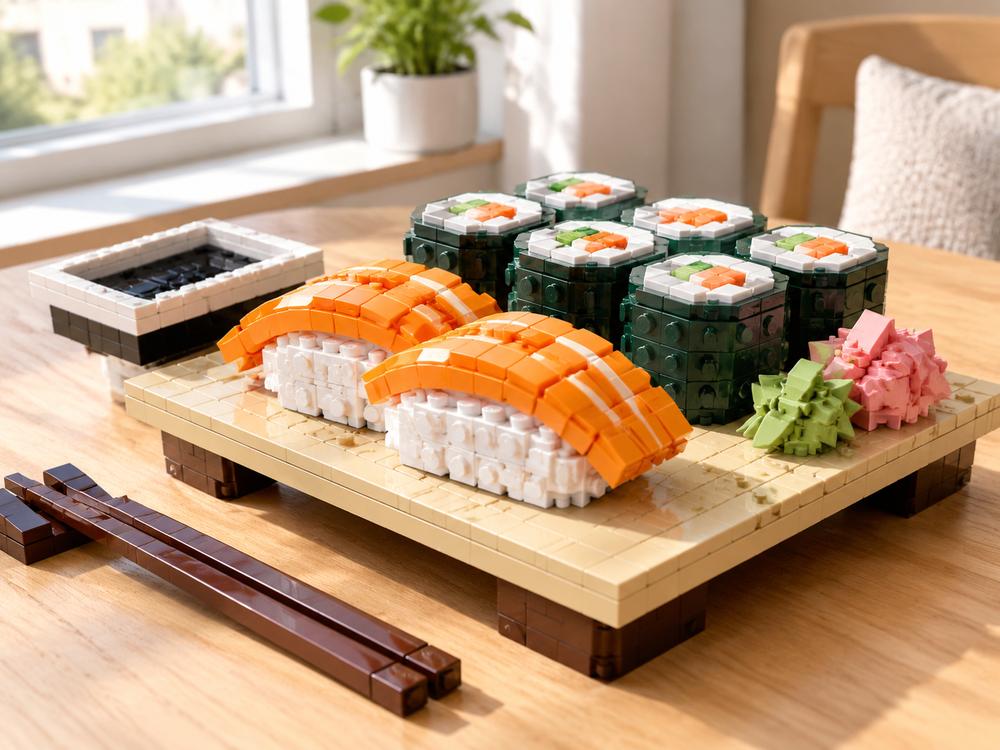 Food & Objects
Turn this sushi platter into LEGO: salmon nigiri with glossy orange tiles, maki wrapped in dark green bricks, a brick soy dish, light wooden table, bright morning light.
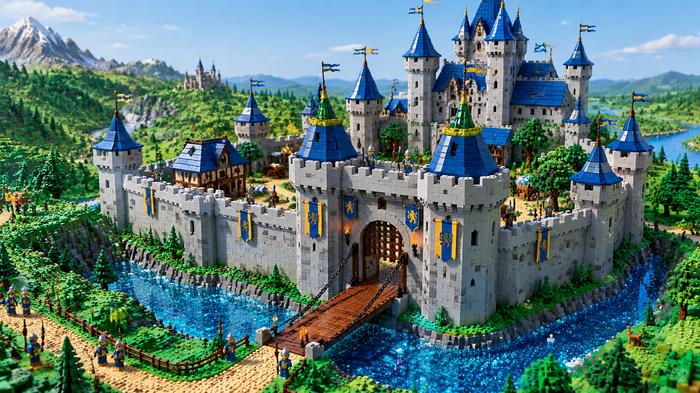
Try this promptFantasy & ArchitectureBuild a LEGO fantasy castle: grey towers with blue cone roofs, a drawbridge over a brick moat, minifigure guards, three-quarter aerial view under clear daylight.
Try this promptWhat this page is built to do.
Upload a selfie, pet or street shot and the AI rebuilds the scene in bricks — background, props and pose included, not just a filter on the face.
Name the hair, outfit colours, glasses or number of people that must survive the conversion, so the minifigure still reads as the person you uploaded.
Go for minifigure portraits, brick-built dioramas or mosaic-style builds before you generate, instead of rerolling until something looks LEGO-ish.
Generate 1:1 avatars, 4:3 thumbnails, 3:4 posters or 16:9 wallpapers without cropping the build afterwards.
Start free with Nano Banana 2, then switch to GPT Image 2, Seedream 5.0 Lite or FLUX.2 Pro when you need a different rendering style for the same prompt.
Skip brick counts, parts lists and 3D software: describe the idea or upload the photo and get a visual you can copy with real bricks or share as-is.
Three steps from idea to final render.
Drop in a selfie, pet, room or street photo — or type the idea, e.g. "a LEGO castle with towers and a moat at noon".
Pick a sample prompt, set 1:1, 4:3, 3:4 or 16:9, and note what must stay recognizable; keep Nano Banana 2 for a free first try.
Hit Create, check the brick texture and likeness, adjust one detail in the prompt, then download the image for social, print or your next build.
Same prompt, different brick detail.
| Criteria | Nano Banana 2 | GPT Image 2 |
|---|---|---|
| Best role on this page | Free entry model for the first photo-to-LEGO try. | Paid model for the final render once the prompt is right. |
| Use it when | You are testing a prompt, a style or a new photo. | You want one polished image for publishing or print. |
| Free trial | 1 free generation for a new account. | Paid only. |
Illustrative scenarios with fictional names.
I uploaded a photo of my dog and got a brick sculpture that kept his floppy ears and the spot on his back. It became the poster for his birthday.
My class described their dream buildings and we generated LEGO versions they could rebuild with the sets in the classroom. The 4:3 crop printed well.
The 3:4 avatar came out as a minifigure that still looks like me — glasses and all — after I asked it to keep the glasses in the prompt.
It is a browser tool that turns a photo or a written idea into a LEGO-style image — minifigure portraits, brick-built dioramas or mosaic scenes — without 3D modelling, brick counts or a build plan.
Both work. Upload a photo when you want your own subject, pet or street converted; type a prompt when you are starting from an idea. You can also upload a photo and add a prompt to steer the style.
Usually the face, hair and signature details carry over, and naming them in the prompt helps. Very complex hair, costumes or tiny accessories are the hardest parts — expect to spend one or two refinements on those.
Choose Landscape 4:3, Widescreen 16:9, Portrait 3:4 or Square 1:1. You get a standard image file you can download and post; nothing is locked in a project file.
The first generation on a new account uses the free entry model, Nano Banana 2. Advanced models such as GPT Image 2, Seedream 5.0 Lite and FLUX.2 Pro are paid, so you can test the style before spending.