

Start with your own photo
A clear reference and an unobstructed outfit give the model a more useful starting point. Ask it to keep the face, pose and background, then check what actually stayed.
Use GlobalGPT image models to change an outfit in a reference photo. Describe the clothes, compare the original and the AI edit, then refine the look. This is a visual preview, not a physical fit or sizing test.
Upload & Change Outfit
Prompt Guide
Model
Reference Image
The first four cards pair a generated reference photo with its actual GPT Image 2 edit. The last two are AI outfit inspiration. Results can change faces or surroundings; inspect the details before use. Copy a prompt, upload your own photo, then try the look.
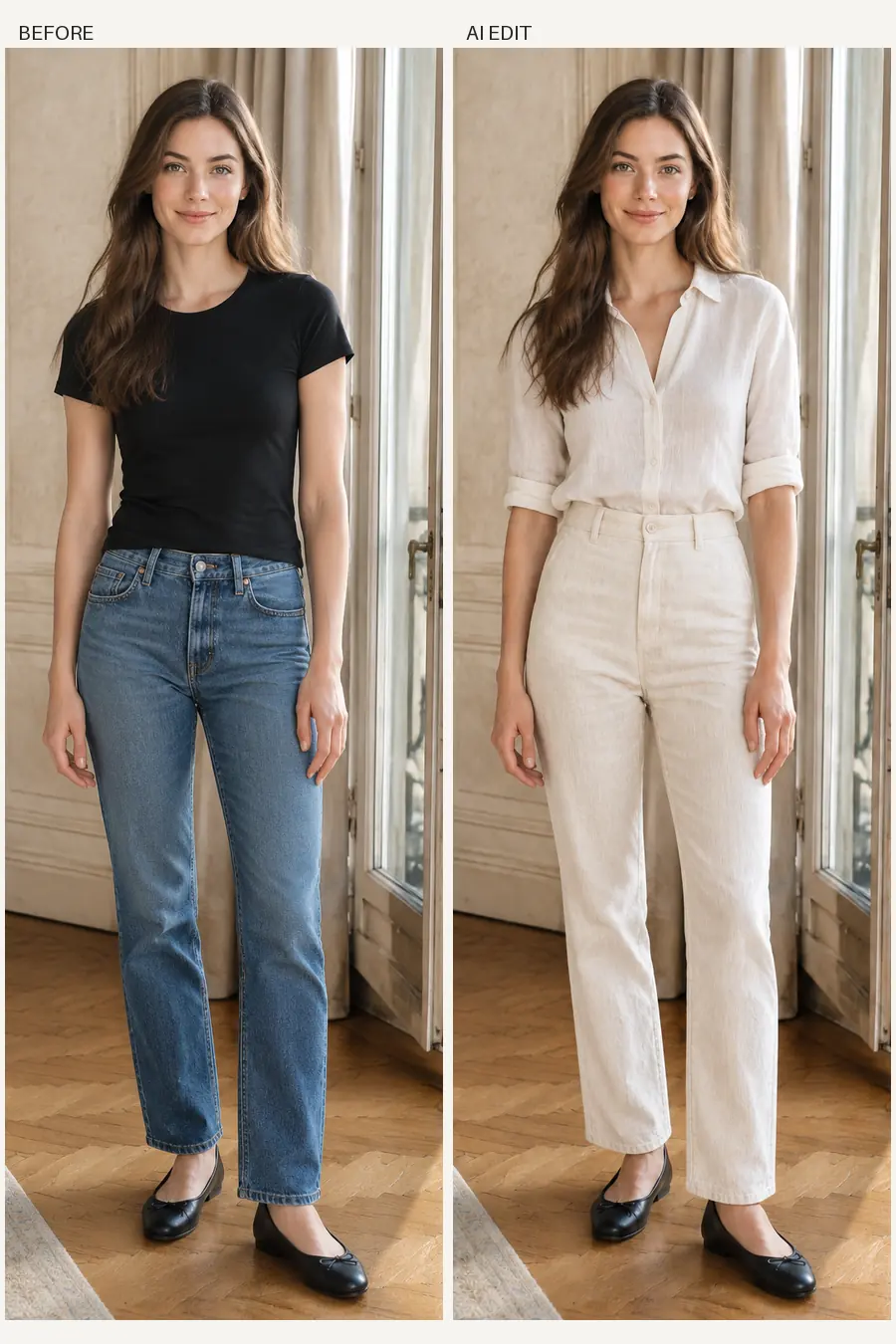 Linen
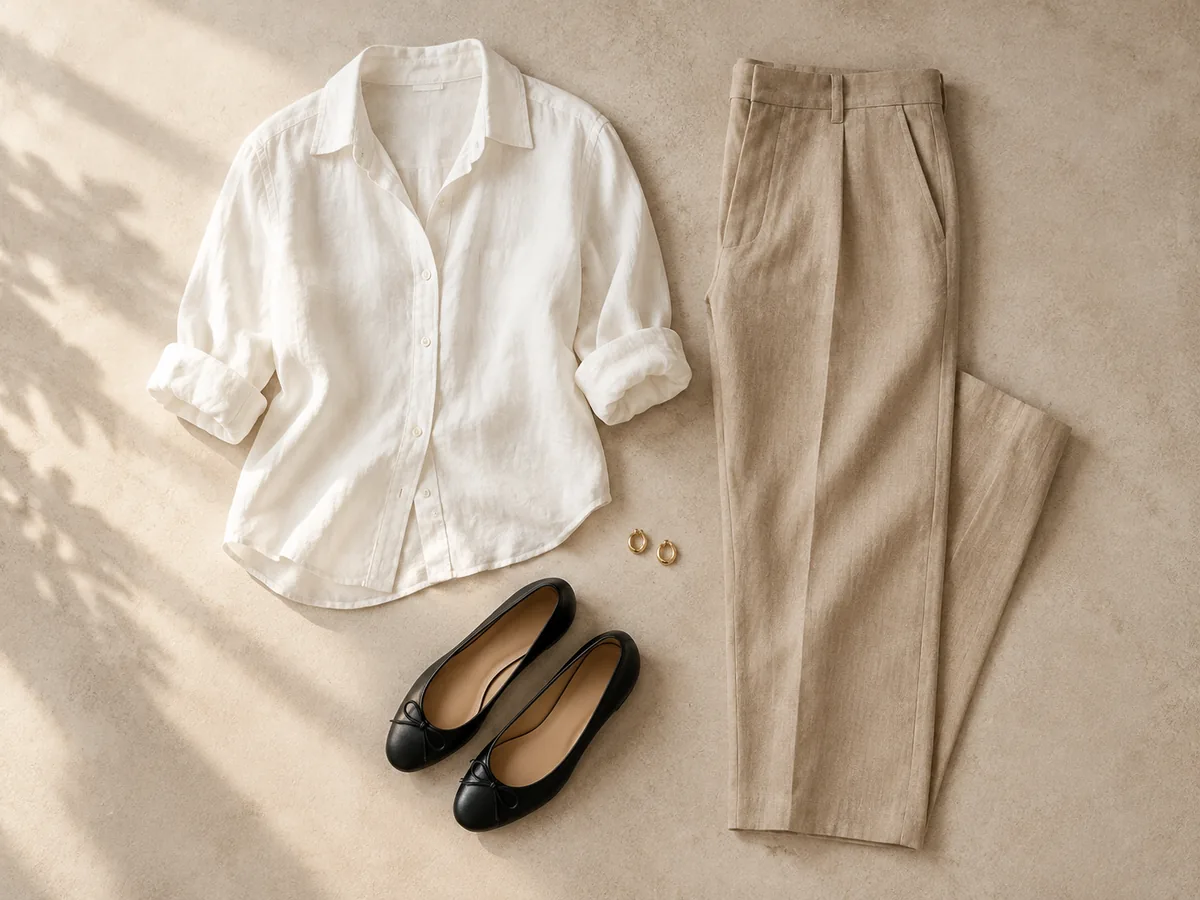
LinenEdit my uploaded reference photo. Replace only the clothes with a lightweight ivory linen shirt with rolled sleeves tucked into cream straight-leg linen trousers; keep the original shoes. Preserve the same person, face, hair, body proportions, pose, hands, background, lighting and framing as closely as possible. Use natural thin breathable fabrics and believable folds. No new person, no text or collage.
Upload & Try This Look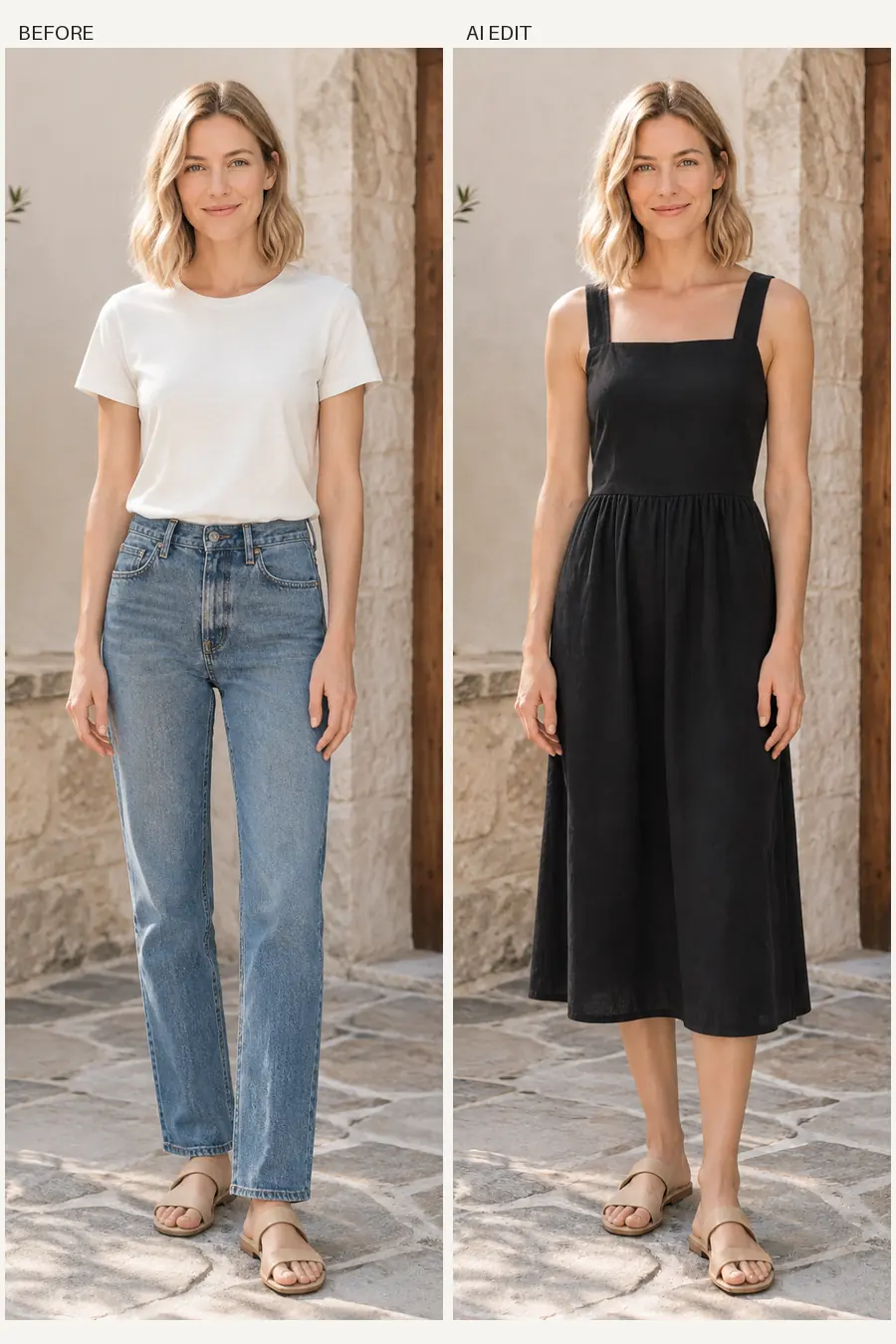 Dresses
Edit my uploaded reference photo. Replace only the clothes with a simple lightweight black cotton midi dress with broad shoulder straps and a modest square neckline; keep the original shoes. Preserve the same person, face, hair, body proportions, pose, hands, background, lighting and framing as closely as possible. Use natural thin breathable fabrics and believable folds. No new person, no text or collage.
Upload & Try This Look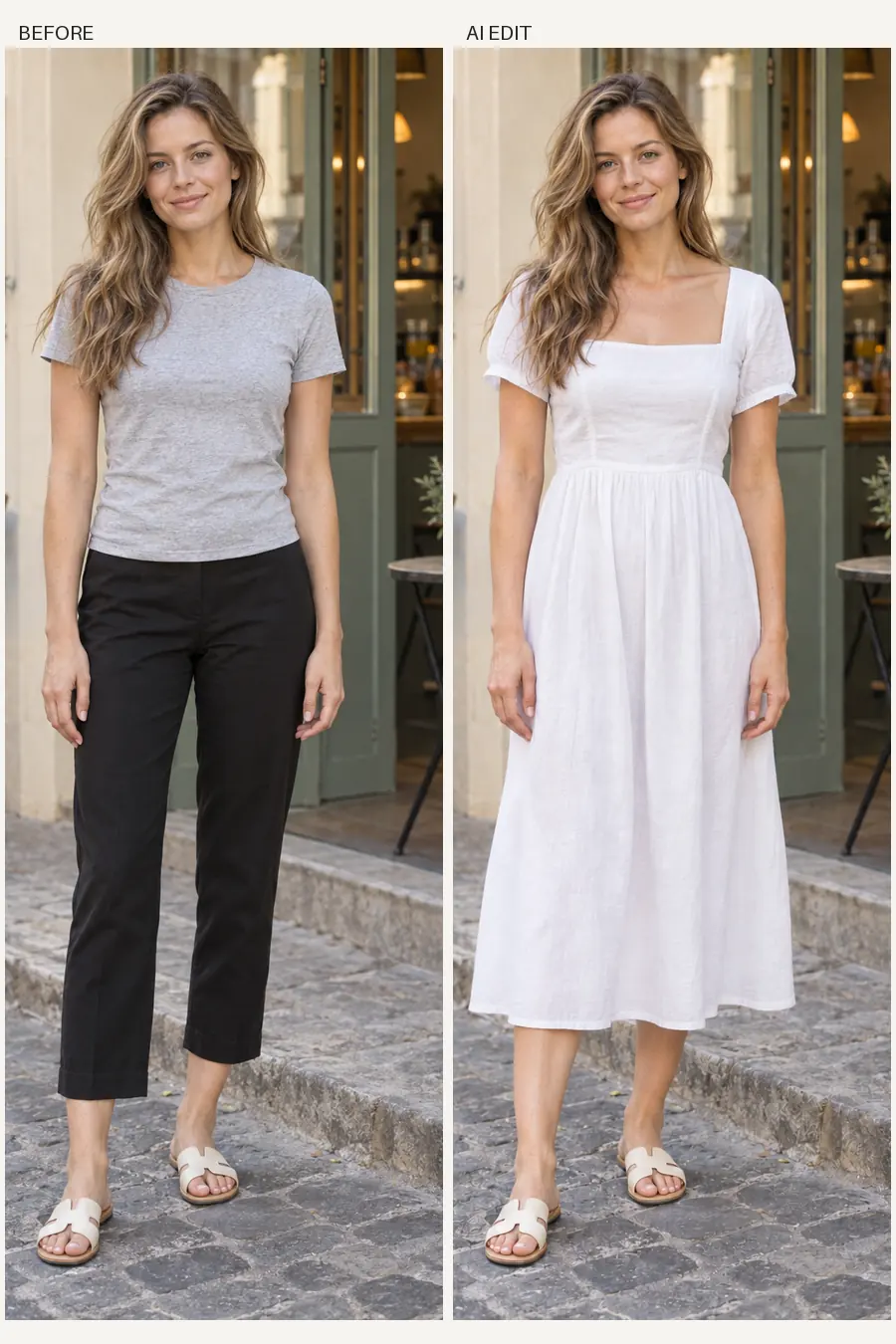 Dresses
Edit my uploaded reference photo. Replace only the clothes with a white lightweight cotton midi dress with short relaxed sleeves, a modest square neckline and a gently defined waist; keep the original shoes. Preserve the same person, face, hair, body proportions, pose, hands, background, lighting and framing as closely as possible. Use natural thin breathable fabrics and believable folds. No new person, no text or collage.
Upload & Try This Look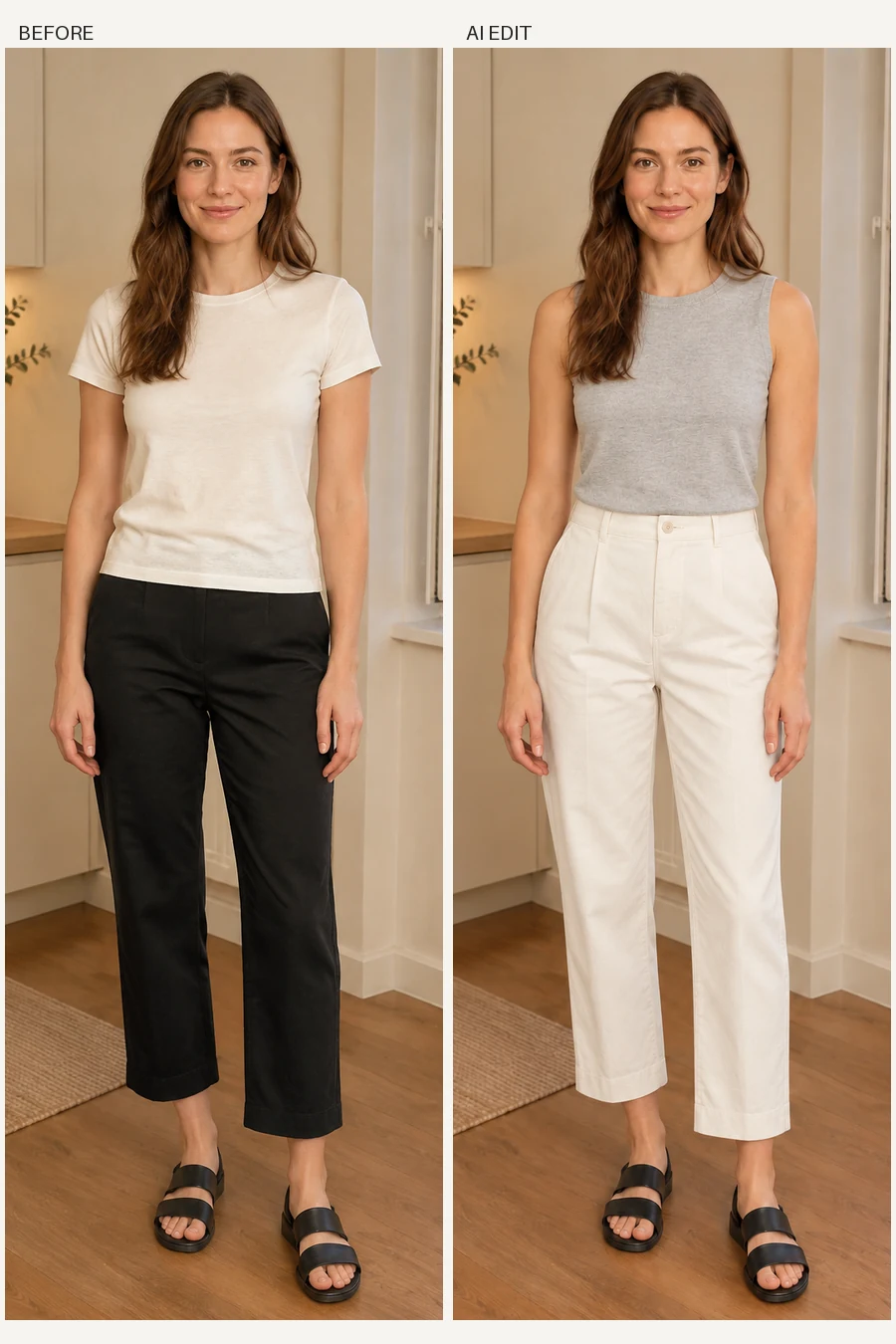 Light Layers
Edit my uploaded reference photo. Replace only the clothes with a thin light-grey sleeveless fine-knit crew-neck top and ivory straight-leg cotton trousers; keep the original shoes. Preserve the same person, face, hair, body proportions, pose, hands, background, lighting and framing as closely as possible. Use natural thin breathable fabrics and believable folds. No new person, no text or collage.
Upload & Try This Look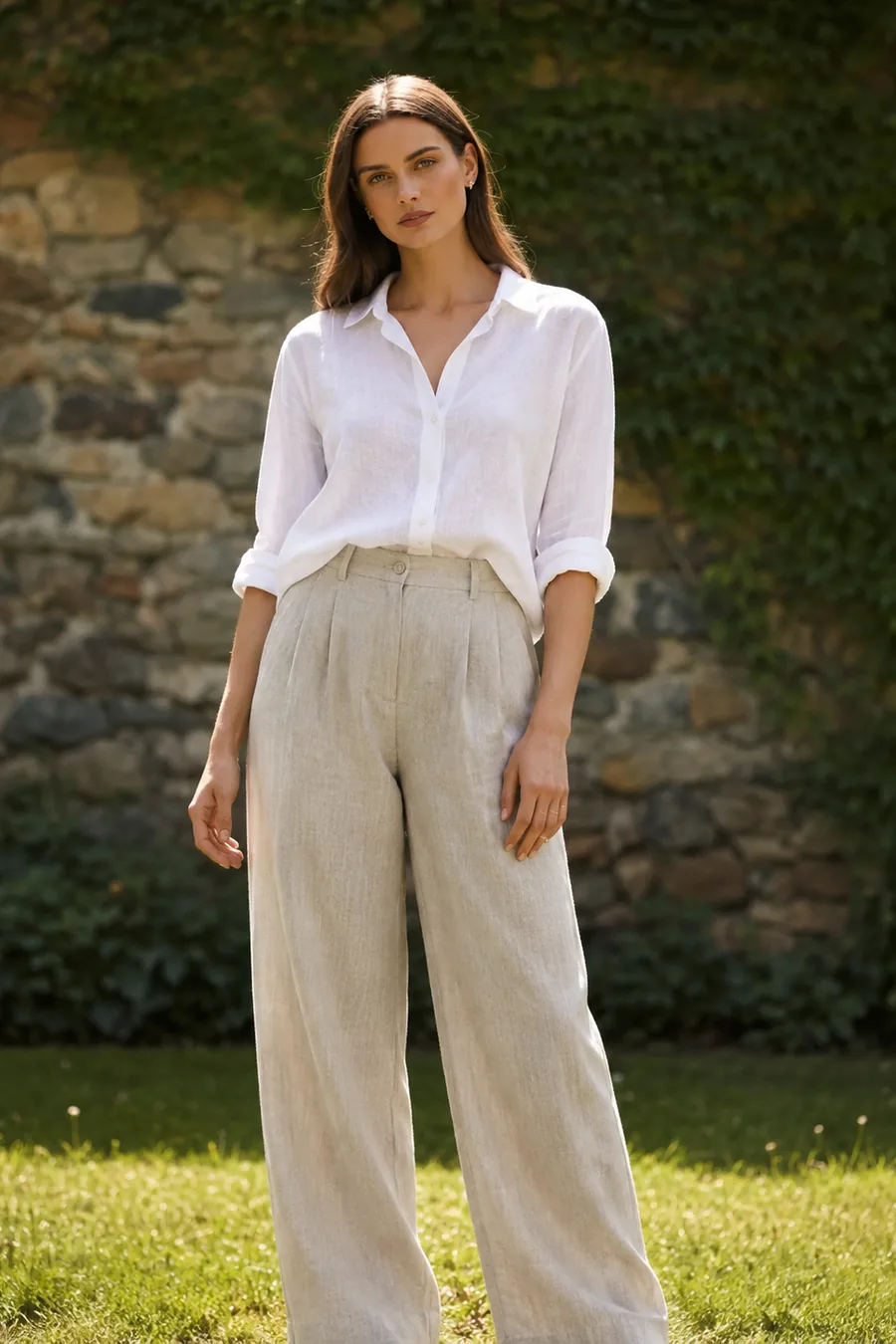 Linen
LinenEdit my uploaded reference photo. Replace only the clothes with a lightweight ivory linen shirt with rolled sleeves tucked into cream straight-leg linen trousers; keep the original shoes. Preserve the same person, face, hair, body proportions, pose, hands, background, lighting and framing as closely as possible. Use natural thin breathable fabrics and believable folds. No new person, no text or collage.
Upload & Try This Look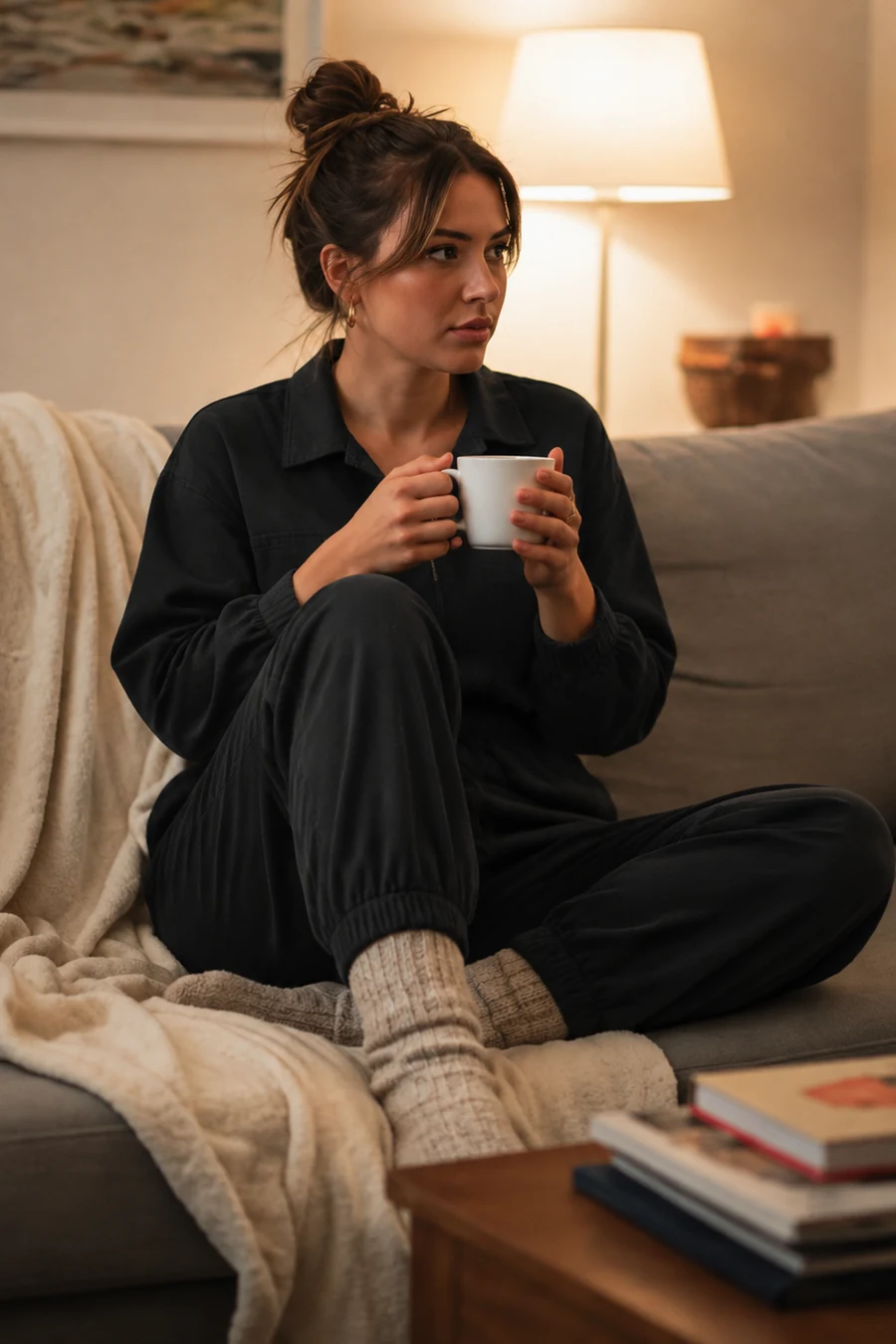 Casual
Edit my uploaded reference photo. Replace only the clothes with a lightweight black collared jumpsuit with a relaxed fit; keep the original pose, accessories and shoes. Preserve the same person, face, hair, body proportions, pose, hands, background, lighting and framing as closely as possible. Use natural thin breathable fabrics and believable folds. No new person, no text or collage.
Upload & Try This LookStart with the person you want to keep, then compare a clear clothing choice.
A clear reference and an unobstructed outfit give the model a more useful starting point. Ask it to keep the face, pose and background, then check what actually stayed.
Describe color, fabric, sleeves, neckline and length. Compare the AI edit with the source for unwanted changes instead of assuming a convincing preview means a garment will fit.
Keep the same reference and change one clothing detail. If you need more edits after a trial, check credits and model access in the current plan; paying adds eligible usage, not a guarantee of a perfect result.
Use a clear reference and check the result before you spend credits on another variation.
Sign in when requested and add your photo in Reference Image. Use a clear adult portrait with the clothing visible. Wait for the upload preview; reselect the file if it fails to load.
Choose a style idea or name the color, fabric, sleeves and length. Ask to keep the same face, pose, hands and background. Check the displayed access or credit cost before submitting.
Compare the reference and edit, including face, hands, seams, background and unwanted changes. Keep the reference, revise one detail and generate again if needed. Each new run can consume allowance or credits.
Add it in the Reference Image field before generating and wait for the upload preview. Describe the clothing to replace and what should stay. Use only images you have permission to upload. If the preview fails to load, reselect the file instead of submitting a missing reference.
Trial availability and model access depend on your GlobalGPT account. Check the current allowance and credit cost before generating. A trial is limited; further edits may require credits or a plan with model access. Paid use does not guarantee face preservation or the exact result of a particular example.
No. This workflow creates an AI-edited outfit preview, not a physical fitting, body measurement or exact product simulation. Fabric, pattern and shape can differ from a real garment. Use a real retailer’s sizing and product photos when deciding what to buy.
Use a clear reference, request a clothing-only change and explicitly name the details to preserve. Compare the actual result with the source; generative editing can still change identity, hands or scenery. Simplify the edit or try another version if important details drift.
Check the chosen model’s terms and your rights to the source photo, likeness and clothing designs. Label AI previews where needed and use accurate real product photos for customer decisions. Do not present an invented garment or an altered fit as a faithful photograph of an item for sale.